Summary
- HubSpot Marketing Hub and Canva give most marketing teams the fastest return, because AI sits right inside the work they already do.
- Pick your email tool by business model: Klaviyo for ecommerce, HubSpot for B2B pipelines and Mailchimp for small, simple lists.
- Ad and social tools like Madgicx, Sprout Social and Smartly pay off only once your spend and posting volume are high enough.
- Enterprise tools like Writer, Brandwatch and Persado suit large or regulated brands with the budget for annual contracts.
The Best AI Marketing Tools at a Glance
| Tool | Category | Paid from | Best for |
|---|---|---|---|
| 1. HubSpot Marketing Hub | Marketing platform and CRM | $20/seat/mo list | B2B campaigns and nurture |
| 2. Canva | Design | $18/mo (Pro) | On-brand assets for every channel |
| 3. Jasper | AI content platform | $59/seat/mo, yearly | Brand content at volume |
| 4. Klaviyo | Email and SMS | $20/mo | Ecommerce email flows |
| 5. Mailchimp | Email marketing | $13/mo | Small lists, simple campaigns |
| 6. Sprout Social | Social media suite | $199/seat/mo, yearly | Social teams and reporting |
| 7. Runway | Video and image AI | $12/mo, yearly | Short video ads and b-roll |
| 8. Hootsuite | Social media management | $99/user/mo, yearly | Scheduling many accounts |
| 9. Writer | Enterprise AI writing | $29/user/mo per G2 | Governed, on-brand content |
| 10. Madgicx | Meta ads AI | Based on ad spend | Ecommerce Meta advertisers |
| 11. Pencil | Ad creative AI | $11/mo, yearly | Fast ad test variations |
| 12. Smartly | Ad production and buying | Custom quote | High-volume advertisers |
| 13. Brandwatch | Social listening | Custom quote | Consumer and brand research |
| 14. Persado | Marketing language AI | Custom quote | Regulated enterprise brands |
The 14 Best AI Marketing Tools, Ranked
I ranked these tools by how many marketing teams can put them to work within the first month, so broad platforms come first and specialist ad, listening and enterprise copy tools come last. One pattern from my AI marketing consulting work shapes the whole list: teams get more from two tools wired into their real campaigns than from eight tools bought after a demo.
HubSpot Marketing Hub
The Best All-in-One Pick When Campaigns, Email and CRM Data Need to Live Together
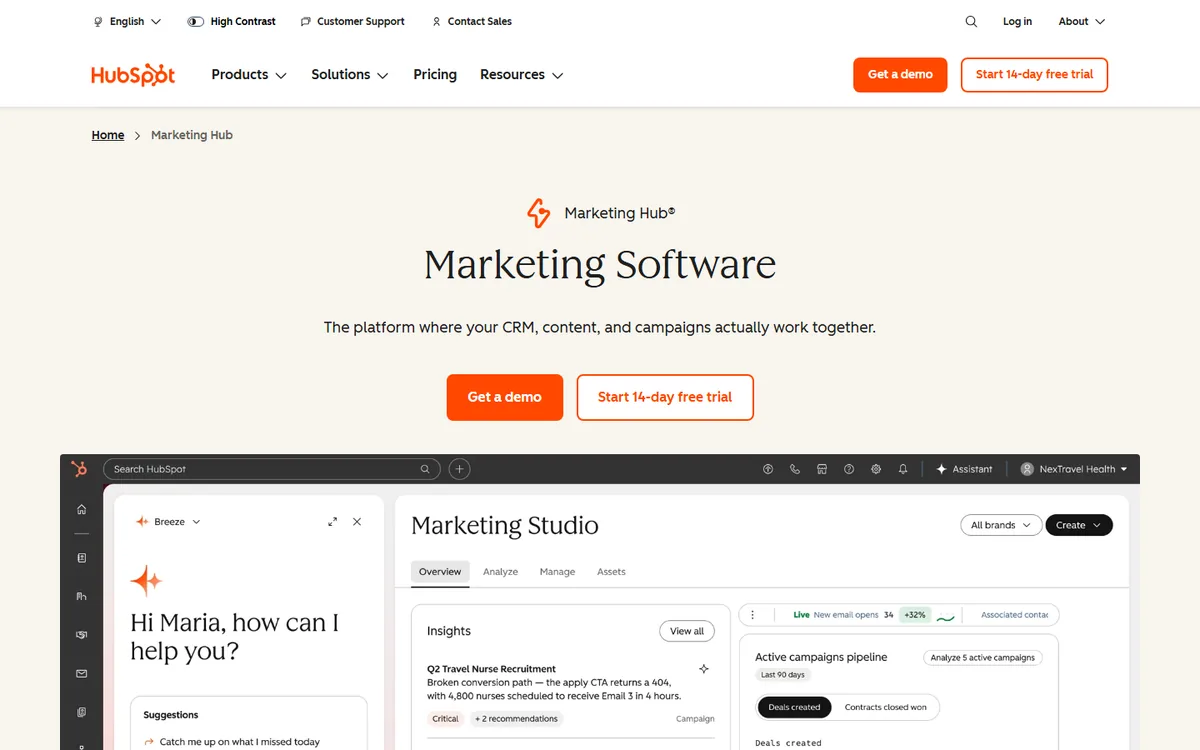
Marketing Hub combines email, landing pages, forms, ads, social and automation on top of HubSpot’s CRM, with Breeze AI features that run on monthly HubSpot Credits.
For a marketing team, HubSpot’s AI is useful because of where it sits. Breeze can draft a nurture email, and it drafts it next to the contact record, the deal stage and the pages that person visited. You can ask for a list of trial users who opened three emails and never booked a demo, and build it without a spreadsheet export. Campaign reports pull ads, email and web traffic into one view, which helps the day your CEO asks which channel actually filled the pipeline.
My caution is about the gap between tiers. Starter covers simple email, forms and landing pages, but most of what marketers want from automation, like multi-step workflows and lead scoring, sits in Professional. Professional comes with an annual commitment and a one-time onboarding fee, so I tell clients to price it before they build their plans around Starter. AI features also draw from a monthly pool of credits, and busy agents can use it up faster than you expect.
What HubSpot Marketing Hub Does Well
- AI works with live CRM and campaign data
- Email, landing pages, ads and social share one database
- Attribution reports answer pipeline questions quickly
What HubSpot Marketing Hub Could Do Better
- The jump from Starter to Professional is steep
- AI credits don’t roll over and need watching
HubSpot Marketing Hub Pricing
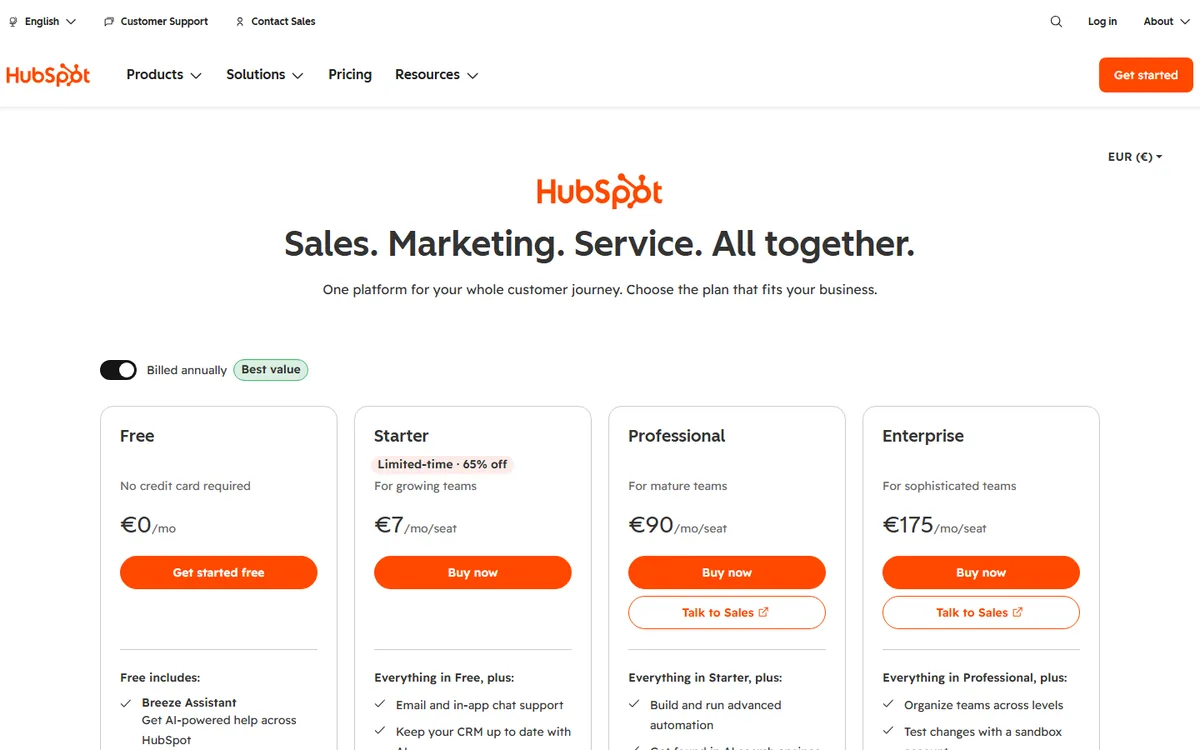
Marketing Hub has a free plan for up to two users. Starter lists at $20 per seat per month with 1,000 marketing contacts and 500 HubSpot Credits, and new customers are often offered a discount. Professional starts at about $800 per month with three core seats, 2,000 marketing contacts and 3,000 credits, on an annual commitment plus a $3,000 onboarding fee. Enterprise starts at $3,600 per month with five seats, 10,000 contacts, 5,000 credits and a $7,000 onboarding fee.
HubSpot Marketing Hub Reviews
- G2: score of 4.4 out of 5 (from +16,000 customer reviews)
- Capterra: score of 4.5 out of 5 (from +6,200 customer reviews)
Canva
The Fastest Way to Turn One Campaign Idea into Assets for Every Channel
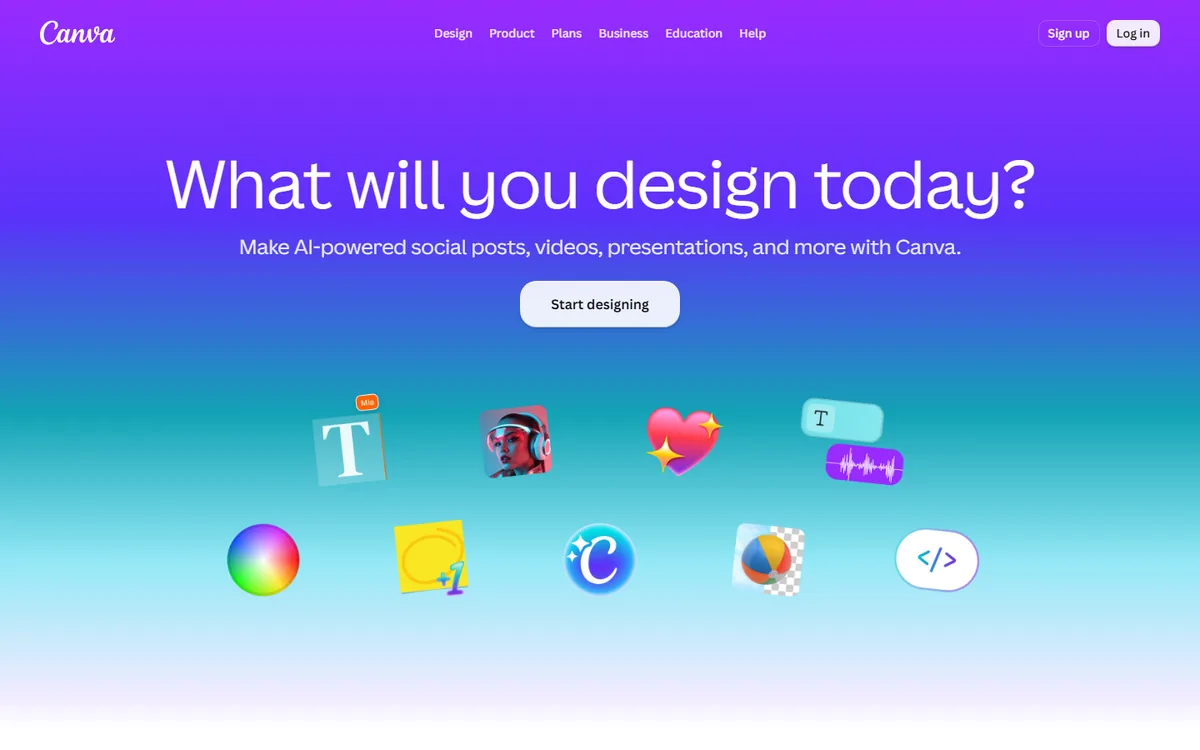
Canva’s Magic Studio adds AI writing, image generation, background removal and Magic Switch resizing to a design tool your whole marketing team can use.
Marketing teams seldom run short of ideas. They run short of design hours. Canva closes that gap for routine work. A webinar promo needs a LinkedIn banner, an email header, three ad sizes and an Instagram story, and Magic Switch turns the master design into each format, and into other languages, in a few clicks. Brand Kits hold your fonts, colors and logos, so a product marketer or a regional team can build assets without drifting off brand.
Where Canva shines for marketers is approval speed. Your designer builds a template once and locks the layout, then other people swap in copy and images, so reviews shrink to checking the message. I’ve watched a campaign launch drop from a week of back-and-forth to two days with nothing more than locked templates. AI images still look like AI on close inspection, though. Use Canva for volume and adaptation, and keep your hero creative with a designer.
What Canva Does Well
- Magic Switch resizes and translates designs per channel
- Locked templates keep non-designers on brand
- Copy changes no longer need a designer’s time
What Canva Could Do Better
- AI images look generic next to real photography
- Team features require the pricier Business plan
Canva Pricing
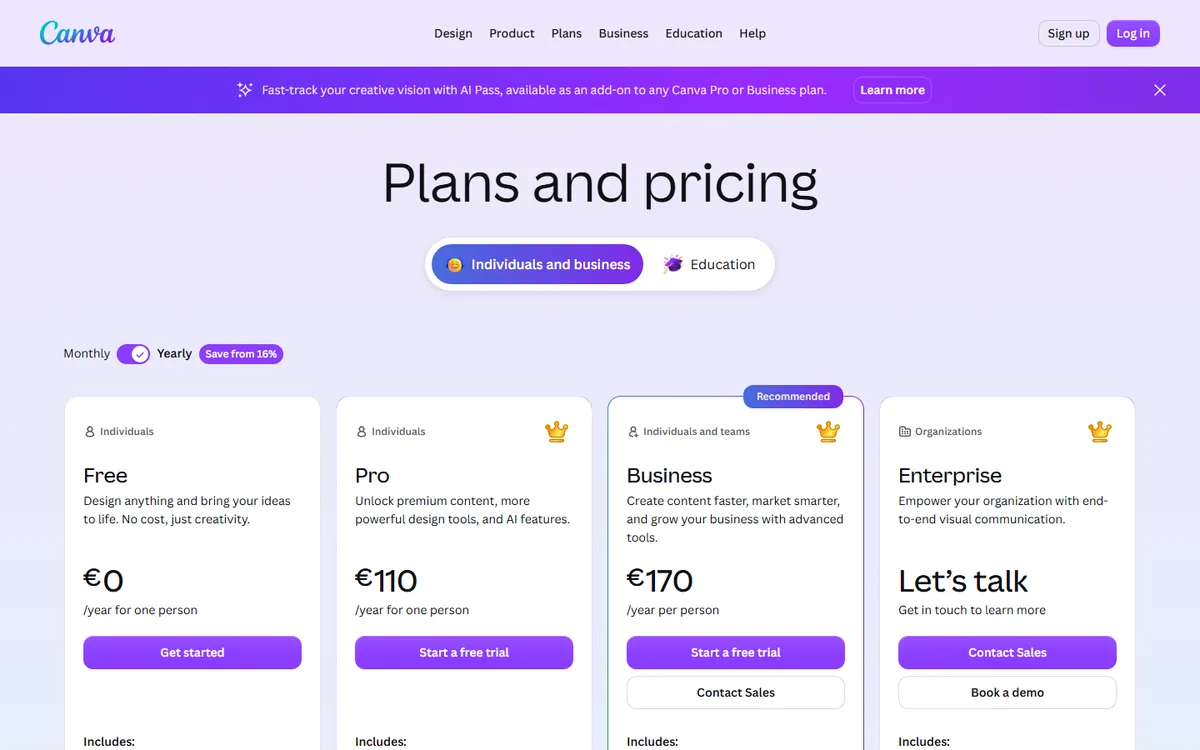
Canva Free costs nothing. Canva Pro is for one person and costs $144 per year or $18 billed monthly. Canva Business, the plan most marketing teams need for shared Brand Kits and invites, costs $250 per person per year or $25 per person billed monthly. Enterprise is priced through sales, and Pro and Business both come with a free trial.
Canva Reviews
- G2: score of 4.7 out of 5 (from +8,300 customer reviews)
- Capterra: score of 4.7 out of 5 (from +13,400 customer reviews)
Jasper
The Most Complete AI Writing Platform Built Around Marketing Teams
Jasper is an AI content platform for marketers, with a shared Canvas workspace, ready-made marketing agents and a brand layer that stores your voice, style guide and product knowledge.
A general chat assistant can write a decent blog intro. Jasper earns its place when several people produce content for one brand. You load your brand voice, style rules, audiences and product facts once, and every draft starts from that context. Canvas gives your team one place to brief, draft and edit, and the agents take over repeat jobs, such as turning a webinar transcript into a recap post, social snippets and a follow-up email.
In my experience, Jasper pays off for teams shipping many channel versions each week, and much less for a solo marketer writing two long posts a month. The output ceiling depends on your inputs. Thin brand guidelines produce bland drafts, so give yourself a week to write proper voice rules with good and bad examples before you judge the tool. Price is the other complaint I hear, since Pro is billed per seat and the bigger team features sit in the custom Business plan.
What Jasper Does Well
- Brand voice and product facts carry into every draft
- Agents cover everyday marketing jobs out of the box
- Briefs, drafts and edits stay in one workspace
What Jasper Could Do Better
- Per-seat pricing adds up for larger teams
- Output is only as sharp as your brand inputs
Jasper Pricing
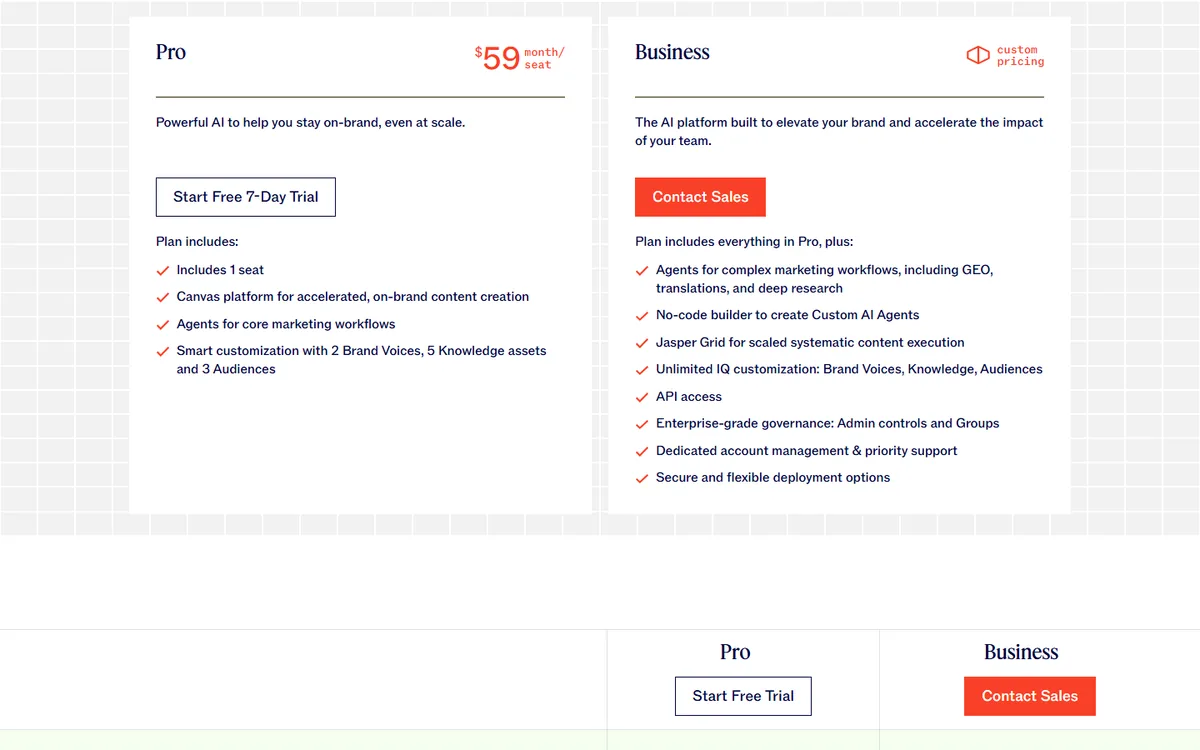
Jasper Pro costs $69 per seat per month billed monthly, or $59 per seat per month on a 12-month plan, and comes with a 7-day free trial. The Business plan has custom pricing through sales and adds more seats, agents and admin controls.
Jasper Reviews
- G2: score of 4.7 out of 5 (from +1,300 customer reviews)
- Capterra: score of 4.8 out of 5 (from +1,800 customer reviews)
Klaviyo
The Strongest Email and SMS Choice for Ecommerce Brands
Klaviyo is a B2C CRM for email, SMS and push, with K:AI agents that draft campaigns and flows and answer shopper questions using your store data.
If you sell online, Klaviyo is the email platform I recommend most. It syncs orders, browsing and catalog data from Shopify and other stores, so your segments and flows run on what people actually bought. Abandoned cart, browse abandonment and winback flows come ready to adapt, and predictive fields such as expected next order date help you time offers to each customer.
K:AI adds a Marketing Agent that drafts campaigns, emails, texts and sign-up forms from your website, plus a Customer Agent that answers product questions and handles orders and returns around the clock. I still review every AI-built flow before it goes live. A wrong discount code in an automated sequence keeps firing until someone notices, and I’ve seen one run for nine days. Costs scale with active profiles, so clean out contacts who never open every quarter.
What Klaviyo Does Well
- Store data powers precise segments and flows
- K:AI agents cover campaigns and customer questions
- Proven flow templates for cart, browse and winback
What Klaviyo Could Do Better
- Price climbs quickly as your profile count grows
- Advanced segmentation takes time to learn
Klaviyo Pricing
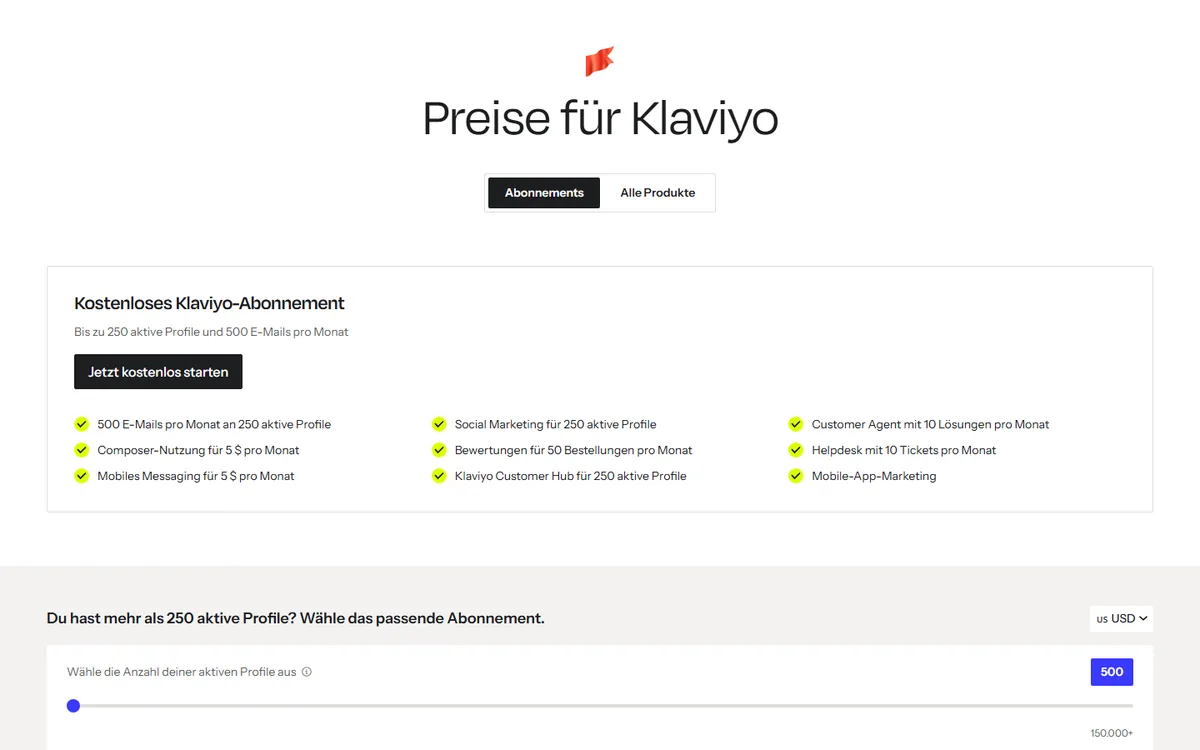
Klaviyo’s free plan covers up to 250 active profiles and 500 emails per month. The Email plan starts at $20 per month for 500 active profiles and 5,000 emails, and the price rises with your profile count. SMS and MMS are an add-on with separate, volume-based pricing.
Klaviyo Reviews
- G2: score of 4.6 out of 5 (from +1,300 customer reviews)
- Capterra: score of 4.6 out of 5 (from +520 customer reviews)
Mailchimp
A Familiar, Affordable Email Platform with AI Help on Its Mid-Tier Plans
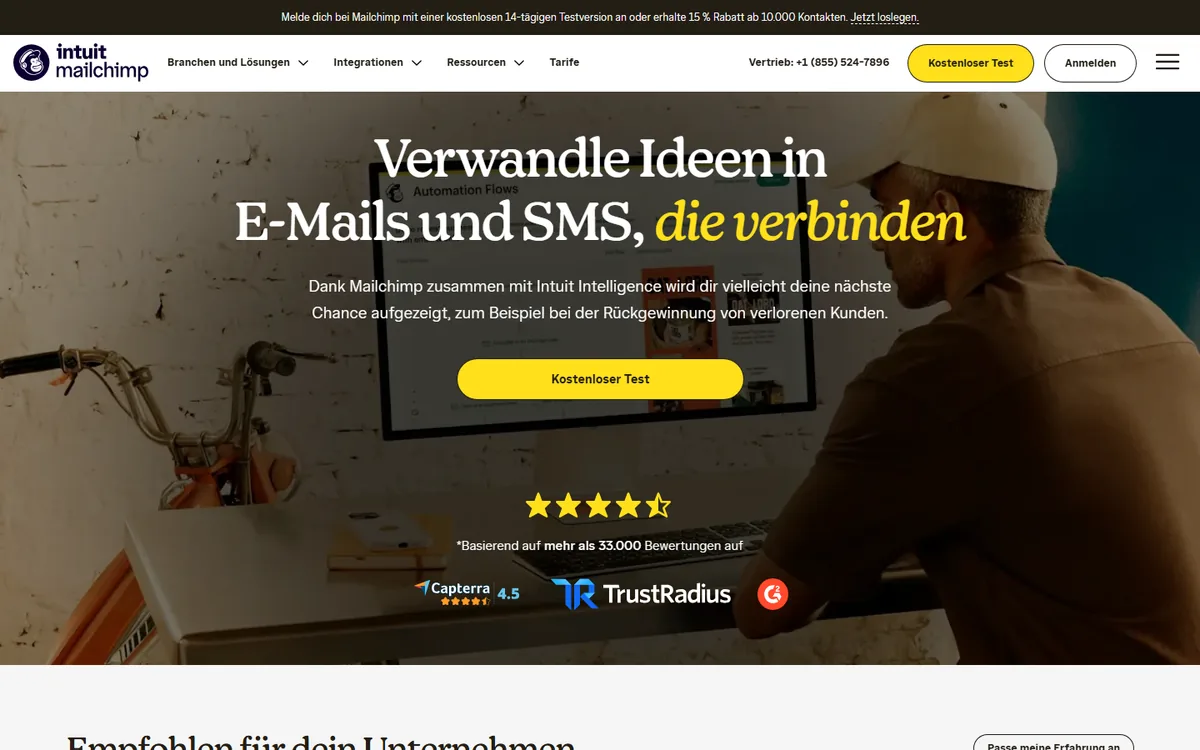
Mailchimp is Intuit’s email and SMS marketing platform, and Intuit Assist adds AI help for drafting on-brand emails and building campaigns.
For small marketing teams and B2B companies with modest lists, Mailchimp is still a sensible default. The editor is easy, the template library is large, and most people on your team have probably used it before, so onboarding takes an afternoon. Intuit Assist can draft emails in your brand style and suggest improvements, which helps when one person writes the newsletter, the promos and the event invites.
The catch is plan choice. Intuit Assist and the multi-step journey builder start on Standard, so Essentials works only for basic sends. Pricing also rises in steps with your contact count, and the bill can jump when a list crosses the next band. Clients who move from Mailchimp to Klaviyo or HubSpot usually do it for deeper segmentation and reporting, and I’d agree that both are a step ahead there. For simple, steady newsletters, Mailchimp is still hard to beat on effort.
What Mailchimp Does Well
- Easy editor that most marketers already know
- Intuit Assist comes with Standard and Premium
- Low entry price for small lists
What Mailchimp Could Do Better
- Costs rise steeply as your list grows
- Segmentation and reports trail Klaviyo and HubSpot
Mailchimp Pricing
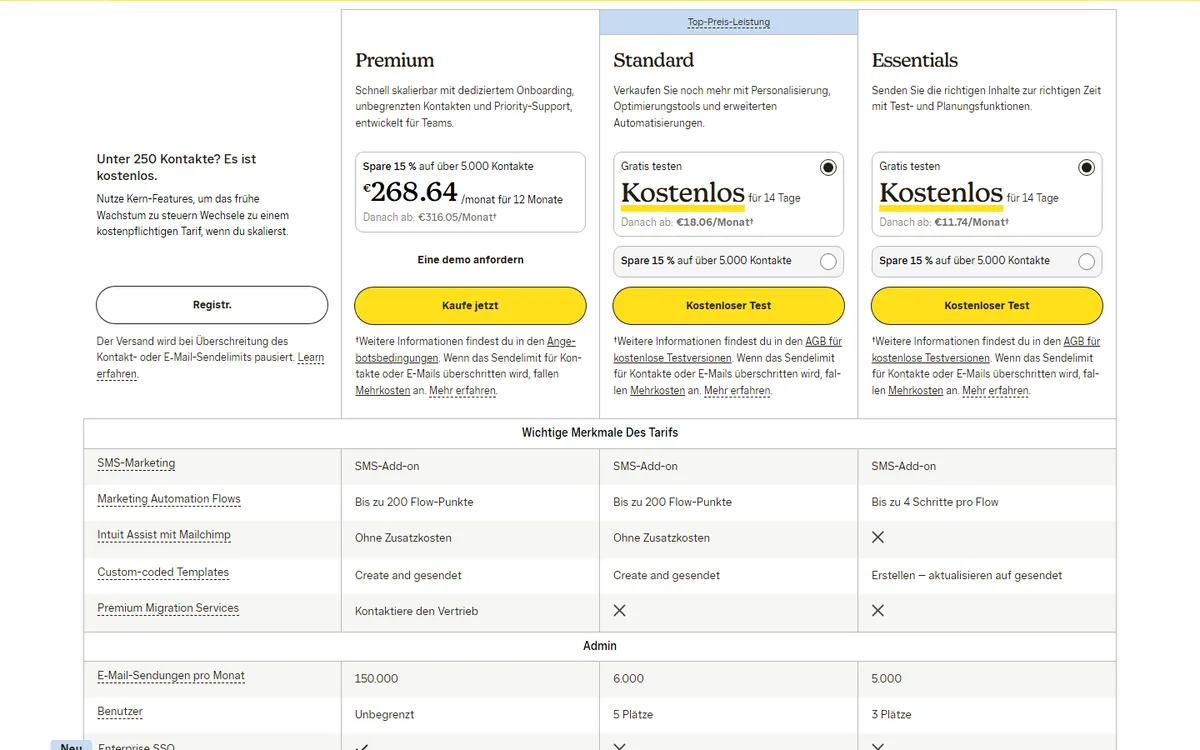
Mailchimp’s free plan covers up to 250 contacts. Essentials starts at $13 per month, Standard at $20 and Premium at $350, and each price rises with your contact count. Essentials and Standard come with a 14-day free trial, and lists of 10,000 or more contacts get 15% off for the first 12 months. Intuit Assist is included on Standard and Premium, in English and in selected countries.
Mailchimp Reviews
- G2: 4.3 out of 5 star rating for Intuit Mailchimp Email Marketing (from +12,900 customer reviews)
- Capterra: score of 4.5 out of 5 (from +17,600 customer reviews)
Sprout Social
The Social Media Suite to Choose When Publishing, Inbox and Reporting Serve a Whole Team
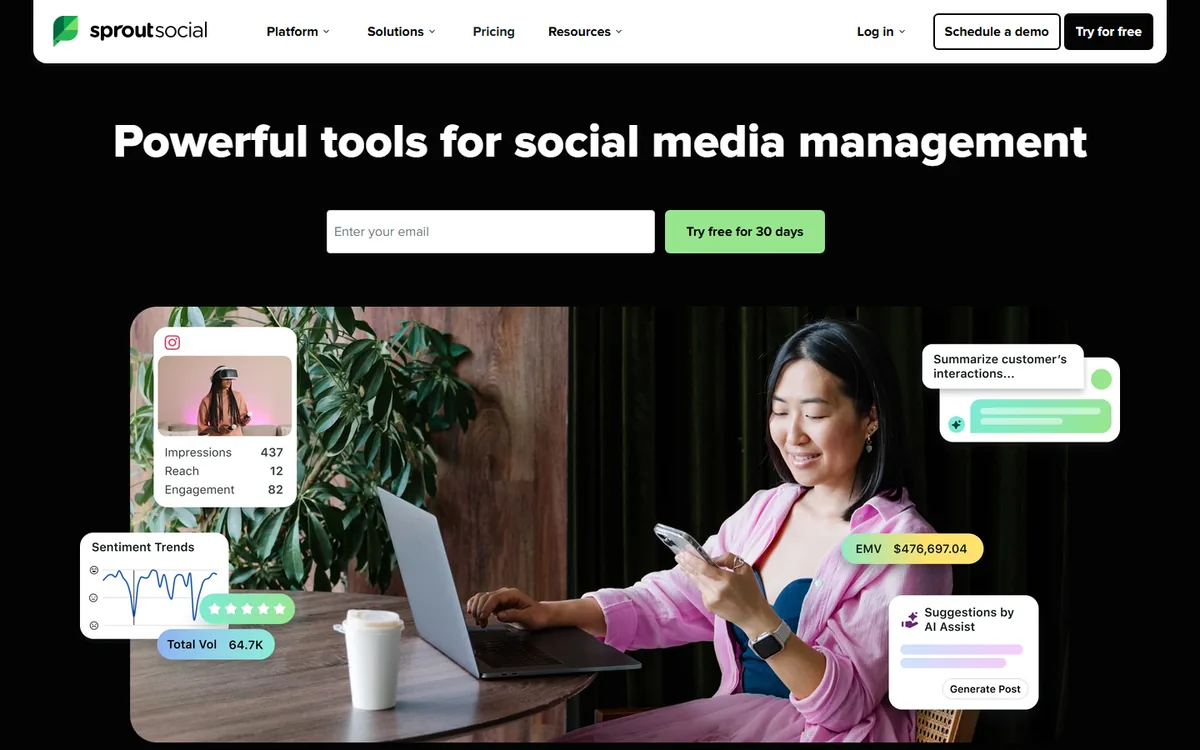
Sprout Social brings publishing, a shared social inbox, listening and reports together, with AI Assist for posts and replies and Trellis, an AI agent for your social data.
Social teams spend more time answering comments and messages than posting. Sprout’s Smart Inbox pulls them from every network into one queue with tags and assignments, and AI Assist can polish a post or, on Advanced, suggest a reply in your brand tone. Trellis answers plain-language questions about your social data, such as which post themes drove the most engagement last quarter, so you spend less time digging through exports.
The reports are why many of my clients pick Sprout over cheaper schedulers. You can hand a monthly social report to leadership without rebuilding it in slides. The drawback is price. Every seat is billed separately, so a five-person team on Professional costs about $1,500 a month before add-ons, and full listening costs extra. If you need deep listening, compare that add-on with Brandwatch further down this list.
What Sprout Social Does Well
- Smart Inbox keeps comments and messages under control
- Reports are ready to share with leadership
- Trellis AI agent comes with every plan
What Sprout Social Could Do Better
- Per-seat pricing gets expensive fast
- Full social listening is a paid add-on
Sprout Social Pricing
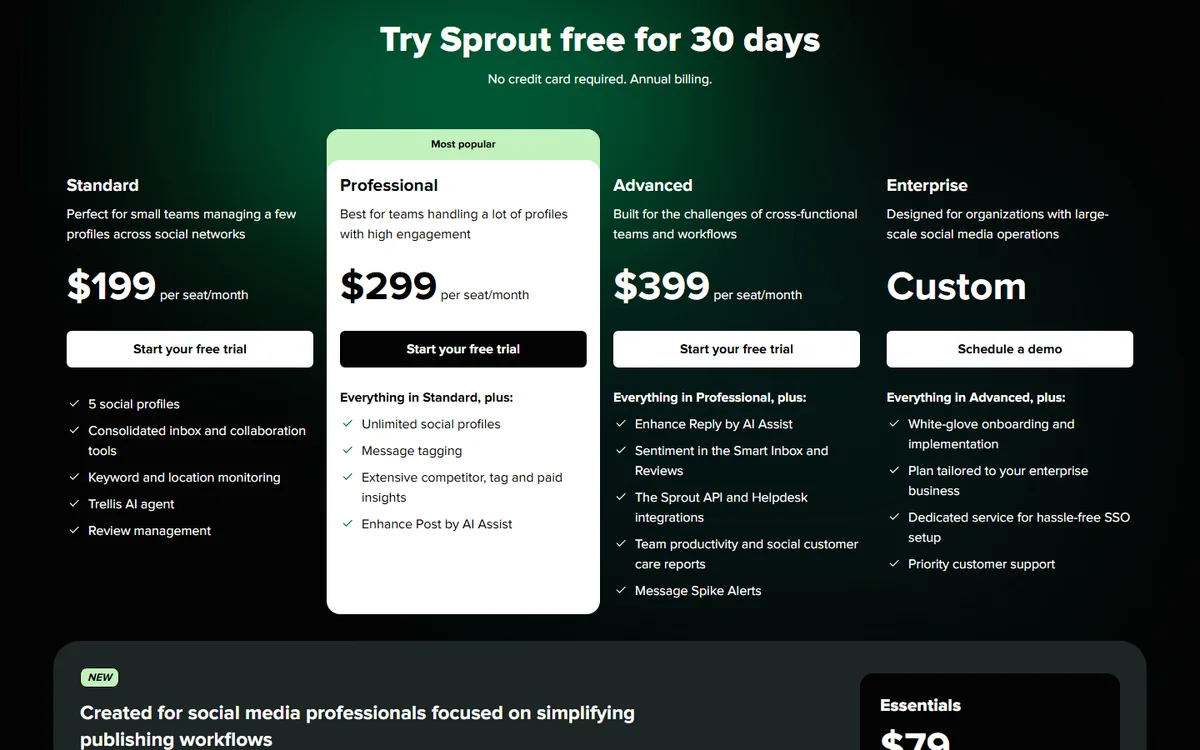
Billed annually, Standard costs $199, Professional $299 and Advanced $399 per seat per month. Enterprise is quoted after a demo, and every plan has a 30-day free trial. Trellis is included with 100 credits per seat each month, and Trellis Plus adds 1,000 credits per seat for $28 per seat per month billed annually or $35 billed monthly.
Sprout Social Reviews
- G2: score of 4.4 out of 5 (from +7,500 customer reviews)
- Capterra: score of 4.4 out of 5 (from +600 customer reviews)
Runway
The Strongest Pick When Your Campaigns Need Short Video Without a Shoot
Runway is a generative AI studio for video, images and audio, with text-to-video and image-to-video models, AI editing tools, Brand Kits and custom voices.
Video is where most marketing teams feel the production squeeze, and Runway goes straight at it. You can turn a product photo into a five-second motion clip, generate b-roll for a launch video, or change the lighting and setting of footage you already shot. Brand Kits on the Pro plan keep colors and style consistent, and a custom voice clone handles voiceovers for quick social cuts. For a paid social team that needs fresh video hooks every week, that output changes what you can test.
I treat Runway as a concept and variation tool, not a replacement for a real shoot. In my client work, the wins come from short clips: a moving background behind a static offer, three versions of an opening shot, a seasonal twist on last year’s ad. Longer scenes with people, hands or text on screen still take many tries, and every try costs credits. Reviewers on G2 echo that, with cost and credit limits as the top complaints. Set a monthly credit budget per campaign and you’ll avoid the surprise of an empty balance mid-launch.
What Runway Does Well
- Turns product stills into short motion clips quickly
- Edits lighting and settings in existing footage
- Brand Kits and voice clones on the Pro plan
What Runway Could Do Better
- Retries burn credits fast on complex scenes
- People and on-screen text still look off
Runway Pricing
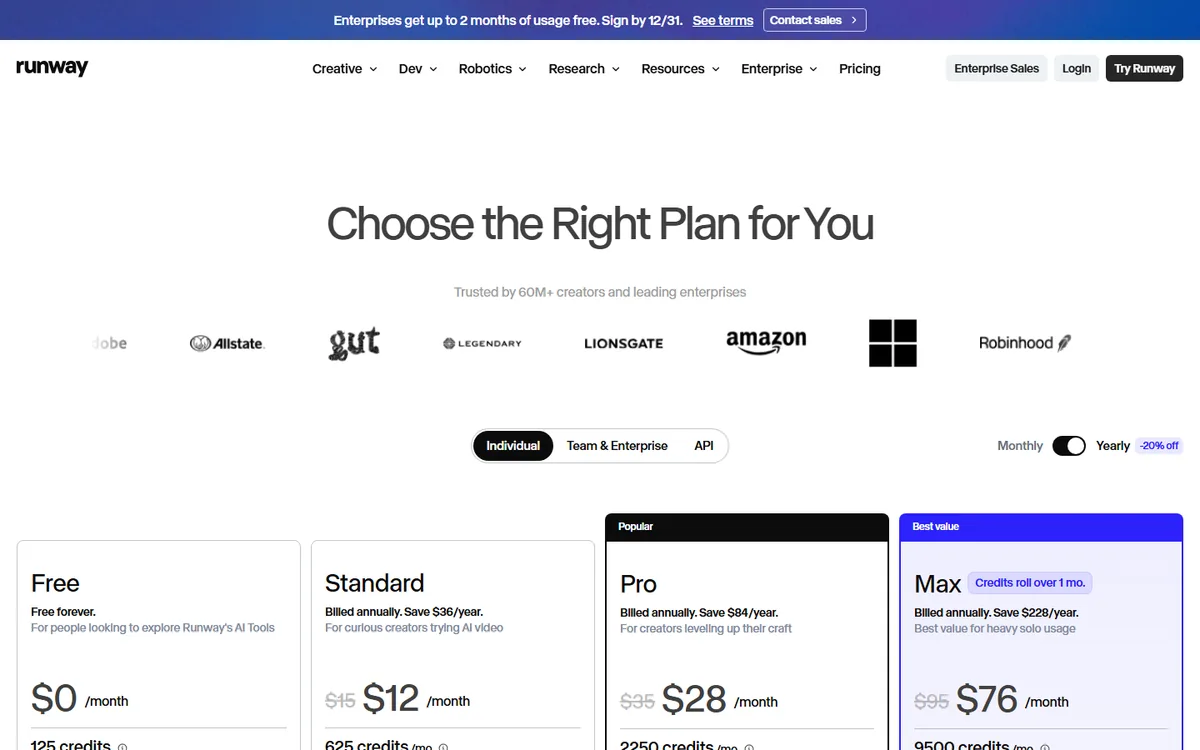
Runway’s free plan gives you a one-time 125 credits. Standard costs $12 per month billed yearly or $15 monthly, with 625 credits a month and no watermarks. Pro costs $28 per month yearly or $35 monthly, with 2,250 credits, one Brand Kit and one custom voice. Max costs $76 per month yearly or $95 monthly, with 9,500 credits. Unused credits don’t roll over on Standard and Pro, and team and enterprise plans are priced through sales.
Runway Reviews
- G2: score of 4.2 out of 5 (from +100 customer reviews)
- Capterra: 4.5 out of 5 star rating for Runway Gen-2 (from 2 customer reviews)
Hootsuite
A Proven Social Scheduler with AI Writing Built into Everyday Posting
Hootsuite schedules and publishes posts across social networks, tracks mentions and reports results, and its OwlyWriter AI writes captions and post ideas.
Hootsuite covers much of what Sprout does at a lower entry price per user. OwlyWriter AI turns a link, a blog post or a short prompt into captions shaped for each network, and it can rework your best-performing posts into fresh versions. The planner shows every account on one calendar, and best-time-to-post suggestions take some of the guesswork out of scheduling.
I see Hootsuite win with teams that run many accounts, such as franchise brands, agencies or companies with regional pages, and that care most about posting volume. Its inbox and reports work fine, but they feel less polished than Sprout’s when you need a leadership-ready summary. Reviewers also complain about channels disconnecting, LinkedIn most of all, so build a weekly connection check into someone’s routine. Costs grow quickly once you add users, so count seats before you sign.
What Hootsuite Does Well
- OwlyWriter AI drafts captions for each network
- One calendar handles many brands and accounts
- Lower entry price per user than Sprout
What Hootsuite Could Do Better
- Channels sometimes disconnect and need reconnecting
- Reports are less polished than Sprout’s
Hootsuite Pricing
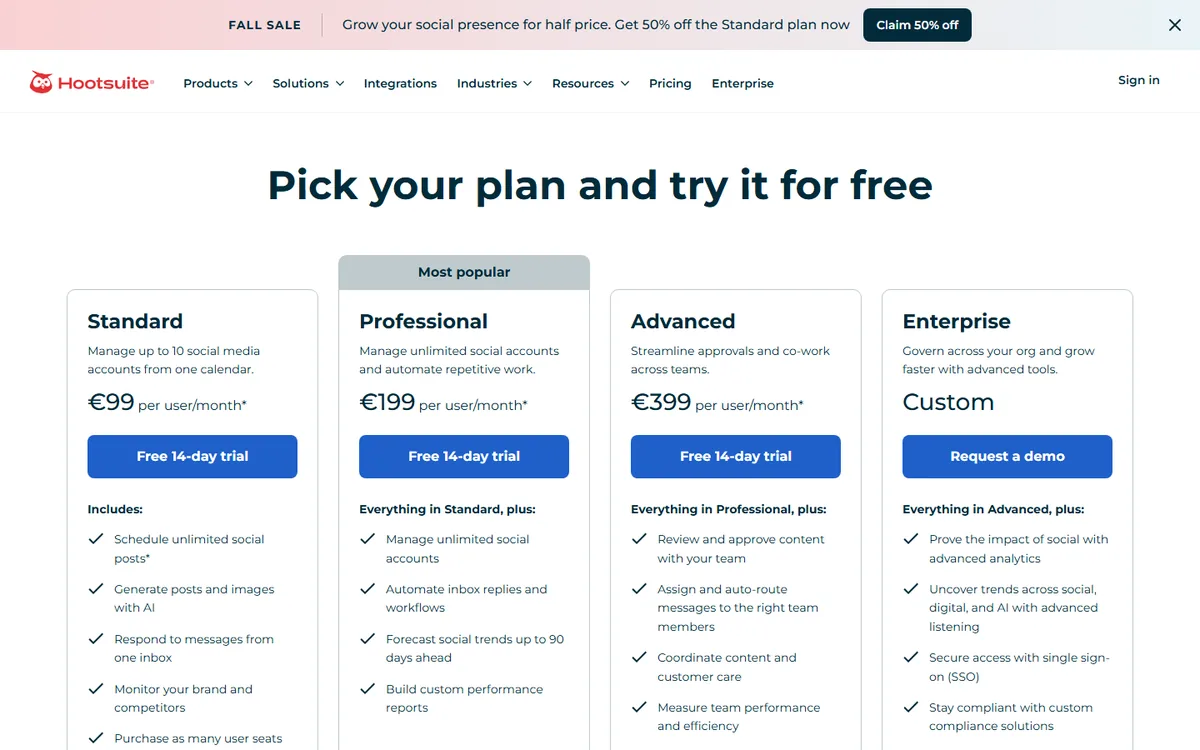
Hootsuite has no free plan. Standard starts at $99 per user per month on annual billing, Advanced costs more and adds team and AI features, and Enterprise is priced after a demo. Month-to-month billing costs more than annual, and Standard and Advanced come with a free trial. OwlyWriter AI is part of the paid plans.
Hootsuite Reviews
- G2: score of 4.3 out of 5 (from +7,600 customer reviews)
- Capterra: score of 4.4 out of 5 (from +3,800 customer reviews)
Writer
The Enterprise Choice for Governed, On-Brand AI Content at Scale
WRITER is an enterprise AI platform with its own Palmyra language models, brand and compliance rules, and no-code agents and playbooks for repeat content work.
Writer competes with Jasper, but it leans toward larger and regulated companies. Its strength is control. Your style guide, approved terms and banned claims apply to every draft, across marketing, product and support content, and the security and admin features hold up in IT and legal reviews. Playbooks let you package a multi-step job, like turning a product release note into a launch email, a sales one-pager and social posts, and run it on a schedule.
In financial services and healthcare marketing, I’ve seen Writer cut the loop between marketing and compliance, because the rules catch risky phrases before a reviewer does. The trade-off is setup. You need someone to own the brand rules and keep them current, and the Starter plan caps you at five users, so most of the value lives in Enterprise. If brand voice drift or compliance rework is your biggest headache, the common AI marketing challenges I’ve written about will look familiar.
What Writer Does Well
- Brand and compliance rules apply to every draft
- Security and admin controls suit enterprise reviews
- Playbooks repeat multi-step content jobs on a schedule
What Writer Could Do Better
- Starter is capped at five users
- Someone has to own and maintain the brand rules
Writer Pricing
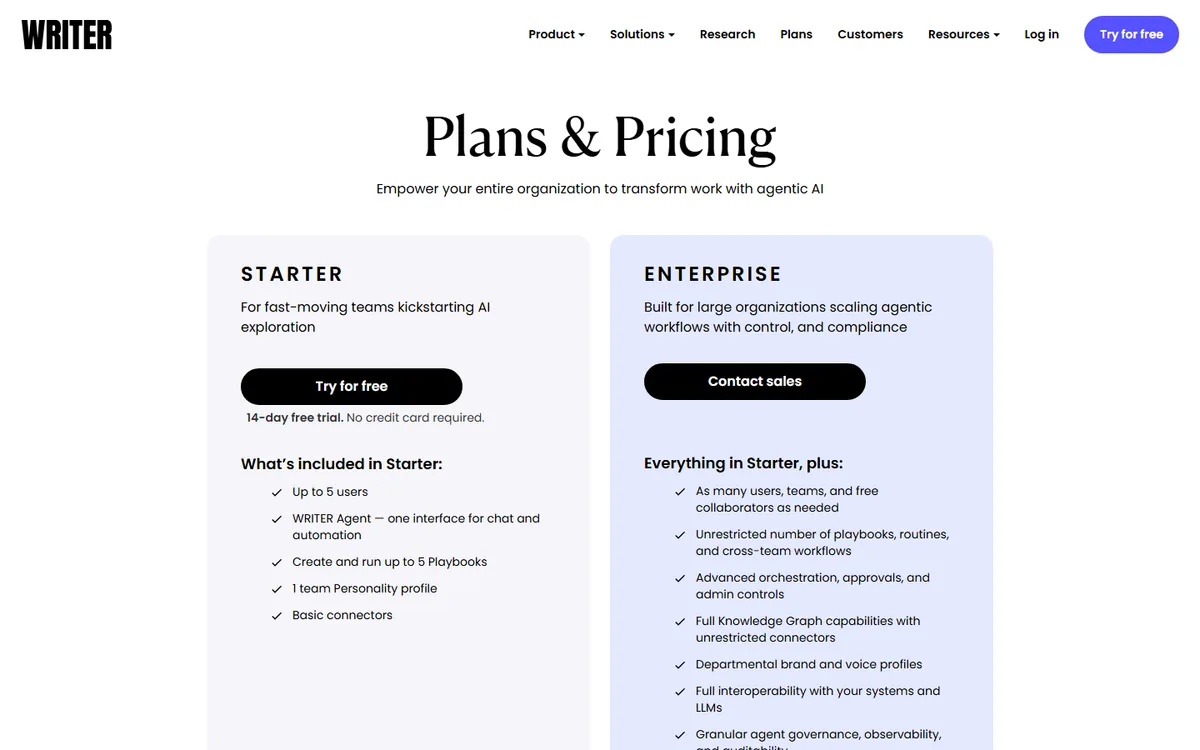
Writer’s Starter plan is sold per seat, monthly or annually, for up to five users, with a 14-day free trial and no credit card needed. G2 lists Starter at $29 per user per month. Enterprise is priced through sales, and nonprofits and educational institutions get 20% off both plans.
Writer Reviews
- G2: score of 4.4 out of 5 (from +120 customer reviews)
- Capterra: score of 4.5 out of 5 (from 8 customer reviews)
Madgicx
An AI Co-Pilot for Ecommerce Brands That Spend Most of Their Budget on Meta Ads
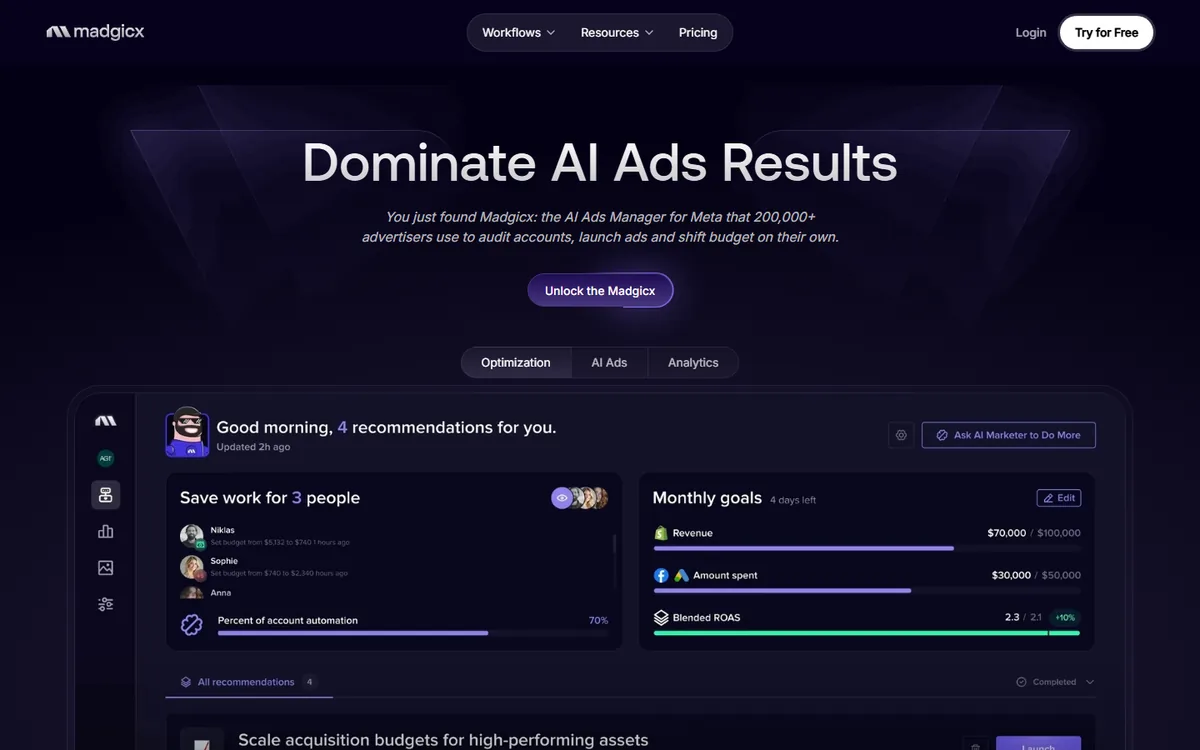
Madgicx connects to your Meta ad accounts and adds AI recommendations, ready-made audiences, automation rules, creative insights and attribution tracking.
For ecommerce brands with meaningful Facebook and Instagram budgets, Madgicx puts analysis and action in one dashboard. Its AI reviews your account and suggests where to move budget or which ads to switch off. Creative insights show which hooks, formats and visuals drive sales, and automation rules can pause weak ad sets or scale strong ones while you sleep. The audience tools save hours of manual setup in Ads Manager.
Reviews fall into two camps, and my client experience matches. Media buyers who learn the tool love the speed. Owners who expect autopilot get frustrated, because the AI suggests and you still need to judge. Capterra reviewers also report billing trouble after trials, so put a calendar reminder two days before yours ends. If Meta is a small part of your media plan, the cost relative to your spend will sting.
What Madgicx Does Well
- Creative insights show which ads actually sell
- Automation rules act on your account around the clock
- Ready-made audiences cut setup time
What Madgicx Could Do Better
- Steep learning curve for non-specialists
- Reviewers report billing issues after trials
Madgicx Pricing
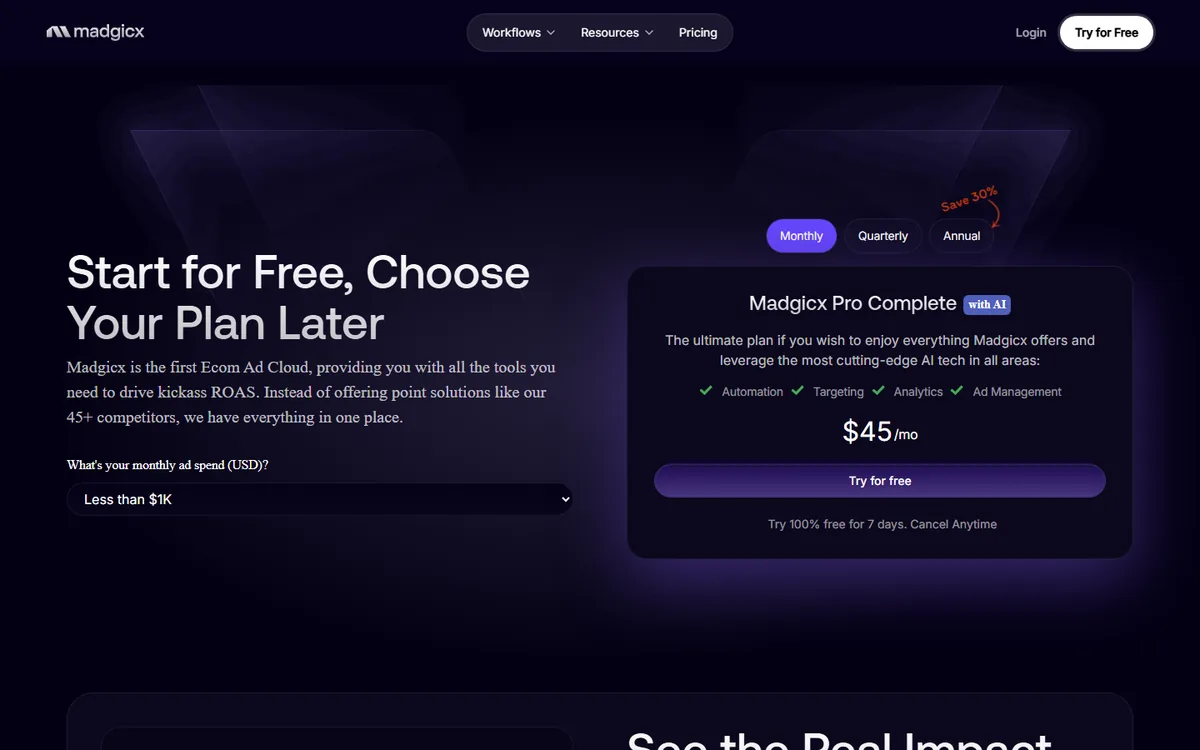
Madgicx prices its main plan, Pro Complete with AI, by your monthly ad spend, from under $1,000 up to $30,000 and more, and shows the exact price once you pick a spend bracket. You can pay monthly, quarterly or annually, with discounts for longer terms, and a 7-day free trial is available. The Tracking Pro attribution add-on costs $49 per month per connected account.
Madgicx Reviews
- G2: score of 4.6 out of 5 (from +210 customer reviews)
- Capterra: score of 4.3 out of 5 (from 58 customer reviews)
Pencil
An Affordable Way to Feed Your Ad Tests with Fresh Static and Video Variations
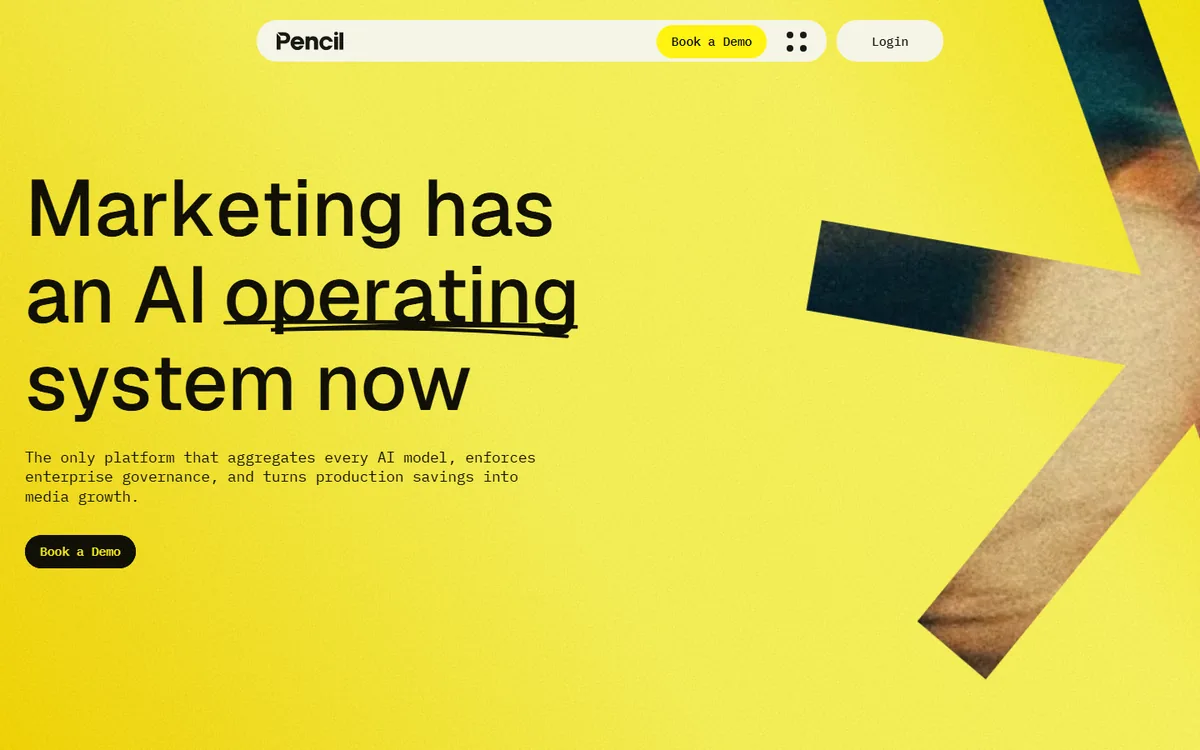
Pencil, part of The Brandtech Group, generates static and video ad creatives from your brand assets, scores them for predicted performance and launches them to the major ad platforms.
You load your logo, fonts, product images and brand rules, and Pencil’s AI agents write copy, build images and cut short video ads in the formats Meta, TikTok, YouTube, LinkedIn and Google Display expect. Each creative gets a score, so you can decide what to test first, and you can push winners into your ad accounts and track results without leaving the tool. For a small team that runs weekly ad tests, turning one hero asset into twenty variations in an afternoon raises how many ideas you can actually try.
I see Pencil fit best as the volume layer of a testing program. The scores help you sort ideas, but they’re predictions, so I still tell clients to let real spend pick the winners. AI-written copy needs an edit for tone, and you get less fine control over layouts than in Canva. Independent reviewers also mention billing and cancellation friction, so note your renewal date. The review base is small, which makes a short pilot on one product line the safest way in.
What Pencil Does Well
- Static and video ad variations from one brand setup
- Creative scores help you rank test ideas
- Launches and tracks ads on the major platforms
What Pencil Could Do Better
- AI copy usually needs a human edit
- Small review base on G2 and Capterra
Pencil Pricing
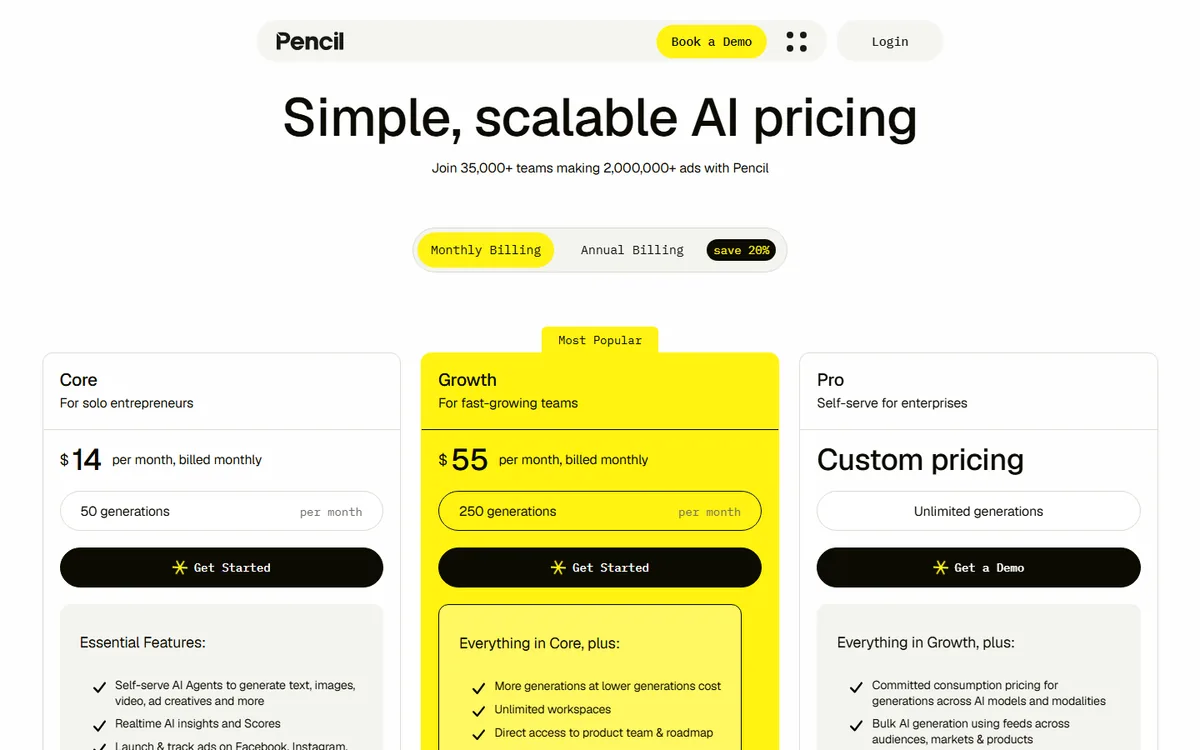
Pencil Core costs $14 per month, or $11 per month billed yearly, with 50 generations a month and one workspace. Growth costs $55 per month, or $44 per month billed yearly, with 250 generations, a lower cost per generation and unlimited workspaces. Pro is custom-priced, with unlimited generations, bulk generation from product feeds and enterprise terms. You can create six ads in a free guided signup before you pay.
Pencil Reviews
- G2: score of 4.7 out of 5 (from 16 customer reviews)
- Capterra: score of 4.0 out of 5 (from 1 user review)
Smartly
The Enterprise Platform for Brands That Produce and Run Ads at Very High Volume
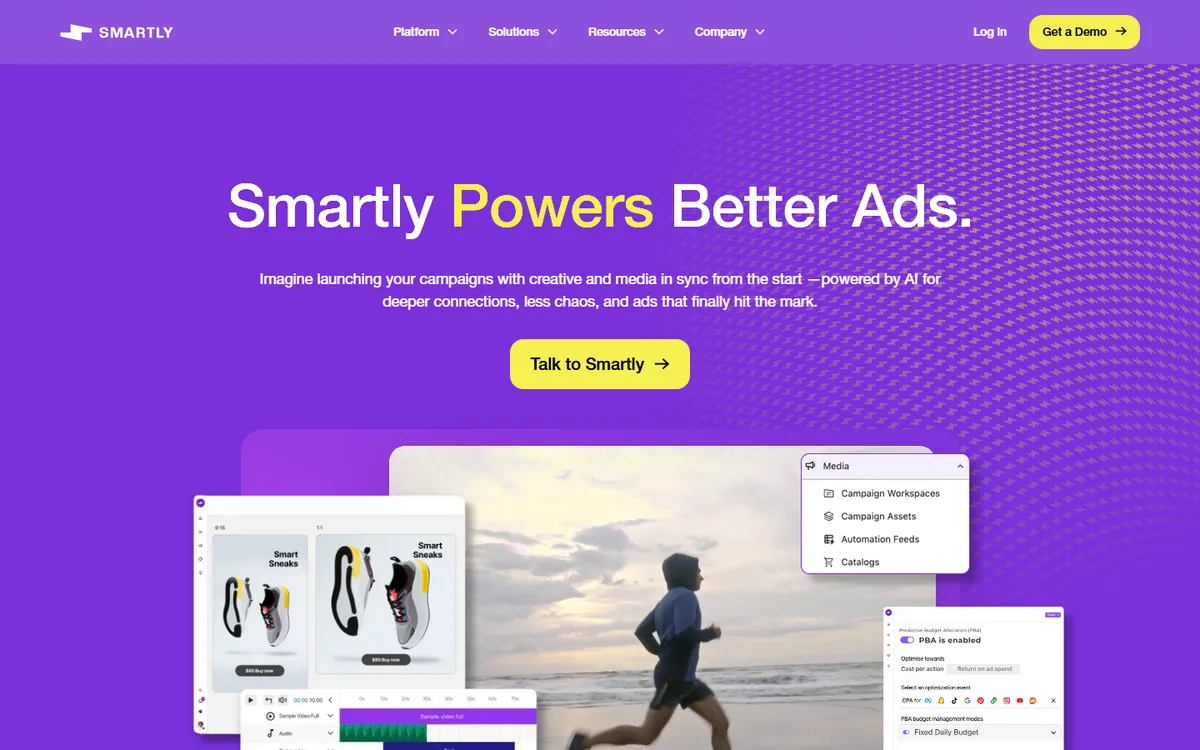
Smartly combines AI-assisted creative production, automated media buying and cross-channel reporting for social, video and display ads on the major platforms.
Smartly is built for large advertisers and agencies. Dynamic templates turn a product feed into thousands of localized ad versions, so a price change or a new market updates every ad without a designer touching each file. Budget rules shift spend across campaigns based on results, and reporting pulls performance from several platforms into one view.
In my experience, Smartly makes sense once you run ads in many markets or languages and creative production has become the bottleneck. Below that point, you pay for a machine you can’t feed. Reviewers praise the support team and complain about cost at lower spend levels. If you’re weighing it against Madgicx, the dividing line is scale: Madgicx helps one team run Meta better, while Smartly helps a global team run every channel from one production line.
What Smartly Does Well
- Feed-based templates create localized ads at scale
- Covers the major social, video and display channels
- Support gets strong marks from reviewers
What Smartly Could Do Better
- No public pricing, and costs suit large budgets only
- Learning curve for teams new to automated buying
Smartly Pricing
Smartly doesn’t publish prices. Quotes are custom, and third-party reports describe fees tied to the ad spend you run through the platform, so plan for an enterprise-level contract and ask sales about minimums.
Smartly Reviews
- G2: score of 4.4 out of 5 (from +460 customer reviews)
- Capterra: 4.5 out of 5 star rating for SMARTLY.IO (from 13 customer reviews)
Brandwatch
The Deepest Social Listening and Consumer Research Tool on This List
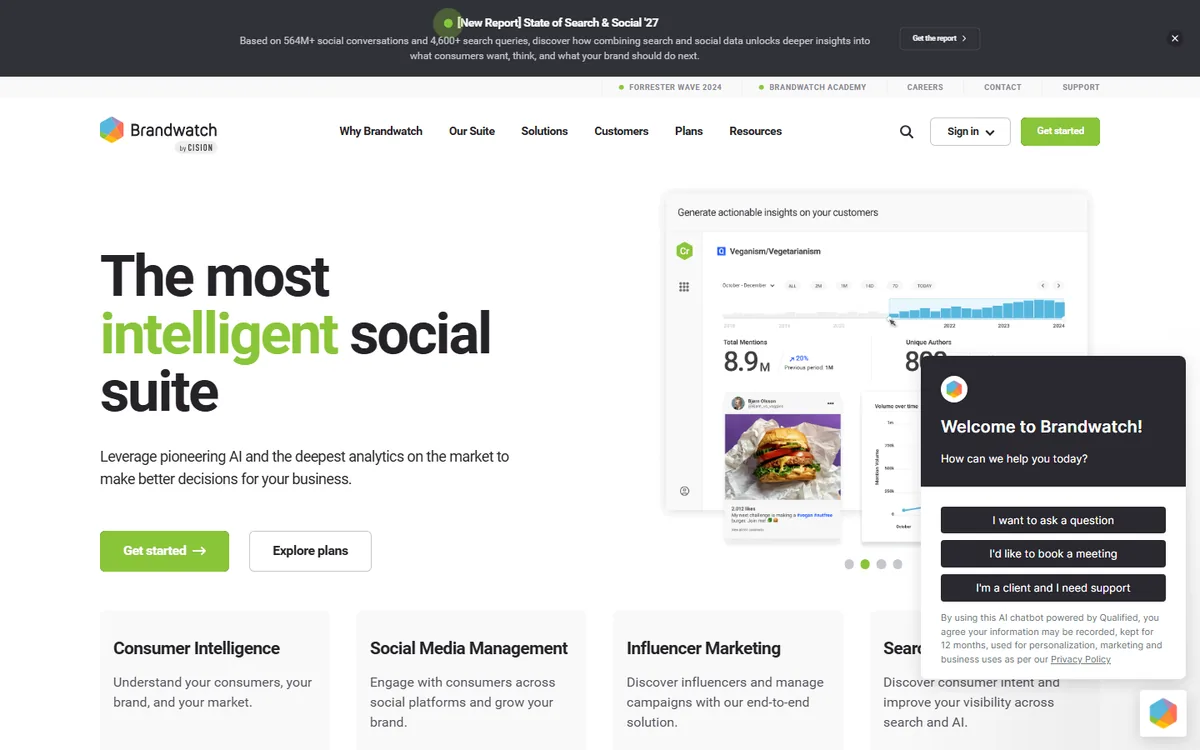
Brandwatch Consumer Intelligence tracks public conversations across social media, news, blogs, forums and reviews, and its AI assistant Iris sums up trends and explains spikes.
Listening answers questions your own channel data can’t, like what customers say about your competitors, which complaints are growing and how a launch landed outside your own followers. Brandwatch collects that conversation at scale, groups it by topic and sentiment, and Iris writes short summaries of what changed and why, which saves an analyst hours of reading.
I recommend it to brand, insights and product marketing teams that run research every month. Writing good queries is a real skill, and reviewers mention the learning curve more than anything else, so budget training time or a partner for the first quarter. Contracts are annual and priced by data volume. If you only need to see mentions of your brand, the listening add-ons in Sprout Social or Hootsuite cost far less.
What Brandwatch Does Well
- Huge range of sources beyond the big social networks
- Iris turns spikes and trends into plain summaries
- Flexible dashboards for research teams
What Brandwatch Could Do Better
- Query building takes training to do well
- Annual contracts with no self-serve plan
Brandwatch Pricing
Brandwatch doesn’t publish prices. Consumer Intelligence is sold on custom annual contracts, priced mainly by the volume of data and the number of searches you track, and you get a quote after a demo.
Brandwatch Reviews
- G2: 4.4 out of 5 star rating for Brandwatch Consumer Intelligence (from +720 customer reviews)
Persado
A Specialist for Large, Regulated Brands That Test Marketing Language at Scale
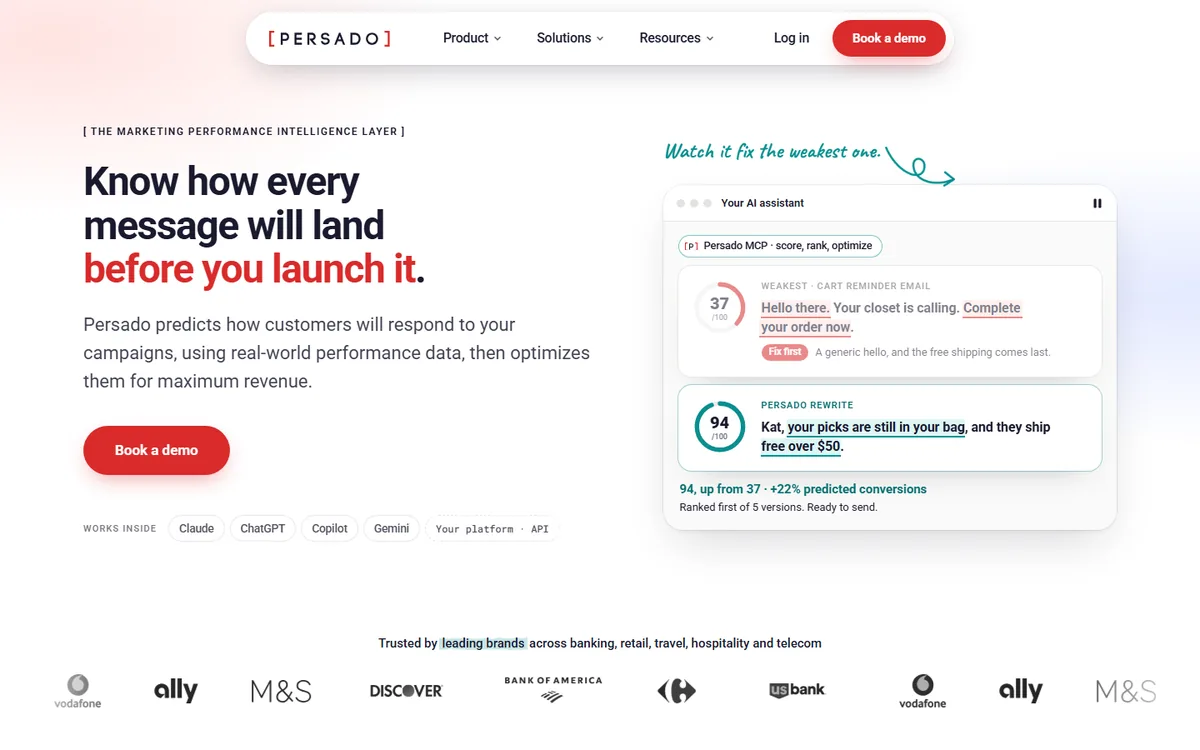
Persado generates and tests marketing messages, from email subject lines to credit card offers, using AI trained on how audiences respond to specific words and emotions.
Persado focuses on one question: which words make people act. It writes many versions of a message, tests them against your audience and learns which emotions, phrases and calls to action lift response. Its current pitch targets regulated brands such as banks and card issuers, where every message also has to clear compliance review.
I’d only consider Persado if you send messages at very high volume, like a large bank, insurer or retailer with millions of customers, where a small lift in response adds up to real money. For everyone else, testing subject lines in Klaviyo or HubSpot gets you most of the benefit. Quote required, the review sample is small, and the platform needs data and a testing culture to shine.
What Persado Does Well
- Built-in testing shows which language lifts response
- Focus on regulated industries and compliance
- Learns your audience’s preferences over time
What Persado Could Do Better
- Pays off only at very high message volumes
- Few public reviews and no published pricing
Persado Pricing
Persado doesn’t publish its pricing. Contracts are quote-based enterprise agreements, so you need a sales conversation to get a number.
Persado Reviews
- G2: score of 4.3 out of 5 (from 14 customer reviews)
- Capterra: score of 4.5 out of 5 (from 2 customer reviews)
Check If an AI Marketing Tool Pays for Itself
Marketing tools are easy to justify in a demo and hard to justify at renewal. Enter the hours a tool could save your team each month and its monthly price, and you’ll see what it could return over a year. Time is only half the story, though. For the revenue side, my guide to AI marketing ROI benchmarks shows how to weigh campaign cost against pipeline and sales.
Will It Pay for Itself?
Move the sliders to match the work you want to automate and the plan you are considering.
How to Choose AI Marketing Tools for Your Team
Start from your channels and work backward. In my client work, the tool choice gets easy once a team writes down where its revenue really comes from. Answer four questions before you book any demos:
- Which two channels bring most of your pipeline or sales today?
- Where does your team lose the most hours each week: writing, design, reporting or campaign setup?
- Which of your current tools already include AI features you haven’t switched on?
- Who will own brand rules, review AI output and cancel tools that nobody uses?
For most B2B teams, I’d build around HubSpot plus Canva, and add Jasper or Writer once content volume justifies a seat. Ecommerce brands usually get more from Klaviyo, Canva and one ad tool, Madgicx or Pencil, depending on spend. Social-heavy teams should pick one of Sprout Social or Hootsuite, never both. Large and regulated brands can look at Smartly, Brandwatch and Persado once the basics run well.
Pilot each tool for four to six weeks on one real campaign, with one metric agreed in advance. Keep what your team opens without a reminder, and drop the rest before the annual renewal.
Questions About AI Marketing Tools
What Is the Best AI Marketing Tool for a Small Team?
For most small marketing teams, I’d start with Canva for design and either HubSpot or Mailchimp for email, depending on how much you rely on CRM data. Both HubSpot and Canva have free plans, so you can test them on real campaigns first. Add a dedicated writing tool like Jasper only once you publish enough content to feel the bottleneck.
Do I Need a Dedicated AI Writing Tool If I Already Pay for ChatGPT?
Not always. A general assistant handles one-off drafts well. A marketing tool like Jasper or Writer earns its price when several people write for one brand, because it stores your voice, style rules and product facts and applies them to every draft. If one person writes a few pieces a month, a general assistant is usually enough.
Which AI Marketing Tools Work Best for Ecommerce Brands?
Klaviyo is my first pick for ecommerce email and SMS, because it runs on your order and browsing data. For paid social, Madgicx suits brands that spend most of their budget on Meta, and Pencil helps you produce static and video test variations quickly. Canva covers the everyday product and promo graphics.
Are AI-Generated Images Safe to Use in Ads?
It depends on the tool and its terms. Before you run AI images or video from Canva, Runway or Pencil in paid campaigns, read the plan’s commercial-use and license terms, since they can differ between free and paid tiers. Avoid real people’s likenesses and trademarks, and follow each ad platform’s rules on labeling AI-generated content.
How Much Should I Budget for AI Marketing Tools?
In my client work, small teams usually spend somewhere between $50 and $300 a month on a design tool, an email platform and one AI writing seat. Mid-sized teams with social suites and ad tools often land in the low thousands per month. Enterprise platforms like Smartly, Brandwatch and Persado are quote-based and sit well above that.
Can AI Marketing Tools Replace a Designer or an Agency?
They replace part of the routine work: resizing, first drafts, ad variations and reporting. They don’t replace strategy, brand judgment or the hero creative that carries a campaign. The teams I see do best use AI tools for volume and keep people on positioning, concepts and final approval.
How Do I Know If an AI Marketing Tool Is Paying Off?
Pick one metric before you start, such as hours per campaign, cost per asset or conversion rate on AI-assisted emails. Measure it for a month before the tool and a month after. If you can’t point to a clear gain within two or three months, cancel the tool or narrow how you use it.
Disclaimer: Prices, plans, promotions and ratings change often. We checked them at the last update, so confirm them with each vendor before buying. This is not legal or financial advice.
Did you find this helpful?
Thank you for your feedback.
Marlena leads the WiseCrow editorial team and works with our consultants to turn real client projects into practical guides on AI strategy, automation and governance. Before joining WiseCrow, she spent 12 years in B2B operations and SaaS content. She has since edited more than 400 articles on AI and automation and reviewed workflows from over 60 client projects. She is based in Austin, Texas.