Summary
- Cursor and Lovable cut the time from idea to working product, Cursor for engineers and Lovable for founders who don’t code.
- Attio, Clay and Granola cover the selling side: a flexible CRM, enriched prospect lists and meeting notes you don’t have to type.
- PostHog and Linear keep a growing team clear on what users do and what ships next.
- Apply to startup programs before you pay. PostHog, Attio, Granola and Linear all offer deals with conditions.
The Best AI Tools for Startups at a Glance
| Tool | Best for | Free plan | Paid from |
|---|---|---|---|
| 1. Cursor | AI coding for engineers | Yes | $8/mo (Plus) |
| 2. Lovable | MVPs without code | Yes | $25/mo (Pro) |
| 3. Attio | Startup CRM | Yes, 3 seats | €31/seat/mo, yearly |
| 4. PostHog | Product analytics | Yes | Usage-based |
| 5. Clay | Outbound prospecting | Yes | $54/mo, yearly |
| 6. Linear | Issues and roadmaps | Yes | $10/user/mo, yearly |
| 7. Granola | Meeting notes | Yes | $14/user/mo |
| 8. v0 by Vercel | Front-end prototypes | Yes | $30/user/mo |
The 8 Best AI Tools for Startups, Ranked
I ranked these eight by how early in a startup’s life each one pays for itself and how much of a small team’s week it covers. In my AI consulting for startups work, the founders who move fastest keep their stack small. They pick one for building, one for selling and one for learning from users, then add more only when a real bottleneck shows up.
Cursor
The Biggest Output Boost for Any Startup With at Least One Engineer
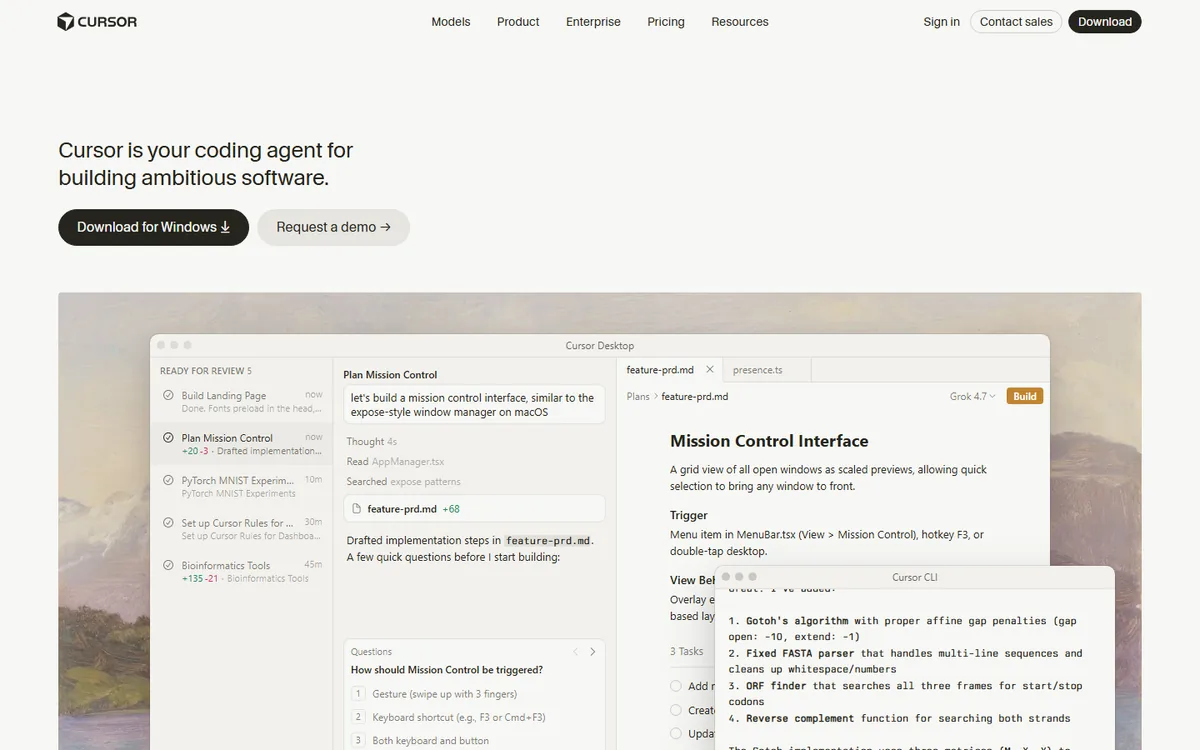
Cursor is an AI code editor built on VS Code. It writes, edits and explains code across your whole repository, and its agents can work through multi-step coding tasks on their own.
If your startup has even one engineer, I’d put Cursor first. It looks and feels like VS Code, so your team keeps its extensions and shortcuts, and every file gets an assistant that knows the rest of the codebase. Ask it to add a billing webhook and it’ll touch the route, the data model and the tests in one pass, then show you a diff to accept or reject. On the higher plans, cloud agents pick up tasks in the background while you work on something harder.
What I see in early teams is a shift in who writes code. Founders who stopped coding years ago start fixing small bugs again, and senior engineers spend more time reviewing than typing. The risk is speed without review. Agent-written code can pass a quick glance and still hide a security hole or a messy data model that you pay for at Series A. Set a rule that every agent change goes through a pull request. Keep an eye on usage too, because heavy agent sessions eat plan limits faster than most teams expect.
What Cursor Does Well
- It feels like VS Code, so there’s almost nothing new to learn
- Suggestions draw on the whole repository
- Background agents take on chores while you focus elsewhere
What Cursor Could Do Better
- Plan names and usage limits change often, which makes costs hard to forecast
- Fast output tempts teams to skip code review
Cursor Pricing
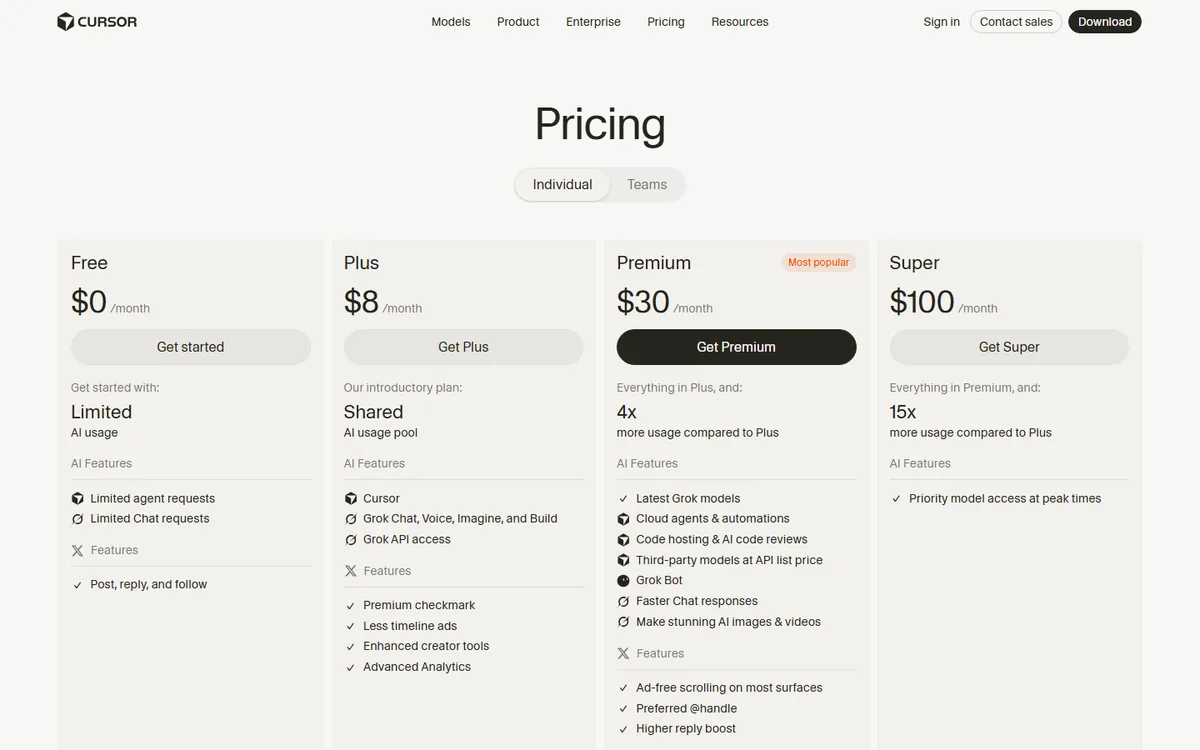
Cursor has a free plan with a limited number of agent and chat requests. Individual plans are Plus at $8 per month, Premium at $30, Super at $100 and Ultra at $200, and each step up buys more usage. Premium is the first tier with cloud agents and third-party models. Teams starts at $30 per user per month, and Enterprise is priced through sales. Cursor’s pricing page doesn’t list a startup program.
Cursor Reviews
- G2: score of 4.6 out of 5 (from +330 customer reviews)
- Capterra: score of 5.0 out of 5 (from 4 customer reviews)
Lovable
The Fastest Route From Idea to a Working MVP for Founders Who Don’t Code
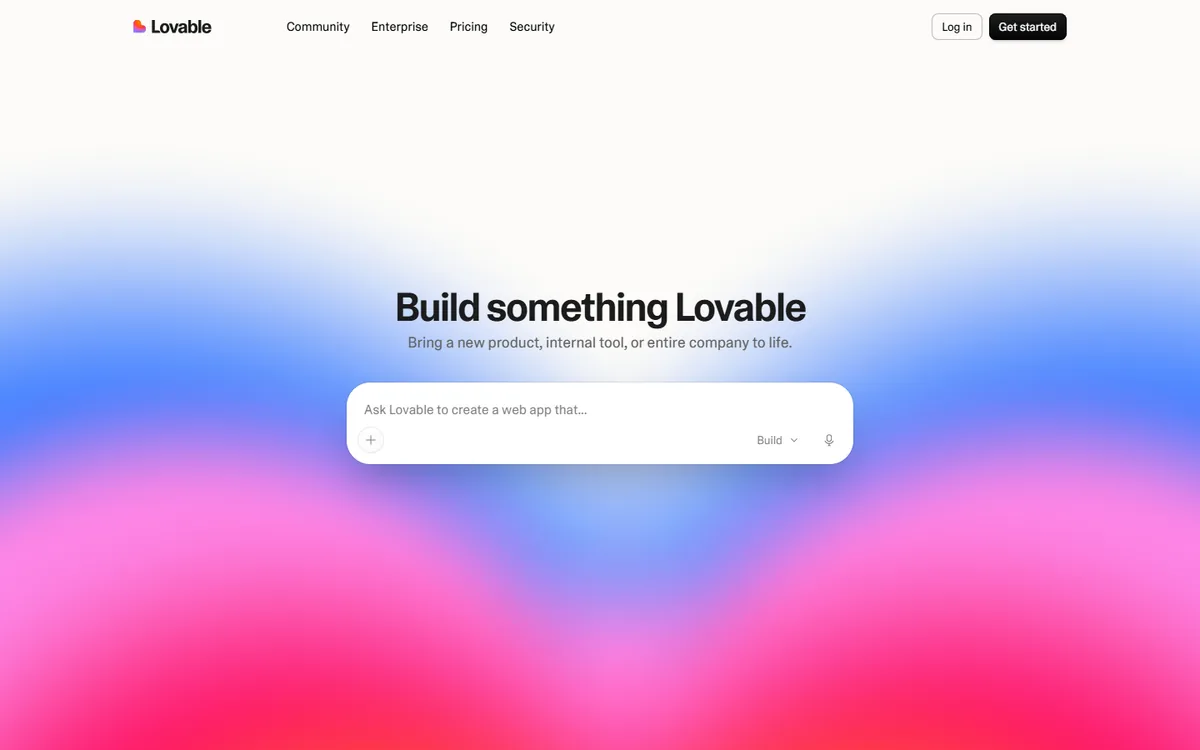
Lovable builds full web apps from a chat prompt, with pages, a database, user logins and hosting, and you keep editing the result in plain language or in code.
Lovable is where I send non-technical founders who need something real in front of users this month. You describe the product, and it builds a working app with a live URL. You refine it by chatting, and the code syncs to GitHub, so an engineer can take over later. For a waitlist, an internal tool or a first paid pilot, the jump from slide deck to clickable product takes days. Prompt-built apps like these are one of the bigger shifts in my look at AI startup trends.
The trouble starts when the app grows. Each change costs credits, and a long debugging loop can drain a month’s allowance in an afternoon. I’ve also seen a founder launch with loose database rules because nobody checked who could read which records. Use Lovable to prove demand. Then have an engineer review security and data access before you take payments or store anything sensitive, and expect some cleanup once the codebase passes a few dozen screens.
What Lovable Does Well
- One prompt gets you an app with logins and a database
- GitHub sync lets an engineer take over the code later
- Quick enough to test an idea with real users in a week
What Lovable Could Do Better
- Credits drain fast during long debugging sessions
- Security settings need an expert check before launch
Lovable Pricing
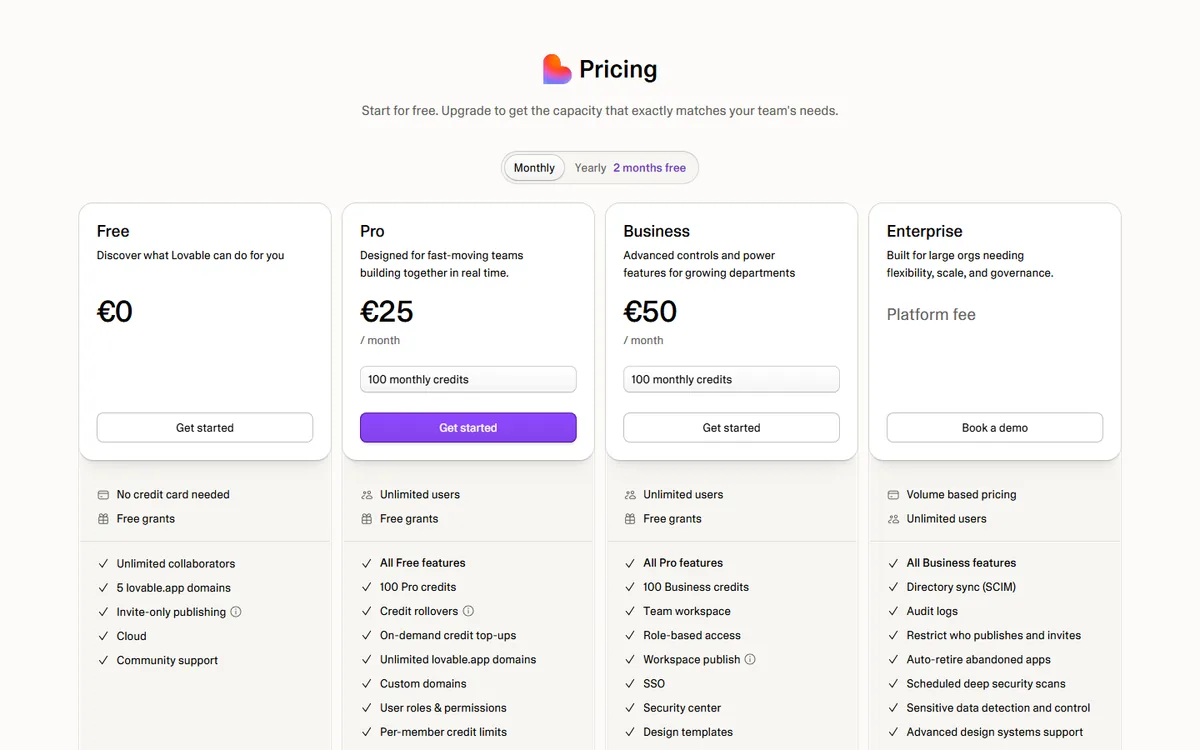
Lovable’s free plan gives you 5 build credits a day, capped at 30 a month. Pro starts at $25 per month for 100 monthly credits, or $21 per month on yearly billing, and larger credit tiers cost more. Business starts at $50 per month for 100 credits, or $42 per month billed yearly. Enterprise uses volume-based pricing through sales. I found no startup program, though verified students and teachers get 50% off Pro.
Lovable Reviews
- G2: score of 4.6 out of 5 (from +330 customer reviews)
- Capterra: score of 4.5 out of 5 (from 6 customer reviews)
Attio
The CRM to Move to the Day Your Sales Spreadsheet Breaks
Attio is an AI-native CRM that builds your records from email and calendar, enriches them with company data and lets you model your own objects and workflows.
Most startups I meet run sales out of a spreadsheet until it falls apart. Attio is the CRM I suggest when that day comes. Connect your email and calendar, and it builds contact and company records from the conversations you already have, then fills in company details automatically. You can set up investors, partners or design-partner pilots as their own objects, so one tool tracks your fundraise and your pipeline side by side.
The AI helps most with prep. Ask about an account and you get a summary of past emails and meetings, or run AI research across a list to find the right person to contact. My honest caveat: reporting is thinner than in older CRMs, and once you have a sales team of ten or more with complex forecasting, you may feel the limits. One Capterra reviewer also flagged bugs and slow support. For the first two years of selling, though, I rarely see a better fit for a small team.
What Attio Does Well
- Builds your CRM from email and calendar in minutes
- Custom objects fit fundraising, partners and pipeline in one place
- The startup discount is generous for venture-backed teams
What Attio Could Do Better
- Reporting is thinner than in older CRMs
- Per-seat prices add up as your sales team grows
Attio Pricing
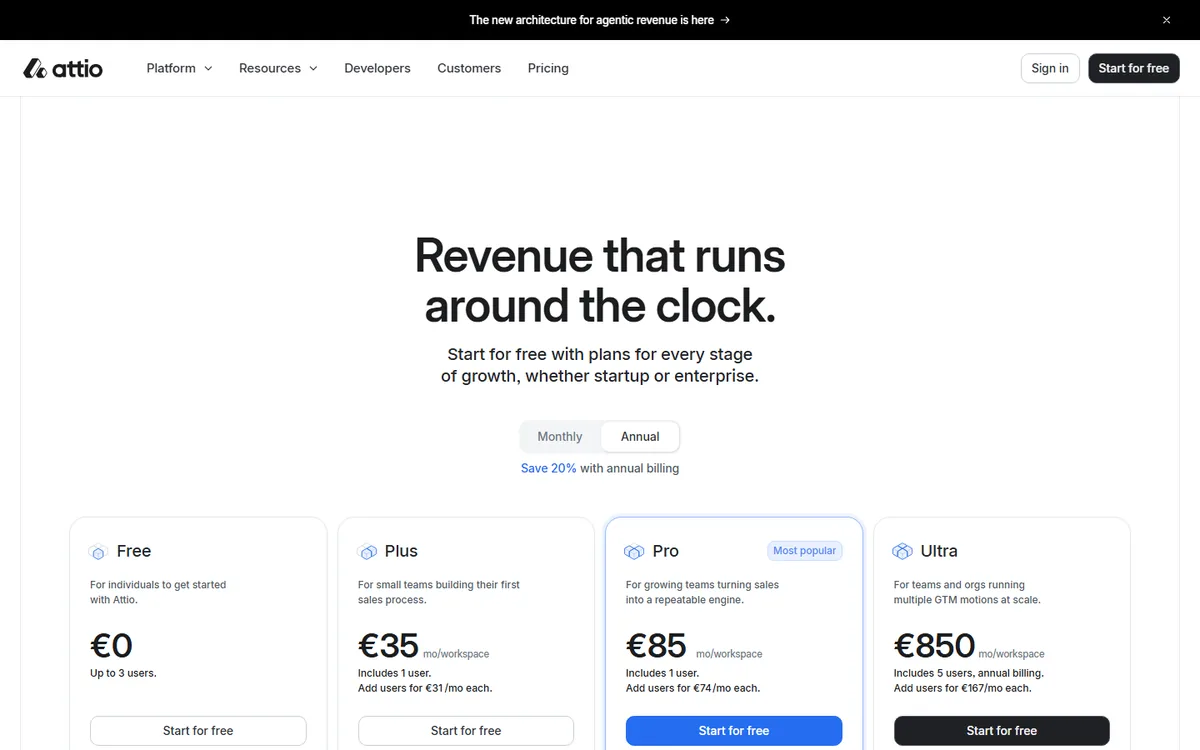
Attio’s free plan covers up to 3 seats and 50,000 records. When I checked, the pricing page showed euro prices: Plus at €39 per seat per month billed monthly or €31 billed yearly, and Pro at €93 monthly or €74 yearly. Enterprise is custom and billed yearly. Venture-backed startups incorporated in the last 10 years can apply within 90 days of creating a workspace for 80% off yearly Pro in year one and 30% off in year two, for up to 10 seats.
Attio Reviews
- G2: score of 4.3 out of 5 (from +580 customer reviews)
- Capterra: score of 3.8 out of 5 (from 8 customer reviews)
PostHog
One Install That Shows What Users Do After They Sign Up
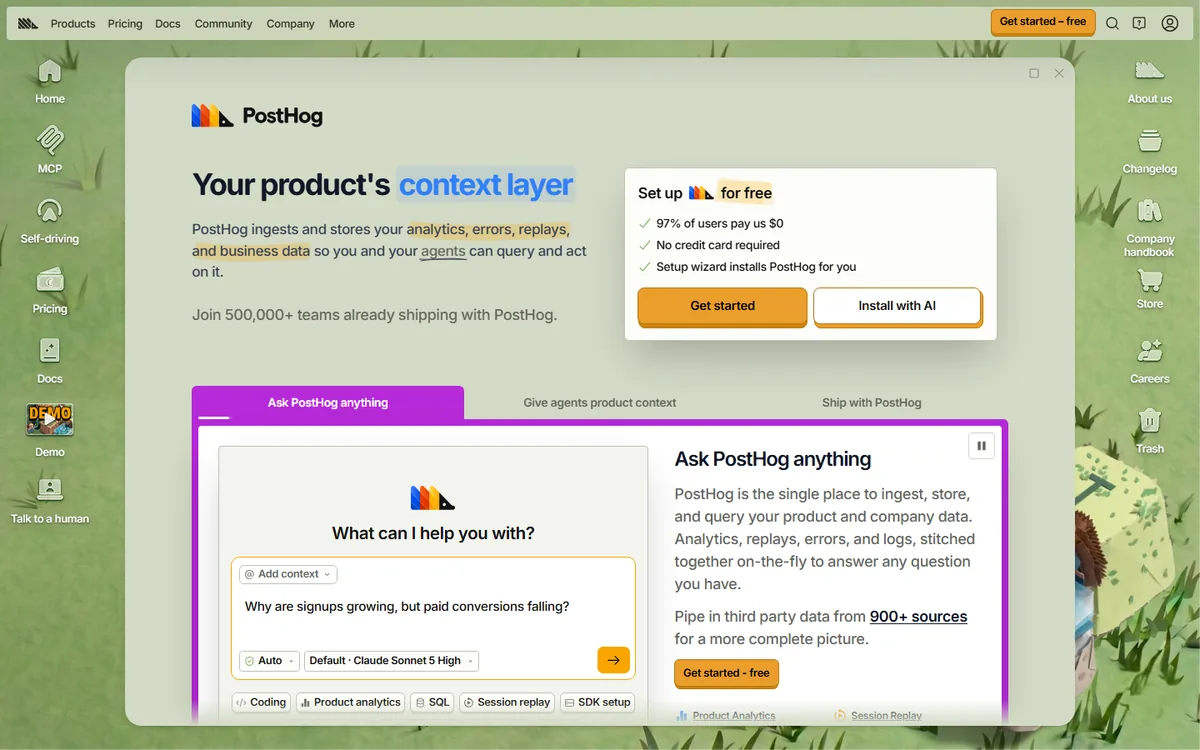
PostHog bundles product analytics, session replay, feature flags, experiments, surveys and error tracking, with an AI assistant that answers questions about your data.
Every startup needs to know what people do after they sign up, and PostHog gives you that in one install. You get funnels and retention charts, recordings of real sessions, feature flags to release a change to a slice of users, and A/B tests that run on the same data. PostHog AI lets you ask a question in plain English, such as which onboarding step loses the most people, and it builds the chart for you.
I like it for early teams because the free allowance is big enough to run a young product for months without a bill, and the startup credits stretch that further. The downside is breadth. There are a lot of tabs, and without a short tracking plan you end up with noisy events nobody trusts. In the seed-stage products I review, I often find dozens of event types and no shared definition of an active user. Pick five events that define activation, name them well, and build from there.
What PostHog Does Well
- Analytics, replays, flags and experiments share one data set
- The free monthly allowance covers most young products
- Startup credits are among the most generous on this list
What PostHog Could Do Better
- The number of tools can overwhelm a small team
- Usage-based bills need alerts once traffic grows
PostHog Pricing
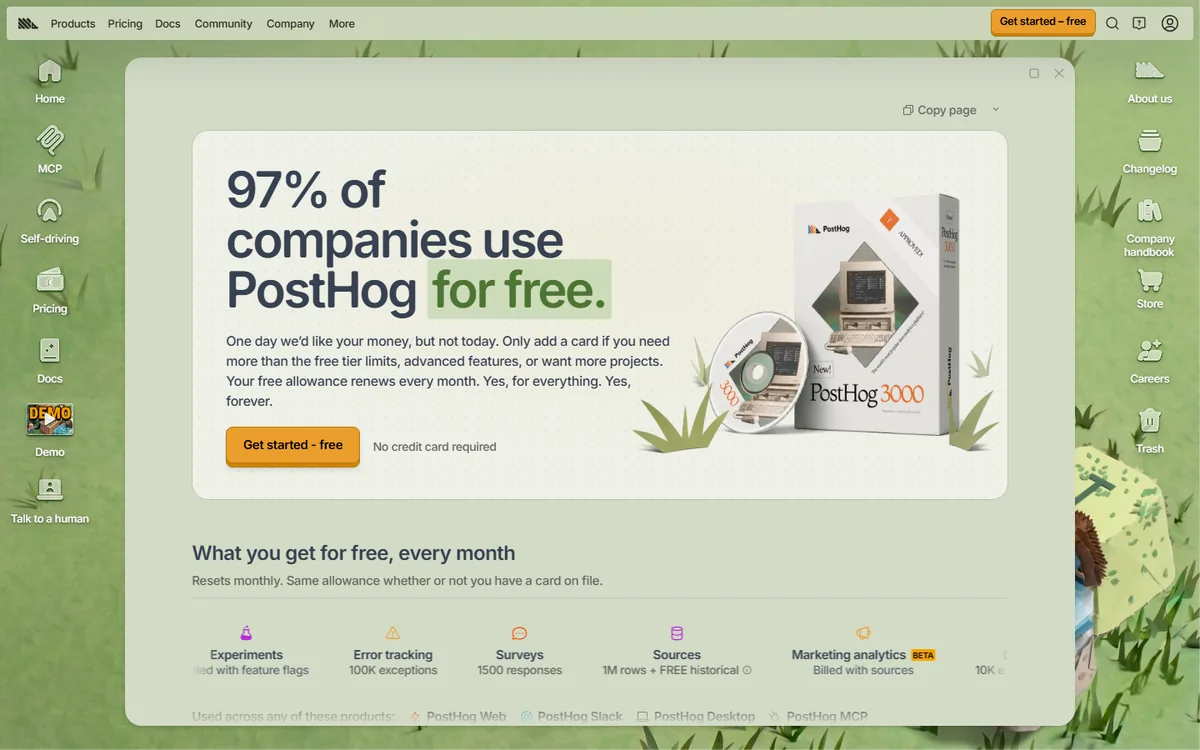
Each month, PostHog includes 1 million analytics events, 5,000 session recordings, 1 million feature flag requests, 1,500 survey responses and 500 PostHog AI credits for free. Above that you pay per use. Analytics events between 1 and 2 million cost $0.00005 each, and the rate drops at higher volumes. Optional platform packages cost $250, $750 or $2,000 per month. Startups under 2 years old that have raised less than $5 million can apply for $50,000 in credits for 12 months.
PostHog Reviews
- G2: score of 4.5 out of 5 (from +1,000 customer reviews)
Clay
The Engine Behind Outbound That Feels Personal at Startup Scale
Clay pulls data from many providers into one spreadsheet-style table, then uses AI to research accounts, find contacts and draft personalized outreach.
Clay sits behind a lot of the founder-led outbound I see working. You start with a list, such as companies that just raised a round or posted a certain job, and Clay fills in the gaps by checking one data provider after another until it finds an email or phone number. AI columns then read each prospect’s website and write an opening line that refers to something real about them. Finished rows flow into your CRM or email tool.
The power comes with a learning curve and a meter. Every lookup and AI step spends actions or data credits, and a badly built table can burn a month’s allowance on one test run. In my client work, the startups that do well with Clay run batches of 50 to 100 rows first, check the output by hand, and only then scale up. Pair it with Attio and a two-person team can run focused outbound before hiring any sales reps.
What Clay Does Well
- Waterfall enrichment finds contacts a single provider misses
- AI research columns write openers based on real facts
- Connects to the common CRMs and outreach tools
What Clay Could Do Better
- Steep learning curve for first-time users
- Credit use is hard to predict until you know the tool
Clay Pricing
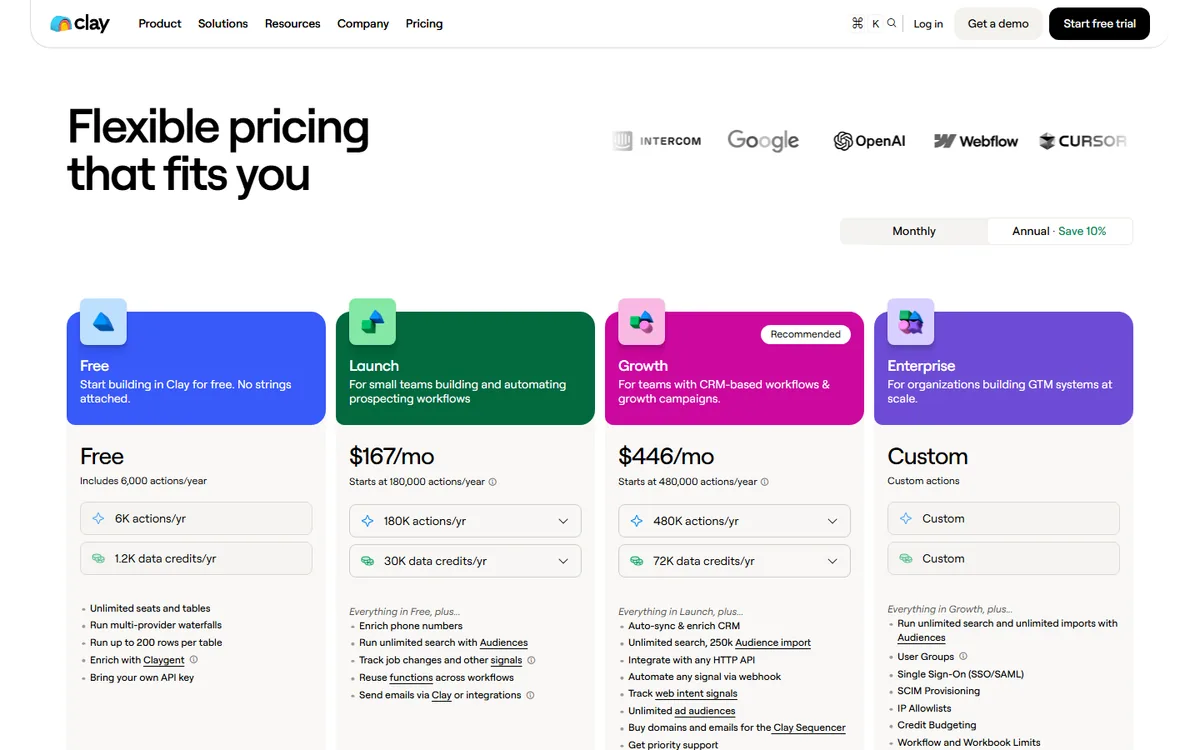
Clay’s free plan includes 500 actions and 100 data credits a month. Launch starts at $60 per month on monthly billing or $54 on yearly billing, and Growth starts at $205 or $185. Both prices rise as you add actions and data credits. Enterprise is custom with a yearly commitment. Clay also runs a go-to-market accelerator for venture-backed startups, so check its startup page for the current intake.
Clay Reviews
- G2: score of 4.6 out of 5 (from +230 customer reviews)
Linear
The Issue Tracker Your Engineers Will Keep Up to Date
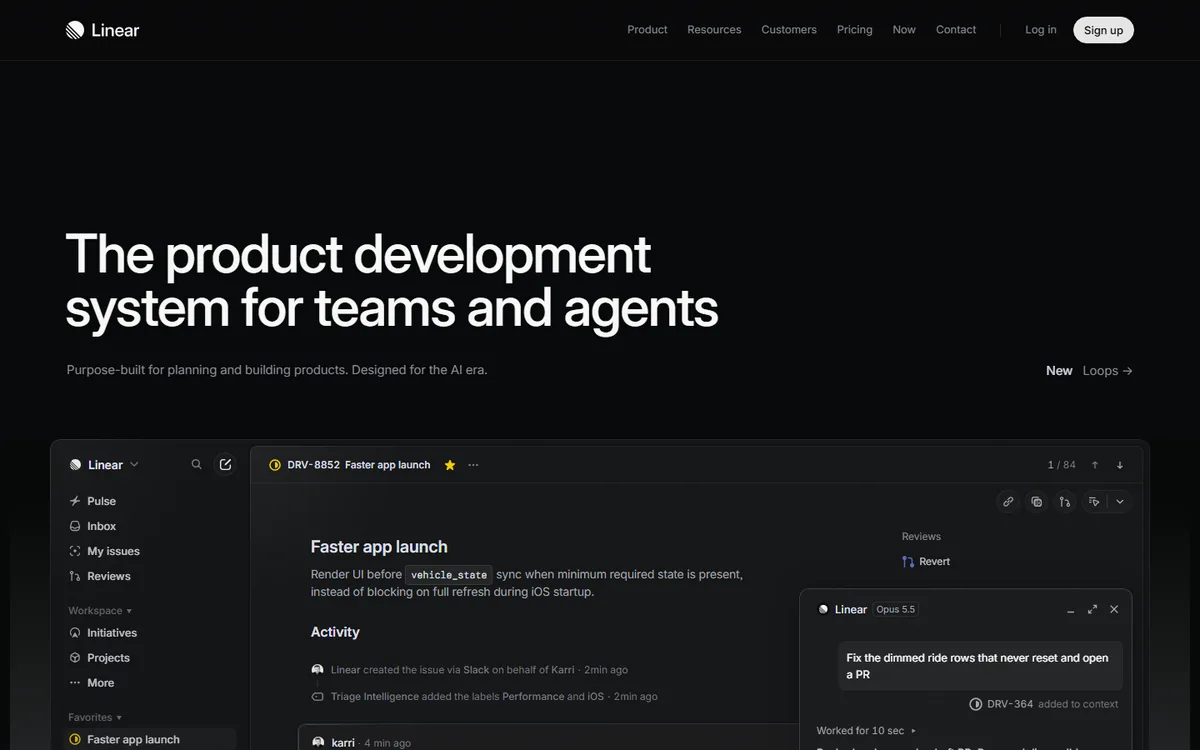
Linear is an issue tracker and planning tool for product teams, with AI that triages new issues, spots duplicates and can pass work to coding agents.
Many startups adopt a heavy project tool around their tenth hire and watch everything slow down. Linear goes the other way. It’s fast, keyboard-driven and opinionated about cycles, projects and roadmaps, and your engineers will open it without being chased, which matters more than any feature list. The AI layer now does real work. On the Business plan, Triage Intelligence suggests labels, owners and duplicates for incoming issues, and every plan can hand issues to agents, so a bug report can turn into a draft pull request.
I recommend Linear from the first engineer through roughly 50 people. Past that point, teams with complex reporting needs or many non-engineering departments sometimes miss the depth of heavier tools. Designers and executives can also find it very engineering-first, so set up a simple project view for them early.
What Linear Does Well
- Fast enough that your team keeps it current
- AI triage cuts the time spent sorting new issues
- The free plan allows unlimited members
What Linear Could Do Better
- Reporting and custom workflows are limited
- Feels built for engineers first, which can lose other teams
Linear Pricing
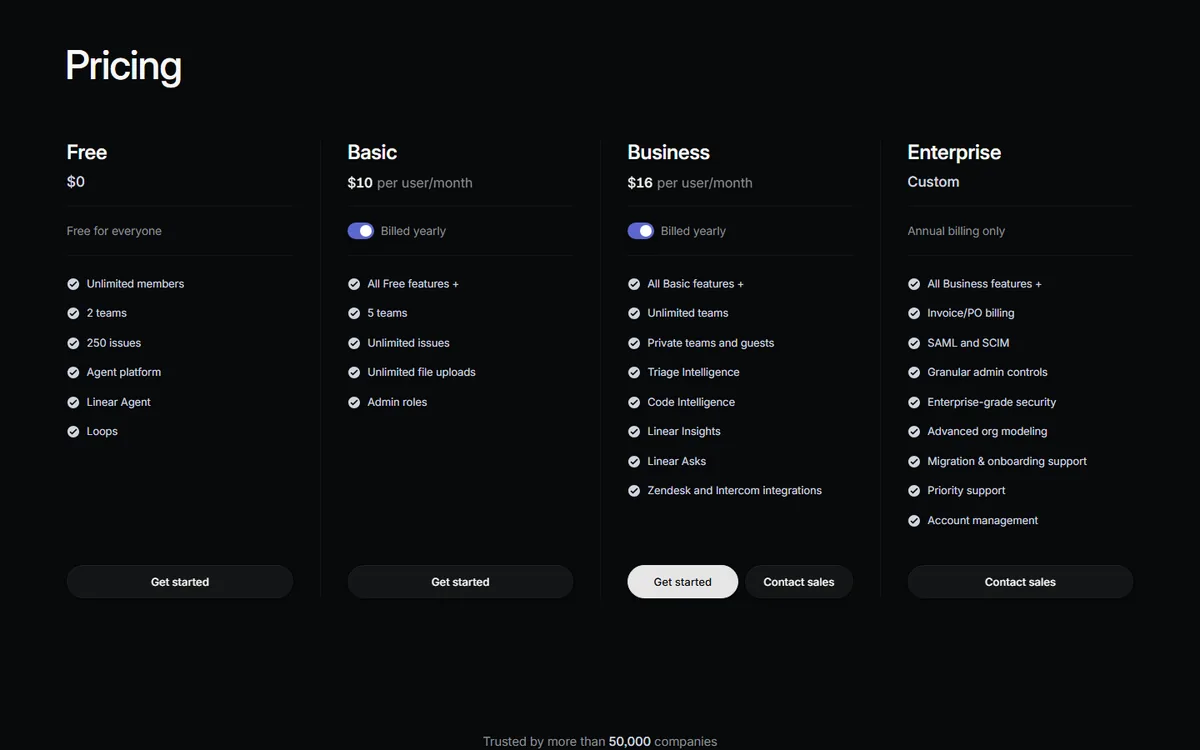
Linear’s free plan includes unlimited members, 2 teams and 250 issues. Basic costs $10 per user per month and Business $16, both billed yearly. Enterprise is custom and billed yearly. The cloud coding agent uses AI credits on top of your plan. Linear also runs a startup program through partner investors, accelerators and banking providers, which gives eligible young companies free time on a paid plan.
Linear Reviews
- G2: score of 4.6 out of 5 (from +120 customer reviews)
- Capterra: score of 4.4 out of 5 (from 5 customer reviews)
Granola
Meeting Notes for Founders That Don’t Put a Bot in the Room
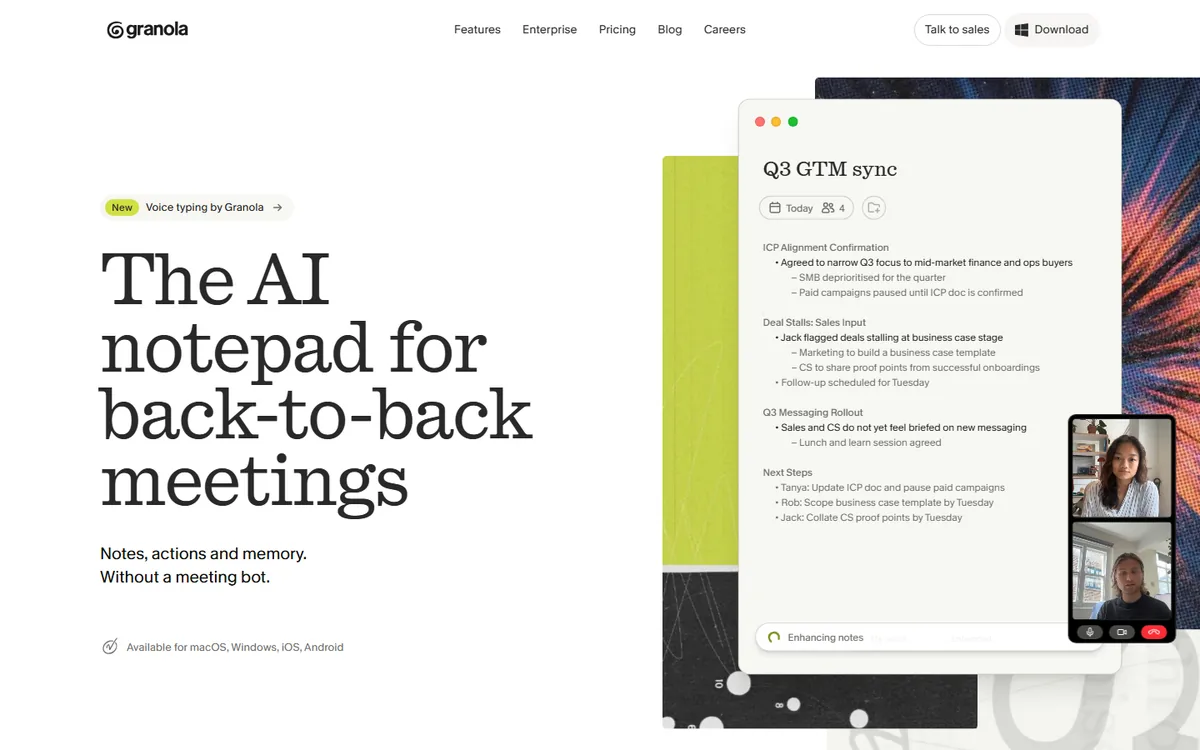
Granola is an AI notepad for meetings. It listens through your computer without joining the call as a bot, then turns your rough jottings into clean notes and action items.
Founders live in meetings: investor calls, customer interviews, hiring loops. Granola is the notetaker I see most on founders’ laptops, and the reason is simple. No bot joins the call, so a nervous customer or a busy investor sees nothing unusual. You type a few words as you go, and afterward Granola merges them with the transcript into notes in your own structure.
Where it pays off for a startup is customer discovery. Run ten interviews, then ask Granola across all of them which objections came up most, and you get a first pass at patterns in minutes. Keep the limits in mind. The free plan keeps only 30 days of history, and the AI can still misread context, so check quotes before they end up in a pitch deck. Recording and consent rules differ by state and country, so tell people you’re taking AI notes.
What Granola Does Well
- No bot joins your calls
- Your own jottings shape the final notes
- Chat across meetings speeds up customer research
What Granola Could Do Better
- The free plan keeps only 30 days of history
- Integrations are thinner than in older notetakers
Granola Pricing
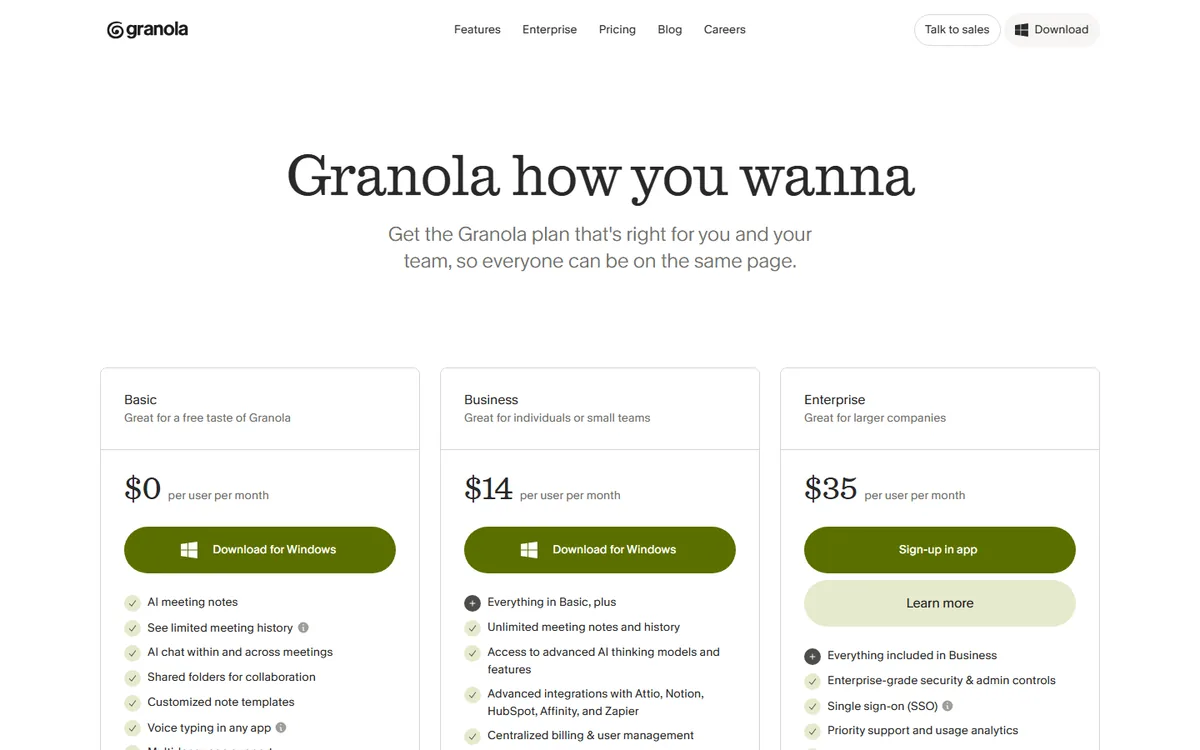
Granola’s Basic plan is free with 30 days of meeting history. Business costs $14 per user per month and adds integrations, follow-up emails and centralized billing. Enterprise costs $35 per user per month. Pre-seed and seed startups with fewer than 30 employees, backed by one of Granola’s approved investors and new to paying for Granola, can get one year of Business for free.
Granola Reviews
- G2: score of 4.7 out of 5 (from +30 customer reviews)
v0 by Vercel
Polished Front-End Prototypes for Teams Already Building on Next.js
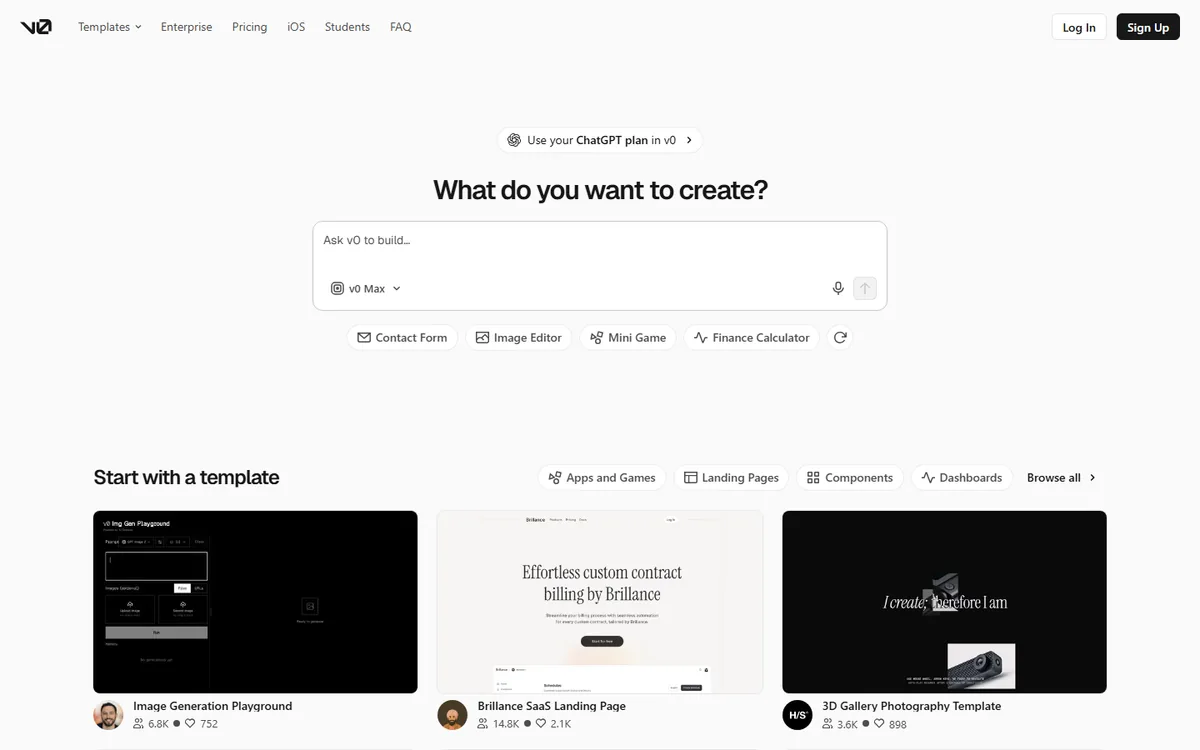
v0 is Vercel’s AI app builder. You describe an interface or app, and it generates React and Next.js code you can edit, sync to GitHub and deploy on Vercel.
v0 sits between Lovable and Cursor. It builds apps from prompts, and its output is clean Next.js and Tailwind code that front-end engineers are happy to keep. I see startups use it most for landing pages, dashboards and design experiments, where a designer or product lead gets a working screen in an hour and hands the code to engineering. Design Mode lets you adjust spacing, colors and copy by clicking on the page.
The catch is the pull toward Vercel. v0 shines brightest when you already host there, and a few reviewers complain about friction when they move a project elsewhere. Credits also run out fast on long back-and-forth sessions. For a startup already on Next.js, it’s the quickest way I know to go from rough idea to polished interface. For a full product with complex back-end logic, I’d start in Lovable or Cursor.
What v0 by Vercel Does Well
- Clean React and Next.js code that engineers keep
- Deploys to Vercel in one click
- Design Mode handles quick visual tweaks
What v0 by Vercel Could Do Better
- Works best if you host on Vercel
- Credits drain quickly in long sessions
v0 by Vercel Pricing
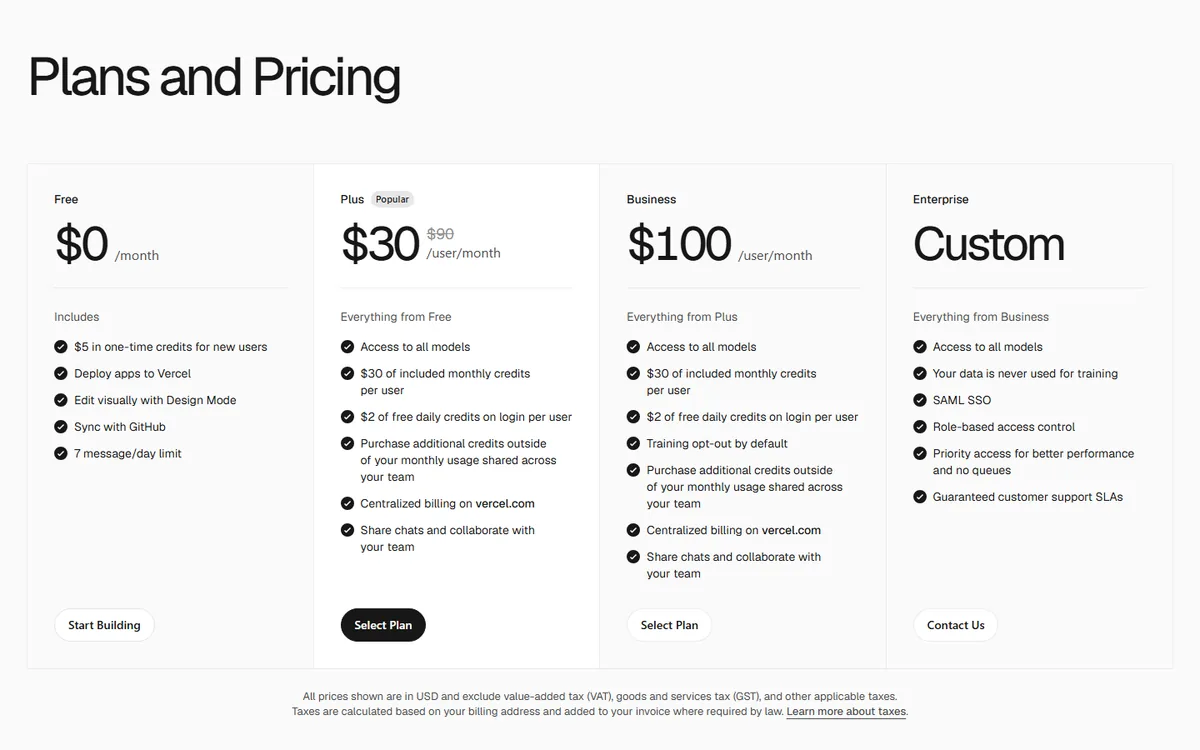
v0 has a free plan limited to 7 messages a day, and new users get $5 in one-time credits. Plus costs $30 per user per month and includes $30 of monthly credits per user plus $2 of daily credits when you log in. Business costs $100 per user per month and opts you out of model training by default. Enterprise is priced through sales and adds single sign-on and role-based access.
v0 by Vercel Reviews
- G2: score of 4.5 out of 5 (from +25 customer reviews)
Work Out Whether a Startup Tool Earns Its Seat
Startup runway is time and cash, and a tool has to give back more of both than it takes. Enter the hours a tool would save your team each month and its monthly price, and you’ll see the yearly return. I use a strict test with founders: if a tool doesn’t clearly beat its cost within one billing cycle, cancel it and try again later.
Will It Pay for Itself?
Move the sliders to match the work you want to automate and the plan you are considering.
How to Choose AI Tools for Your Startup
Match the tool to the bottleneck you have this quarter. A pre-seed team hunting for product-market fit needs different tools from a Series A company hiring its fifth engineer. Before you sign up for anything, answer four questions:
- What’s slowing you down most right now: building, selling or learning from users?
- Who on the team will use the tool every week, and do they have the skills to get value from it?
- Does the vendor offer a startup program you qualify for, and what will you pay once it ends?
- What customer data or code will the tool see, and does the plan keep it out of model training?
Here’s the order I’d follow. Before launch, use Lovable or v0 to get a product in front of people, and Granola to capture what they tell you. Once you have engineers and users, Cursor speeds up the build, PostHog shows what users do, and Linear keeps the work organized. When sales becomes the bottleneck, start with Attio and add Clay once you run outbound at volume.
Apply for startup deals in the first weeks, since several programs only accept new or non-paying workspaces. Then put a renewal date for every tool in one shared calendar, so a free year never turns into a surprise bill.
Questions About AI Tools for Startups
What Is the Best AI Tool for an Early-Stage Startup?
It depends on your team. If you have an engineer, Cursor gives you the biggest jump in output per dollar. If you don’t, Lovable gets a working product in front of users fastest. Once you start selling, Attio is the first tool I’d add.
Can a Non-Technical Founder Build an MVP with AI Tools?
Yes, for a first version. Lovable and v0 can build a working app with logins, a database and a live URL from plain-language prompts. Before you take payments or store personal data, have an engineer review security, database rules and how the code is organized.
How Much Should a Startup Spend on AI Tools?
Most early teams I work with get by on a few hundred dollars a month in total, often less once startup credits kick in. Pay for the tools your team opens every day, use free plans for the rest, and review the stack every quarter.
Are Startup Programs Worth Applying For?
Usually, yes. PostHog, Attio, Granola and Linear all run startup deals, and they can cut your first-year bill by a lot. Read the terms first. Most require venture funding, a young company or a partner referral, and prices jump once the deal ends.
Is AI-Generated Code Safe to Ship?
It can be, with the same checks you’d apply to a new hire’s code. Route every agent change through a pull request, run your tests, and give security-sensitive parts like authentication and payments a careful human review. Fast code that nobody reads is where problems start.
Do I Need Clay If I Already Use Attio?
Not at first. Attio’s built-in enrichment covers the basics for founder-led sales. Add Clay once you run outbound at volume and need to find contacts and research accounts that Attio’s data doesn’t cover.
Which AI Tools Should a Startup Hold Off On?
I’d wait on expensive enterprise suites, separate AI writing tools when you already pay for an assistant, and anything that duplicates a tool you have. A small stack your team knows well beats a large one nobody fully uses.
Disclaimer: Prices, plans, startup programs and ratings change often. They were checked when this article was last updated, and some vendors show prices in your local currency, so confirm them on each vendor’s site before you buy. This is not legal or financial advice.
Did you find this helpful?
Thank you for your feedback.
Marlena leads the WiseCrow editorial team and works with our consultants to turn real client projects into practical guides on AI strategy, automation and governance. Before joining WiseCrow, she spent 12 years in B2B operations and SaaS content. She has since edited more than 400 articles on AI and automation and reviewed workflows from over 60 client projects. She is based in Austin, Texas.