Summary
- Free libraries like scikit-learn and PyTorch cover most model building, so start there before you pay for anything.
- Hugging Face saves you from training from scratch when your project involves text, images or audio.
- Databricks, SageMaker, Vertex AI and Azure Machine Learning matter once models must retrain, serve predictions and pass security reviews.
- Pick the platform that matches the cloud where your data already lives, then add tracking or AutoML only when you need them.
The Best Machine Learning Tools at a Glance
| Tool | Type | Cost | Best for |
|---|---|---|---|
| 1. scikit-learn | Open-source Python library | Free | Models on tabular business data |
| 2. PyTorch | Open-source deep learning framework | Free | Neural networks and custom models |
| 3. Hugging Face | Model hub and libraries | Free, paid plans from $9/month | Pretrained language and vision models |
| 4. Databricks | Data and AI platform | Pay as you go | ML on large data in one platform |
| 5. Amazon SageMaker | Managed ML service on AWS | Pay as you go, free tier | Teams whose data lives on AWS |
| 6. Google Vertex AI | Managed ML service on Google Cloud | Pay as you go | AutoML and BigQuery-based teams |
| 7. Azure Machine Learning | Managed ML service on Azure | Compute only | Microsoft-centered companies |
| 8. TensorFlow and Keras | Open-source deep learning framework | Free | Mobile, web and existing TF stacks |
| 9. Weights & Biases | Experiment tracking | Free, Pro from $60/month | Teams running many experiments |
| 10. DataRobot | AutoML and AI platform | Quote-based | Analysts building models with little code |
The 10 Best Machine Learning Tools, Ranked
I ranked these tools by how many real machine learning projects each one can serve well, so free libraries that nearly every team touches come first, then the managed platforms and then the specialist tools. In my AI and machine learning consulting work, messy data and a vague business question sink far more projects than a weak tool choice.
scikit-learn
The Free Workhorse for Most Business Prediction Problems on Tabular Data
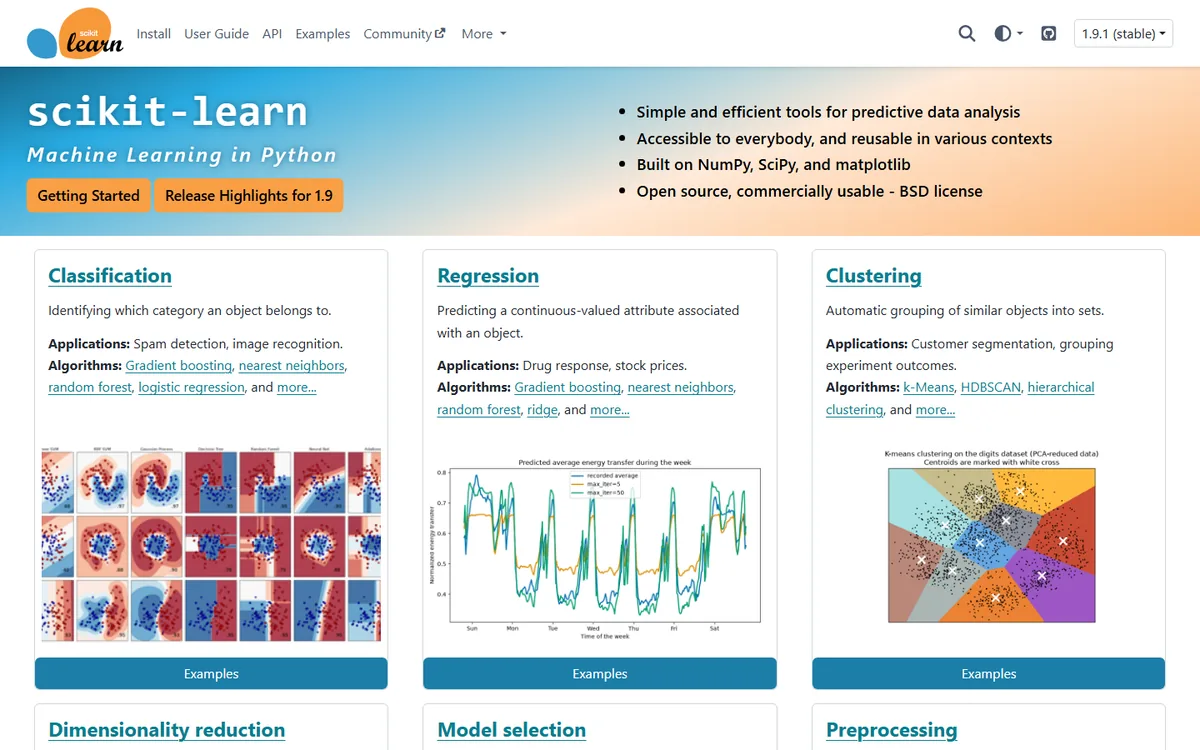
scikit-learn is a Python library with classic algorithms for classification, regression, clustering and data preparation, all behind one consistent interface.
If your data sits in rows and columns, scikit-learn is where I start. Churn scores, demand forecasts, lead scoring, credit risk and fraud flags are all table problems, and gradient boosting or a well-tuned random forest often beats a neural network on them. Every model uses the same fit and predict pattern, so you can swap algorithms in a line of code and compare results quickly.
I also like it as a reality check. Before a client spends money on a platform, I build a simple scikit-learn baseline on a laptop. If that baseline can’t beat the current spreadsheet rule, a bigger tool won’t save the project. The limits are clear, though. It runs on one machine, it has no real support for deep learning and it leaves deployment and monitoring to you. Large datasets will push you toward Databricks or a cloud platform, and most of those run scikit-learn code anyway.
What scikit-learn Does Well
- Excellent documentation with worked examples for every algorithm
- One consistent interface across dozens of models
- Runs on a laptop, so a first baseline takes hours
What scikit-learn Could Do Better
- Slows down on very large datasets
- No deep learning, deployment or monitoring built in
scikit-learn Pricing
scikit-learn is free and open source under the BSD license, including for commercial use. There’s no paid tier. Your only costs are the computers you run it on and the people who build and maintain the models.
scikit-learn Reviews
- G2: score of 4.8 out of 5 (from +50 customer reviews)
PyTorch
The Default Framework for Deep Learning, From Research Notebooks to Production Models
PyTorch is an open-source framework for building and training neural networks on GPUs, and it powers most of today’s open language and vision models.
When a project moves past tables into images, speech, text or time series with complex patterns, PyTorch is my default. It feels like normal Python. You write the model as a class, step through it with a debugger and see errors where they happen. Researchers adopted it early, which is why most new papers and open models ship PyTorch code first.
For you, the practical upside is reuse. Someone has usually published a model close to what you need, and you can fine-tune it on your own data in days. The PyTorch Foundation, part of the Linux Foundation, now governs the project, so it doesn’t depend on one company’s roadmap. The hard part is everything after training. Serving models at scale, compiling them for speed and watching GPU costs takes engineering skill, and in my experience that’s where small teams stall. Plan for a cloud platform or an MLOps engineer once a model has to run every day.
What PyTorch Does Well
- Code reads like plain Python and is easy to debug
- Huge supply of open models and example code
- Neutral governance through the PyTorch Foundation
What PyTorch Could Do Better
- Deployment at scale needs extra tools and skills
- GPU costs can surprise teams that skip planning
PyTorch Pricing
PyTorch is free and open source under a BSD-style license. There’s no paid edition. You pay for the GPUs you train on, either your own hardware or hourly instances on a cloud platform.
PyTorch Reviews
- G2: score of 4.5 out of 5 (from 22 customer reviews)
Hugging Face
The Shortcut to Pretrained Models So You Rarely Train From Scratch
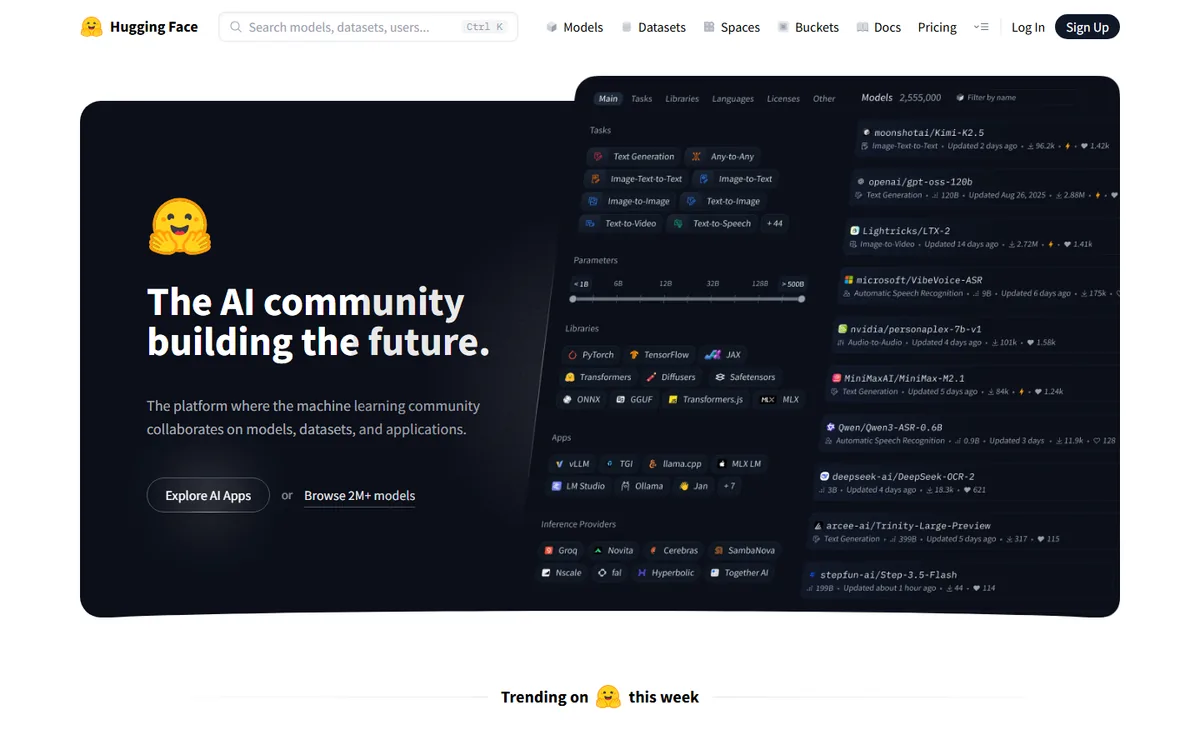
Hugging Face hosts a huge public library of models and datasets, plus open-source libraries like Transformers for fine-tuning and running them.
Hugging Face changed how I scope projects. Before, a text classifier meant collecting tens of thousands of labeled examples. Now I search the Hub, find a model already trained on similar language and fine-tune it with a few hundred examples from the client. The same goes for document extraction, image tagging, speech-to-text and embeddings for search.
The Transformers library gives you one way to load and run thousands of these models, and Spaces lets you put a quick demo in front of colleagues without building an app. Inference Endpoints turn a model into a private API on managed hardware when you’re ready. The catch is quality control. Anyone can upload a model, so licenses, training data and benchmark claims vary a lot. I always check the license for commercial use and test on your own data before trusting a leaderboard score. Large models also need serious memory, so budget for GPUs early.
What Hugging Face Does Well
- Pretrained models cut training data needs sharply
- One library to load and fine-tune thousands of models
- Spaces make demos quick to share
What Hugging Face Could Do Better
- Model quality and licenses vary widely on the Hub
- Large models need expensive hardware to run
Hugging Face Pricing
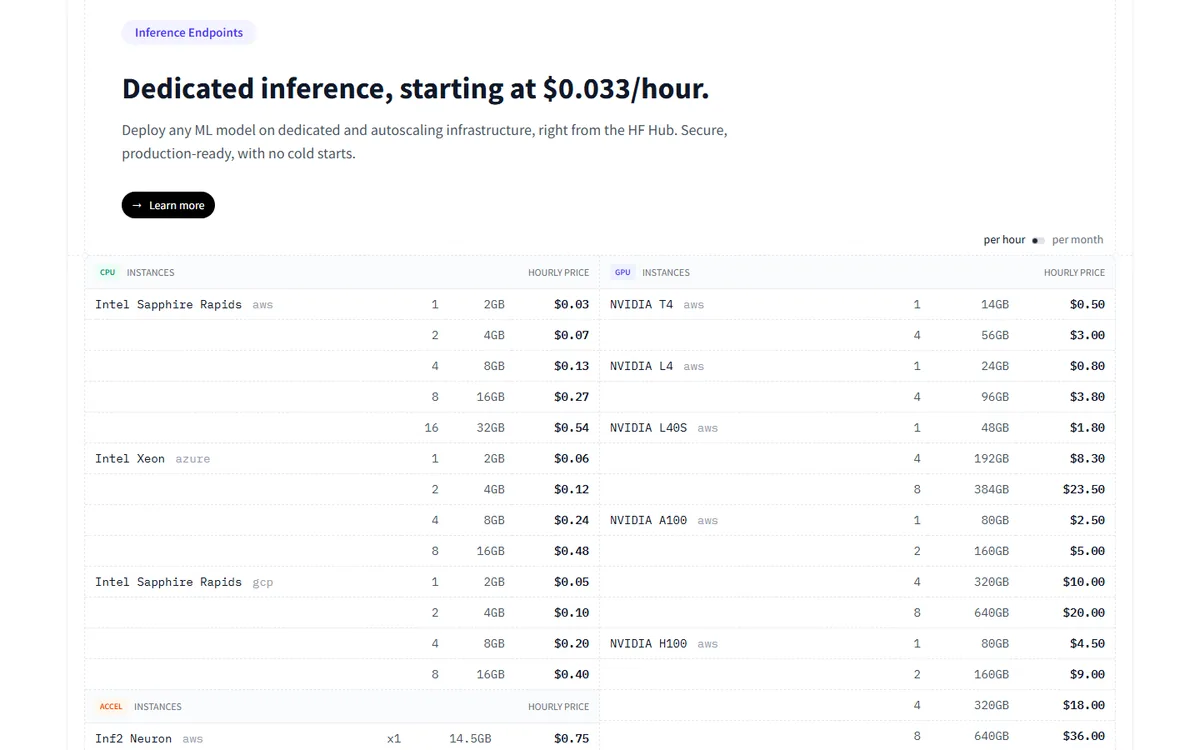
The Hub and the open-source libraries are free to use. PRO costs $9 per month, Team costs $20 per user per month and Enterprise starts at $50 per user per month. Spaces hardware starts at $0.03 per hour for a CPU upgrade, and Inference Endpoints start at $0.033 per hour.
Hugging Face Reviews
- Capterra: score of 5.0 out of 5 (from 1 user review)
Databricks
The Best Fit When Your Data Engineering and Machine Learning Should Live Together
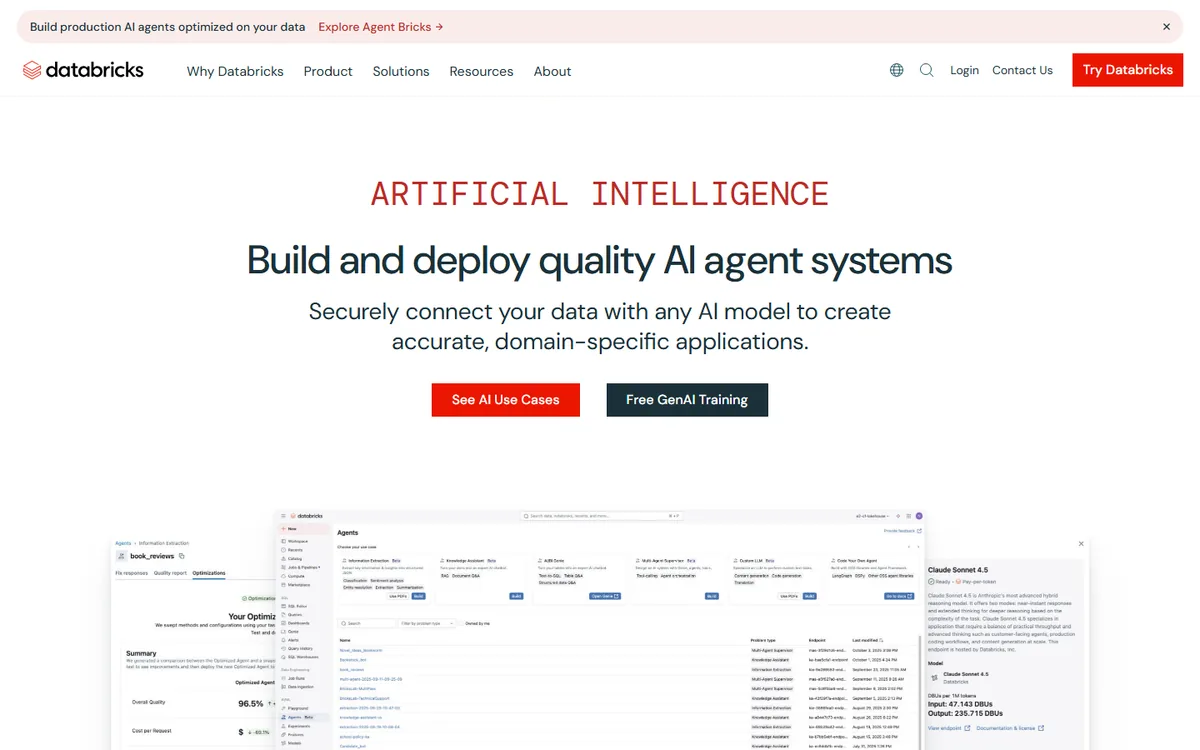
Databricks combines a data lakehouse, Spark processing, MLflow tracking and Mosaic AI model serving in one platform that runs on AWS, Azure and Google Cloud.
On most machine learning projects, data work eats the bulk of the hours. Databricks earns its spot because it puts that work and the models in one place. Your engineers build pipelines in the same workspace where data scientists train models, Unity Catalog controls who can see which tables and MLflow records every experiment and model version. Mosaic AI then serves models and fine-tunes language models on that same governed data.
I recommend it to companies with large or fast-growing data and a team that can write Python and SQL. It also avoids tying you to a single cloud, which matters to some security and procurement teams. The downside is cost control. Billing runs on Databricks Units, and an all-purpose cluster left running over a weekend can eat a month’s budget. In my client work, the first fix is almost always job clusters and auto-shutdown rules. Smaller teams with modest data may find it heavier than they need.
What Databricks Does Well
- Data pipelines and models share one governed workspace
- MLflow tracking and model registry come built in
- Runs on all three major clouds
What Databricks Could Do Better
- DBU-based billing is hard to forecast
- More platform than a small team usually needs
Databricks Pricing
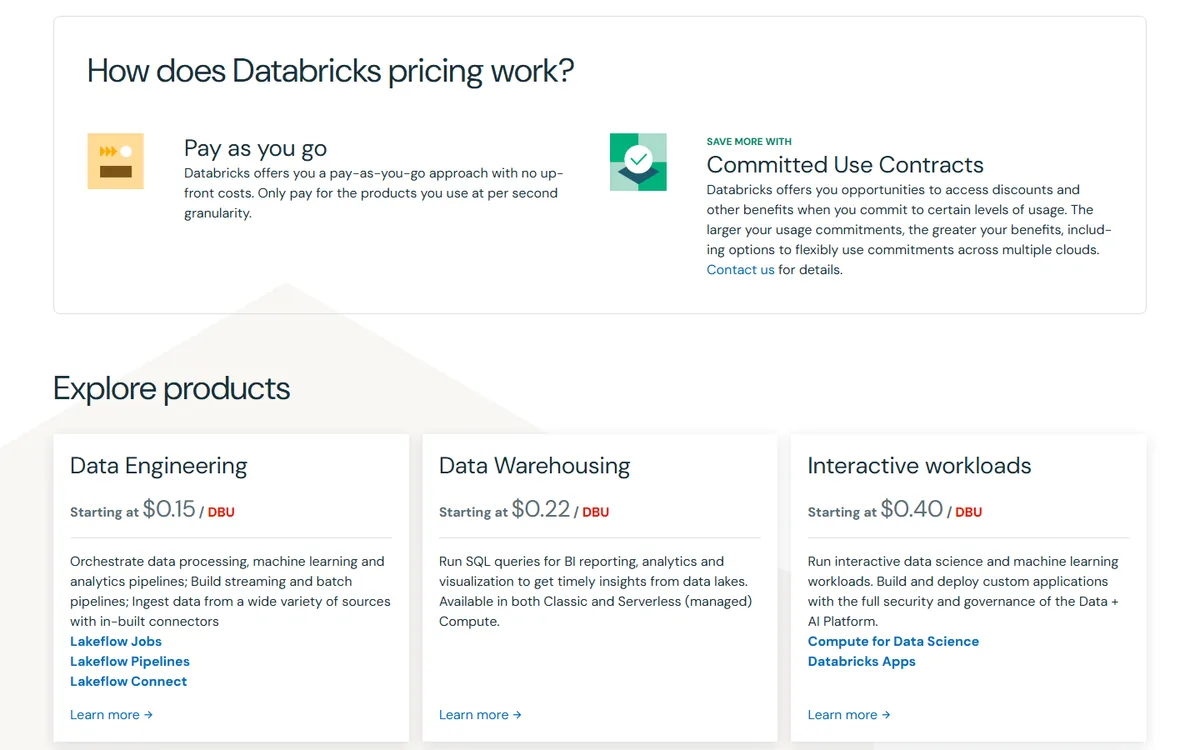
Databricks charges pay as you go, billed per second in Databricks Units, and rates differ by product, cloud, region and tier. A 14-day free trial is available, and the free Databricks Free Edition lets you learn with serverless, quota-limited compute. Committed-use contracts bring discounts at higher volumes.
Databricks Reviews
- G2: score of 4.6 out of 5 (from +700 customer reviews)
- Capterra: score of 4.5 out of 5 (from 23 customer reviews)
Amazon SageMaker
The Most Complete Managed Option for Teams Whose Data Already Lives on AWS
SageMaker AI covers the full model lifecycle on AWS, with notebooks, managed training, pipelines, a model registry, real-time and serverless endpoints and monitoring.
If your data sits in S3 and your apps run on AWS, SageMaker is the natural home for your models. You can train on managed instances that shut down when the job ends, register the winning model and deploy it to an endpoint with a few calls. Pipelines automate retraining, and Model Monitor flags drift when live data starts to look different from training data.
Reviewers on G2 praise how well it connects to S3, Lambda and the rest of AWS, and I agree. Security reviews also go faster when nothing leaves the client’s existing account. The friction is the size of it. SageMaker has many overlapping features and names, and newcomers to AWS face a real learning curve with permissions alone. I’ve also seen idle endpoints quietly bill for months, so tag every resource and set budget alerts on day one.
What Amazon SageMaker Does Well
- Covers training, deployment and monitoring in one service
- Tight links to S3, Lambda and AWS security
- Generous free tier for the first two months
What Amazon SageMaker Could Do Better
- Steep learning curve, especially around AWS permissions
- Idle endpoints keep billing if nobody shuts them down
Amazon SageMaker Pricing
SageMaker AI is pay as you go with no minimum fees, billed by instance type and usage. The free tier covers your first two months, including 250 hours of ml.t3.medium notebooks, 50 hours of m5.xlarge training and 125 hours of m5.xlarge real-time inference. Savings Plans can cut costs by up to 64% in return for a usage commitment.
Amazon SageMaker Reviews
- G2: score of 4.3 out of 5 (from +50 customer reviews)
- Capterra: score of 4.7 out of 5 (from 3 customer reviews)
Google Vertex AI
A Strong Pick for BigQuery Users and Teams That Want AutoML Next to Custom Code
Vertex AI, now part of Google’s Gemini Enterprise Agent Platform, offers AutoML, custom training, pipelines, a feature store and model endpoints on Google Cloud.
Google renamed Vertex AI in April 2026 and folded it into the Gemini Enterprise Agent Platform, but the machine learning pieces you know are still there. I like it most for teams that keep their data in BigQuery. You can train AutoML models on a table with a few clicks, compare them with custom PyTorch or scikit-learn jobs and serve the winner from the same console.
AutoML is a real time saver for a first model, especially when your analysts know the data better than any engineer does. It’s also expensive per hour next to custom training on similar machines, so I treat it as a way to set the bar and then decide. G2 reviewers praise the integrations and flag a learning curve, gaps in documentation and cost, which matches my projects. The rename adds some confusion too, since docs, consoles and blog posts now use both names.
What Google Vertex AI Does Well
- AutoML and custom training sit side by side
- Works smoothly with data in BigQuery
- Managed pipelines handle scheduled retraining
What Google Vertex AI Could Do Better
- AutoML costs far more per hour than custom jobs
- The 2026 rename makes docs harder to follow
Google Vertex AI Pricing
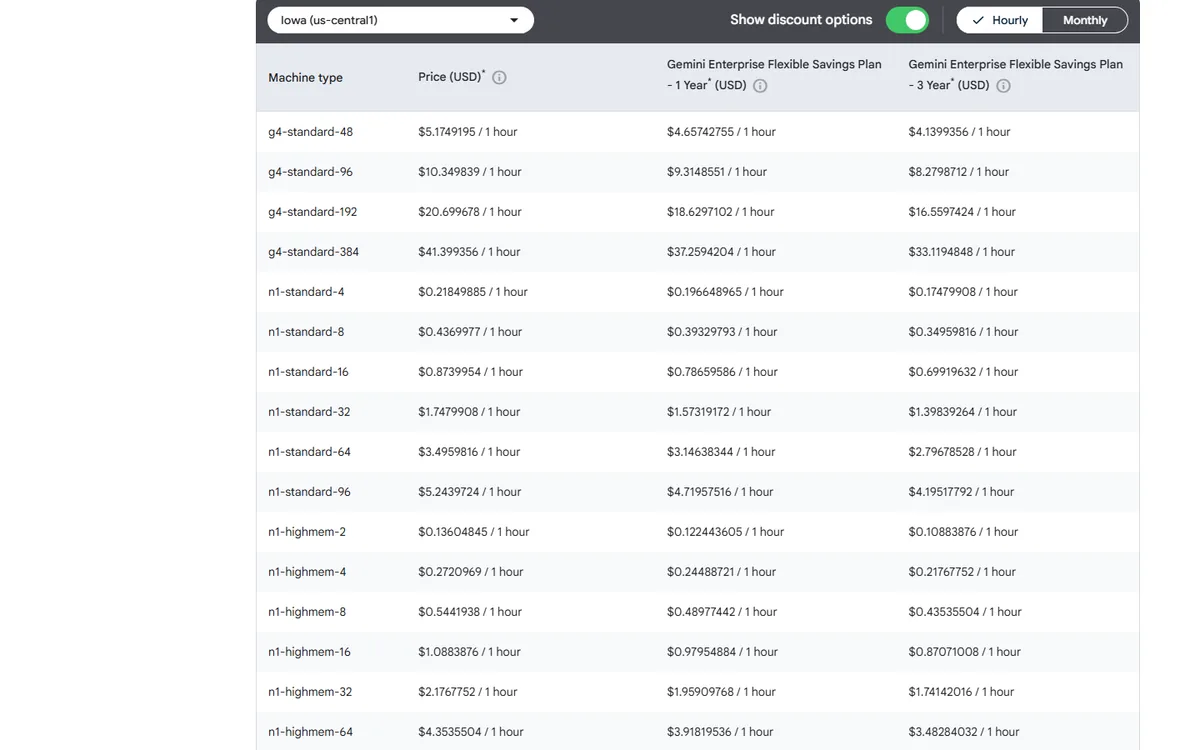
Vertex AI is pay as you go. Custom training and prediction are billed by machine type and hours used, plus any GPUs. AutoML training for tabular classification and regression costs $21.252 per node hour, and related services like BigQuery and Cloud Storage bill separately.
Google Vertex AI Reviews
- G2: 4.3 out of 5 star rating, now listed as Gemini Enterprise Agent Platform (from +500 customer reviews)
- Capterra: score of 4.5 out of 5 (from 2 customer reviews)
Azure Machine Learning
The Practical Choice for Companies That Run on Microsoft and Need Strong Governance
Azure Machine Learning provides workspaces, managed compute, AutoML, a drag-and-drop designer, pipelines and endpoints, tied into Microsoft Entra ID and Azure security.
Azure Machine Learning makes the most sense when your company already runs on Microsoft. Sign-in, access rights and network rules come from the same Entra ID and Azure policies your IT team manages today, which shortens security reviews a lot. Data scientists get notebooks and the Python SDK, while analysts can use the designer or AutoML without code.
One thing I like is the pricing logic. The service itself has no charge, so you only pay for the compute and storage you use. Its responsible AI dashboard is also one of the better built-in tools for explaining a model to auditors and risk teams. On the other side, the studio interface has changed several times, so older tutorials often point to menus that no longer exist. Capterra reviewers rate ease of use lower than value for money, and in my projects the setup of workspaces and networking takes longer than teams expect.
What Azure Machine Learning Does Well
- Uses the identity and security rules IT already runs
- No separate service fee on top of compute
- Helpful responsible AI tools for model reviews
What Azure Machine Learning Could Do Better
- Interface changes leave many tutorials outdated
- Workspace and network setup takes time
Azure Machine Learning Pricing
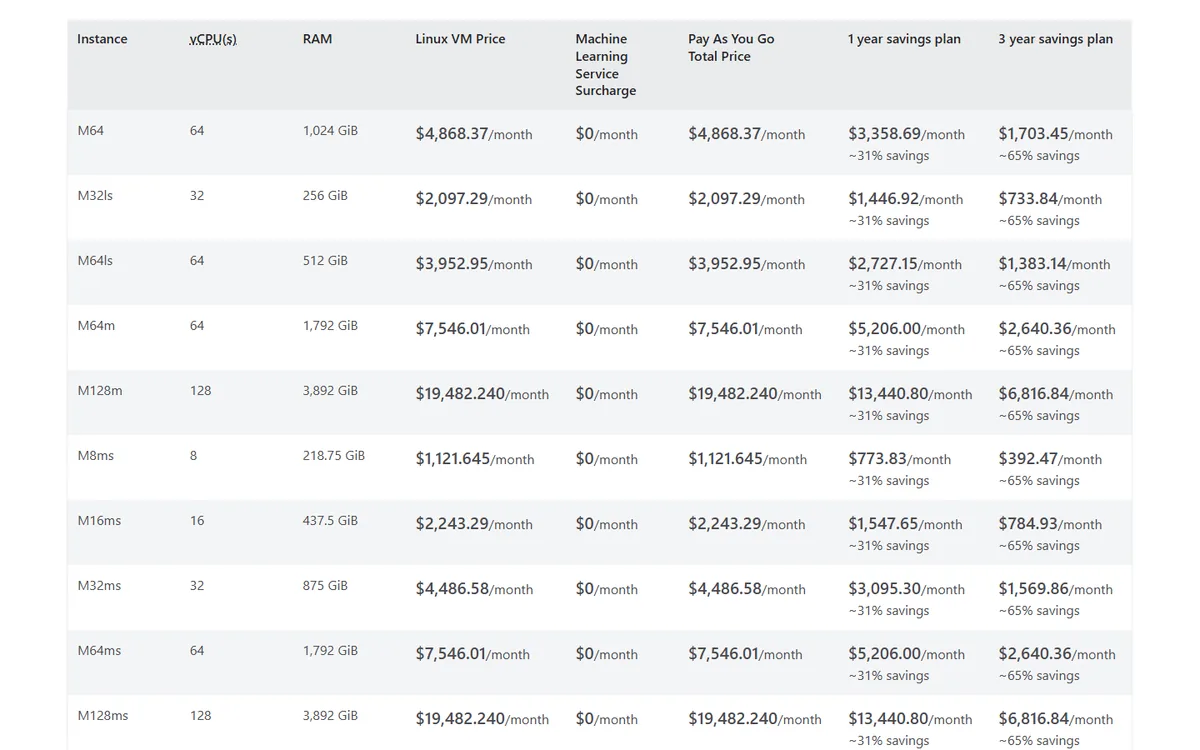
Microsoft charges nothing extra for Azure Machine Learning. You pay for the virtual machines, storage and related services you use, billed per second, with savings plans and reservations for steady workloads. Microsoft’s own example prices a DS14 v2 machine at $1.196 per hour, and new Azure accounts get $200 of credit for 30 days.
Azure Machine Learning Reviews
- G2: score of 4.3 out of 5 (from +80 customer reviews)
- Capterra: score of 4.5 out of 5 (from 30 customer reviews)
TensorFlow and Keras
Still the Safer Bet When Models Must Run on Phones, Browsers or an Existing TensorFlow Stack
TensorFlow is Google’s open-source deep learning framework, and Keras is the high-level API on top that makes building and training models much simpler.
TensorFlow lost the research crowd to PyTorch, yet I still recommend it in two situations. The first is deployment to the edge. TensorFlow Lite and TensorFlow.js have years of production use behind them, so if your model must run offline in a mobile app or inside a browser, the path is well marked. The second is any company that already runs TensorFlow models in production. Rewriting them rarely pays off.
Keras is the part most people enjoy. You stack layers, compile and train in a few readable lines, and Keras 3 can now run on PyTorch or JAX as well as TensorFlow, which softens the lock-in. The pain points haven’t changed much. Reviewers on G2 and Capterra mention a steep learning curve and error messages that are hard to trace, and I find GPU setup more fragile than with PyTorch. For a brand-new deep learning project with no mobile needs, I’d pick PyTorch.
What TensorFlow and Keras Does Well
- Mature tools for mobile and in-browser models
- Keras makes simple networks quick to build
- Keras 3 runs on several backends
What TensorFlow and Keras Could Do Better
- Fewer new open models than PyTorch
- Error messages and GPU setup can be painful
TensorFlow and Keras Pricing
TensorFlow and Keras are free and open source under the Apache 2.0 license. There’s no paid tier. Managed training and serving cost money only when you run them on a cloud platform such as Vertex AI.
TensorFlow and Keras Reviews
- G2: 4.5 out of 5 star rating for TensorFlow (from +130 customer reviews)
- Capterra: 4.6 out of 5 star rating for TensorFlow (from +100 customer reviews)
Weights & Biases
The Experiment Tracker Data Scientists Actually Keep Open All Day
Weights & Biases logs every training run, compares results in dashboards, versions models and datasets and evaluates LLM apps through its Weave toolkit.
Three months into a project, someone always asks which settings produced the good model. Without tracking, nobody knows. Weights & Biases fixes that with two lines of code in your training script. Every run sends its settings, metrics, charts and files to a shared dashboard, so you can compare fifty experiments side by side and turn the best ones into a report for your manager.
I like it more than the free alternatives for one reason: people use it without being told to. MLflow does much of the same job and is free, especially inside Databricks, but its interface feels plain next to W&B. CoreWeave bought the company in 2025, and since September 2026 W&B sits inside the new CoreWeave Forge product. Existing accounts kept their projects and keys, but watch for pricing and packaging changes. G2 reviewers also mention slow pages on very large projects.
What Weights & Biases Does Well
- Two lines of code start logging every run
- Dashboards and reports teams actually read
- Covers classic models and LLM evaluation
What Weights & Biases Could Do Better
- Packaging is in flux after the CoreWeave deal
- Can feel slow on very large projects
Weights & Biases Pricing
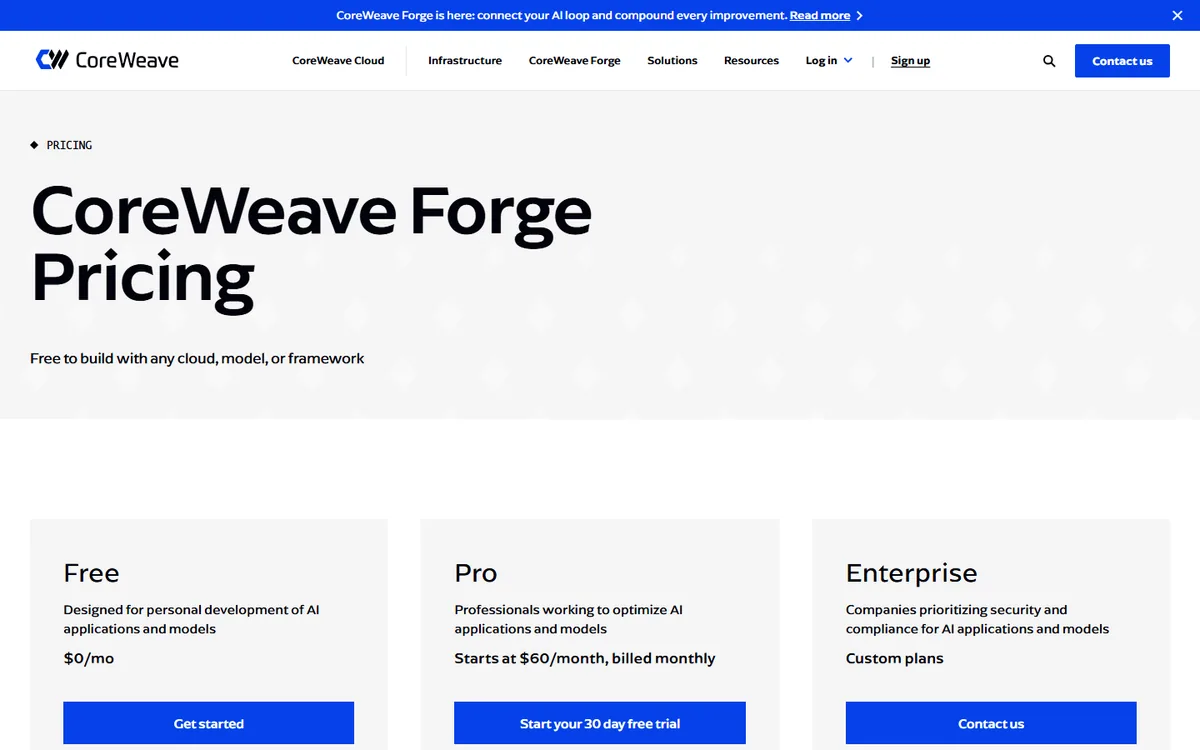
The Free plan covers up to 5 model seats and 5 GB of storage per month. Pro starts at $60 per month with a 30-day free trial, up to 10 model seats and 100 GB of storage, and is meant for teams under 50 employees. Enterprise pricing is quoted on request and adds single sign-on, audit logs and a HIPAA-compliant option.
Weights & Biases Reviews
- G2: score of 4.7 out of 5 (from 44 customer reviews)
DataRobot
A Guided AutoML Platform for Analysts Who Need Results Without a Large Data Science Team
DataRobot automates feature engineering, model selection and deployment, and adds monitoring and governance for predictive and generative AI in one commercial platform.
DataRobot is built for the company that has good data and sharp analysts but few data scientists. You upload a table, choose the column to predict and the platform trains dozens of models, ranks them and explains which inputs drive each prediction. Deployment and drift monitoring sit in the same place, which saves the handover pain I see with homegrown setups.
Reviewers on G2 like how much time it saves on model selection and data preparation, and the governance features help in banking, insurance and healthcare, where every model needs documentation. It ranks last here because of cost and dependence. Quote required and aimed at enterprises, and models trained inside the platform are easier to run there than to move elsewhere. AutoML also can’t fix a poorly framed problem. I’ve seen accurate DataRobot models fail because nobody agreed on how the business would act on the score.
What DataRobot Does Well
- Analysts can train and compare many models quickly
- Clear explanations of what drives each prediction
- Strong governance for regulated industries
What DataRobot Could Do Better
- No public pricing, aimed at enterprise budgets
- Models are harder to run outside the platform
DataRobot Pricing
DataRobot doesn’t publish prices. You request a quote through sales, and the cost depends on the products, users and deployment you choose. A 30-day free trial gives full platform access with no contract.
DataRobot Reviews
- G2: score of 4.4 out of 5 (from +25 customer reviews)
- Capterra: score of 4.8 out of 5 (from 5 customer reviews)
Work Out What a Machine Learning Tool Could Return
A platform bill means little until you set it against the work a model takes off your team. Enter the hours a model could save each month, such as manual reviews, forecasts built by hand or tickets sorted by a person, plus the monthly cost of the tool. You’ll get a rough yearly return. For the full picture, including data work and maintenance, see my breakdown of machine learning ROI.
Will It Pay for Itself?
Move the sliders to match the work you want to automate and the plan you are considering.
How to Choose the Right Machine Learning Tools
Most teams I work with end up with a small stack: one or two free libraries, one platform and maybe a tracker. Answer these four questions before you pick yours:
- What kind of data will the model learn from: tables, text, images or audio?
- Which cloud already holds that data, and what do your security rules allow?
- Who builds the models: analysts, data scientists or software engineers?
- How will predictions reach the business: a weekly report, an app or a live API?
For table data, start with scikit-learn. For text, images or audio, use PyTorch with models from Hugging Face, and keep TensorFlow for mobile apps or stacks that already run it. Once a model must retrain and serve predictions, choose the platform that matches your cloud: SageMaker on AWS, Vertex AI on Google Cloud or Azure Machine Learning on Microsoft. Pick Databricks if your data engineering runs there or you span several clouds. Add Weights & Biases when experiments pile up, and look at DataRobot if analysts will do most of the building. The order matters as much as the tools, and my machine learning strategy guide shows how to sequence a first model into production.
Questions About Choosing Machine Learning Tools
What Is the Best Free Machine Learning Tool?
For most business problems, scikit-learn. It handles forecasting, churn scores, fraud flags and other work on tables of data, it runs on a laptop and it costs nothing. If your project involves images, audio or text at scale, add PyTorch, and pull pretrained models from the Hugging Face Hub before you train anything yourself.
Should I Learn PyTorch or TensorFlow?
I’d start with PyTorch today. Most new research code and most open models on Hugging Face use it, so you’ll find more examples and help. TensorFlow and Keras still make sense if your company already runs TensorFlow models in production or needs to ship models to phones and browsers, where its tooling is mature.
Do I Need a Cloud Machine Learning Platform?
Not for your first model. A notebook and scikit-learn can show you if the idea works. You need a platform like SageMaker, Vertex AI, Azure Machine Learning or Databricks once models must retrain on a schedule, serve predictions to other systems and pass security reviews. I usually pick the one that matches the cloud where your data already lives.
How Much Do Machine Learning Tools Cost?
The core libraries are free. Cloud platforms charge for the compute you use, so a small project can cost a few dollars a month while large training runs on GPUs can reach thousands. Commercial tools like DataRobot quote prices through sales. In my client work, people and data preparation cost more than the software in the first year.
Can Business Analysts Build Models Without Writing Code?
Yes, for standard problems on clean, tabular data. DataRobot, AutoML in Vertex AI and Azure Machine Learning’s designer let analysts train and compare models with clicks. Someone still has to define the target, check the data for leaks and decide how the prediction gets used, so pair analysts with a data scientist for review.
Which Tools Should I Use for Generative AI and Large Language Models?
Hugging Face is the starting point for open models, datasets and fine-tuning libraries, with PyTorch underneath. If you want managed hosting and access to commercial models, Vertex AI, SageMaker, Azure and Databricks all offer model serving and fine-tuning. Weights & Biases helps you track and evaluate the results once several people experiment at once.
When Do I Need an Experiment Tracking Tool Like Weights & Biases or MLflow?
As soon as more than one person trains models, or one person runs more than a handful of experiments. Without tracking, teams lose the settings behind their best model within weeks. MLflow is free and built into Databricks. Weights & Biases is the more polished choice if you want dashboards and reports your whole team will actually open.
Disclaimer: Prices, plans, product names and ratings change often. They were checked when this article was last updated, so confirm them on each vendor’s site and on G2 or Capterra before you buy. This is not legal or financial advice.
Did you find this helpful?
Thank you for your feedback.
Marlena leads the WiseCrow editorial team and works with our consultants to turn real client projects into practical guides on AI strategy, automation and governance. Before joining WiseCrow, she spent 12 years in B2B operations and SaaS content. She has since edited more than 400 articles on AI and automation and reviewed workflows from over 60 client projects. She is based in Austin, Texas.