Summary
- Give each agent one narrow job and the fewest tools it needs, starting read-only, under its own scoped identity.
- Put a named person in front of every irreversible action, and cap steps, spend and outbound sends per run.
- Replay a scored evaluation set before every change, and trace every step and tool call in production.
- Build a kill switch and a tested undo before launch, and give every agent one owner who reviews each incident.
An AI model that only writes text can embarrass you. An agent that can send emails, issue refunds or edit records can cost you real money before anyone notices. When I scope agentic AI consulting projects, the guardrails take as much planning as the agent itself, and they’re the part clients most often want to trim. Gartner expects over 40% of agentic AI projects to be canceled by the end of 2027, and it names escalating costs, unclear business value and inadequate risk controls as the causes.
Below are the 9 agentic AI best practices I put in place before an agent touches a live system. The first table pairs each practice with what to do and what to avoid. The practices follow in three layers: limits you set before the agent runs, visibility while it works and your response when it fails. A second table near the end maps each one to the risk it reduces and the person who should own it.
Agentic AI Best Practices at a Glance
Keep this table next to your agent design doc. If you can’t tick a row for an agent that’s about to go live, hold the launch until you can.
| Practice | Do this | Avoid this |
|---|---|---|
| 1. Narrow scope | One job, written boundaries | “Handle all of finance ops” |
| 2. Tool access | Scoped tools, read-only first | A shared admin API key |
| 3. Approval gates | Sign-off on irreversible actions | Approving every single step |
| 4. Budgets and limits | Caps on steps, spend and sends | Open-ended retry loops |
| 5. Evaluation sets | Scored replays before each change | One good demo run |
| 6. Tracing | Log every step and tool call | Saving the final answer only |
| 7. Injection defenses | Treat fetched content as data | Obeying text inside emails |
| 8. Kill switch and rollback | One-click stop, tested undo | Stopping it by redeploying |
| 9. Ownership and review | A named owner, blameless reviews | “The AI team” owns it |
Limits You Set Before the Agent Runs: Practices 1 to 4
These four decide how much an agent can do on its worst day. They cost little to set up early and a lot to retrofit once people depend on the agent.
Give Each Agent One Narrow Job
Scope is your first guardrail, and it’s free. Write down the one job the agent does, the systems it may touch, the inputs it accepts and what counts as done. Then list what it must never do. An agent told to “handle accounts payable” will meet a hundred edge cases on day one. An agent told to “match supplier invoices under $5,000 to purchase orders and flag mismatches for review” has a job you can test.
A distribution client wanted one agent for invoices, supplier emails and payment runs. I split it into three agents with separate scopes, and only the invoice matcher went live in the first month. The other two waited until the first had a clean month of runs. Narrow agents are easier to explain to auditors as well, and the one-page scope document becomes the first page of your risk review.
Grant Tools With Least Privilege
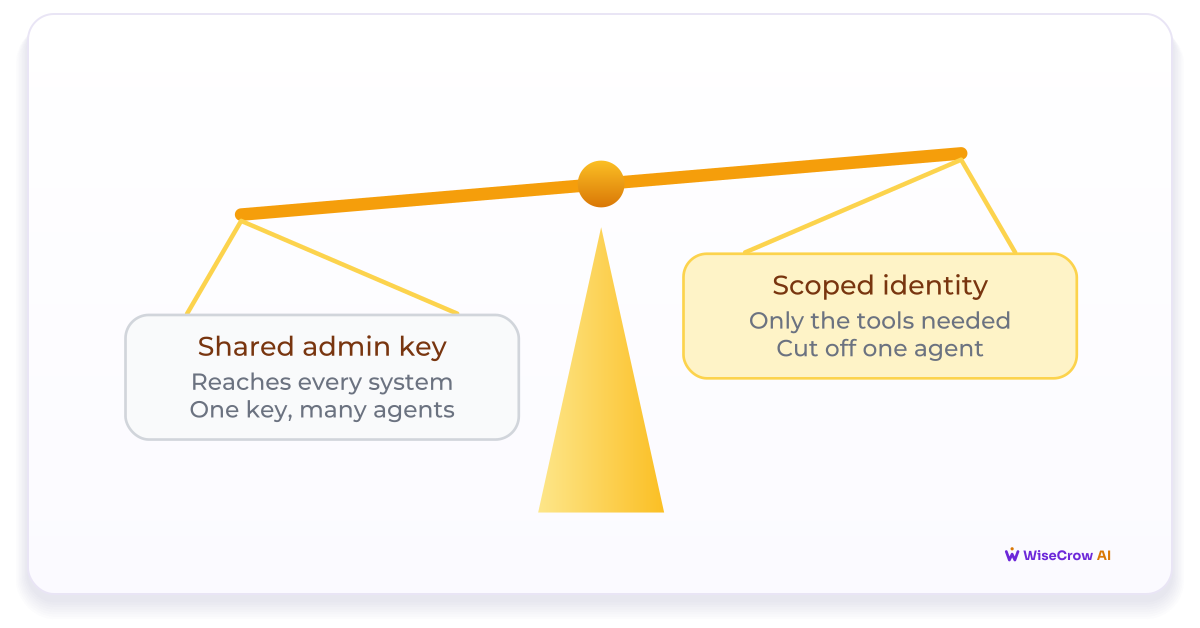
OWASP lists excessive agency in its Top 10 for LLM applications and traces it to three root causes: excessive functionality, excessive permissions and excessive autonomy. The first two come down to tool access. Give the agent the fewest tools it needs, make each tool do one thing and start every tool as read-only. A generic “run any SQL” tool hands the model your whole database.
Give the agent its own service identity with scoped credentials, never a shared admin key from a developer’s laptop. When it acts for a user, run the action under that user’s permissions, so the agent can’t see more than the person asking. Enforce limits in the downstream system too. One retailer’s support agent could look up any order by number until the order API started checking the customer ID on every call. The prompt had said “only look up the customer’s own orders.” Prompts are requests. Permissions are rules.
Put Approval Gates on Irreversible Actions
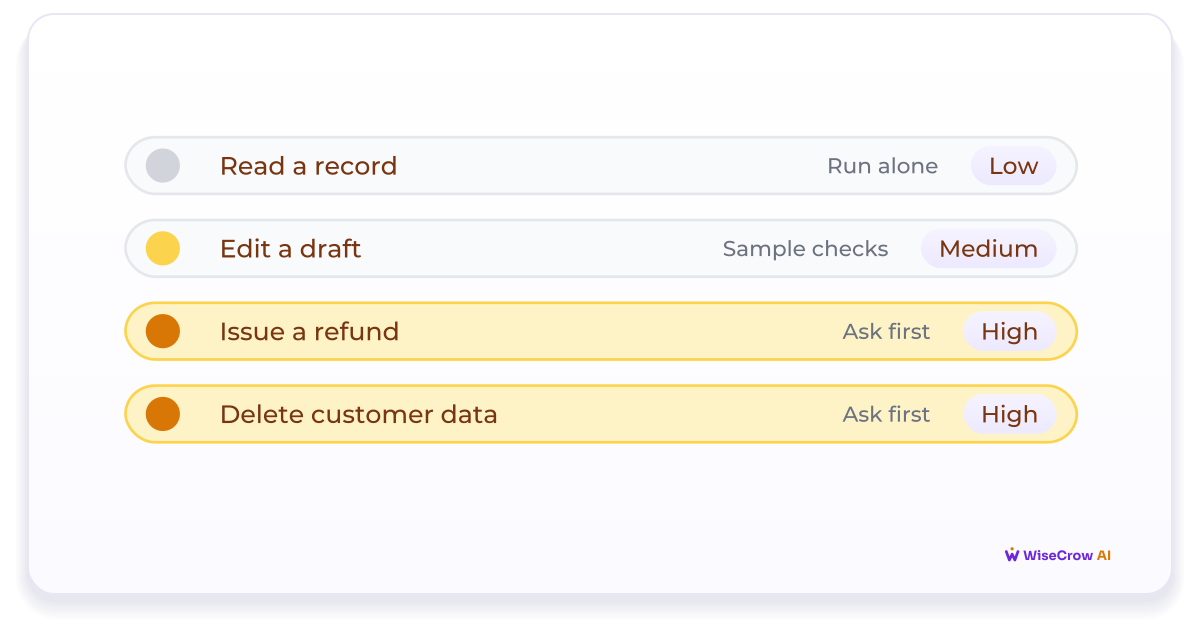
Sort every action the agent can take into three buckets: low-impact and easy to reverse, reversible with effort, and irreversible. Reading a record or drafting a reply goes straight through. Updating a CRM field gets logged and sampled. Sending money, deleting data, emailing a customer or agreeing to terms waits for a named person.
Design the approval screen for a busy reviewer. Show what the agent wants to do, why, the data it used and what happens on yes. Gates on every step fail in their own way, since reviewers start clicking approve without reading within a week or two. In my client work, a well-placed gate asks each reviewer for a few decisions a day and still catches the handful of real problems that show up each month.
Cap Budgets, Steps and Rate Limits
Agents loop. A tool returns an error, the agent retries, the retry fails and the agent makes a new plan that calls the same tool again. Without caps, one confused run can burn model tokens and API calls all night. Set hard limits per run on steps, tool calls, spend and time, then add daily limits per agent and per user.
Set the caps from real data. Check the step count of successful runs in testing and put the limit a little above the longest normal one. When a run hits a cap, it should stop, save its state and pass the case to a person with a short note. Rate limits on outbound actions matter most. An agent allowed 20 emails an hour does far less harm on a bad day than one allowed 20,000.
Visibility While the Agent Works: Practices 5 to 7
Limits shrink the damage. These three tell you when the agent is drifting, and they give you the evidence to fix it. Skip them, and your first sign of trouble will be a customer complaint.
Score Every Change Against an Evaluation Set
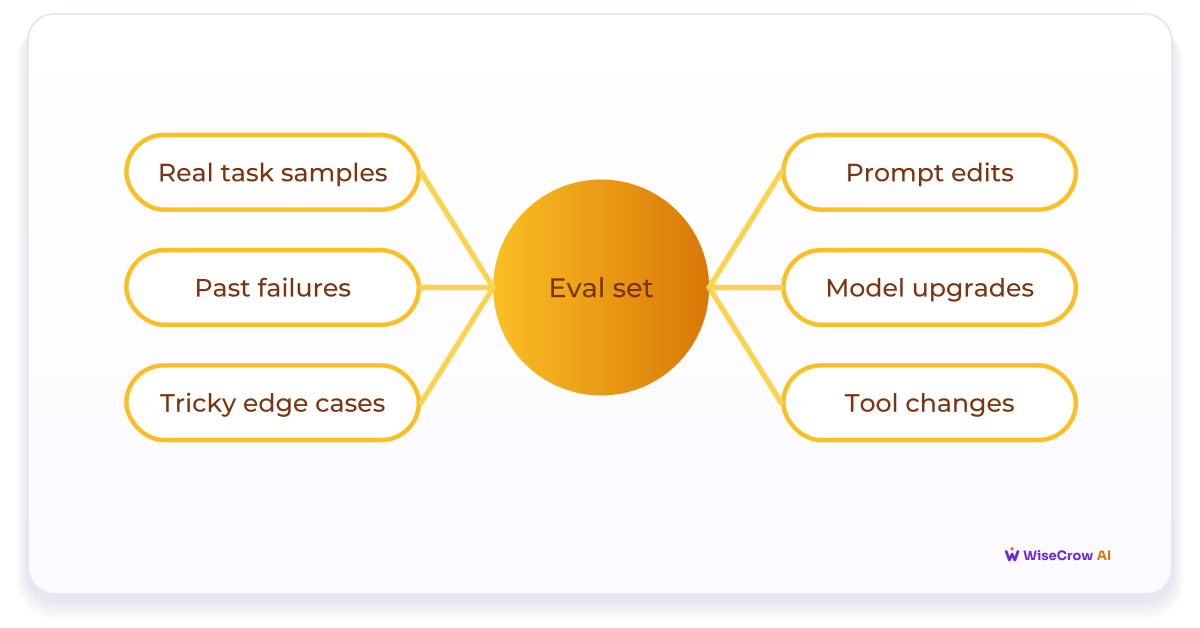
An evaluation set is a fixed list of tasks with known good outcomes that you replay before every change to the prompt, model, tools or data. For agents, score the path as well as the result. Did it pick the right tool, pass the right arguments, stop at the gate and stay inside its scope? A correct answer reached through an unauthorized tool call is a failed test.
Start with 50 to 100 cases from real work, then add every production failure as a new case. Include the awkward ones: missing fields, conflicting records, out-of-scope requests and inputs with planted instructions. A client’s claims agent passed its demo set cleanly and then stumbled on roughly one in five real claims with handwritten attachments, because none had been in the set. Run the set automatically and block a release when the score drops.
Trace Every Step the Agent Takes
When an agent does something odd, the final output tells you almost nothing. You need the full trace: the input, each model call, the plan, every tool call with its arguments and response, approvals, cost and time per step. Tie it all to one run ID, and write that ID into every record the agent changes.
Many agent frameworks can export traces in open formats such as OpenTelemetry, though tracing and replay features differ a lot, so test them hands-on when you compare agentic AI tools and frameworks. Decide early how long you keep traces and who can read them, since they’ll hold customer data. Then read them. A weekly review of 20 random runs, plus every run that hit a cap or a gate, shows drift long before anyone complains.
Defend Against Prompt Injection in Layers
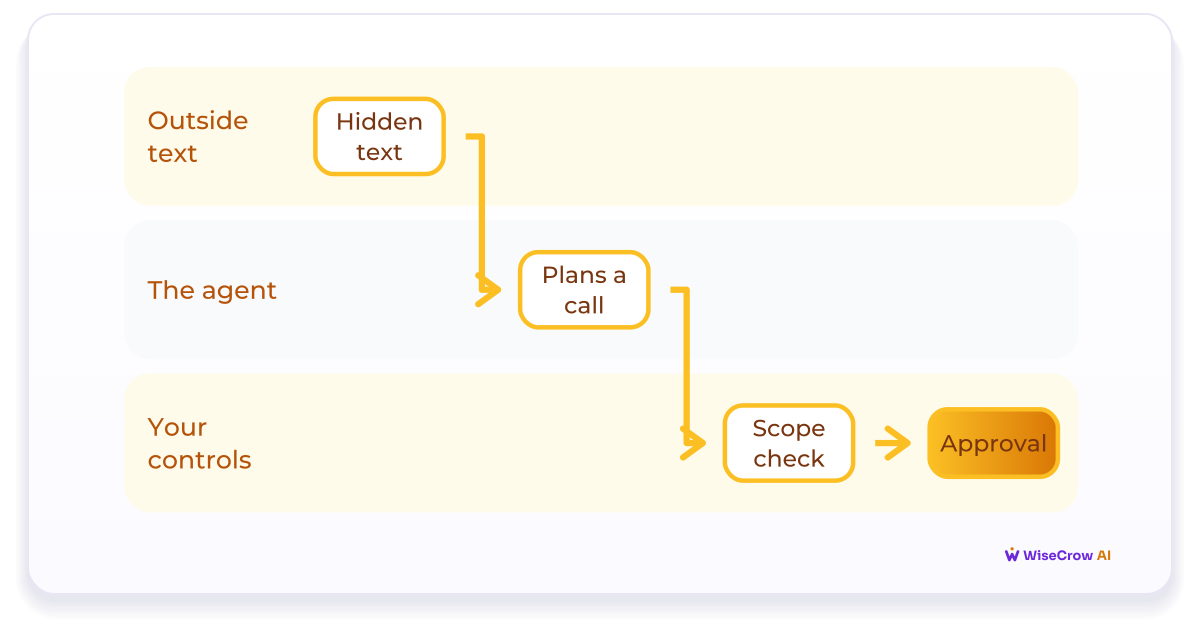
Prompt injection sits at number one on the OWASP Top 10 for LLM applications. The direct kind comes from the person typing. The indirect kind hurts agents more: hidden instructions inside a web page, email, PDF or ticket the agent reads mid-task. If your agent reads outside content and can also act, assume someone will try it.
No single filter stops every attack, so stack the defenses. Mark outside content clearly as data in the prompt, strip hidden text where you can, check every tool call against the agent’s scope in code and send high-risk actions through the gate from practice 3. A recruiting client’s screening agent once read a CV with white text on a white background telling it to rate the candidate a top match. Cases like that one belong in your evaluation set. OWASP’s agentic AI threat guide covers more attack patterns worth testing.
Response When Something Goes Wrong: Practices 8 and 9
Every agent fails eventually. Teams that recover fast decided ahead of time how to stop it, how to undo its changes and who calls the shots.
Build a Kill Switch and a Tested Rollback
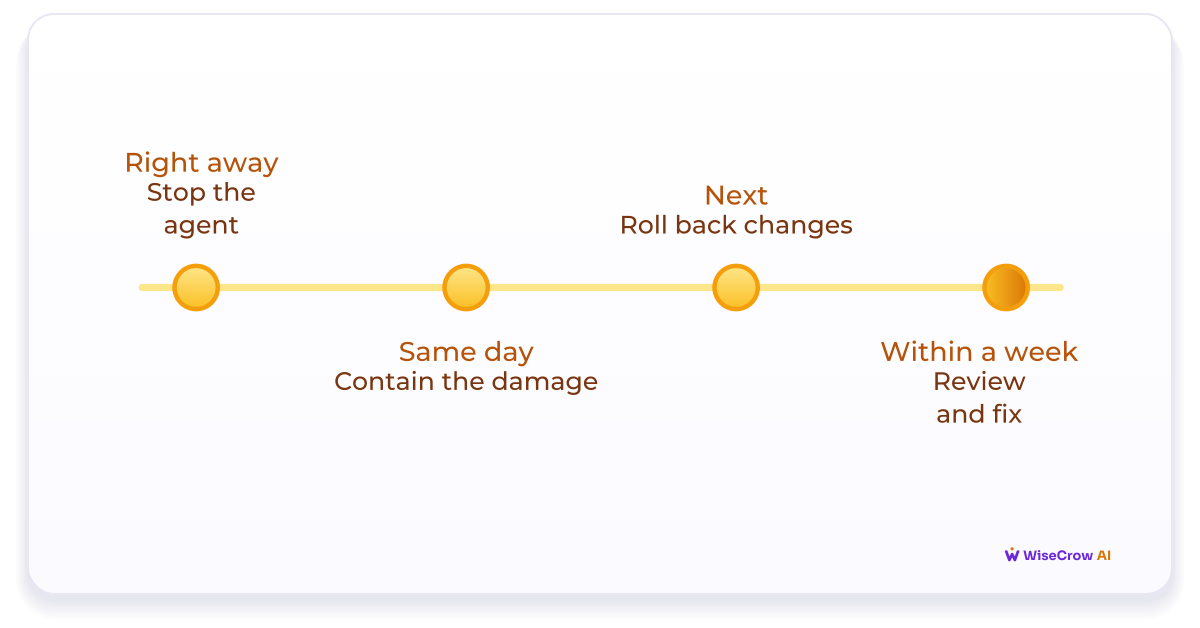
You should be able to stop an agent in under a minute without a code deploy. Build a switch your on-call person can flip that blocks new runs, freezes current ones and routes incoming work back to people. Add a switch per tool as well, so you can cut off the email tool and keep the read-only lookups running.
Rollback is harder, and teams leave it too late. Log every change the agent makes in a form you can reverse: old value, new value, record ID and run ID. Then test the undo before launch, the same way you’d test a backup restore. At one client, an agent wrote the wrong country code into a few hundred contact records during a vendor outage. The change log turned the fix into a 20-minute script. Without it, the team would have spent days checking backups by hand.
Name an Owner and Review Every Incident
Every agent needs one business owner who decides what it may do, plus a technical owner who keeps it running. A central “AI team” can support, but it can’t own an invoice agent better than the finance lead. The NIST AI Risk Management Framework groups the work into four functions, Govern, Map, Measure and Manage, and its Govern function is where roles and accountability live. Settle those first, and the other eight practices have someone to enforce them.
Define an incident before launch: an action outside scope, a skipped approval, repeated cap hits or a complaint tied to the agent. Hold a blameless review within a week of each one, with the trace on screen. End every review with one concrete change to the scope, a tool, a test case or a gate. Over a few months, those small fixes add up to more safety than any single big control.
Which Risk Each Guardrail Reduces
The second table answers the questions your security team and your executives will ask: what each practice protects against, who keeps it working and how often someone checks it. Put the owner’s name in the third column for each agent you run.
| Practice | Main risk reduced | Owner | Review |
|---|---|---|---|
| 1. Narrow scope | Drift into unplanned work | Business owner | Each new use case |
| 2. Tool access | Data exposure, unauthorized changes | Security or IT | Quarterly |
| 3. Approval gates | Irreversible mistakes | Business owner | Monthly |
| 4. Budgets and limits | Runaway cost and loops | Engineering | Monthly |
| 5. Evaluation sets | Regressions after changes | Engineering | Every release |
| 6. Tracing | Actions nobody can explain | Engineering | Weekly sample |
| 7. Injection defenses | Hijacked instructions | Security | Every release |
| 8. Kill switch | Slow stop, slow recovery | Operations | Quarterly drill |
| 9. Ownership | Incidents nobody fixes | Business owner | After each incident |
Look down the owner column before launch. If one person’s name shows up on all nine rows, the review rhythm will slip within a quarter. I’ve seen it happen to a sharp engineering lead who owned every agent at a fintech client. The quarterly kill switch drill was the first thing to go, and nobody noticed until the switch was needed and didn’t work.
How to Choose Your First Guardrails
Match the guardrails to how much autonomy the agent has today, then add the rest as it earns more. Here’s the order I use:
- Read-only agents that research or summarize: narrow scope, least privilege, tracing and injection defenses (practices 1, 2, 6 and 7).
- Agents that draft work for a person to send: add evaluation sets and budgets (practices 4 and 5).
- Agents that update low-risk records: add the kill switch, rollback and a named owner (practices 8 and 9).
- Agents that move money, delete data or contact customers: all nine, with approval gates (practice 3) on every irreversible step.
Each step up should follow a clean month of evaluation scores and traces at the level below. My roadmap from copilots to agents lays out that progression with timelines and decision points.
One trade-off I push back on: teams often want approval gates everywhere at launch and promise to relax them later. Later rarely comes, and reviewers go numb in the meantime. Start with gates on irreversible actions only, sample the rest from the traces and tighten wherever the samples show trouble.
Questions About Agentic AI Best Practices
What Are the Most Important Agentic AI Best Practices?
If I could keep only three, I’d keep least-privilege tool access, approval gates on irreversible actions and full tracing. The first limits what an agent can break. The second puts a person in front of the mistakes you can’t undo. The third lets you find out what happened when something goes wrong. The other six make an agent better and cheaper to run, but those three decide how bad a bad day gets.
What Are Guardrails for AI Agents?
Guardrails are the limits around an agent that hold even when the model makes a wrong call. They include the agent’s written scope, the tools and permissions it gets, approval steps, spending and rate caps, input and output checks and the ability to stop it fast. The strongest guardrails sit in code and in the permissions of the systems the agent touches. Instructions in a prompt help, but a model can ignore them.
How Much Human Oversight Does an AI Agent Need?
Match it to the risk of each action. Reading data and drafting can run on their own with logging and a weekly sample review. Updates to records you can easily reverse can run with spot checks. Anything that moves money, deletes data, contacts customers or commits your company to something should wait for a named person to approve it. Revisit the split every few months as your evaluation results build up.
How Do You Test an AI Agent Before Launch?
Build an evaluation set of 50 to 100 real tasks with known good outcomes, including messy and hostile cases such as missing data and planted instructions. Score the path as well as the result: the tools chosen, the arguments passed and if the agent stopped where it should. Then run it in shadow mode on live work, where it proposes actions and a person compares them, before it gets write access.
Can Prompt Injection Be Fully Prevented?
Not with today’s models, as far as I know. OWASP’s guidance treats it as a risk you reduce with layers: clear separation of outside content, input and output checks, least-privilege tools, approval for high-risk actions and regular adversarial testing. Design your agent so a successful injection can’t do much damage, since you can’t count on blocking every attempt.
Who Should Own an AI Agent in a Company?
Give each agent one business owner from the team whose work it does, such as the finance lead for an invoice agent. That person decides the scope and approves changes to what the agent may do. Add a technical owner who runs it day to day, and involve security for tool access and injection testing. Shared ownership by a central AI team tends to mean nobody acts when an incident lands.
Do These Practices Slow Agent Projects Down?
They add some work up front, mostly in the first agent. In my client work, the scope document, permission setup, evaluation set and kill switch take a few weeks on a first build and much less on the second, since you reuse the patterns. Projects that skip them usually lose more time later, when an incident pauses the agent and someone has to rebuild trust with the business.
Sources
- Gartner, Over 40% of Agentic AI Projects Will Be Canceled by End of 2027 (June 2025): gartner.com
- OWASP Top 10 for LLM Applications 2025, LLM06 Excessive Agency: genai.owasp.org
- OWASP Top 10 for LLM Applications 2025, LLM01 Prompt Injection: genai.owasp.org
- OWASP GenAI Security Project, Agentic AI: Threats and Mitigations (February 2025): genai.owasp.org
- NIST AI Risk Management Framework: nist.gov
General information only: this is not legal, financial or tax advice. Examples and numbers reflect typical projects; check the specifics with your advisers before deciding.
Did you find this helpful?
Thank you for your feedback.
Marlena leads the WiseCrow editorial team and works with our consultants to turn real client projects into practical guides on AI strategy, automation and governance. Before joining WiseCrow, she spent 12 years in B2B operations and SaaS content. She has since edited more than 400 articles on AI and automation and reviewed workflows from over 60 client projects. She is based in Austin, Texas.