Summary
- Plan agentic AI as four autonomy levels: copilot, assistant, agent and multi-agent system.
- Use the assistant level to collect approval data, because it’s your proof that an agent is safe.
- Raise autonomy per task, never per company, and set a ceiling for high-risk work.
- Write down the triggers that send an agent back a level before you ever need them.
Most agent projects I’m asked to rescue made the same jump. A team went from a chat tool that drafts emails to software that changes records in the ERP, with nothing in between. When the first odd run happened, nobody could say if it was a one-off or a pattern, because nobody had data on how the AI behaved with lighter rights. Planning those in-between levels is the first thing I do in any agentic AI consulting project.
The roadmap below is built on autonomy levels. Each level gives the AI a little more room to act and asks for a little more proof. You don’t move the whole company up at once. You move one task at a time, and some tasks should stop at level 2 for good.
The Four Autonomy Levels at a Glance
Read each row as a contract between your team and the AI: what it may do, what a person still does and the controls that have to exist before the level goes live.
| Level | What the AI does | Human role | Controls needed |
|---|---|---|---|
| 1. Copilot | Suggests drafts and answers | Accepts, edits or ignores | Usage policy, read-only data |
| 2. Assistant | Prepares actions, then waits | Approves every action | Approval queue, action log |
| 3. Agent | Acts inside set limits | Reviews samples and exceptions | Scoped access, caps, kill switch |
| 4. Multi-agent system | Agents hand work to each other | Owns outcomes and policy | Handoff rules, shared tracing |
Why Autonomy Should Grow in Levels
Interest is high. In PwC’s 2025 AI Agent Survey of US executives, 79% said AI agents were already being adopted in their companies, and 88% planned to raise AI budgets in the next 12 months because of agentic AI. McKinsey’s State of AI 2025 found 62% of organizations at least experimenting with agents. Only 23% were scaling an agentic system anywhere in the business.
The drop between those numbers is where projects die. Gartner predicts that over 40% of agentic AI projects will be canceled by the end of 2027, because of rising costs, unclear business value or weak risk controls. The same release estimates that only about 130 of the thousands of vendors selling “agentic” products offer real agentic features.
Levels fix two of those three causes directly. Each level has a narrow scope, so costs stay visible. And each move up needs evidence, so the risk controls exist before the risk does. Value is the one you still have to manage yourself, by picking tasks with a measured baseline.
Level 1: Copilots That Suggest
At level 1, the AI reads and writes text, but it can’t touch your systems. It drafts the reply, summarizes the contract, writes the first pass of the report. A person copies what’s useful and does the actual work.
What to Put in Place for Copilots
Roll out a general copilot to the teams with the most writing and research work, plus one or two copilots built into tools people already use, like the CRM or the help desk. Connect them to read-only data where it helps: a knowledge base, past tickets, product docs. Publish a short usage policy that names the approved tools and the data that stays out.
Set up usage tracking from the first week. You want to know which tasks people actually bring to the copilot, because those tasks are your shortlist for level 2.
Evidence Copilots Should Give You
Level 1 proves two things. First, that the model understands your domain well enough: if people rewrite most of what it drafts for a task, an agent built on that task will fail too. Second, that people want help with the task at all. In my client work, usage logs from a copilot rollout are the most honest task list you’ll ever get, far better than a workshop wish list.
Signs a Task Can Leave Level 1
- The task runs often, at least weekly, and follows a clear policy.
- People use the copilot’s draft with light edits most of the time.
- The next step after the draft is an action in a system you control.
- The data the AI would need sits behind an API you can scope.
- A named owner for the task agrees to review proposed actions.
Level 2: Assistants That Act With Approval
Level 2 is the most important level on the roadmap, and the one teams most often want to skip. The AI now prepares a real action, like a credit note, a ticket update or a supplier email, and a person approves it before anything changes. One click, but always a click.
What an Assistant Needs Around It
Build the tools the assistant may call as narrow actions with clear names, such as “look up order” or “draft refund.” Give the assistant its own credentials, never a shared admin key. Put an approval queue in front of every write, and show the person the evidence the AI used next to the approve button.
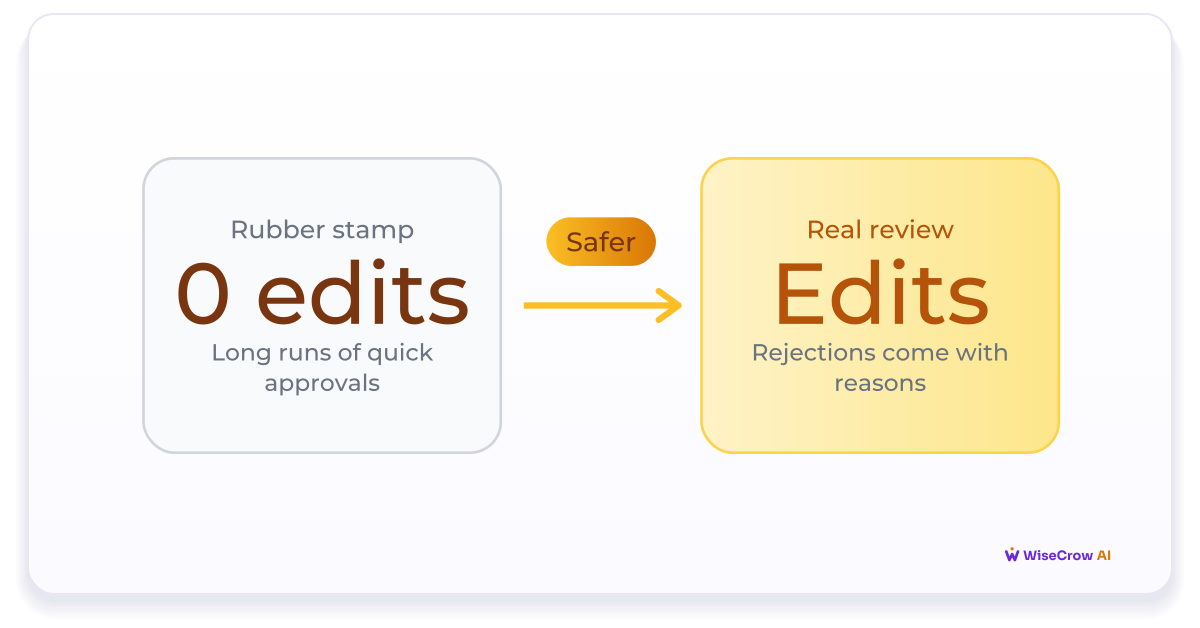
Then log three things for every proposed action: approved as is, approved after an edit, or rejected. Ask for a reason on rejections, even a one-word one. That log is the asset you’re really building at level 2.
What the Approval Log Has to Show
You’re looking for a high approval rate without edits, over enough cases to mean something. For a task that runs a few hundred times a month, I want at least two or three months of data before I talk about level 3. Low-volume tasks need longer, and some never reach a useful sample.
Look at the rejections as hard as the approvals. If they cluster, say every rejected refund involves a split shipment, you can turn the cluster into a rule: the agent hands those cases to a person. If rejections are random, the task isn’t ready, and more prompt tuning rarely fixes random.
Watch the approvers too. When people approve a hundred actions in a row in under five seconds each, they’ve stopped reviewing. Treat it as a sign the task may be ready to move up, and also a warning that your level 2 safety net is thinner than it looks.
Assistants also give you the first real time-savings number. Enter the minutes the task takes by hand, how often it runs and the share the assistant prepares well enough to approve.
How Much Time Could You Save?
Move the sliders to match one repetitive task in your business.
Assistant Readiness Checklist
- Several hundred logged actions with an approval and edit rate you trust.
- Rejections that fall into patterns you can write as rules.
- Every tool the AI calls has its own scoped credentials.
- Writes can be undone, or the action is small enough to absorb.
- The task owner has a target for cost per completed task.
Level 3: Agents That Act Within Limits
At level 3, the AI takes the action itself. The approval click goes away for the cases your rules allow, and people move from approving every action to reviewing a sample and handling the exceptions. Everything else from level 2 stays: the scoped tools, the logs, the undo path.
Limits to Build Before the First Unapproved Action
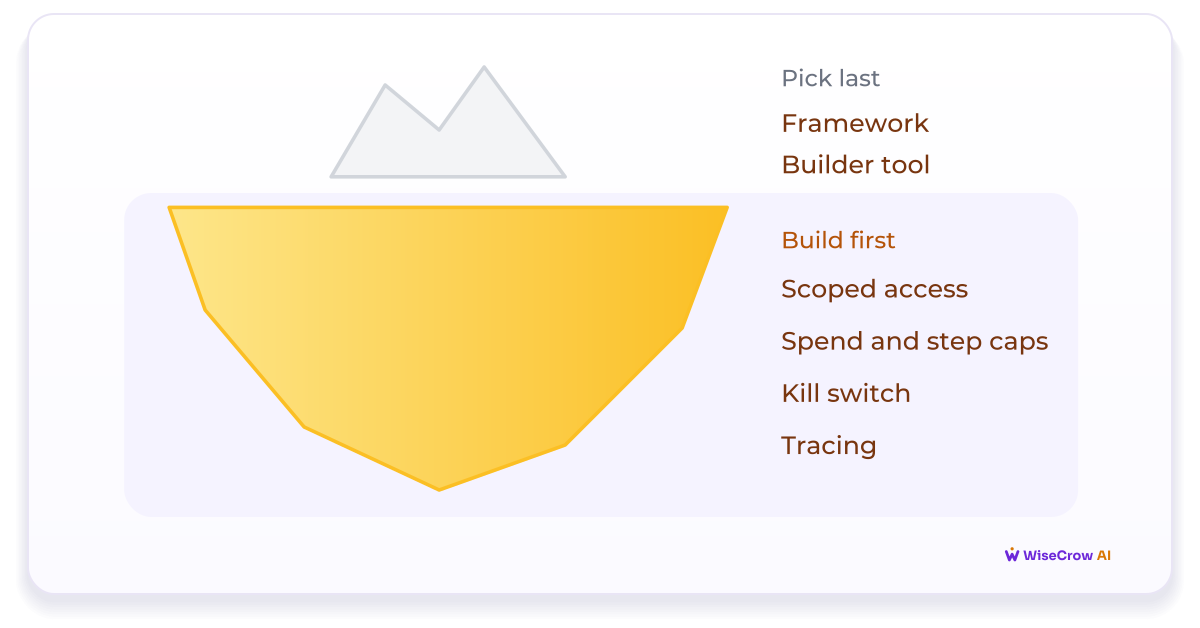
Agents need hard limits that sit outside the model, in code. Cap the size of any single action, like a refund amount. Cap steps and retries per run, and spend per day. Route the case types from your rejection log to a person automatically. Add alerts on error spikes and a kill switch that a named owner can use without asking IT.
Treat everything the agent reads from emails, files and web pages as untrusted input. The OWASP Top 10 for LLM applications lists prompt injection first and excessive agency as its own risk, and both get much worse once an agent can act without a click. My list of guardrails for agentic AI goes deeper on each control.
Pick the build stack late, once you know the tools and limits you need. My ranking of agentic AI frameworks and builders compares the main options on tracing, permissions and cost control.
How a Level 3 Agent Earns Its Keep
Start with a narrow slice of the task, such as refunds under a set amount on single-item orders, and keep the rest at level 2. Review a fixed sample of agent actions every week, plus every exception. Compare error rates with the human baseline you recorded at level 1, and track cost per completed task next to the staff time it replaces.
Widen the slice only when a review cycle passes clean. A client in ecommerce widened their refund agent three times over about four months, and each time the first week brought a new exception type nobody had seen in the level 2 data. Plan for that. It’s normal, and the sample review is how you catch it.
Before Your Agents Work Together
- Error rates at or below your human baseline for several review cycles.
- Cost per completed task known and inside the target.
- A trace of every run that someone outside the project can read.
- The kill switch tested in a drill, with the owner present.
- The agent’s job has grown too wide to test as one unit.
Level 4: Multi-Agent Systems
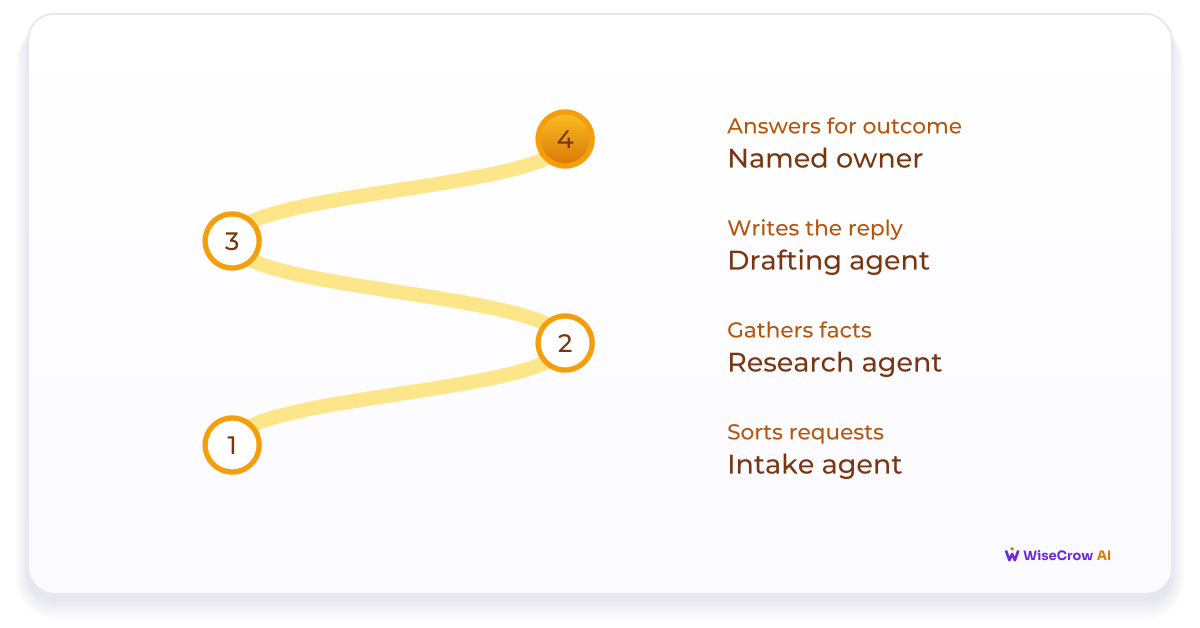
Level 4 is where several agents split a larger job between them. One gathers facts from five systems, a second drafts the decision, a third checks it against policy, and a person signs off on the outcomes that matter. It sounds like the natural end point. For most companies, it’s a level a handful of workflows will ever need.
When Splitting One Agent Into Several Makes Sense
Split when a single agent has too many tools to test well, or when parts of the job need different permissions. A research agent that only reads and a filing agent that only writes are easier to secure than one agent that does both. Each agent should have a job you can describe in one sentence. If you can’t, the split will make debugging harder and fix nothing.
What Multi-Agent Systems Have to Prove
Handoffs are the new failure point. Define what each agent passes to the next, in a fixed format, and log every handoff with the run ID so one trace covers the whole job. Test the system end to end on past cases, and test each agent alone too. A drop in quality often comes from one agent quietly passing bad input along.
Ownership changes as well. At level 4, a person owns the outcome of the whole workflow, plus each agent has a technical owner. The NIST AI Risk Management Framework is a useful structure here, since its govern, map, measure and manage functions fit a system with many moving parts.
Keeping Level 4 Healthy
- One end-to-end trace per job, across every agent.
- A written contract for each handoff between agents.
- A test set run against the full system before every change.
- One business owner for the outcome and one technical owner per agent.
When an Agent Should Drop Back a Level
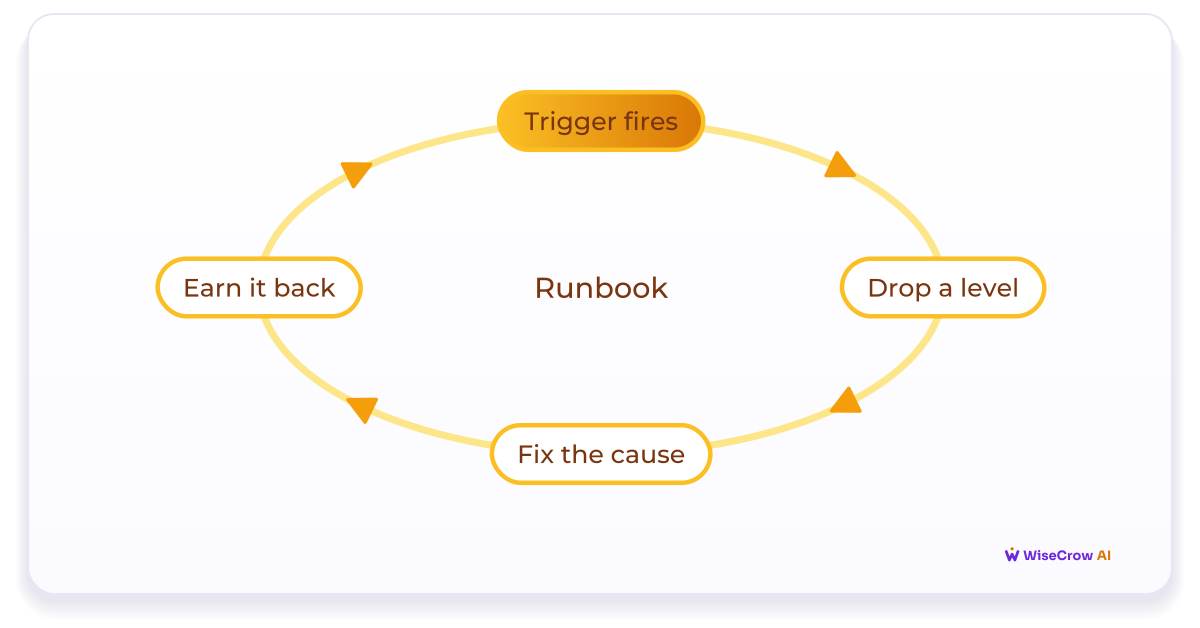
Every level needs a way back down. Autonomy works best as a dial, and you should agree on the triggers that turn it down before the agent goes live. Agreeing in advance keeps the decision about data. After an incident, the same conversation turns political fast.
The triggers I write into every agent’s runbook:
- Error rate above the human baseline for two review cycles in a row.
- A new exception type that appears more than a few times a week.
- A change in the underlying system, like an ERP upgrade or a new pricing model.
- A model version change, until the test set has passed again.
- Any action outside the agent’s limits, even one that turned out fine.
Dropping a level is cheap if level 2 still exists. Keep the approval queue running in the background for every agent, so switching back takes a config change and no rebuild. I’ve seen a team lose three weeks because they had deleted their approval flow once the agent went live.
How to Choose the Starting Level for Each Task
Not every task should climb all four levels. Set a ceiling for each one based on what a wrong action would cost, then start one level below it. Gartner expects at least 15% of day-to-day work decisions to be made autonomously by agentic AI by 2028, which also means most decisions won’t be.
| Type of task | Start at | Ceiling |
|---|---|---|
| Internal research and drafting | Level 1 | Level 3 |
| Small, reversible record updates | Level 2 | Level 3 or 4 |
| Customer-facing messages | Level 2 | Level 3, narrow slice |
| Payments and contract changes | Level 1 | Level 2 |
| Decisions about people | Level 1 | Level 1 or 2 |
For borderline cases, I check three things: how fast the action can be undone, who would spot a mistake first and if a written policy covers the task. Actions you can undo in minutes, mistakes your team catches before a customer does and tasks with a clear policy can climb high. Anything else gets a lower ceiling, and you can raise it later with data.
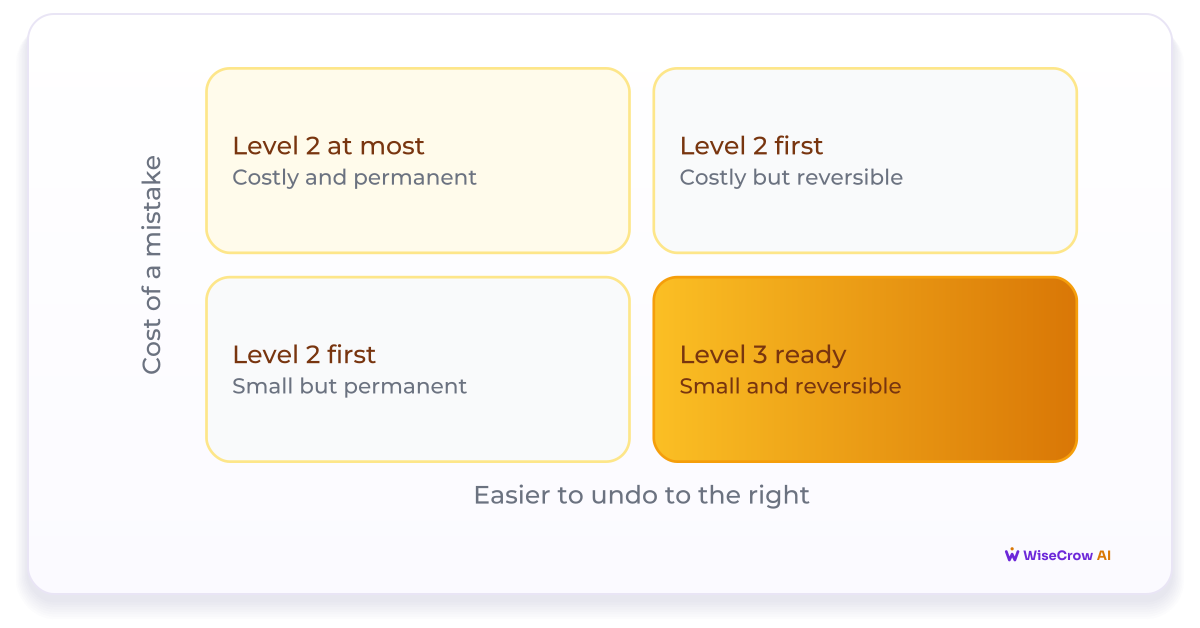
One trade-off I push back on: leaders often want a single autonomy level for the whole company, for the sake of a simple policy. It feels tidy, but it either holds back your safest tasks or lets your riskiest ones run too free. Set the level per task and keep the list in one place, with the owner and the date of the last review.
Questions About Agentic AI Roadmaps
What Is an Agentic AI Roadmap?
It’s a plan that raises how much your AI does on its own in stages. You start with copilots that only suggest, move to assistants that act once a person approves, then to agents that act inside limits and finally to several agents working together. Each stage has something to build and a proof you collect before the next one starts.
What’s the Difference Between a Copilot, an Assistant and an Agent?
A copilot suggests and you do the work. An assistant prepares the action, such as a drafted refund, and a person clicks approve before anything changes. An agent takes the action itself within limits you set, and people review samples and exceptions after the fact.
How Long Does It Take to Move from Copilots to Agents?
It depends on the task and how fast you collect evidence. In my client work, one workflow usually spends a few months at the assistant level before its approval data is strong enough to justify an agent. Some tasks never move past that level, and that’s a fine outcome.
Can We Skip Straight to AI Agents?
You can build an agent on day one, but you can’t prove it’s safe without the approval history an assistant gives you. Teams that skip the assistant level usually end up adding approvals back after the first bad run, which costs more time than starting there.
When Do Multi-Agent Systems Make Sense?
When one agent’s job has grown too wide to test, and the work splits cleanly into roles with clear handoffs, like one agent collecting facts and another drafting the decision. If you can’t describe each agent’s job in a sentence, the split isn’t ready.
What Controls Does an AI Agent Need Before It Acts on Its Own?
At minimum: its own credentials with access to only the tools its job needs, caps on spend, steps and the size of any action, a log of every tool call, a way to undo writes where your systems allow, alerts on error spikes and a kill switch a named owner can use at any time.
How Do I Measure If an Agent Is Ready for More Autonomy?
Track the approval rate and the edit rate during the assistant stage. When people approve the large majority of proposed actions without changes over several hundred cases, and the rejected ones share a pattern you can turn into a rule, the task is a candidate to move up a level.
Sources
- PwC: AI Agent Survey (May 2025)
- McKinsey: The State of AI in 2025, Agents, Innovation and Transformation (November 2025)
- Gartner: Over 40% of Agentic AI Projects Will Be Canceled by End of 2027 (June 2025)
- OWASP: Top 10 for LLM Applications 2025
- NIST: AI Risk Management Framework
General information only: this is not legal, financial or tax advice. Examples and numbers reflect typical projects; check the specifics with your advisers before deciding.
Did you find this helpful?
Thank you for your feedback.
Marlena leads the WiseCrow editorial team and works with our consultants to turn real client projects into practical guides on AI strategy, automation and governance. Before joining WiseCrow, she spent 12 years in B2B operations and SaaS content. She has since edited more than 400 articles on AI and automation and reviewed workflows from over 60 client projects. She is based in Austin, Texas.