Summary
- LangGraph gives developers the most control over state, branching and human review in production agents.
- The OpenAI Agents SDK, Google ADK, Microsoft Agent Framework and Claude Agent SDK are free, so your real cost is model usage and hosting.
- Copilot Studio, n8n and Zapier Agents let business teams build agents inside tools they already run.
- Pick by who builds the agent and how you’ll test it, then prove one narrow use case before you add more tools.
The Best Agentic AI Tools at a Glance
| Tool | Type | Best for |
|---|---|---|
| 1. LangGraph | Open-source graph framework | Stateful agents with human review steps |
| 2. OpenAI Agents SDK | Open-source agent SDK | Fast code-first agents on OpenAI models |
| 3. Microsoft Agent Framework | Open-source .NET and Python framework | Enterprise teams on Azure and .NET |
| 4. Google Agent Development Kit | Open-source agent framework | Multi-agent systems on Google Cloud |
| 5. Claude Agent SDK | Agent harness SDK | Agents that work with files and code |
| 6. CrewAI | Open-source multi-agent framework | Role-based agent teams |
| 7. Amazon Bedrock AgentCore | Managed agent runtime | Running any framework securely on AWS |
| 8. n8n | Visual workflow and agent builder | Technical teams that want self-hosting |
| 9. Microsoft Copilot Studio | Low-code agent builder | Business-built agents on Microsoft 365 |
| 10. Zapier Agents | No-code agent builder | Business agents that work across many apps |
The 10 Best Agentic AI Tools, Ranked
I ranked these tools by how much of a production agent each one covers out of the box: orchestration, tool calling, memory, evaluation, observability and guardrails, with the developer frameworks first and the business-facing builders after them. A good tool won’t rescue a badly chosen use case, though. In the agentic AI consulting work I review, agents fail far more often from vague goals and loose tool permissions than from the framework underneath.
LangGraph
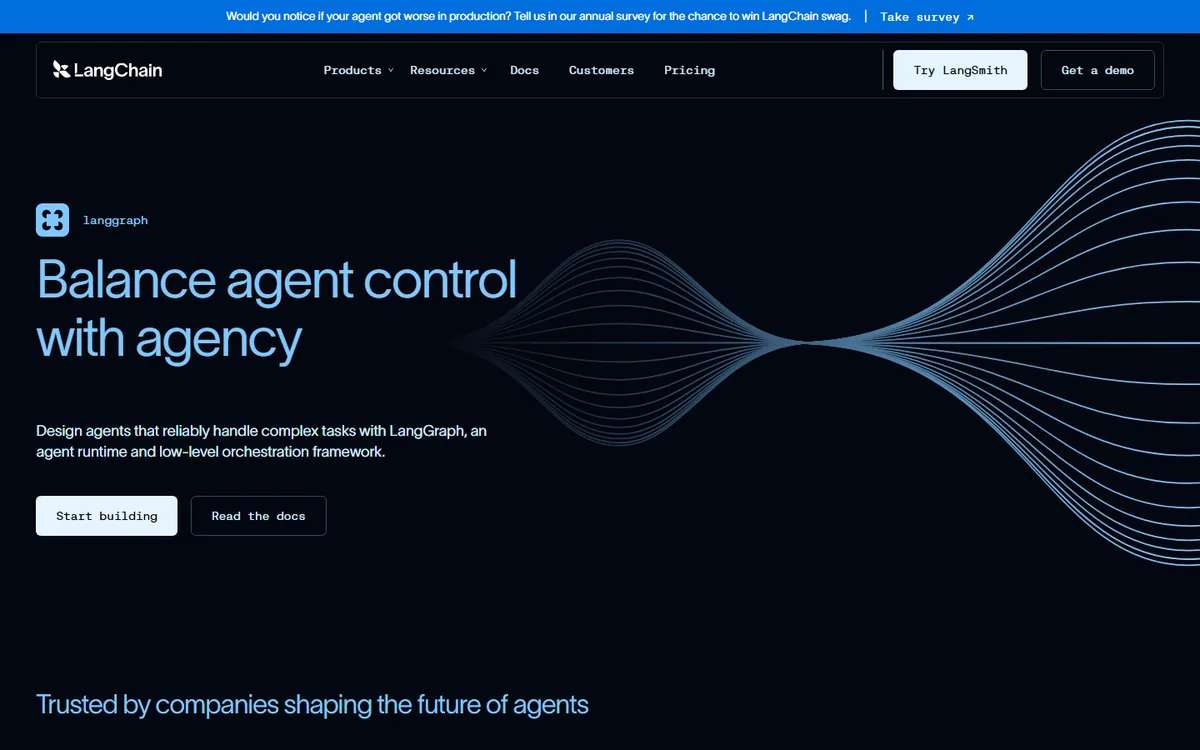
The Most Control Over State, Branching and Human Review for Agents That Have to Survive Production
LangGraph models an agent as a graph of steps with shared state, so you decide exactly where it loops, pauses, retries or waits for a person.
LangGraph is the open-source orchestration layer from the LangChain team, released under the MIT license. Each node in the graph is a model call, a tool call or plain Python, and edges decide what runs next. A checkpointer saves state after every step, so a run that crashes halfway can resume where it stopped, and an interrupt can pause the graph until a reviewer approves an action. Short-term memory lives in that state, and a separate store keeps long-term memory across sessions.
I put it first because it handles the hard part of agents: what happens when step seven goes wrong. On a claims-triage build last spring, the pause-and-approve pattern let the client keep a human on every payout above a threshold without rewriting the agent. Pair it with LangSmith and you get traces of every step plus evaluation datasets you can rerun after each prompt change. The price is a real learning curve. Graphs feel heavy for a simple chatbot, and the wider LangChain ecosystem has changed its APIs often enough that you should pin versions.
What LangGraph Does Well
- Checkpoints let long runs resume after a failure
- Approval pauses are part of the core design
- Works with any model provider you choose
What LangGraph Could Do Better
- Overbuilt for simple single-step agents
- LangSmith seats add cost once your team grows
LangGraph Pricing
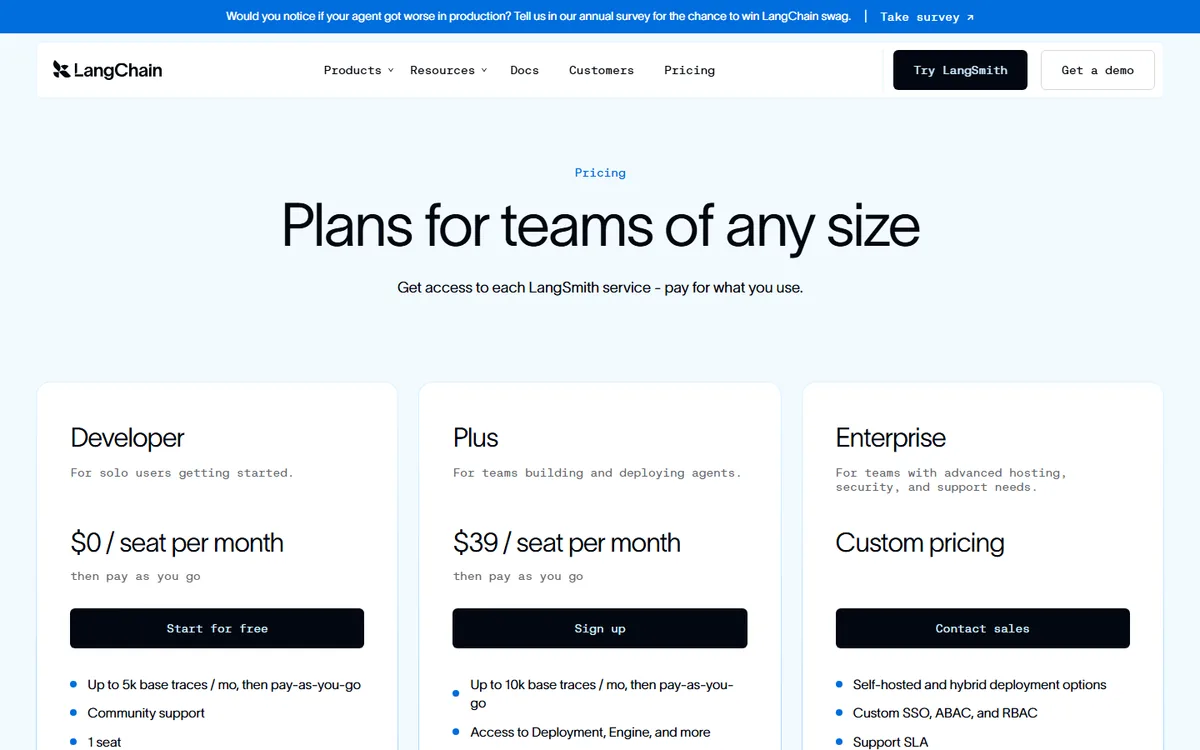
The LangGraph library is free and open source. Tracing, evaluation and hosting run through LangSmith: the Developer plan is $0 for one seat with 5,000 base traces a month, Plus costs $39 per seat per month with 10,000 traces and one free small deployment, and Enterprise is custom with self-hosted and hybrid options. Extra deployments are billed on compute and memory use.
LangGraph Reviews
LangGraph’s G2 and Capterra listings had no user reviews when I checked, so there’s no star rating to report.
OpenAI Agents SDK
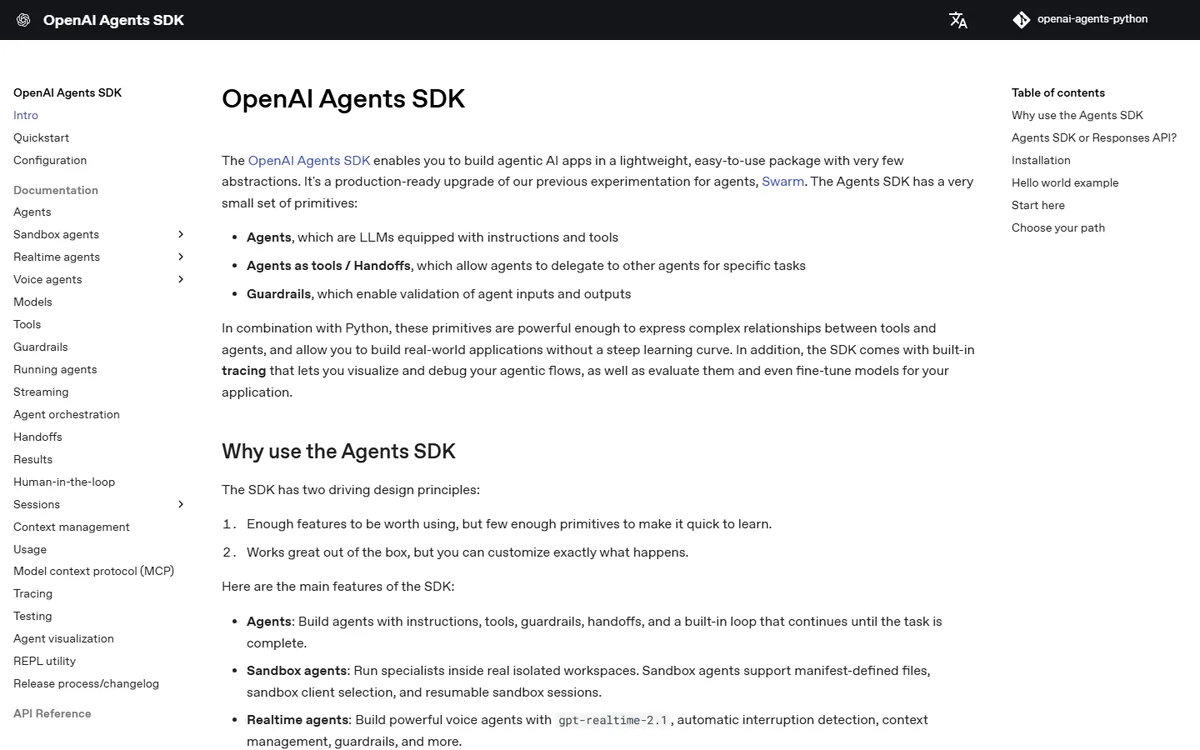
The Shortest Path from an Idea to a Working Code-First Agent
The OpenAI Agents SDK keeps agents to a few primitives: tools, handoffs between agents, input and output guardrails, sessions and built-in tracing.
OpenAI’s Agents SDK is a small, MIT-licensed library for Python and TypeScript. You define an agent with instructions and tools, and the SDK runs the loop of calling the model, executing tools and feeding results back. Handoffs let a triage agent pass a conversation to a billing or returns specialist. Guardrails run checks on what goes in and what comes out, and they can stop a run before the expensive model call happens. Sessions keep conversation history between runs, and every run is traced by default.
I reach for it when a team wants a prototype on its own data within a week. The concepts are few, so developers who have never built an agent get productive fast. The weak spot is the visual side. OpenAI announced it is winding down Agent Builder and Evals, the no-code parts of AgentKit, with a shutdown date of November 30, 2026, and it points those users to the SDK. If you built flows in Agent Builder, move them to code now. For evaluation, plan your own test sets or a third-party tool.
What OpenAI Agents SDK Does Well
- Few concepts, so new agent developers ramp up fast
- Guardrails can halt a run before costly calls
- Tracing is switched on without extra setup
What OpenAI Agents SDK Could Do Better
- The no-code Agent Builder is being shut down
- Works best when you stay on OpenAI models
OpenAI Agents SDK Pricing
The SDK itself is free. You pay standard OpenAI API rates for the model tokens your agents use, and hosted tools such as file search carry their own per-call and storage charges. There’s no separate platform fee for the SDK.
OpenAI Agents SDK Reviews
G2’s OpenAI SDK listing had no user reviews when I checked, and I found no Capterra listing, so I can’t give you a rating.
Microsoft Agent Framework
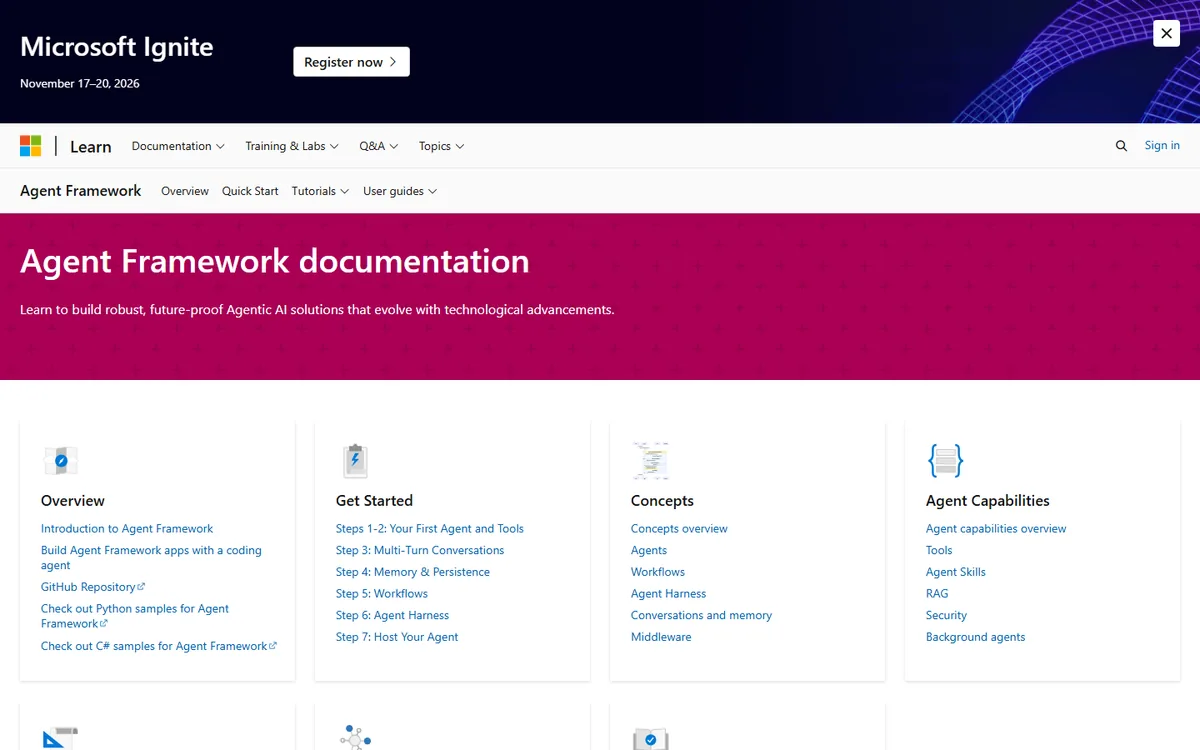
The Enterprise Developer’s Pick Now That Semantic Kernel and AutoGen Have Merged
Microsoft Agent Framework is the successor to Semantic Kernel and AutoGen, with agents, graph-based workflows, middleware and telemetry in .NET and Python.
If you started with Semantic Kernel or AutoGen, your path now leads here. Microsoft built Agent Framework with the same teams and describes it as the next generation of both projects. Agents call tools and MCP servers, sessions hold state, context providers add memory, and middleware lets you intercept every agent action, which is where I put logging and policy checks. Workflows connect agents and functions along explicit paths, with checkpointing and human-in-the-loop steps for long-running jobs. The framework is MIT-licensed and supports Foundry, Azure OpenAI, OpenAI, Anthropic and local models through Ollama. A Go version is in preview.
I like that Microsoft’s own docs say, in plain words, that if you can write a function to handle a task, you should do that and skip the agent. More vendors should say it. In practice the framework fits teams with C# skills and an Azure security model already in place, because built-in OpenTelemetry tracing drops straight into the monitoring they run today. Smaller Python-only teams will find lighter options higher on this list. Expect some migration work if you have older Semantic Kernel code.
What Microsoft Agent Framework Does Well
- First-class .NET support, rare among agent frameworks
- Middleware gives you one place for policy checks
- OpenTelemetry tracing fits existing monitoring
What Microsoft Agent Framework Could Do Better
- Older Semantic Kernel projects need migration work
- Most examples assume Azure and Foundry
Microsoft Agent Framework Pricing
Agent Framework is free and open source under the MIT license. You pay for the models and Azure services your agents use, such as Foundry model deployments, storage and monitoring, or for whichever other model provider you connect.
Microsoft Agent Framework Reviews
I found no G2 or Capterra listing with user reviews for Microsoft Agent Framework, so there’s no rating to show yet.
Google Agent Development Kit
Strong Built-In Evaluation and a Clean Route to Hosting on Google Cloud
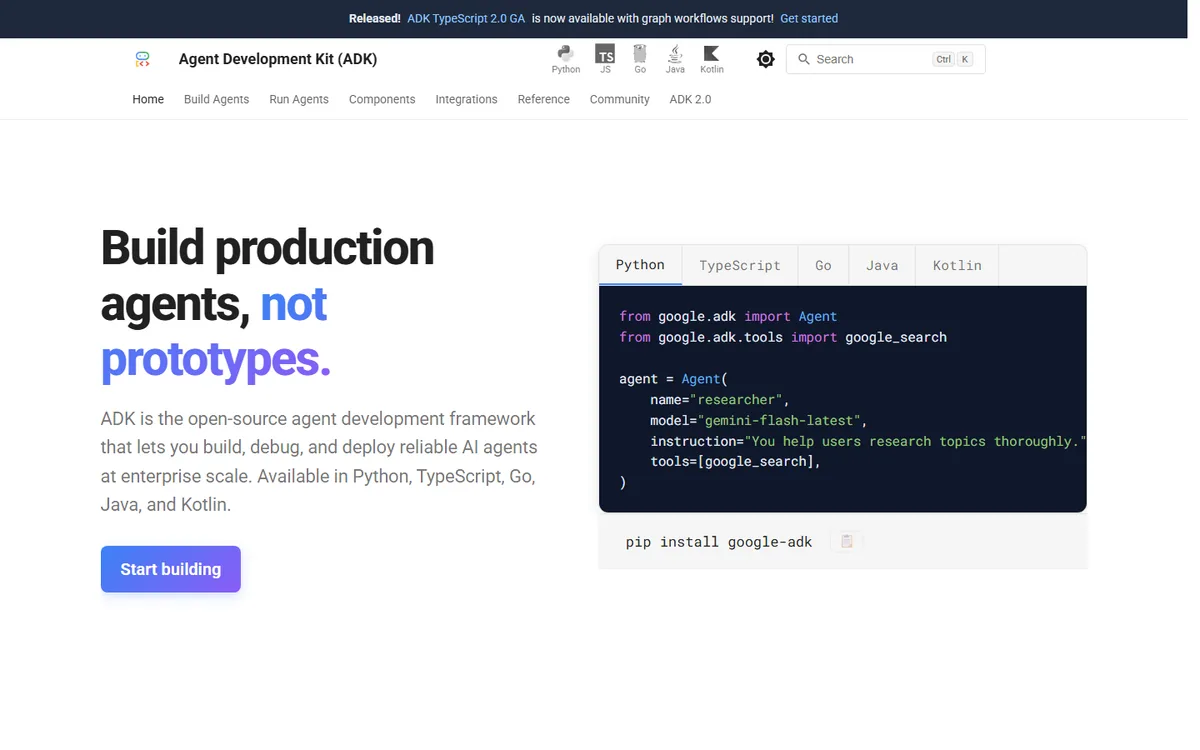
Google’s Agent Development Kit, or ADK, builds hierarchies of specialist agents and ships with a local dev UI and an evaluation command.
ADK is Google’s open-source agent framework under the Apache 2.0 license. You compose a root agent with sub-agents that each own one job, and workflow agents run them in sequence, in parallel or in a loop. ADK is tuned for Gemini, yet it works with other models and plays well with other frameworks. Google also started the A2A protocol, so agents built here can talk to agents built elsewhere.
Two things push ADK this high for me. The first is evaluation. The adk eval command runs saved test cases against your agent and checks both the final answer and the tool calls it made along the way, which catches the quiet failures where an agent gets the right answer by the wrong route. The second is deployment: the same agent runs locally in the dev UI, in a container on Cloud Run or on Google’s managed Agent Engine with sessions and memory handled for you. Outside Google Cloud, you lose much of that convenience, and the documentation moves fast enough that tutorials go stale within months.
What Google Agent Development Kit Does Well
- Evaluation checks tool calls along with final answers
- Local dev UI makes debugging agent runs visual
- One codebase from laptop to managed hosting
What Google Agent Development Kit Could Do Better
- Hosting perks mostly assume Google Cloud
- Fast-moving docs leave older guides out of date
Google Agent Development Kit Pricing
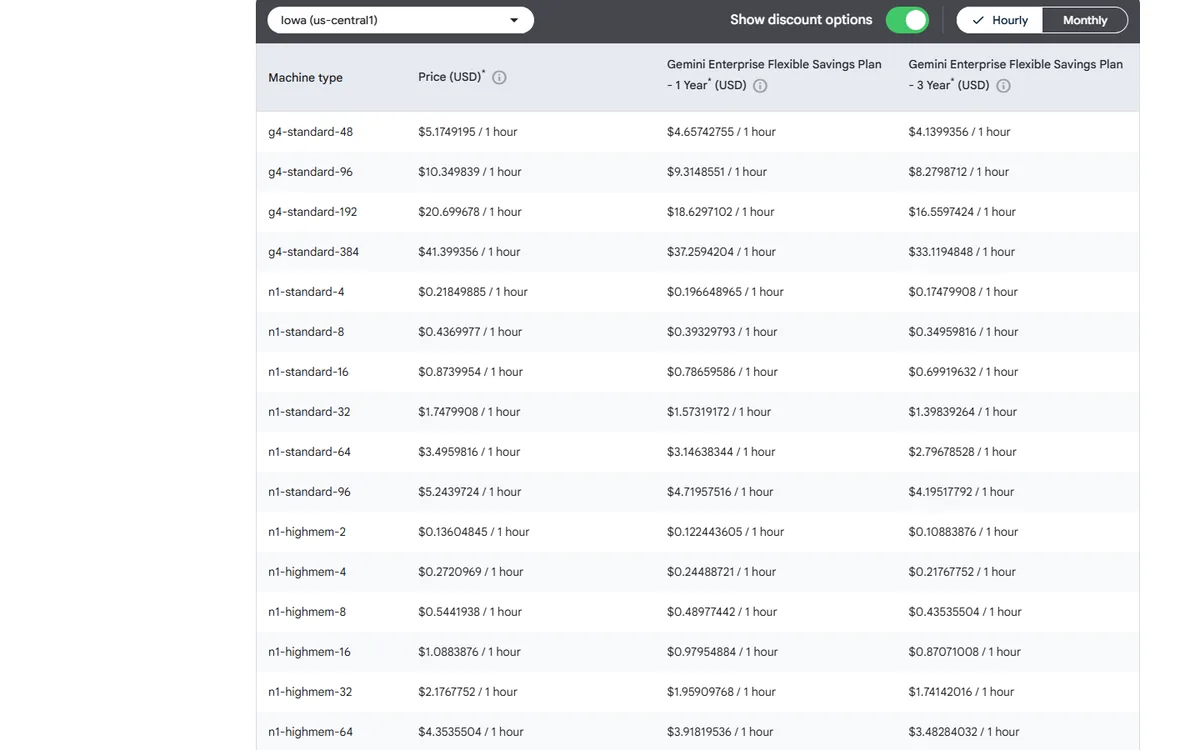
ADK itself is free. You pay for the models you call and for hosting. Agent Engine on Google’s Gemini Enterprise Agent Platform bills runtime compute per vCPU-hour and memory per GiB-hour, includes a monthly free tier, and charges separately for Sessions, Memory Bank and code execution. Check Google’s current price list, as these rates changed more than once over the past year.
Google Agent Development Kit Reviews
- G2: 4.3 out of 5 star rating for Gemini Enterprise Agent Platform, as ADK has no separate listing (from +730 customer reviews)
Claude Agent SDK
The Best Harness When Your Agent Has to Read Files, Run Commands and Work for a Long Time
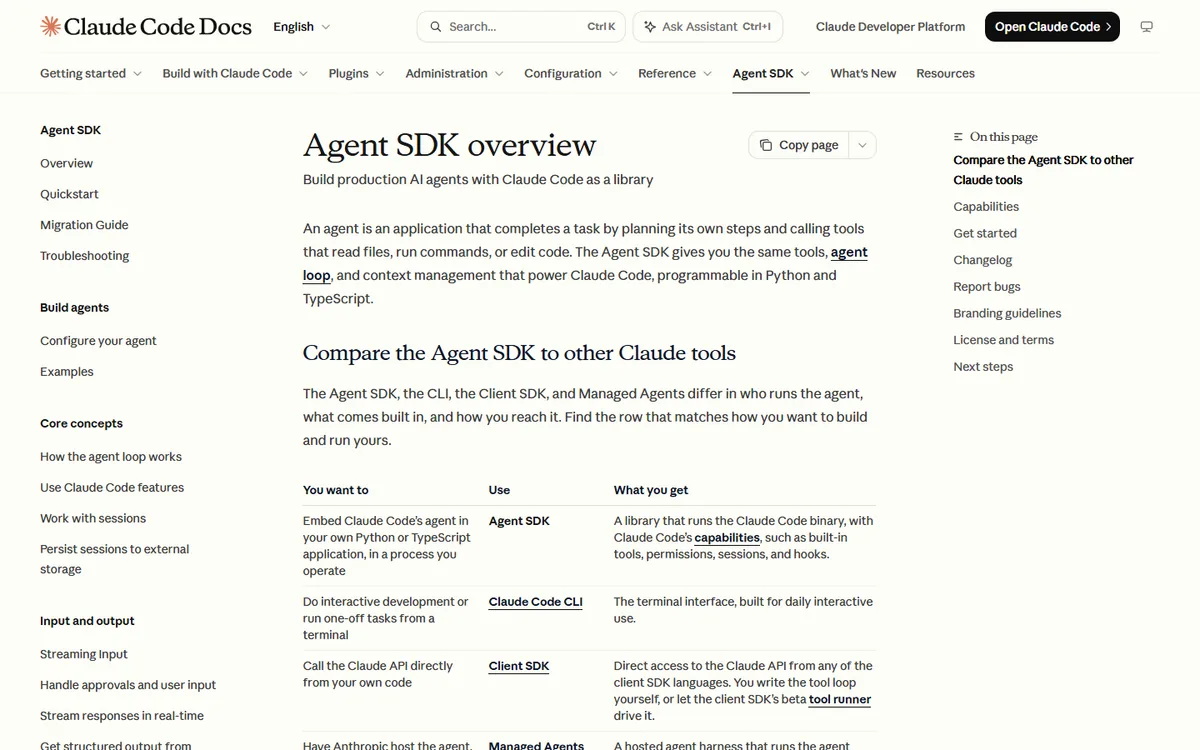
Anthropic’s Claude Agent SDK gives your agent the same loop and toolset that power Claude Code, with hooks and permissions to keep it in bounds.
Anthropic renamed the Claude Code SDK to the Claude Agent SDK in 2025, and the new name fits. Out of the box, your agent can read, write and edit files, run shell commands and search, which makes it a natural fit for agents that work through documents, spreadsheets or code. You add your own tools as Python or TypeScript functions exposed through in-process MCP servers, and subagents can split a big job into parts. Context compaction keeps long sessions going after the conversation outgrows the model’s window.
The guardrail design is what I value most. Hooks are your own functions that run at fixed points in the loop, so a pre-tool hook can block any shell command matching a pattern before it executes. Permission modes decide which tools run freely and which need approval. I’ve used that split to give a finance-reporting agent free read access and gated write access, which is the pattern I explain in my agentic AI best practices. The trade-off: the SDK only runs Claude models, and compaction sometimes drops detail you wanted kept, so test long runs carefully.
What Claude Agent SDK Does Well
- File, shell and search tools work from the first run
- Hooks let your code veto risky actions
- Handles long multi-step jobs without falling apart
What Claude Agent SDK Could Do Better
- Locked to Claude models
- Context compaction can drop useful detail
Claude Agent SDK Pricing
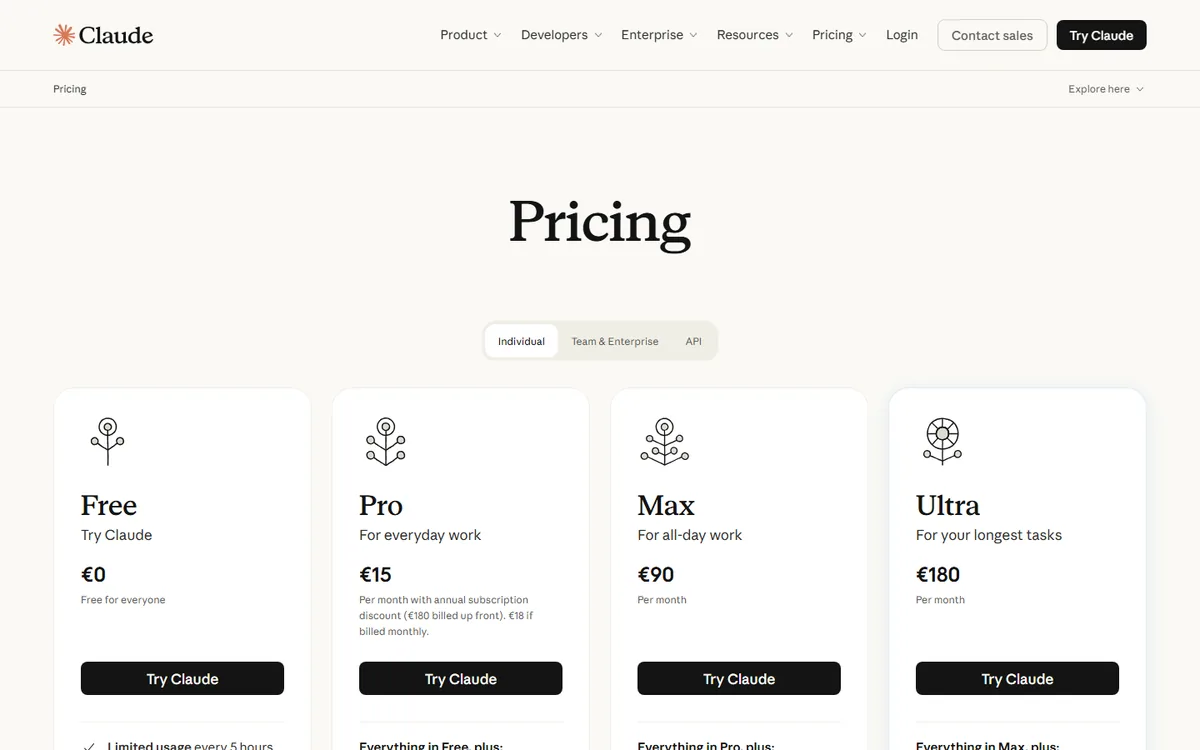
The SDK code is open source under the MIT license, and its use falls under Anthropic’s Commercial Terms. You pay Claude API rates for the tokens your agent uses, and those rates differ by model, so long agent sessions on a large model add up quickly.
Claude Agent SDK Reviews
- G2: 4.6 out of 5 star rating for Anthropic SDK, as the Agent SDK has no separate listing (from +140 customer reviews)
CrewAI
The Friendliest Way to Model a Team of Specialist Agents, Now with Flows for Tighter Control
CrewAI pairs role-based agent teams, called Crews, with event-driven Flows that add state, branching and routing around them.
CrewAI is a standalone Python framework under the MIT license, built on its own primitives. Crews are the part people know: you describe agents by role, goal and backstory, hand them tasks and let them collaborate. What changed my view of CrewAI is Flows. A Flow wraps crews and plain code in an event-driven process with saved state and clear branches, so the creative work happens inside a crew while the overall order stays fixed. Memory, checkpointing and support for MCP and A2A round it out.
Business stakeholders grasp it fast. When I sketch a crew as a researcher, an analyst and a reviewer, people outside engineering follow the design, which shortens sign-off. The catch is predictability. Free-form crews can wander, repeat work and burn tokens, and debugging why two agents disagreed takes patience. My rule is simple: use Flows for anything a customer sees, and keep open crews for internal research where a loose answer costs little.
What CrewAI Does Well
- Role-based design that non-engineers understand
- Flows add structure around free-form crews
- Supports MCP and A2A for outside tools and agents
What CrewAI Could Do Better
- Open crews can loop and waste tokens
- Tracing why agents disagreed takes effort
CrewAI Pricing
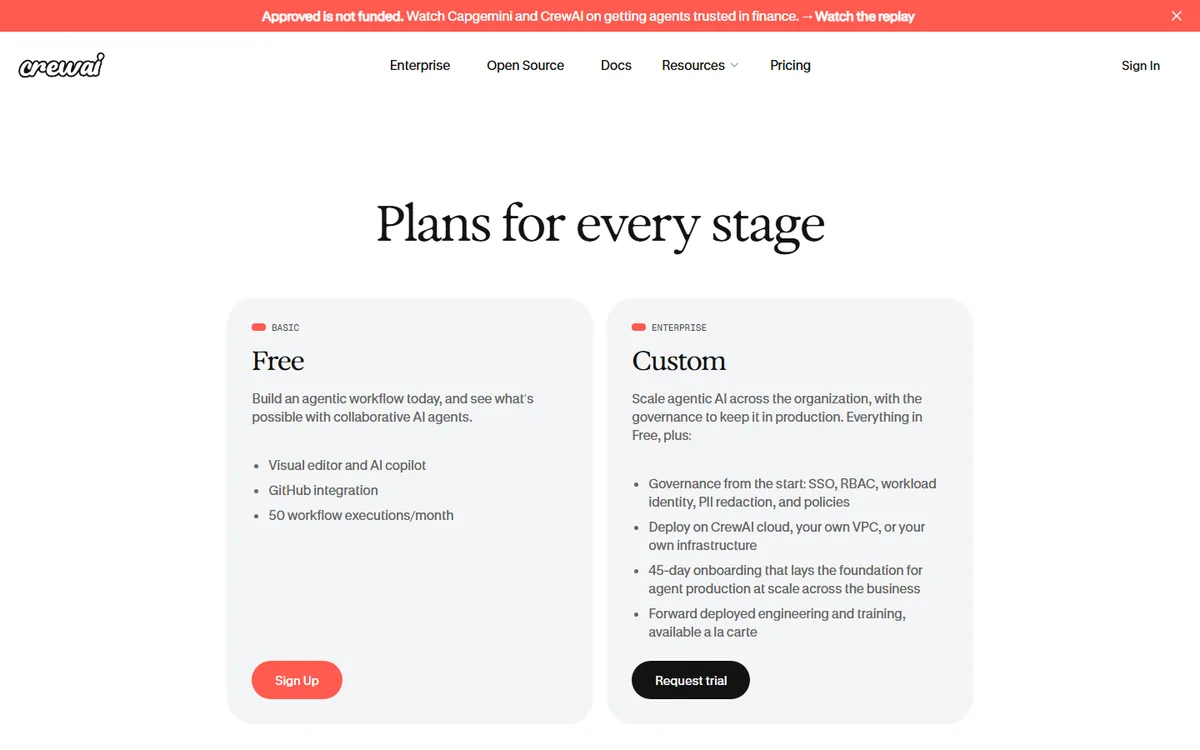
The framework is free and open source. CrewAI’s hosted platform has a free Basic plan with 50 workflow executions per month, and an Enterprise plan with custom pricing for higher volumes, deployment and admin features. Model usage is billed by your model provider.
CrewAI Reviews
- G2: score of 4.2 out of 5 (from +20 customer reviews)
Amazon Bedrock AgentCore
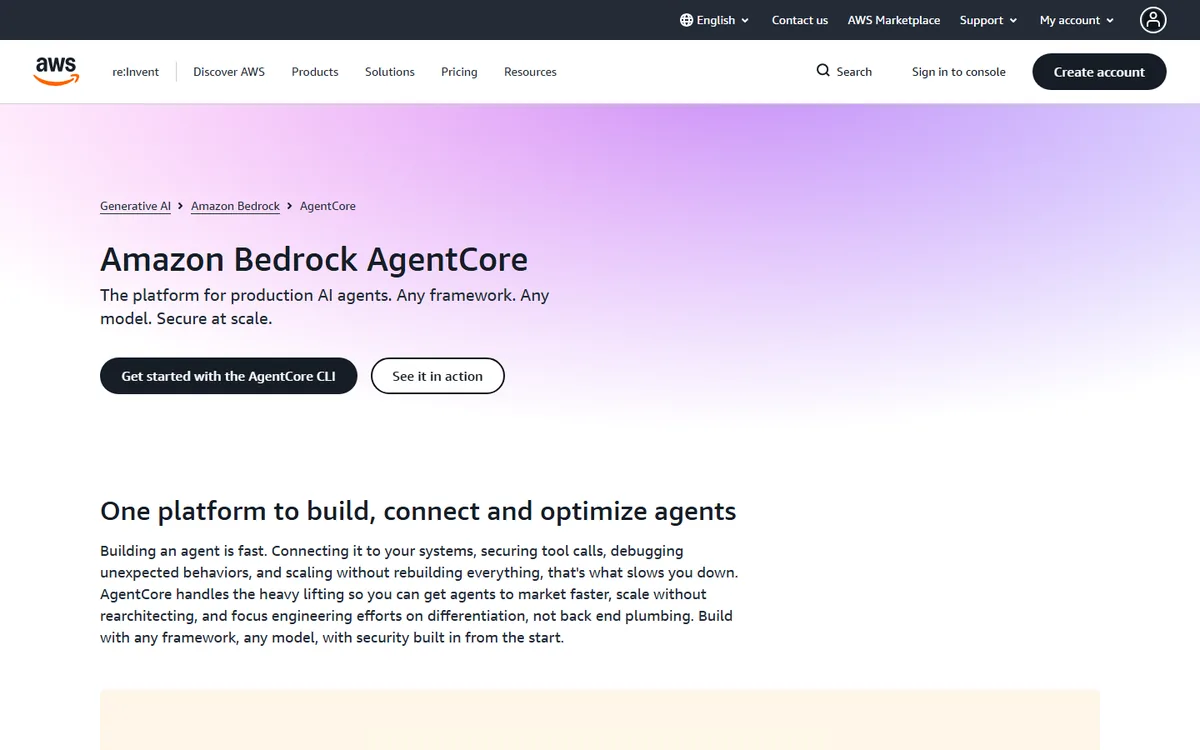
The Infrastructure Layer for Running Agents from Any Framework Securely on AWS
AgentCore is a set of managed services for hosting, connecting, securing and monitoring agents, whatever framework or model you built them with.
AgentCore sits in a different slot from the frameworks above. You still write the agent in LangGraph, CrewAI, Strands or plain code, and AgentCore runs it. Runtime gives each session its own isolated microVM, which matters when one agent serves many customers. Gateway turns your APIs and Lambda functions into MCP tools. Memory handles short-term and long-term recall, Identity manages the credentials agents use to reach other systems, Policy checks each tool call against rules you set, and Evaluations scores agent output. Traces land in CloudWatch.
I recommend it to teams already deep in AWS who want the plumbing handled. On one multi-tenant support agent, session isolation answered the security team’s first question before they asked it. The downside is bill complexity. Each service meters separately, and a few of them charge while an agent waits on a slow tool, so you need cost alerts from day one. You also need cloud engineers to wire the pieces together. A business team won’t build here on its own.
What Amazon Bedrock AgentCore Does Well
- Runs agents from almost any framework
- Per-session isolation suits multi-tenant agents
- Policy checks every tool call against your rules
What Amazon Bedrock AgentCore Could Do Better
- Many separate meters make costs hard to forecast
- Needs cloud engineers to assemble the services
Amazon Bedrock AgentCore Pricing
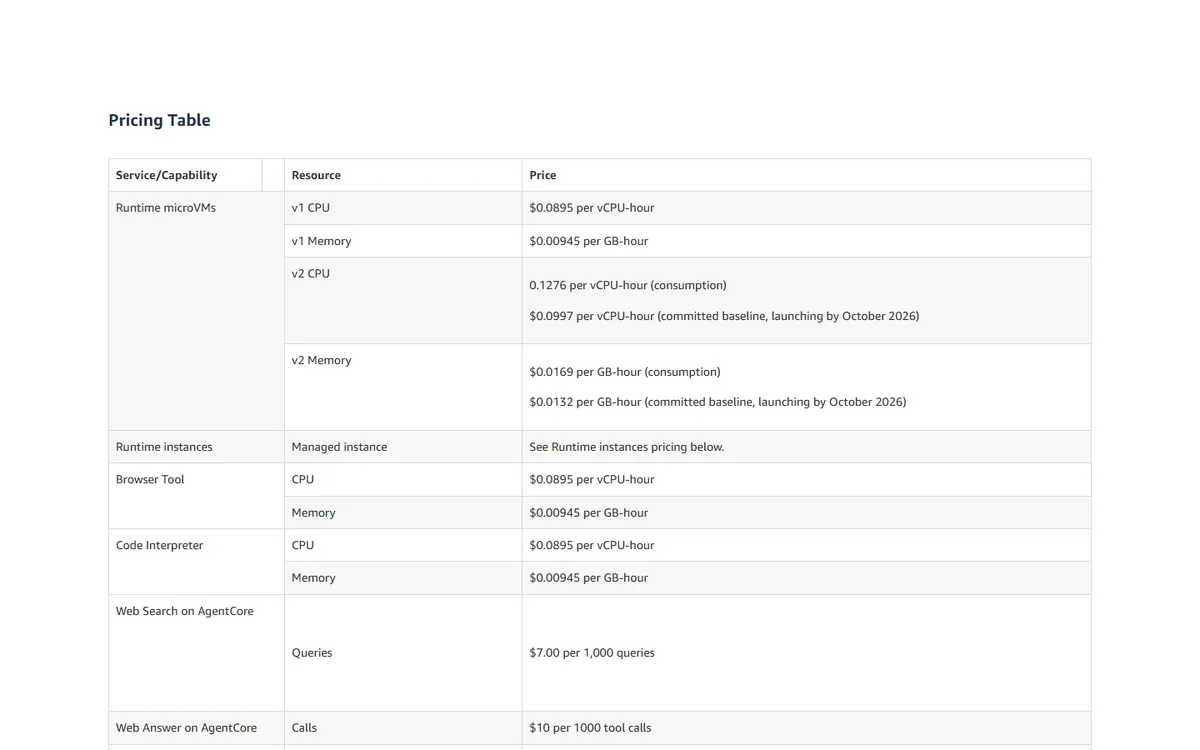
AgentCore is pay-as-you-go with no upfront commitment. The current Runtime rates are $0.1276 per vCPU-hour and $0.0169 per GB-hour, Gateway costs $0.005 per 1,000 API calls, and short-term Memory costs $0.25 per 1,000 events. Policy, Evaluations and long-term memory bill on their own meters, observability follows CloudWatch pricing, and model use is charged separately.
Amazon Bedrock AgentCore Reviews
- G2: 4.4 out of 5 star rating for AWS Bedrock, as AgentCore has no separate listing (from +70 customer reviews)
n8n
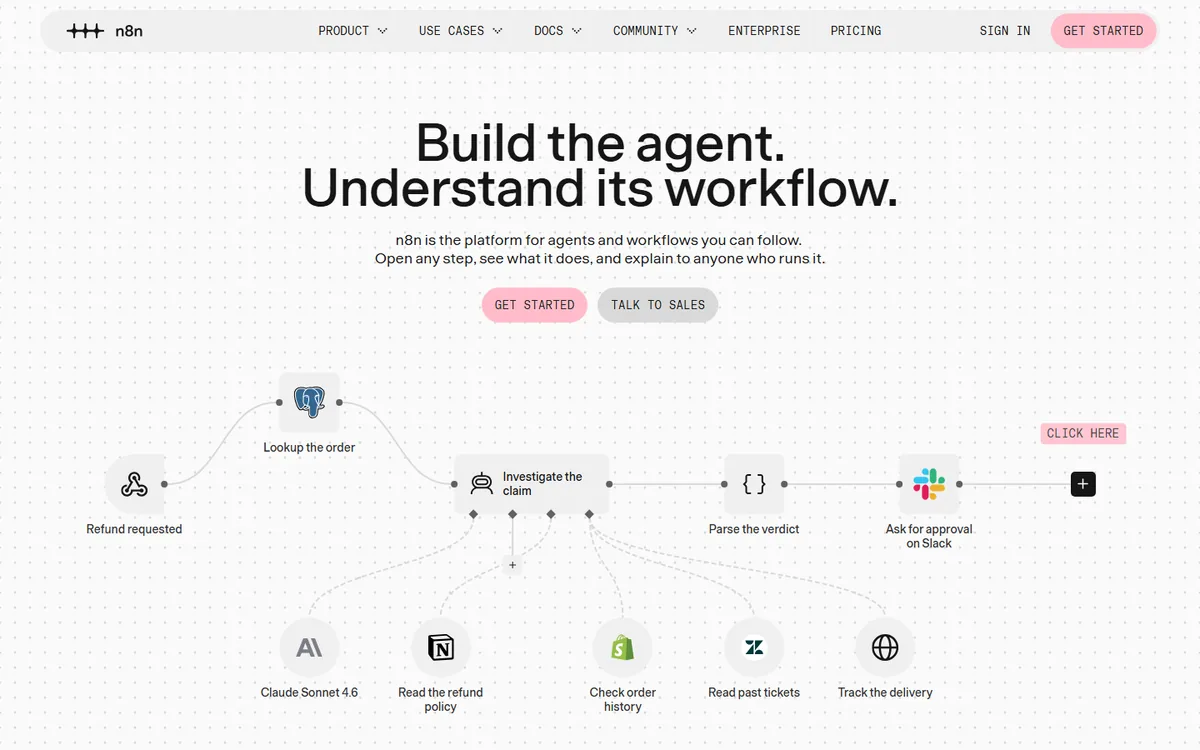
The Visual Builder That Gives You Agents Inside Deterministic Workflows
n8n’s AI Agent node plugs a model, memory and tools into a normal workflow, so the agent decides only the parts you let it decide.
From an agent-building angle, n8n’s strength is containment. The AI Agent node sits inside a workflow you can read on screen. You attach a chat model from any major provider, a memory sub-node for conversation history and tool sub-nodes, which can be other workflows, HTTP calls or app integrations. Everything around the agent stays deterministic: triggers, data cleanup, approval steps and the final write to your systems. n8n can also expose workflows as MCP tools for agents built elsewhere.
I use it when an ops team wants to own an agent without a Python codebase. A lead-qualification agent I reviewed this year ran inside n8n with a human approval step before any CRM update, and the team could see each run’s inputs and outputs in the execution log. Where n8n struggles is depth. Multi-agent coordination, careful evaluation and fine-grained state need workarounds that a code framework handles natively. If you self-host, security patches are your job.
What n8n Does Well
- Agents run inside workflows you can see and audit
- Swap model providers without rebuilding
- Self-hosting keeps agent data on your servers
What n8n Could Do Better
- Complex multi-agent designs get messy on the canvas
- Evaluation and state control are thinner than in code
n8n Pricing
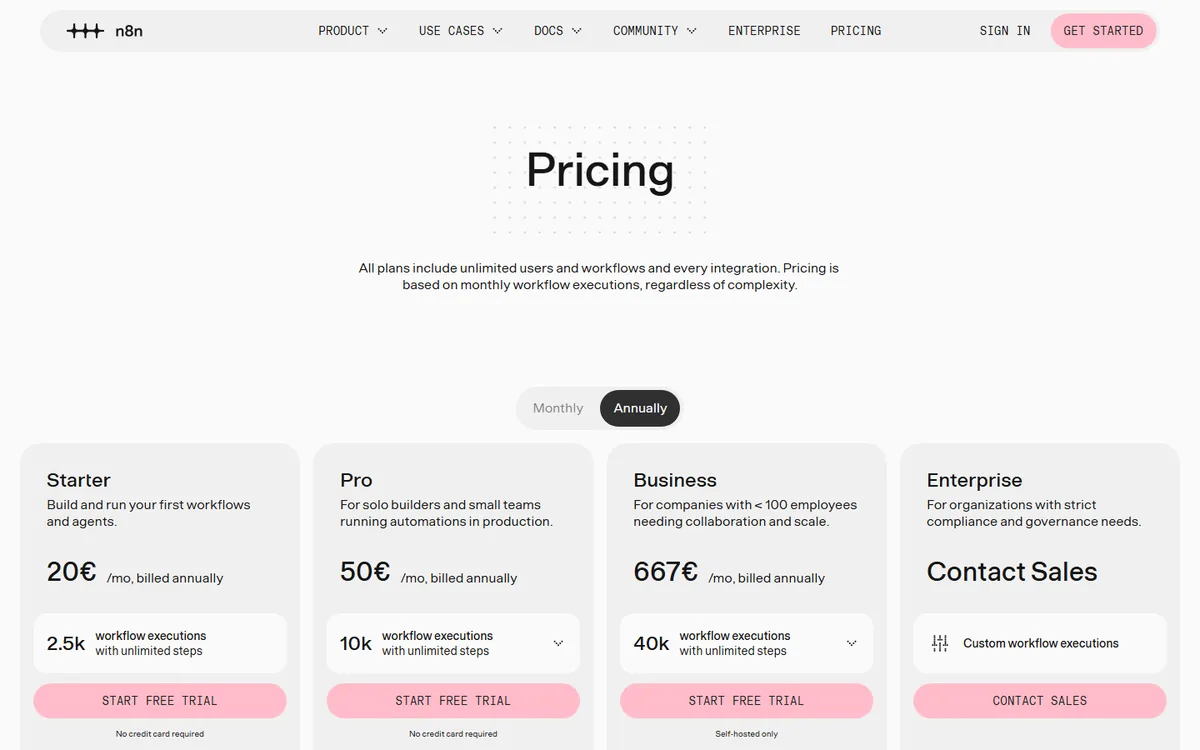
The self-hosted Community Edition is available free on GitHub. n8n Cloud, billed yearly, costs €20 per month for Starter with 2,500 workflow executions, €50 for Pro with 10,000, and €667 for Business with 40,000. Enterprise pricing is custom. One agent run counts as one execution, however many tool calls it makes.
n8n Reviews
- G2: score of 4.7 out of 5 (from +320 customer reviews)
- Capterra: score of 4.6 out of 5 (from 48 customer reviews)
Microsoft Copilot Studio
The Low-Code Agent Builder Your IT Team Can Govern from Day One
Copilot Studio lets business users build agents that react to events, call connectors and flows, and run under Microsoft 365 admin controls.
For agent work, the feature that matters in Copilot Studio is autonomous triggers. An agent can wake up when an email lands in a shared mailbox or a record changes in Dataverse, decide which tools to call and finish the job without a chat window. Tools come from the Power Platform connector library, Power Automate flows and MCP servers. Generative orchestration picks the tool for each step, and you can still pin fixed topics for steps that must follow a script.
Governance is the reason it makes my top ten. Data loss prevention policies, environment controls and audit logs come from the same admin center your IT team already runs. I’ve watched a security review that would take months for a custom agent wrap up in a couple of weeks here. The limits show up in agent depth. Complex reasoning chains, custom memory and proper regression testing are harder than in a framework, and credit use per action is tough to predict until a pilot runs.
What Microsoft Copilot Studio Does Well
- Event triggers let agents work without a chat window
- Existing data loss policies apply to agents
- Business users can build and adjust agents
What Microsoft Copilot Studio Could Do Better
- Regression testing is limited for complex agents
- Credit burn per action is hard to estimate early
Microsoft Copilot Studio Pricing
Copilot Studio is licensed per tenant. A credit pack of 25,000 Copilot Credits costs $200 per month, billed yearly, and unused credits don’t roll over. Pay-as-you-go usage costs $0.01 per credit through Azure, and a prepaid plan offers tiered discounts.
Microsoft Copilot Studio Reviews
- G2: score of 4.4 out of 5 (from +170 customer reviews)
Zapier Agents
The Quickest Way for a Business Team to Give an Agent Access to Thousands of Apps
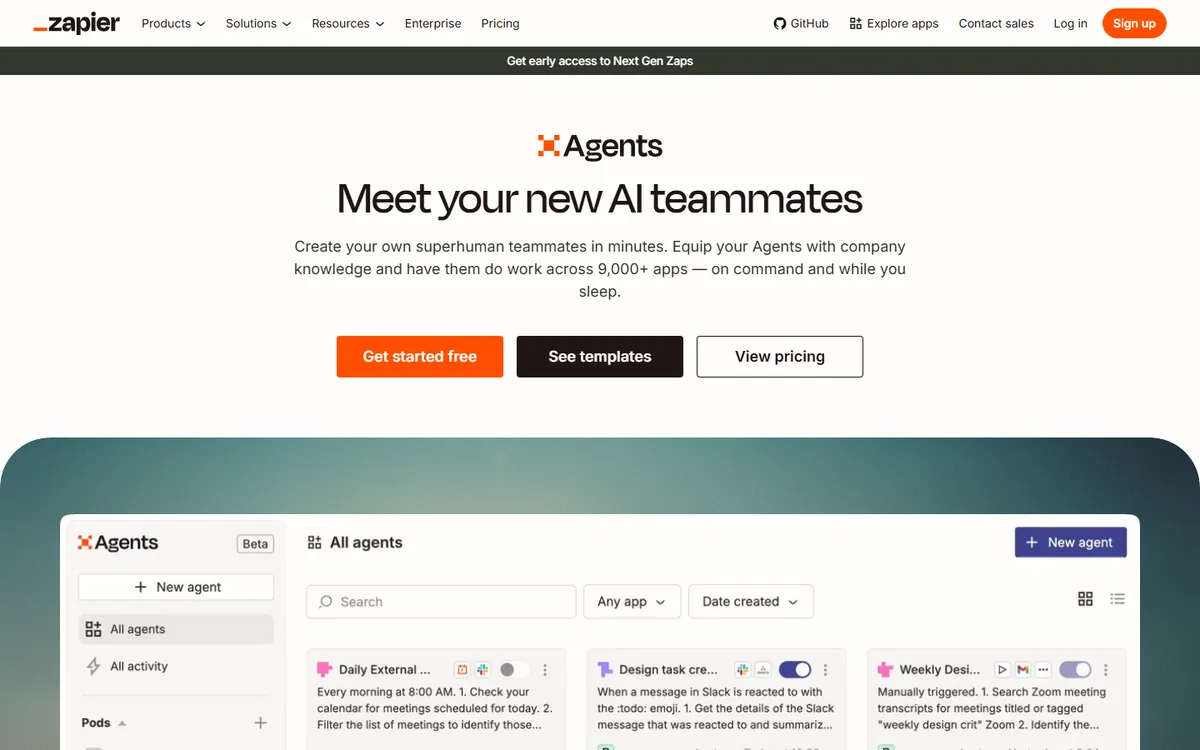
Zapier Agents lets you describe a job in plain words, connect the apps the agent may use and let it work on triggers or on request.
Zapier Agents sits on top of the same app library that powers Zaps, which is more than 9,000 integrations. You write instructions the way you’d brief a new hire, add knowledge such as FAQs, documents and public links, and pick the actions the agent may take in each app. Copilot helps draft the agent from a short description. An agent can start from a trigger, like a new form entry or a support ticket, or you can chat with it directly, and the activity log shows each step it took. Templates cover common jobs such as meeting prep, lead qualification and ticket replies.
I rank it tenth because breadth is its whole case. For an ops or sales team that already runs Zaps, a lead-enrichment agent can go live in an afternoon, with no developer and no hosting decision. On a pilot I reviewed this year, scoping took longer than the build. The first draft had write access to the CRM and the inbox at once, and the fix was to cut it back to drafts plus a Slack approval. Depth is the limit. There’s no real evaluation suite, multi-step reasoning gets shaky on long jobs, and activity caps per run stop bigger tasks halfway, so keep each agent to one narrow job.
What Zapier Agents Does Well
- Reaches more apps than any other tool on this list
- Non-developers can build and adjust agents
- Agent activities don’t eat into your Zap task limit
What Zapier Agents Could Do Better
- No proper test sets for regression checks
- Per-run activity caps cut off longer jobs
Zapier Agents Pricing
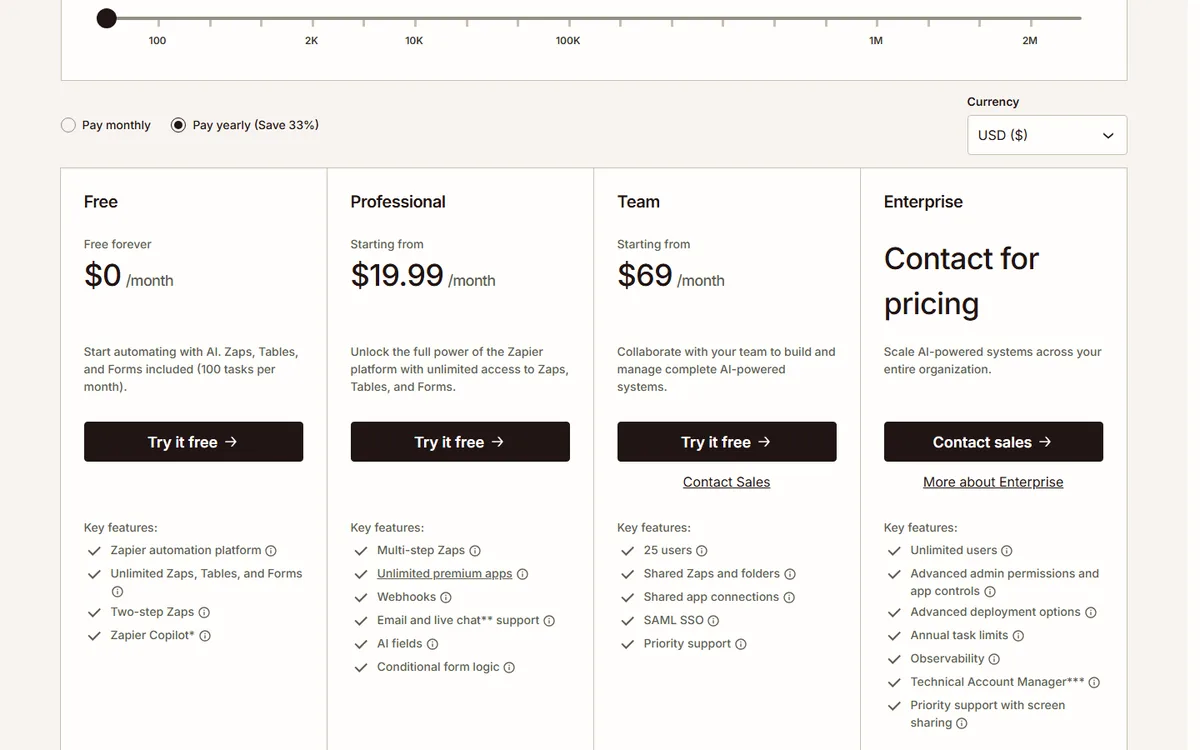
Agents are billed in activities, separate from Zap tasks. The free plan includes 400 activities per month with up to 10 per run. The Pro agents plan adds 1,500 activities per month with up to 40 per run, from about $33 per month billed yearly, and Enterprise allowances are custom. Zapier’s own Pro plan for Zaps starts at $19.99 per month billed yearly for 750 tasks.
Zapier Agents Reviews
- G2: 4.5 out of 5 star rating for Zapier, as Agents has no separate listing (from +2,000 customer reviews)
- Capterra: 4.7 out of 5 star rating for Zapier (from +3,000 customer reviews)
Check Whether an Agent Pays for Itself
Agents cost more to run than plain automations, because every step calls a model. Before you commit, enter the manual hours the agent would take over and its monthly cost, including model usage and hosting. If the return only works at full automation, plan for human review on part of the volume and run the numbers again.
Will It Pay for Itself?
Move the sliders to match the work you want to automate and the plan you are considering.
How to Choose an Agentic AI Tool
I’ve seen more agent projects stall from the wrong builder than from the wrong model. Answer these four questions before you open a single vendor demo:
- Who will build and maintain the agent: developers, an ops team or business admins?
- Which systems must the agent write to, and what’s the worst action it could take there?
- How will you test it after every prompt or model change?
- Where must the agent run for your security and data rules?
If developers own the agent and need fine control, start with LangGraph, or with the OpenAI Agents SDK for a faster first version. Microsoft shops with .NET skills should look at Microsoft Agent Framework, Google Cloud teams at ADK, and AWS teams at AgentCore to host whatever framework they pick. Choose the Claude Agent SDK for agents that work through files and long tasks, and CrewAI when a team of roles mirrors the process. If business teams will build, go with Copilot Studio on Microsoft 365, n8n when you want self-hosting or Zapier Agents when the agent has to touch many apps. Then sequence the rollout: one narrow agent, read-only tools first, write access later. My agentic AI roadmap lays out that order step by step.
Questions About Agentic AI Tools
What Are Agentic AI Tools?
They’re the frameworks and platforms you use to build AI agents: software that gets a goal, plans the steps, calls tools like your CRM or a database, checks the result and decides what to do next. Frameworks such as LangGraph or the OpenAI Agents SDK give developers code-level control. Builders such as Copilot Studio, n8n or Zapier Agents let business teams assemble agents in a visual editor.
Should I Pick a Framework or a No-Code Agent Builder?
Pick a builder when the agent lives inside one ecosystem you already pay for, like Microsoft 365 or Zapier, and the actions are standard. Pick a framework when the agent needs custom logic, several models, your own evaluation tests or hosting you control. In my client work, about half of first projects start in a builder and move a few agents to code once the volume justifies it.
Which Agentic AI Framework Is Best for Beginners?
For a developer new to agents, I’d start with the OpenAI Agents SDK or CrewAI. Both get a working agent running in a short script and use plain concepts: agents, tools, handoffs or crews. LangGraph pays off later, once you need checkpoints, branching and human review steps that you want to control in detail.
Are Open-Source Agent Frameworks Really Free?
The code is free under MIT or Apache 2.0 licenses. You still pay for the language model tokens your agents use, for hosting and for any tracing or evaluation service you add, such as LangSmith or CrewAI’s platform. For most of my clients, model usage ends up as the largest line on the bill, well ahead of tooling.
How Do I Stop an AI Agent from Taking the Wrong Action?
Limit its tools to the ones it needs, give each tool the smallest permissions that still work and require human approval for anything that moves money, changes records in bulk or contacts customers. Then log every step so you can review what happened. Most tools on this list support approval steps and tracing, so the hard part is deciding where those steps belong.
Can I Switch Agent Frameworks Later?
Yes, but plan for it. Keep your prompts, tool definitions and test cases outside the framework’s own formats where you can, and expose your tools through MCP so any framework can call them. Agents built that way move between LangGraph, the OpenAI Agents SDK or Microsoft Agent Framework in weeks. Agents tangled into one vendor’s visual builder usually get rebuilt.
How Long Does It Take to Put an AI Agent into Production?
A narrow internal agent with read-only tools can go live in a few weeks. An agent that writes to business systems, serves customers or handles regulated data usually takes a few months, because evaluation sets, security review and approval rules take time to agree. The build itself is often the shortest part.
Sources
- Microsoft Learn: Microsoft Agent Framework Overview
- OpenAI: Introducing AgentKit (with the Agent Builder and Evals wind-down update)
- Google: Agent Development Kit for Python on GitHub
- Anthropic: Claude Agent SDK for Python on GitHub
- AWS: Amazon Bedrock AgentCore Pricing
- Zapier Help Center: How Zapier Agents Usage Is Measured
Disclaimer: Prices, plans, product names and ratings change often in this market. They were checked when this article was last updated, so confirm them on each vendor’s site and on G2 or Capterra before you buy. This is not legal or financial advice.
Did you find this helpful?
Thank you for your feedback.
Marlena leads the WiseCrow editorial team and works with our consultants to turn real client projects into practical guides on AI strategy, automation and governance. Before joining WiseCrow, she spent 12 years in B2B operations and SaaS content. She has since edited more than 400 articles on AI and automation and reviewed workflows from over 60 client projects. She is based in Austin, Texas.