Summary
- Plan data work per AI use case, so every fix you fund has a use case waiting for it.
- Measure quality on real samples before you pick a platform, and fix errors where they start.
- Settle access and privacy rules before data reaches a model, including document permissions in RAG.
- Run governance as a fixed rhythm of short meetings, then reuse the same phases for each new use case.
Most data strategies I’m asked to review try to fix all the data at once. They map every system, score every table and end up as a two-year plan nobody funds. An AI data strategy roadmap works better when it follows the AI you actually want to build, one use case at a time. Setting that order is the first job in any AI data strategy consulting project, and the eight phases below are built around it.
The overview table comes first, then a short section per phase and a readiness-level table you can copy. The stakes are real: Gartner predicted in February 2025 that through 2026, organizations will abandon 60% of AI projects that aren’t supported by AI-ready data.
Eight Data Readiness Phases on One Page
| Phase | The question it answers | Finished when |
|---|---|---|
| 1. Use-Case Inventory and Data Needs | What data does each use case need? | Top use cases have a needs sheet |
| 2. Data Inventory and Ownership | Where does it live, who decides? | Every source has a named owner |
| 3. Quality Baseline and Fixes | Is it good enough to use? | Scores measured, fixes at source |
| 4. Access, Permissions and Privacy | Who and what may read it? | Access rules signed off |
| 5. Platform and Pipelines | Where will AI read it from? | First use case runs on it |
| 6. Metadata and Lineage | Can you trace an answer back? | Key terms defined, lineage stored |
| 7. Governance Operating Rhythm | Who keeps it healthy? | Meetings run without the project team |
| 8. Scale to the Next Use Cases | What do you reuse next? | Next use case starts faster |
Why Each Use Case Runs Through the Phases
Your first use case goes through all eight phases. The second one doesn’t start from zero. The inventory, the platform and the governance meetings already exist, so it mostly needs phases 1, 3 and 4 again for its new sources. Each pass gets shorter, and the data that several use cases share keeps getting better.
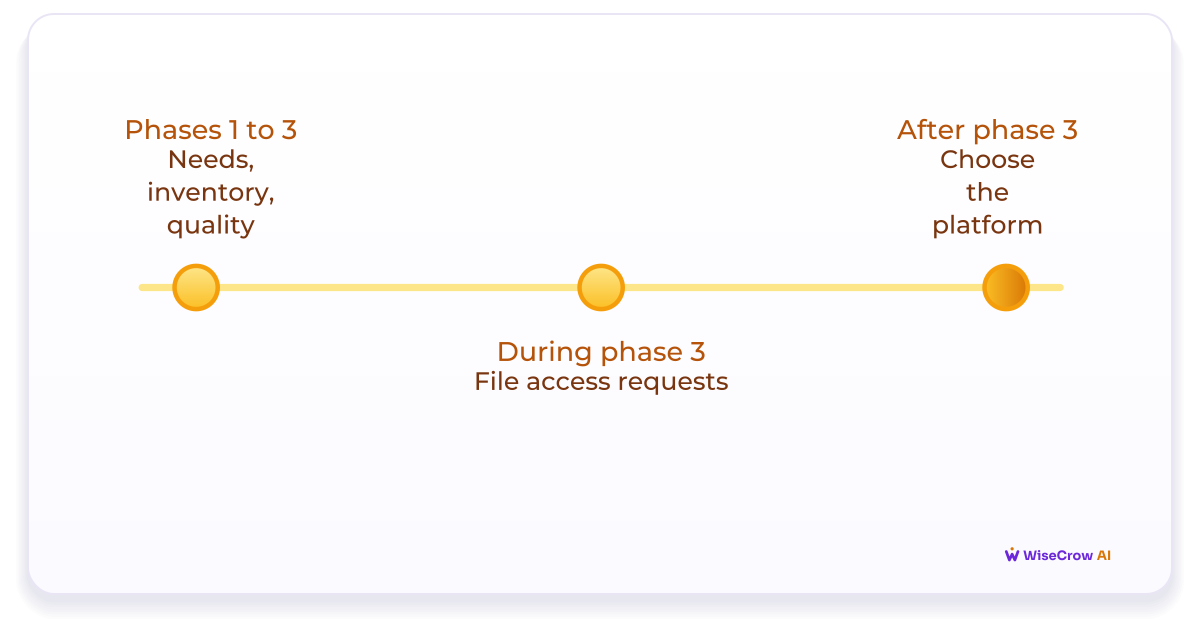
The phases also overlap. I usually start access requests (phase 4) while the quality baseline (phase 3) is still running, because approvals take longer than anyone plans for. What you shouldn’t do is buy a platform before phases 1 to 3 tell you what it has to hold.
If you want the model behind the phases, how quality, architecture and governance fit together, my AI data strategy framework lays it out. The roadmap here is the order you do the work in.
Phase 1: Use-Case Inventory and Data Needs
Start with the AI use cases already on your shortlist and write one data needs sheet per use case. One page each is enough. It should answer five things:
- The output or decision the AI produces, and who uses it.
- The records and documents it needs, named down to the field or folder.
- How fresh the data has to be: monthly, daily or close to real time.
- How much history it needs, for example two years of resolved tickets.
- Who may see the output, since that limits what data can go in.
An invoice exception assistant, for example, needs invoice lines, the vendor master, purchase orders and the approval notes that often sit in email. A support assistant needs help center articles, product docs and resolved tickets. When a team writes “all customer data” on the sheet, push back and ask which fields. Vague needs turn into vague projects.
Phase 2: Data Inventory and Ownership
Trace every line on the needs sheets back to its source. For each source, record the system of record, the format, the sensitivity, the owner and the steward. A shared spreadsheet does the job for the first use case.
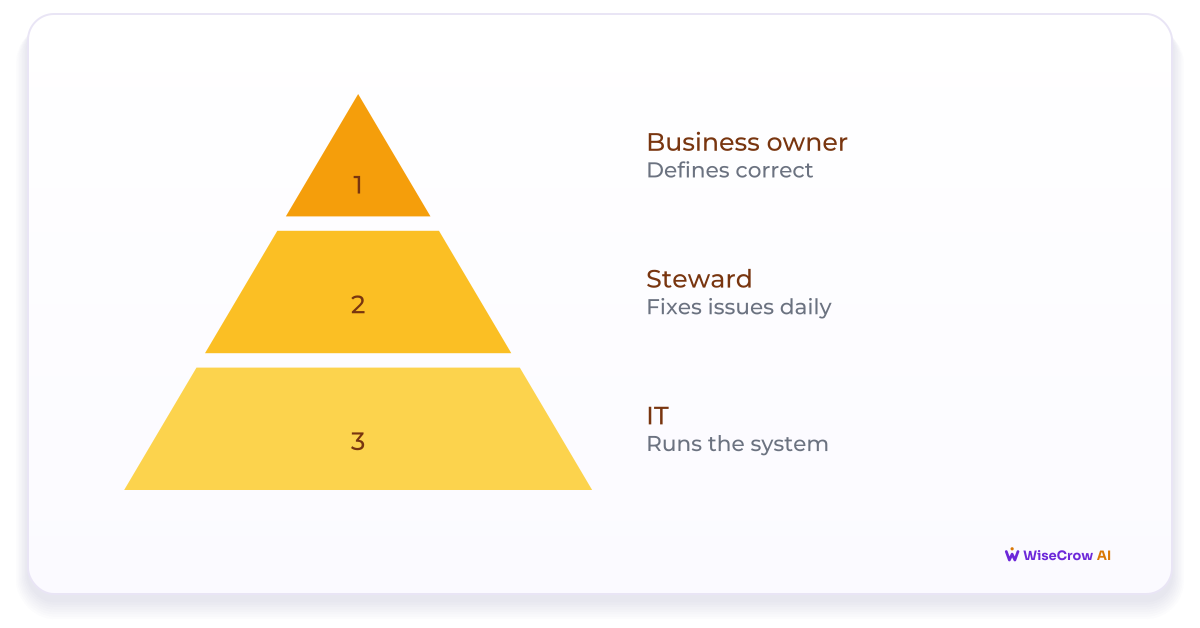
Ownership is where phase 2 gets political. The owner is the business person who decides what correct means for that data, such as the head of accounts payable for vendor records. The steward fixes issues day to day. IT runs the system, but making IT the owner of everything is how errors end up with nobody.
Expect at least one field with two claimed sources. Customer addresses in the CRM and in billing are the classic case. Pick one system of record per field, write it down and get both owners to agree before anyone builds a pipeline.
Phase 3: Quality Baseline and Fixes
Pull a real sample from each source, a few hundred records or a folder of documents, and score it. For structured data, check completeness, valid formats, duplicates, how old the records are and if the same value matches across systems. For documents, look for outdated versions, near-duplicates and scanned PDFs with no text layer.
Set the bar per use case. A sales forecast can live with some missing fields. A customer-facing assistant can’t live with one outdated refund policy in its index. Write the threshold next to each score, so the go decision becomes a quick comparison.
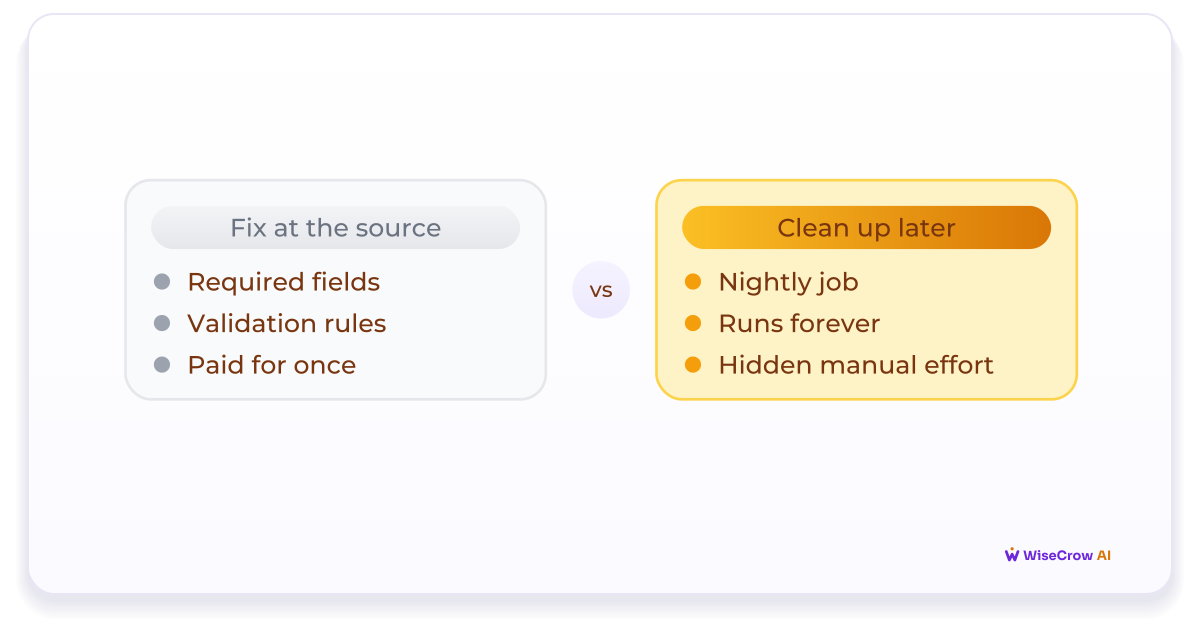
Then fix errors where they start. A required field or a validation rule in the entry form costs less than a cleanup job that runs every night forever. Manual cleanup is easy to underestimate, so put a number on it. Set the sliders to one recurring fix, such as merging duplicate vendor records or correcting product codes.
How Much Time Could You Save?
Move the sliders to match one repetitive task in your business.
Phase 4: Access, Permissions and Privacy
Decide which people, services and models may read each source. Give every AI service its own account with the smallest access that works, and log what it reads. Shared admin credentials in a pipeline are the first thing a security review will flag, and rightly so.
Handle personal and confidential data before it reaches a model. Drop fields the use case doesn’t need, mask the ones it needs only in part and check your contract terms for what the model provider does with inputs. Privacy rules differ by industry and state, so go through the use case with your privacy or compliance team and check the current status of any rule that’s still changing.
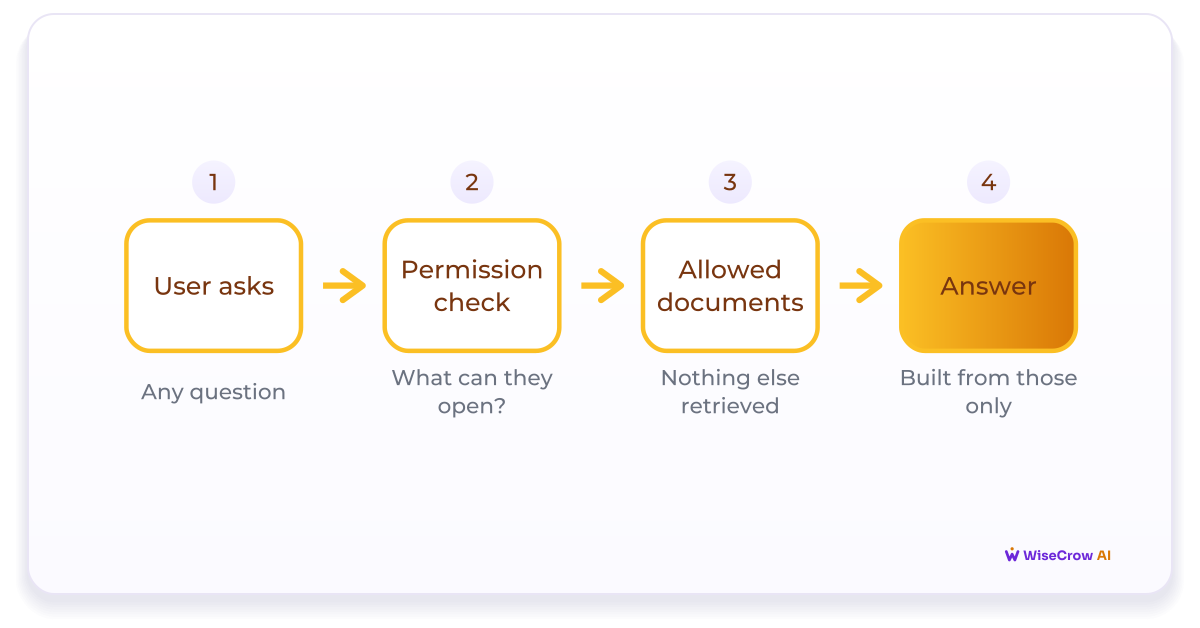
Documents need extra care. An assistant that indexes a whole shared drive will happily quote HR files to anyone who asks the right question. Carry the source permissions into retrieval, so each user only gets answers from documents they could already open. File access requests on day one of this phase. In larger companies they routinely take weeks.
Phase 5: Platform and Pipelines
Only now do you decide where AI reads the data from, and the needs sheets make the choice concrete. My contrarian advice: start with what you already run. Plenty of first use cases work fine on an existing warehouse and a simple document pipeline.
Structured Data in a Warehouse or Lakehouse
Tables for forecasting, scoring and reporting copilots belong in your warehouse or lakehouse, with scheduled loads and the quality checks from phase 3 built into the pipeline. If your data is spread over five tools with no central store, phase 5 is where you fix that, scoped to the sources on the needs sheets.
Document Pipelines for Unstructured Content
Contracts, policies, tickets and emails need a pipeline that extracts text, runs OCR on scans, splits documents into chunks and tags each chunk with source, version, owner, date and permissions. The pipeline should update chunks when a document changes and delete them when the source is deleted. Teams forget the delete step more than any other.
A Vector Store When You Build RAG
Retrieval-augmented generation needs a place to store and search embeddings. Vector search inside a database or search platform you already use is often enough for a first assistant. Move to a dedicated vector database when volume, speed or filtering needs outgrow it, and keep the permission tags on every record either way.
Phase 6: Metadata and Lineage
Write down what the key terms mean. “Active customer” and “net revenue” often have three definitions across finance, sales and support, and an AI model will repeat whichever one it was fed. A short glossary for the fields your use cases depend on prevents most of those arguments.
Next, record technical metadata (owner, refresh schedule, sensitivity tag) and lineage: which source feeds which transformation, which table or index and which AI output. When a user reports a wrong answer, lineage turns a week of digging into a quick trace. For RAG, store the document ID and version with every chunk, so answers can cite their source and you can see when a cited version went stale.
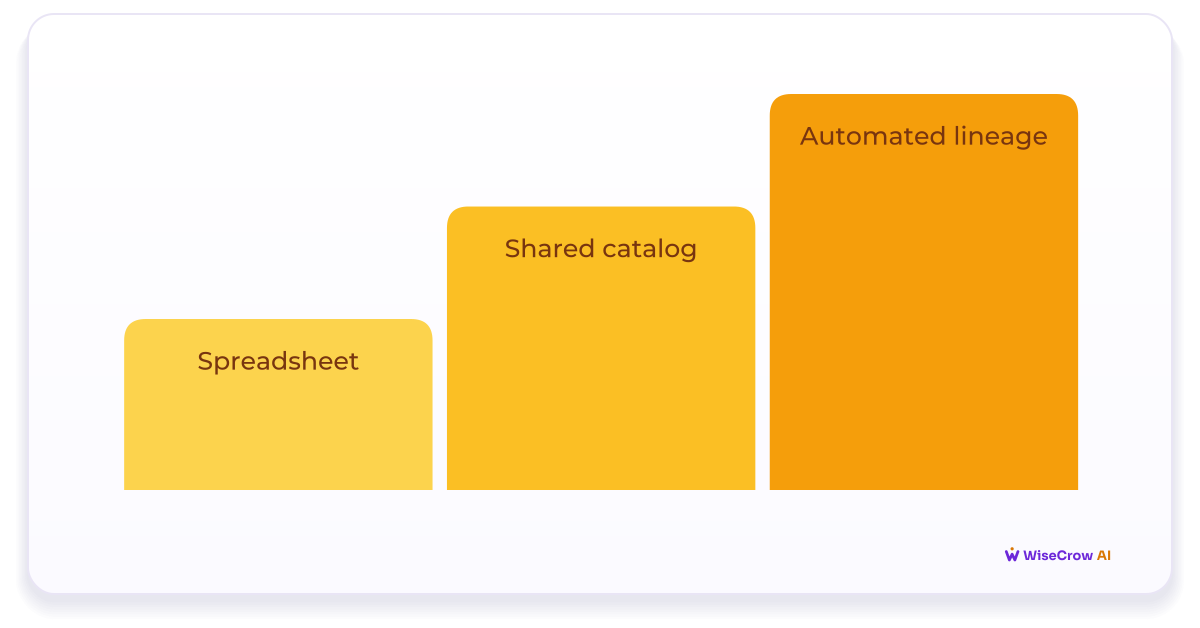
Spreadsheets carry you through the first use case. Once you have several sources and pipelines, a catalog with automated lineage saves real time, and my ranking of AI data governance tools compares the options.
Phase 7: Governance Operating Rhythm
Governance that only exists as a policy document fades within a quarter. What keeps data ready is a fixed calendar with a decision attached to every meeting:
- Weekly, 20 minutes: stewards review quality scores against the thresholds and assign open issues.
- Monthly, one hour: data owners approve new sources for AI use, review access changes and decide what happens when a threshold is missed.
- Quarterly: the sponsor reviews readiness levels per use case and retires stale sources, copies and indexes.
Add two triggers outside the calendar: every new use case enters through the phase 1 needs sheet, and every data incident gets a short review with its root cause. Keep a shared decision log, so nobody has to rely on memory six months later.
I’ve watched data councils die because they met to share updates and had nothing to decide. Give each meeting a decision it owns, and attendance takes care of itself. Phase 7 is finished when the meetings run without the project team in the room.
Phase 8: Scale to the Next Use Cases
Pick the next use case partly by reuse. A candidate that draws on sources already at level 3 gets to live data far faster than one that needs three new systems. Value still matters most, but reuse is a fair tiebreaker.
Run phase 1 again for the new use case, then only the phases its new sources need. Be careful with use cases from another department. They bring new owners and new definitions, and skipping phase 2 for them is the most common shortcut I see go wrong.
Track one program number: the time from a signed needs sheet to live data. It should drop with every pass. If it doesn’t, something from an earlier phase isn’t being reused, and that’s where to look first.
The Readiness Levels You Can Copy
Rate each source separately for each use case. Your finance data can sit at level 3 while your support tickets sit at level 1, and that’s normal. Copy the table into your planning doc and add a column for each of your use cases.
| Level | What the data looks like | AI use cases it supports |
|---|---|---|
| 0. Scattered | Spreadsheets and inboxes, no owner | Chat tools on public info only |
| 1. Collected | In systems, gaps unknown | Drafting, non-sensitive summaries |
| 2. Measured | Owners named, quality scored | Internal copilots with review |
| 3. Governed | Access rules, lineage, source fixes | RAG, document extraction, triage |
| 4. Operational | Fresh, monitored, refresh targets | Customer-facing AI, forecasts, agents |
The levels map onto the phases. Phases 1 and 2 move a source from level 0 to level 1, phase 3 gets it to level 2, phases 4 to 6 reach level 3 and phase 7 keeps it at level 4. A use case can go live once every source it needs reaches the level in its row. Below that, you either fix the data or narrow the use case.
What a First Pass Looks Like in Practice
A typical first pass from my client work: a claims team wanted an assistant that answers adjusters’ questions about policy wording. The needs sheet listed policy wordings, endorsements and internal guidance notes. The inventory found the wordings in two places, a document system and a shared drive that nobody had cleaned in years.
The quality baseline was the turning point. Several products had three or more versions of the same wording, and nothing marked which one was current. Fixing that took longer than building the assistant. The owner had to confirm the current version for each product, and the shared drive copies were archived.
Access came next. Guidance notes for one line of business were restricted, so retrieval had to respect those groups. Only then did the team set up the document pipeline and a vector index, with version tags on every chunk. The second use case, a summary tool for claims notes, reused the pipeline, the owners and the monthly meeting, and started at phase 3.
How to Choose Where Your Data Roadmap Starts
Find the line that matches your situation today and start at that phase:
- No agreed AI use cases yet: start at phase 1, and get the shortlist settled before any data work.
- Use cases agreed, but nobody knows where the data lives: start at phase 2.
- Sources known, owners named, quality never measured: start at phase 3.
- A warehouse in place, but documents untouched: go to phase 5 for the document pipeline, after a quick phase 4 check on permissions.
- Several AI apps live with no shared rules: start at phase 7, then backfill lineage in phase 6.
When you can’t decide between two phases, take the earlier one. Starting late costs more than starting early, because the gaps you skipped show up later as rework. And pick a first use case with few sources and a clear owner. Your first pass teaches the organization how the phases work, so make it a pass that can finish.
Questions About AI Data Strategy Roadmaps
What Is an AI Data Strategy Roadmap?
It’s a phased plan that gets the data behind specific AI use cases ready to use. It runs from listing what each use case needs, through ownership, quality, access and platform work, to a governance rhythm that keeps the data healthy and a repeatable way to add the next use case.
How Long Does the First Pass Through the Phases Take?
It depends on how many sources your first use case touches and how fast access approvals move. A narrow first use case with two or three sources moves much faster than one that pulls from every system. The second pass is usually shorter, because the inventory, platform and governance meetings already exist.
Do I Need to Clean All My Data Before Starting with AI?
No. Clean the data your first use case needs, to the level that use case requires. An internal drafting assistant can work with data at level 1 or 2, while a customer-facing assistant needs level 4. Fixing everything up front burns budget on data nobody uses yet.
Can I Skip Phases If I Already Have a Data Warehouse?
You can move through phase 5 faster, but keep the others. A warehouse holds structured data well, yet most AI use cases also need documents, permissions that carry into retrieval and lineage that reaches the AI output. Check those gaps before you call the platform done.
Who Should Run the AI Data Strategy Roadmap?
One named lead, often from the data or analytics team, with a business sponsor who can settle ownership disputes. Data owners in the business decide what correct means for their data, and stewards handle fixes day to day. IT runs the systems but shouldn’t be the default owner of the data in them.
How Do I Prepare Documents for RAG?
Remove outdated and duplicate versions first, then extract the text, split it into chunks and attach metadata to each chunk: source, version, owner, date and who may see it. Set the pipeline to update chunks when a document changes and delete them when the source is deleted, so the assistant never cites a policy that no longer exists.
How Do I Measure Progress on the Roadmap?
Track the readiness level of each source per use case, the quality scores from your baseline and the time it takes to get a new use case from its needs sheet to live data. The last number is the best sign the roadmap is working, because it should drop with every pass.
Sources
- Gartner, Lack of AI-Ready Data Puts AI Projects at Risk (February 26, 2025): gartner.com
General information only: this is not legal, financial or tax advice. Examples and numbers reflect typical projects; check the specifics with your advisers before deciding.
Did you find this helpful?
Thank you for your feedback.
Marlena leads the WiseCrow editorial team and works with our consultants to turn real client projects into practical guides on AI strategy, automation and governance. Before joining WiseCrow, she spent 12 years in B2B operations and SaaS content. She has since edited more than 400 articles on AI and automation and reviewed workflows from over 60 client projects. She is based in Austin, Texas.