Summary
- Klevu and Constructor lead for AI site search, with Klevu suited to mid-sized stores and Constructor to large catalogs with heavy traffic.
- Nosto covers search and personalization across platforms, while Rebuy is the quickest way to add AI upsells to a Shopify cart.
- For support, Gorgias fits Shopify brands, Tidio Lyro fits small stores on a budget and Zendesk fits large teams with many channels.
- Shopify Sidekick comes with every Shopify plan, so try it on admin work before you pay for anything else.
The Best AI Ecommerce Tools at a Glance
| Tool | Category | Paid from | Best for |
|---|---|---|---|
| 1. Klevu | AI site search | Custom quote | Mid-sized stores |
| 2. Constructor | Search and discovery | Custom quote | Large catalogs |
| 3. Nosto | Personalization and search | Custom quote | Brands on any platform |
| 4. Rebuy | Cart and upsells | $25/mo | Shopify stores |
| 5. Gorgias | Ecommerce helpdesk | $10/mo | Shopify support teams |
| 6. Tidio | Chat and AI agent | Free plan | Small stores |
| 7. Zendesk | Service suite with AI | $55/agent/mo | Large support teams |
| 8. Shopify Sidekick | Admin AI assistant | Included | Shopify merchants |
The 8 Best AI Ecommerce Tools, Ranked
I ranked these tools in the order a shopper meets them: search first, then recommendations, then support, with Shopify’s admin assistant last because it works behind the counter. Within each group, the tool that fits the most online stores comes first. In my ecommerce AI consulting work, stores get the best return when they fix the step where shoppers drop off, so read each verdict with your own weak spot in mind.
Klevu
AI Site Search That Mid-Sized Stores Can Tune Without a Data Team
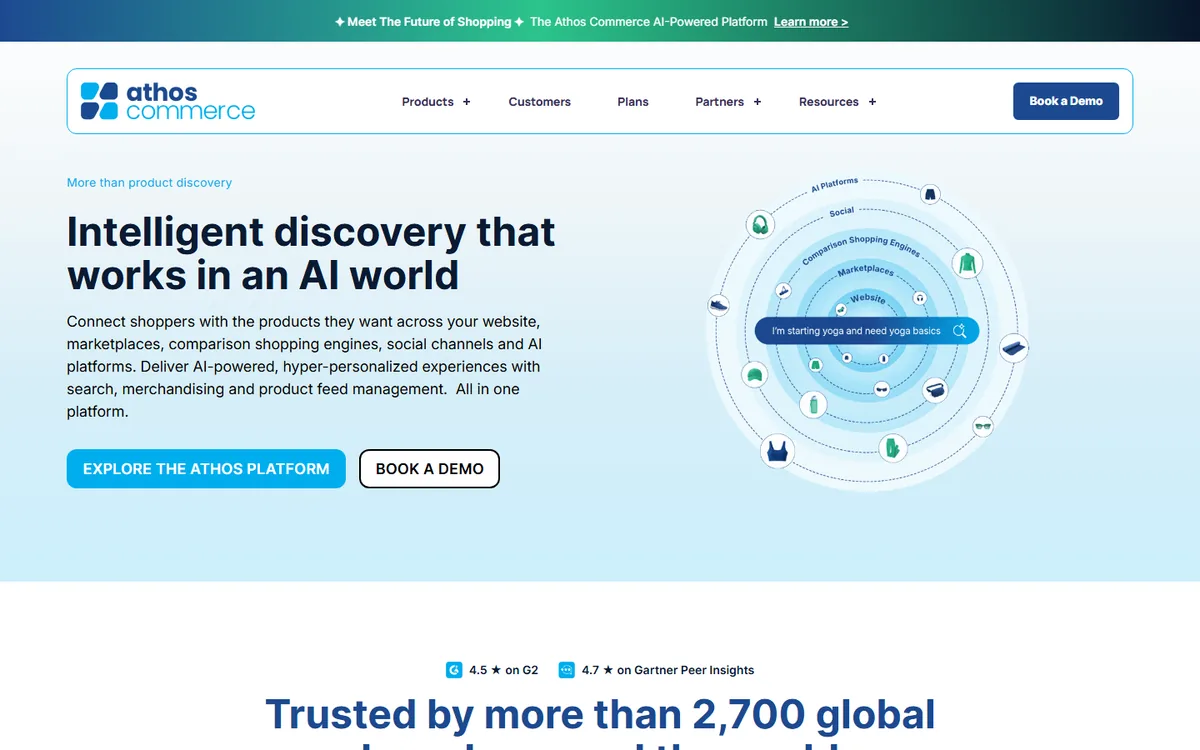
Klevu, now a division of Athos Commerce alongside Searchspring, adds AI search, merchandising and recommendations to Shopify, BigCommerce and Adobe Commerce stores.
Search is where your most motivated shoppers show up. They type “black running shoes size 9” and expect the right pair on the first row. Klevu reads that kind of query the way a person would, handles typos and synonyms, and ranks results by what tends to sell. Merchandisers can pin, boost or bury products for a campaign from a dashboard, which matters more than most buyers expect. In a review I did for a homeware store, half the search complaints came from seasonal products that kept ranking in the wrong season, and a merchandising rule fixed most of them in an afternoon.
The brand change is worth a moment of your time. Klevu and Searchspring now sit under Athos Commerce, and the pricing page lists bundles like Onsite Discovery and Complete Discovery, with AI search, merchandising and recommendations as add-ons. One vendor for the whole discovery layer suits many stores. The merger does mean product roadmaps may shift as the two platforms merge, so ask which one your store will run on in two years. Reviewers also mention that the widgets can need front-end work to match a custom theme.
What Klevu Does Well
- Handles natural-language queries and typos well
- Merchandising rules are easy for non-technical staff
- Works on the main ecommerce platforms
What Klevu Could Do Better
- No public prices since the Athos Commerce merger
- Widgets may need theme work to look native
Klevu Pricing
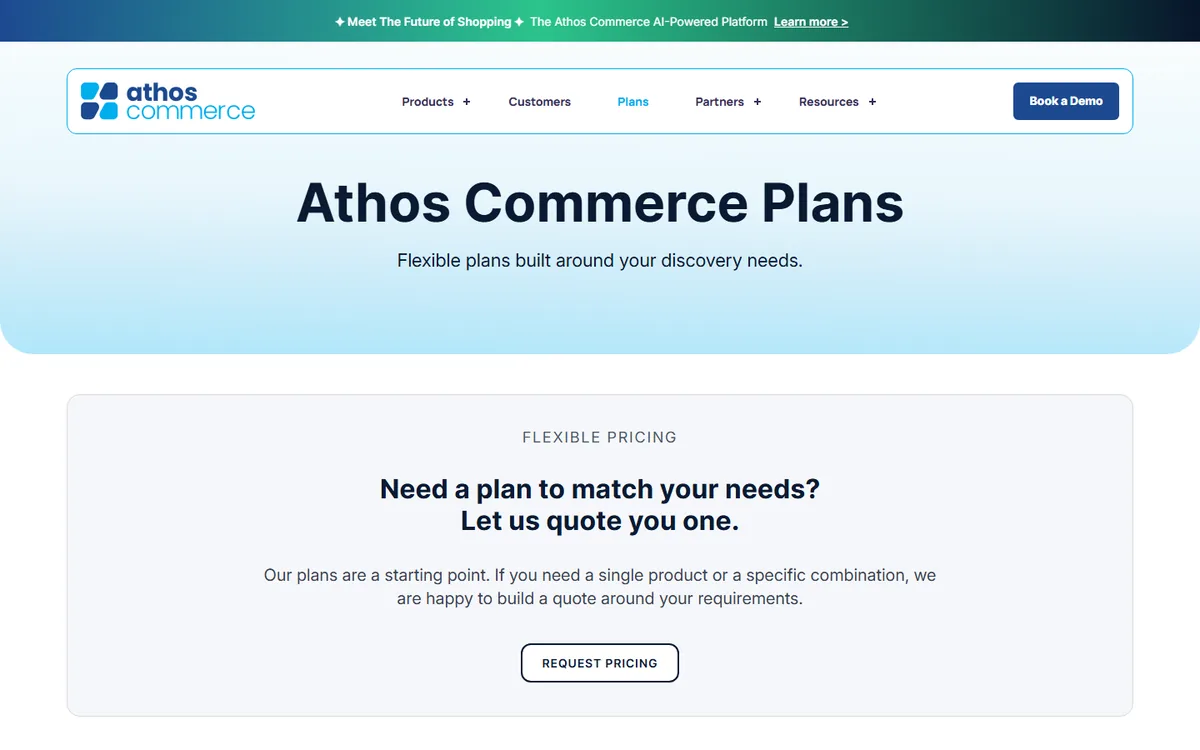
Klevu’s old pricing page now redirects to Athos Commerce. Its Onsite Discovery, Offsite Discovery and Complete Discovery plans are all priced on request, as are the AI agents and the AI search, merchandising and recommendation add-ons. The pricing page doesn’t mention a free trial.
Klevu Reviews
- G2: 4.4 out of 5 star rating for the Klevu, a division of Athos Commerce listing (from +70 customer reviews)
- Capterra: score of 5.0 out of 5 (from 5 customer reviews)
Constructor
The Discovery Platform for Big Catalogs That Ranks Products by Revenue
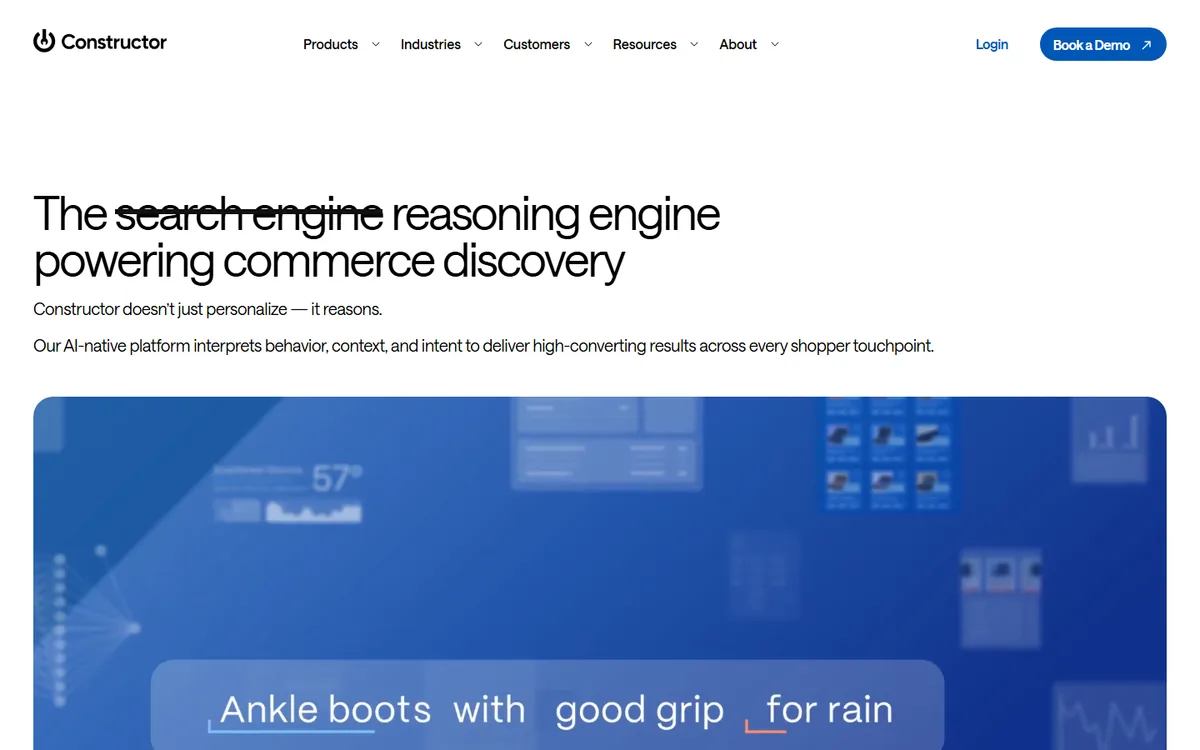
Constructor runs search, autosuggest, category pages, recommendations and an AI shopping agent from one engine trained on your shoppers’ clicks and purchases.
Constructor is built for stores where the catalog is too big for anyone to merchandise by hand. Its engine learns from what shoppers click, add to cart and buy, then ranks search results and category pages toward the products most likely to sell. The same model powers autosuggest, recommendations, quizzes and collections, so the experience stays consistent from the search box to the product page. Newer pieces include an AI Shopping Agent that takes natural-language requests and an attribute enrichment tool that fills gaps in product data.
The enrichment tool sounds minor, and it isn’t. Most discovery problems I find in large stores start with thin product data: missing colors, vague materials, sizes stored three different ways. AI ranking can’t fix what the catalog doesn’t say. Constructor is my pick when you have serious traffic and a team that will run tests, because its strength shows up in A/B results over weeks. For a store with a few hundred products, the cost and setup are hard to justify.
What Constructor Does Well
- Ranks search and category pages by business results
- One engine across search, browse and recommendations
- Attribute enrichment fills product data gaps
What Constructor Could Do Better
- Pricing is only available through a demo
- Too much platform for small catalogs
Constructor Pricing
Constructor doesn’t publish prices or plans. The website points every visitor to a demo or a free search audit, so expect a custom quote shaped by your catalog size, traffic and the modules you choose.
Constructor Reviews
- G2: score of 4.8 out of 5 (from +50 customer reviews)
Nosto
Personalized Recommendations, Search and Content for Brands Selling on More Than One Platform
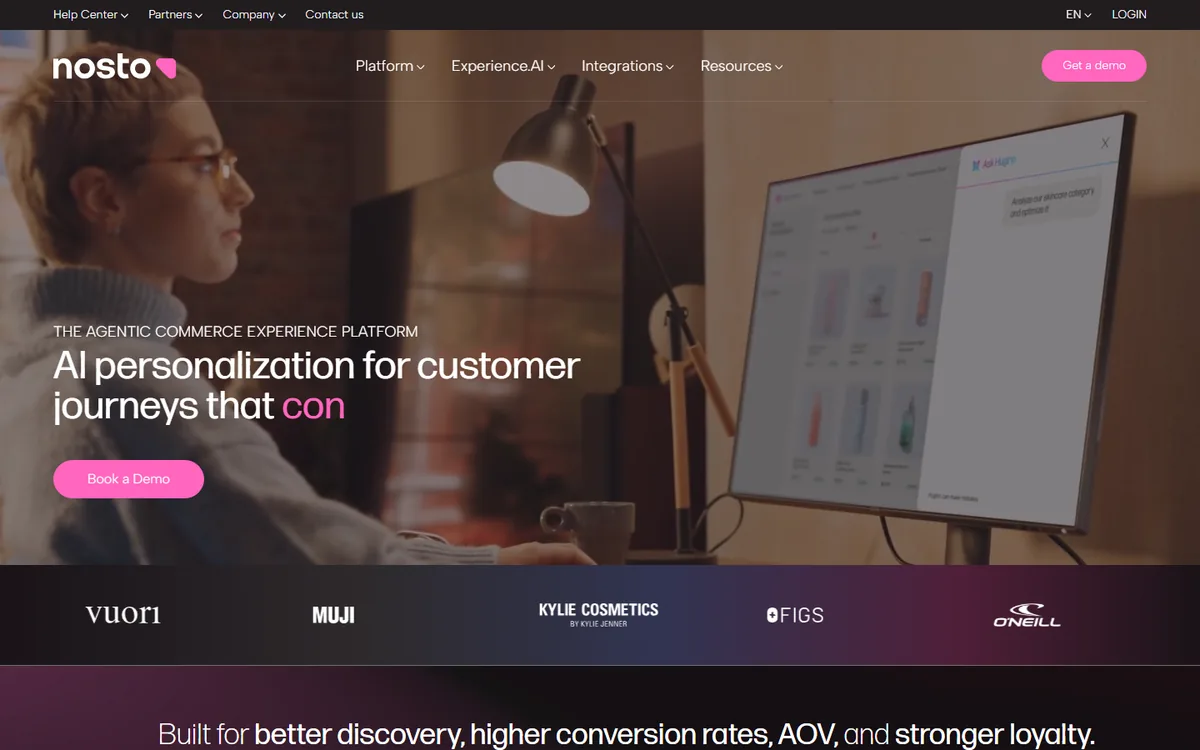
Nosto personalizes product recommendations, search, category merchandising and on-site content from one platform that works with Shopify, BigCommerce, Adobe Commerce and custom stacks.
Nosto sits a step after search. Once a shopper lands on a product or category page, it decides what else to show them: similar items, items often bought together, or picks based on what that visitor has browsed before. You can also swap banners and content blocks by segment, so a returning customer who buys kidswear doesn’t see the same hero image as a first-time visitor looking at sale shoes. The platform is split into a Product Experience Cloud and a Content Experience Cloud, and you pick the modules you need.
I like Nosto for brands that sell in several countries or run more than one storefront, because one team can manage personalization across all of them. The catch is the time it needs to learn. Recommendations on a store with thin traffic look random for a while, and I’ve watched teams give up too early. Give it a full month of real traffic before you judge the numbers, and test one placement at a time so you know what’s working.
What Nosto Does Well
- Recommendations, search and content in one place
- Strong segmentation for returning customers
- Runs on most ecommerce platforms
What Nosto Could Do Better
- Needs steady traffic before results settle
- No self-service free trial
Nosto Pricing
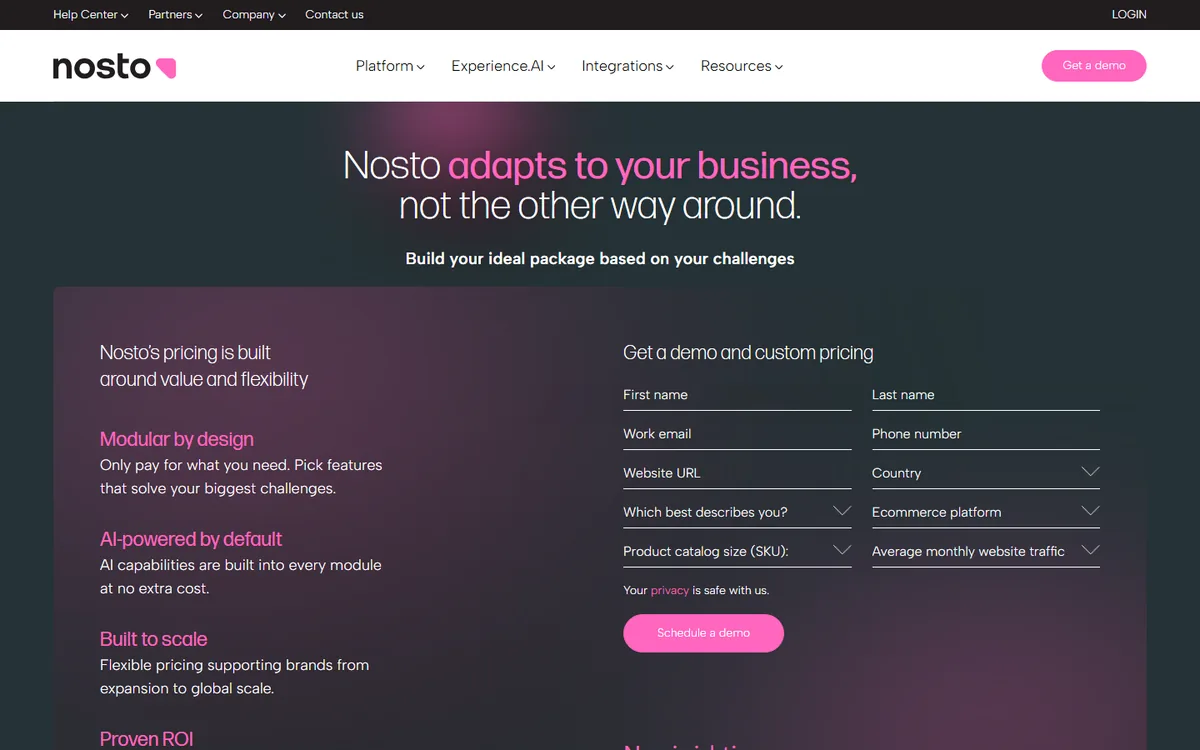
Nosto prices on request. Its pricing page explains that the quote combines a base platform fee with a fixed fee based on your store’s sales and traffic, plus the modules and support level you choose. There’s no standard self-service trial, but qualified merchants can run a proof of concept on their own store data.
Nosto Reviews
- G2: score of 4.6 out of 5 (from +230 customer reviews)
- Capterra: score of 4.0 out of 5 (from 4 customer reviews)
Rebuy
The Fastest Way to Add AI Upsells and a Smart Cart to a Shopify Store
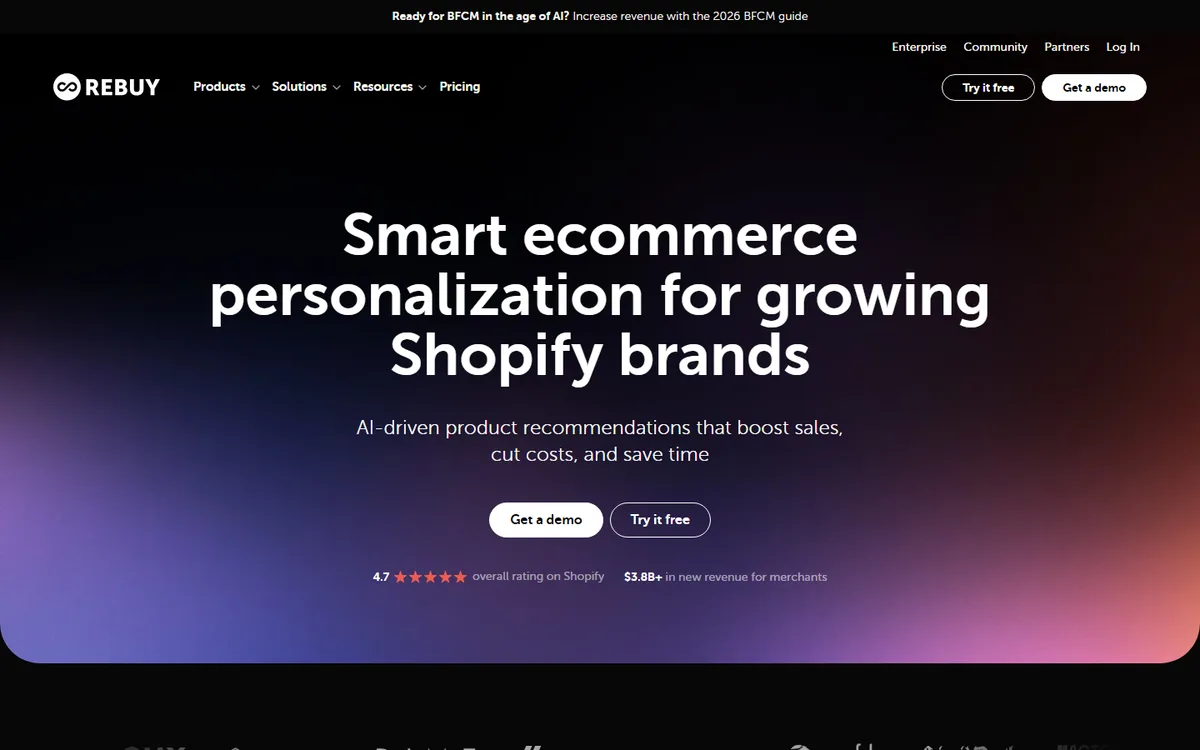
Rebuy adds AI product recommendations to the cart, checkout and post-purchase pages of Shopify stores, with bundles, search and A/B testing sold as separate packages.
Rebuy works on the moments right before and after the shopper pays. Its Smart Cart slides out with suggested add-ons, a free-shipping progress bar and one-click upsells. After checkout, it can offer a related product the customer adds without typing their card details again. The AI picks products based on what’s in the cart and what similar shoppers bought, and you can override it with your own rules when you want to push a bundle or clear stock.
Order value is the obvious goal, and it’s also where stores overdo it. I’ve seen carts with three upsell widgets stacked on top of each other, which slows the page and annoys people who just want to pay. Start with one cart offer and one post-purchase offer, then add more only if the test says so. Upsells are one of several ideas in my list of AI in ecommerce use cases, and they’re usually the quickest one to measure. Keep in mind that Rebuy runs on Shopify alone.
What Rebuy Does Well
- Goes live on Shopify in a day
- Pricing by orders keeps small stores affordable
- Built-in A/B tests for every offer
What Rebuy Could Do Better
- Shopify only
- Easy to clutter the cart with too many offers
Rebuy Pricing
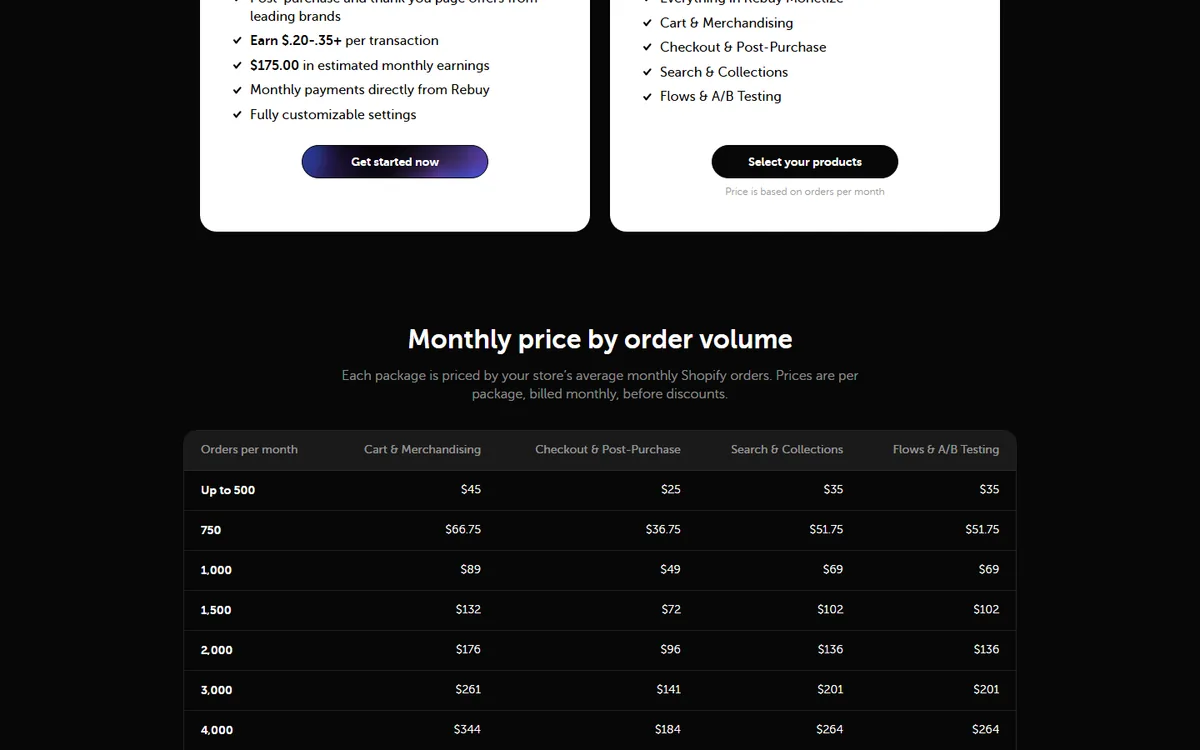
Rebuy prices each package by monthly orders. At up to 500 orders a month, Cart and Merchandising costs $45, Checkout and Post-Purchase $25, Search and Collections $35 and Flows and A/B Testing $35. At 5,000 orders those rise to $425, $225, $325 and $325, and stores above 10,000 orders get a quote. Bundles save 10% for two packages, 20% for three and 30% for all four, annual billing takes off another 10%, and every package has a 14-day free trial.
Rebuy Reviews
- G2: score of 4.8 out of 5 (from 3 customer reviews)
Gorgias
The Helpdesk Online Stores Pick When Most Tickets Are About Orders
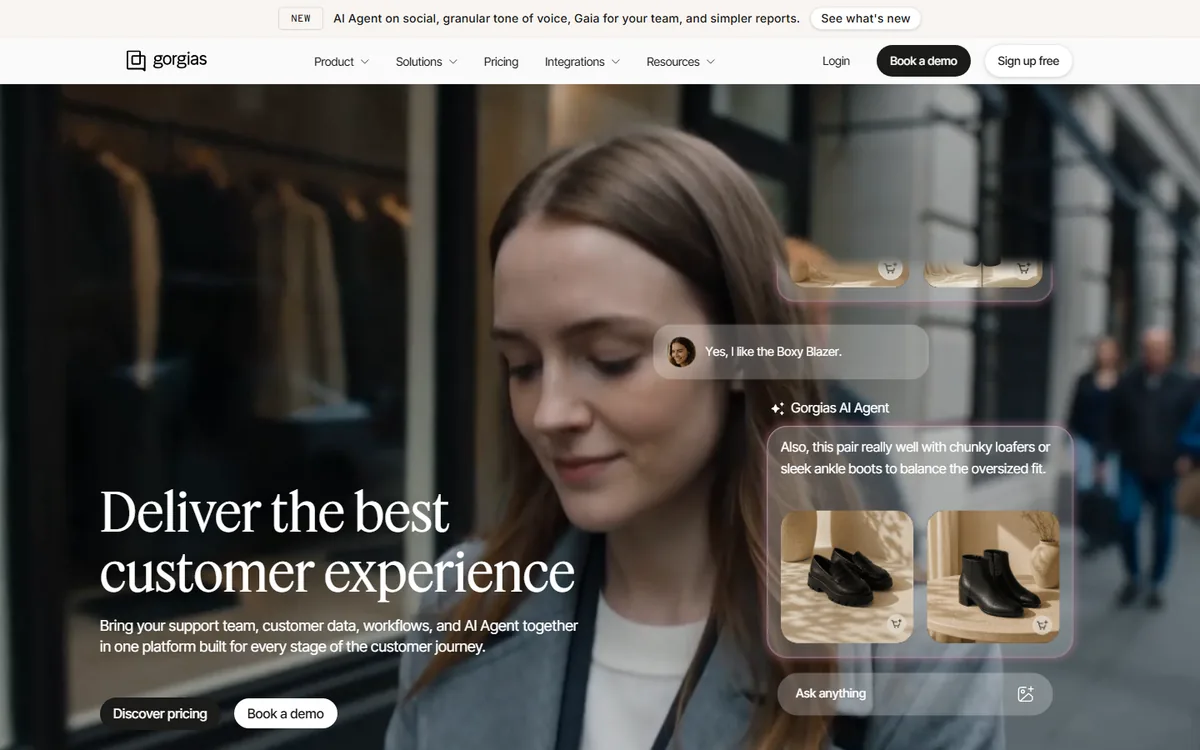
Gorgias is a helpdesk made for online stores, with an AI Agent that answers and resolves shopper requests using live order data from Shopify and other platforms.
For an online store, support and sales blur together. A shopper asks if a jacket runs small, and the answer decides the sale. Another asks where their parcel is, and the answer decides whether they buy again. Gorgias treats both as part of the same job. Its AI Agent reads your policies and the customer’s order history, answers in chat or email, and can take actions like cancelling an unshipped order when you allow it. Human agents see the full order next to each conversation.
My advice is to roll the AI Agent out by topic. Turn it on for shipping and order status first, read what it writes for two weeks, then add returns, then product questions. When I set it up this way with a skincare brand, the team trusted it much faster than when it handled everything from day one. Watch the bill in November and December, because both tickets and AI interactions count toward your plan, and holiday volume pushes you into overage fast. If you want to go past support into fulfilment and marketing, my guide to AI ecommerce automation covers the next steps.
What Gorgias Does Well
- AI Agent uses live order data in every reply
- Built around how online stores actually work
- Starter plan fits a one-person support team
What Gorgias Could Do Better
- Holiday volume can push you into overage
- AI interactions are billed on top of tickets
Gorgias Pricing
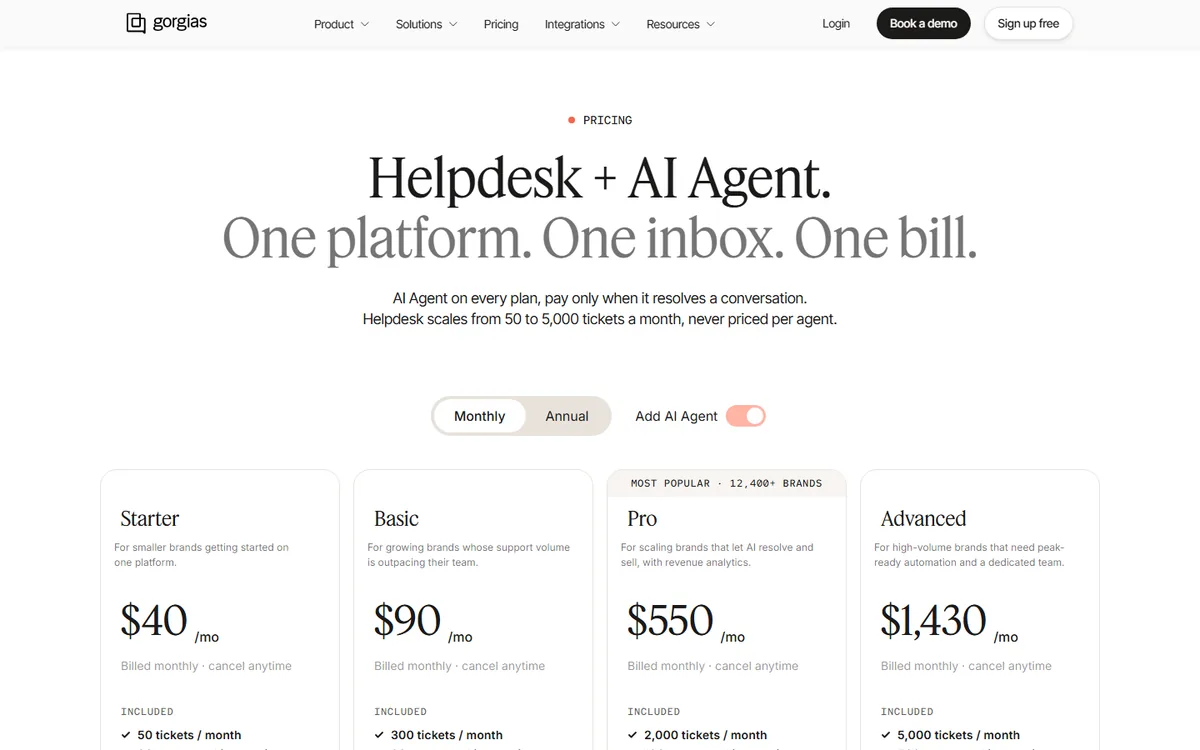
Gorgias Starter is $10 a month for 50 tickets, on monthly billing only. Basic covers 300 tickets for $50 a month billed yearly or $60 monthly. Pro covers 2,000 tickets for $300 or $360, and Advanced covers 5,000 tickets for $750 or $900. Enterprise is quoted. The AI Agent adds $0.90 per automated interaction on a yearly contract or $1.00 on a monthly one, and each interaction also counts as a ticket.
Gorgias Reviews
- G2: score of 4.6 out of 5 (from +560 customer reviews)
- Capterra: score of 4.6 out of 5 (from 135 customer reviews)
Tidio
A Low-Cost AI Chat Agent for Small Stores That Answer Questions Late at Night
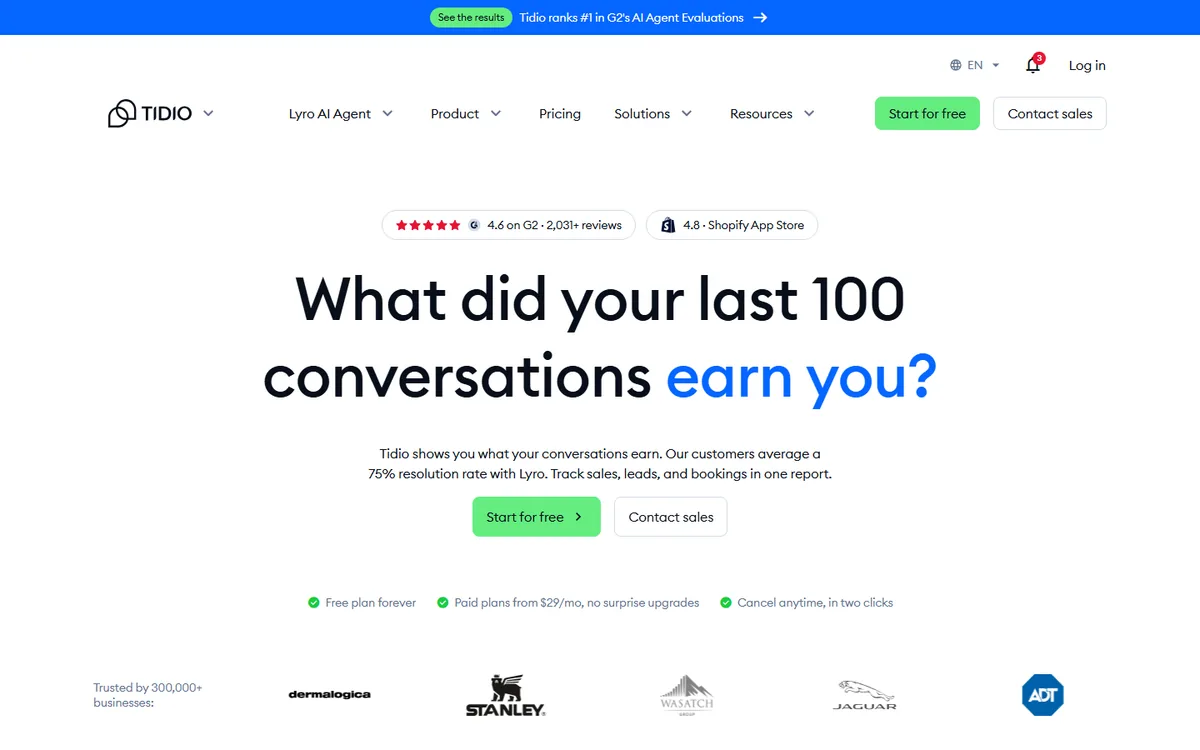
Tidio combines live chat, a shared inbox and Lyro, an AI agent that answers shopper questions from your FAQ and website content.
Small stores lose sales after hours. Someone asks about shipping to Canada at 11 p.m., nobody answers, and they buy elsewhere. Tidio’s Lyro handles exactly that kind of question. You point it at your FAQ or let it scrape your website, and it answers in chat around the clock, handing off to a person when it gets stuck. Flows let you add simple automations, like a discount for first-time visitors who hesitate on the cart page.
Lyro is only as good as the content you feed it. A client selling outdoor gear had a vague returns page, and Lyro passed that vagueness straight on to customers until I helped them rewrite the page. Fix your policies before you go live. Tidio fits stores with one or two people on support. Once you have a team working tickets all day with order edits and refunds, a helpdesk like Gorgias gives you more control.
What Tidio Does Well
- Free plan to test Lyro on real shoppers
- Setup takes an afternoon on most store builders
- Lyro can be bought on its own
What Tidio Could Do Better
- Lyro costs rise with every conversation tier
- Lighter order tools than an ecommerce helpdesk
Tidio Pricing
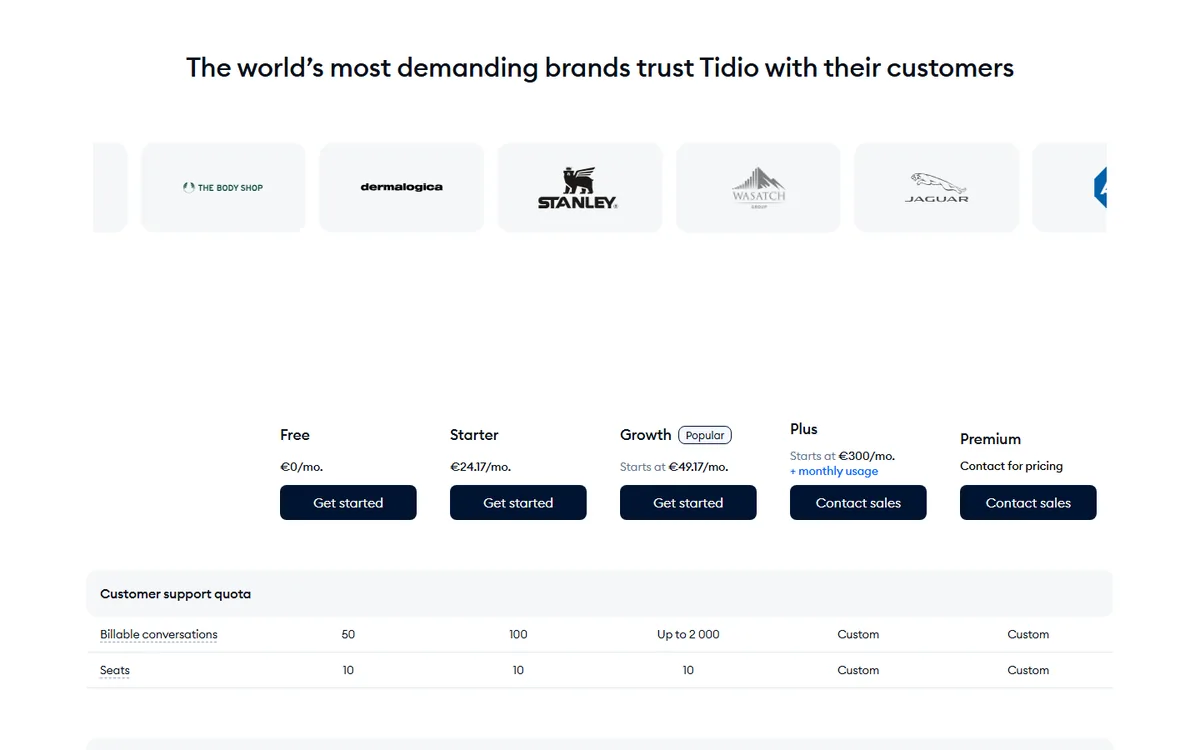
Tidio’s free plan includes 50 billable conversations, 10 seats and your first 50 Lyro conversations for life. The pricing page lists Starter at $24.17 a month and Growth from $49.17 a month, and the yearly toggle advertises two months free, so check which billing period you’re looking at. Plus starts at $300 a month plus usage, and Premium is quoted. The Lyro AI Agent starts at $32.50 a month for 50 conversations, with a 7-day trial.
Tidio Reviews
- G2: score of 4.6 out of 5 (from +1,900 customer reviews)
- Capterra: score of 4.7 out of 5 (from +580 customer reviews)
Zendesk
The Service Suite for Large Ecommerce Teams That Need AI Across Every Channel
Zendesk combines ticketing, chat, voice and a help center with AI agents that resolve requests and a Copilot that drafts replies for human agents.
Zendesk serves every kind of business, and for large ecommerce teams that breadth is part of its appeal. If you run phone support, marketplaces, wholesale accounts and a retail site, all those conversations land in one place with the same reporting. Its AI agents resolve common requests in chat and email, and the Copilot add-on suggests replies, summarizes long threads and flags the tone of a message for your human agents.
The trade-off is setup. Order data from Shopify or Adobe Commerce comes through apps and integrations, so it takes more work to give agents the same view Gorgias shows out of the box. I’d choose Zendesk when you have 20 or more agents, several brands or channels beyond your store, and someone who can own the configuration. The pricing model also needs a careful read, since AI resolutions are billed separately from agent seats.
What Zendesk Does Well
- Handles phone, chat, email and social in one suite
- Copilot helps human agents on hard tickets
- Mature reporting for large teams
What Zendesk Could Do Better
- Store data needs extra integration work
- Seats, Copilot and resolutions add up quickly
Zendesk Pricing
Suite Team costs $55 per agent a month billed yearly or $69 monthly, and Suite Professional costs $115 or $149. Suite Enterprise with Copilot is quoted. Team includes 5 automated resolutions per agent each month and Professional includes 10. Beyond that, committed resolutions cost $1.50 each and pay-as-you-go resolutions $2.00. Copilot is an add-on at $50 per agent a month, billed yearly.
Zendesk Reviews
- G2: 4.3 out of 5 star rating for Zendesk for Customer Service (from +6,900 customer reviews)
- Capterra: 4.4 out of 5 star rating for Zendesk Suite (from +4,000 customer reviews)
Shopify Sidekick
A Free AI Assistant in the Shopify Admin That Every Merchant Should Try First
Sidekick is Shopify’s AI assistant for commerce, built into the admin and included in every paid Shopify plan.
Sidekick doesn’t face your shoppers. It helps you run the store. You ask it questions in plain language, like which products sold best last month, and it pulls the answer from your own store data. It can also help you draft product descriptions, set up discounts and find the right setting buried three menus deep. For a founder who handles everything alone, that saves real time every week.
I put it last because it does the least for the shopper journey, and first in line for what you should try. It costs nothing extra on a paid plan, so there’s no reason to skip it. Check its numbers against your reports for the first few weeks, though. AI assistants can misread a question about date ranges or sales channels, and a confident wrong answer about revenue is worse than none. Use it for drafts and quick answers, and keep the final decisions with a person.
What Shopify Sidekick Does Well
- Included in every paid Shopify plan
- Answers questions from your own store data
- Speeds up product copy and admin setup
What Shopify Sidekick Could Do Better
- Only works for stores on Shopify
- Answers about numbers still need a check
Shopify Sidekick Pricing
Sidekick has no separate price. Shopify’s pricing page lists it in the Basic, Grow, Advanced and Plus plans. In the US, Basic costs $29 a month billed yearly or $39 monthly, Grow costs $79 or $105, and Advanced costs $299 or $399. Plus starts at $2,300 a month on a longer contract. New stores get a short free trial and then a low introductory price for the first months.
Shopify Sidekick Reviews
- G2: 4.4 out of 5 star rating for the Shopify platform (from +5,000 customer reviews)
- Capterra: 4.5 out of 5 star rating for the Shopify platform (from +6,600 customer reviews)
Work Out Whether an Ecommerce AI Tool Pays Off
Ecommerce tools have two kinds of return. Search and recommendation tools show up as revenue, which you can only prove with an A/B test on your own traffic. Support and admin tools show up as hours saved, which you can estimate today. Enter the weekly hours your team spends answering tickets or doing admin work, the share the tool could take over and its monthly price. Any revenue lift from better search or upsells comes on top, so treat the result as the lowest likely return.
Will It Pay for Itself?
Move the sliders to match the work you want to automate and the plan you are considering.
How to Pick the Right AI Tools for Your Online Store
The stores I work with overspend when they buy for a store they hope to become in three years. Before you book a demo, answer these four questions with your own numbers:
- Where do shoppers drop off most: search, product pages, the cart or after the order?
- Which platform runs your store, and will you still be on it in two years?
- How many products, orders and support tickets do you handle in a normal month and in peak season?
- Who will check the tool every week and act on what it shows?
If search is the leak, pick Klevu for a mid-sized catalog and Constructor once traffic and SKU counts get large. For recommendations, Rebuy is the quick win on Shopify, and Nosto fits brands on other platforms or with several storefronts. For support, Tidio suits a small team, Gorgias suits a Shopify brand with a dedicated support person or more, and Zendesk suits large teams with many channels. Whatever you choose, turn on Sidekick first if you’re on Shopify, and buy one paid tool at a time so you can see what each one changes.
Questions About Choosing AI Ecommerce Tools
Which AI Ecommerce Tool Should a New Online Store Buy First?
If you’re on Shopify, start with Sidekick, because it comes with your plan and costs nothing extra. Your first paid tool should go where shoppers get stuck. Lots of chat questions about orders and returns point to Tidio or Gorgias. A big catalog with weak search points to Klevu. Most new stores don’t have enough traffic yet for personalization to make a real difference.
Do AI Search Tools Work with Small Catalogs?
They work, but the gain is smaller. If you sell 80 products, shoppers can browse most of them in a few clicks, and good navigation does most of the job. Once you pass a few thousand SKUs or sell items with many variants, typo handling, synonyms and AI ranking start to matter. Below that point, I’d fix your product titles and filters first.
How Long Does It Take to Set Up AI Product Recommendations?
On Shopify, a Rebuy widget can go live the same day you install it. Nosto and Constructor take longer, because they need your catalog feed, tracking events and some time to learn shopper behavior before the results settle. In my client work, the slow part is rarely the install. It’s agreeing on which products the store wants to push and where.
Can an AI Support Agent Issue Refunds on Its Own?
Some can, within limits you set. Gorgias and Zendesk let AI agents take actions in connected systems, and Tidio Lyro can run Actions once you configure them. I recommend you start with read-only answers like order status and return policies, then allow small refunds or address changes once you’ve reviewed a few hundred AI conversations.
Are AI Ecommerce Tools Worth It for Stores Under $1 Million in Revenue?
A few are. Sidekick is included, Tidio has a free plan, and Rebuy and Gorgias start at low monthly prices tied to your volume. Enterprise discovery platforms like Constructor and Nosto price on traffic and sales, so they usually make sense later. Run the calculator above with your own hours before you sign anything yearly.
Will an AI Chatbot Hurt My Customer Experience?
It can, if it guesses. The bad experiences I see come from bots that answer outside their knowledge or hide the way to a person. Feed the agent your real policies, keep the handoff to a human one click away, and read a sample of conversations every week for the first month. Shoppers forgive a bot that says it doesn’t know.
Can I Run Several of These Tools on One Store?
Yes, and most growing stores do: one tool for search, one for recommendations and one for support. The risk is overlap. Klevu, Nosto and Constructor all offer recommendations as well as search, so check what your search vendor already covers before you add Rebuy. Two tools fighting over the same product slot make testing impossible.
Disclaimer: Prices, plans and ratings change often, and several discovery vendors only share prices on request. Everything here was checked when this article was last updated, and Shopify prices are the US list prices, so confirm details with each vendor before you buy. This is not legal or financial advice.
Did you find this helpful?
Thank you for your feedback.
Marlena leads the WiseCrow editorial team and works with our consultants to turn real client projects into practical guides on AI strategy, automation and governance. Before joining WiseCrow, she spent 12 years in B2B operations and SaaS content. She has since edited more than 400 articles on AI and automation and reviewed workflows from over 60 client projects. She is based in Austin, Texas.