Summary
- The two use cases with the fastest payback sit after the purchase: support replies and personalized email and SMS.
- Site search and product data fixes come next, because they repair leaks shoppers hit on every visit.
- Recommendations, fraud screening, returns and review summaries pay well once you have the order volume to feed them.
- Forecasting, dynamic pricing, ad creative and visual search can pay big, but only for the stores they fit.
Most online stores I meet pay for AI features they barely use and still answer “where’s my order” by hand. When a brand brings me in for ecommerce AI consulting, the first deliverable is a ranked list, built from the store’s own tickets, search logs and returns data.
Below is the general version of that list: twelve use cases, ranked by the return I usually see, from the search bar to the support inbox. Each one shows how it runs, which store it suits and the software behind it.
All 12 Use Cases Ranked at a Glance
Effort covers setup, data work and the time your team spends checking output. Payback is the range I see in my client work from launch to the point the gain covers the cost. Store fit tells you who gets the most out of each one.
| Use case | Effort | Payback I see | Fits best |
|---|---|---|---|
| 1. Order Status and Support Assistant | Low | 1 to 3 months | Any size |
| 2. Email and SMS Personalization | Low | 2 to 4 months | 500+ buyers |
| 3. AI Site Search | Medium | 2 to 4 months | 500+ SKUs |
| 4. Product Descriptions and Feed Enrichment | Low | 1 to 3 months | Frequent new SKUs |
| 5. Product Recommendations | Medium | 3 to 6 months | Mid-size and up |
| 6. Fraud Screening at Checkout | Low | 2 to 4 months | Resellable goods |
| 7. Returns Prediction and Reduction | Medium | 3 to 6 months | Apparel, footwear |
| 8. Review Summarization | Low | 2 to 4 months | Review-heavy catalogs |
| 9. Demand Forecasting | Medium | 4 to 8 months | Mid-size and up |
| 10. Dynamic Pricing and Promo Optimization | High | 4 to 8 months | Large catalogs |
| 11. Ad Creative and Catalog Ads | Low | 2 to 6 months | Big ad budgets |
| 12. Visual Search | High | 6 to 12 months | Fashion, home decor |
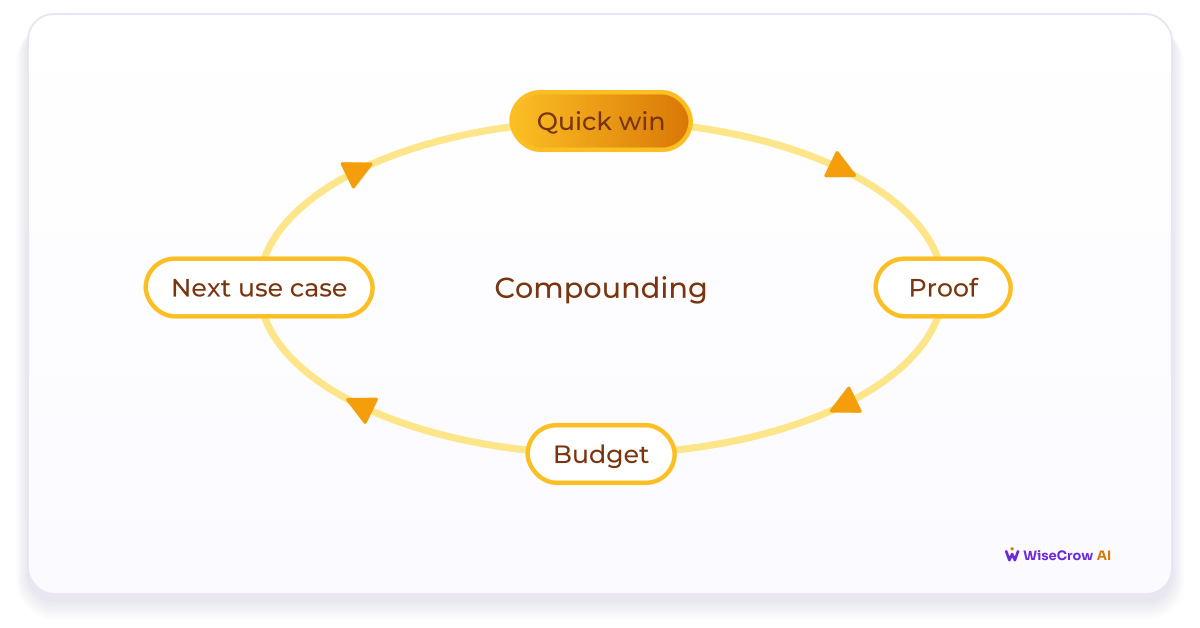
Low effort and fast payback cluster at the top. A quick, measurable win gives you proof and budget for the next one. The bottom rows can still win big, but only in the right store.
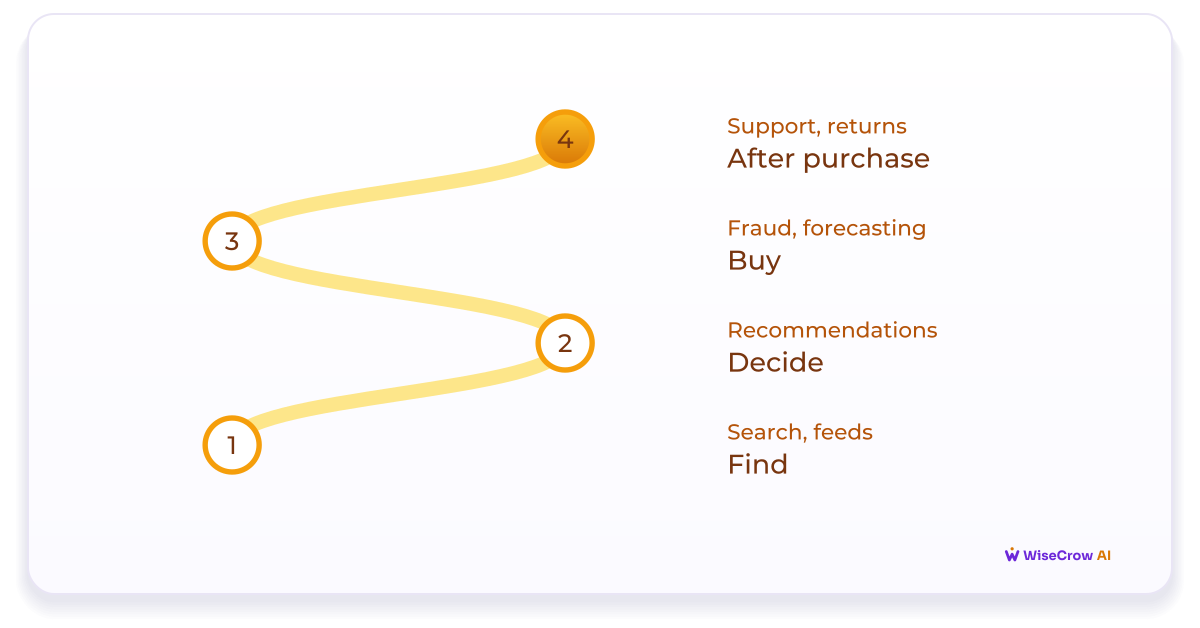
Where Each Use Case Sits From Search to Support
Find is how shoppers reach a product: site search (3), product data and feeds (4), ad creative (11) and visual search (12). Decide is the product page and cart, where recommendations (5), review summaries (8) and pricing (10) do their work. Buy covers checkout and what stands behind it, with fraud screening (6) at the till and forecasting (9) making sure the item is there to sell. After purchase holds support (1), email and SMS (2) and returns (7).
The after-purchase stage takes the top two spots. Those customers already trust you, their questions repeat and your data on them is complete. The find stage holds the most use cases, but its gains ride on traffic you often pay for.
Tier One: Fast Payback for Most Stores
The first four pay back within months on almost any store. Each one takes hours off your team or fixes a leak shoppers hit daily, and none needs a data science team.
Order Status and Support Assistant
Questions about where an order is, when it ships and how to send it back fill a big share of most stores’ inboxes. An AI assistant connected to your store and carrier data answers them in chat and email at any hour and passes anything unusual to your team with the thread attached. It tops the list because you already pay staff for those replies, so the return shows up in the first month’s ticket report.
In my client work, stores that tag their tickets for two weeks before launch get the cleanest result. The tags show which questions repeat and which need a person’s judgment. Give the assistant the repeat ones only. A refund dispute handled by a bot that guesses costs more goodwill than a slow human reply.
Getting an Order Question Answered Without a Person
- Tag two weeks of tickets by topic.
- Connect the assistant to orders, fulfillment status and carrier tracking.
- Load your shipping and returns policies as the only source for policy answers.
- Route damage claims, chargebacks and upset customers to a person.
- Read a sample of answered chats every week.
Help Desks with Assistants Built In
Gorgias and Zendesk include AI agents that read Shopify order data, and Tidio covers smaller stores for less. I compare their plans in my ranking of the best AI ecommerce tools.
Email and SMS Personalization
Your email and SMS list is the one channel where you don’t pay for every visit, so small gains compound. AI picks the products in each message, predicts when a customer is due to reorder and sends at the hour each person tends to open. A reminder timed to a predicted reorder date usually beats a fixed 30-day one, because people run out of coffee and face cream at different speeds.
The limit is history. Klaviyo only shows predicted lifetime value once an account has at least 500 customers with orders and 180 days of order history, plus some repeat buyers with three or more orders. Below that, keep segments simple. And hold back a small control group, since email platforms count revenue that partly would have come in anyway.
Turning Purchase History into the Next Message
- Check that orders, refunds and products sync cleanly into your email platform.
- Turn on predicted fields such as next order date once you qualify.
- Swap static product blocks for picks based on each person’s purchases.
- Keep 5 to 10% of each flow as a holdout and compare revenue per recipient.
Platforms That Predict the Next Order
Klaviyo, Omnisend and Attentive offer predictive segments or send-time features on some plans. Stay with the one that holds your flows, since a switch resets the history the predictions need.
AI Site Search
Shoppers who type into your search bar have told you what they want, which makes them your warmest traffic. Default platform search often matches exact words, so “sneakers” finds nothing when the catalog says “trainers.” AI search understands synonyms, typos and plain requests such as “waterproof hiking jacket under $200,” and it ranks results by what actually sells.
I start every search project with the zero-results report. On one home goods catalog I reviewed, about one search in nine came back empty, mostly for products the store did stock. Search sits third because its payoff depends on how many visitors use it, and on a small catalog a clear menu does most of the job.
Fixing Search from the Empty Results Up
- Export three months of queries and sort them by volume and zero-result rate.
- Map the common misses to real products with synonyms.
- Turn on semantic matching, then test your top 100 queries by hand.
- Let ranking learn from clicks and sales, with rules for promoted items.
- Track search conversion weekly.
Search Engines That Plug into Your Store
Klevu, Algolia and Constructor are the common picks, with Shopify’s own search apps as the free start. Trial any of them on your real query log, because every engine looks smart on a demo catalog.
Product Descriptions and Feed Enrichment
Product pages, filters and shopping feeds all run on product data, and most catalogs I audit have gaps: missing colors, vague titles, supplier copy pasted as is. AI reads the spec sheet and photos, fills attributes such as material and fit, and drafts titles and descriptions for your site, Google Shopping and marketplaces. Cleaner attributes sharpen filters and search too.
Shopify builds description drafting into the admin through Sidekick’s text generation, so the writing costs little now. The real work is the rules: which facts come from your data and who signs off. Teams that run upload, tagging and publishing as one flow usually fold it into wider AI ecommerce automation work.
From Supplier File to Live Listing
- Pick one category and list the attributes each channel requires.
- Give the model the supplier file, photos and your style notes.
- Generate attributes first, then copy written around them.
- Hold sizes, materials and safety claims for a person to confirm.
- Push approved records live and watch feed disapprovals.
Where the Drafting Gets Done
Store platforms, PIM systems and feed managers now ship with AI writing, and a language model through an API handles big batches cheaply. Keep your product data as the source of truth, so a model never fills in a fact it can’t see.
Tier Two: Strong Returns Once Traffic Builds
The middle four need volume: enough orders to learn from, enough reviews to summarize, enough chargebacks or returns to hurt. Below that, a simpler fix often does the job.
Product Recommendations
Recommendation blocks on product pages, in the cart and on the homepage decide what a shopper sees after the first click. AI picks items from browsing, purchases and the catalog itself, so someone viewing a linen shirt sees matching trousers and a returning visitor gets a homepage shaped by past orders. The return arrives as bigger baskets.
Placement matters more than the algorithm. In my client work, one “complete the look” block in the cart often beats three clever widgets nobody scrolls to. With a few hundred orders a month the model has little to learn from, and a hand-picked list on your top 50 products can do as well for less.
Setting Up Blocks That Earn Their Space
- Start with two placements, usually product page and cart.
- Feed the engine your catalog, stock and order history.
- Hide sold-out, low-margin and just-bought items.
- A/B test against your current blocks for two full weeks.
Engines That Decide What Shows Next
Nosto and Rebuy are popular on Shopify, and bigger catalogs often move to Dynamic Yield. Ask each vendor how it treats new products with no sales yet, because that cold start is where weak engines struggle.
Fraud Screening at Checkout
Every chargeback costs you the product, the shipping, the payment and a fee on top. AI fraud tools score each order from device, location, card and behavior signals that no single rule can weigh together, and they let most good orders through with no delay. The hidden cost sits on the other side: good customers declined or held until they cancel.
Most stores already have a basic model through their payment provider, so tune that first. Stripe Radar’s standard tier, for instance, sorts payments into risk levels, while custom rules, numeric risk scores and manual review sit in the paid tier. Sellers of electronics, gift cards and sneakers gain most from a dedicated tool.
Tuning the Checkout Risk Check
- Pull a year of chargebacks with product, amount and payment method.
- Check what your payment provider already scores and blocks.
- Set thresholds for approval, review and decline.
- Sample declined orders monthly to catch good customers turned away.
- Upgrade if chargebacks stay high or reviews eat hours.
Fraud Tools by Store Size
Stripe Radar and Shopify’s fraud analysis cover most small stores at little or no extra cost. Signifyd, Riskified and similar services suit higher-risk categories and usually price by order value.
Returns Prediction and Reduction
Returns hit online margins twice: once in shipping and handling, and again when the item comes back unsellable. Before the sale, AI flags products and sizes with unusual return rates and suggests a size based on what similar shoppers kept. After the sale, it groups return comments, so “runs small” on one style shows up as a pattern within days.
The fastest win I see is plain: fix the product page. When a dress keeps coming back with “color looks different,” the photo needs replacing, and no model can do that for you. Fashion and footwear stores gain most here, and a store selling candles may not need it at all.
Finding Out Why Products Come Back
- Export six months of return reasons and comments.
- Let AI group the comments by product and size.
- Fix the top three offenders with new photos or size notes.
- Compare return rates before and after each fix.
Where Returns Data Turns into Fixes
Loop and AfterShip Returns collect reasons and push exchanges, while True Fit and Kiwi Sizing handle size advice. A language model can group comments from a spreadsheet export if you want to test the idea first.
Review Summarization
Shoppers read reviews before they buy, and few read more than a handful. AI condenses hundreds into a short note on what people like and dislike, with tags such as “true to size” that open the reviews behind them. Amazon shows AI-generated review highlights built from verified-purchase reviews, so many shoppers know the format.
It ranks eighth because the lift is real but hard to isolate, and it needs volume. The side benefit is internal: the same themes tell your product team what to change. Keep negative themes visible, because a summary that hides complaints looks fake.
Building a Summary Shoppers Trust
- Pick products with 30 or more reviews.
- Summarize and tag from verified reviews only.
- Show how many reviews sit behind each theme.
- Send recurring complaints to the product owner.
Review Apps That Write Summaries
Yotpo, Okendo and Judge.me are adding AI summaries and theme tags, so check your current plan first. If yours lacks them, a scheduled language model job can write summaries to a product metafield.
Tier Three: Big Wins for the Right Store
The last four can pay very well for one kind of store and barely at all for another. Read them with your category, catalog size and ad budget in mind.
Demand Forecasting
Best sellers that sell out and slow stock that ties up cash are the two inventory mistakes every online store makes. AI forecasting predicts demand per SKU from sales history, seasons, promotions and traffic, then suggests what to reorder and when. Online, a stockout costs more than the lost units, because ads stop serving and the product slips in search.
It ranks ninth because payback takes a few seasons and leans on supplier lead times. Brands buying from overseas factories gain the most, and a store that restocks locally every week gets far less. Expect your buyer to overrule the forecast for launches at first, and keep score of who was right.
From Sales History to a Purchase Order
- Mark the days each SKU was sold out.
- Add promotions, launches and supplier lead times.
- Generate weekly reorder suggestions per SKU.
- Have your buyer approve or adjust each one.
- Compare forecast with actual sales monthly.
Planning Apps for Online Sellers
Prediko and Inventory Planner by Sage connect to Shopify and other platforms. Brands with several warehouses or a wholesale channel usually need an ERP planning module.
Dynamic Pricing and Promo Optimization
Pricing AI watches competitor prices, demand, stock and margin, suggests price changes per product and shows which promotions made money. For many stores the promo side pays first. Learning that a sitewide 20% off gave away margin on items that would have sold anyway is worth more than daily repricing.
It sits tenth because it carries real risk. Customers notice prices that jump, and rules on personalized pricing differ by market, so check them where you sell. I keep it to rules a person can explain: a floor and ceiling per product, a cap on weekly changes and no pricing by individual shopper.
Testing Price Changes Without Spooking Customers
- Check which past discounts lifted profit and which only lifted revenue.
- Set floors, ceilings and change limits per product.
- Pilot on one category next to a control category.
- Have a person approve large changes.
Repricing and Promo Software
Repricers such as Prisync cover competitor-based pricing, while larger retailers use suites from vendors like Competera. Ask how each tool explains a suggested price, since a number nobody can justify won’t survive the first angry email.
Ad Creative and Catalog Ads
Ad platforms already run bidding and targeting with their own models, so your AI work sits in what you feed them. Catalog ads on Meta and Google Shopping pull from your product feed, and generative tools create backgrounds, variants and copy for each product. More variants give the platform more to test.
It ranks eleventh because the platforms keep much of the gain, and fresh creative rarely rescues a weak offer. Smaller stores often get more from the feed work in use case 4. Check every AI-made image, since a generated background can shift a product’s color and lead straight to a return.
Feeding the Ad Platforms Better Material
- Clean your feed titles and attributes first.
- Generate a few variants per hero product.
- Approve every image for color, scale and claims.
- Pause losers weekly and refresh monthly.
Creative Tools in and Around the Ad Managers
Meta Advantage+ and Google Performance Max include generative creative features. Canva and Pebblely produce product backgrounds and variants for any channel.
Visual Search
Visual search lets a shopper upload a photo or tap a product image to find similar items. It suits categories where people shop by look and struggle to describe what they want, such as fashion and furniture. The same models power “shop similar” blocks, which help when an item is sold out in the shopper’s size.
It comes last because few shoppers use photo upload, and it needs clean, consistent product images. In my experience, the “shop similar” block beats the camera button, since every product-page visitor sees it. Start there and add photo search once your audience asks for it.
Trying Out Image-Based Discovery
- Check that product photos share angles and backgrounds.
- Turn on a similar-items block first.
- Measure its clicks and sales against a control.
- Add photo upload on mobile if the block performs.
Options for Searching by Image
Some site search vendors include visual search, and Syte focuses on it for fashion and home. Google Lens already sends shoppers to products from photos, so clean images and structured product data help there too.
Check One Use Case Against Its Monthly Bill
The top of the list mostly pays back in staff hours, which makes it easy to test. Take one use case, such as support replies or product copy, and enter the weekly hours it takes, the share a tool could handle and the plan price you’re looking at. For support, I’d keep the share near 40 to 60% at first, since a person still handles the hard tickets.
Will It Pay for Itself?
Move the sliders to match the work you want to automate and the plan you are considering.
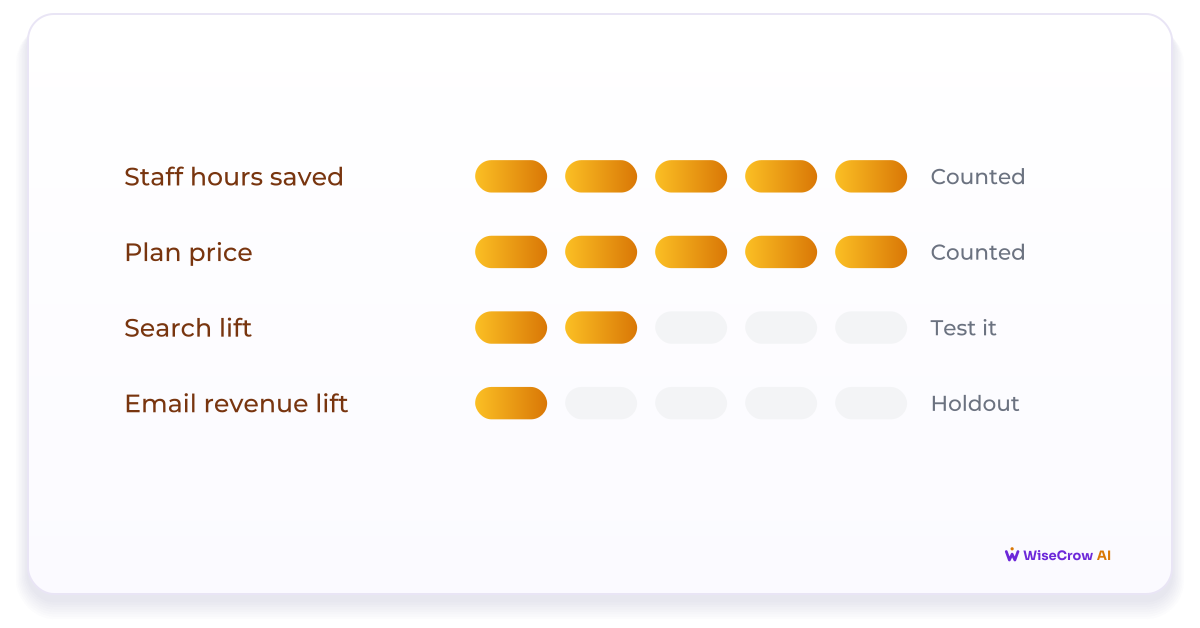
The result counts time only. Extra revenue from search, recommendations or email comes on top, and it needs its own A/B test or holdout group before you credit it to the tool.
How to Choose Your Store’s First AI Use Case
Start with the leak you can already measure. Pull five numbers from the last quarter: support tickets per 100 orders, zero-result searches, cart-to-order rate, return rate and chargeback rate. The one furthest from your target points to the use case to try first, and it gives you the baseline to prove the result.
Then check the fit column. A brand doing a few hundred orders a month should stay in tier one until those use cases run smoothly. A store with tens of thousands of SKUs and heavy ad spend can move into tiers two and three much sooner.
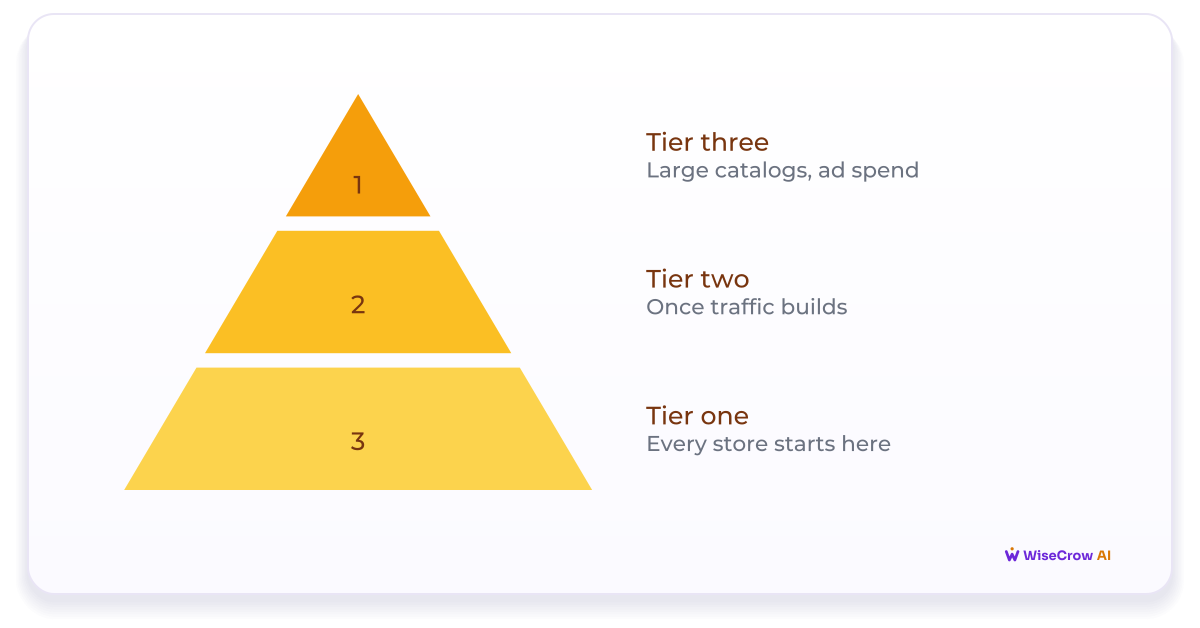
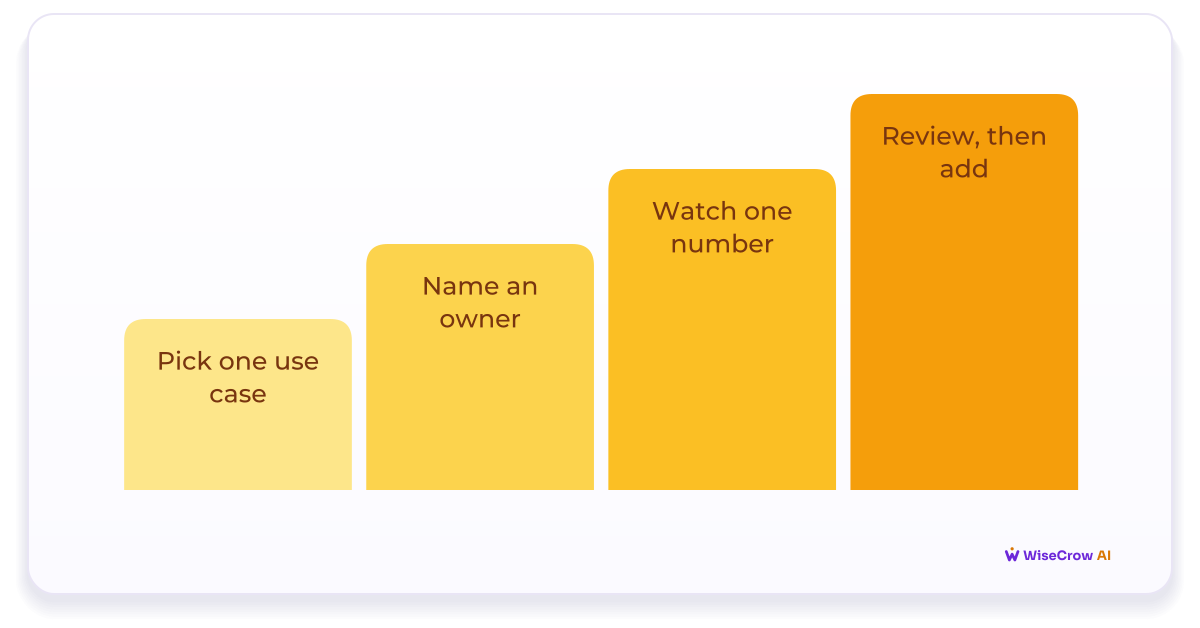
Last, launch one at a time. I give each use case 60 to 90 days with a named owner and one number to watch. Stores that switch on four apps in the same month can’t tell which one moved conversion, and they often cancel the wrong one.
Questions About AI in Ecommerce Use Cases
What Is the Best AI Use Case for a Small Online Store?
Usually an order status assistant or AI-drafted product content. Both run on data you already have, cost little and save hours from the first month. Recommendations, forecasting and pricing need more orders before they pay back.
How Do I Measure the ROI of an Ecommerce AI Use Case?
Pick one number before launch, such as tickets closed without a person, search conversion or return rate, and record it for a few weeks. After launch, compare against a control group where you can. Subtract the tool cost and the hours spent reviewing AI output.
Do I Need a Lot of Data to Use AI in Ecommerce?
It depends on the use case. Support assistants and product copy work from day one. Predictive email, recommendations and forecasting need months of order history, and some platforms set minimums before predictions switch on.
Will AI Replace My Customer Service Team?
It takes over repeat questions about order status, shipping and returns. Your team keeps the conversations that need judgment, such as damaged goods and refund disputes, and in my client work those decide if a customer comes back.
Is Dynamic Pricing Legal for Online Stores?
Changing prices based on demand, stock or competitors is common. Pricing by individual shopper and some discount and reference-price practices are restricted in certain markets, and the rules change. Check the current consumer protection rules in each market you sell to.
Can AI-Written Product Descriptions Hurt My SEO?
Thin, generic or wrong copy can hurt you, whoever writes it. Descriptions grounded in real product data and checked for accuracy are fine. Avoid pushing near-identical text across hundreds of similar products.
How Long Does an Ecommerce AI Project Take to Launch?
A support assistant, product copy or review summaries can go live within weeks. Search, recommendations and fraud tuning take one to three months with testing. Forecasting and pricing need a season or two of results before you trust them.
Sources
- Klaviyo Help Center, Understanding Klaviyo’s predictive analytics: help.klaviyo.com
- Shopify Help Center, AI-powered tools (Sidekick text generation): help.shopify.com
- Amazon, Amazon improves the customer reviews experience with AI: aboutamazon.com
- Stripe, Radar pricing and plan comparison: stripe.com
Disclaimer: This article is for general information only. Effort and payback ranges reflect typical projects, and tool features, plans and prices change often, so check the vendor’s current terms and the consumer and data protection rules where you sell.
Did you find this helpful?
Thank you for your feedback.
Marlena leads the WiseCrow editorial team and works with our consultants to turn real client projects into practical guides on AI strategy, automation and governance. Before joining WiseCrow, she spent 12 years in B2B operations and SaaS content. She has since edited more than 400 articles on AI and automation and reviewed workflows from over 60 client projects. She is based in Austin, Texas.