Summary
- Close the enabling gaps first: one sponsor, one budget line and a short AI use policy.
- Train by role. Users, reviewers, data owners and a technical lead each need something different.
- Fix data for one use case at a time: owner, quality, access and plain definitions.
- Give every gap a first action, an owner and a 90-day target you can check with yes or no.
Most readiness assessments I see end the same way. The team gets a long list of gaps, nods at it in a meeting and then nothing moves for a quarter. The list was fine. Nobody turned it into a plan. Closing gaps is the half of AI readiness consulting that gets the least attention, and it’s where the money is either well spent or wasted.
Below you’ll find the seven moves I use to close skills and data gaps in about 90 days, a skills matrix by role and a gap-to-action template to copy into your own planning doc.
Seven Moves From Gap List to Action Plan
The moves fall into three tracks. Enabling moves give the work an owner and money. Skills and data moves then run side by side, since they involve different people.
| Move | Track | What you have after |
|---|---|---|
| 1. Rank the Gaps You Found | Enabling | Top five gaps, ranked |
| 2. Lock In a Sponsor and Budget | Enabling | Named owner, approved funds |
| 3. Build Learning Paths by Role | Skills | Skills matrix with dates |
| 4. Decide to Hire, Train or Partner | Skills | Route per missing skill |
| 5. Assign Data Owners and Fix Quality | Data | Owner and fix list |
| 6. Open Access and Write It Down | Data | Access map, data dictionary |
| 7. Set Light Rules and Review at Day 90 | Enabling | Policy and rescored gaps |
Groundwork: Ranking Gaps and Getting Backing
Skip these two moves and the rest of the plan runs on goodwill. Goodwill lasts about three weeks.
Move 1: Rank the Gaps You Found
Start from the result of your assessment. If you haven’t scored your company yet, my 12-point readiness checklist takes an afternoon and gives you a usable list. Either way, you’ll probably end up with more gaps than you can close in one quarter.
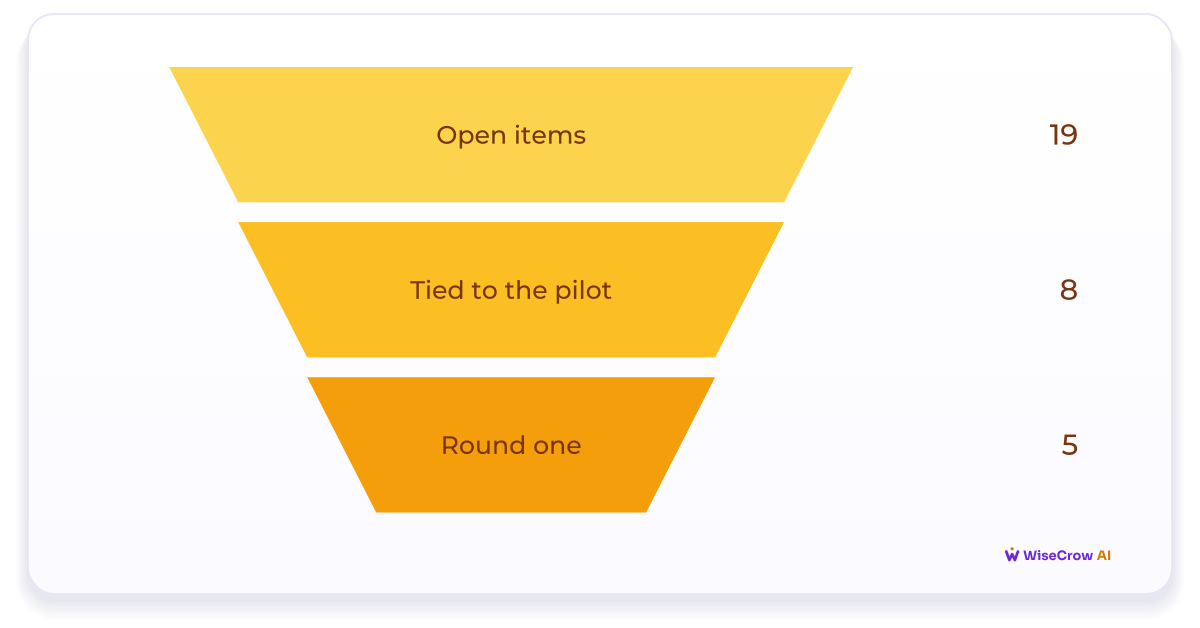
Cut the list to five. For each gap, ask one question: does it block the first use case you care about most? Gaps that block it go to the top. Gaps that only matter for a company-wide rollout wait for the next round. A retail client of mine had 19 open items after their assessment. Eleven had nothing to do with the customer service pilot they wanted to run, and dropping them made the plan feel doable for the first time.
Move 2: Lock In a Sponsor and Budget
Every gap on your list needs someone with the authority to make people spend time on it. That person is your sponsor. It should be one executive, with AI readiness in their goals for the year and the power to approve spend without another committee round.
Ask the sponsor for a budget line before any training starts. It doesn’t need to be large. It needs to exist, so data owners can book time on fixes and managers can send people to sessions without fighting for every hour. When I build the budget with a sponsor, I split it into three parts: people’s time, outside help and the first pilot’s tools. Time is the part most plans forget, and it’s usually the biggest.
Closing the Skills Gap Role by Role
Generic “AI for everyone” training feels productive and changes little. People sit through a webinar, try a chatbot twice and go back to their old habits. The fix is a learning path per role, tied to the work that role will do with AI.
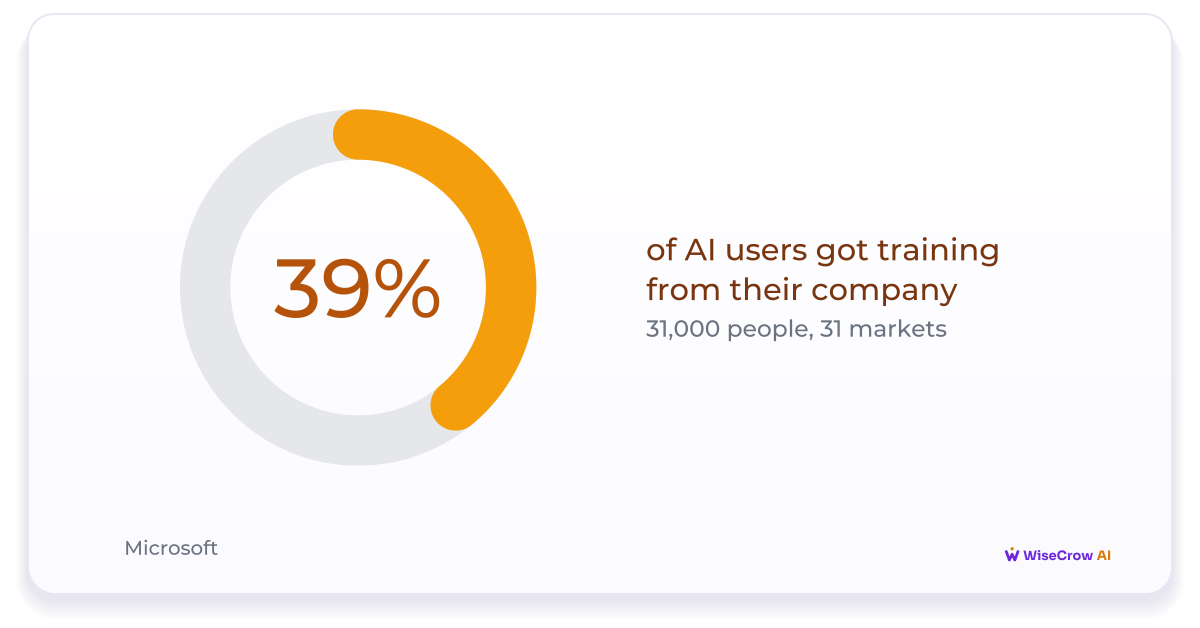
The gap is real and wide. In Microsoft’s 2024 Work Trend Index, a survey of 31,000 people in 31 markets, only 39% of AI users said their company had given them AI training. The same report found that 66% of leaders wouldn’t hire someone without AI skills. Those two numbers don’t fit together, and your learning paths are how you close the distance.
Move 3: Build Learning Paths by Role
Use the matrix below as a starting point. The hours are my starting estimates for a first round, and they shift with how much your people already use AI. Fill in names next to each role, then a date by which each person finishes their path.
| Role | Must be able to | Learning path | Hours |
|---|---|---|---|
| Executive sponsor | Judge a business case | Briefing plus live demo | About 4 |
| Team managers | Redesign team workflows | Workshop plus use-case clinic | About 8 |
| Everyday users | Use approved tools safely | Hands-on sessions, real tasks | 6 to 10 |
| Expert reviewers | Catch wrong AI output | Review drills on samples | About 6 |
| Data owners | Define and approve data | Stewardship basics | About 8 |
| Technical lead | Test vendors and APIs | Course plus small prototype | 30 or more |
Skills matrix for a first 90-day round. Add or merge roles to match your team.
Two rows deserve extra care. Expert reviewers are the people who know when an AI answer is wrong, such as a senior claims handler or a staff accountant. They need practice spotting errors in their own field, so build their drills from real outputs of the tool you plan to use. Data owners are often line managers who never thought of themselves as data people. A short session on what “owning” a dataset means saves weeks of confusion later.
Teach with real tasks from the pilot team’s week. A support agent who drafts five real replies with an approved tool learns more in an hour than in a full day of slides. I also ask each manager to name one champion per team, someone curious who answers the small questions so they don’t pile up with IT.
Move 4: Decide to Hire, Train or Partner
Some skills can’t be trained in 90 days. The technical lead role is the usual one. You need somebody who can read API docs, run a fair test of two vendors and spot when a demo hides a weak spot. Pick a route for each skill you can’t grow in time.
| Route | Fits when | Watch for |
|---|---|---|
| Train | Domain knowledge matters most | Courses without real tasks fade |
| Hire | Ongoing, deep technical work | Slow search, single-person risk |
| Partner | Speed or one-off expertise | Knowledge leaves with them |
My default for a first round is to train the domain skills and borrow the technical ones. Your people know your customers and processes. No hire will match that in a quarter. Deep technical skills are the reverse: slow to build and often needed only in bursts.
If you partner, write the handover into the contract from day one. Ask for documentation, shared sessions with your future technical lead and access to everything that gets built. I’ve seen companies end a partner contract and discover nobody inside could change a single prompt. Hire when the work turns into a steady stream and sits at the center of how you make money.
Closing the Data Gap One Use Case at a Time
Data gaps are where readiness plans tend to bloat. Someone suggests a company-wide cleanup, a project plan grows to eighteen months and the first pilot waits behind it. Keep the scope to the data your first use case needs and nothing more.
You’re in good company if your data isn’t ready. Gartner reported that 63% of organizations either lack or aren’t sure they have the right data management practices for AI. The two data moves below cover the practices that matter most for a first pilot.
Move 5: Assign Data Owners and Fix Quality
List the three to five datasets your use case depends on. Give each one a business owner, meaning the person who would notice first if the numbers were wrong. IT keeps the systems running. The business owner decides what correct means.
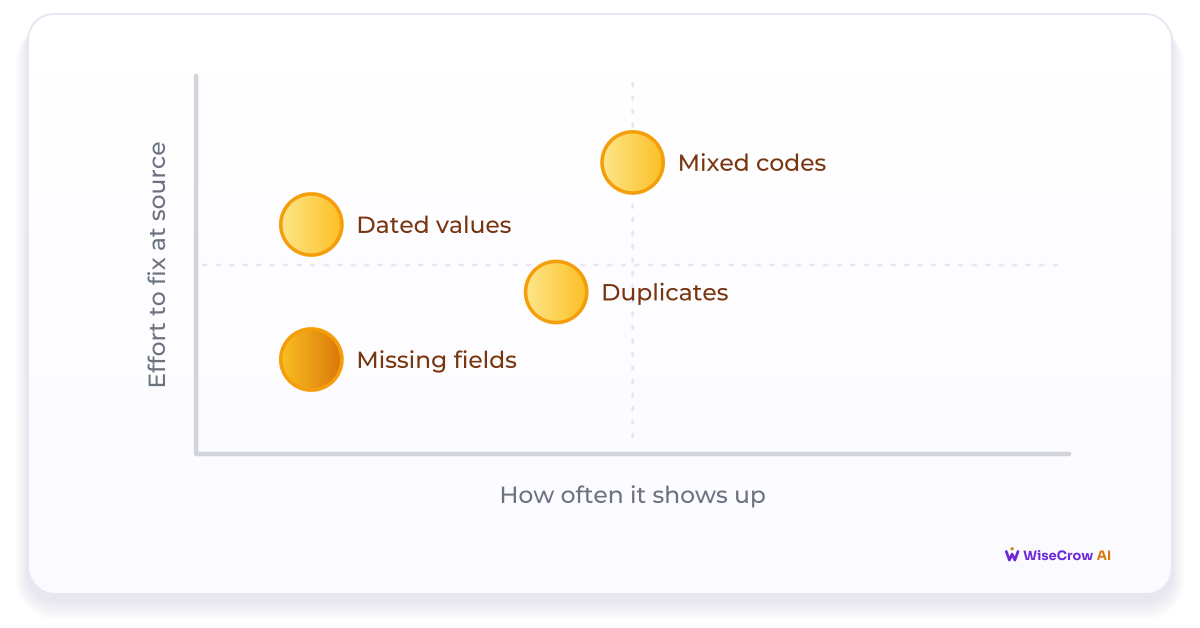
Then ask each owner to pull a sample of about 100 records and mark every problem they find: missing fields, duplicates, outdated values, codes that mean different things in different teams. Fix the three most common problems at the source, in the system where they start. Cleaning an export is quicker today and has to be redone every month. A distribution client of mine found that one free-text field caused most of their product data errors. Turning it into a dropdown fixed more than a month of manual cleanup would have.
Move 6: Open Access and Write It Down
Clean data still needs a way in. Map how the pilot will reach each dataset: an API, a connector, a database view or a scheduled export. Ask IT to run a test connection early, since access requests, security reviews and paid add-ons tend to surface late and slow everything down.
Write down what the data means while you’re at it. A simple data dictionary covers each key field, its definition, its owner and any known quirks. A spreadsheet is fine. When a finance client tried to explain “active customer” to their AI vendor, three departments gave three answers. The dictionary settled it in one meeting, and the same document later saved their second pilot a week of questions.
Keep access tight from the start. Give the pilot only the fields it needs and log who approved each one. Opening up later is easier than taking access away.
Keeping Gaps Closed After the First Round
Move 7: Set Light Rules and Review at Day 90
Governance for a first round can fit on one page. It says which AI tools staff may use, which data types never go into them, who reviews output before it reaches a customer and who approves a new tool. Publish it before training starts, so every session can point to it. For regulated work, check which rules apply to your use case and their current status with your compliance team.
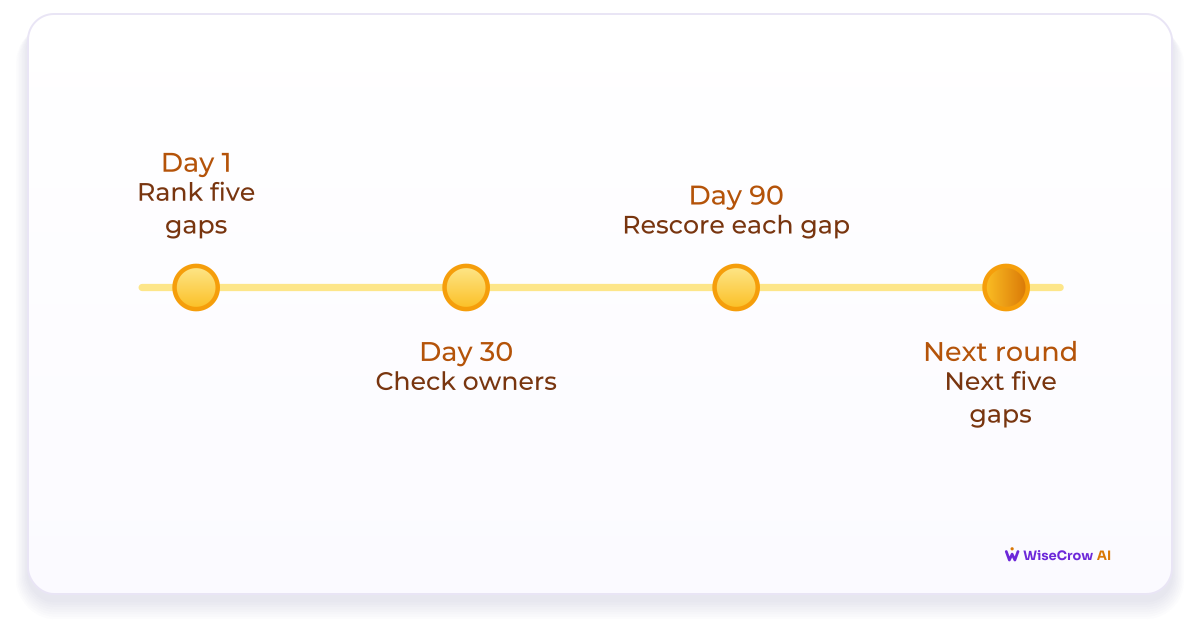
Hold two check-ins with the sponsor. At day 30, look at owners and blockers only. At day 90, rescore every gap on your list with yes or no against its target. Gaps that closed come off the list, gaps that didn’t get a new first action, and the next five move up. Once you’ve run two or three rounds, a fuller readiness framework with maturity levels helps you track progress across the whole company.
Steal It: The Gap-to-Action Template
Here is the template I start every client plan from. Copy it, delete what doesn’t apply and add your own gaps. Keep each target short enough to check with a yes or no.
| Gap | First action | Owner | 90-day target |
|---|---|---|---|
| No executive owner | Name one sponsor | CEO | Sponsor chairs reviews |
| No AI budget line | Ring-fence pilot funds | Sponsor | Budget approved |
| Users untrained | Run hands-on sessions | Team managers | Pilot team trained |
| No technical depth | Pick hire, train or partner | Sponsor and IT | Technical lead active |
| Datasets without owners | Assign business owners | Sponsor | Owner per dataset |
| Poor data quality | Sample 100 records | Data owner | Top three errors fixed |
| Data hard to reach | Map access paths | IT lead | Test connection live |
| Undefined fields | Start a data dictionary | Data owner | Key fields defined |
| No AI use rules | Draft a one-page policy | Sponsor and legal | Policy shared with staff |
Gap-to-action template. One owner per row, one first action and a target you can verify on day 90.
A few notes from using it. First actions should be things someone can start this week, such as “book three sessions” or “send the sample request.” Owners must be people, never teams, because a team can’t be asked why something slipped. If one person owns more than three rows, spread the load or expect delays.
The template sits well next to a scored audit. If you want a weighted number to report how the gaps are shrinking, my AI readiness audit scoring turns each round into a maturity score your board can follow.
Put a Number on the Cost of a Gap
Data gaps often hide as manual work: someone fixing records, chasing missing fields or copying data between systems. Enter how long that work takes and how often it happens. The yearly result is a fair number to show your sponsor when you ask for the budget in Move 2.
How Much Time Could You Save?
Move the sliders to match one repetitive task in your business.
How to Choose Which Gaps to Close First
When everything looks urgent, sort your gaps with these questions, in this order:
- Does the gap block your first use case from going live?
- Can one named person start on it this week?
- Will closing it make two or more other gaps easier?
- Can you check the result with a yes or no in 90 days?
A sponsor and a budget almost always pass all four, which is why they come first. After that, data for the first use case usually beats broad training, since people learn faster with a working use case to practice on. Skills for the technical lead role come next, because a weak vendor choice is expensive to undo.
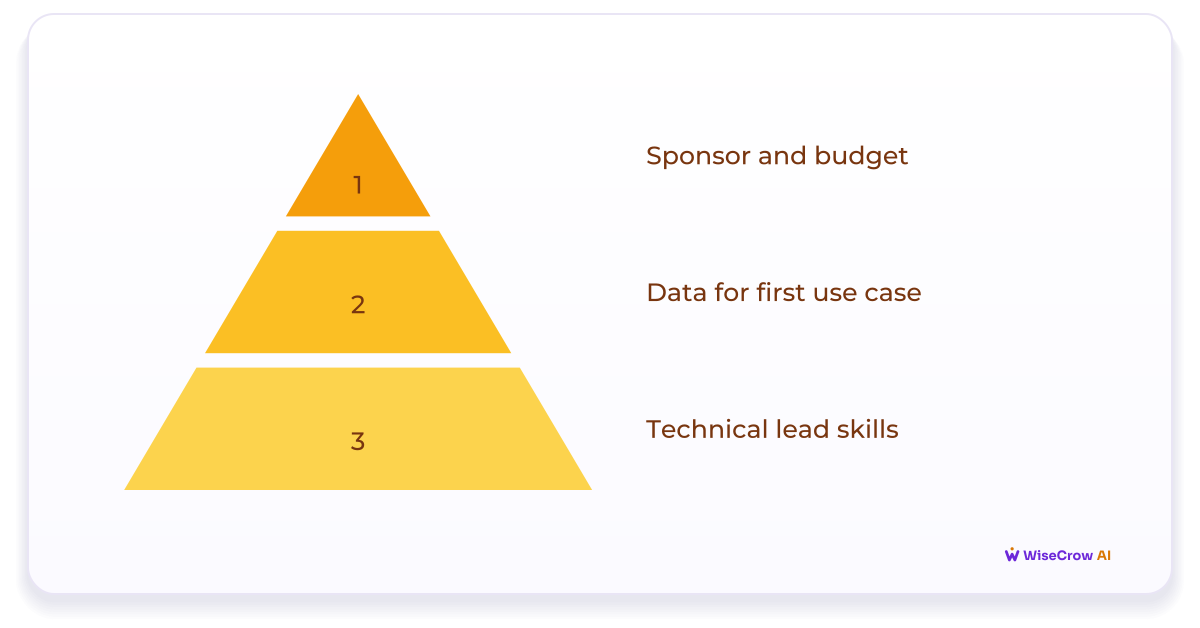
Be honest about capacity. A team with day jobs can close about five gaps per round. Trying for twelve leaves you with twelve half-closed gaps and a tired sponsor. WiseCrow has run 80+ readiness assessments, and the plans that moved fastest closed a few gaps fully before taking on more.
Questions About AI Readiness Strategy
What Is an AI Readiness Strategy?
It’s the plan that turns the gaps from a readiness assessment into actions. Each gap gets a first step, an owner and a target date. A good one covers skills, data and the enabling pieces such as a sponsor, a budget and a few clear rules, and it fits on two or three pages.
How Is a Readiness Strategy Different from an AI Strategy?
An AI strategy decides where AI should create value in your business. A readiness strategy makes sure your people and data can support that plan. In practice, the readiness work runs first or alongside, because a use case can’t go live while the data it needs has no owner or the team can’t check the output.
How Long Does It Take to Close AI Readiness Gaps?
The gaps for one pilot can often close within about 90 days. Company-wide readiness takes longer and keeps moving as tools change. I plan in 90-day rounds, rescore the gaps at the end of each one and then pick the next set.
Should We Close Skills Gaps or Data Gaps First?
Start with the enabling gaps: a sponsor and a budget. After that, run skills and data in parallel, since they involve different people. If you have to pick, fix the data for your first use case first, because training without a working use case gives people nothing to practice on.
Do We Need to Hire AI Specialists?
Most small and mid-sized companies don’t need a full AI team to start. They need one person with enough technical depth to test vendors and connect systems, which you can train, hire or borrow from a partner. Hire when the work is ongoing and central to your business.
How Much Should We Budget for AI Readiness?
Budgets vary a lot with company size and how far your data is from usable. Plan for three buckets: people’s time for training and data work, any outside help, and the first pilot’s tools and integration. Time is usually the biggest cost, and the one most budgets leave out.
Can We Use the Gap-to-Action Template as It Is?
Yes. Copy the table, delete the rows that don’t apply to you and add the gaps your own assessment found. Keep one owner per row and a target you can check with a yes or no on day 90. Vague targets such as “improve data quality” make the review impossible.
Sources
- Microsoft and LinkedIn, 2024 Work Trend Index Annual Report (May 8, 2024): microsoft.com
- Gartner, Lack of AI-Ready Data Puts AI Projects at Risk (February 26, 2025): gartner.com
General information only: this is not legal, financial or tax advice. Examples and numbers reflect typical projects; check the specifics with your advisers before deciding.
Did you find this helpful?
Thank you for your feedback.
Marlena leads the WiseCrow editorial team and works with our consultants to turn real client projects into practical guides on AI strategy, automation and governance. Before joining WiseCrow, she spent 12 years in B2B operations and SaaS content. She has since edited more than 400 articles on AI and automation and reviewed workflows from over 60 client projects. She is based in Austin, Texas.