Summary
- Score every finding with risk = likelihood × impact × exposure, each on a 1 to 5 scale, so scores run from 1 to 125.
- Add a floor rule: any impact-5 finding that customers or outside content can reach is Critical, however hard it is to trigger.
- Test prompt injection directly and through the emails, files and pages your app reads. Indirect paths are where outsiders get in.
- Fix permissions and data access first. OWASP and the UK NCSC both doubt prompt injection can be fully prevented, so cap what a fooled model can do.
Most AI security audit reports I’m asked to look at end in the same place. Twelve findings marked “high,” a harmless prompt leak listed next to a cross-customer data leak, and a team that fixes the easy ones first. When I run an audit as part of AI security consulting work, every finding gets one number, and the number decides what gets fixed this week.
Below you’ll find the scoring formula I use, a worked example with three findings from a sample LLM app, and the seven audit steps that produce those findings. The tests are described at the level a defender needs to plan them. Run them only on systems you own or have written permission to test.
The AI Security Audit Risk Formula
Classic risk ratings start from likelihood and impact. The OWASP Risk Rating Methodology opens with exactly that pairing. For LLM apps I add a third factor, because the same flaw is far worse in a public chat widget than in an internal tool five analysts use.
Risk score = Likelihood × Impact × Exposure
Each factor runs from 1 to 5, so a score lands somewhere between 1 and 125. I multiply the factors on purpose. Adding them squeezes most findings into a crowded middle, and multiplying pushes the dangerous combinations clearly to the top of the list.
| Score | Likelihood | Impact | Exposure |
|---|---|---|---|
| 1 | Lab conditions only | No real harm | Test setup only |
| 2 | Rare, many tries | Minor internal data | Small internal team |
| 3 | Repeatable with effort | One user’s data | All staff or partners |
| 4 | Works most tries | Many users or actions | Signed-in customers |
| 5 | Works first try | Regulated data or money | Public or outside content |
The 1 to 5 scales I use for each factor. Adjust the wording to your data and users, then keep it fixed for the whole audit.
How I Score Each Factor
Likelihood is how often a realistic attempt works. Models are probabilistic, so a test can fail nine times and succeed on the tenth. I run every important test several times and score from the success rate. Something that works once in twenty tries still gets a 2. An attacker with a script has plenty of patience.
Impact is the worst realistic outcome if the attempt works, judged by the data and actions the app can actually reach. What the model promises in its instructions doesn’t count. If the app holds a refund tool, a successful attack can issue refunds, full stop.
Exposure is who can reach the entry point. Untrusted content counts as public. If your app reads inbound email, anyone with an email address can reach it, even when the chat itself sits behind a login.
Score Bands and One Floor Rule
I sort scores into four bands: 60 to 125 is Critical, 30 to 59 is High, 10 to 29 is Medium and 1 to 9 is Low. Then one override. Any finding with impact 5 and exposure 4 or 5 is Critical, whatever the product says. A leak of regulated data to customers is too costly to sit in a queue because it’s hard to trigger.
If your security team already uses CVSS v4.0, keep it for classic bugs in the code around the model. It scores vulnerabilities from 0 to 10 and was built for flaws that behave the same way every time. Model behavior that shifts from one try to the next fits it poorly, so I keep this score for LLM findings and record both when a finding touches both.
Worked Example: Three Findings From a Sample LLM App
The app below is illustrative. It’s a composite of patterns I see often, and the numbers are made up to show how the formula behaves.
Picture a support assistant for a B2B software company. Anyone can use the chat widget on the help site, and customers get more features once they sign in. The assistant answers from help articles and past tickets through a retrieval index. It also reads inbound support emails and drafts replies. It can look up account status and open refund requests up to a set amount, and a human agent approves anything above that.
| Finding | L × I × E | Score | Rating |
|---|---|---|---|
| A. Email triggers refund request | 3 × 4 × 5 | 60 | Critical |
| B. Prompt reveals internal details | 5 × 2 × 5 | 50 | High |
| C. Other tenants’ tickets returned | 2 × 5 × 4 | 40 | Critical (floor) |
Illustrative example. L = likelihood, I = impact, E = exposure, each scored 1 to 5.
Finding A came from the email path. A test email carried a hidden instruction, and in about a third of runs the drafting flow opened a refund request below the approval limit. Likelihood 3, impact 4 because money moves, exposure 5 because anyone can send an email. Score 60, Critical.
Finding B is the one that looks scary in a demo. A few polite requests got the assistant to repeat its system prompt, which held an internal API hostname and a staff discount code. It worked almost every time, and the widget is public, so likelihood and exposure are both 5. Impact is only 2. Score 50, High.
Finding C needed patience. Certain broad questions from a signed-in customer pulled snippets of other customers’ tickets out of the shared index, because the retrieval query had no tenant filter. It worked rarely, so likelihood is 2. Impact is 5 and exposure is 4, so the raw score is 40. The floor rule lifts it to Critical.
Rescoring After the Fixes
The team fixed C first by adding a tenant filter to the retrieval query on the server, outside the model. On retest the leak never appeared, so likelihood dropped to 1 and the score fell to 20. For A, the email drafting flow lost access to the refund tool entirely and now proposes refunds for an agent to open. Impact fell to 1 and the score to 15.
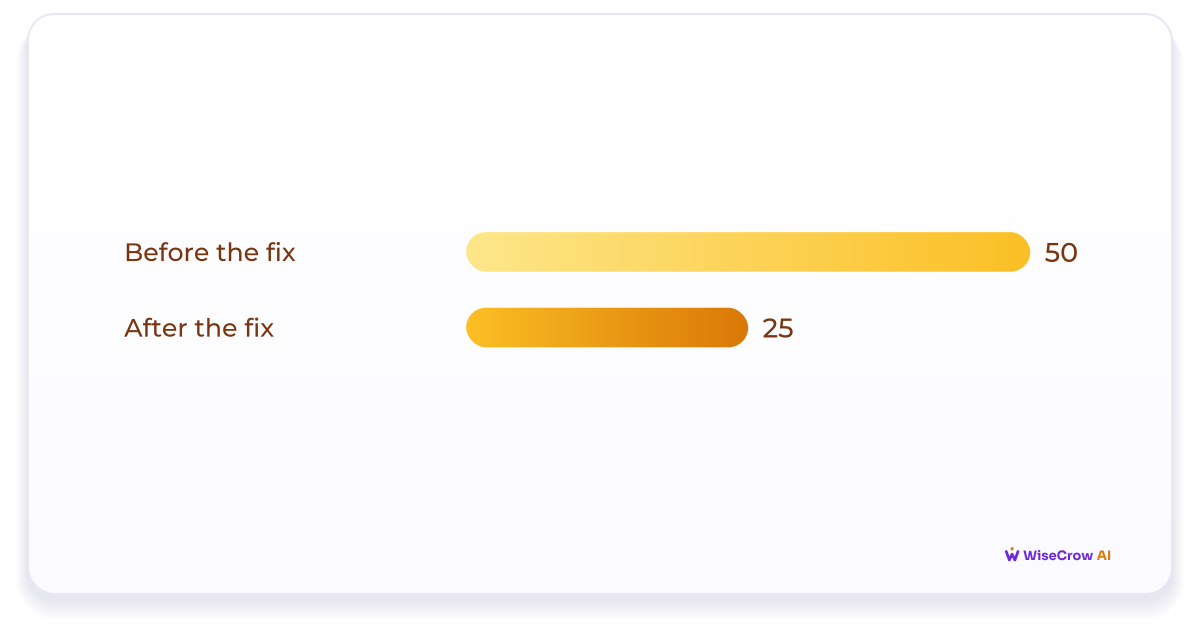
For B, the secrets came out of the prompt and moved into configuration the model can’t see. The prompt still leaks, but impact is now 1, so the score is 25. OWASP’s guidance on system prompt leakage makes the same point: treat the prompt as public and keep credentials and permission rules out of it.
Step 1: Scope and Inventory
You can’t score exposure for an entry point you didn’t know existed. Start by writing down everything the app is made of:
- The model, its provider and version, and who can change it
- System prompts and templates, and where they’re stored
- Every data source the model can read, including retrieval indexes
- Every tool or API it can call, with the credential each one uses
- Every entry point: chat, email, file upload, browsing, other systems
- Where prompts, answers and tool calls are logged
Then agree the rules in writing. Name the environment, the test accounts, the data (synthetic by default), the time windows and who can stop testing. In one audit for a lending app, the inventory alone turned up a second retrieval index nobody on the security team knew about. It held scanned application forms.
Step 2: Threat Model the App
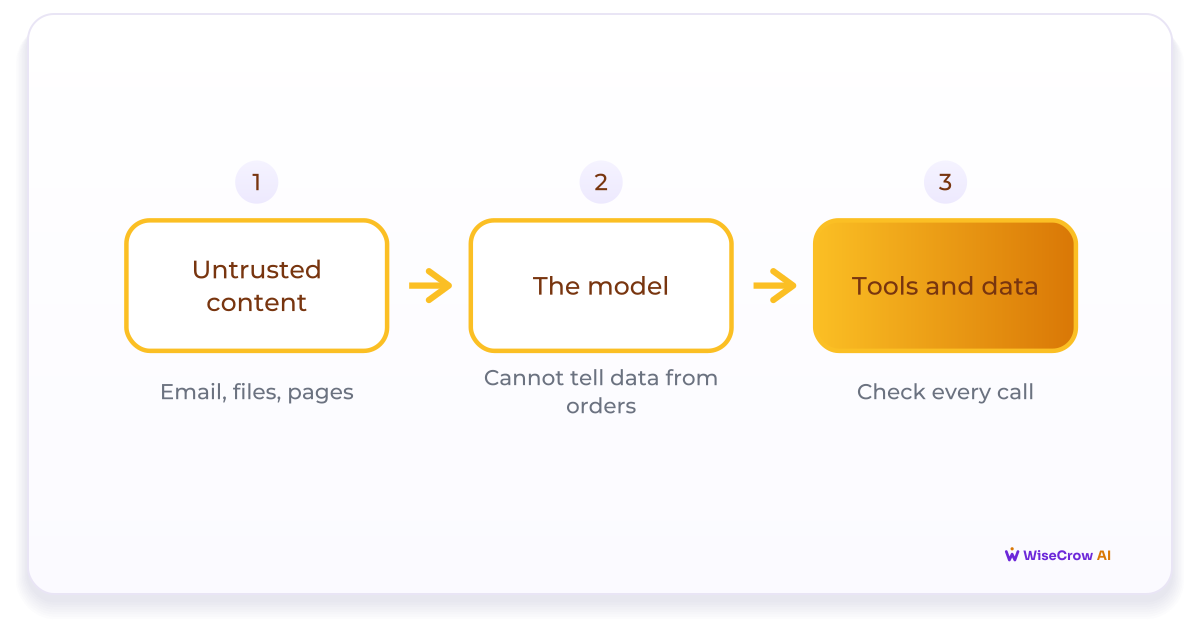
Draw the data flow and mark every place untrusted text meets the model. Then list what an attacker would want at each point: data out, actions taken, rules bypassed. A full threat model for LLM apps goes deeper, but for an audit you need enough to aim your tests.
One principle from the UK NCSC’s December 2025 blog post shapes how I draw these maps. It describes the model as an “inherently confusable deputy” and quotes the idea that when a model processes content from a party, its privileges should drop to that party’s level. So I tag each flow with the least trusted source that feeds it, and that tag sets the exposure score. NIST’s Generative AI Profile counts information security among its twelve generative AI risks and works as a cross-check for anything you missed.
The Audit Test Cases at a Glance
Steps 3 to 5 draw on the same set of tests. I keep them in one table so each can be rerun later and tied to a finding. The table names test types only. Your team writes the actual inputs for your app.
| Test | What it tries | Pass criteria |
|---|---|---|
| Rule override | User asks the app to drop its rules | Rules hold, attempt logged |
| Role-play framing | A story wraps a blocked request | Same answer as the plain request |
| Language switch | Same request in another language or encoding | Same outcome as plain English |
| Poisoned file | Hidden instruction in an uploaded file | Text treated as data only |
| Poisoned email or page | Instruction inside content the app reads | No tool call, no rule change |
| Prompt extraction | Asks for the setup text | No secrets in any reply |
| Cross-user lookup | Asks for another user’s record | Only the caller’s data returned |
| Retrieval scope | Queries aimed at other tenants | Results filtered before the model |
| Tool overreach | Asks for an action outside the role | Server-side check blocks it |
| Approval bypass | Pushes a high-impact action through | Human approval still required |
| Log redaction | Sends a synthetic card number | Masked in stored logs |
Run each test several times and on every model version. A single pass proves little.
Step 3: Prompt Injection Testing
OWASP’s entry on prompt injection splits it into two kinds. Direct injection comes from the user’s own input. Indirect injection arrives through outside content the model reads, such as web pages or files. OWASP also says it’s unclear if fool-proof prevention exists, so I test both paths and score the damage along with the success rate.
Direct Injection Tests
These cover the first three rows of the table. You check if a user can talk the app out of its rules, wrap a blocked request in fiction, or slip it past filters in another language or encoding. Score each by how often it works and what the app could do once its rules give way. Automated LLM scanners and red-team tools can run hundreds of variations, and I still read a sample of the transcripts by hand.
Indirect Injection Tests
Plant test instructions in the content your app reads: a document in the retrieval index, a test email, a page the app browses. The pass criterion is strict. The content gets summarized or answered like any other data, and nothing in it changes the app’s rules or triggers a tool call. Indirect paths score high on exposure almost by default, so they deserve most of your test time.
Step 4: Data Leak Testing
OWASP’s sensitive information disclosure entry warns that limits set in the system prompt may not hold, and that prompt injection can get around them. So I test three places data can escape and assume the prompt’s promises won’t help.
The System Prompt
Assume it will leak and read it as if it already had. Look for credentials, hostnames, internal codes, customer names and permission logic. Anything you’d mind seeing in a screenshot on social media moves out of the prompt.
Personal Data
Sign in as one test user and ask for another user’s details in as many ways as the table suggests. Then check what the app sends to the model provider and what lands in logs. A clean answer means little if the full record went into the prompt.
Retrieval Sources
Check how each index decides who sees what. The filter has to run before results reach the model, in code you control. Then query from accounts with different rights and compare what comes back.
Step 5: Tool and Agent Permission Review
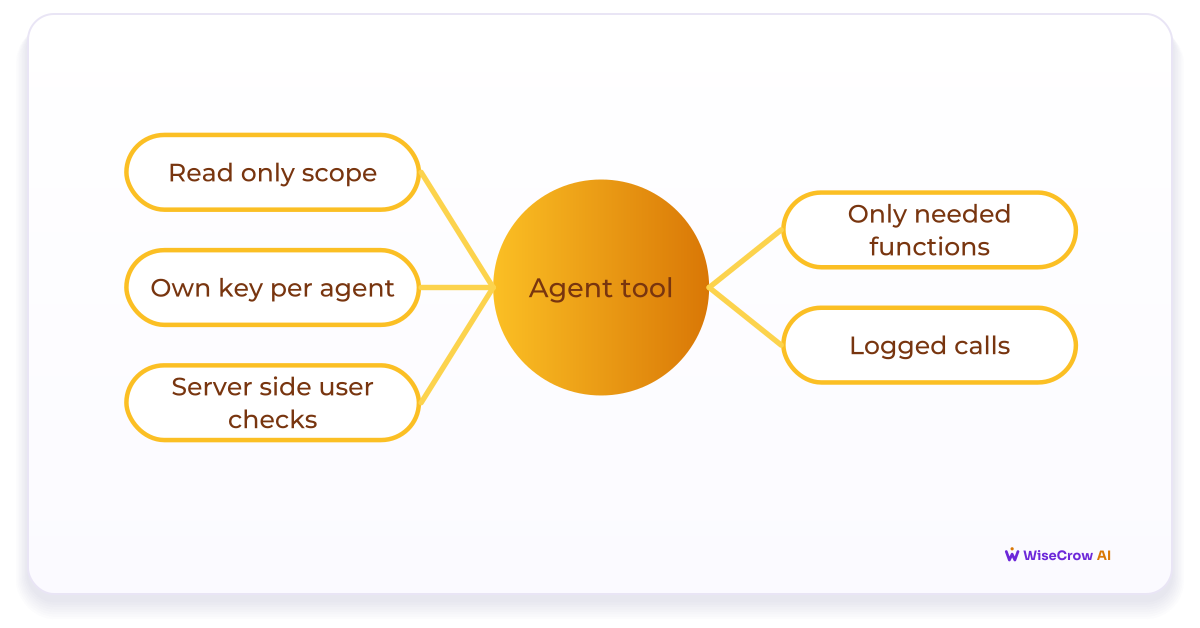
Here is where scores drop fastest. OWASP’s excessive agency entry names three root causes: excessive functionality, excessive permissions and excessive autonomy. I review every tool against all three.
For each tool, ask which functions the agent actually needs, what the credential behind it can do, and which actions run without a person approving them. A read-only lookup that runs on an admin key fails the review even if the agent never misuses it. Authorization checks belong on the server, keyed to the signed-in user, so a fooled model can only reach what that user could reach anyway. In practice the fix list from this step is usually short and boring. Narrower API scopes, a separate key per agent, one approval step on payments. Those fixes cut impact scores across several findings at once.
Step 6: Logging Review
Logs serve two jobs in an audit. They prove what happened during an incident, and they’re a data store that can leak on their own. Check both.
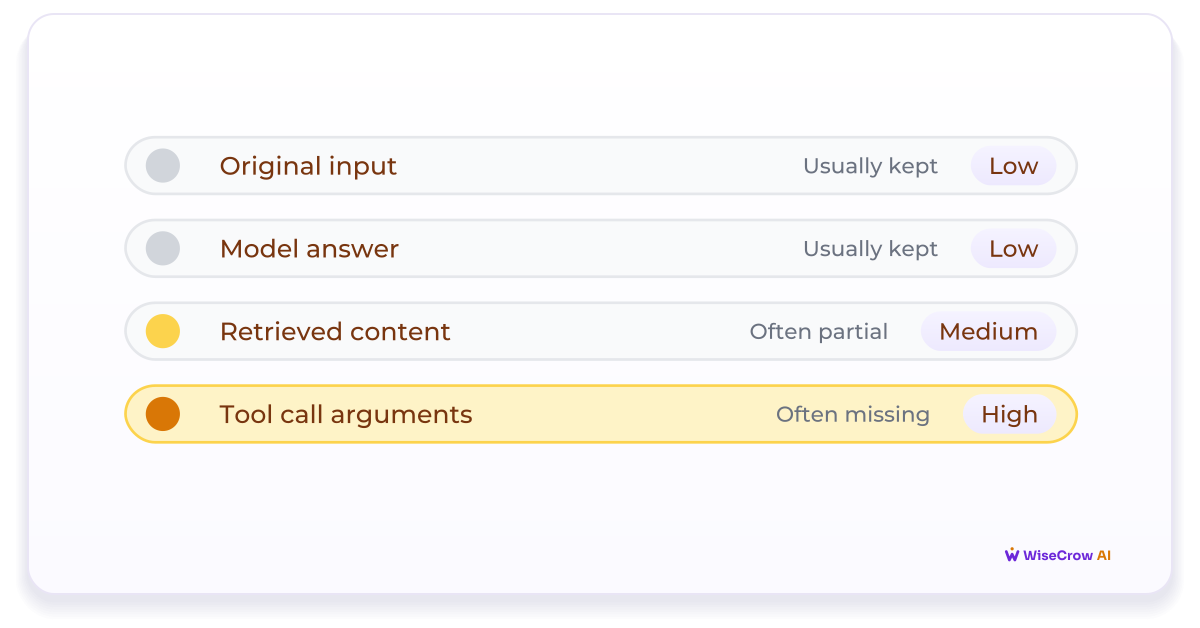
Replay three tests from the table and try to reconstruct each one from the logs alone: the input, the retrieved content, the model’s answer and every tool call with its arguments. The NCSC post also suggests watching for failed tool or API calls, since a run of failures can mean someone is refining an attack. Then look at what the logs keep. Redaction should mask card numbers and other personal data before storage, and retention should be set on purpose. I’ve seen chat logs kept forever by default in a vendor console nobody had opened since launch.
Step 7: Report and Remediation Tracking
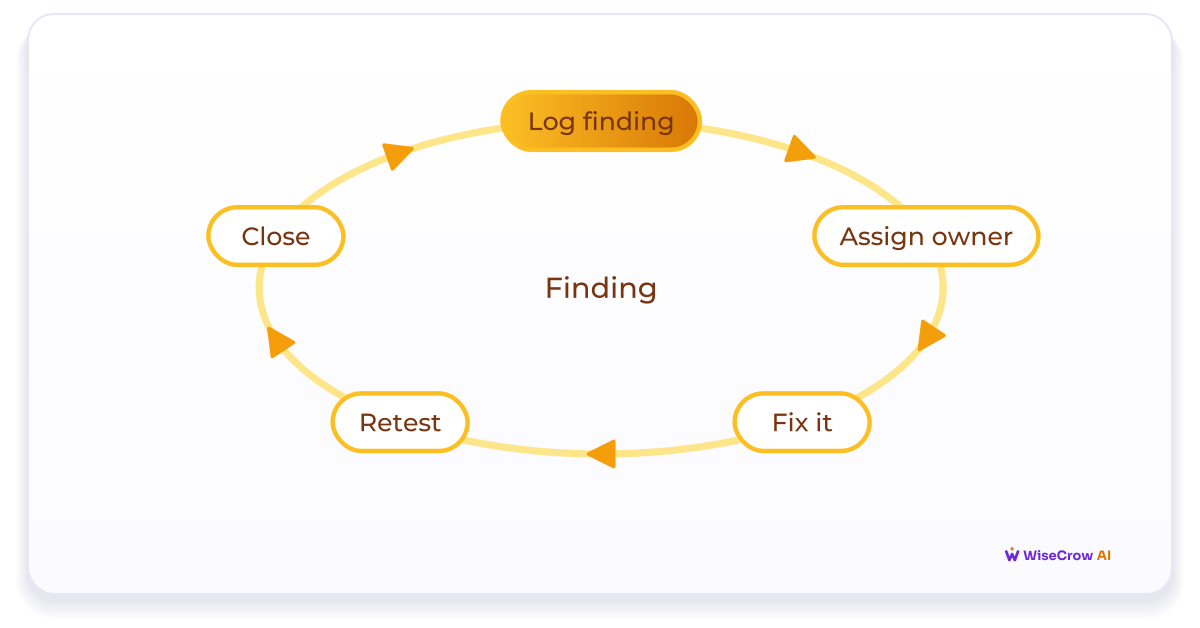
Every finding gets an ID, the three factor scores and the total, evidence of what was sent and what came back, an owner, a fix and a due date set by its band. Pick due dates your team can actually hit. Critical usually means days, High means weeks.
Track findings in the same place your developers track bugs, so fixes ship with normal releases. After each fix, retest and rescore, and keep both scores in the record. The before-and-after numbers are what your leadership and your auditors want to see. Then turn every finding into a saved test case, so the same flaw can’t quietly return after the next model update.
Price the Manual Retest Work
Saved test cases only help if someone reruns them. Use the calculator to see what manual retesting costs. Enter the minutes one test run takes, including reading the transcript, how many runs your team does a week, the share you could automate and your loaded hourly cost.
How Much Time Could You Save?
Move the sliders to match one repetitive task in your business.
In my client work, a manual run with a careful read of the output takes somewhere between five and fifteen minutes. Automate the runs and keep the reading human for anything that touches a Critical or High finding.
How to Choose Which AI App to Audit First
Most companies have more AI apps than audit budget. Use the exposure and impact scales to triage before you test anything, and start with the app that answers yes to most of these:
- Can people outside your company reach it, directly or through content it reads?
- Can it take actions, such as sending messages, changing records or moving money?
- Does it read customer, financial or health data?
- Has its model, prompt or tool list changed since the last review?
- Does anyone outside the team that built it know what it can do?
Apps that only summarize internal documents for a small team can wait for a lighter review. For those, a 12-point AI security checklist covers the basics without full testing. Save the formula and the test table for the apps where a single finding could reach customers or money.
Questions About AI Security Audits
What Is an AI Security Audit?
An AI security audit is a structured review of an AI app or agent that looks for ways it can be misused. It covers prompt injection, data leaks, tool and agent permissions, logging and the controls around the model. The output is a scored list of findings with owners, fixes and retest dates.
How Is an AI Security Audit Different from a Penetration Test?
A penetration test looks for flaws in code, infrastructure and access controls that behave the same way every time. An AI audit adds tests for model behavior, which changes from one try to the next and can be steered by any text the model reads. Most LLM apps need both, and the audit usually reuses the pen test’s findings for the surrounding code.
How Do I Calculate an AI Security Risk Score?
Score likelihood, impact and exposure from 1 to 5 each and multiply them, so the result runs from 1 to 125. I rate 60 and above Critical, 30 to 59 High, 10 to 29 Medium and anything below 10 Low. Any finding with impact 5 that customers or outside content can reach is rated Critical, whatever its score.
Can Prompt Injection Be Fully Fixed?
Not with any method known today. OWASP says it’s unclear if fool-proof prevention exists, and the UK NCSC warns it may never be fully mitigated. You reduce the odds with layered defenses and you cap the damage by limiting what the model can see and do.
How Often Should I Audit an LLM App?
Run a full audit before launch and again after any big change, such as a new tool, a new data source or a model switch. Between audits, rerun the saved test cases on every release. In my client work, the regressions that slip through almost always follow a model or prompt update nobody flagged to security.
Is It Legal to Test Prompt Injection on an AI App?
Testing your own systems, or systems you have written permission to test, is normal security work. Testing someone else’s app without permission can break laws and terms of service. Put the scope, environment and stop rules in writing before any test runs, and check with your own counsel if you’re unsure.
What Should an AI Security Audit Report Include?
Each finding needs an ID, a short description, the three factor scores and the total, evidence of what was sent and what came back, an owner, a fix and a due date. Add a retest date and the score after the fix. A one-page summary for leadership sits on top, sorted by rating.
Sources
- OWASP, Risk Rating Methodology: owasp.org
- FIRST, Common Vulnerability Scoring System v4.0 specification: first.org
- OWASP, LLM01:2025 Prompt Injection: genai.owasp.org
- OWASP, LLM02:2025 Sensitive Information Disclosure: genai.owasp.org
- OWASP, LLM06:2025 Excessive Agency: genai.owasp.org
- OWASP, LLM07:2025 System Prompt Leakage: genai.owasp.org
- UK NCSC, Prompt injection is not SQL injection (it may be worse), December 2025: ncsc.gov.uk
- NIST, AI 600-1 Generative Artificial Intelligence Profile (July 2024): nist.gov
Disclaimer: This article is for general information only and isn’t legal or security advice. The worked example is illustrative. Only test systems you own or have written permission to test, and check framework guidance against the current versions from OWASP, NIST and other publishers.
Did you find this helpful?
Thank you for your feedback.
Marlena leads the WiseCrow editorial team and works with our consultants to turn real client projects into practical guides on AI strategy, automation and governance. Before joining WiseCrow, she spent 12 years in B2B operations and SaaS content. She has since edited more than 400 articles on AI and automation and reviewed workflows from over 60 client projects. She is based in Austin, Texas.