Summary
- Start with an inventory of every AI tool in use, because you can’t secure what nobody has listed.
- Write down which data may go into prompts, then test that redaction and retention settings match the rule.
- Treat model output as untrusted input and give agents only the tools and scopes their job needs.
- Red-team every release and test an AI incident playbook before you need it for real.
Most AI security problems I get called in for start small. A support bot follows a hidden line in a customer email. An API key sits in a prompt template. Someone downloads a model file on a Friday afternoon and loads it on a shared server. When I run AI security consulting reviews, I work through the same 12 checks every time, because the same gaps keep turning up in LLM apps and agents.
Below you’ll find all 12 points in one table, then each point in a short section that says what to look for and how to verify it. They’re grouped into models, data, and prompts and agents, so you can hand each group to the people who own it.
The 12-Point AI Security Checklist at a Glance
Use the table to assign owners before you start. The “Who checks” column is my default split. In a small company, one person may cover three of these roles, and that’s fine as long as each point has a name next to it.
| Point | What to check | Who checks |
|---|---|---|
| 1. Shadow AI inventory | Every AI tool, with an owner | IT and security |
| 2. Provider due diligence | Data terms, region, security report | Security and procurement |
| 3. Model supply chain | Model files, packages, versions | Engineering |
| 4. Data in prompts | Which data tiers are allowed | Data owners and security |
| 5. Retention and training | Storage time, training opt-out | Legal and security |
| 6. Access and secrets | App identities, vaulted keys | Engineering |
| 7. Logging and monitoring | Prompts, outputs, tool calls | Security operations |
| 8. Prompt injection | Outside content kept as data | Engineering |
| 9. Output handling | Output checked before use | Engineering |
| 10. Agent tool permissions | Narrow scopes, approvals | Engineering and app owner |
| 11. Red-team testing | Attacks run on each release | Security or outside testers |
| 12. Incident playbook | AI steps, tested | Security and app owner |
If you want a framework behind the list, the OWASP Top 10 for LLM Applications names the risks in its 2025 edition, from prompt injection (LLM01) to excessive agency (LLM06) and unbounded consumption (LLM10). The NIST AI Risk Management Framework, released in January 2023, and its Generative AI Profile from July 2024 give you the governance structure. My checklist sits between the two: controls you can look at and confirm.
A checklist works best once you know which apps carry the most risk. If you haven’t ranked yours yet, build an LLM threat model first and run the checks on the top app.
Models and Providers: Points 1 to 3
Start with what you run and who runs it for you. These three points take the least technical skill and often turn up the biggest surprises.
Map Every AI Tool, Including Shadow AI
Your official AI apps are the easy part. The hard part is everything else: browser extensions with AI features, free chatbot accounts, note-takers that join calls and AI switched on inside SaaS tools you already pay for. In Microsoft and LinkedIn’s 2024 Work Trend Index, 78% of AI users said they bring their own AI tools to work. Each one is a data flow your security team never approved and can’t see.
To verify the inventory, pull four lists and compare them: app grants in your identity provider, extensions on managed browsers, card and expense records for AI subscriptions, and the AI settings in your main SaaS admin consoles. Then ask each team lead which AI tools their team uses every week. In my client work, the survey answers and the log data almost never match on the first pass. Every tool goes on one list with an owner, the data it touches and a decision to approve, replace or block it.
Vet Each Model Provider Before Data Flows
Every hosted model is a supplier that sees your data, so treat it like one. Read the data processing terms. Check where prompts are processed and stored, which subprocessors touch them and which security reports cover the AI service itself. A SOC 2 report for a vendor’s CRM says nothing about its model API. Business and API plans also tend to carry very different terms from the consumer version of the same product.
You can confirm all of it on paper and in the console. Ask for the current security report and the data processing agreement, and check that the AI service is named in scope. Then open the admin console and confirm the region and data settings match what the contract promises. I once found a client’s “enterprise” chatbot running on a team plan someone had put on a company card, with none of the terms the security review had signed off. Ten minutes on the billing page would have caught it.
Lock Down the Model and Package Supply Chain
Open models, Python packages, plugins and datasets all come from outside, and OWASP gives supply chain its own spot on the list (LLM03). Model files deserve extra care. Hugging Face’s pickle security docs warn that loading a pickle file can run arbitrary code, and pickle is the default format for PyTorch weights. In other words, a model download can behave like a program.
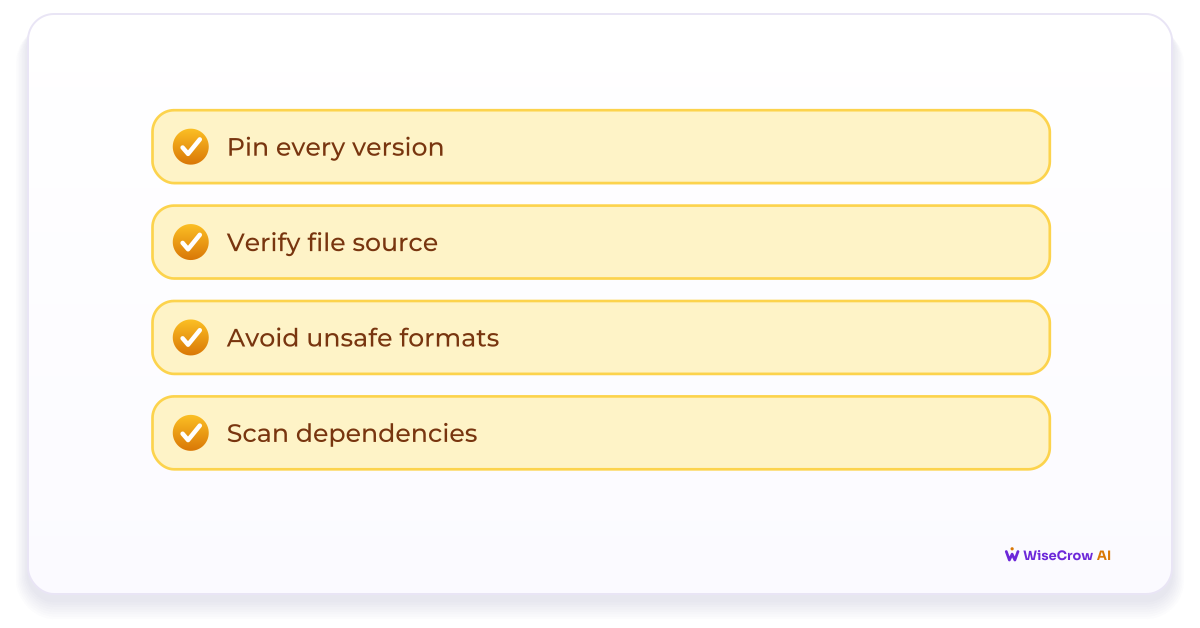
Check it by listing every model and AI package in each app, with its source and pinned version. Prefer safetensors for weights, load models only from publishers you trust and run your normal dependency scanning on AI libraries too. Pin model versions on hosted APIs as well, so a provider update can’t change your app’s behavior before your tests have run. If you need a scanner for model files, my ranking of AI security tools covers options that inspect them.
Data: Points 4 to 7
Most of the real damage I see from AI involves data in the wrong place: a contract pasted into a free chatbot, a customer list sitting in a log file, a key inside a prompt. These four points close those paths.
Decide What Data May Go Into Prompts
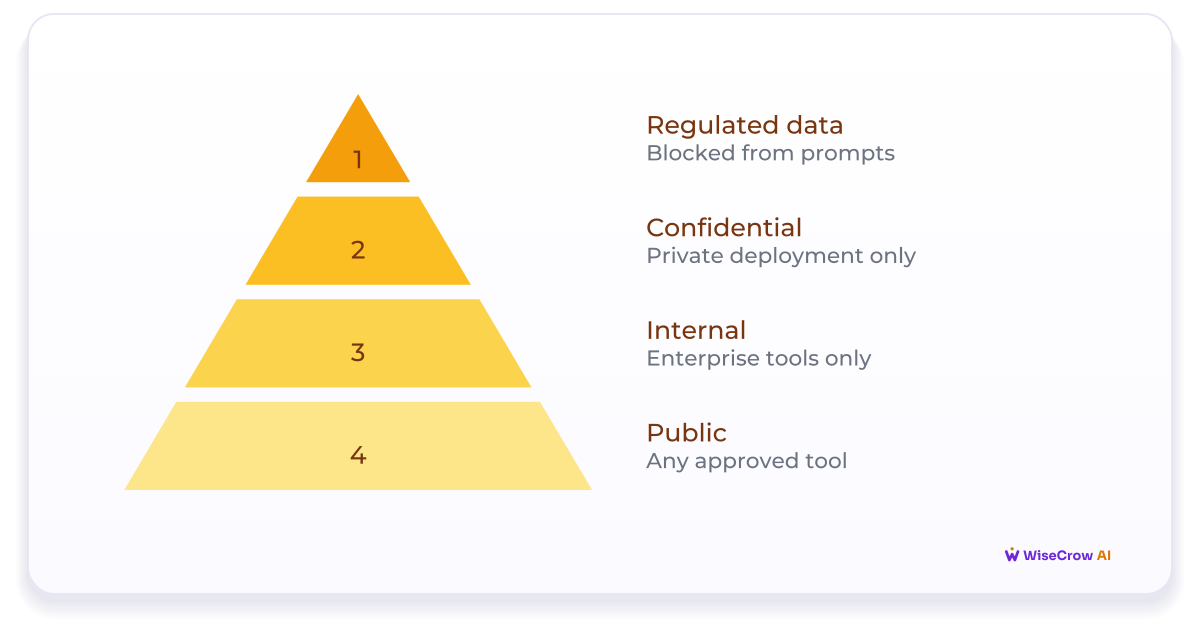
Map your existing data classification to AI use in plain terms. A three-tier version works for most companies. Public and internal data can go into approved tools. Confidential data goes only into tools with business terms and no training use. Regulated or secret data, such as health records, card numbers, credentials and unreleased financials, stays out of prompts unless an app was built and reviewed for exactly that data. OWASP ranks sensitive information disclosure second on its list.
Verify the rule in two steps. First, check that it’s written down with examples people recognize, like “paste a public press release, never a customer contract.” Second, test the controls behind it. Send a fake card number and a made-up patient name through each approved tool and see if redaction or data loss prevention catches them. If nothing fires, your rule exists only on paper.
Confirm Retention and Training Terms
Two terms decide where your data ends up after a prompt: how long the provider keeps it, and if they can use it to train models. The answers vary by product, plan and feature. Chat history, file uploads, abuse-monitoring logs and fine-tuning data can each have their own retention period. Your own stack counts too, since prompt logs, conversation history and vector databases all hold copies.
Find the clause in the contract, find the matching setting in the admin console and screenshot both. Confirm that training use is off for your plan and that retention matches what your privacy notice tells customers. Then look at your side. Set a retention period for prompt logs and embeddings, and test that deleting a source document also removes its chunks from the vector store. In the apps I review, it often doesn’t.
Tighten Access Control and Secrets
AI apps often run with more access than any single employee. A search bot connected through a service account that can read every SharePoint site will answer questions from every SharePoint site. Retrieval should respect the permissions of the person asking. Each app and agent needs its own identity, so you can see and revoke what it does, and API keys belong in a secrets vault, never in prompts, notebooks or code.
Log in as a low-permission test user and ask the assistant for something only finance or HR should see. Then run a secret scanner over your repos, prompt templates and notebooks, and confirm every key has an owner and a rotation date. At one professional services firm, a test account with intern-level access pulled partner pay figures from the internal search bot in under five minutes. The fix took a day. Finding it took one honest test.
Log Prompts, Outputs and Tool Calls
When something goes wrong, you need to know what went in, what came out and what the model did. Log prompts, retrieved documents, outputs, tool calls and the user behind each one, with sensitive fields masked. Alert on AI signals: spikes in blocked prompts, outputs that match sensitive data patterns, an agent calling a tool it has never used and sudden jumps in token use, which OWASP files under unbounded consumption.
Pick one conversation from last week and try to rebuild it from your logs. If you can’t say which documents the model retrieved or which tool it called, you’ve found the gap. Then trigger a test alert and time how long it takes to reach someone who can act on it. Logs nobody reads are just storage costs.
Prompts and Agents: Points 8 to 12
The last five points cover the risks that came with LLMs. A model treats any text it reads as possible instructions, and an agent can act on them. Expect to spend most of your testing time here.
Build Layered Prompt Injection Defenses
Prompt injection is number one on the OWASP list, and no filter removes it completely. Direct attacks come from users typing jailbreaks. Indirect ones hide in content the model reads, like an email, a web page, a PDF or a support ticket. Defend in layers. Mark outside content clearly as data in the prompt, give the model only the context it needs, filter known attack patterns on the way in and assume some attacks will still get through.
Plant a hidden instruction in a document your app processes, such as white text in a PDF telling the assistant to add a link or reveal its system prompt. Repeat it for every input channel the app has, and turn anything that works into a regression test. Then look at what a successful injection could reach. Points 9 and 10 decide how bad that answer is.
Treat Model Output as Untrusted Input
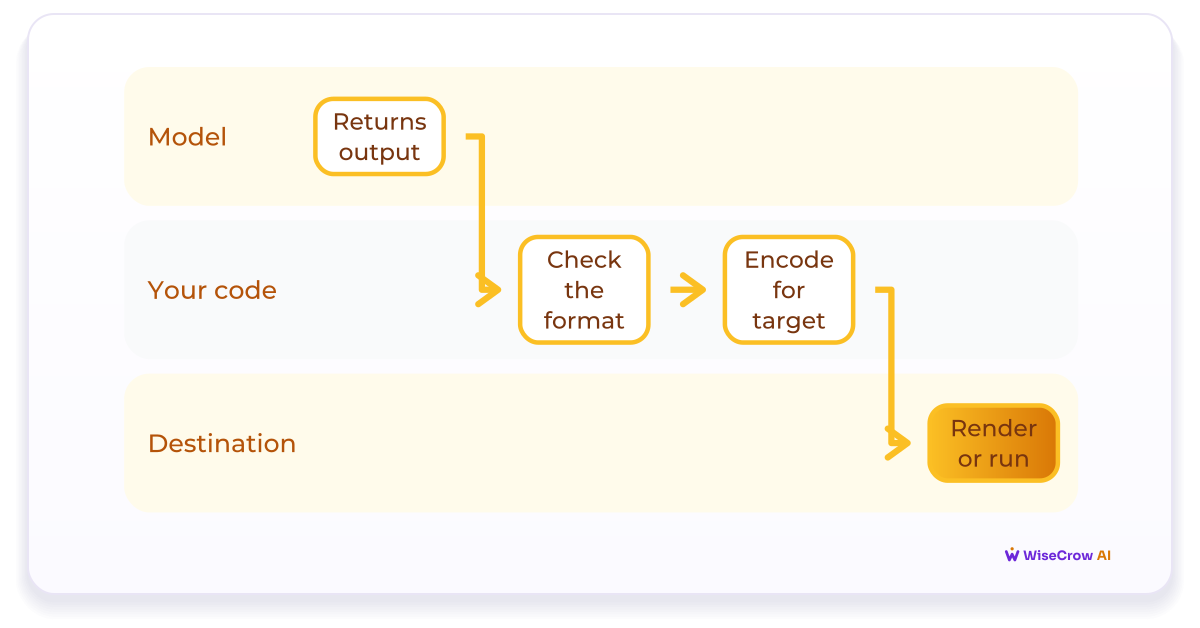
Model output travels into web pages, database queries, shell commands, emails and other systems. OWASP calls the failure improper output handling (LLM05), and it’s classic injection with a new source. An answer with a script tag can run in a user’s browser. A generated query can delete records. A markdown image link can send chat data to an outside server the moment the window renders it.
Read the code paths where output leaves the model. Look for encoding before display, parameterized queries, allowlists for URLs and commands, and schema checks on structured output. Then prompt the model to produce HTML, a markdown image pointing to an outside domain and a SQL statement. Your app should render or reject each one safely, every single time.
Give Agents the Narrowest Tool Permissions
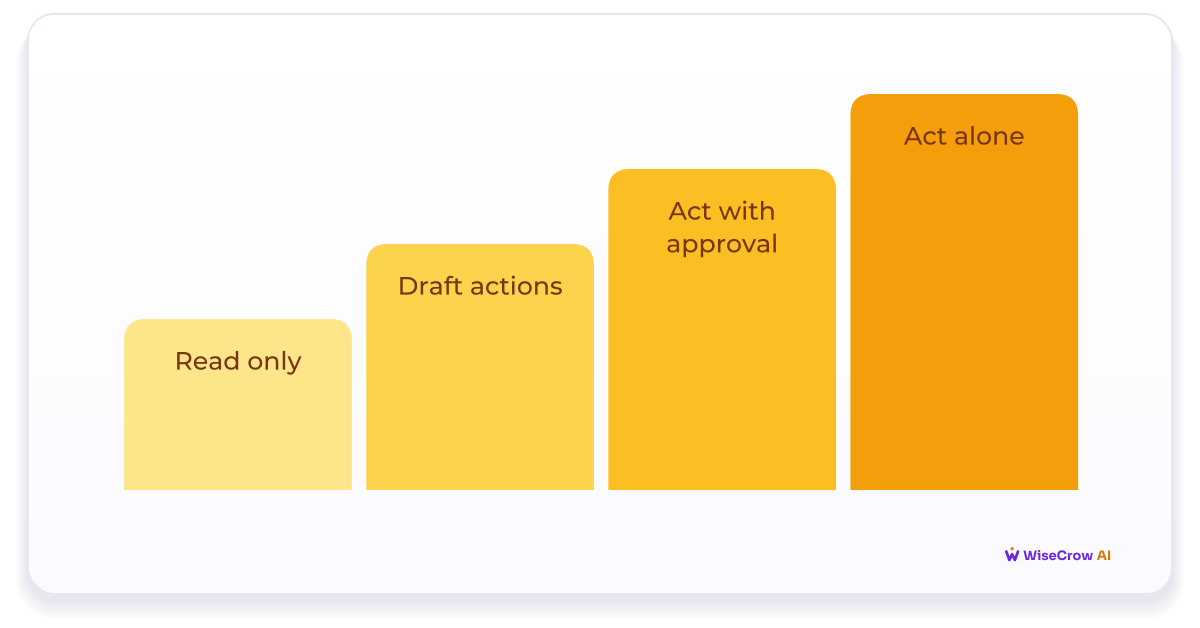
An agent is only as safe as its widest permission. OWASP names the risk excessive agency (LLM06), meaning too many tools, too much access per tool or too much autonomy. A support agent that looks up orders shouldn’t hold a token that can issue refunds. One that can issue refunds should need a person to approve anything above a set amount.
List every tool each agent can call, the scope of the credential behind it and the actions that need approval. Compare that list with what the job needs, and cut the rest. Then try to talk the agent into a tool outside its role, both directly and through injected content. In my client work, the first permission review almost always removes at least one scope nobody remembers adding.
Red-Team Every Release
Points 8 to 10 describe defenses. Red teaming shows if they hold. Before launch and after every meaningful change to a prompt, model or tool, run a set of attacks against the app: jailbreaks, indirect injection, system prompt extraction, data leakage questions and tool misuse. Keep the attack set in version control, so the same tests run each time and new ones join whenever you learn something.
Ask for the last test report and compare its date with the last release. If the model or system prompt changed after the test, the result no longer counts. Automated tools cover known patterns well, but a person thinking like an attacker still finds the odd combinations. For a deeper, scored review of one app, my AI security audit formula shows how I rate findings.
Write and Test an AI Incident Playbook
Your current incident plan probably doesn’t say how to pause an agent, roll back a prompt or find out which customers saw a leaked answer. The UK NCSC’s guidelines for secure AI system development put incident management under secure deployment for good reason. Your AI section should name who can switch off each feature, how to rotate the app’s keys, where the logs from point 7 live, how to return to the last safe prompt and model version, and who decides on notifications together with your legal team.
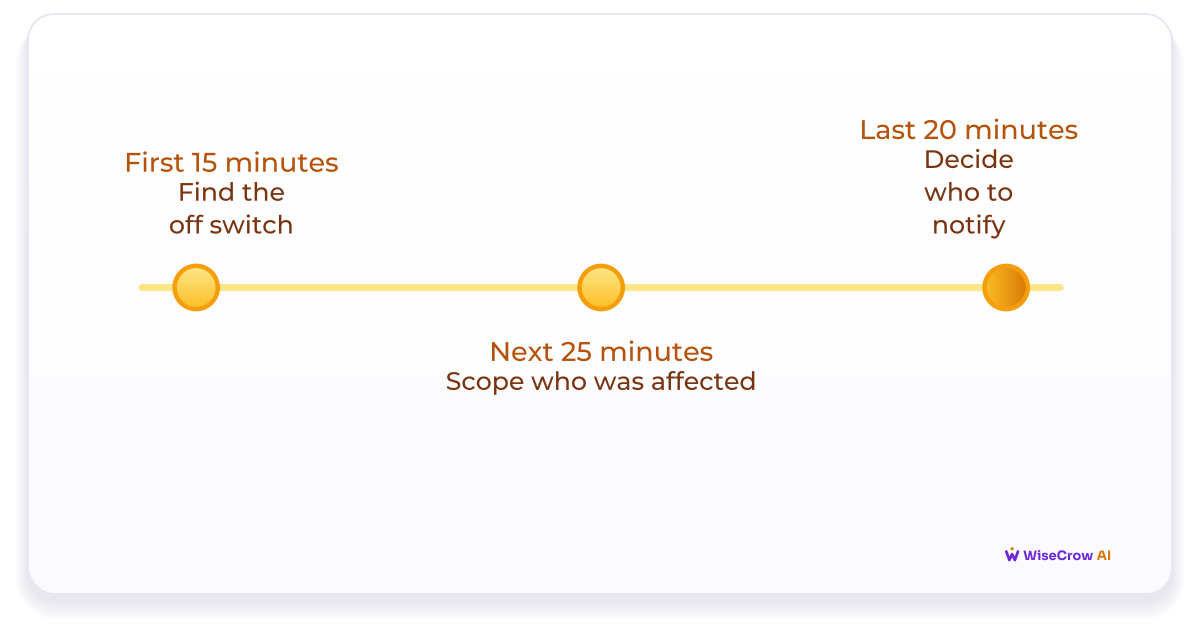
Test it with a one-hour tabletop exercise. Give the team a scenario, such as “the support bot showed three customers another customer’s address,” and walk through the first hour. Time how long it takes to find the off switch. The first time I ran one with a retail client, nobody knew who held the login for the chatbot vendor’s admin account. That single finding paid for the hour.
The Checklist in One List
Paste these lines into your release ticket. Each one needs an owner and evidence before an AI feature goes live.
- Every AI tool is on the inventory with an owner.
- Each provider’s terms, region and security report are on file.
- Model files and AI packages are pinned and scanned.
- Written rules say which data may go into prompts.
- Retention and training settings match the contract.
- Each app has its own identity and vaulted keys.
- Prompts, outputs and tool calls are logged, with alerts.
- Outside content is marked as data in every prompt.
- Output is encoded, validated or rejected before use.
- Agent tools have narrow scopes and approval steps.
- The attack set ran against the current release.
- The AI incident playbook was tested this year.
Estimate the Hours a Manual Checklist Run Costs
Running all 12 checks by hand for every release adds up, mostly in log reviews, attack runs and permission checks. Enter how long one run takes your team and how often you release. The result shows the hours at stake and helps you decide which checks to automate first. In my experience, secret scanning and the saved attack set are the usual first picks.
How Much Time Could You Save?
Move the sliders to match one repetitive task in your business.
Choosing Your Starting Point on the Checklist
You won’t close all 12 points in a week, and you don’t have to. Pick your starting point by what you run today:
- Staff use public AI tools and there’s no policy yet: points 1, 4 and 5.
- A customer-facing chatbot launches soon: points 8, 9 and 11.
- Agents can change records or send messages: points 6, 10 and 12.
- You download open models or fine-tune your own: points 3 and 6.
One trade-off I’d push back on. Teams often buy a prompt firewall before they’ve done the inventory or the permission review. A filter blocks some attacks. A narrow token limits what every attack can do, including the ones the filter misses. I’d fix permissions first and add filters second.
Questions About the AI Security Checklist
What Should an AI Security Checklist Include?
It should cover three areas. Models and providers: what AI you run, who hosts it and where the files come from. Data: what may go into prompts, how long it’s kept, who can reach it and what gets logged. Prompts and agents: injection defenses, output handling, tool permissions, testing and incident response. The 12 points in this post cover all three, and each one needs an owner and evidence before it counts as done.
How Often Should You Run an AI Security Checklist?
Run the full checklist before an AI feature launches and again at least once a year. Some points need a faster rhythm. Red-team tests should run after every meaningful change to a prompt, model or tool, logging and alerts work all the time, and the shadow AI inventory needs a refresh every quarter, since new tools show up constantly.
Is the OWASP Top 10 for LLM Applications Enough on Its Own?
It’s an excellent list of risks, and I map every finding to it. It doesn’t tell you who owns each control, what evidence counts or how your own apps are wired. Pair it with a governance structure such as the NIST AI RMF and a checklist built for your setup. None of these frameworks makes you compliant on its own, so check your specific obligations with your legal and compliance teams.
Who Should Own AI Security in a Company?
Security should own the checklist and the testing. Each AI app needs a named business or product owner who is responsible for fixing what the checks find. In smaller companies, the IT lead often covers security too, which works fine as long as every app still has its own named owner. Shared ownership with no name attached is how findings stay open for months.
Does the Checklist Apply to Off-the-Shelf Tools Like ChatGPT or Copilot?
Most of it does. Points 1, 2, 4, 5 and 6 matter for any AI tool your staff use. The prompt and agent points become relevant as soon as an off-the-shelf tool connects to your email, files or other systems, or runs plugins and agents. You won’t write the output handling code yourself, but you still decide which data and actions the tool can reach.
Can Prompt Injection Be Fully Prevented?
No, not with today’s models. A model reads instructions and data in the same stream, and attackers keep finding new phrasings. Filters and careful prompt design reduce the risk. The bigger win is limiting what a hijacked model can see and do, through narrow permissions, output checks and human approval for high-impact actions.
How Long Does It Take to Work Through the Checklist?
For a single app, a first pass usually takes from a few days to a couple of weeks in my client work, depending on how many systems it touches and how easy it is to get the provider paperwork. The shadow AI inventory often takes longest, because the data sits with several teams. Later runs go much faster once owners and evidence are in place.
Sources
- OWASP Top 10 for LLM Applications, 2025 edition: genai.owasp.org
- NIST AI Risk Management Framework and Generative AI Profile (NIST AI 600-1): nist.gov
- NCSC, Guidelines for Secure AI System Development (November 2023): ncsc.gov.uk
- Hugging Face, Pickle Scanning and model file security: huggingface.co
- Microsoft and LinkedIn 2024 Work Trend Index (May 2024): news.microsoft.com
Disclaimer: This article is for general information only and isn’t legal advice or a security assessment of your systems. Provider terms, frameworks and product features change, so check current details with your providers, security team and advisers before you decide.
Did you find this helpful?
Thank you for your feedback.
Marlena leads the WiseCrow editorial team and works with our consultants to turn real client projects into practical guides on AI strategy, automation and governance. Before joining WiseCrow, she spent 12 years in B2B operations and SaaS content. She has since edited more than 400 articles on AI and automation and reviewed workflows from over 60 client projects. She is based in Austin, Texas.