Summary
- ChatGPT and Claude cover most text work, and Gemini and Copilot make more sense if your team lives in Google or Microsoft apps.
- For images, Midjourney wins on looks, Recraft on brand consistency and Canva on speed to a finished design.
- Runway generates video clips, while Synthesia and HeyGen turn a typed script into a presenter video.
- ElevenLabs and Descript handle voice and audio, and most teams need only one tool per medium they publish in.
The Best Generative AI Tools at a Glance
| Tool | Medium | Paid from | Best for |
|---|---|---|---|
| 1. ChatGPT | Text | $20/mo (Plus) | All-round content work |
| 2. Claude | Text | $17/mo, yearly | Long-form writing |
| 3. Google Gemini | Text | $4.99/mo (AI Plus) | Google users, image and video |
| 4. Microsoft 365 Copilot | Text | $21/user/mo, yearly | Word and PowerPoint drafts |
| 5. Perplexity | Text | $17/mo, yearly | Sourced research |
| 6. Jasper | Text | $59/seat/mo, yearly | Marketing copy at scale |
| 7. Writer | Text | Starter per seat | Brand-governed enterprise content |
| 8. Midjourney | Image | Paid plans only | Concept art and visuals |
| 9. Recraft | Image | $10/mo, yearly | On-brand image sets and vectors |
| 10. Canva | Image | $12/mo, yearly | Finished social designs |
| 11. Runway | Video | $12/mo, yearly | Generated clips and b-roll |
| 12. Synthesia | Video | $14/mo, yearly | Training videos |
| 13. HeyGen | Video | $24/mo, yearly | Avatar marketing clips |
| 14. ElevenLabs | Audio | $6/mo | Voiceovers and dubbing |
| 15. Descript | Audio | $16/mo, yearly | Podcasts and talking videos |
The 15 Best Generative AI Tools, Ranked
I grouped the tools by medium, put text first because nearly every team starts there, and ranked each group by how much usable output a business team gets for its money. Most of my enterprise generative AI consulting work starts with the same finding: the team already pays for three overlapping tools and uses one of them well.
ChatGPT
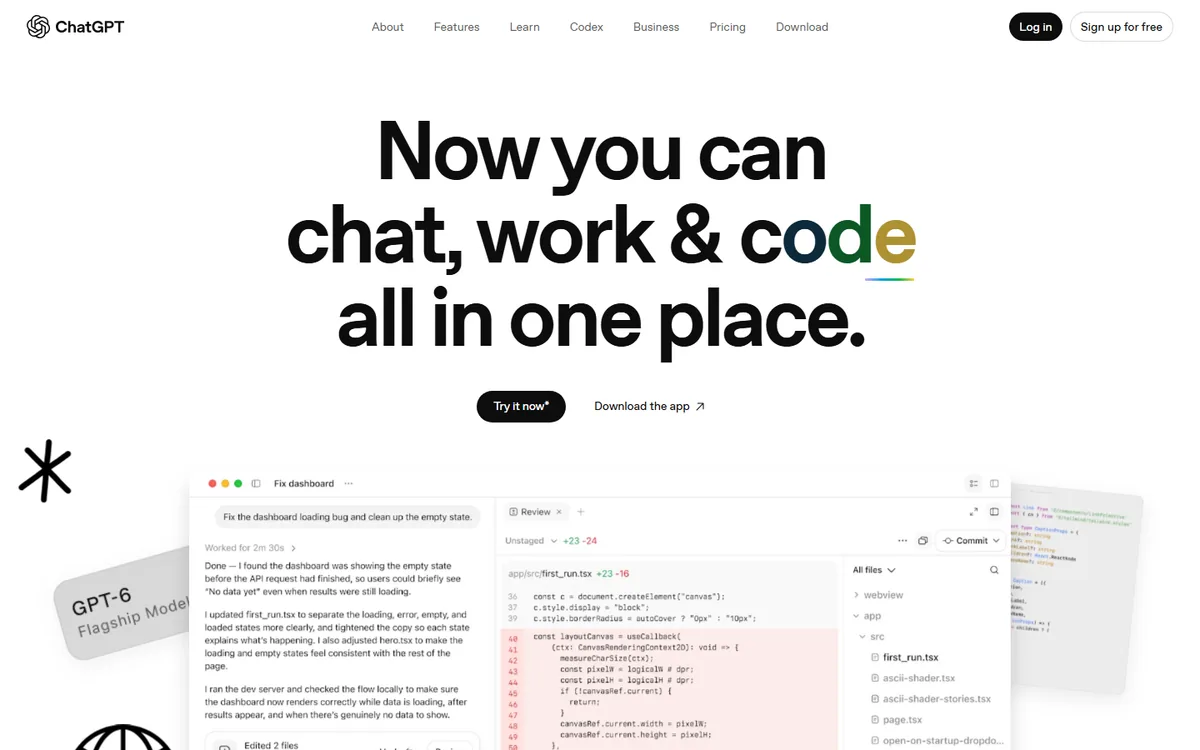
The Widest Creative Range You Can Get From One Chat Window
ChatGPT is OpenAI’s assistant for drafting copy, analyzing files, generating and editing images, and searching the web inside one conversation.
When a content team asks me where to start, ChatGPT is my most frequent answer. The reason is range. A marketer can draft a product launch email, paste in last quarter’s campaign numbers for a quick read, then ask for a hero image in the same thread. Image generation now sits inside the chat, so you can change a background or fix a headline on a mockup with a plain sentence.
Custom GPTs are the feature I set up early with clients. You load your style guide, a few approved examples and your product facts once, and anyone on the team gets drafts that start closer to your voice. Canvas helps with longer pieces, since you can edit a section without the model rewriting the whole thing. Where I hold back: the default writing style is easy to spot, with tidy lists and stock phrases, so plan for a real human edit before anything goes public. Treat every fact and figure as unverified until someone checks it.
What ChatGPT Does Well
- Text, images, files and web search live in one place
- Custom GPTs keep brand voice and product facts close at hand
- Image edits work from plain-language instructions
What ChatGPT Could Do Better
- Default copy reads as AI-written without a careful edit
- Plans and usage limits shift often
ChatGPT Pricing
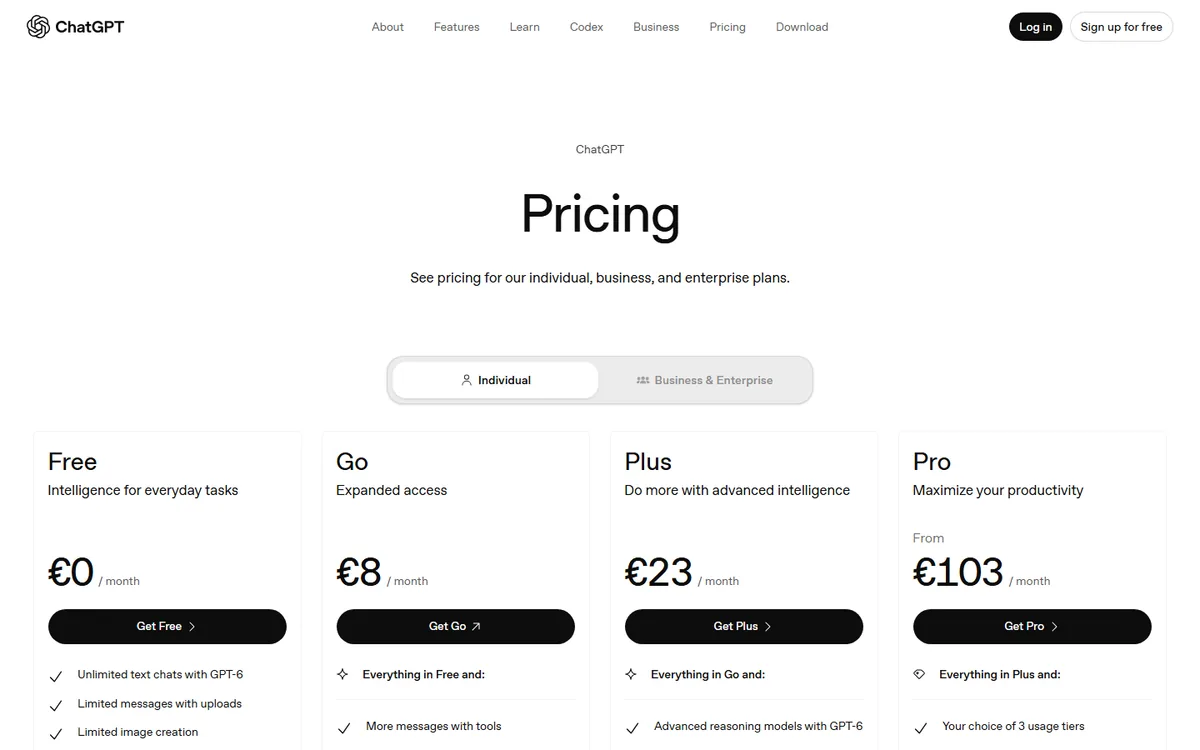
You can start on the free plan. Plus is $20 a month on monthly billing. A standard Business seat costs $25 per user a month, or $20 on yearly billing, with at least two seats, and Premium Business seats cost $125 a month or $100 yearly. OpenAI also sells a lower-priced Go plan, Pro plans for heavy users and Enterprise through its sales team.
ChatGPT Reviews
- G2: score of 4.6 out of 5 (from +4,200 customer reviews)
- Capterra: score of 4.4 out of 5 (from +400 customer reviews)
Claude
The Best Writer on This List When Tone and Long Drafts Matter
Claude is Anthropic’s assistant for writing, editing and working through long source material, and it can build documents, slides and simple apps as artifacts.
If your team publishes long content, such as white papers, case studies or thought leadership pieces, I’d test Claude first. Its first drafts need less untangling than most. It follows a style guide closely, keeps an argument consistent across many pages and is less likely to fall back on the same five stock phrases. Editors I work with tend to notice the difference within a week.
The other strength is input. You can hand Claude a stack of interview transcripts, a product spec and three old blog posts, and ask for a draft that draws on all of them. Projects keep that material and your instructions in one place for the whole team. Artifacts let it produce a formatted one-pager or a slide outline you can download. The weak spot for creative teams is media: Claude reads images well but doesn’t generate them, so you’ll pair it with an image tool from further down this list.
What Claude Does Well
- Long drafts stay consistent in tone and argument
- Handles big piles of source material in one request
- Projects give a whole team the same brief and examples
What Claude Could Do Better
- No image or video generation of its own
- Heavy writing days can hit plan limits
Claude Pricing
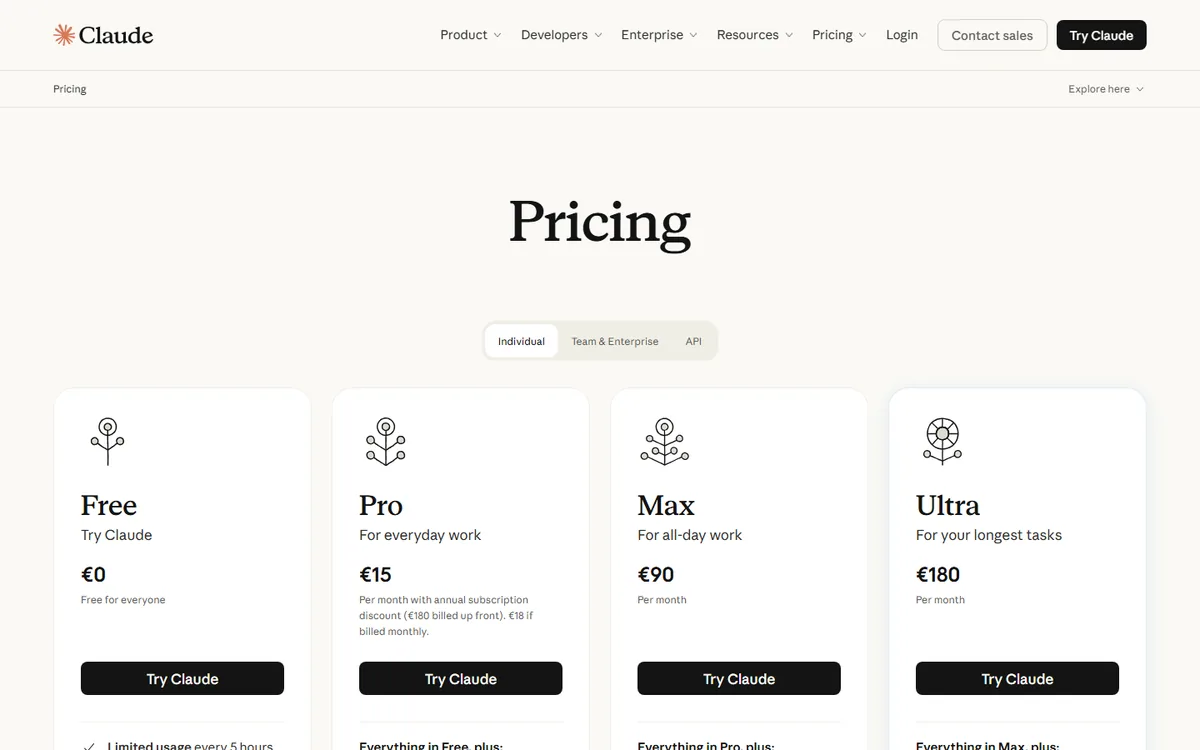
Light use is covered by the free plan. Pro is $20 billed monthly or $17 a month on a yearly plan, and Max starts at $100 a month. Team plans take 2 to 150 seats, at $25 a month for a Standard seat ($20 yearly) and $125 for a Premium seat ($100 yearly). Enterprise starts at $20 per seat a month plus usage, billed yearly.
Claude Reviews
- G2: score of 4.7 out of 5 (from +1,200 customer reviews)
- Capterra: score of 4.3 out of 5 (from +40 customer reviews)
Google Gemini
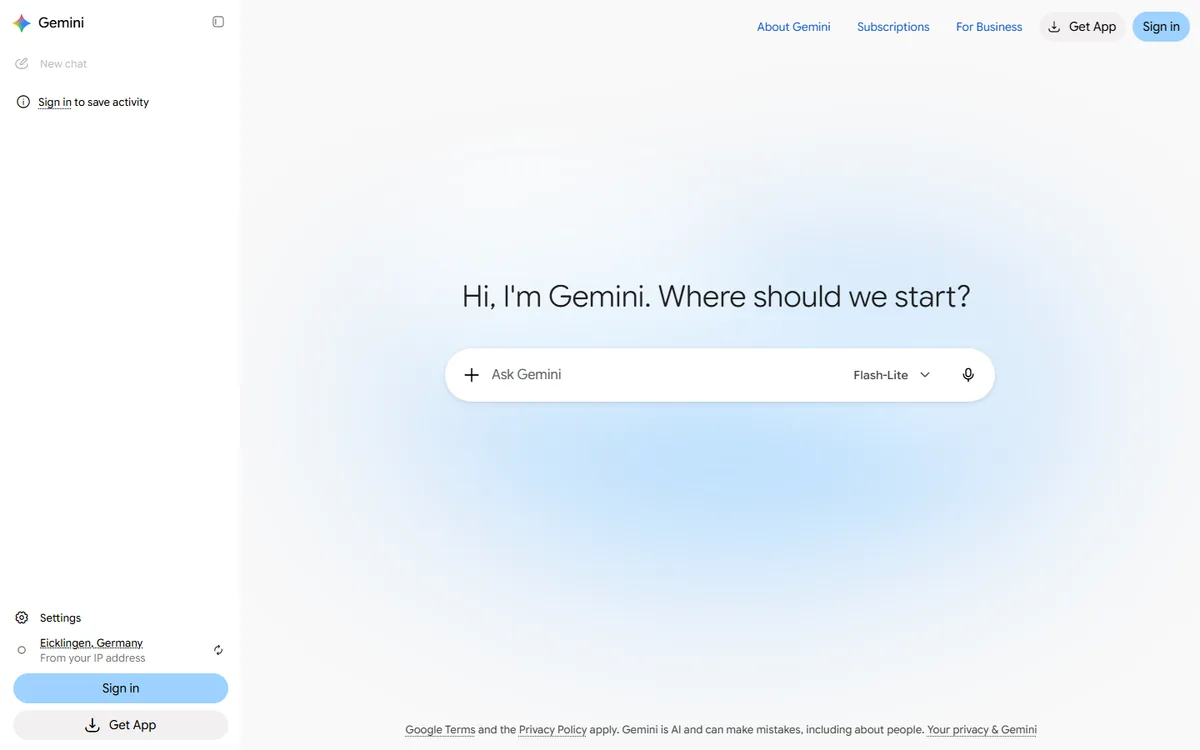
One Subscription for Text, Images and Short Video If You Use Google Daily
Gemini is Google’s AI assistant, with Nano Banana image models, Veo video generation and the Flow filmmaking tool bundled into the paid plans.
Gemini earns its place for one reason: breadth per dollar. A single Google AI Pro plan gets you a strong text model, image generation and editing through Nano Banana, and monthly credits for short video in Flow. For a small content team that wants to try all three media without three subscriptions, that bundle is hard to beat.
It also fits neatly if your drafts already live in Google Docs and your assets sit in Drive. You can ask Gemini to work from a file in Drive, or use Deep Research to pull together a sourced brief before you write. In my testing with clients, its text drafts are solid but a little flatter than Claude’s, and its video credits run out fast once people start experimenting. I treat Gemini video as a place to sketch ideas and storyboards. Polished campaign footage still goes to a dedicated tool like Runway.
What Google Gemini Does Well
- Text, image and video tools in one plan
- Works directly with files in Google Drive
- Image editing by instruction is fast and accurate
What Google Gemini Could Do Better
- Video credits go quickly on lower plans
- Plan names and bundles change often
Google Gemini Pricing
The Gemini app has a free tier with lower limits. In the US, Google AI Plus costs $4.99 a month, Google AI Pro $19.99 and Google AI Ultra starts at $99.99, with a $199.99 tier for higher limits. Google AI Pro includes 1,000 Flow credits a month for video. For company use, Gemini Enterprise starts at $21 per user license a month for the Business edition.
Google Gemini Reviews
- G2: score of 4.4 out of 5 (from +1,600 customer reviews)
- Capterra: score of 4.6 out of 5 (from 72 customer reviews)
Microsoft 365 Copilot
The Practical Choice When Your Content Ends Up in Word, PowerPoint and Outlook
Microsoft 365 Copilot generates drafts, slides and summaries inside the Office apps, using the emails, files and meetings your account can already see.
Copilot is the least flashy tool on this list and, in large companies, often the one that gets used most. Its edge is that it creates content where the content will end up. Ask it in PowerPoint to build a deck from a Word proposal and you get a first version with your template applied. In Word it drafts a section from three referenced files. In Outlook it writes the reply with the thread already in view.
For enterprise teams, the data story matters as much as the writing. Copilot respects the permissions you already have in SharePoint and OneDrive, which makes security reviews shorter. The flip side is that messy file shares produce messy drafts. If your folders are full of outdated versions, Copilot will happily quote them. I usually roll seats out in waves, starting with people who build decks and proposals every week, and my generative AI roadmap lays out that sequencing by quarter.
What Microsoft 365 Copilot Does Well
- Builds slides and drafts inside the apps you already use
- Follows existing file permissions
- Pulls context from email, chats and documents
What Microsoft 365 Copilot Could Do Better
- Output quality depends on tidy, current files
- Creative writing is less lively than in ChatGPT or Claude
Microsoft 365 Copilot Pricing
Eligible Microsoft 365 plans include Copilot Chat at no added cost. The Microsoft 365 Copilot Business add-on is $21 per user a month on yearly billing or $25.20 on monthly billing, on top of an eligible business plan. Bundles are available too: Business Standard with Copilot at $23.50 and Business Premium with Copilot at $32 per user a month, paid yearly. Microsoft lists a first-year promotional price of $18 through December 31, 2026.
Microsoft 365 Copilot Reviews
- G2: 4.3 out of 5 star rating for Microsoft Copilot (from +820 customer reviews)
- Capterra: 4.6 out of 5 star rating for Microsoft Copilot (from 29 customer reviews)
Perplexity
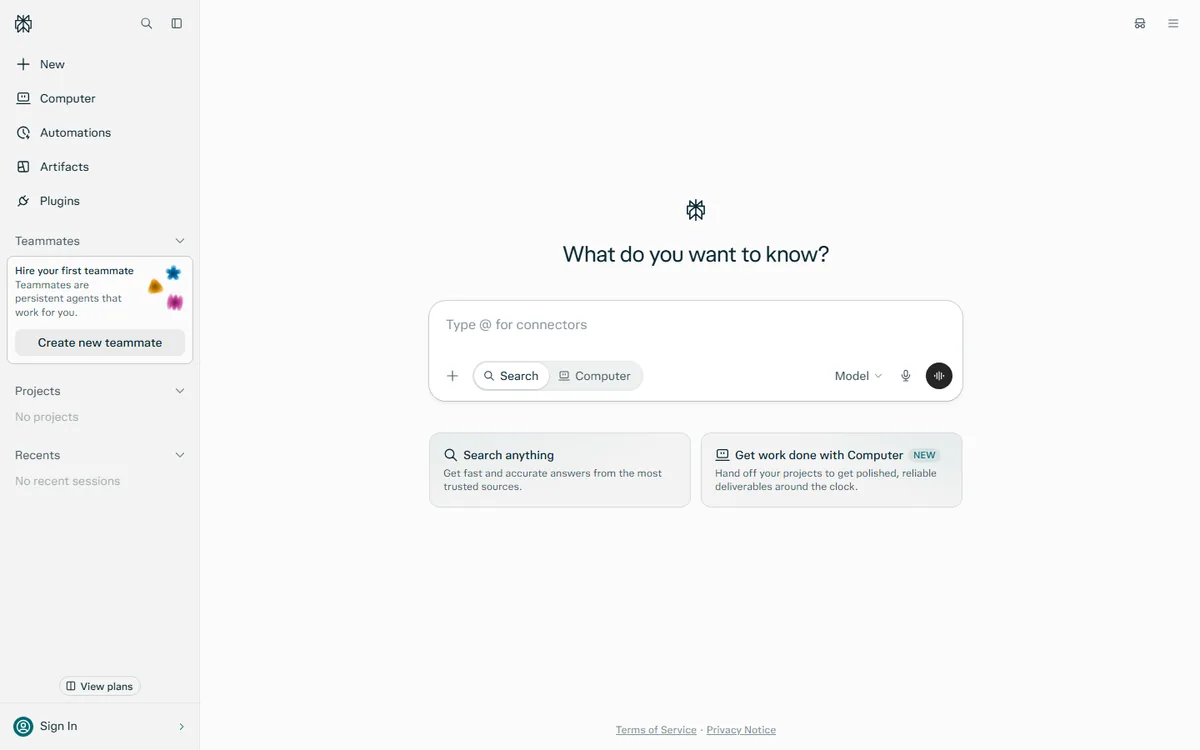
The Research Step That Makes Every Other Text Tool More Accurate
Perplexity is an AI answer engine that searches the web and writes answers with numbered citations, plus deeper research reports on paid plans.
Most bad AI content I review fails at the research stage. A writer asks a chatbot for statistics, gets plausible numbers with no source, and nobody checks. Perplexity fixes the habit. Every answer shows where each claim came from, so your writer can click through and confirm a figure before it lands in a draft.
I use it as the first step in a content workflow. Ask for the current state of a topic, export the sources, then hand the verified notes to ChatGPT or Claude for drafting. Paid plans let you choose between several leading models and run longer research tasks that read dozens of pages. It’s weaker as a pure writer: the prose is functional, and long-form pieces come out thin. And a citation is only as good as the page behind it, so someone still needs to judge each source.
What Perplexity Does Well
- Every claim links to a source you can open
- Lets you pick from several leading models
- Deep research saves hours on background reading
What Perplexity Could Do Better
- Long-form writing is thin and generic
- Cites weak sources as readily as strong ones
Perplexity Pricing
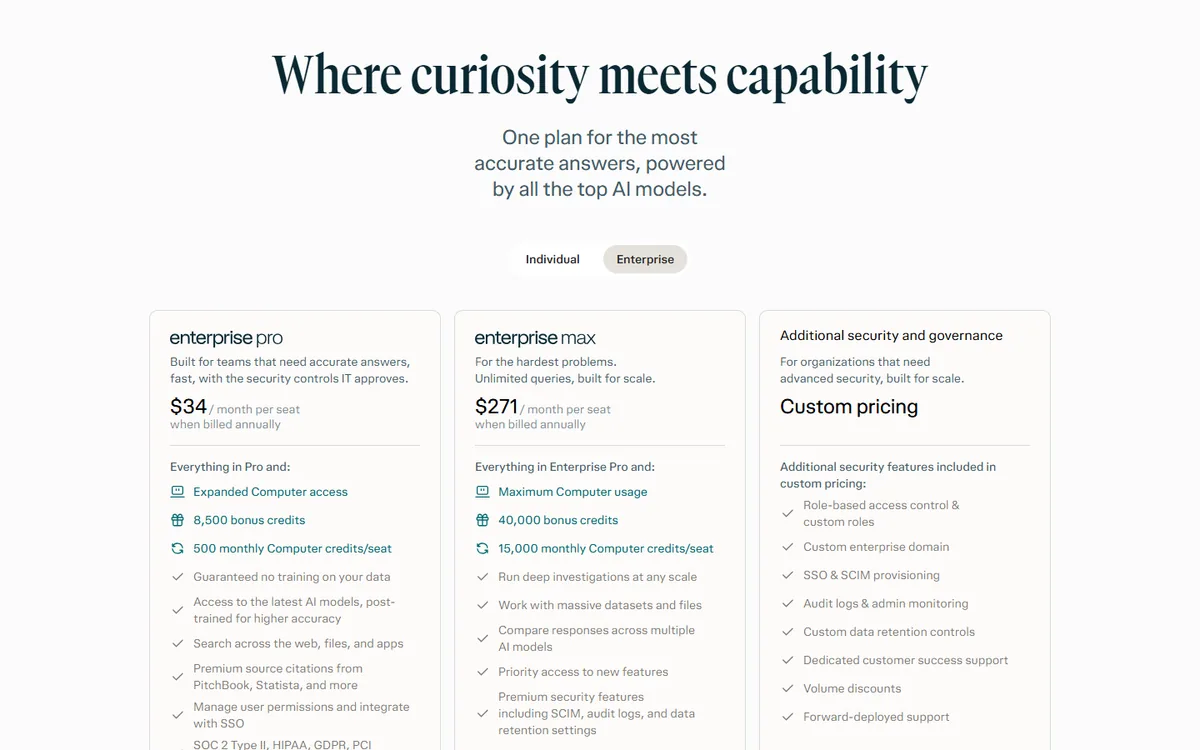
Perplexity has a free plan. Pro costs $17 a month when billed annually, and Max costs $200 a month or $2,000 a year, with annual billing available only on the web. Enterprise Pro starts at $40 per seat a month or $400 per seat a year.
Perplexity Reviews
- G2: score of 4.5 out of 5 (from +300 customer reviews)
Jasper
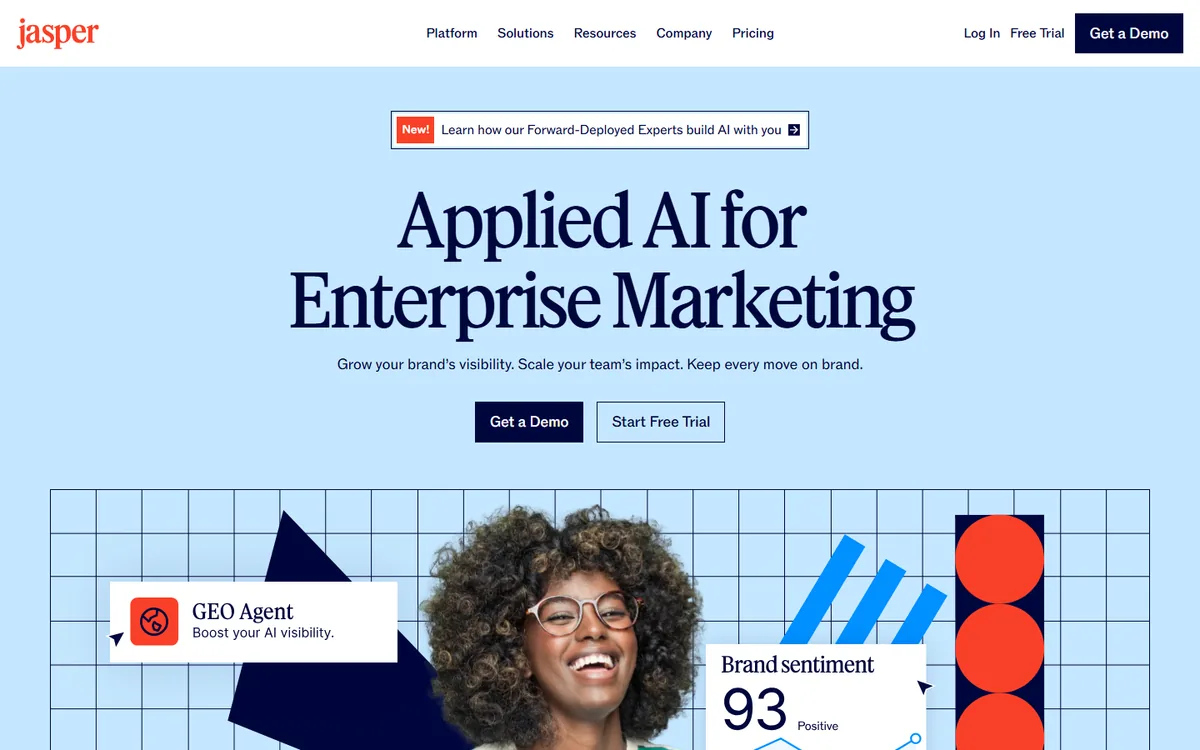
A Content Engine for Marketing Teams That Ship Copy Every Single Day
Jasper is a generative AI platform for marketing content, with brand voice controls, a knowledge base of your company facts and agents for repeat content jobs.
Jasper makes sense once copy becomes a volume business. Picture a team producing dozens of ad variants, product descriptions and email versions each week across several markets. A general chatbot handles that, but each person ends up with their own prompts and their own version of the brand. Jasper puts the brand voice, audience profiles and product facts in a shared layer, so every output starts from the same rules.
The no-code apps and agents are where teams save the most time in my experience. You build a workflow once, say a product launch kit that produces a landing page draft, three emails and social posts, and anyone can run it with a short brief. Admins can see what’s being produced. The catch is cost: at $59 or more per seat, it only pays off when copy output is high. For a team that writes a blog post a week, ChatGPT or Claude does the job for far less.
What Jasper Does Well
- Shared brand voice keeps many writers consistent
- Reusable apps turn one brief into a full content kit
- Built with marketing workflows in mind
What Jasper Could Do Better
- Expensive for low-volume teams
- Overlaps heavily with general assistants you may already pay for
Jasper Pricing
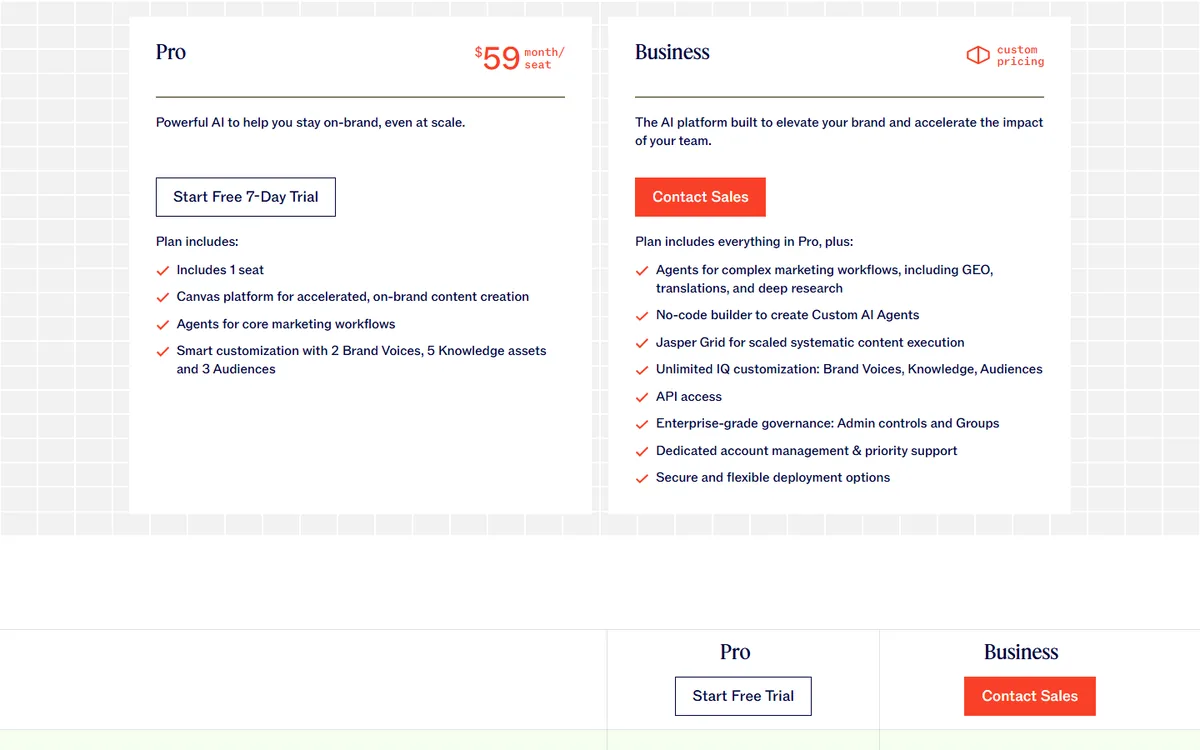
Jasper Pro is $59 per seat a month on a 12-month plan or $69 on monthly billing, and you can try it free for 7 days. Business pricing is custom and adds more seats, agents and admin features.
Jasper Reviews
- G2: score of 4.7 out of 5 (from +1,300 customer reviews)
- Capterra: score of 4.8 out of 5 (from +1,800 customer reviews)
Writer
The Enterprise Pick When Legal and Compliance Must Sign Off on AI Content
Writer is an enterprise generative AI platform with its own Palmyra models, a style guide engine, a knowledge graph of company data and no-code agents.
Writer is built for companies where a wrong word has a cost: banks, insurers, healthcare groups and large retailers with strict claims rules. You load your style guide, approved terms and banned claims, and Writer checks every draft against them. Its knowledge graph connects to your internal documents, so answers and drafts draw on your own approved material.
When I scope generative AI for regulated clients, Writer comes up because it answers the questions security and legal teams ask first. Where does the data go? Who can see which outputs? Can we stop the model from making product claims we can’t back up? Rolling it out still takes real work: connecting sources, setting rules and training reviewers, which is the stage my guide to generative AI implementation covers step by step. For a small team without compliance pressure, it’s more platform than you need.
What Writer Does Well
- Checks drafts against your own style and claims rules
- Answers draw on your approved company content
- Governance features suit regulated industries
What Writer Could Do Better
- Setup takes time before teams see value
- Heavier than small teams need
Writer Pricing
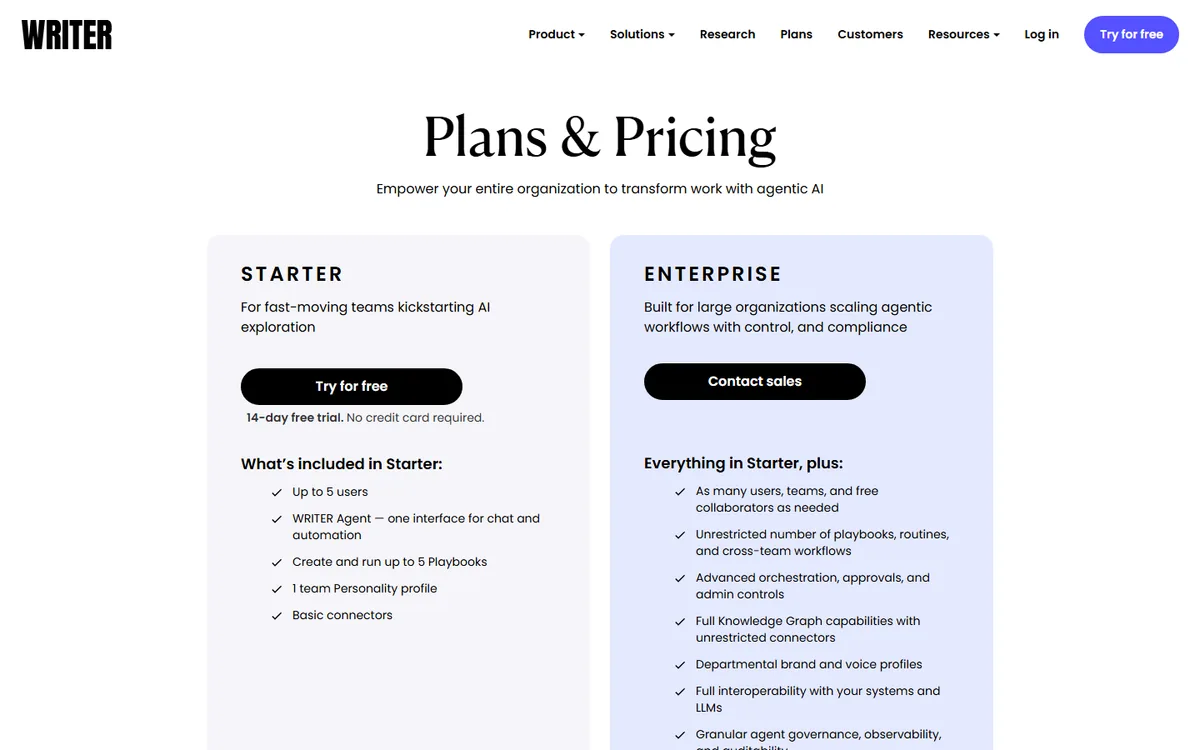
The Starter plan is billed per seat for up to five users, monthly or yearly, with a 14-day free trial that needs no credit card. G2 lists Starter at $29 per user a month. Enterprise is priced through sales, and nonprofits and schools get 20% off both plans.
Writer Reviews
- G2: score of 4.4 out of 5 (from +120 customer reviews)
- Capterra: score of 4.5 out of 5 (from 8 customer reviews)
Midjourney
The Image Generator With the Strongest Sense of Style and Mood
Midjourney is an image generator known for rich, art-directed visuals, used through its web app with tools for variations, style references and editing.
Put the same prompt into five image tools and Midjourney’s result is usually the one people stop on. It has a distinct eye for lighting, texture and composition. Art directors I work with use it for mood boards, campaign concepts and pitch visuals, where the goal is to show a feeling fast and refine later.
Style references are the feature that makes it useful in a business. You upload a few images that capture your look, and new generations follow that palette and feel, which keeps a series consistent. Midjourney’s web app has replaced most of the old Discord workflow, so onboarding a new designer is simpler than it used to be. Two cautions. Text inside images is still unreliable, so plan to add headlines in a design tool. And images are public by default on lower plans, which matters if you’re working on an unreleased product. Check the plan terms before a client project.
What Midjourney Does Well
- Striking visual quality with little prompting
- Style references keep a series consistent
- The web app is far easier than the old Discord flow
What Midjourney Could Do Better
- Lettering inside images is unreliable
- Lower plans share your images publicly
Midjourney Pricing
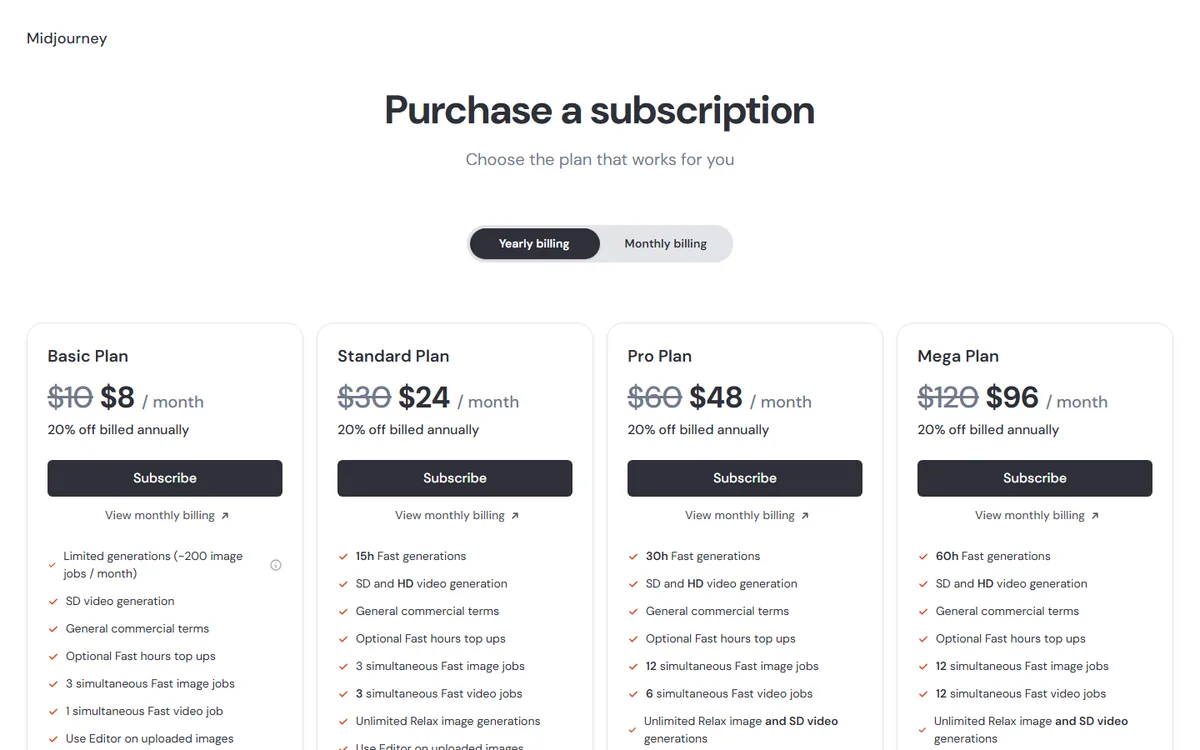
Midjourney is a paid subscription with several tiers that differ mainly in how much fast GPU time you get, and yearly billing costs less per month. Midjourney shows current prices inside your account, and I couldn’t confirm them for this update, so check the plans page before you subscribe.
Midjourney Reviews
- G2: score of 4.4 out of 5 (from +100 customer reviews)
Recraft
The Image Generator That Keeps a Brand Looking Like Itself
Recraft generates and edits images, vector graphics, icons and mockups, and lets you save your own visual style so every new image follows it. Paid plans add partner image models and, on Pro and up, video generation.
Most image generators are great at one striking picture and poor at the tenth picture in the same series. Recraft is the tool I hand to teams who need a set: a row of blog illustrations, an icon family for a product page or ten ad visuals that look like they came from one designer. You upload a few reference images or pick brand colors, save that as a style, and the whole team generates from it. It’s also one of the few generators that outputs real vector files, which your designer can open and adjust instead of tracing a flat image.
Editing tools cover the dull parts of image work. You can swap a detail, change the color palette, remove a background or upscale a draft without leaving the canvas. On paid plans you own the images and get commercial rights, and those images stay private. On the free plan, Recraft owns what you make, it’s public, and you can’t use it commercially, so don’t let staff build client work there. The trade-off is drama: for a single cinematic concept image, Midjourney still gives you more. Credits also go faster than you expect once partner models and upscales come into play, so watch usage in the first month.
What Recraft Does Well
- Saved styles keep a whole image series consistent
- Exports true vector files that designers can edit
- Commercial rights and private images on paid plans
What Recraft Could Do Better
- Single hero images look less dramatic than Midjourney’s
- Free plan output is public and not for commercial use
Recraft Pricing
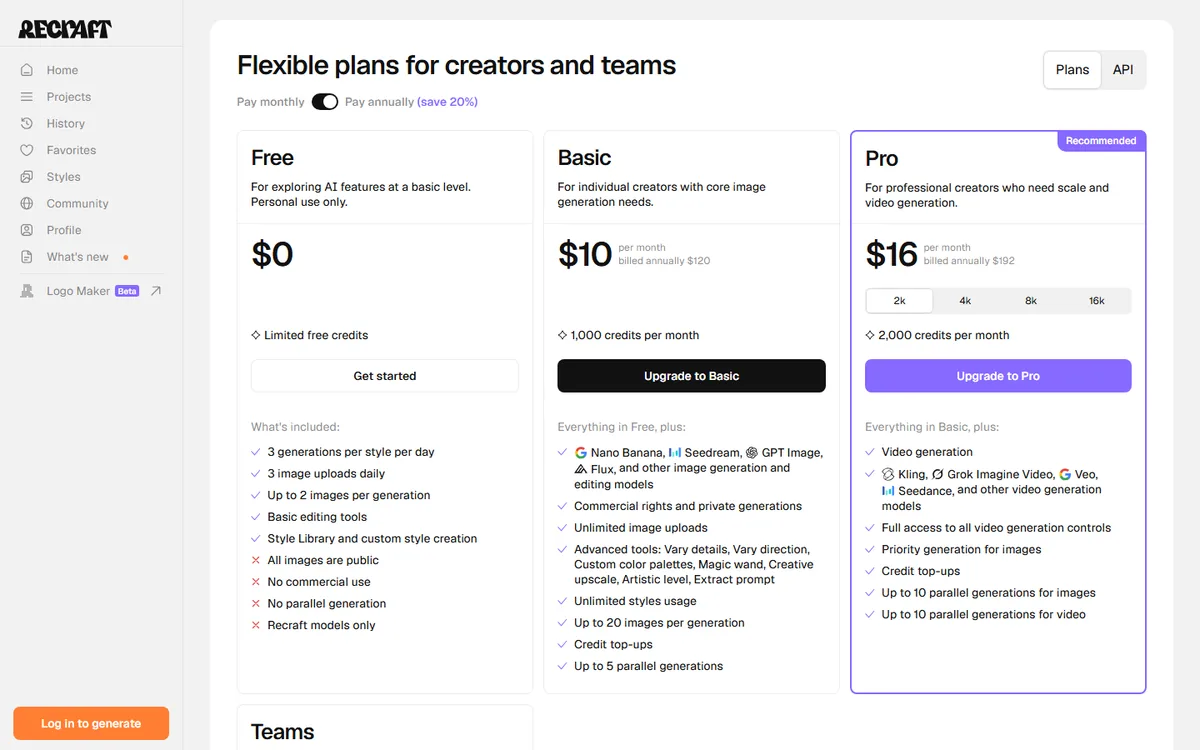
The free plan gives you a few generations a day for personal use only. Basic costs $12 a month for 1,000 credits, or $10 a month billed yearly. Pro costs $20 a month for 2,000 credits and adds video generation, or $16 a month billed yearly. Teams costs $22 per seat a month, or about $18 per seat billed yearly, and adds a shared workspace, shared styles, centralized billing and single sign-on. Prices exclude VAT, and you can buy top-up credits on any paid plan.
Recraft Reviews
- G2: score of 4.7 out of 5 (from +450 customer reviews)
Canva
The Shortest Path From a Generated Image to a Post You Can Publish
Canva is a design platform with built-in AI for generating images, writing copy, resizing designs and turning prompts into first-draft layouts.
Canva sits third in the image group for a simple reason. Its image generation is fine, but nothing special. What it does better than any other tool here is finish the job. A generated picture is only half of a social post. You still need your logo, fonts, a headline and five sizes for five channels. Canva handles all of that in one place, and Magic Resize turns a square post into a story, banner and slide in a click.
For teams without a designer, it’s the tool I see stick. Brand Kits lock in colors, fonts and logos, so a sales rep can make a decent one-pager without breaking the look. You can also bring images from Midjourney or Recraft into Canva and finish them there, which is a workflow I set up often. Where it falls short is depth: serious photo editing and complex layouts still belong in Adobe’s tools.
What Canva Does Well
- Turns raw images into finished, on-brand designs
- Resizing for every channel takes one click
- People without design training get decent results
What Canva Could Do Better
- Generated images are average next to dedicated tools
- Limited for detailed photo editing
Canva Pricing
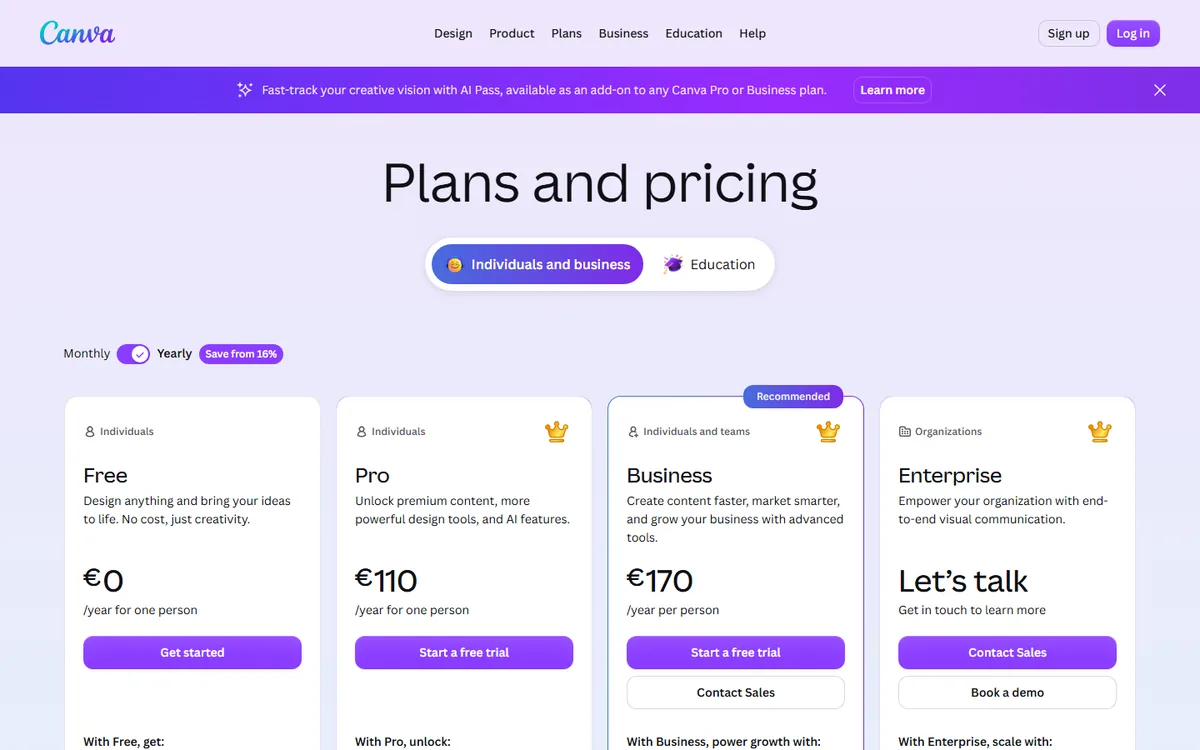
Canva Free costs nothing. Canva Pro, for one person, costs $144 a year (about $12 a month) or $18 on monthly billing. Canva Business is $250 per person a year or $25 per person each month, and you pay only for people who accept your invite. Enterprise is quoted through sales.
Canva Reviews
- G2: score of 4.7 out of 5 (from +8,300 customer reviews)
- Capterra: score of 4.7 out of 5 (from +13,400 customer reviews)
Runway
The Most Complete Toolkit for Generating and Editing Video Clips
Runway is an AI video platform that generates clips from text or images, edits existing footage with prompts and offers tools for consistent characters and scenes.
Runway is where I send teams who want generated footage that can sit next to real footage. Its models turn a still image or a short prompt into a clip, and its editing tools change existing video: a new background, different lighting, a removed object, a restyled scene. For marketing teams, the most common use I see is b-roll. A product launch needs ten seconds of a city at dawn or an abstract texture behind a title, and stock libraries never have quite the right shot.
Keeping a character or product consistent across shots used to be the big weakness of AI video, and Runway has put real work into it with reference images. It’s still not a replacement for a shoot. Clips are short, hands and text can warp, and you’ll generate several versions to get one keeper, which eats credits. Budget for that waste up front. Teams that treat Runway as a sketch pad for ideas get far more from it than teams expecting finished ads.
What Runway Does Well
- Generation and video editing in one place
- Reference images help keep subjects consistent
- Great for custom b-roll and concept clips
What Runway Could Do Better
- Failed takes burn through credits quickly
- Clips are short and fine detail can warp
Runway Pricing
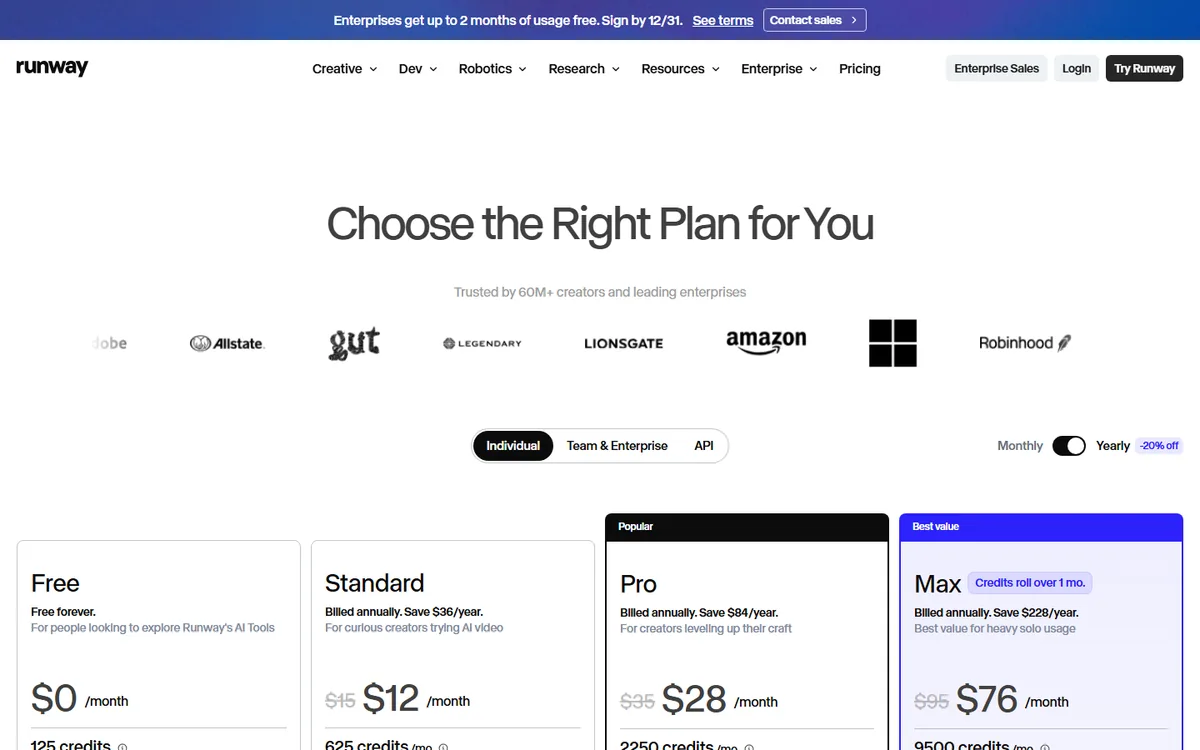
Runway’s free plan includes 125 one-time credits that don’t expire. Standard costs $15 a month or $12 a month billed yearly, with 625 credits each month. Pro is $35 a month or $28 yearly with 2,250 credits, and Max is $95 a month or $76 yearly with 9,500 credits.
Runway Reviews
- G2: score of 4.0 out of 5 (from +20 customer reviews)
Synthesia
The Steadiest Choice for Training and Internal Video at Company Scale
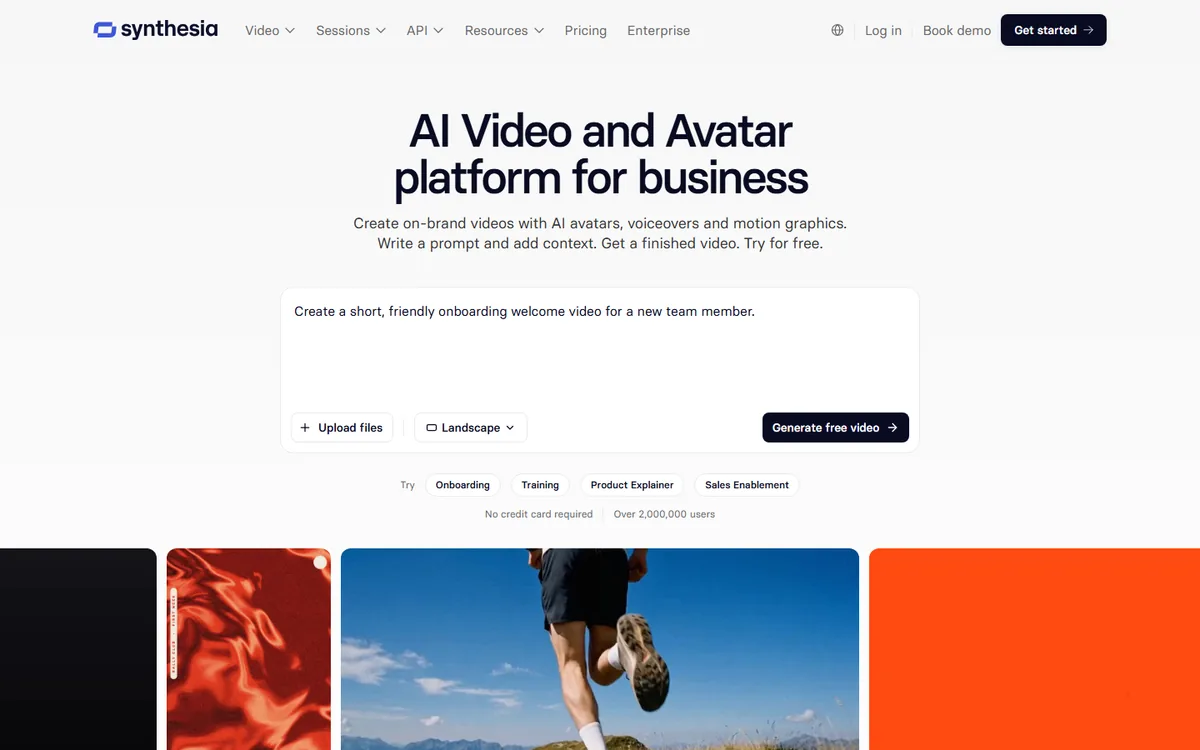
Synthesia turns a typed script into a video with an AI presenter, in many languages, with templates, screen recording and team workspaces.
Synthesia solves a boring, expensive problem. Training and onboarding videos go out of date every time a process or product changes, and reshooting them with a real presenter is slow. With Synthesia you edit the script, regenerate and the video is current again. L&D teams I work with like it most for compliance refreshers, software walkthroughs and policy updates, especially when the same content has to go out in several languages.
The avatars look polished and the editor feels like a slide tool, so trainers pick it up quickly. You can create a custom avatar of a real person, with their consent, which helps when staff expect to see a familiar face from leadership. The limits are tone and range. Avatars still look a little stiff for emotional or high-energy content, and customization options are narrower than some users want. For customer-facing marketing clips, HeyGen often feels livelier.
What Synthesia Does Well
- A quick script edit brings an old video up to date
- Strong support for many languages
- Slide-like editor that trainers learn fast
What Synthesia Could Do Better
- Avatars feel stiff for emotional content
- Fewer avatar customization options than some users want
Synthesia Pricing
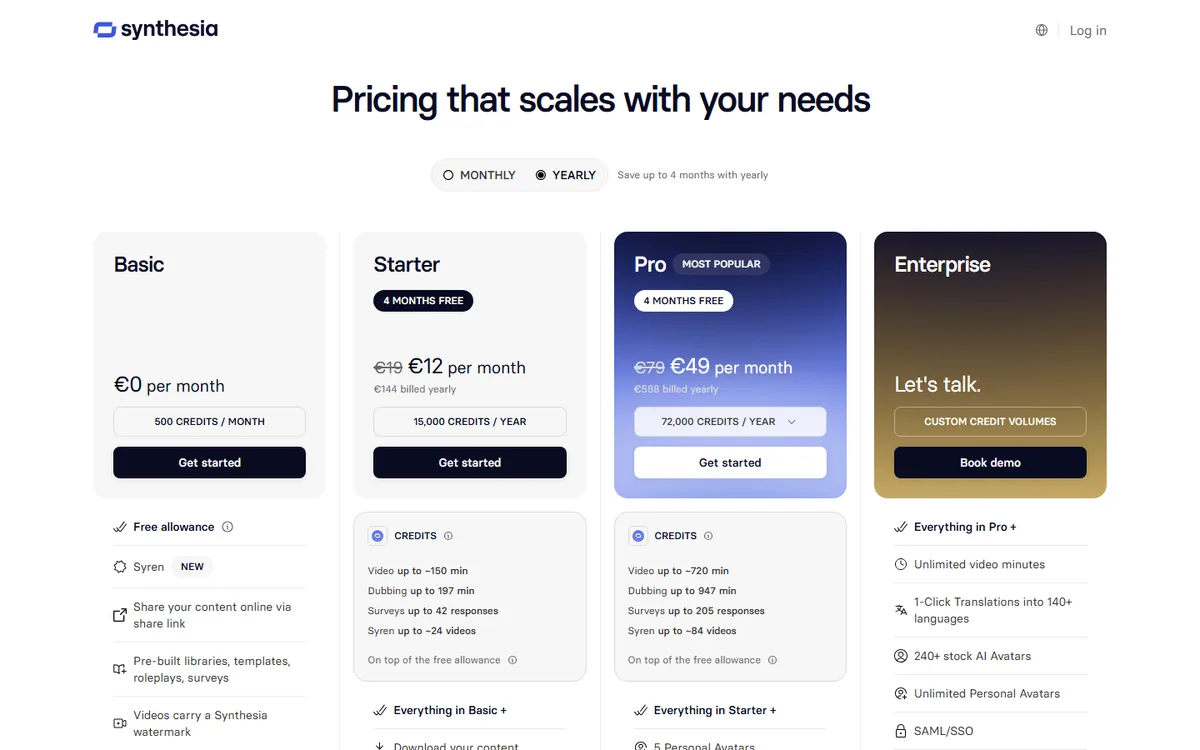
The free Basic plan includes 10 minutes of video a month. Starter costs $19 a month on monthly billing or $14 a month billed yearly ($168 a year). Pro costs $89 a month or $59 a month billed yearly ($708 a year). Enterprise is custom priced, and Synthesia sometimes runs first-month discounts on monthly plans.
Synthesia Reviews
- G2: score of 4.6 out of 5 (from +2,700 customer reviews)
HeyGen
The Liveliest Avatar Videos for Marketing, Sales and Translation
HeyGen creates talking avatar videos from a script or photo, translates existing videos with lip sync and offers a video agent that drafts whole clips from a prompt.
HeyGen is the avatar tool I suggest for outward-facing content. Its avatars move and gesture more naturally than most, which matters when a viewer decides in two seconds whether to keep watching. Sales teams use it for personalized prospect videos. Marketing teams use it for product explainers and social clips with a consistent host who never needs a reshoot.
Video translation is the feature that wins most demos I sit in on. You upload a real recording of your founder, pick a language and HeyGen produces a version where the voice and lip movements match the new language. For companies selling across markets, that cuts localization from weeks to an afternoon. Two things to watch: likeness rights and plan limits. Get written consent before you clone anyone’s face or voice, and check the plan caps on video length and resolution before you build a big campaign around it.
What HeyGen Does Well
- Avatars look and move more naturally than most
- Video translation keeps voice and lip sync aligned
- Free plan is generous enough for a real test
What HeyGen Could Do Better
- Plan limits on length and quality add up fast
- Team pricing climbs quickly with extra seats
HeyGen Pricing
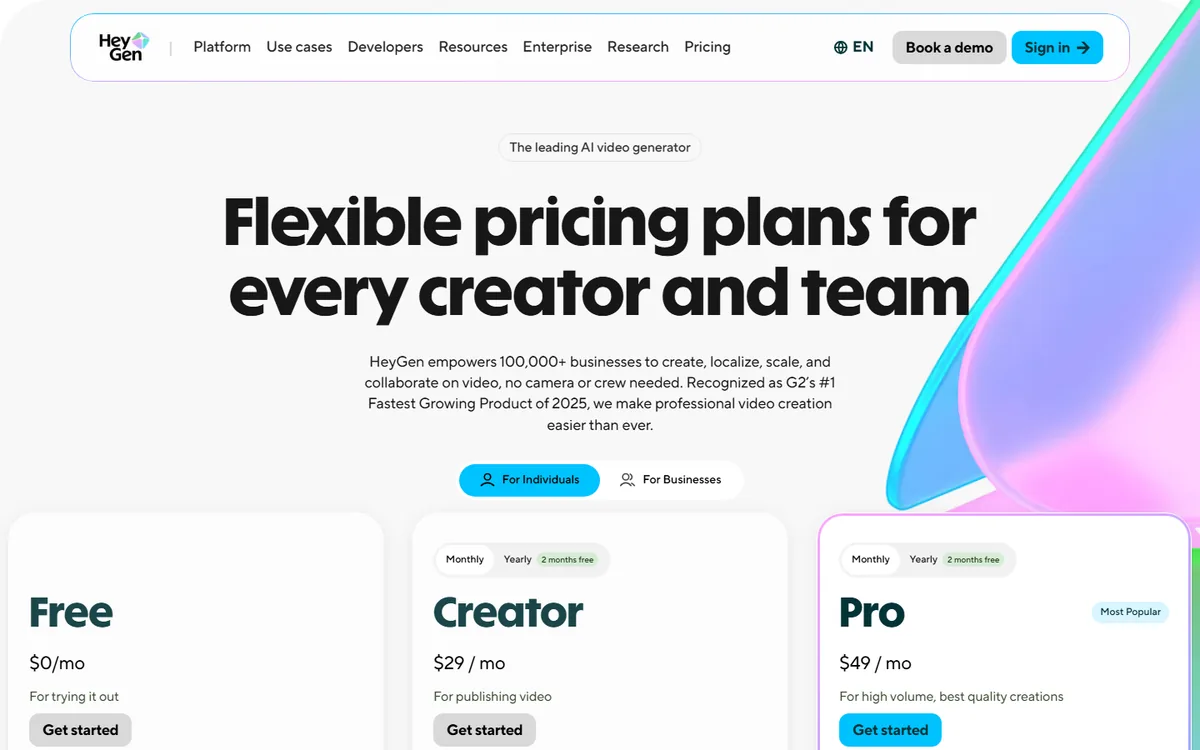
HeyGen’s free plan includes up to three watermarked videos a month, each up to one minute. Creator costs $29 a month or $24 a month billed annually. Pro is $49 a month, and Business is $149 a month plus $20 for each extra seat. Yearly billing on paid plans gives you two months free, and Enterprise is priced through sales.
HeyGen Reviews
- G2: score of 4.8 out of 5 (from +1,800 customer reviews)
ElevenLabs
The Most Natural AI Voices for Voiceovers, Audiobooks and Dubbing
ElevenLabs generates speech from text in many languages, clones voices with consent, dubs video and creates sound effects and music.
If your content needs a voice, ElevenLabs is my first pick. Its voices handle pauses, emphasis and emotion well enough that most listeners don’t notice on a short clip. Teams use it for explainer voiceovers, audio versions of blog posts, course narration and product videos that need a quick script change without booking a voice actor again.
The voice library is large, and you can design a new voice or clone your own from a sample. A consistent brand voice across every video and audio clip is a small detail that makes content feel more professional. Dubbing extends the same idea to existing video in other languages. The weak spots: long scripts need checking for odd pronunciations of product names, and the credit system takes some planning once several people start generating. I’d also set a clear internal rule on whose voices may be cloned before anyone uploads a sample.
What ElevenLabs Does Well
- Voices sound natural, with good pacing and emphasis
- Large voice library plus custom and cloned voices
- Dubbing reuses video across languages
What ElevenLabs Could Do Better
- Brand and product names often need pronunciation fixes
- Credits run out quickly on long scripts
ElevenLabs Pricing
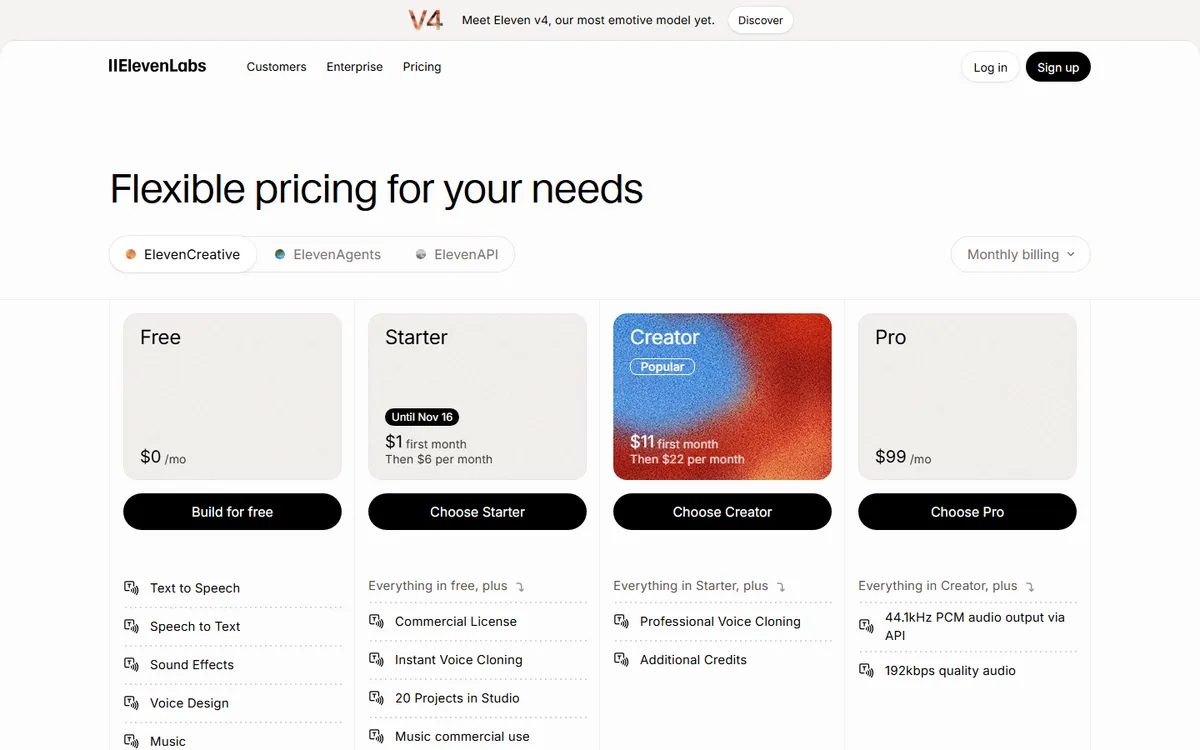
The free plan includes 10,000 credits a month. Starter costs $6 a month with 30,000 credits, Creator $22 with 121,000 credits, Pro $99 with 600,000 credits, Scale $299 and Business $990. Starter and Creator have a discounted first month, annual billing gives two months free, and Enterprise is custom.
ElevenLabs Reviews
- G2: score of 4.5 out of 5 (from +1,100 customer reviews)
Descript
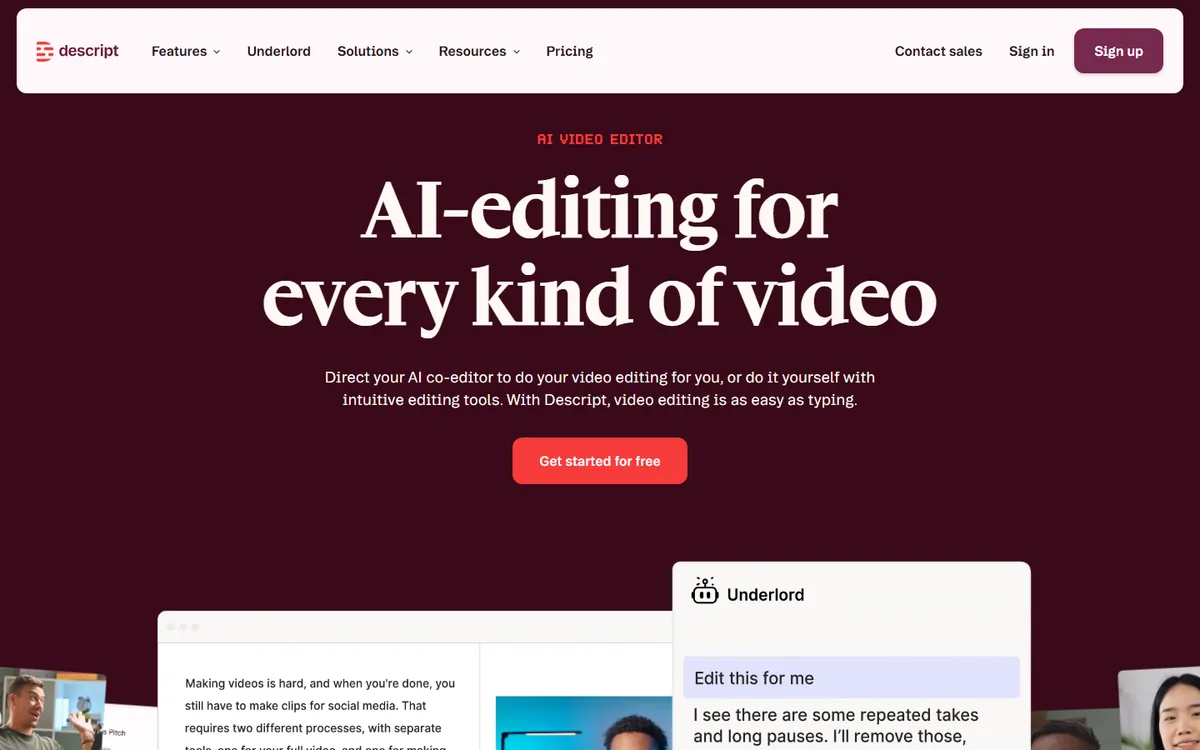
The Best Way to Fix and Repurpose Spoken Content Without an Audio Engineer
Descript edits audio and video through the transcript, with AI voice regeneration, studio sound, clip creation and an AI co-editor called Underlord.
Descript earns its spot in the audio group for what it does after the recording. Say your CEO stumbles over a product name in an otherwise perfect podcast take. With Descript you fix the word in the transcript and its AI voice regenerates it in the speaker’s own voice, with their consent. Studio Sound cleans up a recording made in a noisy office so it sounds closer to a booth.
The other half of its value is reuse. One hour-long webinar can become a dozen short clips with captions, which Underlord can suggest and cut for you. Content teams with a podcast or video series get several weeks of social posts from a single session. I’d keep Descript for spoken content, though. It isn’t a generator for music or effects, and heavy multi-track projects can feel sluggish. Pair it with ElevenLabs if you need fully synthetic voiceovers from a script.
What Descript Does Well
- Fix a spoken mistake by editing a word in the text
- Studio Sound rescues rough recordings
- Turns long sessions into many captioned clips
What Descript Could Do Better
- Big multi-track projects can lag
- Focused on spoken content, with no music generation
Descript Pricing
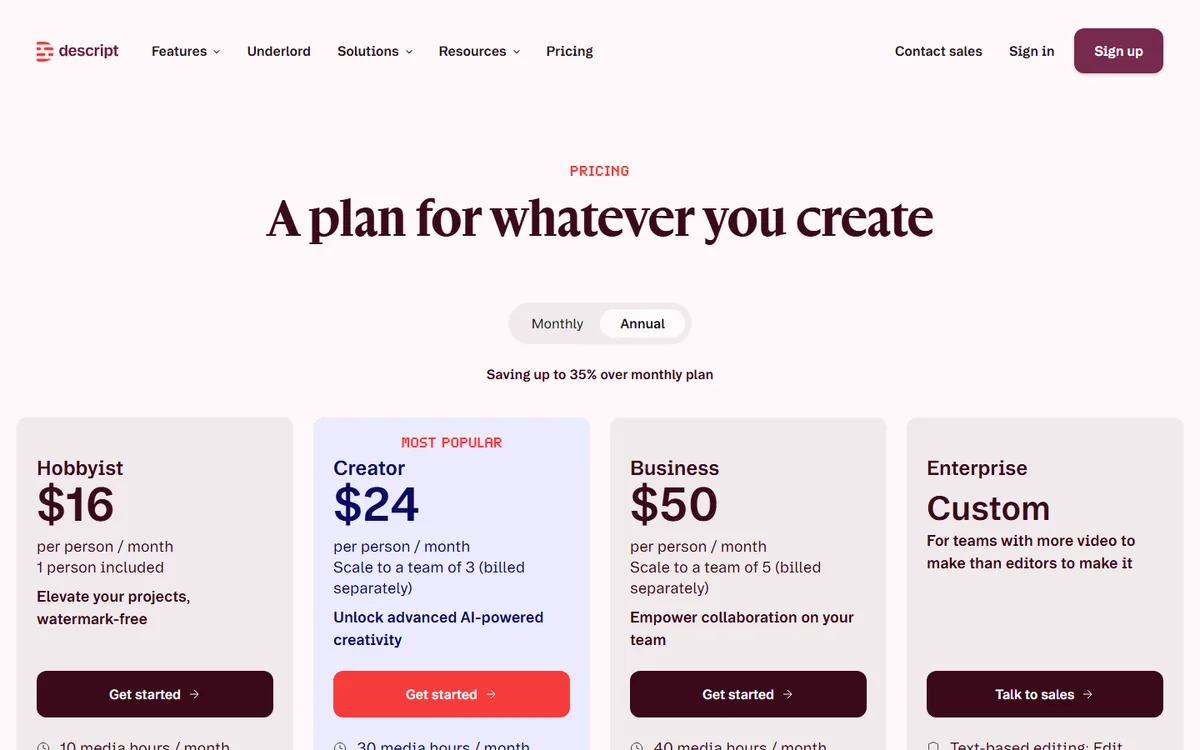
One person can use Descript on the free plan. Hobbyist is $16 per person a month on yearly billing or $24 monthly, Creator is $24 yearly or $35 monthly, and Business is $50 yearly or $65 monthly per person. Enterprise goes through sales, and Descript says yearly billing saves up to 35%.
Descript Reviews
- G2: score of 4.6 out of 5 (from +930 customer reviews)
- Capterra: score of 4.6 out of 5 (from +180 customer reviews)
Check Whether a Generative AI Tool Pays for Itself
Content work is easy to measure in hours. Enter the time your team spends each month on drafting, design, video or voiceover work that a tool could take on, plus the monthly cost of the plan, and you’ll see a rough yearly return. Be honest about review time, since generated content still needs a human pass. For a fuller method with baselines and quality checks, see my breakdown of generative AI ROI.
Will It Pay for Itself?
Move the sliders to match the work you want to automate and the plan you are considering.
How to Choose a Generative AI Tool for Your Team
I’ve watched companies buy six tools in a quarter and use two. The fix is to start from what you publish, then work backward to the tool. Before you compare vendors, answer these four questions:
- Which medium do you publish most: written content, visuals, video or audio?
- Where does finished content end up, and which apps does your team already pay for?
- What can’t go wrong: brand claims, likeness rights, data privacy or legal review?
- Who reviews AI output before it goes out, and how much time do they have?
For text, most teams need one general assistant, and the choice comes down to ChatGPT for range, Claude for long writing or Gemini and Copilot if your files live in Google or Microsoft. Add Jasper or Writer only when volume or compliance makes a shared brand layer worth the price. For images, start with Canva if you lack a designer, Recraft if every visual has to match your brand and Midjourney if look and feel come first. For video, pick Runway for generated footage and Synthesia or HeyGen for presenter videos. For audio, ElevenLabs creates voices and Descript polishes recordings.
Last, test with your own material. Give two tools the same real brief, compare the output side by side and count the edit time. That one afternoon will tell you more than any feature list.
Questions About Generative AI Tools
What Is the Best Generative AI Tool Overall?
For most teams, ChatGPT is the best single generative AI tool because it writes, reads files, makes images and searches the web from one chat. Claude is my pick if most of your work is long-form writing or long documents. Both have free plans, so test them on the same task for a week and keep the one your team reaches for.
Which Generative AI Tool Is Best for Images?
It depends on the job. Midjourney gives the most striking looks for concepts and mood boards. Recraft is the better choice for brand work, because saved styles keep a whole series of images and vectors consistent. Canva is the fastest route from a generated image to a finished social post or slide.
Which Generative AI Tool Is Best for Video?
For short generated clips and b-roll, I start with Runway. For training, onboarding and explainer videos with a talking presenter, Synthesia and HeyGen are better fits, since you type a script and an AI avatar reads it. HeyGen is quicker for marketing clips, and Synthesia suits structured company training.
Are There Free Generative AI Tools Worth Using?
Yes. ChatGPT, Claude, Gemini, Perplexity, Recraft, Canva, ElevenLabs, Descript, Synthesia, HeyGen and Runway all have free plans or free credits. They’re good enough to test a real task. Paid plans add higher limits, better quality settings, team features and, in many cases, terms that keep your business data out of model training.
Can My Company Use AI-Generated Content Commercially?
Usually, yes, but the terms differ by tool and by plan. Read each vendor’s terms on ownership and commercial use, check what the free plan allows, and keep a person in charge of reviewing output for accuracy, likeness rights and trademarks. Rules on AI content and copyright are still changing, so check the current status in your market.
How Many Generative AI Tools Does a Business Need?
Fewer than you think. In my client work, most teams do well with one general assistant for text plus one specialist tool for the medium they publish most, such as Canva for design or Descript for video. Add a third tool only when a clear, repeated task justifies it.
How Do I Stop Staff from Pasting Sensitive Data into AI Tools?
Give them an approved tool on a business plan, so they don’t turn to personal accounts. Then write a one-page rule that names what can’t go into any AI tool, such as client personal data or unreleased financials. Short training with real examples from your own work helps more than a long policy nobody reads.
Disclaimer: Prices, plans, credits and ratings change often. We checked them at the last update, so confirm them with each vendor before buying. This is not legal or financial advice.
Did you find this helpful?
Thank you for your feedback.
Marlena leads the WiseCrow editorial team and works with our consultants to turn real client projects into practical guides on AI strategy, automation and governance. Before joining WiseCrow, she spent 12 years in B2B operations and SaaS content. She has since edited more than 400 articles on AI and automation and reviewed workflows from over 60 client projects. She is based in Austin, Texas.