Summary
- Split AI governance into four policies you write down and five controls that leave records. Each control should enforce at least one policy.
- Define done for every point before you start, and write down the evidence that would prove it to an outsider.
- Let risk tiers decide how heavy each control is, so a meeting summarizer and a credit model never get the same review.
- Review all nine points every quarter. A point without fresh evidence goes back to open, however good the policy reads.
When a company asks me to “sort out AI governance,” the first thing I ask for is proof. Show me the policy staff acknowledged, the list of AI systems and the last approval someone signed. Most companies can hand me the policy. Very few can hand me the rest. The nine points below are the policies and controls I set up in AI data governance consulting projects, and each one ends in something you can show a board, an auditor or a customer.
Points 1 to 4 are policies, the rules you write down. Points 5 to 9 are controls, the routines that make those rules happen and leave a trail. For every point you’ll get a plain test for done and the evidence worth keeping. Further down, a second table shows how each point shrinks or grows with the size of your company.
All 9 Points With What Done Looks Like
Fill in the owner column with real names before you start. A job title in that column tends to mean nobody, because everyone with that title assumes someone else has it.
| Point | Done when | Evidence | Owner |
|---|---|---|---|
| 1. AI use policy | Approved and acknowledged | Signed version, read receipts | Governance lead |
| 2. Risk tiering rules | Tiers trigger controls | Method, tier rationale | Risk lead |
| 3. Data rules for AI | Sources approved per use | Approved source list | Data owners |
| 4. Owners and training | Names, not job titles | Owner list, course records | Executive sponsor |
| 5. AI system register | Every system listed | Quarterly exports | Governance lead |
| 6. Vendor AI review | Review before signing | Questionnaires, clauses | Procurement |
| 7. Human oversight | Approvers and stop switch | Approval and override logs | System owner |
| 8. Testing and monitoring | Thresholds set in advance | Test reports, review notes | Technical owner |
| 9. Incident handling | Logged and rehearsed | Incident log, exercise notes | System owner |
The owner column is my default split for a mid-sized company. In a small one, the same person may hold four of these roles.
The nine points line up with the big frameworks without copying any of them. The NIST AI Risk Management Framework is voluntary and groups its activities into four functions: govern, map, measure and manage. ISO/IEC 42001 sets requirements for an AI management system, and companies can get certified against it. Both expect named roles, documented risk decisions and records showing the controls run. The checklist builds those basics. It won’t make you certified or compliant on its own.
The EU AI Act has been adopted and is in force. It sorts AI by risk, bans some practices and puts duties on providers and deployers of high-risk systems, among them human oversight, logging and staff who understand the AI they work with. Parts of its timeline have been revisited since adoption, so check the current status of each obligation before you plan around it.
Policies You Write Down: Points 1 to 4
A policy sets a rule and names who answers for it. Keep each one short enough that people actually read it. The AI policies I see followed fit on two or three pages, with templates and detailed standards linked underneath.
Publish an AI Use Policy People Can Act On
The policy should answer five things in plain words. Which AI tools are approved. Which uses are off limits, such as fully automated decisions about hiring or credit without a human in the loop. How someone asks to use a new tool or start a new AI project. When people must say that AI wrote or shaped something. And who to ask when they’re unsure. Done means a named executive approved it, it has a version number and a review date, it sits where people work, and everyone who uses AI has acknowledged it.
Keep the approved version with its approver and date, a short change log and the acknowledgement records from your HR or learning system. To confirm the policy reaches people, pick three recent hires and check that they acknowledged it in their first weeks. At one 300-person logistics company, the policy lived in a legal folder only legal could open. Everyone else had seen a single slide about it at a town hall.
Set Risk Tiers That Switch Controls On
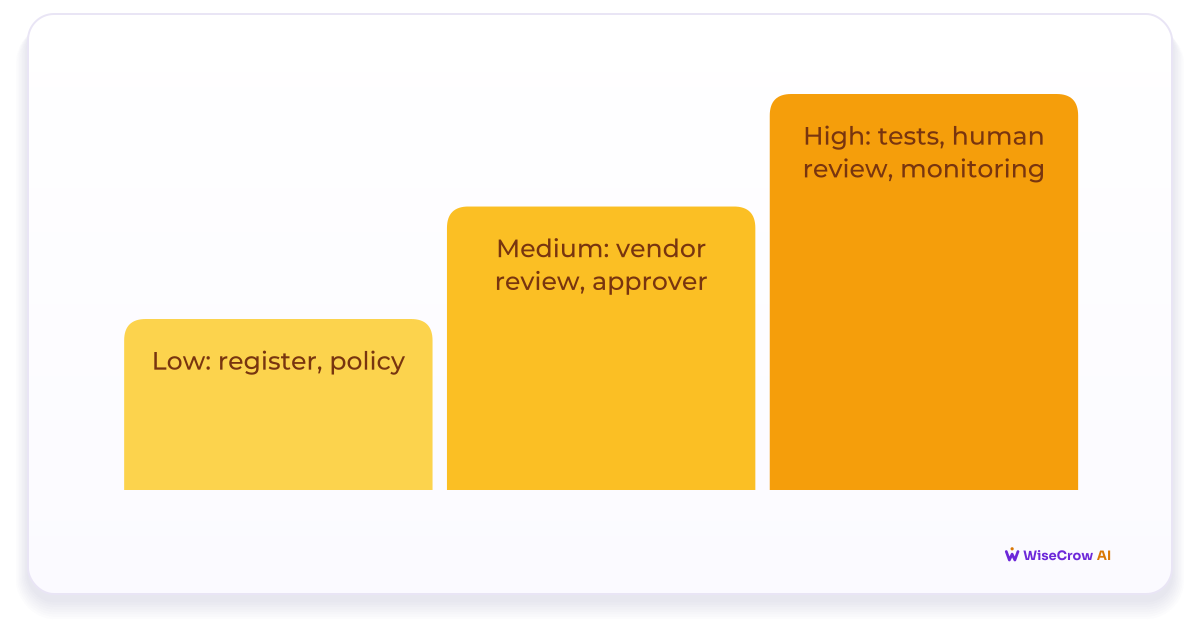
A tier is only useful if it changes what happens next. Write your criteria, add a short list of uses you won’t allow at all, then build a small matrix saying which of points 3 and 5 to 9 apply at each tier. A low-tier tool might need a register entry and the policy. A medium tier adds a vendor review and a named approver. A high tier adds an impact assessment, tests against agreed thresholds, human review of individual decisions and monthly monitoring.
Done means the method is approved, every system has a tier with a one- or two-sentence reason, and a change in use triggers a re-tier. File the method, the reasons and the re-tier records. My favorite test takes ten minutes. Give two people the same three systems and ask them to tier each one on their own. If their answers differ, the criteria are too vague to run.
Write Data Rules for Training, Retrieval and Prompts
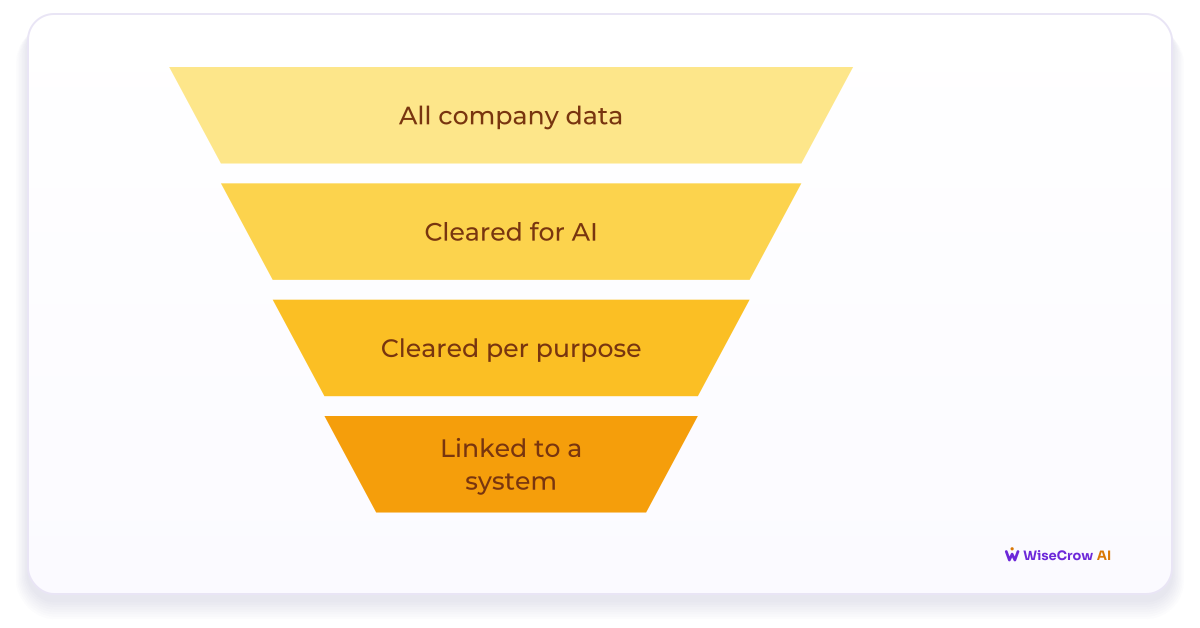
Your data classification probably predates AI. Extend it to three uses: data that may train or fine-tune a model, data that may be indexed for an assistant to search, and data that may be typed into prompts. Then keep an approved source list, meaning the datasets and document stores cleared for AI use, each with the owner who cleared it and the purpose it was cleared for. Purpose matters. Data collected to bill customers isn’t automatically cleared for training a marketing model, and your privacy team may need to check the legal basis.
Done means the rules are in the policy or a linked standard, the source list exists, and every system on the register points to sources on that list. Keep the list with dates and approvers, plus a one-page data sheet for each high-tier system. To verify, trace every source of your riskiest system back to the list. One sales assistant I reviewed had indexed an old shared drive full of draft contracts. It quoted prices the company had dropped two years earlier.
Name the Owners and Train Each Role
Write down five roles with real names: an executive sponsor, a governance lead who runs the program, a business owner for each system, a technical owner for each system and the group that decides high-tier cases. Missing owners sit at the top of my list of AI governance accountability gaps, and they’re the cheapest to fix. Training then follows the role. Everyday users learn the policy, the data rules and how to report a problem. Builders and buyers learn tiering, testing and vendor review. Approvers learn what to look for and when to say no.
Done means every role has a name, the decision rights are written and each person finished the training for their role. Keep the owner list with its last update date, course completion by role and minutes from governance meetings that record decisions. Then pick one system at random and ask its owner three questions: what tier is it, when was it last reviewed and what happens if it fails tonight. An owner who can’t answer was named and never briefed.
Controls That Prove the Policies Work: Points 5 to 9
Policies say what should happen. Controls show that it did. Each point below names the policy it enforces, so a gap on one side tells you where to look on the other. Expect these five to take most of your effort, since they have to keep running long after the policy meeting ends.
Keep an AI System Register With a Clear Inclusion Rule
Most registers fail on scope. Before you list anything, write one sentence on what counts: any built or bought system that uses a model to generate content, classify, predict or recommend, pilots included. Then give each entry the same fields: purpose, business owner, technical owner, vendor and model, data sources from point 3, tier from point 2, status and last review date. Retired systems stay on the list with a retirement date, because questions about a decision can come up long after the system is gone.
Done means every entry is complete, tiered and reviewed within the last quarter. Save a dated export each quarter, which gives you a history nobody can rewrite after the fact. To test coverage, ask three department heads which AI they use each week and check every answer against the register. The register is also where the other points meet, so a blank field usually points to a policy nobody applied.
Review Vendor AI Before Anyone Signs
Most AI in a mid-sized company arrives through procurement, so put the review there. Size it by tier. A low-tier tool gets a short questionnaire. A high-tier one gets documentation, test results and contract terms on data use, model changes and your right to ask questions later. Renewals count as purchases too. A tool you signed three years ago may have added AI features since, and the renewal is your chance to review them.
Done means no AI purchase or renewal clears procurement without the AI section filed. Keep the completed questionnaire, the contract clause references and the reviewer’s decision. To check, pull the last five software contracts signed or renewed and see which ones include AI and which of those got the review. One client found its biggest AI exposure in a renewal: an HR platform that had added candidate ranking since the last signature.
Define Approval Rights and Human Oversight
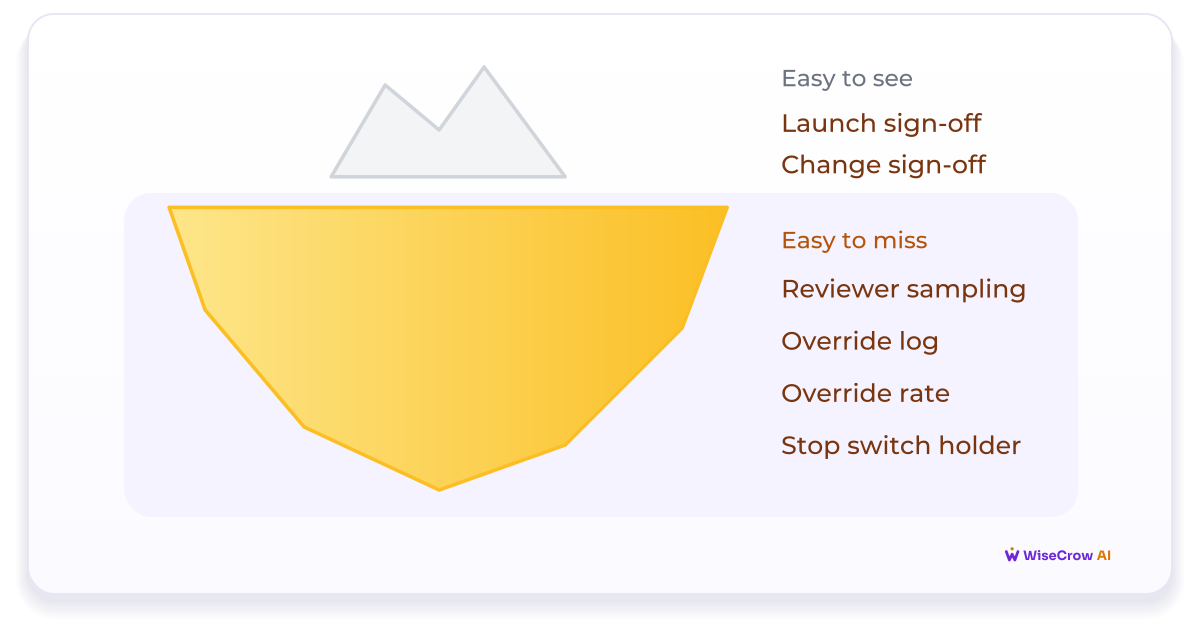
Oversight has two layers. The first is approval: who signs a launch or a major change at each tier. The second is the running system: who reviews which outputs, before or after they take effect, and who can override a result or switch the system off. Reviewers need time, training and the authority to disagree with the model. A reviewer handling 400 cases a day with a two-minute target will agree with the model almost every time.
Done means approval rights per tier are written, each high-tier system has an oversight design and the stop switch has a named holder. Keep launch and change approvals with names and dates, an override log and the override rate over time. A rate near zero for months can mean a great model or a rubber stamp. Sit with a reviewer for an hour and you’ll know which.
Test Against Thresholds, Then Keep Watching
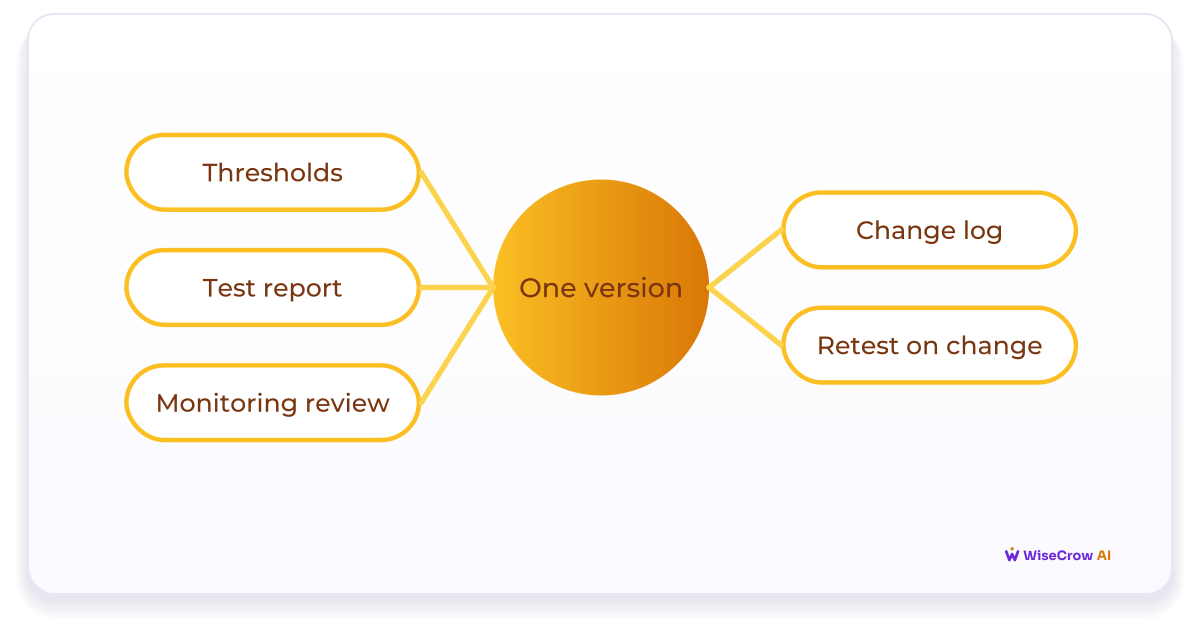
Set acceptance thresholds before the tests run, or they’ll drift to match whatever the results say. For medium and high tiers, that means the accuracy you need, the error types that matter most and fairness checks where people are affected. After launch, pick a few metrics per system, a review rhythm and a named reviewer. Treat a model swap, a prompt change or a new data source as a change that needs a fresh test.
Done means every medium and high-tier system has thresholds on file, a passing test report for the version in production and monitoring reviews on schedule. Keep test reports tied to version numbers, review notes with decisions and the change log. The quickest check compares the version running today with the version in the last test report. At an insurance client, those two didn’t match for four months after a vendor quietly updated its model, and letters to customers had grown noticeably blunter.
Handle AI Incidents Through One Rehearsed Process
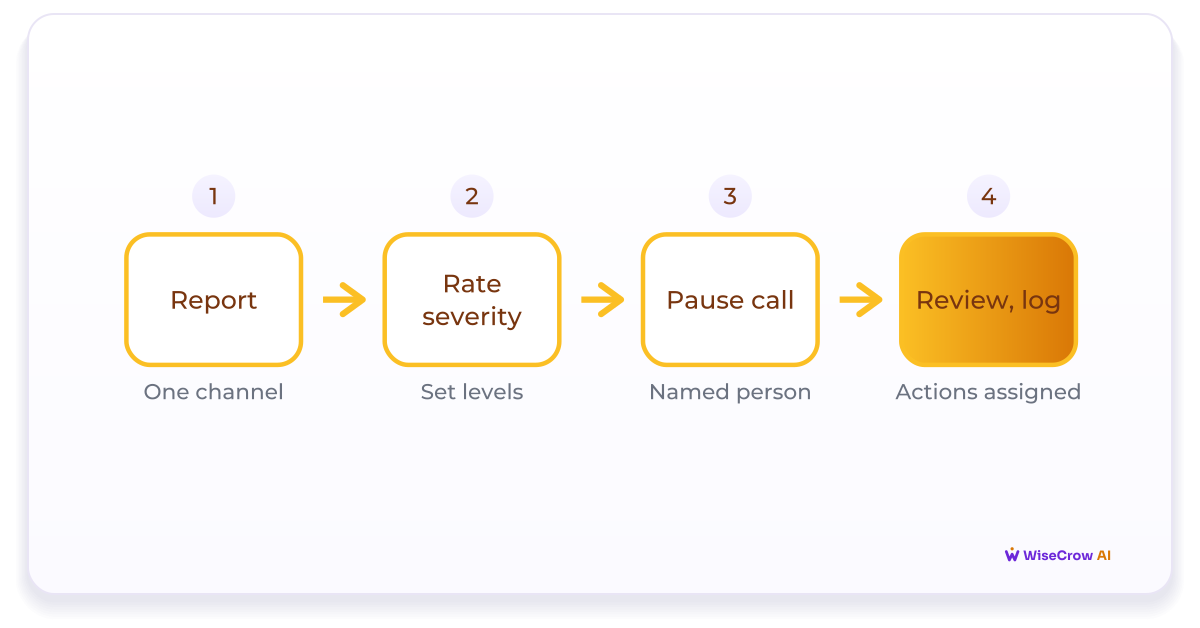
Start with a definition people can apply. An AI incident is a harmful or wrong output that reached someone, data exposed through an AI tool, a decision nobody can explain or a system used outside its approved purpose. Give staff and customers one channel to report it, set severity levels and name who can pause a system. Decide in advance who chooses, together with legal, if customers or regulators need to hear about it. Plug all of it into your existing incident and privacy breach processes, so AI doesn’t get a separate world.
Done means the definition sits in the policy, the log is in use and the process has been rehearsed in the last year. Keep the log, near misses included, the post-incident reviews with their actions and notes from the rehearsal. An empty log after a year of real AI use isn’t good news. It usually means people don’t know what to report or where to send it.
Sign-Off Lines for Your Quarterly Review
Read these out at each quarterly governance meeting. A line gets ticked only when the evidence for it is already in the folder. Anything else goes back to open, with an owner and a date.
- The current AI use policy is approved and acknowledged by every AI user.
- Each system has a tier, a written reason and the controls its tier requires.
- Every data source behind an AI system is on the approved list.
- Every governance role has a current name and finished training.
- The register matches what department heads say they use.
- Every AI purchase or renewal this quarter has a filed review.
- Approvals and overrides for high-tier systems are logged.
- The version in production matches the last passing test report.
- The incident log is in use and the process was rehearsed this year.
How Each Point Scales With Company Size
Every point applies to a small company too, in a lighter form. A 60-person firm with four AI tools needs a register just as much as a bank does. It just doesn’t need software to keep it.
| Point | Under 100 staff | Over 1,000 staff |
|---|---|---|
| 1. AI use policy | Two pages, one owner | Policy plus standards |
| 2. Risk tiering rules | Two tiers | Three or four tiers |
| 3. Data rules for AI | A section of the policy | Separate data standard |
| 4. Owners and training | One person, several roles | Committee, role courses |
| 5. AI system register | Shared spreadsheet | Governance platform |
| 6. Vendor AI review | Five questions | Full AI questionnaire |
| 7. Human oversight | Owner approves | Approvals by tier |
| 8. Testing and monitoring | Spot checks per release | Automated tests, dashboards |
| 9. Incident handling | Shared inbox, one log | Linked to incident tooling |
Between those two ends, most mid-sized companies I work with keep the policy short, run three tiers and stay on a spreadsheet register until it passes roughly fifty entries. My contrarian view on tooling: I’d take a spreadsheet register updated every month over a governance platform nobody has touched since the rollout. Buy the platform when the manual work starts eating real hours, and not before.
Sequencing matters more than size. Policies 1 and 2 come first, since every control refers back to them. The register follows, then vendor review, because that’s where new AI keeps arriving. Testing and monitoring take longest to produce evidence, so start them early even if they mature last. If you need to spread all nine over a year, my 12-month AI governance roadmap lays out the phases.
Choosing Your Starting Point
You won’t close nine points in a month, and you shouldn’t try. Pick your first three by what worries you most today:
- Staff use AI tools and nobody has written anything down: points 1, 4 and 5.
- AI helps decide about customers, applicants or patients: points 2, 7 and 8.
- Most of your AI comes from software vendors: points 6, 3 and 5.
- Something already went wrong with an AI output: points 9, 7 and 4.
- A customer or partner sent an AI questionnaire: points 1, 5 and 6.
Then decide who builds it. An internal team can write the policies well, especially with legal and privacy in the room. Controls are where outside help tends to save time, because the hard part is fitting them into release processes, procurement and help desks that already exist. WiseCrow has run 50+ governance and security reviews across 7 industries, and the pattern I see most is a strong policy sitting on top of controls that were never wired in.
Once the points have a couple of quarters of records behind them, test them. A scored AI governance audit samples the evidence you’ve been filing and tells you which controls hold up under questioning. Run the checklist first, audit second. An audit of controls that don’t exist yet just produces a long list of zeros.
Questions About the AI Governance Checklist
What Should an AI Governance Checklist Include?
It should cover the policies that set the rules and the controls that prove people follow them. On the policy side, that means an AI use policy, risk tiering rules, data rules for AI and named owners with role-based training. On the control side, it means an AI system register, vendor AI review, human oversight, testing and monitoring, and incident handling. Each point needs a clear test for done and a record you can show.
What’s the Difference Between an AI Policy and an AI Control?
A policy is a written rule, such as “high-tier systems need a named approver before launch.” A control is the routine that makes the rule happen and leaves a record, such as an approval step in your release process that won’t let a high-tier system ship without a signature. You need both. A policy with no control is a wish, and a control with no policy has nothing telling people why it exists.
How Long Does It Take to Put All Nine Points in Place?
In my client work, a mid-sized company usually gets the four policies written and approved within one to three months. The five controls take longer, because they only count once they’ve produced records over a few cycles. Expect most of a year before every point has two or more quarters of evidence behind it.
Who Should Own the AI Governance Checklist?
One governance lead should own the checklist itself and run the quarterly review. That person often sits in risk, compliance, data or the CIO’s office. Each AI system still needs its own business owner, and an executive sponsor should approve the policy and settle disputes. The lead keeps the program running, while system owners answer for what their systems do.
Do I Need AI Governance Software to Run the Checklist?
Not at the start. A shared spreadsheet for the register, your existing ticket system for approvals and incidents, and a shared folder for evidence cover most companies with a few dozen AI systems. Governance platforms start to pay off once you have many systems, several business units and auditors asking for the same records again and again.
Does Completing the Checklist Make Us Compliant with the EU AI Act or ISO/IEC 42001?
No. The checklist builds controls those frameworks expect, such as an inventory, risk decisions, human oversight and records. Compliance with the EU AI Act depends on which systems fall under it, your role and the obligations in force at the time, and parts of the Act have been revisited since adoption. ISO/IEC 42001 certification needs a full management system and an outside audit. Check the current status and get legal advice for your situation.
How Often Should We Review the AI Governance Checklist?
Review every point once a quarter in a short governance meeting, and refresh the policy itself once a year. Run an extra review after a big change, such as a new high-tier system, a major vendor switch, a merger or a new rule in a market you sell in. Between reviews, the register, approvals and incident log should update as things happen.
Sources
- NIST, AI Risk Management Framework: nist.gov
- ISO/IEC 42001, Artificial intelligence management system: iso.org
- Regulation (EU) 2024/1689, the EU Artificial Intelligence Act, Official Journal of the European Union: eur-lex.europa.eu
Disclaimer: This article is for general information only and isn’t legal advice. Frameworks and laws such as the EU AI Act change over time, so check the current status at the original sources and with your advisers before you act.
Did you find this helpful?
Thank you for your feedback.
Marlena leads the WiseCrow editorial team and works with our consultants to turn real client projects into practical guides on AI strategy, automation and governance. Before joining WiseCrow, she spent 12 years in B2B operations and SaaS content. She has since edited more than 400 articles on AI and automation and reviewed workflows from over 60 client projects. She is based in Austin, Texas.