Summary
- Map the whole flow first. Each stage reads the records of the stage before it, so errors in receiving show up at the shelf and the till.
- Replenishment, markdowns and shelf checks are the usual early wins, because the decisions repeat daily and the results are easy to measure.
- Checkout tech ranges from self-checkout to fully cashierless stores. Match the format to store size, basket size and theft risk.
- Keep a named person on every stage. AI suggests and flags, and people set limits, approve exceptions and talk to customers.
Most retail AI conversations I have start at one stage. A buyer wants better forecasts, or a store ops lead wants smarter schedules. The trouble is that a product doesn’t live in one stage. It arrives, gets counted, gets priced, sits on a shelf, gets scanned, sometimes comes back and often triggers a question from a customer. In my retail AI consulting work, the first workshop is a walk along that path, because a fix at one stage often depends on clean data from the stage before.
So I’ll do the same here. Picture a single item, say a pack of running socks, and follow it from the supplier to the customer. At each stop you’ll see what AI can take over today, what your people still own and which systems have to talk to each other. You’ll also find an automation map you can copy, a readiness checklist and a quick way to size the hours at stake.
The Retail Flow at a Glance
Retail work splits into two halves. Behind the scenes, goods come in, get counted, get ordered and get sent to stores. In front of the customer, goods get priced, shelved, sold, returned and talked about. AI automation looks different in each half.
Behind the scenes, most automation is about decisions. How many units should store 214 order on Thursday? How should a new size run be split across 80 stores? These are prediction problems with clear right and wrong answers after the fact. Up front, automation is often about tasks and moments: a gap on the shelf, a scan at the till, a return at the desk. Some of those need cameras or sensors, and all of them touch shoppers or staff directly.
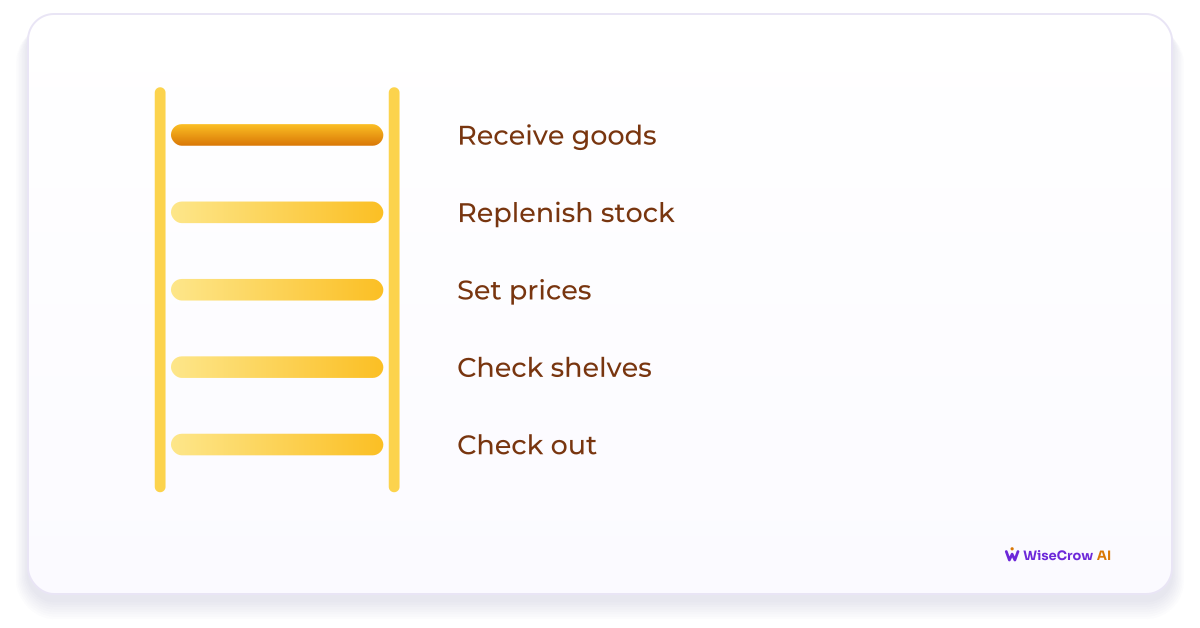
The map below shows the whole path in one view. I’ll walk through each row in the sections that follow.
| Stage | What AI automates | Human role | Systems involved |
|---|---|---|---|
| Receiving | ASN matching, discrepancy flags | Approves claims | WMS, ERP |
| Replenishment | Store-SKU orders | Sets limits, reviews outliers | ERP, forecasting |
| Allocation | Initial and chase splits | Owns the buy | Merch planning |
| Pricing | Markdown timing, promo lift | Signs off price rules | Pricing, ESL |
| Store tasks | Shifts and task lists | Adjusts and publishes | WFM, task app |
| Shelf checks | Gap and tag detection | Fixes the shelf | Cameras, robots |
| Checkout | Item ID, exception alerts | Helps and verifies | POS, SCO |
| Returns | Routing, fraud scoring | Decides edge cases | POS, OMS |
| Service | Order and stock answers | Handles complaints | Help desk, OMS |
If you want to see how other retailers ranked these areas by value, my list of high-value retail AI use cases sorts them by return. Here, the focus is on how the stages connect.
Receiving and Inventory Records
The pack of socks arrives on a pallet at the distribution center. The supplier sent an advance shipping notice that says 240 packs. The pallet holds 228. Someone has to notice, log the shortage and claim it, or the system will believe there are 240 packs that don’t exist.
AI helps here in a quiet way. It matches what was scanned at the dock against the shipping notice and the purchase order, flags gaps and odd patterns, and drafts the supplier claim. Over time it learns which suppliers short-ship, which lanes run late and which items get mislabeled. Computer vision at the dock can count cases and read labels, though most retailers I work with get further with better scan discipline and smart matching first.
The same logic runs at store level. A delivery is received, the count is checked and the stock record updates. When store records drift from reality, every later stage suffers. Forecasts read phantom stock, orders don’t trigger and the shelf stays empty while the system says there are 12 on hand.
Replenishment and Allocation
Now the socks need to reach stores in the right amounts. Two decisions sit here. Allocation decides how the first delivery of a new item gets split across stores. Replenishment decides how much each store reorders after that.
Store-Level Replenishment
Classic min-max rules reorder when stock falls below a set level. They break down when demand shifts with weather, local events, promotions or a new store opening nearby. AI forecasting models learn those patterns from sales history by store and item, then suggest order quantities that account for pack sizes, delivery days, shelf space and lead times.
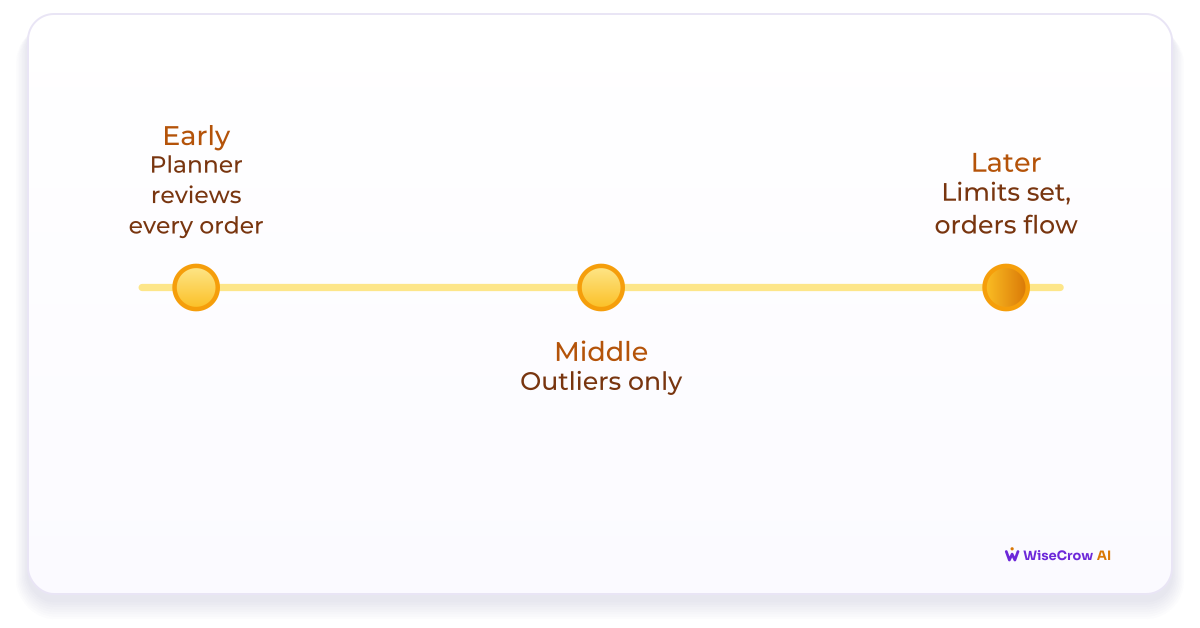
The automation part is the hand-off. In the early weeks, a planner reviews every suggestion. Once accuracy is proven on a category, orders within agreed limits go through on their own, and only outliers land on a planner’s screen. In my client work, the planners who kept a short daily exception list trusted the system far sooner than those who were asked to check everything.
Initial Allocation and Chase Orders
For new or seasonal items there’s no sales history. Models borrow it from similar items, store clusters and early sell-through. After the first week of sales, AI can suggest which stores need a top-up and which have too much, so stock moves before markdowns become necessary. The buyer still owns the total buy. The model just splits it with more precision than a spreadsheet can.
Pricing and Promotions
The socks are in stores. Now they need a price that sells them through before the next season. Pricing automation covers three jobs: regular price checks against rules and competitors, promotion planning and markdowns.
Markdowns are where I see the clearest results. A model watches sell-through by store and suggests when and how deep to cut, so you don’t discount too early and give away margin, or too late and get stuck with stock. Promotion planning uses similar models to estimate lift and the effect on other items. A sock promotion might pull sales away from another brand on the same peg.
Getting the new price onto the shelf is its own step. Electronic shelf labels make price changes a system action. Walmart announced in June 2024 that it would add digital shelf labels to 2,300 U.S. stores by 2026, with price changes typically made overnight. The same labels can flash to guide pickers and signal when a shelf needs restocking.
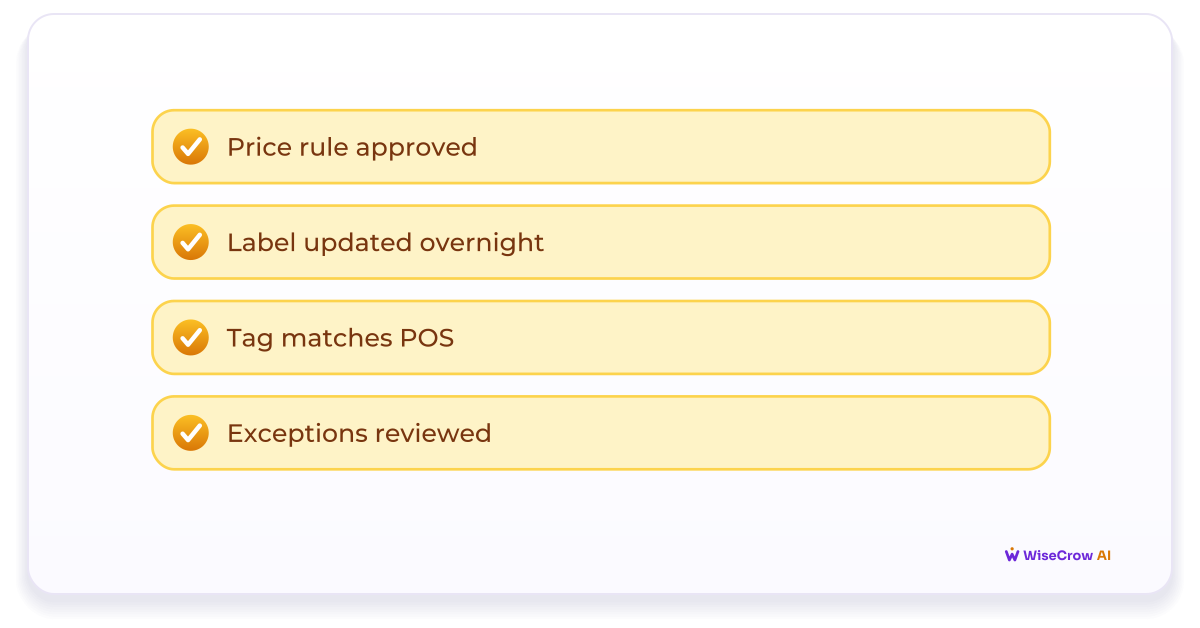
Keep humans on the rules. A category manager should sign off on price floors, maximum discount depths and how prices relate across sizes and brands. AI then works inside those lines, and anything outside them goes to a person.
Store Tasks and Labor
The socks need hands to move them from the backroom to the peg. Labor is often a retailer’s largest controllable cost, and it’s where automation either earns trust in the store or loses it fast.
AI workforce tools forecast traffic and workload by store and hour from sales history, deliveries, promotions and local events. They then build schedules that fit those forecasts and respect labor laws, availability and fair workweek rules where they apply. Task tools go one step further. They turn the day’s signals into a list: unload this delivery, fill these gaps, change these tags, pick these online orders.
The store manager stays in charge. The schedule is a draft, and the manager knows that Saturday has a school event and that two people swapped shifts. In my client work, schedule tools fail when managers can’t see why the system made a choice. They work when a manager can tweak a shift in seconds and the tool learns from the change.
Shelf and Stock Checks
The socks should be on the peg now, though the system can’t be sure. The shelf is where data and reality meet, and most retailers still check it by walking the aisles with a handheld scanner.
Three kinds of tools automate shelf checks. Fixed cameras watch high-value or fast-selling bays. Shelf-scanning robots roll down aisles on a schedule. Associates can also snap photos with a phone app that reads the shelf. In each case, computer vision spots gaps, misplaced items and wrong or missing price tags, then sends a fix to the right person.
Harmons Grocery runs Simbe’s Tally robot in 17 Utah stores, where it scans shelves for out-of-stocks and checks price tags using barcodes and optical character recognition. I like robots for large-format stores with long aisles. For smaller stores, phone-based photo checks often cost far less and catch most of the same problems.
Shelf data also closes the loop with receiving. When the camera sees an empty peg and the system says 12 on hand, you’ve found phantom stock. Feed those signals back into the stock record and your replenishment model gets better every week.
Checkout Options Compared
A customer picks up the socks and heads to pay. Checkout automation comes in several formats, and the right one depends on store size, basket size and how much you lose to theft. Here’s how I describe them to clients.
Self-Checkout
Shoppers scan and pay at a kiosk, with one attendant covering several lanes. AI shows up in newer systems as cameras that recognize produce without a code and flag items that weren’t scanned. It suits small baskets well. Large baskets slow it down, and loss can rise if lanes aren’t staffed and monitored.
Scan-and-Go
Shoppers scan items with a phone app or a store device as they shop, then pay in the app or at a fast exit point. Smart carts with built-in scanners and scales are a variant. Amazon chose this route for its U.S. Fresh grocery stores. In April 2024 it announced it would remove Just Walk Out from those stores and focus on its Dash Cart smart carts, while Just Walk Out remained in many UK stores.
Cashierless Stores
Cameras and shelf sensors track what each shopper takes, and payment happens on exit. No scan at all. The format works best in small stores with limited product ranges, such as convenience shops, stadium kiosks and office markets. Setup and upkeep are expensive, and the technology still needs people to review unclear cases.
My take: for most chains, a mix of staffed lanes, self-checkout and scan-and-go covers the real needs. Test cashierless in one small, controlled site before you plan anything bigger. For a ranked look at vendors across these formats and the stages around them, see my roundup of the best retail AI tools.
Returns and Reverse Flow
A week later, the customer brings the socks back. Wrong size. Returns are where a lot of retail profit leaks out, and most retailers handle them with manual rules and a lot of guesswork.
The scale is large. The NRF and Happy Returns estimate that U.S. shoppers would return $849.9 billion in merchandise in 2025, or 15.8% of annual sales. The same report found that 85% of retailers surveyed use AI to detect or prevent return fraud.
AI automation in returns does three things. It scores each return for fraud risk, so honest customers get a fast refund and odd patterns get a second look. It decides where the item should go next: back to the shelf, to an outlet, to a liquidator or back to the vendor. And it reads return reasons at scale, so you learn that a sock size runs small and can fix the product page.
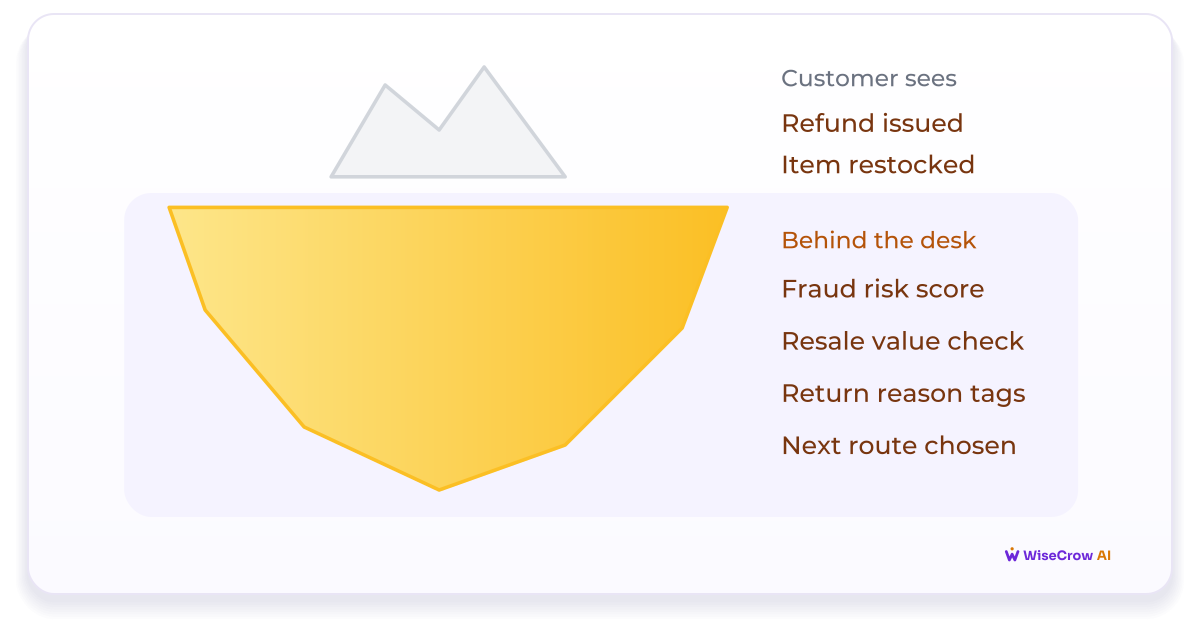
The routing part pays off fastest in my experience. Items that sit in a backroom for three weeks lose value every day. A clear rule set, backed by a model that knows which items resell at full price, keeps stock moving.
Customer Service After the Sale
Before and after the return, the customer probably asked a question. Where’s my order? Do you have it in medium at the downtown store? How do I return this? Most retail service contacts are about order status, stock and returns, and all three depend on the data from earlier stages.
AI assistants can answer these on chat, email and phone, with live order, inventory and policy data behind each answer. They can start a return, book a pickup or switch a store. The hard part is the data link. An assistant that can’t see real stock will tell a customer the socks are available when the shelf is empty, and that’s worse than no answer.
Keep people on complaints, damaged goods and anything involving a refund outside policy. Route those with the full conversation attached, so the customer doesn’t have to repeat it. If you want the numbers on how far retailers have taken chat, service and other AI use, my collection of retail AI adoption statistics gathers the latest data.
How the Stages Connect
Look back at the journey and a pattern shows up. Receiving feeds the stock record. The stock record feeds replenishment, shelf checks and customer answers. Shelf checks correct the stock record. Returns put stock back into it. Pricing reads sell-through, which depends on accurate stock.
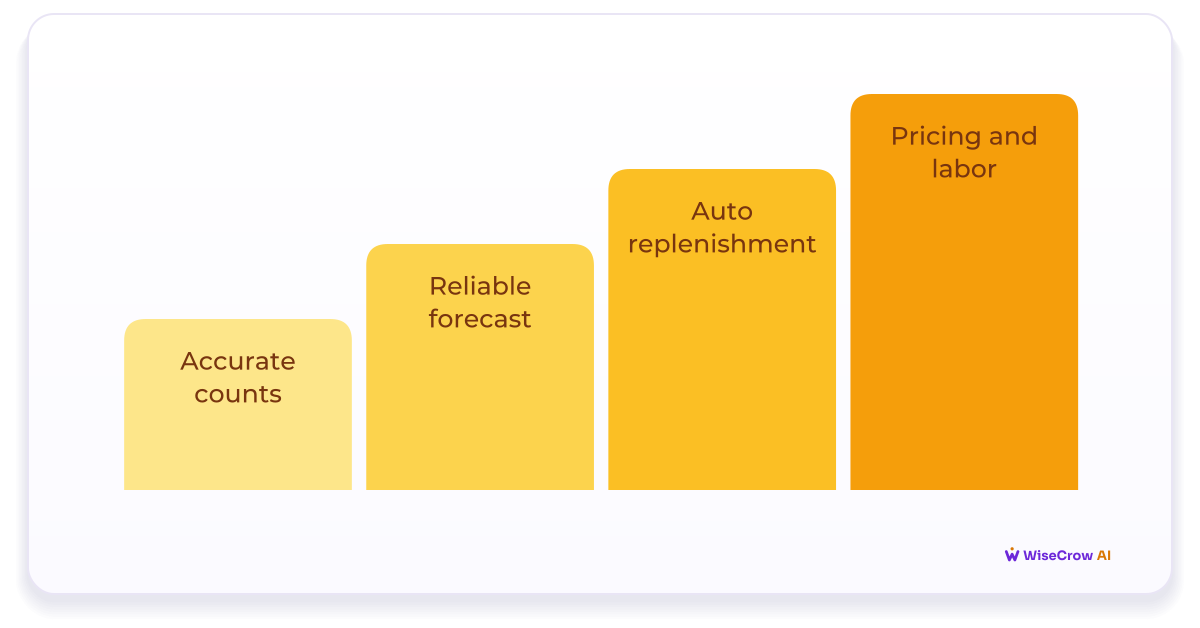
So I push clients to automate in a sensible order. A strong forecast on top of weak stock records gives confident wrong answers. A smart service assistant on top of slow returns data frustrates customers faster. In most projects I’ve run, the order that works is records first, then replenishment and markdowns, then store tasks and shelf checks, then checkout and service changes.
There are exceptions. A retailer with high return rates might start with returns routing, because the money is right there. For real-world cases of how retailers sequenced their own projects and what they got from them, my collection of retail AI examples shows the results behind each win.
Retail Automation Readiness Checklist
Before you automate any stage, run through this list. Each item is something you can check in a week or two, and each one has tripped up a project I’ve worked on.
- Stock records match a physical count in sample stores within a tolerance you’ve agreed on.
- You have at least two years of sales by store and item, with stockout days flagged.
- Your product master has clean sizes, pack quantities and category codes.
- Receiving scans are compared with shipping notices for every delivery.
- Price rules, floors and maximum discount depths are written down and owned by a named person.
- Store managers know which tasks will change and have a say in the rollout.
- POS, ERP, warehouse and workforce systems can share data through APIs or regular exports.
- Each stage has one or two success metrics with a baseline measured before launch.
- Control stores are picked for every pilot, so results aren’t mixed up with season or promotion effects.
- Privacy and legal teams have reviewed any use of cameras or shopper data.
If you tick fewer than seven, start with the gaps. Most of them are data and ownership fixes, and they make every later step cheaper.
Estimate the Hours at Stake
Most stages in the flow hide manual hours: reorder reviews, tag changes, shelf walks, return sorting and repeat customer questions. Use the calculator to size one process at a time. Start with the stage your team complains about most.
How Much Time Could You Save?
Move the sliders to match one repetitive task in your business.
Treat the result as an upper bound. Staff still review exceptions, and that time belongs in your business case. In my client work, the estimates that held up were the ones built from a week of real task logs, with no guesses from memory.
How to Choose Which Stage to Automate First
You can’t automate the whole flow at once, and you shouldn’t try. Match your starting point to your biggest pain:
- Empty shelves and overstock at the same time: start with replenishment, after a quick stock record check.
- Heavy end-of-season discounts: start with markdown timing on one or two categories.
- Overtime and understaffed peaks: start with a store task list, then move to schedules.
- Frequent price tag errors: look at shelf checks and electronic labels together.
- Long checkout lines: add self-checkout or scan-and-go in your busiest stores before anything more complex.
- High return rates: start with return routing and fraud scoring.
My default for most mid-size retailers is replenishment on a small set of categories, with a parallel stock record cleanup. It touches the most stages, it’s easy to measure and planners usually see the benefit within a few weeks.
Questions About AI Retail Automation
What Is AI Retail Automation?
AI retail automation means using software that learns from data to handle repeat decisions and tasks along the retail flow, from receiving goods to answering customers. Typical jobs are order suggestions, markdown timing, staff schedules, shelf gap detection, return routing and order-status answers. People still set the rules and decide anything unusual.
Which Retail Stage Should I Automate First?
Start with the stage where errors already cost you the most and where your data is in decent shape. For many retailers that’s replenishment, because stockouts and overstock both show up in the numbers. If your inventory records are unreliable, fix receiving and shelf checks first, because every later stage reads those records.
Do I Need New Systems for AI Retail Automation?
Usually not at the start. Most projects connect to the POS, ERP, warehouse and workforce systems you already run, and send suggestions back into the screens your teams use. New hardware such as cameras, robots or electronic shelf labels is a separate decision with its own business case.
Is Cashierless Checkout Worth It for a Mid-Size Retailer?
For most mid-size chains, a mix of self-checkout and scan-and-go gives more value for less cost and risk. Fully cashierless stores need heavy sensor and camera setups, and even Amazon pulled Just Walk Out from its U.S. Fresh grocery stores in 2024. Test the format in a small store before you plan a rollout.
Will Automation Replace Store Staff?
It changes what staff spend time on. Counting, tag checks and manual reorders shrink, while customer help, shelf fixes and exceptions grow. In my client work, the stores that do best tell their teams early which tasks are going away and what the freed hours will be used for.
How Do I Measure If Retail Automation Is Working?
Pick one or two numbers per stage and measure them before launch. Examples are in-stock rate, forecast error, markdown spend, labor hours per sale, checkout wait time and cost per return. Compare pilot stores with similar control stores over the same weeks, so seasons and promotions don’t fool you.
What About Shopper Privacy with Cameras and AI?
Camera and checkout analytics can capture personal data, and the rules differ by state and country. Collect only what the use needs, tell shoppers clearly, keep data for a short time and limit who can see it. Have your privacy and legal teams review the setup before launch, and check the current rules where you operate.
Sources
- NRF and Happy Returns, Consumers Expected to Return Nearly $850 Billion in Merchandise in 2025 (October 2025): nrf.com
- Talk Business & Politics, Walmart to Use More Digital Shelf Labels (June 2024): talkbusiness.net
- Retail Technology Innovation Hub, Harmons Grocery Rolls Out Tally Inventory Robot in Utah Stores (May 2025): retailtechinnovationhub.com
- Engadget, Amazon Just Walked Out on Its Self-Checkout Technology (April 2024): engadget.com
Disclaimer: This article is for general information only and isn’t legal advice. Rules on cameras, shopper data and pricing differ by state and country and change over time, so check the current position with your advisers before you act.
Did you find this helpful?
Thank you for your feedback.
Marlena leads the WiseCrow editorial team and works with our consultants to turn real client projects into practical guides on AI strategy, automation and governance. Before joining WiseCrow, she spent 12 years in B2B operations and SaaS content. She has since edited more than 400 articles on AI and automation and reviewed workflows from over 60 client projects. She is based in Austin, Texas.