Summary
- Put your whole AI strategy on one page: seven decisions, each with a budget band and one owner.
- Start under $100 a month with an assistant and the AI features you already pay for.
- Write half a page of data rules before anyone pastes customer details into a tool.
- Run a 90-day plan with a recorded baseline, then keep, change or drop each tool.
Most small business owners I talk to already use AI somewhere. Someone drafts emails with a chatbot, the bookkeeper tries a new feature in the accounting app and nobody knows what it all costs or what data goes in. A one-page strategy brings order to that, and it’s the first thing I build in any AI consulting for small business project.
You don’t need a long deck or a big budget. Below is the plan I hand to owners: one table with seven decisions, a short section on each, three budget tiers and a 90-day schedule. Copy it, fill in your own numbers and keep it where you’ll see it.
Your One-Page AI Plan at a Glance
Each row is one decision. Fill in your own answer, keep the budget band honest and put exactly one name in the owner column. A row with two owners usually ends up with none.
| Decision | What you decide | Budget band | Owner |
|---|---|---|---|
| Business Goal | One result AI should move in the next 12 months | $0 | Owner or general manager |
| First Use Cases | Two or three weekly tasks AI takes on first | $0 | Owner plus the people doing the work |
| Tools and Budget | A monthly spend ceiling and the tools inside it | Under $100 to $500+ a month | Owner |
| Data Rules | What may go into AI tools and what never may | A few hours of your time | Whoever looks after IT |
| People and Training | Who learns what and who answers questions | Mostly time | Your AI champion |
| 90-Day Plan | What happens in which weeks | Within your tier | Your AI champion |
| Measurement | The few numbers you check each month | $0 | Owner |
Set One Goal for the Year
Start with the business. Pick one result AI should help you move in the next twelve months. Good goals are plain and easy to check: answer customer emails within two hours, send quotes the same day, close the books faster each month or take on more clients without hiring another admin person.
Write it down as a number with a deadline, such as cutting quote turnaround from three days to one by June. A vague aim like “use AI more” gives you nothing to check at the end of the quarter.
In my client work, owners who pick three goals at once spread a small budget so thin that nothing shows a result. One goal keeps every later decision simple. For each tool and task, you ask one question: does it move that number?
Where AI Helps a Small Business First
You’re in good company if you’re starting now. In the U.S. Chamber of Commerce’s 2025 report, 58% of small businesses said they use generative AI, up from 23% in 2023. Using a tool and getting value from it are two different things, though. The value comes from pointing AI at the tasks that eat your week.
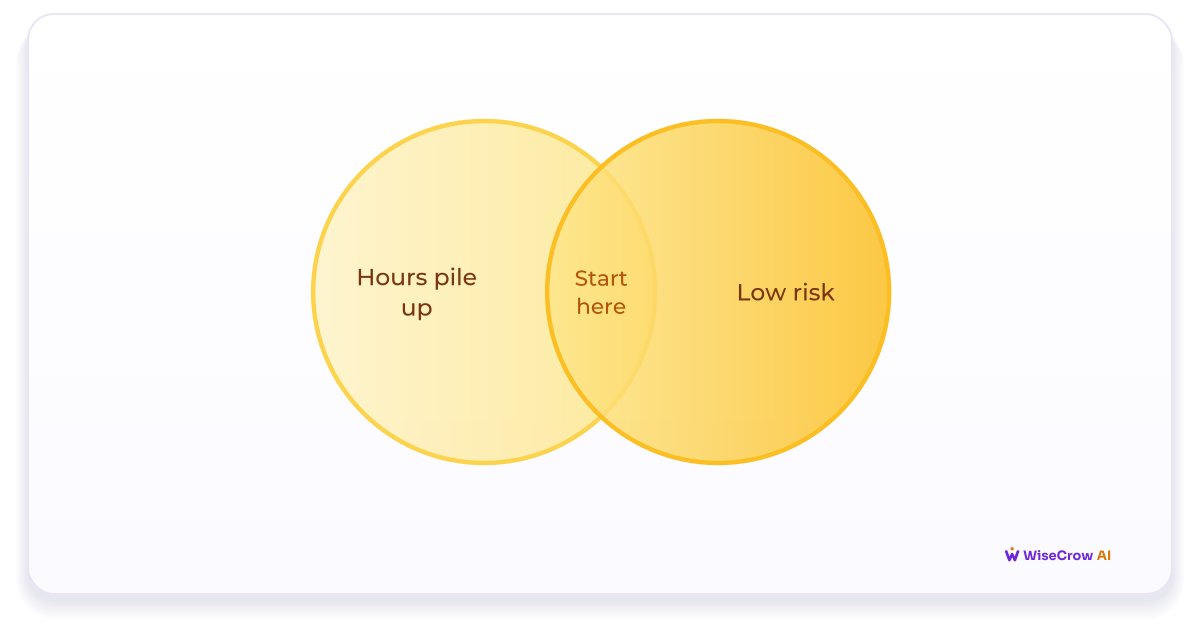
For a first pick, look for work that repeats every week, follows a pattern and costs hours of typing or copying. In small businesses, the same areas come up again and again:
- Customer emails: first drafts of answers to the questions you get every day.
- Quotes and follow-ups: proposals built from your own templates and call notes.
- Call and meeting notes: summaries and to-do lists right after each conversation.
- Admin and bookkeeping prep: sorting receipts, matching invoices and reminding late payers.
- Marketing content: social posts, newsletters and product descriptions in your own voice.
Pick two or three tasks you can actually see in your own calendar. A vendor demo shows what a tool can do on a perfect day, and your Tuesday afternoon looks different. For more ideas sorted by department, my list of AI use cases for small business covers sales, service and admin.
Leave a few things for later. Customer-facing chatbots that can make promises, pricing decisions and anything legal, medical or financial need guardrails you don’t have yet in month one.
Budget Tiers: What Each Level Buys You
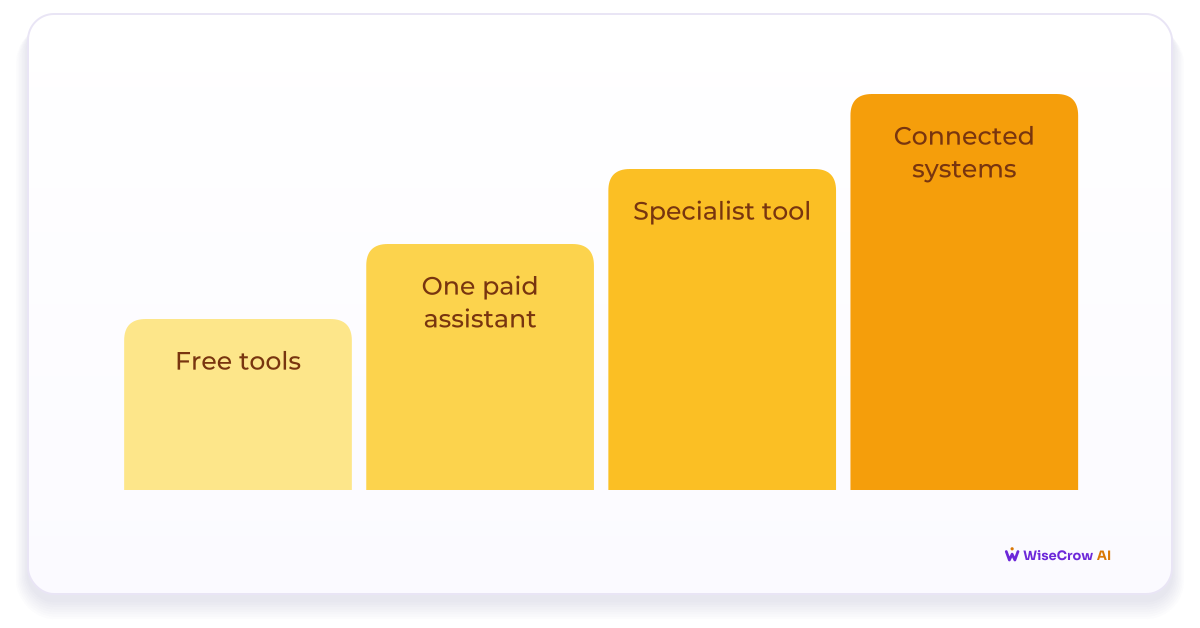
Set a monthly ceiling before you shop. AI tools are easy to add and easy to forget, and small subscriptions stack up fast. I work with three tiers, and most small businesses should start in the first one.
Under $100 a Month
At this level you buy a few business seats of a general AI assistant and switch on the AI features inside software you already pay for. Many accounting, CRM, email and office suites now include AI in their current plans or sell it as a small add-on, so check your existing subscriptions before you buy anything new.
For a team of two to five people, that covers writing, summaries, research and first drafts. The real cost here is time: a few hours to set up shared prompts and templates so everyone gets similar quality.
$100 to $500 a Month
Here you add one or two specialist tools. Typical picks are an AI phone or chat assistant, a note taker for the whole team or an automation platform that moves data between your apps. Many of these charge by usage, such as tasks, minutes or messages, so watch the meters closely in the first two months.
Most of the small businesses I work with land in this tier within their first year. It’s also where a bad pick hurts, because a tool nobody opens still bills every month.
More Than $500 a Month
Go above $500 when a proven use case needs more: a custom workflow built on your own data, connections between several systems or an AI agent that handles a full process from start to finish. At this level, setup and upkeep often cost more than the licenses, so budget for build hours and for a person who looks after it.
I only suggest this tier once a cheaper tool has shown the value. Jumping straight here is the most expensive mistake I see owners make, usually after a polished sales call.
My ranking of cheap and free AI tools compares options for the first two tiers. Before you pay for any of them, check that the tool earns its keep. Enter the hours a week the task takes today, the share the tool can realistically handle, your hourly staff cost and the monthly price.
Will It Pay for Itself?
Move the sliders to match the work you want to automate and the plan you are considering.
Be strict with the second slider. In my experience, first guesses about what a tool can handle run high. Test it on ten real tasks from last week and count how many needed heavy editing before you trust the result.
Data and Privacy Basics
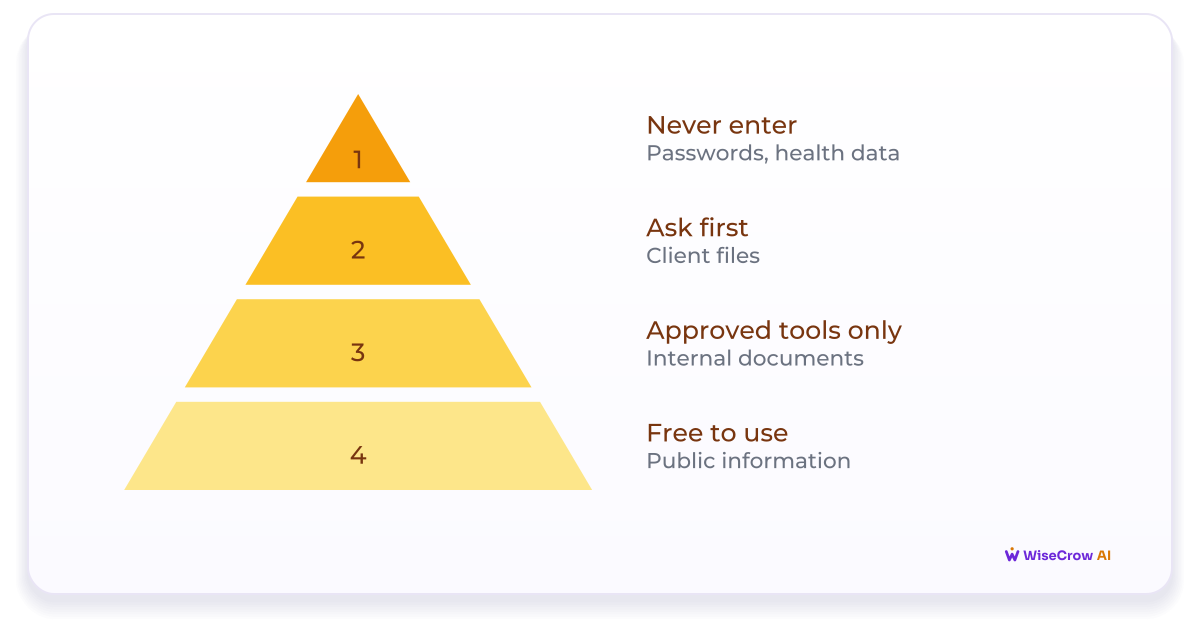
A small business needs a few written rules about data, and they fit on half a page. At your size, most AI risk comes from someone pasting the wrong thing into the wrong tool. Here’s the short version I give owners:
- Use business accounts: pay for plans the company controls, so you can add and remove people. Read each vendor’s terms on storage and training with your data.
- Sort data into three groups: public, internal and sensitive. Customer personal details, payment data, health information and staff records count as sensitive and only go into tools you’ve approved for them.
- Keep a person in the loop: quotes, contracts and replies about money or safety get a human check before they go out.
- Keep a tool list: one sheet with each AI tool, its owner, its cost and the data it touches.
- Close access fast: remove accounts the day someone leaves.
If you want a structured reference, the NIST AI Risk Management Framework is free and voluntary. Read the parts that fit your size and skip the rest. Its generative AI profile works well as a checklist of risks to think through once a year.
People and Training
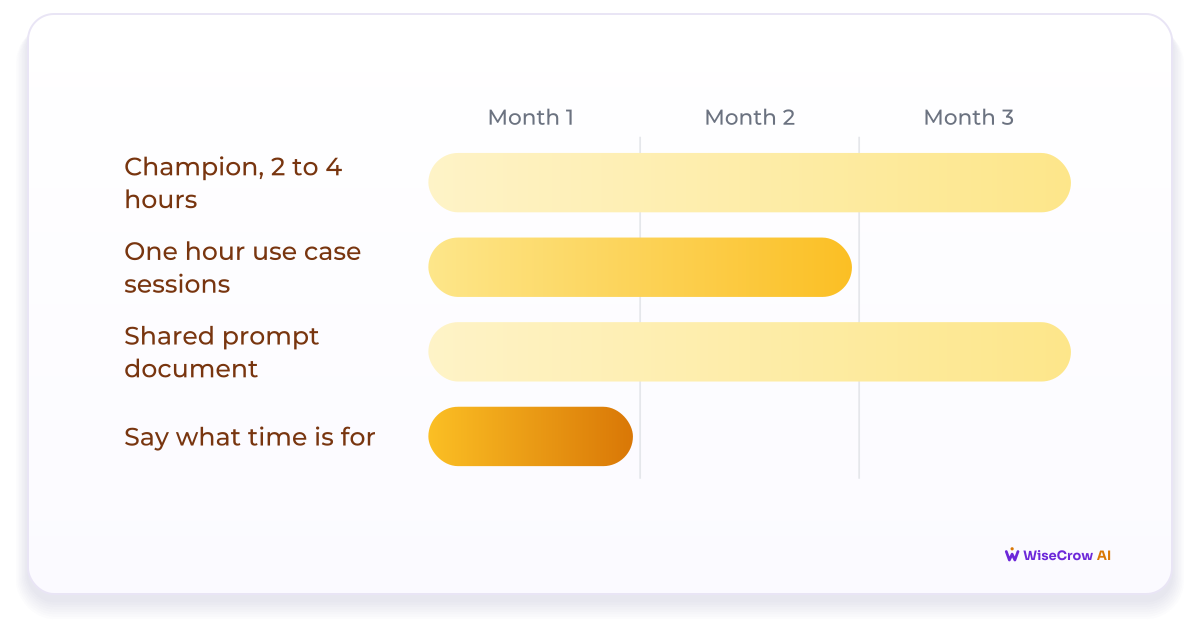
The people who do the work decide whether an AI plan sticks. Pick one AI champion, someone curious whom the team trusts, and give them two to four hours a week for the first quarter. They test tools, collect prompts that work and answer the small questions that would otherwise stop people cold.
Training works best in short sessions on real tasks. Run one hour per use case, where everyone brings an email, quote or report from their own week and improves it with the tool together. Then keep a shared document of prompts and templates, sorted by task, that new hires can use from day one.
Expect some worry. The question I hear most from staff in small teams is whether AI will replace them, and silence makes it worse. Say plainly what the saved time is for, such as faster service for customers or fewer late evenings at month-end.
Your First 90 Days
A quarter is long enough to see results and short enough to keep everyone’s attention. Here’s the schedule I use with owners:
| When | Focus | Done when |
|---|---|---|
| Weeks 1 to 2 | Write the goal, pick two or three tasks, set data rules | One-page plan signed off |
| Weeks 3 to 4 | Set up tools, record the baseline, run the first training | Baseline numbers written down |
| Weeks 5 to 8 | Use AI on real work, collect prompts, fix problems | Team uses it without reminders |
| Weeks 9 to 10 | Compare results with the baseline | A number for each task |
| Weeks 11 to 12 | Keep, change or drop each tool, plan the next quarter | Next 90-day plan agreed |
Record the baseline before anyone touches a tool. Time five to ten real runs of each task and write the minutes down. Without a before number, the review in week nine turns into a debate about feelings.
Week five is where most plans wobble. The novelty wears off, a busy stretch hits and people drift back to old habits. A 15-minute check-in each week with your champion keeps things moving. Once you move past simple assistants to connected workflows, my guide to AI implementation for small business walks through setup to go-live.
At the end of week twelve, make a clear call on each tool: keep it, change how you use it or cancel it. Cancelling a tool that didn’t work is a good outcome. It frees budget for the next quarter’s plan.
Measuring Results Each Month
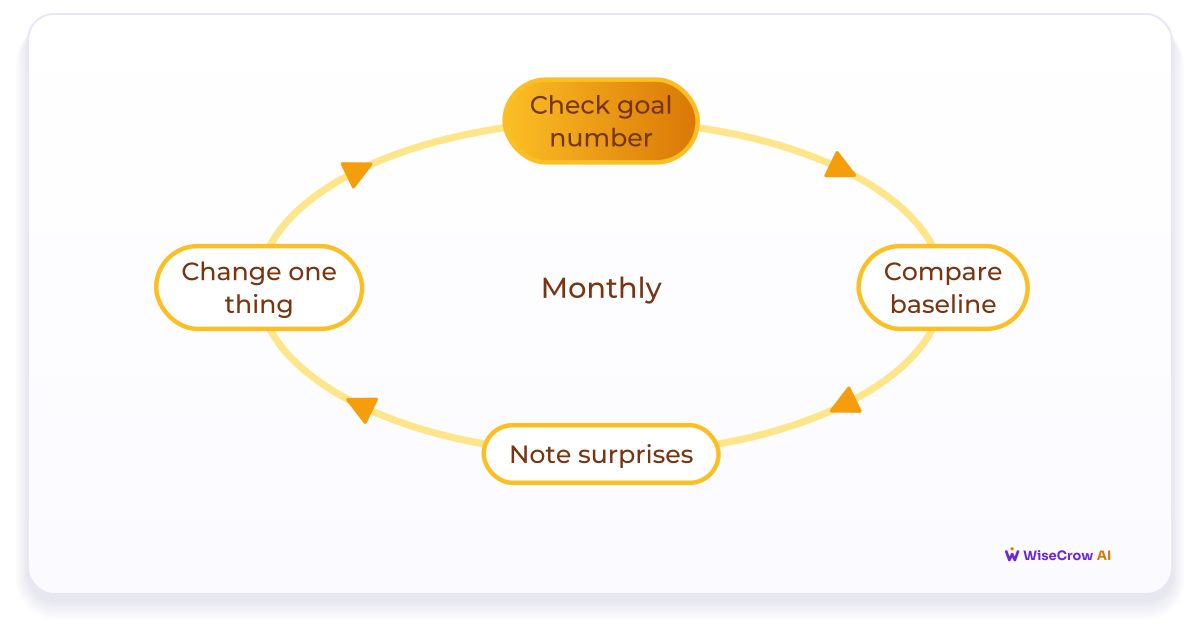
Keep the report short, or nobody reads it. I track the goal number plus three supporting numbers:
- Hours saved: minutes per task today against the baseline, times how often it runs.
- Quality: errors, rework or customer complaints on AI-assisted work.
- Spend: total monthly cost of AI tools against your tier ceiling.
The goal number is the one you wrote in week one, such as quote turnaround or response time. If hours saved go up and the goal number stays flat, the freed time is leaking somewhere. Ask the team where it went. In my client work, the answer is usually more email or more meetings.
How to Choose Your Starting Tier and Level of Help
Find the row closest to where you are today:
| Where you are today | Start with |
|---|---|
| Under five people, no paid AI tools yet | Under $100 tier, run this plan yourself |
| Staff use free tools, no rules in place | Data rules first, then the under $100 tier |
| One task clearly eats 10+ hours a week | $100 to $500 tier with one specialist tool |
| A proven task needs systems connected | Over $500 tier with outside help for the build |
You can run every step on this page yourself. Outside help makes sense in three cases: nobody on your team has the hours to own the plan, the first tool choice is expensive to reverse or you handle sensitive customer data and want a second set of eyes on the rules.
If you sit between two rows, start in the cheaper one. Moving up a tier after a good quarter is easy. Explaining a large bill for a tool your team stopped using is much harder.
Questions About AI Strategy for Small Business
What Is an AI Strategy for a Small Business?
It’s a short plan that ties AI to one business goal and sets the first tasks, the monthly budget, the data rules, who gets trained and how you’ll measure results. For most small businesses it fits on one page and gets updated every quarter.
How Much Should a Small Business Budget for AI?
Most small teams can start under $100 a month by using a general AI assistant and the AI features already inside their current software. Moving to $100 to $500 a month makes sense once a specific task proves worth a specialist tool. Spend more only when a proven use case needs custom work or connected systems.
What Should a Small Business Use AI for First?
Start with repetitive tasks that take hours every week, such as drafting customer replies, writing quotes and follow-ups, summarizing calls or preparing bookkeeping. Leave anything that makes promises to customers, sets prices or touches legal or medical decisions for later.
Do I Need an AI Policy If I Only Have a Few Employees?
Yes, but it can be short. Half a page that says which tools are approved, what data may never go into them and who reviews AI output before it reaches a customer covers most of the risk at your size.
How Long Does It Take to See Results from an AI Strategy?
Simple uses like writing and summaries often show time savings within the first month. A fair review needs a full quarter, so you can compare real numbers against the baseline you recorded before you started.
Can I Use Free AI Tools for My Business?
Free tools are fine for testing ideas with public information. For customer data, staff records or anything confidential, use a paid business plan you control, and check each vendor’s terms on how your data is stored and whether it’s used for training.
Do I Need a Consultant to Create an AI Strategy?
No. You can build a first plan yourself with the steps in this guide. Outside help pays off when nobody on your team has time to own it, when a tool choice is expensive to reverse or when you handle sensitive data and want an independent review.
Sources
- U.S. Chamber of Commerce, Empowering Small Business: The Impact of Technology on U.S. Small Business (2025): uschamber.com
- NIST, AI Risk Management Framework and Generative AI Profile: nist.gov
Disclaimer: This article is for general information only and isn’t legal, tax or financial advice. Tool prices, plan features and privacy rules change often, so check current terms with each vendor and your advisers before you act.
Did you find this helpful?
Thank you for your feedback.
Marlena leads the WiseCrow editorial team and works with our consultants to turn real client projects into practical guides on AI strategy, automation and governance. Before joining WiseCrow, she spent 12 years in B2B operations and SaaS content. She has since edited more than 400 articles on AI and automation and reviewed workflows from over 60 client projects. She is based in Austin, Texas.