Summary
- One general AI assistant like ChatGPT, Claude or Gemini covers most writing, research and admin work for under $25 a month.
- Pick the AI that lives inside the tools you already pay for, such as Microsoft 365, Google Workspace or HubSpot.
- Free plans from Canva, HubSpot, Zapier, Otter.ai and Tidio are enough to test real use before you spend anything.
- Start with the one task your team repeats most, pay monthly while you test, then switch to yearly billing.
The Best AI Tools for Small Business at a Glance
| Tool | Free plan | Paid from | Best for |
|---|---|---|---|
| 1. ChatGPT | Yes | $20/mo (Plus) | Writing, research and everyday admin |
| 2. Gemini in Google Workspace | No | $7/user/mo, yearly | Teams that run on Gmail and Google Docs |
| 3. Microsoft 365 Copilot | Copilot Chat with eligible plans | $21/user/mo add-on, yearly | Teams that run on Outlook and Teams |
| 4. Claude | Yes | $17/mo (Pro), yearly | Long documents and careful writing |
| 5. Canva | Yes | $12/mo (Pro), yearly | Social posts, flyers and brand design |
| 6. Grammarly | Yes | $12/member/mo, yearly | Clear, error-free emails and documents |
| 7. HubSpot | Yes | $20/seat/mo (Starter) | CRM, email marketing and sales follow-up |
| 8. Zapier | Yes | $19.99/mo, yearly | Connecting apps without code |
| 9. Xero | No | $27/mo | Bookkeeping, invoices and cash flow |
| 10. Notion | Yes | $10/member/mo, yearly | Docs, wikis and project notes |
| 11. Tidio | Yes | $24.17/mo (Starter) | Website chat and AI customer answers |
| 12. Otter.ai | Yes | $8.33/user/mo, yearly | Cheap meeting transcripts |
| 13. Fireflies.ai | Yes | $10/seat/mo, yearly | Sales and client call notes |
| 14. Freshdesk | No | $19/agent/mo, yearly | Support tickets for a small team |
| 15. Descript | Yes | $16/mo, yearly | Editing videos and podcasts by text |
The 15 Best AI Tools for Small Business, Ranked
I ranked these tools by how much a typical small business gets for each dollar. General assistants come first because almost every team uses one, then tools for marketing, sales, money and support. In my AI consulting for small business work, the owners who get the most from AI rarely buy many tools. They pick three or four, learn them well and drop the rest.
ChatGPT
The Most Useful First AI Tool for Almost Any Small Business
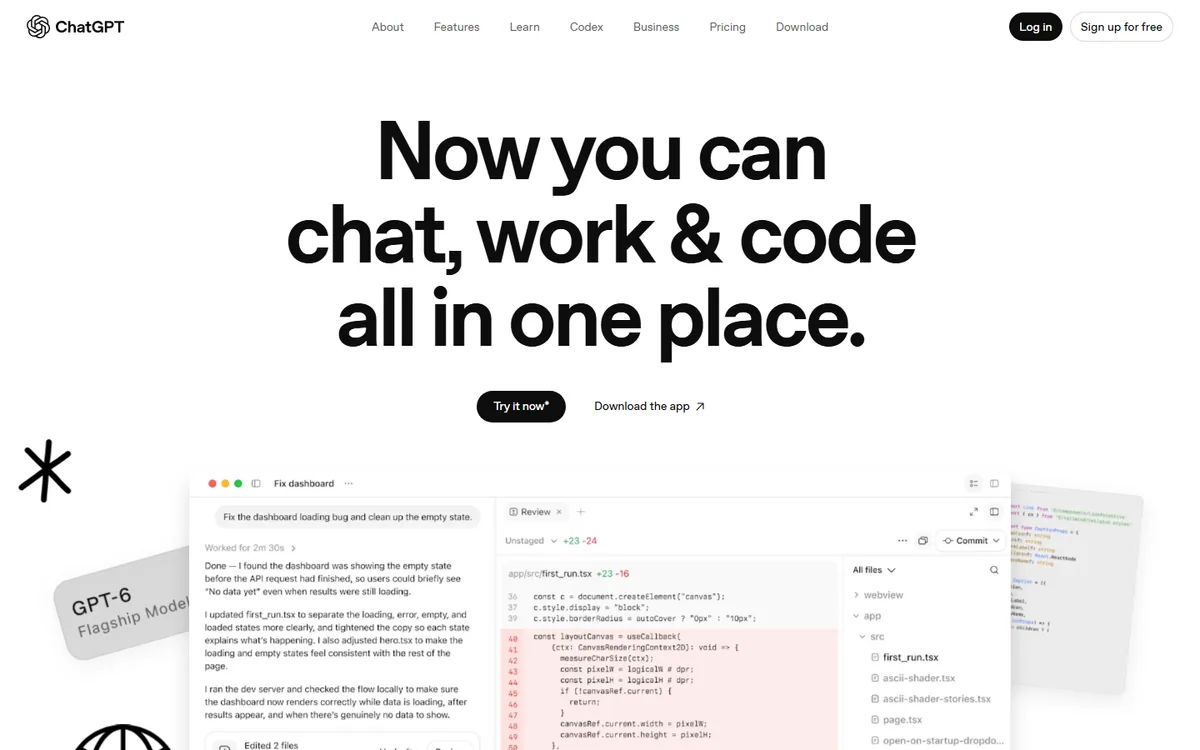
ChatGPT is OpenAI’s general AI assistant. You type a request and it writes, sums up, analyzes files, searches the web and creates images.
If you buy only one AI tool, I’d make it ChatGPT or Claude, and ChatGPT wins on range. In one chat you can draft a quote email, turn a messy price list into a clean table, rewrite your About page and ask for ideas for a slow month. It reads PDFs and spreadsheets, so you can drop in a supplier contract and ask what the notice period is.
The pattern I see with small clients is simple. The owner starts with the free plan, hits the limits within a few weeks and upgrades to Plus. Once two or more people use it for work, the Business plan makes more sense, because it adds shared workspaces, admin controls and a promise not to train on your business data. My one warning: it sounds confident even when it’s wrong, so check every number and legal point before you send anything to a customer. For more ideas on where it fits, see my list of AI use cases for small business.
What ChatGPT Does Well
- One tool covers writing, research, files and images
- The free plan is good enough to test real work
- Business plan keeps your team’s data out of model training
What ChatGPT Could Do Better
- It can state wrong facts with full confidence
- Plan names and limits change often, which makes budgeting harder
ChatGPT Pricing
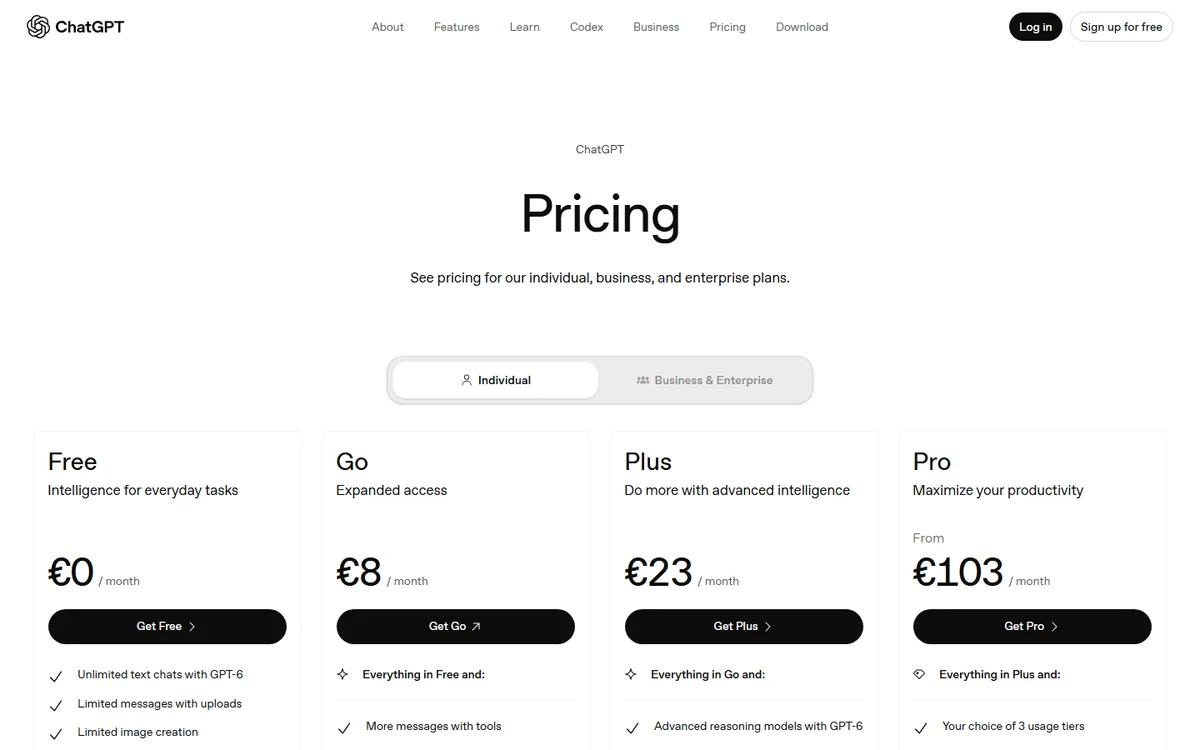
ChatGPT has a free plan. Plus costs $20 per month and is billed monthly only. Business costs $20 per user per month billed yearly or $25 billed monthly for a standard seat, with a minimum of two seats. Premium Business seats cost $100 per user per month yearly or $125 monthly, and Enterprise is priced through sales. OpenAI also offers a cheaper Go plan and higher Pro plans for heavy users.
ChatGPT Reviews
- G2: score of 4.6 out of 5 (from +4,200 customer reviews)
- Capterra: score of 4.4 out of 5 (from +400 customer reviews)
Gemini in Google Workspace
The Best Value If Your Business Already Runs on Gmail and Google Docs
Google Workspace bundles Gmail, Docs, Sheets, Drive and Meet, and every business plan now includes Gemini, Google’s AI assistant.
Here’s the part many owners miss: if you already pay for Google Workspace, you may already have AI. Gemini comes with the business plans, so there’s no extra add-on to buy. On Business Standard and up, it sits inside Gmail, Docs and Meet, where it drafts replies, sums up long email threads, writes first drafts in Docs and takes notes in your video calls.
I like it most for small teams that share a lot of files. You can ask Gemini about a document in your Drive and get an answer without opening five folders. Gemini on Business Starter is thinner, though, so if your team lives in Gmail all day, Business Standard is where the AI starts to pay off. For deep writing or tricky analysis, I still find a dedicated assistant like ChatGPT or Claude a step ahead.
What Gemini in Google Workspace Does Well
- AI is included in the plan, with no separate add-on
- Works right inside Gmail, Docs and Meet
- Can answer questions about files in your Drive
What Gemini in Google Workspace Could Do Better
- Business Starter gets only limited Gemini features
- Less sharp on long, complex writing than the top assistants
Gemini in Google Workspace Pricing
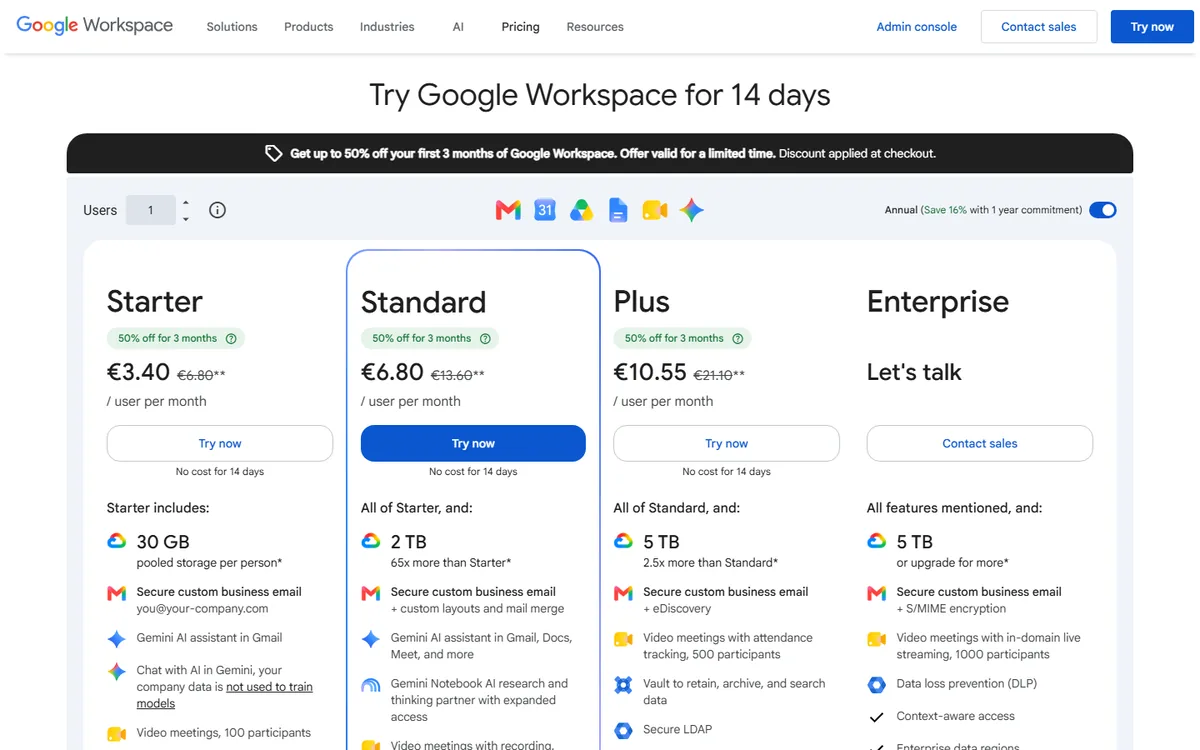
There’s no free business plan. On an annual plan, Business Starter costs $7, Business Standard $14 and Business Plus $22 per user per month. On the Flexible monthly plan, the same tiers cost $8.40, $16.80 and $26.40. Starter includes the Gemini app, Standard adds Gemini in Gmail, Docs and Meet, and Enterprise is priced through sales. Google sometimes runs launch discounts, so check the pricing page for current offers.
Gemini in Google Workspace Reviews
- G2: 4.4 out of 5 star rating for Gemini (from +1,600 customer reviews)
- Capterra: 4.6 out of 5 star rating for Gemini (from 72 customer reviews)
Microsoft 365 Copilot
The Right Pick When Your Day Happens in Outlook, Word and Teams
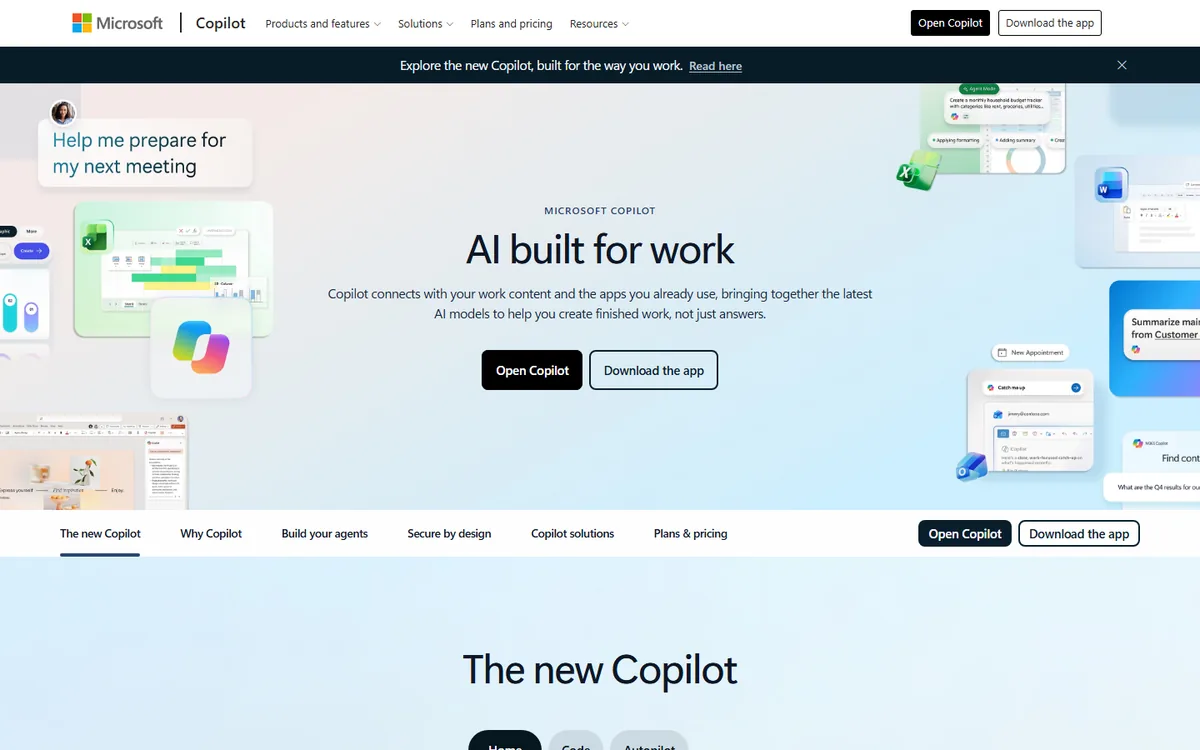
Microsoft 365 Copilot adds AI to Outlook, Word, Excel, PowerPoint and Teams, and can work with the emails, files and meetings in your account.
Copilot is the Microsoft answer to Gemini. Its big advantage is context. It can read your inbox, your Teams chats and your SharePoint files, so you can ask what a client agreed to last month and get an answer with links to the source. In Teams it writes meeting recaps, and in Excel it helps you build formulas and spot trends without a course.
I tell small clients to start with Copilot Chat, which is included at no extra cost with eligible Microsoft 365 plans. Use it for a month. If people keep asking for help with their own emails and files, the paid Copilot add-on is worth testing with two or three users first. The paid seat costs more than a ChatGPT plan, so give it to the people who live in Outlook first and wait before you add the rest.
What Microsoft 365 Copilot Does Well
- Works with your own emails, files and meetings
- Copilot Chat comes free with eligible plans
- Teams meeting recaps save real time each week
What Microsoft 365 Copilot Could Do Better
- The paid add-on is pricey for a very small team
- Results depend on how tidy your files and folders are
Microsoft 365 Copilot Pricing
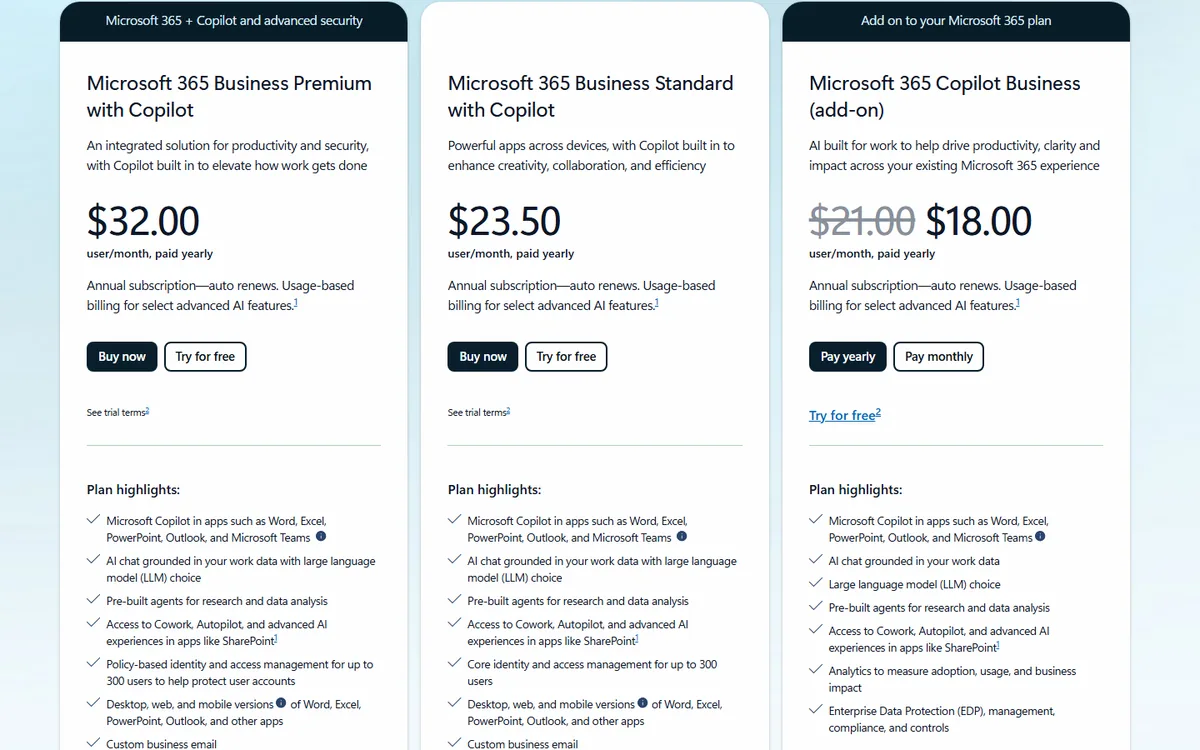
Copilot Chat is included at no added cost with eligible Microsoft 365 plans. The Microsoft 365 Copilot Business add-on costs $21 per user per month paid yearly, or $25.20 billed monthly, and needs an eligible Microsoft 365 business plan. Microsoft also sells bundles: Business Standard with Copilot at $23.50 and Business Premium with Copilot at $32 per user per month paid yearly. A first-year promo price of $18 runs until December 31, 2026.
Microsoft 365 Copilot Reviews
- G2: 4.3 out of 5 star rating for Microsoft Copilot (from +820 customer reviews)
- Capterra: 4.6 out of 5 star rating for Microsoft Copilot (from 29 customer reviews)
Claude
The Assistant I Reach For When the Writing or the Document Is Long
Claude is Anthropic’s AI assistant. It writes, edits, analyzes long files and builds simple documents and spreadsheets from a chat.
Claude does most of what ChatGPT does, and plenty of my clients keep one of each for a month before they choose. Where Claude stands out for me is long material. Give it a 60-page lease, a stack of customer reviews or a full employee handbook, and it keeps track of the details well. Its writing also tends to sound less like a template, which helps for client letters and website copy.
Projects are the feature I’d set up first. You load your price list, tone of voice notes and common answers into a project once, and every chat inside it starts with that context. The Team plan adds shared projects and admin controls for small groups. On the downside, Claude has fewer extras than ChatGPT, such as image creation, so it suits text-heavy businesses best.
What Claude Does Well
- Handles long contracts and reports with care
- Writing sounds natural and needs fewer edits
- Projects keep your business context in one place
What Claude Could Do Better
- Fewer media features, such as image creation
- Usage limits on lower plans can run out on busy days
Claude Pricing
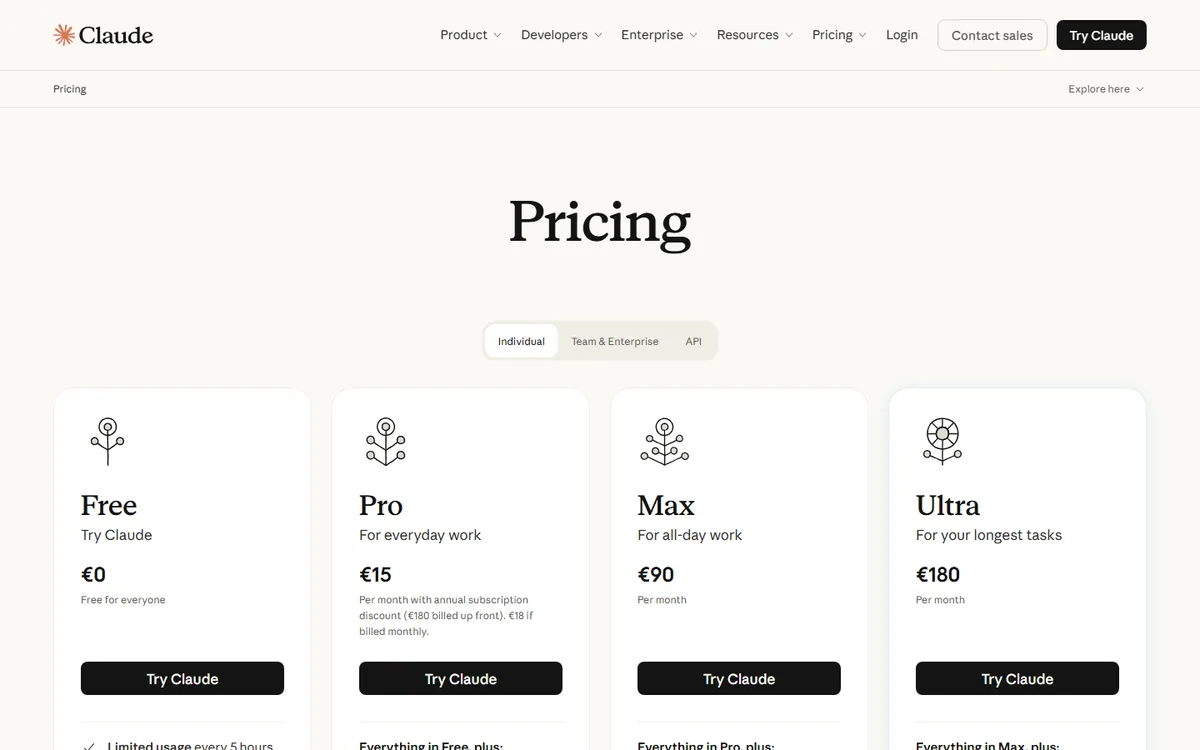
Claude has a free plan. Pro costs $17 per month billed yearly or $20 billed monthly, and Max starts at $100 per month. Team plans run from 2 to 150 seats: a Standard seat costs $20 per month yearly or $25 monthly, and a Premium seat costs $100 yearly or $125 monthly. Enterprise starts at $20 per seat per month plus usage, billed yearly.
Claude Reviews
- G2: score of 4.7 out of 5 (from +1,200 customer reviews)
- Capterra: score of 4.3 out of 5 (from +40 customer reviews)
Canva
Professional-Looking Marketing Without a Designer on Payroll
Canva is a drag-and-drop design tool with thousands of templates, plus AI that writes copy, creates images and resizes designs.
Most small businesses I meet already use Canva for social posts. Fewer use its AI well. Magic Write drafts captions and flyer text, the image tools create or edit pictures from a short prompt, and the resize feature turns one Instagram post into a story, a Facebook cover and a print flyer in a few clicks. For a bakery or a local gym, that’s a week of posts in an afternoon.
The paid plan is worth it mainly for the Brand Kit. You save your logo, colors and fonts once, and every new design stays on brand, even when a part-time helper makes it. Background removal alone saves my clients a lot of fiddling with product photos. The AI images can look generic, though, so I’d still use real photos of your team, shop and products wherever you can.
What Canva Does Well
- Templates make good design easy for anyone
- Brand Kit keeps every design consistent
- One click resizes a design for each channel
What Canva Could Do Better
- AI images can look like stock art
- Popular templates make it easy to look like everyone else
Canva Pricing
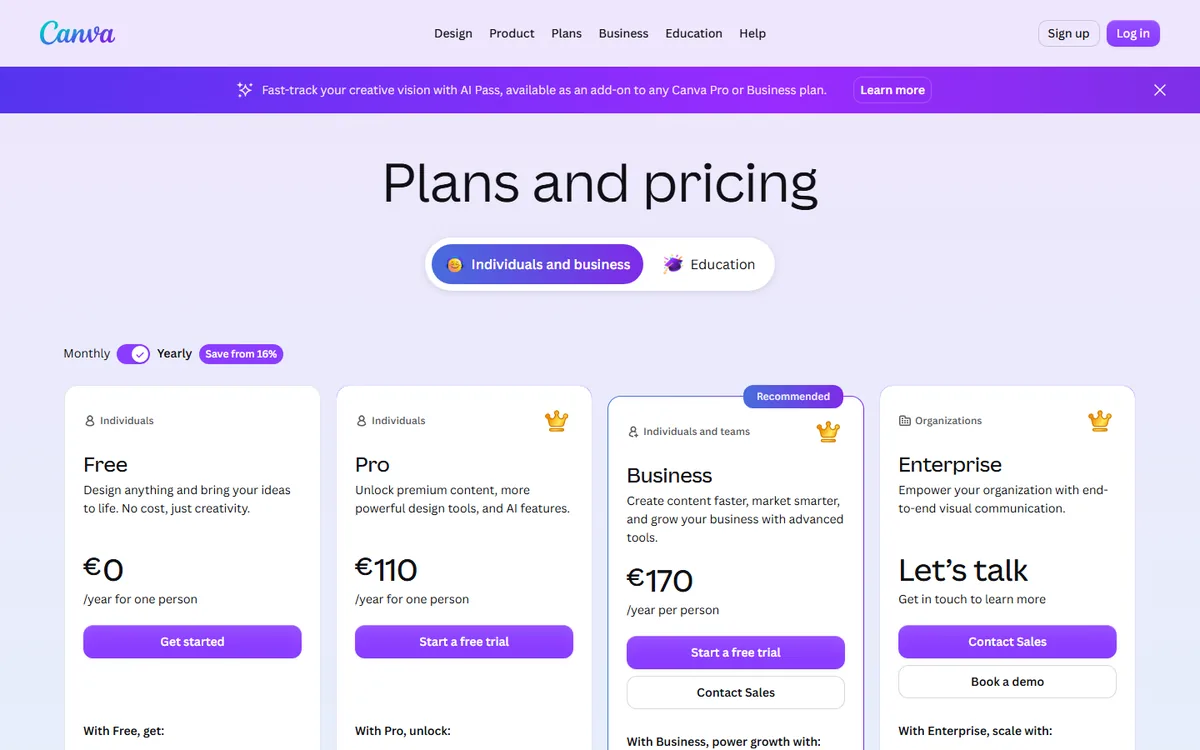
Canva Free costs nothing. Canva Pro is for one person and costs $12 per month billed yearly ($144 per year) or $18 month to month. Canva Business costs $250 per person per year, about $20.83 per month, or $25 month to month, and you pay only for the people who accept your invite. Enterprise is priced through sales.
Canva Reviews
- G2: score of 4.7 out of 5 (from +8,300 customer reviews)
- Capterra: score of 4.7 out of 5 (from +13,400 customer reviews)
Grammarly
A Cheap Safety Net for Every Email, Quote and Post Your Team Sends
Grammarly checks spelling, grammar and tone as you type in your browser, email and documents, and its AI can rewrite or draft text.
Grammarly works where your team already writes, which is its biggest strength. You install it once, and it checks text in Gmail, Outlook, Google Docs, LinkedIn and most websites. For a small business, one typo in a quote or a sharp-sounding reply to an upset customer can cost more than the subscription. Tone suggestions catch the second problem better than any spell checker.
The free plan covers spelling and grammar, which is plenty for many owners. Pro adds full-sentence rewrites, tone changes and more AI prompts, and I find it most useful for teams where English isn’t everyone’s first language. If you already pay for ChatGPT or Claude, you can get rewrites there too, but Grammarly saves the copy-and-paste step, and that habit change matters more than it sounds.
What Grammarly Does Well
- Works inside nearly every app and website
- Tone checks help with tricky customer replies
- The free plan already catches most errors
What Grammarly Could Do Better
- Monthly billing is much more expensive than yearly
- Suggestions can flatten a distinct personal voice
Grammarly Pricing
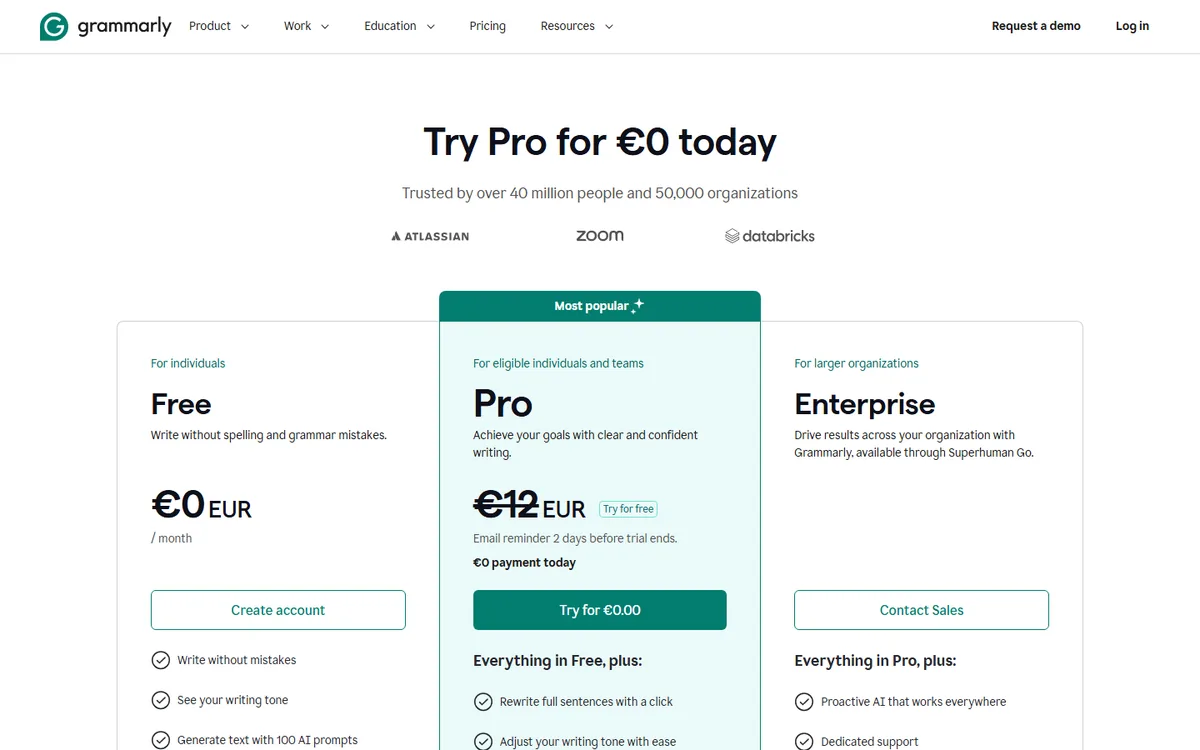
Grammarly has a free plan. Pro costs $12 per member per month billed yearly ($144 per year), $60 per quarter, or $30 billed monthly. Enterprise is priced through sales and adds admin controls and security features for larger teams.
Grammarly Reviews
- G2: score of 4.7 out of 5 (from +13,600 customer reviews)
- Capterra: score of 4.7 out of 5 (from +7,200 customer reviews)
HubSpot
A Free CRM That Grows into Affordable AI for Sales, Marketing and Service
HubSpot is a CRM with tools for email marketing, sales, service and websites, and its Breeze AI writes content, preps meetings and researches prospects.
Many small businesses still track leads in a spreadsheet or an inbox. HubSpot’s free CRM fixes that for up to two users, with forms, live chat, a meeting scheduler and a simple website builder thrown in. When you’re ready to pay, the Starter Customer Platform bundles the marketing, sales, service and content tools into one seat price.
Breeze is HubSpot’s AI layer, and on Starter it includes an assistant, content and image creation, a prospecting agent and AI meeting prep and notes. In practice, I see clients get the most from the boring parts: AI-written follow-up emails, contact summaries before a call and cleaner data. Watch the upgrade path, though. Professional plans cost far more than Starter, and it’s easy to get pushed there by one feature you think you need. If you plan to put HubSpot at the center of your business, my guide to AI implementation for small business walks through the setup order.
What HubSpot Does Well
- The free CRM is generous for a small team
- Starter bundles marketing, sales and service in one seat
- Breeze AI sits right next to your contact data
What HubSpot Could Do Better
- The jump from Starter to Professional is steep
- Some AI features use credits that can run out
HubSpot Pricing
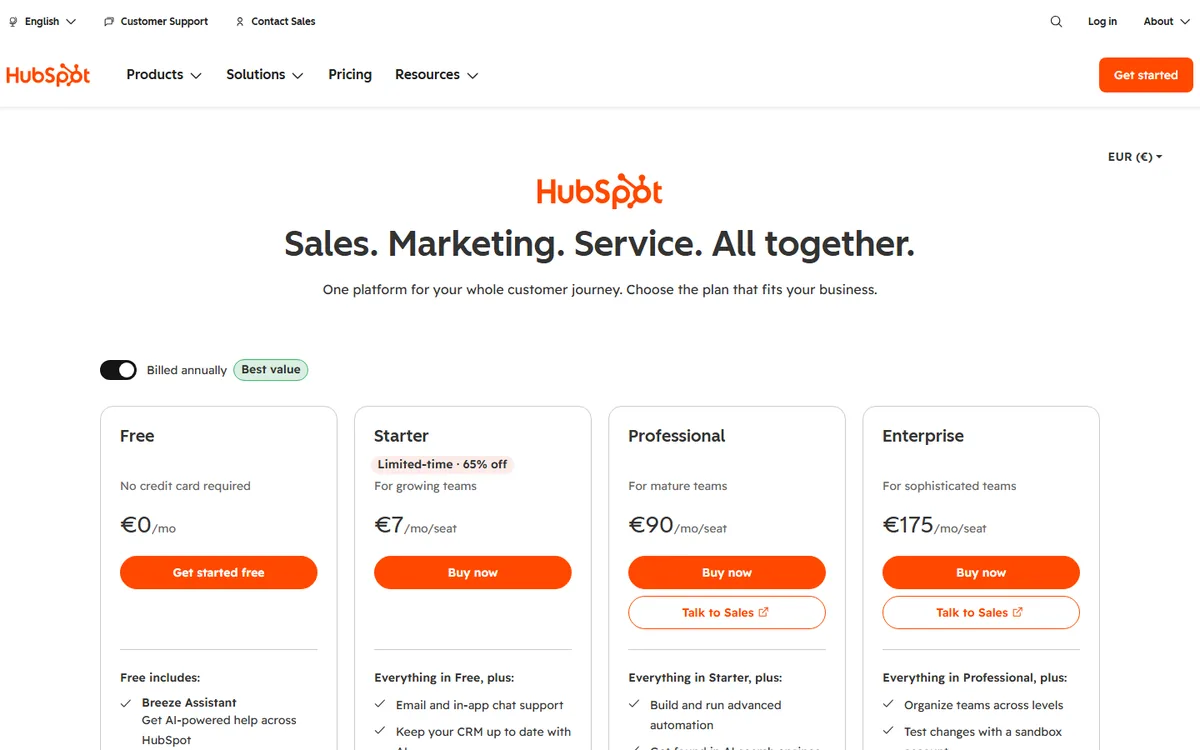
HubSpot’s free CRM costs nothing for up to two users, with no credit card needed. The Starter Customer Platform has a list price of $20 per seat per month and includes 500 HubSpot Credits a month for AI features. HubSpot currently offers new customers a discount on Starter, from $7 per seat per month paid yearly or $10 billed monthly, so check the terms before you sign.
HubSpot Reviews
- G2: 4.4 out of 5 star rating for HubSpot Marketing Hub (from +16,000 customer reviews)
- Capterra: 4.5 out of 5 star rating for HubSpot Marketing Hub (from +6,200 customer reviews)
Zapier
The Glue That Makes Your Other AI Tools Work Together
Zapier connects thousands of apps so a step in one triggers actions in the others, with AI steps that sort, sum up and draft along the way.
Every tool on this list does one job well. Zapier makes them talk to each other. A new web form lands in HubSpot, a welcome email goes out, the lead gets a short AI summary and you get a ping on your phone. None of it needs code, and a first workflow takes most owners less than an hour.
For small businesses I like to start with one small, boring workflow, usually lead capture or invoice reminders, and keep it running for a month before adding more. The free plan handles simple two-step workflows, which is enough to prove the idea. My caution is cost creep. Each action counts as a task, and a busy workflow can push you into a higher tier faster than you expect, so check your task count each month.
What Zapier Does Well
- Connects almost any app a small business uses
- Easy enough for owners with no tech background
- AI steps live in the same editor as the workflow
What Zapier Could Do Better
- Task-based pricing climbs with busy workflows
- Long, branching workflows get hard to follow
Zapier Pricing
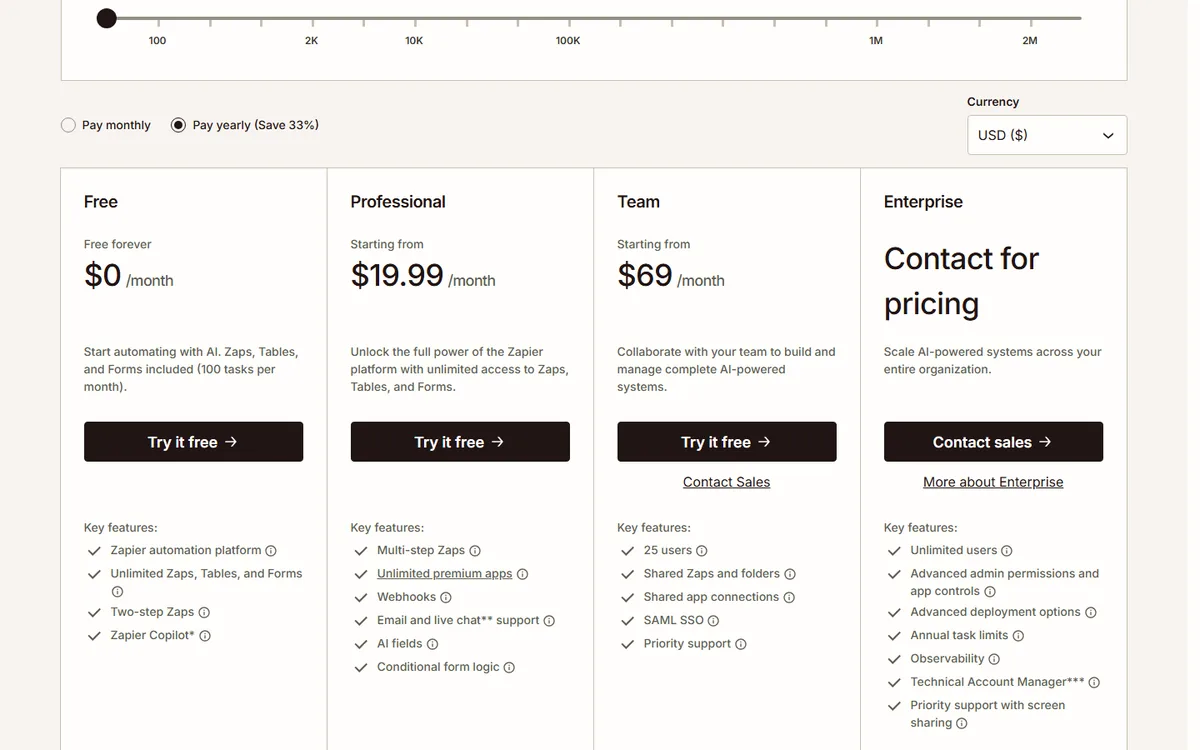
Zapier’s free plan includes 100 tasks a month for one seat. Professional costs $19.99 per month billed yearly or $29.99 billed monthly, starting at 750 tasks a month. Team costs $69 per month billed yearly or $103.50 billed monthly, starting at 2,000 tasks and up to 25 seats. Prices rise as you add more tasks.
Zapier Reviews
- G2: score of 4.5 out of 5 (from +2,000 customer reviews)
- Capterra: score of 4.7 out of 5 (from +3,000 customer reviews)
Xero

Simple Cloud Bookkeeping With AI and No Per-User Fees
Xero is cloud accounting software for small businesses, with an AI agent called JAX that helps with bank reconciliation, bills, invoices and questions about your numbers.
Xero pitches JAX as a financial agent. You can ask it how your cash flow looks, which invoices are overdue or what your profit was last quarter, and it answers from your own books. On every plan, Xero reads receipts and bills for you with smart document capture and suggests matches when it reconciles your bank feed. The Growing and Established plans add auto-reconcile, which clears routine transactions without a click.
The pricing model is what makes Xero a good fit for small teams. There are no per-user license fees, so your bookkeeper, your accountant and your office manager can all log in without raising the bill. In my client work, the biggest win comes from bank matching and bill entry, the jobs nobody wants on a Friday afternoon. The catch is the same as with any accounting AI: it only works with what’s in your file. If your categories are a mess, it repeats the mess faster, so I’d have your bookkeeper clean up the chart of accounts first and keep a person checking anything that touches taxes.
What Xero Does Well
- No per-user fees, so your accountant joins at no extra cost
- Receipt capture and bank matching come with every plan
- JAX answers money questions in plain words
What Xero Could Do Better
- The Early plan caps you at 20 invoices and 5 bills a month
- Fewer US bookkeepers know it than QuickBooks
Xero Pricing
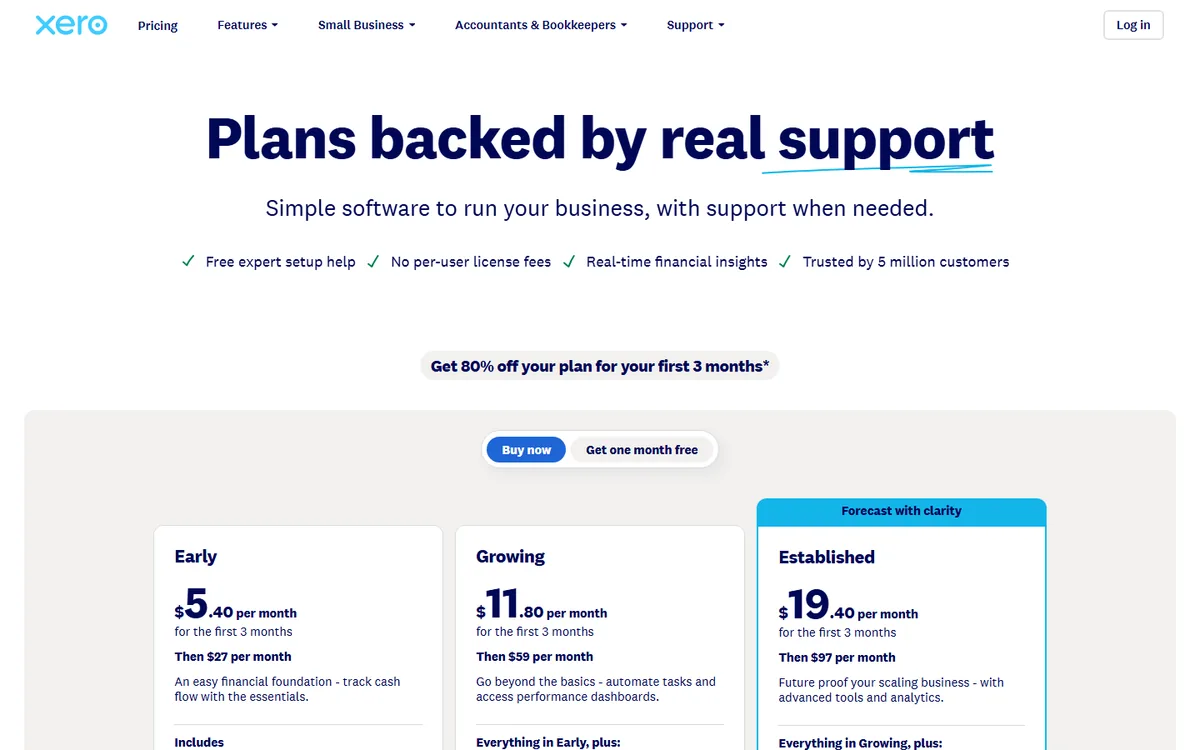
Xero has no free plan, but every plan includes unlimited users. Early costs $27 per month and limits you to 20 invoices and 5 bills a month. Growing costs $59 per month and Established $97 per month, and both add auto-reconcile. New US customers often get a steep discount for the first few months, so compare the regular price before you commit.
Xero Reviews
- G2: score of 4.4 out of 5 (from +1,700 customer reviews)
- Capterra: score of 4.4 out of 5 (from +3,200 customer reviews)
Notion
A Shared Brain for Your Processes, Projects and Team Knowledge
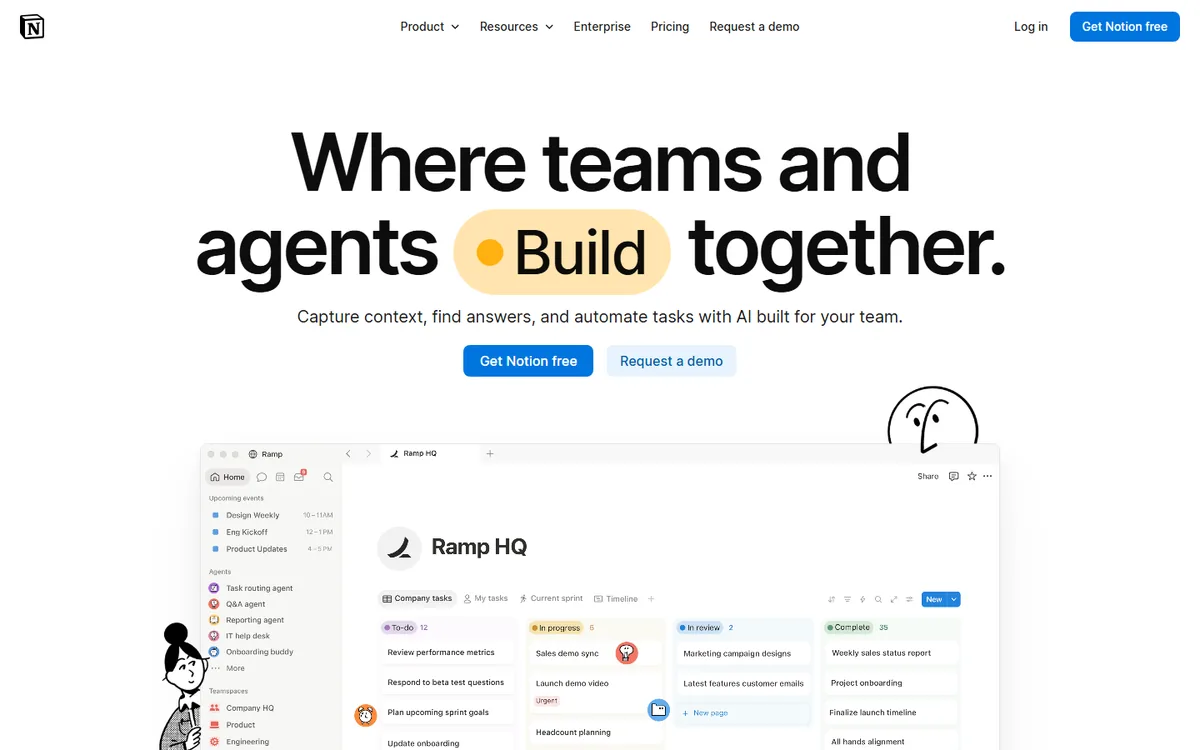
Notion combines docs, wikis, task boards and databases in one workspace, and Notion AI can search, write and take meeting notes across all of it.
Small businesses lose a surprising amount of time to “where’s that file?” and “how do we do this again?”. Notion gives you one place for your process docs, onboarding checklists, project boards and client notes. Once those live in one workspace, Notion AI becomes useful: you can ask it how refunds work and get an answer drawn from your own pages.
The AI features come with the Business plan, which includes Notion Agent, AI meeting notes and search across connected tools. On Free and Plus you only get a trial. I’d set up the workspace on Plus first and move to Business once your team actually keeps the pages current. An empty wiki with AI on top is still an empty wiki.
What Notion Does Well
- Docs, tasks and databases live in one place
- AI answers questions from your own pages
- Templates make a first wiki quick to set up
What Notion Could Do Better
- Full AI needs the pricier Business plan
- The blank-page freedom can overwhelm new users
Notion Pricing
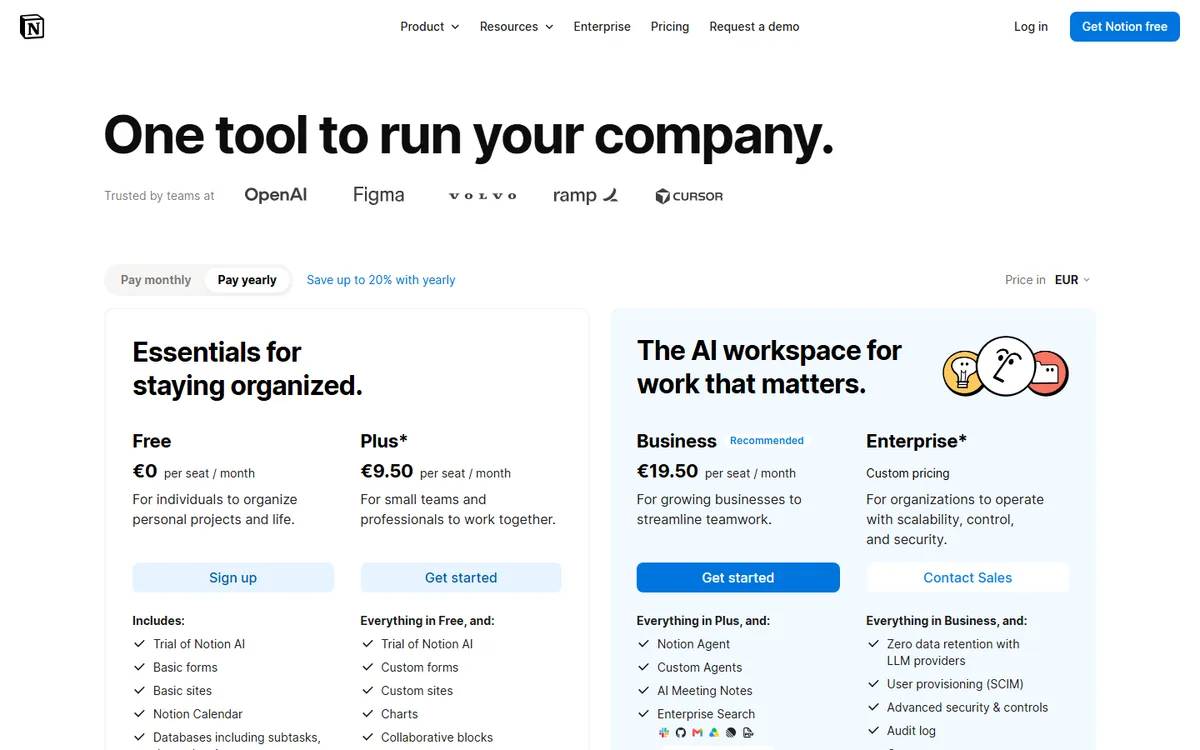
Notion has a free plan with a trial of Notion AI. Plus costs $10 per member per month billed yearly or $12 billed monthly, also with an AI trial. Business, which includes Notion AI, costs $20 per member per month billed yearly. Enterprise is priced through sales. Notion says yearly billing saves up to 20%.
Notion Reviews
- G2: score of 4.6 out of 5 (from +13,700 customer reviews)
- Capterra: score of 4.7 out of 5 (from +2,800 customer reviews)
Tidio
An Affordable AI Chat Agent That Answers Customers While You Sleep
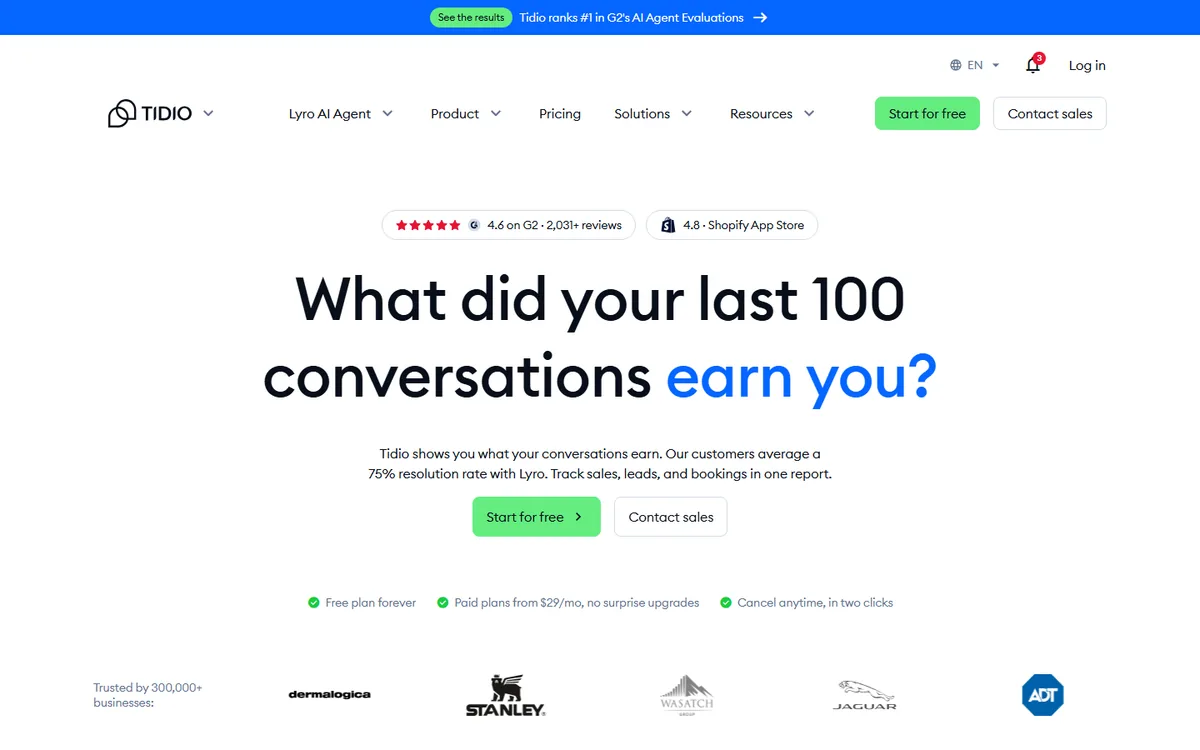
Tidio adds live chat to your website and Lyro, an AI agent that answers common customer questions from your own help content.
Tidio is the tool I suggest most often to online shops and service businesses that get the same ten questions every day. Where’s my order? Do you deliver to my area? What’s your return policy? Lyro reads your FAQ and help pages and answers those questions in the chat widget, then hands the tricky ones to a person.
Setup is quick if your help content is already written down. If it isn’t, writing it is the real project, and a useful one. I like that Tidio prices by account, not per user, which keeps costs flat as your team grows. The weak spot is that Lyro is billed by conversation, so a busy month can cost more than you planned. Start with a small conversation limit and watch how many chats it actually resolves.
What Tidio Does Well
- Lyro handles repeat questions around the clock
- Plans are priced per account, not per user
- Easy to add to Shopify, WordPress and Wix sites
What Tidio Could Do Better
- Lyro is billed by conversation, so busy months cost more
- Answers are only as good as your help content
Tidio Pricing
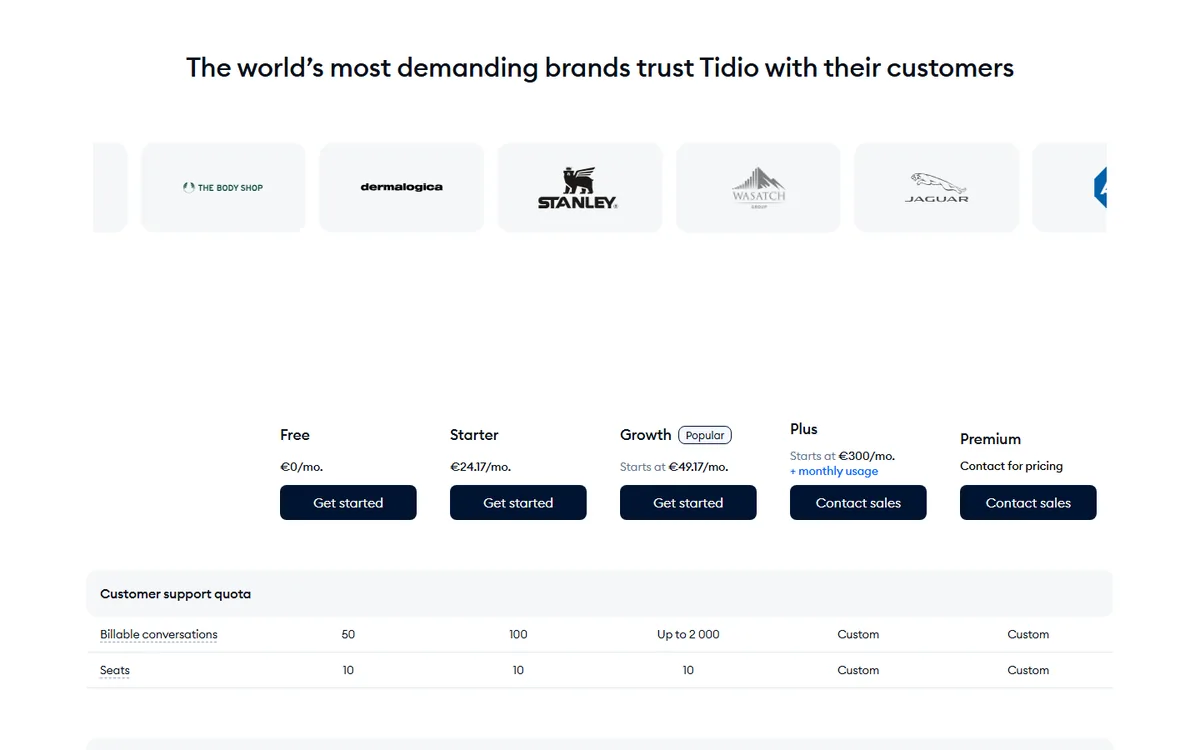
Tidio has a free plan that includes 50 lifetime Lyro conversations. The pricing page lists Starter at $24.17 per month and Growth from $49.17 per month, and yearly billing gives you two months free, so check the billing toggle when you compare. Plus starts at $300 per month and Premium is priced through sales. The Lyro AI Agent add-on starts at $32.50 per month for 50 conversations, with a 7-day free trial.
Tidio Reviews
- G2: score of 4.6 out of 5 (from +1,900 customer reviews)
- Capterra: score of 4.7 out of 5 (from +580 customer reviews)
Otter.ai
The Cheapest Way to Stop Taking Meeting Notes by Hand
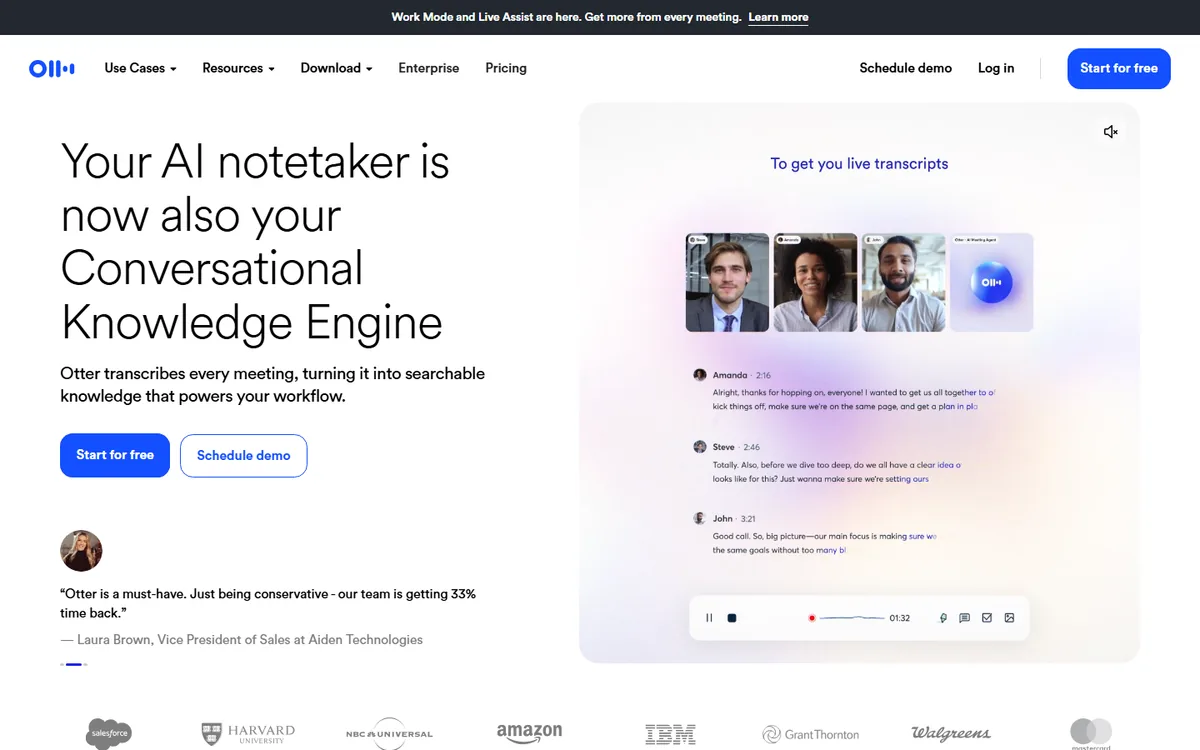
Otter.ai joins your Zoom, Google Meet and Teams calls, transcribes them live and writes a summary with action items.
Owners spend a lot of their week on calls, and the notes from those calls often end up on sticky notes or nowhere. Otter fixes that for very little money. It joins the meeting, writes a live transcript and sends a summary with action items when the call ends. You can also record in-person meetings on your phone, which suits trades and field teams.
The free plan gives you 300 minutes a month, but each conversation is capped at 30 minutes, so most people outgrow it fast. Pro on yearly billing is one of the cheapest paid AI tools in this list. One habit I push with every client: tell people they’re being recorded, and check your local consent rules before you record calls with customers.
What Otter.ai Does Well
- Pro costs very little when billed yearly
- Summaries and action items arrive right after the call
- Records in-person meetings from your phone
What Otter.ai Could Do Better
- Free plan caps each conversation at 30 minutes
- Accuracy drops with heavy accents and cross-talk
Otter.ai Pricing
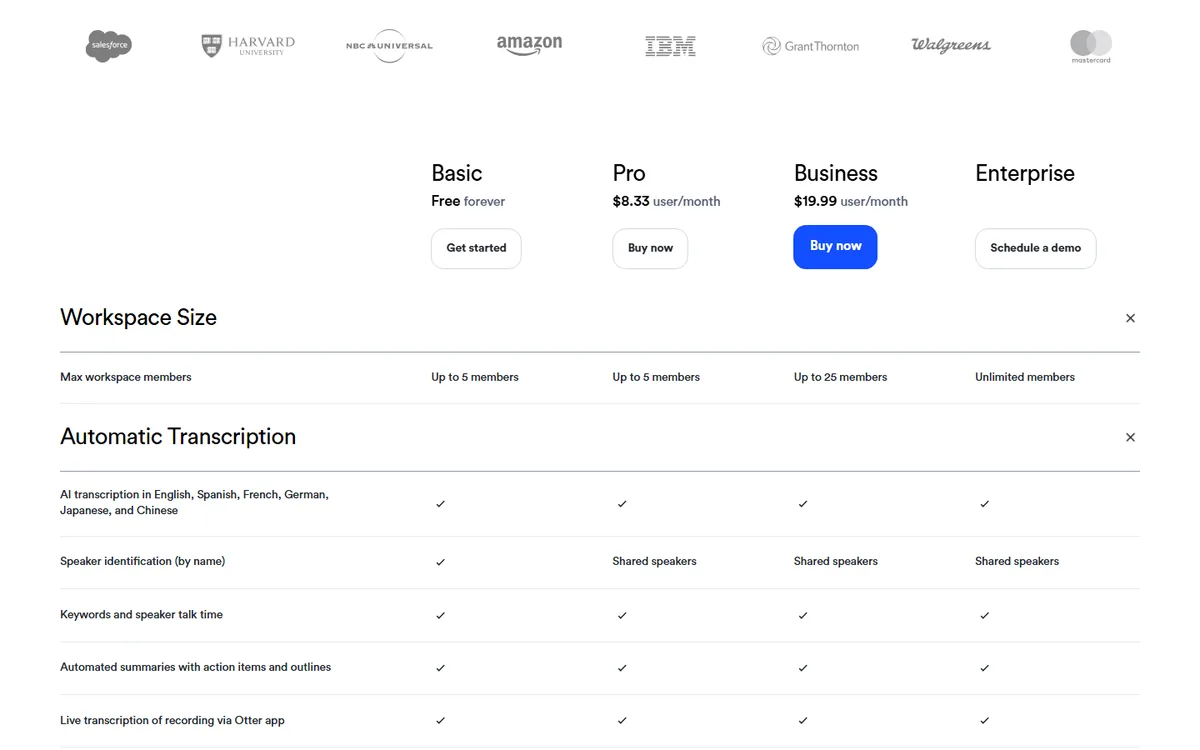
Otter’s Basic plan is free, with 300 minutes a month and 30 minutes per conversation. Pro costs $8.33 per user per month billed yearly or $16.99 billed monthly. Business costs $19.99 per user per month billed yearly or $30 billed monthly. Enterprise is priced through sales.
Otter.ai Reviews
- G2: score of 4.4 out of 5 (from +520 customer reviews)
- Capterra: score of 4.4 out of 5 (from +100 customer reviews)
Fireflies.ai

A Meeting Notetaker Built for Sales Calls and CRM Updates
Fireflies.ai records and transcribes your calls, then sends summaries, action items and notes into your CRM and other apps.
Fireflies does the same core job as Otter, but it leans toward sales and client work. It connects to CRMs like HubSpot and Salesforce, logs call notes to the right contact and lets you search across every call for a phrase, such as a competitor’s name or “price”. For a small sales team, that’s a cheap form of call coaching.
I usually tell clients to pick one notetaker, not two. Choose Otter if you mostly want cheap notes, and Fireflies if you want those notes pushed into your CRM and other tools. Storage is the main limit to watch: Pro caps how many minutes you can keep per seat, and Business removes that cap.
What Fireflies.ai Does Well
- Sends call notes straight into your CRM
- Search across all calls finds key moments fast
- Strong user ratings on both review sites
What Fireflies.ai Could Do Better
- Pro limits how much call storage you keep
- A bot joining calls can feel awkward to some clients
Fireflies.ai Pricing
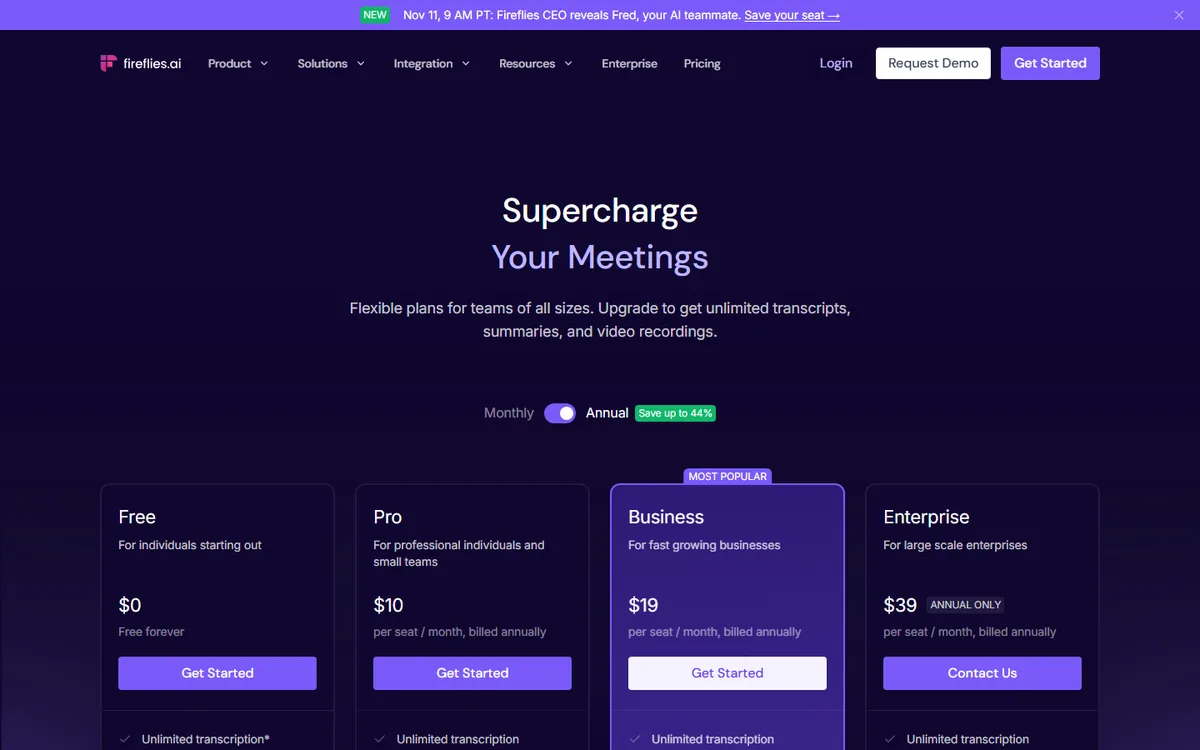
Fireflies has a free plan. Pro costs $10 per seat per month billed yearly or $18 billed monthly, with 8,000 minutes of storage per seat. Business costs $19 per seat per month billed yearly or $29 billed monthly, with unlimited storage. Enterprise costs $39 per seat per month and is billed yearly only.
Fireflies.ai Reviews
- G2: score of 4.7 out of 5 (from +750 customer reviews)
- Capterra: score of 4.9 out of 5 (from +730 customer reviews)
Freshdesk
A Proper Help Desk for When Your Support Inbox Gets Out of Hand
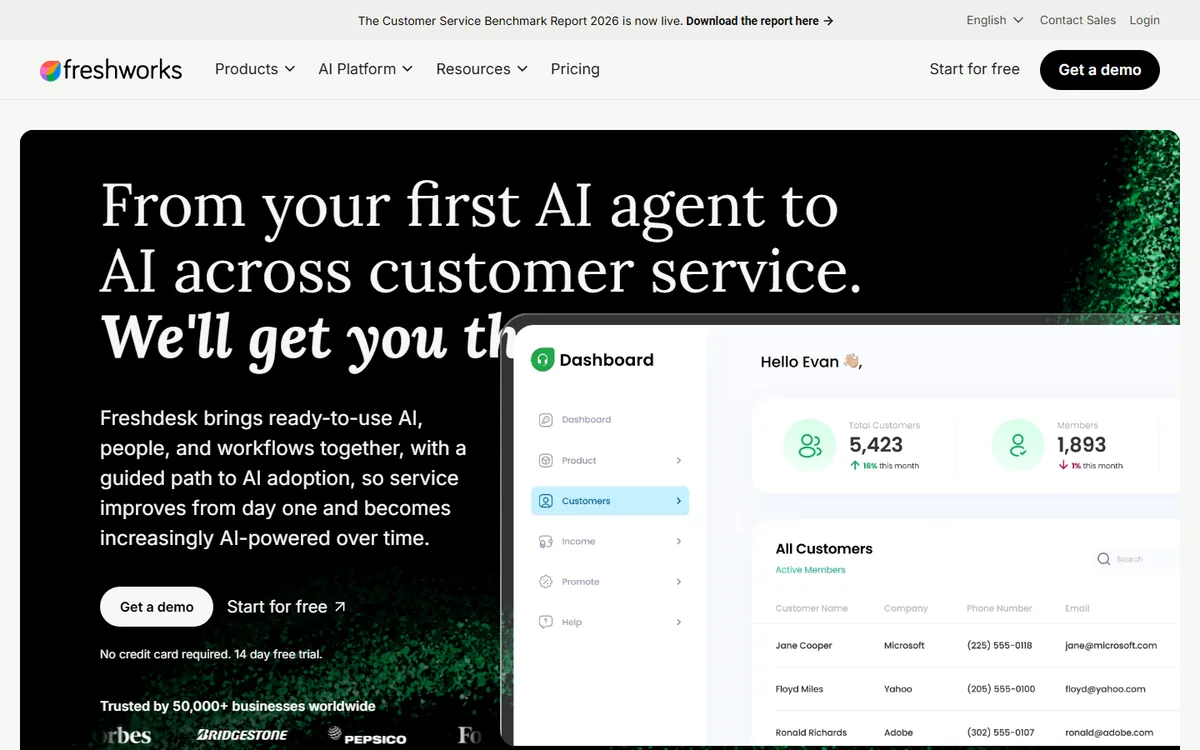
Freshdesk turns support emails, chats and calls into tickets your team can assign and track, with Freddy AI to suggest replies and answer customers.
A shared inbox works until two people answer the same customer, or nobody does. Freshdesk is the step up. Every email becomes a ticket with an owner, a status and a due time, and you can see at a glance what’s waiting. Canned replies and a help center cut down the repeat work, even before any AI comes in.
Freddy AI comes in two parts. Freddy AI Copilot helps your agents write and sum up replies, and Freddy AI Agent answers customers on its own. I’d hold off on both until your ticket volume justifies them, because the add-ons can cost more than the base seat. For a team of two or three, Growth with good canned replies is often enough. If chat is your main channel, Tidio may be the cheaper fit.
What Freshdesk Does Well
- Clear ticket ownership ends missed customer emails
- Growth plan is affordable for a small team
- Help center and canned replies cut repeat work
What Freshdesk Could Do Better
- No free plan for new accounts
- AI add-ons cost extra on top of the seat price
Freshdesk Pricing
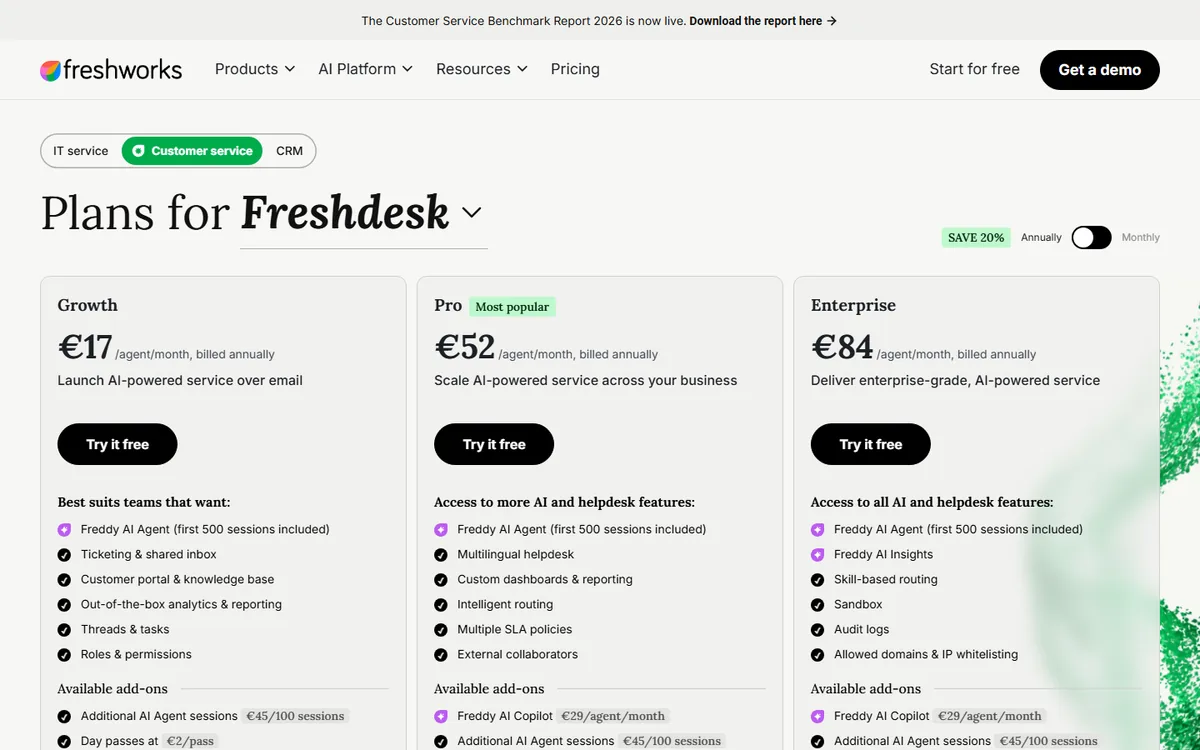
Freshdesk’s pricing page shows no free plan, only a 14-day trial. Billed yearly, Growth costs $19, Pro $55 and Enterprise $89 per agent per month, and yearly billing saves 20%. The Freddy AI Copilot add-on costs $29 per agent per month on Pro and Enterprise. Freddy AI Agent includes 500 free sessions per account, then costs $49 per 100 sessions.
Freshdesk Reviews
- G2: score of 4.4 out of 5 (from +3,900 customer reviews)
- Capterra: score of 4.5 out of 5 (from +3,400 customer reviews)
Descript
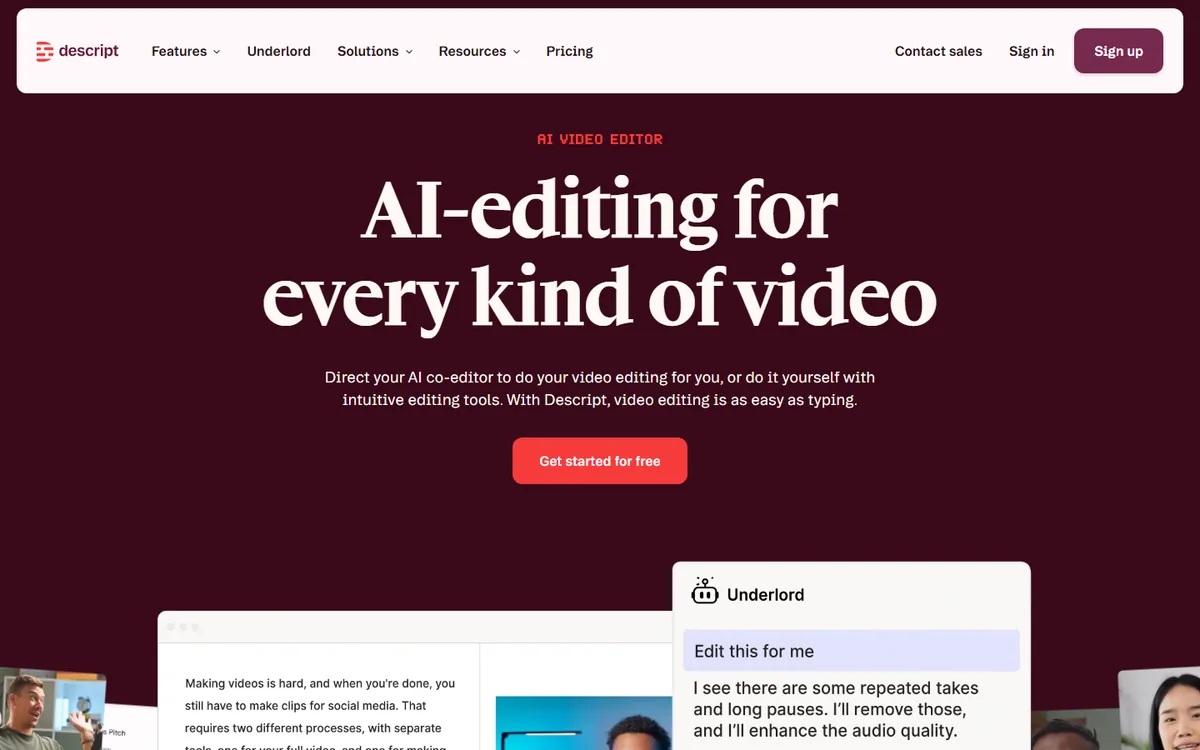
Video and Podcast Editing for Owners Who Have Never Used an Editor
Descript turns your video or audio into a transcript you edit like a document, with AI that removes filler words and cleans up sound.
Short videos sell, but most small business owners don’t have time to learn video editing. Descript makes it feel like editing a Word file. You record or upload a clip, Descript writes the transcript, and deleting a sentence from the text cuts it from the video. One click removes the “ums” and long pauses, and the sound tools make a phone recording sound much cleaner.
I’ve seen it work well for coaches, real estate agents and trades who film quick tips or customer stories. Record a 20-minute chat once and cut it into a handful of short clips for social media. It’s at the bottom of this list only because fewer businesses need video every week. If you do, it’s one of the best-value tools here.
What Descript Does Well
- Editing by text is easy for complete beginners
- Filler-word removal saves a lot of editing time
- Turns one long recording into many short clips
What Descript Could Do Better
- Large projects can feel slow on older laptops
- Monthly billing costs much more than yearly
Descript Pricing
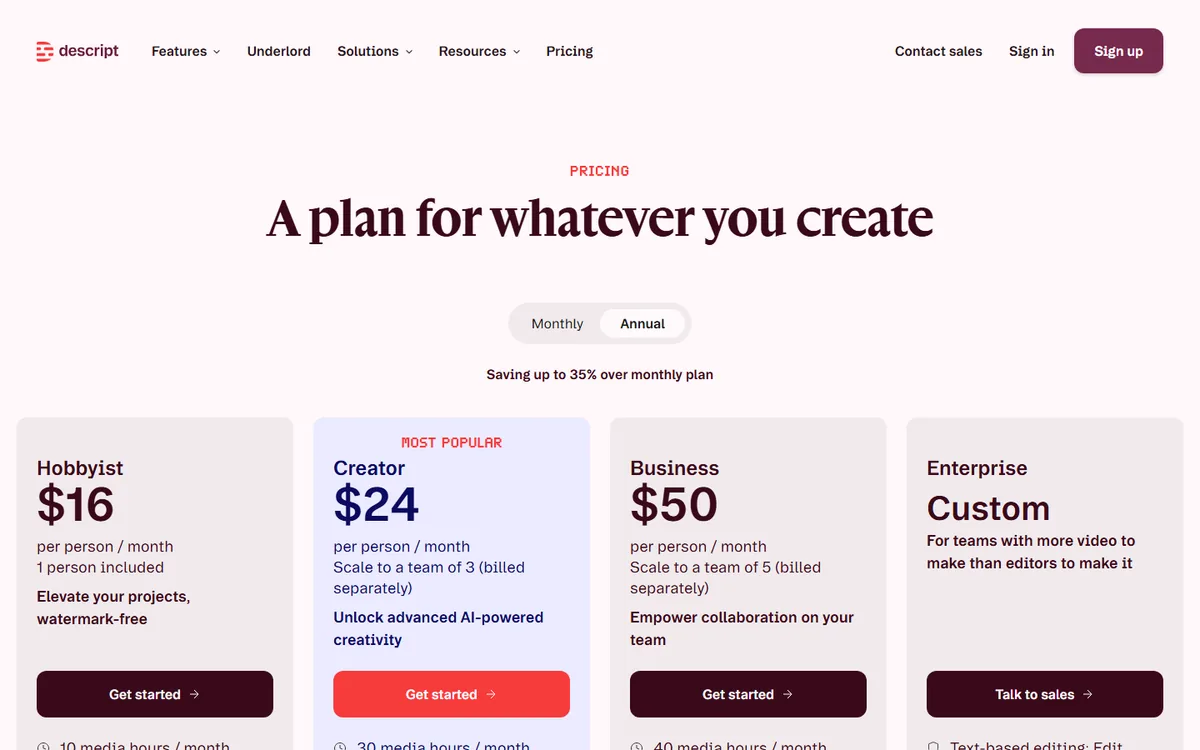
Descript has a free plan for one person. Hobbyist costs $16 per person per month billed yearly or $24 monthly. Creator costs $24 yearly or $35 monthly, and Business costs $50 yearly or $65 monthly per person. Enterprise is priced through sales. Descript says yearly billing saves up to 35%.
Descript Reviews
- G2: score of 4.6 out of 5 (from +930 customer reviews)
- Capterra: score of 4.6 out of 5 (from +180 customer reviews)
Check If an AI Tool Pays for Itself
A $20 tool is cheap only if someone uses it. Enter the hours a tool could save your team each month and its monthly price, and you’ll see what it could return over a year. In my client work, I treat anything that doesn’t clearly beat its cost within the first two or three months as a tool to cancel.
Will It Pay for Itself?
Move the sliders to match the work you want to automate and the plan you are considering.
How to Choose AI Tools for Your Small Business
Start with your own week. Look back at the last two weeks and write down the tasks that ate the most time. Then answer four questions before you buy anything:
- Which single task does your team repeat most, and who does it?
- Which tools do you already pay for that now include AI, such as Microsoft 365, Google Workspace, QuickBooks or HubSpot?
- What customer or financial data would the tool see, and does the plan keep it out of model training?
- Who will set it up, check the output and cancel it if nobody uses it?
For most small businesses, I’d build the stack in this order. First, one general assistant: ChatGPT or Claude, or the AI that comes with your Microsoft or Google plan. Second, one tool for your biggest time sink, such as Otter.ai for meetings, Tidio for customer questions or Canva for marketing. Third, Zapier once you want those tools to pass work to each other. Writing these choices down as a short AI strategy for your small business keeps you from paying for five tools that overlap.
Test each tool on the monthly plan with real work for a few weeks. Keep the ones your team opens without being reminded, and move those to yearly billing.
Questions About AI Tools for Small Business
What Is the Best Free AI Tool for a Small Business?
For most small businesses, the free plan of ChatGPT or Claude gives you the most value per dollar, because one assistant covers emails, quotes, policies and research. Add the free plans of Canva for design and HubSpot for your contacts, and you have a useful starter stack without paying anything.
How Much Should a Small Business Spend on AI Tools?
Most small teams I work with start at somewhere between $20 and $100 a month in total. That usually covers one paid AI assistant and one or two tools for a specific job, like meeting notes or customer chat. Add more only when a tool saves clearly more time than it costs.
Do I Need Microsoft 365 Copilot If I Already Pay for ChatGPT?
Not always. ChatGPT is great for writing and thinking, but it can’t see your Outlook inbox, Teams calls or SharePoint files on its own. If most of your work lives in Microsoft 365, Copilot saves more time there. If it doesn’t, one ChatGPT or Claude plan is usually enough.
Is It Safe to Put Customer Data into AI Tools?
It depends on the plan. Business and team plans from the big vendors usually promise not to train their models on your data, while free consumer plans may have looser terms. Read the data policy of each tool, keep sensitive details like card numbers and health records out of free plans, and set a short written rule for your team.
Which AI Tools Save the Most Time in a Small Business?
In my client work, the biggest time savers are an AI assistant for writing, an AI notetaker for meetings and an AI chatbot for repeat customer questions. Bookkeeping AI in Xero also helps once your accounts are set up well. Start with the task your team repeats most each week.
Can AI Tools Replace Staff in a Small Business?
In the small businesses I work with, AI tools take over pieces of a job. They draft, sort, summarize and answer simple questions, which frees your people for sales, service and decisions. Someone still needs to check the output, own the customer relationship and fix things when the AI gets it wrong.
Should I Pay Monthly or Yearly for AI Tools?
Pay monthly for the first two or three months while you test whether your team really uses the tool. Once it has earned its place, switch to yearly billing, which is cheaper on most plans in this list. Set a calendar reminder before each renewal so you can cancel tools nobody uses.
Disclaimer: Prices, plans, promotions and ratings change often. We checked them at the last update, so confirm them with each vendor before buying. Nothing here is legal, tax or financial advice.
Did you find this helpful?
Thank you for your feedback.
Marlena leads the WiseCrow editorial team and works with our consultants to turn real client projects into practical guides on AI strategy, automation and governance. Before joining WiseCrow, she spent 12 years in B2B operations and SaaS content. She has since edited more than 400 articles on AI and automation and reviewed workflows from over 60 client projects. She is based in Austin, Texas.