Summary
- Inference cost and stale data hurt most teams first. Token prices fall, but usage grows faster.
- Reserve GPUs only for steady work and rent the bursts. Idle reserved capacity is the quietest waste.
- Trace every model request with its prompt, context, version and cost, or you can’t explain a bad answer.
- Name a small platform team early. One shared stack beats five team-built ones on cost and security.
Getting a model to answer well in a notebook takes a week. Keeping it fast, safe and affordable for a few thousand users takes a platform, and most of the trouble lives there. If you want help building that layer, AI infrastructure consulting covers it from capacity planning to monitoring.
Below are the seven AI infrastructure challenges I run into most once AI moves past the pilot. I’ve sorted them by when they tend to bite. Each one shows how it looks in a real company, why it happens, the steps that fix it and the tools that help.
Why AI Infrastructure Is Harder Than Regular Cloud
Most of your cloud setup was built for apps with steady, predictable load. AI workloads behave differently. Training runs need dozens of GPUs for a few days and then nothing. Inference cost rises with every extra word in a prompt. And a model can return a confident wrong answer while every system metric stays green.
Cost control was already hard before AI arrived. Flexera’s 2026 State of the Cloud report found that 85% of respondents name managing cloud spend as their top cloud challenge, ahead of security. The same survey found 81% of respondents now use generative AI, up from 47% in 2024. More AI on top of a budget that’s already hard to manage is the backdrop for every challenge below.
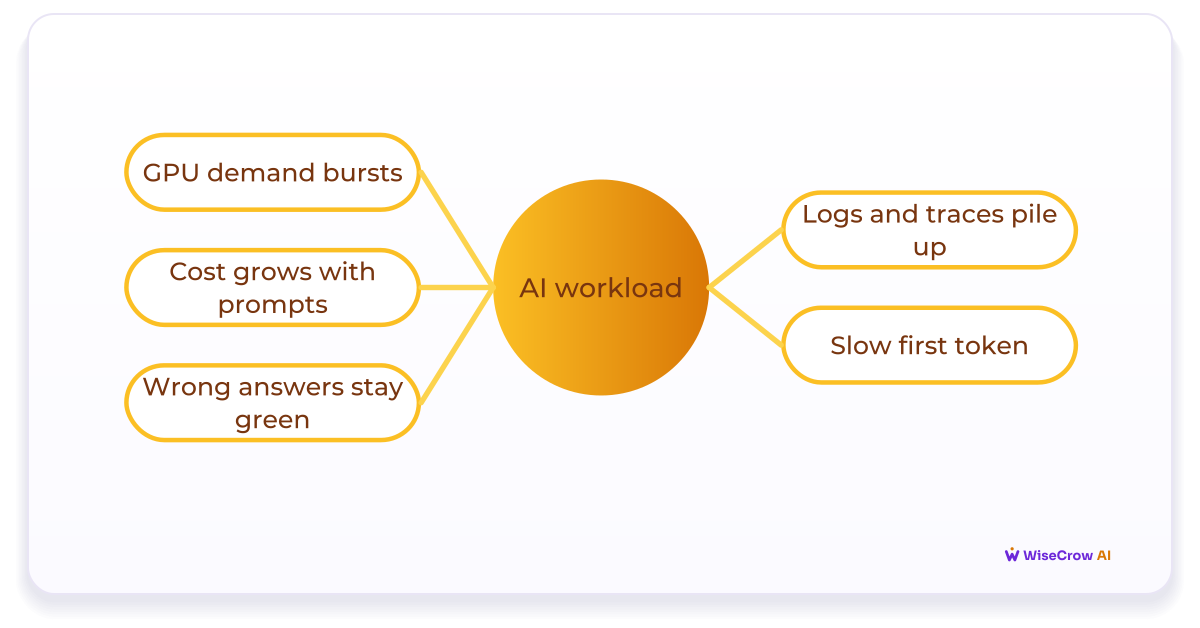
Use the table as a quick diagnosis. If you recognize the symptom, jump to that challenge.
| Challenge | Symptom | First fix |
|---|---|---|
| 1. GPU access and capacity | Jobs wait days for GPUs | Reserve a base, rent bursts |
| 2. Data pipelines and freshness | Answers quote outdated facts | Set a freshness target per source |
| 3. Security and isolation | One shared key for all apps | Separate keys, data and logs |
| 4. Inference cost | Bill grows faster than users | Route easy work to small models |
| 5. Latency and reliability | Timeouts at peak hours | Set a latency budget and fallback |
| 6. Observability | Nobody can explain bad answers | Trace every request end to end |
| 7. Skills and ownership | Every team builds its own stack | Name a small platform team |
Challenges That Hit Before Launch
The first three show up while you’re still building. They decide how fast you can ship, and they’re far cheaper to fix now than after real users depend on the system.
GPU Access and Capacity
Your fine-tuning job sits in a queue for three days. The quota request to your cloud provider comes back approved for two GPU instances when you asked for eight. Another team signs a one-year reservation for a cluster, and by month four it runs at a third of capacity because the project behind it changed course.
GPU capacity is lumpy, and the price of getting it wrong adds up by the hour. Lambda’s published on-demand rate for a single H100 SXM is $4.89 per GPU-hour on its price list effective November 16, 2026. Hardware does get cheaper. Stanford’s 2025 AI Index found that hardware costs have declined by 30% annually. In my client work, though, the bigger waste is a commitment that no longer fits the workload. New accelerators and GPU clouds change the options every year, which I follow in my roundup of AI infrastructure trends.
How to Secure the Compute You Need
- Split your GPU demand into steady work, such as production inference, and bursty work, such as training runs and tests.
- Reserve or commit only for the steady part, sized on real usage from the last 60 to 90 days.
- Rent burst capacity on demand or as spot instances, with checkpoints so a lost node costs minutes of work.
- File quota increases with your cloud provider weeks before a launch, in two regions if you can.
- Put all GPUs behind one shared scheduler, so idle cards in one team serve the queue of another.
- Review utilization every month and resize the reservation at each renewal.
Where to Find GPU Capacity
AWS, Azure and Google Cloud offer reservations and short-term capacity blocks next to on-demand instances, and GPU clouds such as Lambda, CoreWeave and RunPod often get a single node to you faster. Inside your own cluster, Kubernetes with the NVIDIA GPU Operator, or Slurm for training-heavy teams, keeps shared GPUs busy.
Data Pipelines and Freshness
The assistant quotes a price list that changed in March. Somebody built the retrieval index once from a document export, and nobody scheduled the rebuild. Deleted files still show up as sources, and a new product line is missing completely.
Data trouble is one of the most common complaints about AI in the cloud. In Flexera’s 2026 State of the Cloud survey of more than 750 cloud decision-makers, 40% named data quality for AI model training as a challenge. AI adds new copies of your data: embeddings, vector indexes, feature stores and fine-tuning sets. Each copy can drift from its source. I once traced a support bot’s odd answers to a policy folder that had been archived seven months earlier. The nightly pipeline still ran without a single error. It simply read from the wrong place.
Keeping AI Data Fresh and Correct
- List every copy of data your AI reads, with its source system and owner.
- Set a freshness target for each source, such as within 24 hours for prices and within a week for manuals.
- Move from full rebuilds to incremental updates, so changes land in hours.
- Add checks that stop the pipeline on empty files, missing fields or sudden drops in document count.
- Remove deleted and expired documents from the index on the same schedule as new ones.
- Alert the data owner as well as the engineer when a source misses its target.
Pipeline Tools Worth a Look
Orchestrators such as Airflow, Dagster or Prefect schedule refresh jobs and show you the moment one fails. Quality checks from Great Expectations or Soda, together with the update features in vector stores like Pinecone, Weaviate or pgvector, keep your index in line with the source.
Security and Isolation
Five internal apps share one model API key stored in a config file. The retrieval index holds HR files and sales decks side by side, and the chatbot happily answers from both. A test notebook on a GPU server has a public IP address and a default password.
Security tops the list of AI worries in the cloud. Flexera found that 53% of cloud leaders cite security and compliance as their top challenge for cloud-based AI initiatives. AI opens paths that classic security reviews miss. Prompt injection can turn a helpful assistant against its own tools, and retrieval can surface documents the user was never allowed to open. Model weights and fine-tuning data are assets worth stealing too. The fix I push hardest is checking permissions at retrieval time, so the AI sees exactly what the user could see in the source system.
Closing the Gaps AI Opens
- Give each app and environment its own API keys, stored in a secrets manager with rotation.
- Filter retrieval results by the user’s permissions in the source system before the model sees them.
- Keep training, test and production workloads in separate accounts or projects.
- Reach model endpoints through private networking where your provider supports it.
- Limit which tools an AI agent can call, and require approval for actions that change data.
- Red-team every new AI feature for prompt injection and data leaks before launch.
Security Resources to Start From
The OWASP Top 10 for LLM Applications describes the main attack types, such as prompt injection and sensitive data disclosure, in plain terms. Cloud secrets managers, private endpoints and NVIDIA Multi-Instance GPU, which splits one card into isolated slices, cover most isolation needs.
Challenges That Grow With Every User
The next three stay quiet in a pilot. They get louder with each new team, each longer prompt and each agent step, so the bill, the wait times and the blind spots all grow together.
Inference Cost That Grows With Usage
The pilot cost a few hundred dollars a month. Then you open it to 2,000 staff, and the bill climbs every week. Each prompt carries ten pages of context, every request goes to the largest model and the new agent calls the model eight times to finish one task.
The price per token keeps falling. Stanford’s AI Index found that the inference cost for a GPT-3.5-level system dropped over 280-fold between November 2022 and October 2024. Your bill can still rise, because usage, context length and agent steps grow faster than prices drop. Flexera’s 2026 report links AI workloads to the first rise in wasted cloud spend in five years, now 29%. In my client work, the first cost review almost always finds two or three prompts behind most of the spend.
Bringing the Cost per Request Down
- Tag every model call with the feature and team that made it.
- Track cost per finished task, such as per ticket answered, next to the total bill.
- Cut context to what the answer needs, and cache repeated prompts and answers.
- Send simple requests to a small model and keep the large one for hard cases.
- Run offline work, such as nightly summaries, through cheaper batch endpoints.
- Set budgets and alerts per team, so a runaway loop shows up within hours.
- Compare self-hosting an open model once volume is high and steady.
What Helps You Keep Inference Spend in Check
LLM gateways such as LiteLLM, Portkey or Cloudflare AI Gateway route requests between models, cache answers and track spend per team. For self-hosted models, serving engines like vLLM or NVIDIA Triton raise throughput per GPU, so each request costs less.
Latency and Reliability
In the demo, answers took two seconds. At 9 a.m. on a Monday in production, the slowest 5% of requests take 14 seconds. When your model provider has an incident, the feature simply stops, and users see a spinner with no message.
Model calls behave unlike normal API calls. Response time depends on how long the answer is, how busy the provider is and what rate limits your account has. A chain of four model calls multiplies every delay. Teams that ship reliable AI write a latency budget for each feature, stream answers as they’re generated and plan what happens when a model is down. I go deeper on service levels and failover in my guide to AI infrastructure best practices.
Making AI Responses Fast and Dependable
- Write a latency target per feature, such as a first word on screen within two seconds.
- Stream responses, so users see progress while the model writes.
- Set timeouts and retries with backoff on every model call.
- Configure a fallback model or provider for each critical feature.
- Load test at two to three times expected peak before each launch.
Reliability Tooling That Earns Its Place
Load testing tools like k6 or Locust show where latency breaks before your users find out. Most LLM gateways also handle retries, rate limits and failover between providers, so you rarely need to build that logic yourself.
Observability for Model Systems
A user reports a wrong answer and sends a screenshot. Your dashboards show healthy CPU, healthy GPU and a 200 status code. Nobody can see which prompt ran, which documents came back from retrieval, which model version answered or what the request cost.
Classic monitoring tells you the system is up. With AI, you also need to know if it’s right, and a green dashboard can hide a week of bad answers. The fix is a trace per request: prompt, retrieved context, model and version, tokens, latency, cost and user feedback, all linked together. Then you score a sample of traces every week against a set of known good answers. My shortlist of AI infrastructure tools compares the main tracing and evaluation platforms.
What to Capture and Review
- Log each request with prompt, context, model version, tokens, latency and cost under one trace ID.
- Mask personal data in traces before they’re stored.
- Collect user feedback, even a thumbs up or down, and link it to the trace.
- Build a test set of 50 to 200 real questions with approved answers.
- Run the test set before every model, prompt or index change.
- Review a sample of low-rated traces each week with someone who knows the subject.
Observability Options to Compare
Tracing platforms such as LangSmith, Langfuse, Arize Phoenix and Datadog LLM Observability record prompts, context, cost and latency for every request. Many teams send the data through OpenTelemetry, so AI traces sit next to the rest of their application monitoring.
The Challenge Under All the Others
The last one is about people. I list it last because it makes every other fix stick or fade.
Skills and Platform Ownership
Three teams each run their own vector database. Two pay for the same model under separate contracts. The engineer who set up the GPU cluster left in the spring, and nobody else knows how the drivers were installed.
AI infrastructure needs a mix of skills that rarely sits in one team: GPU operations, data engineering, security, model serving and cost management. Bigger companies are starting to respond. Flexera found that 47% of large enterprises are establishing dedicated AI governance teams or leaders. My blunt advice is to name a small platform team early, even two or three people, and give them a paved road: one approved stack that product teams can use without filing tickets. My AI infrastructure roadmap shows when to staff that team as you move from pilot to production.
Building Ownership That Lasts
- Name a platform owner who answers for cost, uptime and security of shared AI services.
- Agree on one default stack for models, retrieval, serving and monitoring.
- Write runbooks for GPU drivers, deployments and incident response.
- Pair each critical system with at least two people who can run it.
- Show each product team its own AI costs every month.
Resources for Building the Team
An internal developer portal such as Backstage gives product teams one place to find the approved stack, templates and runbooks. The FinOps Foundation’s free framework explains how to split cost ownership between a central team and the teams that spend.
Where Your AI Infrastructure Budget Goes
Cost runs through almost every challenge above, so it helps to see the drivers in one place. Take a simple case. One H100 running around the clock at Lambda’s listed $4.89 per GPU-hour comes to about $3,570 a month (730 hours). If that card sits at 30% utilization, roughly $2,500 of the bill buys idle time. Multiply that by a small cluster and a year, and an unused reservation can cost more than the engineers who would fix it.
The table lists the drivers I check first in a cost review, what makes each one grow and the lever that usually moves it most.
| Cost driver | Grows with | First lever |
|---|---|---|
| Training GPU hours | Long or repeated runs | Checkpoints, spot capacity |
| Inference serving | More users, longer prompts | Routing and caching |
| Idle reserved GPUs | Low utilization | One shared scheduler |
| Storage and indexes | Many data copies | Delete stale indexes |
| Data transfer | Cross-region traffic | Keep data near compute |
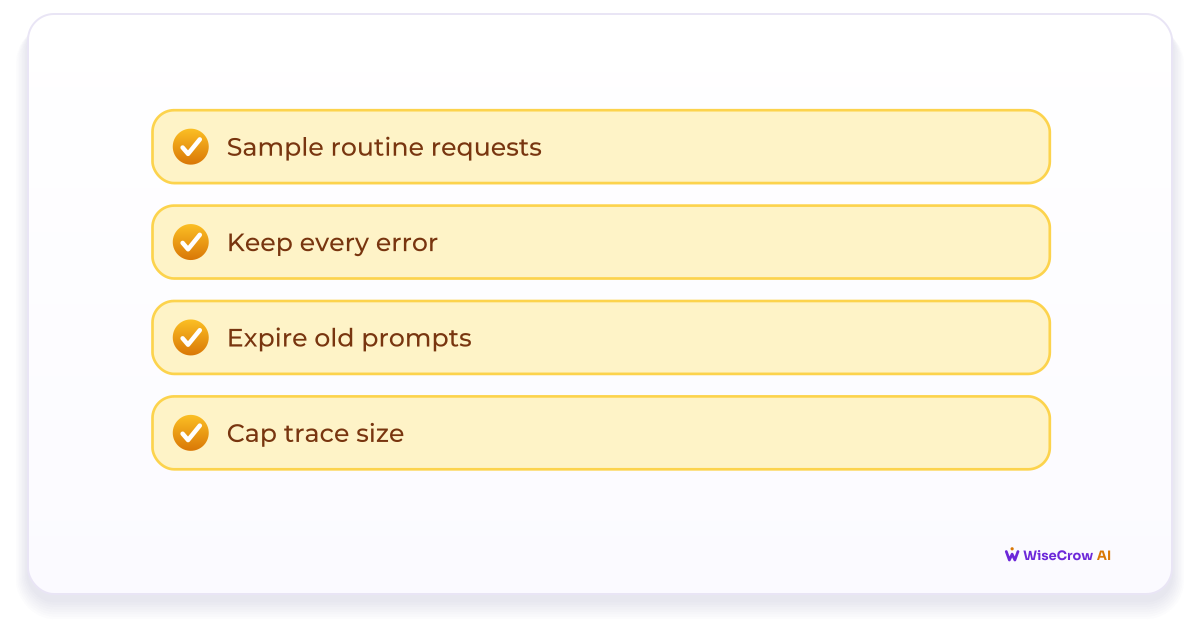
| Logs and traces | Full prompts kept forever | Sampling, retention rules |
| People and on-call | One stack per team | One platform team |
Two drivers get missed most. Logs and traces look cheap until you keep every full prompt and answer for a year. And people cost: when five teams each run their own vector database and model contracts, the on-call hours and duplicate licenses often outweigh the GPU savings anyone fought for.
How to Choose Which Infrastructure Challenge to Fix First
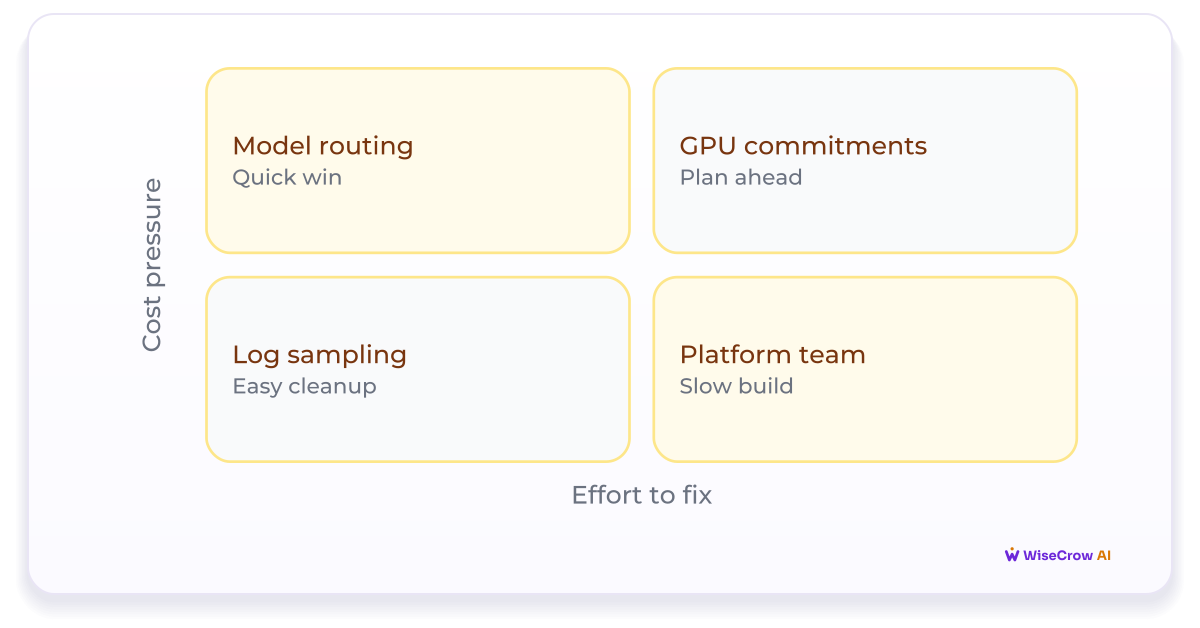
You’ll likely see four or five of these in your own setup. Fixing them all in one quarter stretches a small team too thin. I start from the symptom that costs the most each week and work outward from there.
- Users can see data they shouldn’t, or keys are shared across apps. Fix security first, before anything else ships.
- Answers quote outdated facts. Fix data freshness next, since every other fix depends on correct input.
- The bill grows faster than usage. Tag model calls and route by difficulty before you touch GPU contracts.
- Nobody can explain a bad answer. Add tracing, because it makes cost and quality problems visible.
- Jobs queue for days. Share and schedule existing GPUs before you rent or reserve more.
Latency and ownership usually come along with the others. Tracing shows where time goes, and the people who set up tagging and tracing often become the core of your platform team.
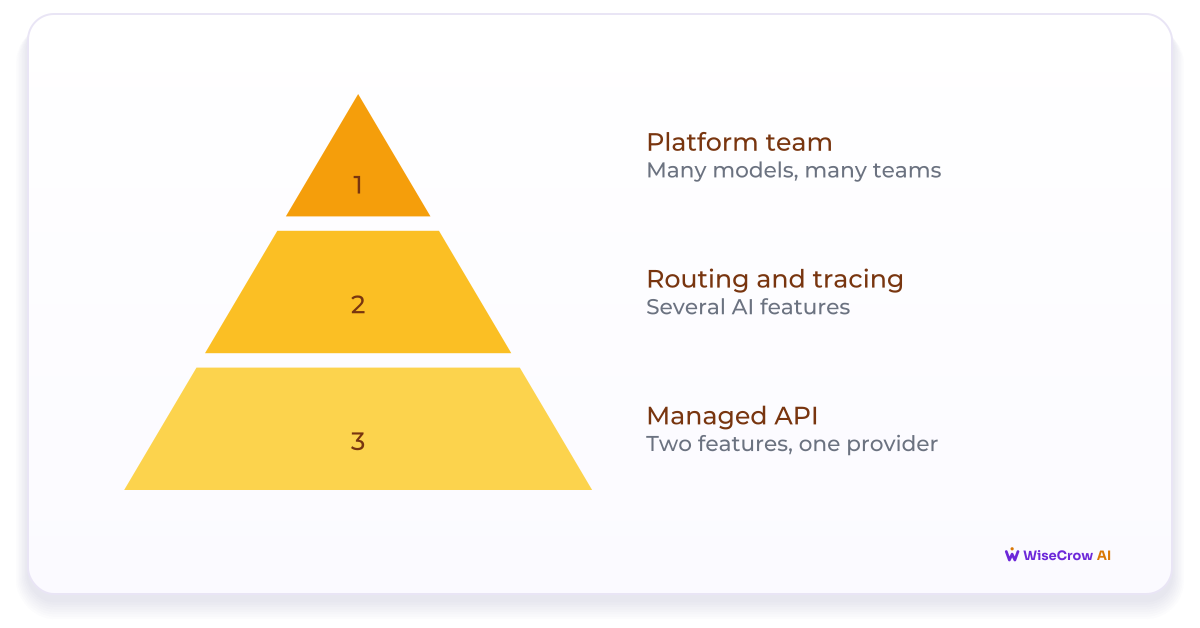
Be honest about scale, too. A company with two AI features and one model provider doesn’t need its own GPU cluster or a five-person platform team. I’ve seen a mid-sized insurer spend a quarter on a self-hosted serving stack for traffic a managed API handled for a few hundred dollars a month. Match the fix to the size of the problem you have today.
Questions About AI Infrastructure Challenges
What Are the Biggest AI Infrastructure Challenges?
In my client work, inference cost and data freshness cause the most pain, followed by security and observability. GPU access matters most for teams that train or fine-tune their own models. Most companies face three or four of the seven at once.
Should We Buy GPUs or Rent Them in the Cloud?
Rent first. Buying makes sense only when you have steady, high usage for years, the space and power to run the hardware and people who can maintain it. Most mid-sized companies get further with a small cloud reservation for steady work and on-demand capacity for bursts.
Why Does Our AI Bill Keep Growing When Token Prices Fall?
Usage grows faster than prices drop. More users, longer prompts, extra context from retrieval and agents that call the model several times per task all multiply the number of tokens. Track cost per finished task, and you’ll see which feature is driving the growth.
How Do You Reduce LLM Inference Costs?
Start by tagging every model call, so you know which features spend the most. Then trim context, cache repeated requests, send simple work to smaller models and move offline jobs to batch endpoints. Those steps often cut a large share of the bill without changing what users see.
Do We Need a Separate Platform Team for AI?
Once more than two teams build AI features, yes. Two or three people who own the shared stack, cost reporting and runbooks prevent duplicate tools and single points of failure. They can sit inside your existing platform or cloud team.
How Do You Monitor an AI System in Production?
Log a trace for every request with the prompt, retrieved context, model version, latency and cost. Add user feedback and run a fixed test set before every change. Uptime metrics alone won’t tell you when answers get worse.
How Do You Keep AI Apps Secure on Shared Infrastructure?
Give each app its own keys, separate production from test, and filter retrieved documents by the user’s permissions. Limit what AI agents can do without approval and test every new feature for prompt injection. The OWASP Top 10 for LLM Applications is a good checklist to start from.
Sources
- Flexera: Flexera Finds Cloud Value Is Rising While AI Waste Grows, 2026 State of the Cloud Report (March 2026)
- Stanford HAI: The 2025 AI Index Report (2025)
- Lambda: GPU Cloud Pricing, on-demand rates effective November 16, 2026
Disclaimer: This article is general information. Cloud and GPU prices, survey figures and product features change often, so check current provider pricing and documentation before you plan a budget or a purchase.
Did you find this helpful?
Thank you for your feedback.
Marlena leads the WiseCrow editorial team and works with our consultants to turn real client projects into practical guides on AI strategy, automation and governance. Before joining WiseCrow, she spent 12 years in B2B operations and SaaS content. She has since edited more than 400 articles on AI and automation and reviewed workflows from over 60 client projects. She is based in Austin, Texas.