Summary
- Pilot on a managed model API and measure tokens, latency and cost per task before you buy any infrastructure.
- Harden identity, secrets, network paths and logging before the first production user touches the system.
- Add evaluation and observability next, then scale serving with autoscaling, caching and model routing.
- Decide build or managed per workload, and set cost limits and fallback models before you need them.
Most AI pilots run on a shared API key, a notebook and a company credit card. That’s fine for a pilot. It turns into a problem when the same setup starts serving customers, and closing that gap is the heart of most AI infrastructure consulting work I do.
Gartner predicted that at least 30% of generative AI projects would be abandoned after proof of concept by the end of 2025, and named poor data quality, weak risk controls, rising costs and unclear value as the reasons (Gartner). Risk controls and cost are infrastructure problems you can plan for. The roadmap below has eight stages, each with one job and a clear exit test.
Eight Stages and Their Exit Criteria
| Stage | What you add | Exit criteria |
|---|---|---|
| 1. Pilot on Managed APIs | Hosted model, one use case | Users want to keep it |
| 2. Measure Usage and Cost | Token and latency logging | Known cost per task |
| 3. Harden the Foundations | Identity, secrets, network, logs | Security review signed off |
| 4. Evaluate and Observe | Test sets, traces, alerts | Regressions caught pre-release |
| 5. Scale Serving | Autoscaling, caching, routing | Peak load test passed |
| 6. Build or Managed | Hosting choice per workload | Signed decision record |
| 7. Govern Capacity and Cost | Budgets, quotas, reservations | Spend within forecast |
| 8. Build for Failure | Fallback models and regions | Failover drill passed |
Read the table as a sequence with gates. You can work on two stages at once, but don’t call a stage finished until its exit criteria hold. The order matters most at stages 3 and 4: scaling a system you can’t secure or test only makes its problems bigger.
Pilot on a Managed Model API First
For the pilot, use a hosted model from a major provider through its API. You get strong models on day one, no hardware to buy and a bill that drops to zero when the pilot pauses. The pilot’s job is to prove people want the output. Infrastructure can wait a few weeks.
Keep the setup thin on purpose. One service, one model, one prompt template in version control and a separate API key for the pilot, so its spend shows up on its own line. Use data you’re allowed to send to the provider, and read the provider’s data retention terms before anything sensitive goes in.
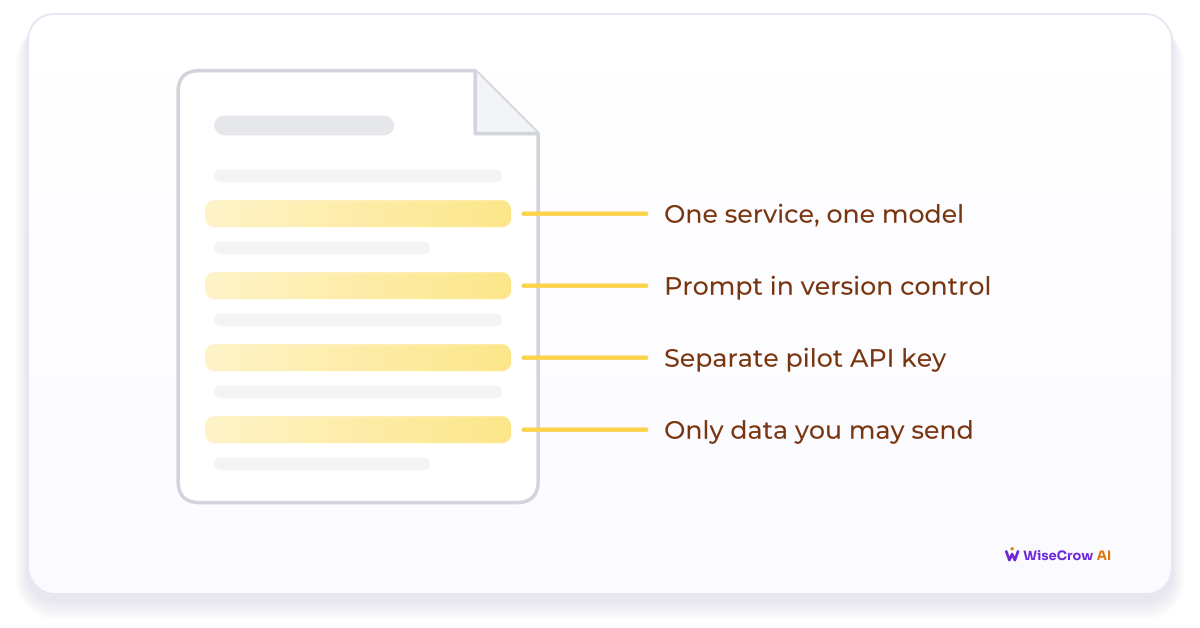
The pilots I’ve seen move fastest pick a task with a clear owner and a few hundred real cases to test against. Leave the vector database tuning, the fine-tuning and the GPU cluster for later stages. The exit test is simple: the people using the pilot ask to keep it.
Measure Usage and Cost per Task
Before you change anything, log every model call. Record input tokens, output tokens, model name, latency and the feature or team that made the call. A small table in a database you already run is enough. Provider consoles show total usage, but they can’t tell you which of your features drove it.
Turn the raw numbers into cost per task: the cost of one summarized claim, one answered ticket, one drafted contract clause. Finance understands cost per task, and every later stage tries to move it.
Watch the shape of the traffic too. Peaks by hour, the share of very long prompts and the share of repeated prompts decide what you build in stage 5. More than once, I’ve found a single internal tool sending the same long policy document with every request, and that one pattern drove most of the bill.
You can leave this stage when you can state cost per task and 95th-percentile latency for each feature, and you have a forecast for ten times the pilot volume.
Harden Identity, Secrets, Network and Logging
Teams want to skip hardening, and security teams block launches over it. Do it before real users and real data arrive. Most of the blockers in my list of AI infrastructure challenges show up right here. The OWASP Top 10 for LLM applications is a good checklist to walk through with your security lead. Its 2025 list covers prompt injection, sensitive information disclosure and unbounded consumption, among others.
Identity for Every Caller
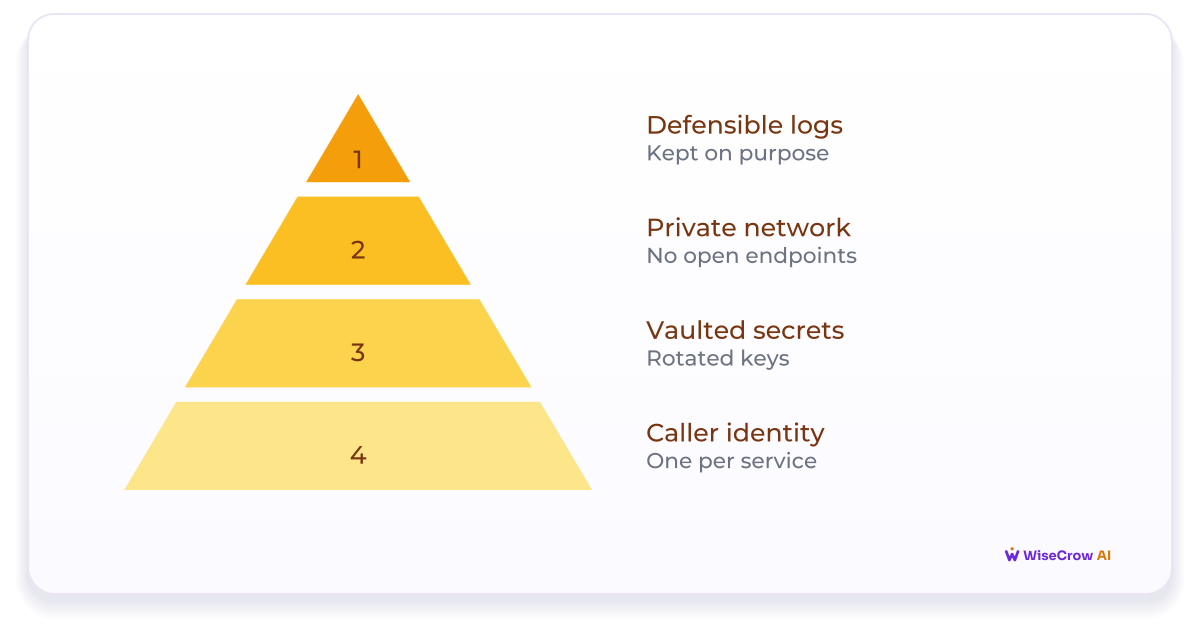
Replace shared keys with service identities. Each application calls the model under its own identity, with access limited to the models and data it needs. Users sign in through your existing identity provider, and retrieval respects their permissions, so nobody sees a document they couldn’t open on their own.
Secrets in a Vault With Rotation
API keys belong in a secrets manager with scheduled rotation. Scan your repositories for leaked keys, since a key pasted into a notebook during the pilot is a common find. Set spending limits per key where the provider allows it, so one leaked key can’t run up an open-ended bill.
Private Network Paths
Where your cloud offers private connectivity to the model endpoint, use it. Restrict outbound traffic from the services that call models. Keep the vector store inside your network and limit which services can query it.
Logs You Can Keep and Defend
Log prompts and responses for debugging and audit, with personal data masked or left out where your policies require it. Agree on retention with legal and security early. A log store full of customer conversations is a liability of its own.
The stage ends with a signed-off security review, rotated keys and an access model you can explain in one diagram.
Add Evaluation and Observability Before You Scale
Model behavior changes when you edit a prompt, swap a model or the provider updates one. Without tests, your users find the breakage first. Build an evaluation set from the real cases you collected in stages 1 and 2: a few hundred inputs with expected outputs or grading rules. Run it on every prompt or model change, the same way you run unit tests on code.
Observability covers the runtime side. Trace each request from the user through retrieval, the model call and any tool calls, with latency and tokens for each step. Alert on error rates, latency, cost spikes and drops in quality scores. Dedicated LLM tracing tools and your existing monitoring stack can both do the job, and my comparison of AI infrastructure tools covers the main options.
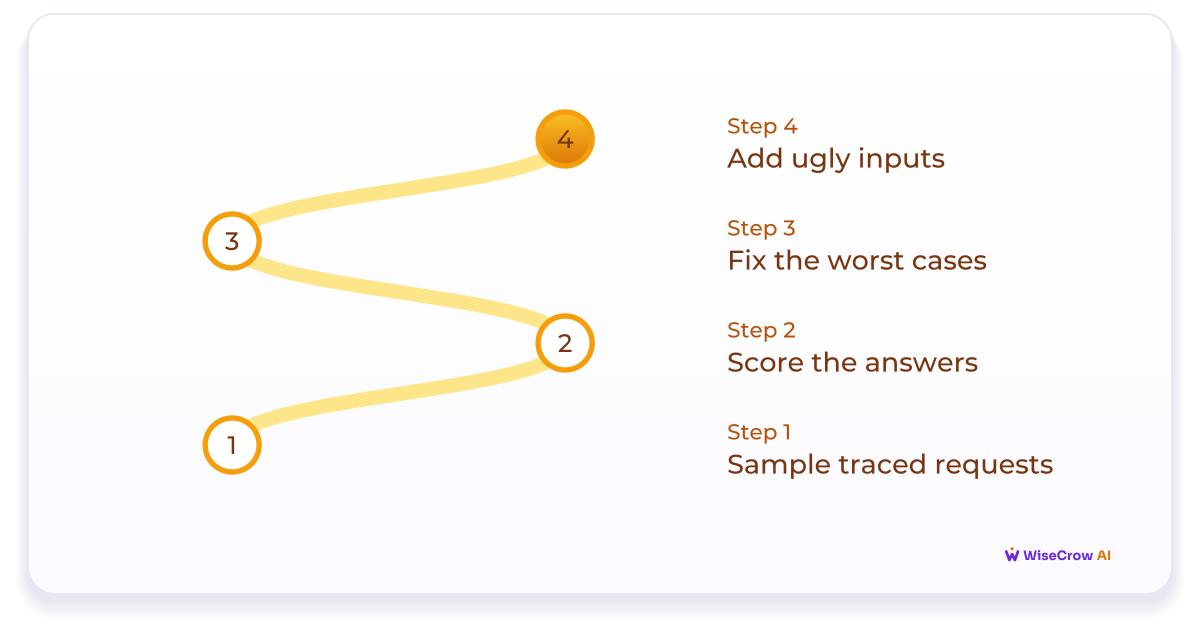
My first evaluation sets were always too clean. Add the ugly cases on purpose: scanned PDFs, mixed languages, half-finished questions, inputs that try to override the system prompt. Models break on those, and so do retrieval pipelines.
Move on once every release runs the evaluation set automatically and the person on call can trace a bad answer to its cause in minutes.
Scale Serving With Autoscaling, Caching and Routing
Now the system has to carry real load. Three levers do most of the work, and they reinforce each other.
Autoscaling on the Right Signal
Scale your own services on queue depth or concurrent requests. CPU is a poor signal for AI workloads, because most of the time goes to waiting on the model. If you self-host models, GPU instances take minutes to start and load weights, so keep a warm minimum and scale ahead of known peaks. With hosted APIs, your ceiling is the provider’s rate limit. Request higher limits before launch and add retries with backoff.
Caching at Two Levels
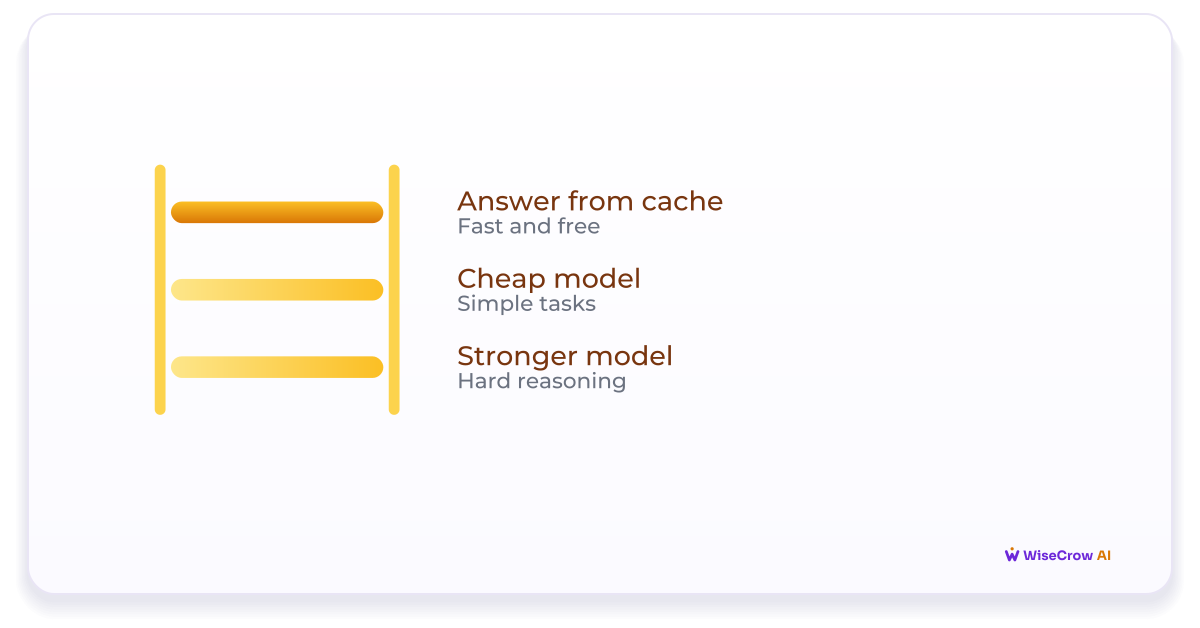
Provider-side prompt caching cuts the cost of long, repeated prefixes like system prompts and policy documents. Anthropic’s documentation lists cache reads at 0.1 times the base input price for most Claude models, with cache writes priced above the base rate (Anthropic). Put the stable part of the prompt first so the cache can match it. On your side, cache full responses for identical requests where the answer doesn’t depend on the user, such as a standard product description.
Model Routing by Task
Your largest model doesn’t need to answer every request. Send classification, extraction and short replies to a smaller, cheaper model, and keep the large one for reasoning-heavy work. Start the router with simple rules. Your stage 4 evaluation results show where a smaller model holds up and where it doesn’t. Routing also gives you the switch you’ll need in stage 8.
The exit test is a load test at expected peak volume, with latency inside your target and cost per task flat or lower.
Decide Build or Managed for Each Workload
By now you have months of usage data, which is exactly what the hosting decision needs. Make the call per workload. A support assistant with spiky daytime traffic and a nightly batch job that classifies documents have very different economics.
Self-hosting an open-weight model makes sense when volume is high and steady enough to keep GPUs busy, when data can’t leave your environment or when you need a fine-tuned model no provider offers. It also brings work: GPU capacity, serving software, patching, model upgrades and an on-call rotation. Managed APIs win when traffic is uneven, when you need the strongest models or when your team is small.
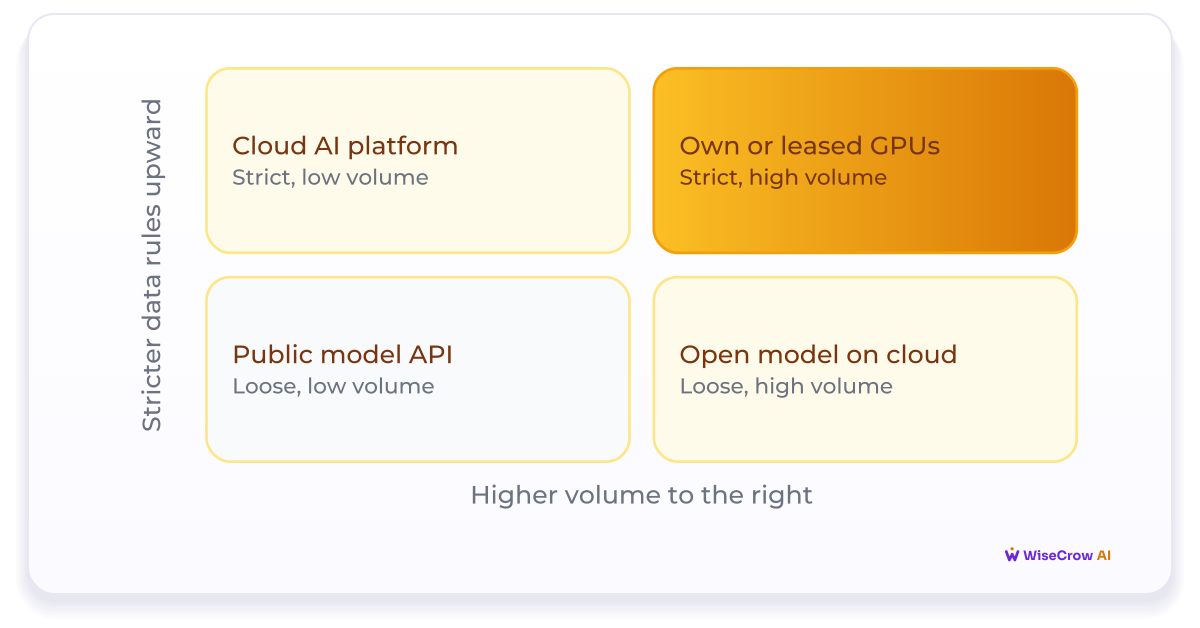
| Option | Cost profile | Control | Fits best |
|---|---|---|---|
| Public model API | Pay per token | Lowest | Pilots, spiky traffic |
| Cloud AI platform | Per token or provisioned | Medium | Enterprise contracts, private networking |
| Open model on cloud GPUs | Hourly GPU rate | High | Steady high volume |
| Own GPUs on premises | Large upfront spend | Highest | Strict data residency |
My blunt view: most mid-sized companies I work with keep the majority of workloads on a managed API or a cloud AI platform and self-host one or two high-volume tasks at most. Count the engineering hours honestly. A GPU bill that looks cheaper than tokens often stops looking cheap once you add the people who keep it running.
Hardware and pricing move fast, so read up on current AI infrastructure trends before you sign a multi-year GPU commitment. The stage ends with a short decision record per workload, signed by engineering and finance, that names the volume at which you’d revisit it.
Govern Capacity and Cost as Usage Grows
Once several teams use models, spend spreads across accounts and nobody owns the total. Tag every call with team and feature. Set monthly budgets with alerts at fixed thresholds, and give each team a quota. Show cost per task on the same dashboard as quality scores, so a team sees both when it changes something.
Capacity needs a plan as well. Providers enforce rate limits, and for predictable heavy workloads most of them sell provisioned or reserved throughput. Buy it for your steady base load and leave the peaks on pay-as-you-go. Compare usage with commitments every month, because an unused reservation is pure waste.
In my client work, the single most useful control is a central model gateway. Every call passes through one layer that authenticates, logs, counts and routes it. With a gateway in place, quotas, routing and fallbacks become configuration changes, and a new team can start safely on its first day.
You’re done here when spend stays within forecast for two months in a row and every dollar maps to a team and a feature.
Plan for Outages With Fallback Models and Regions
Model providers have outages and slow periods like any cloud service. If a feature stops working the moment one API goes down, that feature has a single point of failure.
Set up a fallback chain in the gateway: a second model from the same provider, then a comparable model from another provider or region. Run the fallback models against your evaluation set first, because a prompt tuned for one model can behave differently on another. For regional endpoints, configure a second region and confirm that your data residency rules allow it.
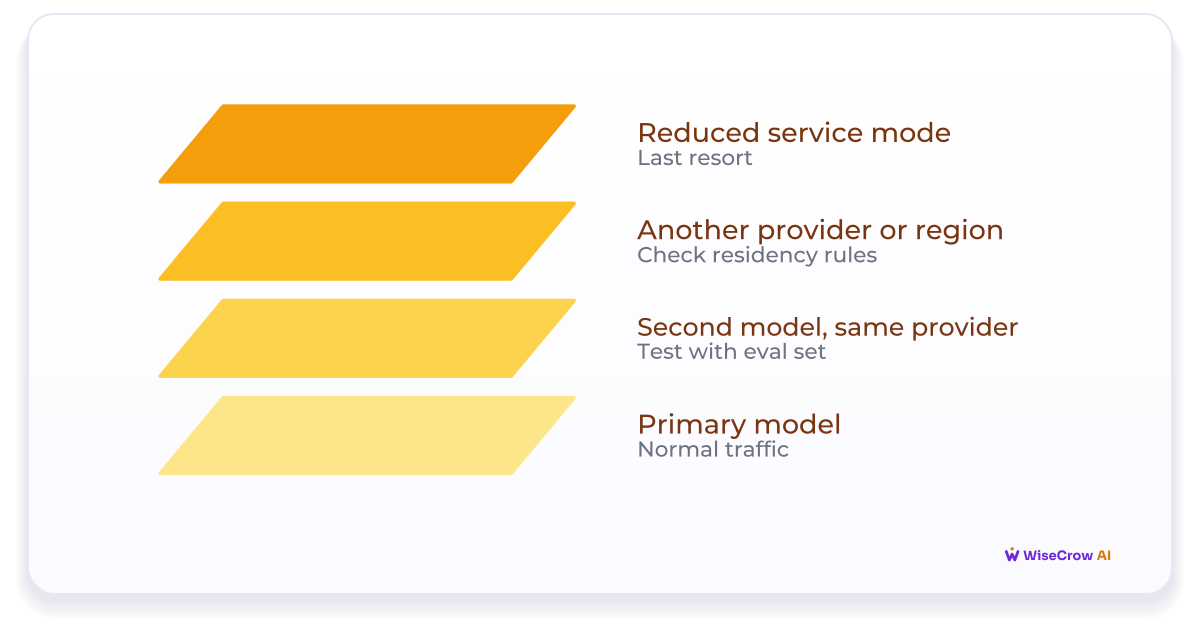
Decide what degraded service means for each feature. A drafting tool can show a short “try again soon” message. A customer-facing assistant may switch to a smaller model or hand the conversation to a human queue. Then run a failover drill: cut the primary model in a test environment and watch what happens. Teams that skip the drill tend to discover a broken fallback on the worst possible day.
The final exit test is a passed drill and a runbook that names who flips which switch. For the habits that keep the stack healthy after launch, see my AI infrastructure best practices.
Signs You Left a Stage Too Early
Roadmaps rarely fail in one dramatic moment. They drift, and the symptoms point back to the stage you rushed.
- The bill jumps and nobody can name the feature behind it. Stage 2 isn’t finished.
- A key turns up in a public repository, or a former contractor still has access. Go back to stage 3.
- Users report worse answers after a quiet model update. Stage 4 needs work.
- Latency doubles at month-end peaks. Stage 5 needs a real load test.
- A reservation sits half used while another team hits rate limits. Revisit stage 7.
Going back costs less than it sounds. Most fixes take a few weeks, and they’re cheaper now than after the next wave of users arrives.
How to Choose Your Starting Stage
Few teams start at stage 1. Match your situation to a row and start there.
| Where you are today | Start at |
|---|---|
| An idea, no working pilot | Stage 1: Pilot on Managed APIs |
| A popular demo on a shared key | Stage 2: Measure Usage and Cost |
| Launch blocked by security review | Stage 3: Harden the Foundations |
| Live, but quality complaints | Stage 4: Evaluate and Observe |
| Live, but costs climbing fast | Stage 7: Govern Capacity and Cost |
If two rows fit, pick the earlier stage. Cost problems often trace back to missing measurement, and quality problems often trace back to missing tests. Fixing the root saves a second round of fixes later.
One more filter: who will run the system in a year. If you have no one to own GPUs, serving software and on-call, keep stage 6 firmly on the managed side and put your effort into stages 3, 4 and 7, where small teams get the most control per hour spent.
Questions About AI Infrastructure Roadmaps
What Is an AI Infrastructure Roadmap?
It’s a staged plan for the systems behind your AI features: where models run, how they’re secured, tested, scaled and paid for. A good one moves a working pilot to production in steps, with clear exit criteria before each next stage.
Should I Start with My Own GPUs or a Model API?
For almost every pilot, start with a managed model API. You get strong models on day one, pay only for what you use and learn your real usage pattern before you commit to hardware. Revisit self-hosting once you have months of usage data.
How Long Does It Take to Move an AI Pilot to Production?
It depends on your security requirements, data and team. A focused use case on a managed API can often reach a first production release within a few months. Self-hosting, strict data residency or heavy integration work add time.
When Does Self-Hosting an Open-Weight Model Pay Off?
Usually when volume is high and steady enough to keep GPUs busy, when data can’t leave your environment, or when you need a fine-tuned model no provider offers. Count the engineering and on-call time along with the GPU bill before you decide.
What Does an AI Gateway Do?
A gateway is a single layer that every model call passes through. It handles authentication, logging, quotas, caching, routing to different models and fallbacks when a provider fails. It gives you one place to see and control all AI traffic.
How Do I Control LLM Costs in Production?
Track cost per task by team and feature, set budgets and quotas, route simple requests to smaller models, use prompt caching for long repeated prefixes and buy reserved capacity only for steady base load. Review usage against commitments every month.
How Many Fallback Models Do I Need?
For most features, one fallback is enough: a second model from the same provider or a comparable model from another provider. Test it against your evaluation set, and run a failover drill so you know it works before you need it.
Sources
- Gartner: 30% of Generative AI Projects Will Be Abandoned After Proof of Concept by End of 2025 (July 2024)
- Anthropic: Prompt Caching Documentation
- OWASP Gen AI Security Project: Top 10 for LLM Applications
Disclaimer: This article is for general information only. Model prices, rate limits, provider features and security guidance change often, so check current terms with each provider before you plan capacity or budgets.
Did you find this helpful?
Thank you for your feedback.
Marlena leads the WiseCrow editorial team and works with our consultants to turn real client projects into practical guides on AI strategy, automation and governance. Before joining WiseCrow, she spent 12 years in B2B operations and SaaS content. She has since edited more than 400 articles on AI and automation and reviewed workflows from over 60 client projects. She is based in Austin, Texas.