Summary
- Every AI search system on the list depends on crawling, so access and indexing come before any content work.
- Decide on each AI crawler separately: search bots put you in answers, training bots don’t.
- Pages that answer the question early, state specific facts and show a real author are the easiest to cite.
- Track AI visibility with Search Console, Bing’s AI Performance report and a fixed set of monthly prompts.
When a client asks why a competitor shows up in AI Overviews and ChatGPT answers while they don’t, I open one of their best pages and run ten quick tests. Most of the time, two or three of them fail, and they’re rarely the ones the client suspected. In my AI SEO consulting work, the same ten checks cover nearly every reason a solid page gets skipped by AI search.
The checklist works page by page. Each point has a test you can run in about five minutes with free tools and a plain fix if the page fails. You’ll get through one page in under an hour, and the pattern you find on that page usually repeats across the site.
The 10-Point Page Audit in One Table
Pick one page that matters to your business and already gets some search impressions. Work down the rows in order, because the first two points decide if the rest can matter at all. Mark each row pass or fail, then jump to the section for any row that failed.
| Point | 5-minute test | Fix if it fails |
|---|---|---|
| 1. Indexed with a snippet | URL Inspection live test | Unblock, fix canonical |
| 2. AI crawler access | Read robots.txt and CDN rules | Allow search bots on purpose |
| 3. Answer near the top | Read the first 100 words | Lead with 2–3 sentences |
| 4. Entity consistency | Compare name and facts | One fact sheet, everywhere |
| 5. Matching structured data | Rich Results Test | Mark up visible content only |
| 6. Evidence and author | Find byline and own proof | Add bio and own data |
| 7. Honest freshness | Date vs. last real edit | Update facts, then date |
| 8. Internal links | Count inlinks in a crawl | Link from related pages |
| 9. Citable facts | Highlight unique claims | Add sourced, specific facts |
| 10. AI visibility tracking | Open GSC and Bing reports | Baseline, then monthly checks |
Google’s position is useful to know before you start. Its guide to AI features and your website says there are no additional requirements to appear in AI Overviews or AI Mode, and no special optimizations needed. A page has to be indexed and eligible to show in Search with a snippet. So the checklist leans on fundamentals done well, with a few AI-specific points where the systems differ.
Pass One: Can AI Search Reach the Page
Access failures are silent. Nothing looks broken to a visitor, and no amount of rewriting helps a page that a crawler can’t fetch. Run these two first.
Indexed and Eligible for a Snippet
Open URL Inspection in Google Search Console, enter the page and run a live test. You want three things: the page is indexed, Google picked your canonical and not another URL, and the rendered HTML contains your main text. Then check the page source for noindex, nosnippet or a tight max-snippet value. Google lists these as preview controls that also limit what AI features can show, and data-nosnippet on a section hides that section. Repeat the inspection in Bing Webmaster Tools, since Copilot answers draw on Bing.
The fix depends on what you find. A wrong canonical usually points to duplicate versions of the page. A missing snippet often traces back to a plugin setting someone enabled years ago. On one B2B site I audited, a template added max-snippet:50 to every blog post, which left almost nothing for an AI answer to quote. Removing one line opened up the whole blog.
AI Crawler Access Decided on Purpose
Open yoursite.com/robots.txt and read every user-agent group. Then ask whoever runs your CDN or firewall which bot rules are switched on, because many sites block AI crawlers at that layer without anyone on the marketing team knowing. Google’s AI features guide tells you to allow crawling in robots.txt and through any CDN or hosting setup. The test passes when each crawler in the table below is allowed or blocked by a decision someone can explain.
The fix is a short written policy. Search crawlers put you in answers. Training crawlers feed future models. Most businesses that want leads from AI search allow the search crawlers and make a separate call on training. Changes take time to apply: OpenAI says about 24 hours for robots.txt updates, and Perplexity gives a similar window.
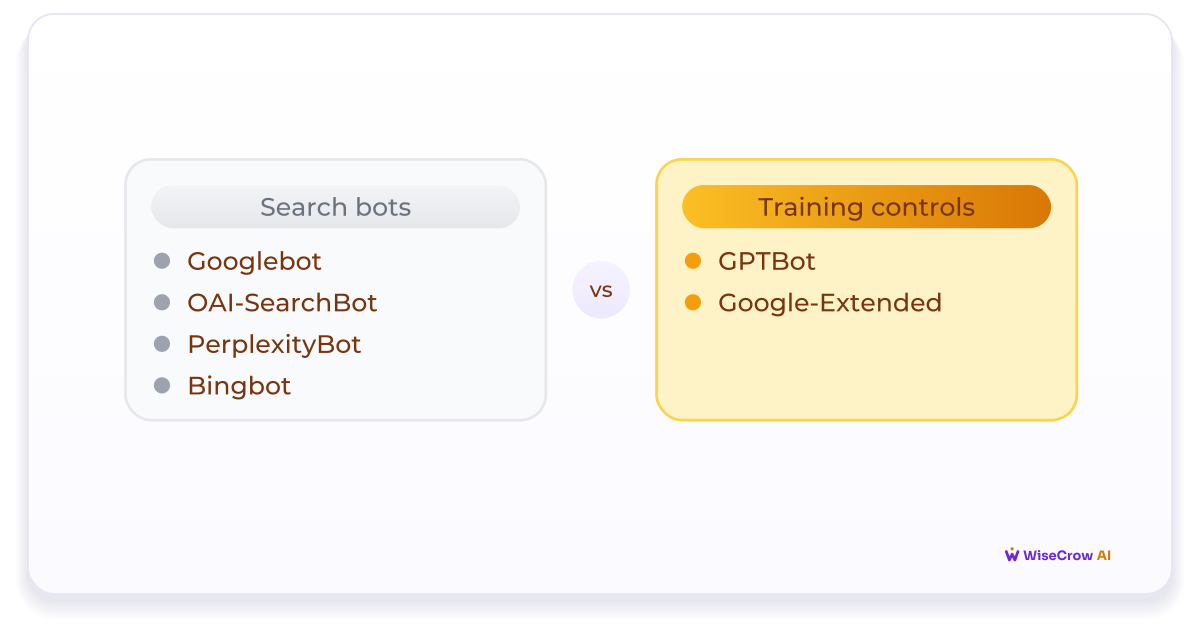
Which Crawler Controls What
These are the main tokens to decide on, based on each company’s own documentation as of this writing. Names and scopes change, so recheck the linked docs before you edit robots.txt.
| Crawler | What it controls | If you block it |
|---|---|---|
| Googlebot | Google Search, AI Overviews, AI Mode | Gone from Search |
| Google-Extended | Gemini training and grounding | Search unaffected |
| OAI-SearchBot | ChatGPT search answers | Out of ChatGPT search |
| GPTBot | OpenAI model training | ChatGPT search unaffected |
| PerplexityBot | Perplexity search results | Out of Perplexity results |
| Bingbot | Bing and Copilot answers | Out of Bing results |
A few details matter. Google says Google-Extended doesn’t affect inclusion in Google Search and isn’t a ranking signal, though it does govern use of your content for Gemini training and grounding. OpenAI’s crawler docs say a site that disallows OAI-SearchBot won’t be shown in ChatGPT search answers, while GPTBot only covers training, and the two settings are independent. ChatGPT-User visits pages when a person asks ChatGPT to, and OpenAI notes robots.txt rules may not apply to it. Perplexity’s docs describe PerplexityBot as its search crawler, not used for training foundation models, and say Perplexity-User generally ignores robots.txt because a user asked for the page.
Pass Two: Can a Model Understand and Quote It
Once the page is reachable, the question becomes how easy it is to lift a correct answer from it. AI answers pull short passages. Google notes that AI Overviews and AI Mode may run several related searches across subtopics, a method it calls query fan-out, so one page can be cited for a sub-question it answers well even if it ranks for none of the main ones.
A Clear Answer Near the Top
Read only the first 100 words of the page and the first two sentences under each H2. If someone saw nothing else, would they get the answer to the question the heading asks? Pages that open with a long story, a definition everyone knows or a pitch fail the test. So do sections where the real answer sits in the fourth paragraph.
Put a two- or three-sentence answer right under the H1 and under each question-style heading, then add the detail. Keep the answer self-contained, with the subject named and no “as mentioned above.” I often use AI to draft those summaries from the existing body text and then edit them by hand, one of the more useful AI SEO use cases for content teams because it saves time without inventing anything new.
Consistent Entity and Brand Facts
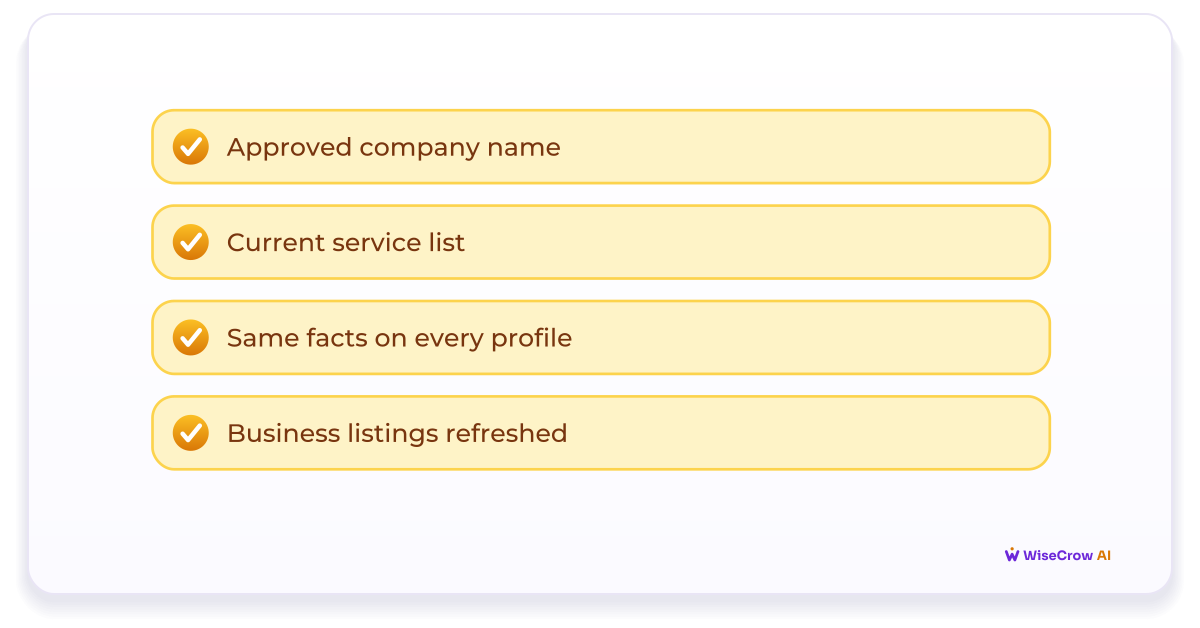
Open your homepage, your About page, your Google Business Profile, your LinkedIn page and one major directory listing side by side. Compare the company name, what you do in one line, location, founding year, leadership and product names. Then ask ChatGPT, Perplexity and Copilot “What does [your company] do?” and note every detail they get wrong. Each wrong detail usually has a source somewhere on the web.
Write a one-page fact sheet with the approved wording and update every profile you control to match it. In my client work, the most common mismatch is an old service list on a directory profile that nobody has logged into for years. Google’s AI features guide also asks you to keep Business Profile and Merchant Center information current, which matters most for local and retail businesses.
Structured Data That Matches the Page
Run the page through Google’s Rich Results Test and the Schema Markup Validator. Check that the markup has no errors and that every value in it appears on the visible page: the same author, the same dates, the same prices, the same FAQ wording. Google’s guidance for AI features asks for exactly that match. Markup describing things a visitor can’t see is the most common fail I find.
Mark up what the page shows. Organization markup on the homepage, Article or BlogPosting with author and dates on posts, and Product or LocalBusiness where they apply cover most sites. Google says you don’t need special schema for AI features, so skip any plugin that promises an “AI schema” layer and spend the time on accuracy.
Pass Three: Is It Worth Citing and Can You Track It
The last five points separate pages that are merely eligible from pages that get picked. They also take the most effort to fix, so expect these to fill most of your to-do list.
First-Hand Evidence and a Real Author
Look for a byline, a short bio and a link to an author page. Then scan the body for anything that proves first-hand experience: your own photos, screenshots, test results, client patterns, prices you paid. Google’s guidance on helpful content strongly encourages accurate bylines where readers expect them and asks if the content shows first-hand expertise and depth of knowledge.
Add a named author with relevant experience and give the post at least one thing a competitor can’t copy, such as a table built from your own data or a photo from the job. A page that repeats what the top ten results say has nothing for a model to cite that it couldn’t cite elsewhere. Teams that skip this step make one of the most common AI SEO mistakes: publishing more pages with less proof on each.
Visible, Honest Freshness
Find the visible date on the page and compare it with the dates in the structured data and the last real change to the content. Then check three facts on the page that can go stale, such as a price, a feature name or a statistic. Google’s guidance on publication dates asks for a prominent visible date and consistent dates in the markup.
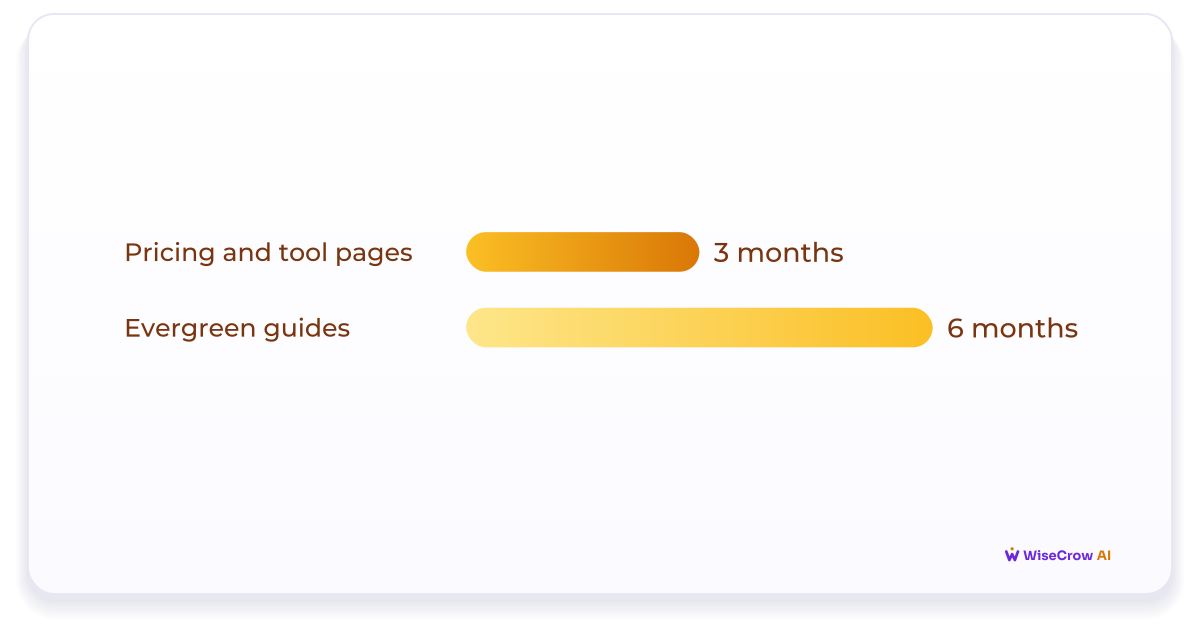
Update the facts first, then the date. Google’s helpful content questions flag changing a page’s date to make it seem fresh when nothing substantial changed. I keep a simple review cycle per page type: pricing and tool pages every quarter, evergreen guides twice a year. A changelog line at the bottom (“Updated November 2026: new crawler table”) shows readers what changed.
Internal Links Into and Out of the Page
Run a crawl with a desktop crawler or the free tier of an audit tool and look up the page’s inlinks. Count how many come from the body text of related pages, since menus and footers say little about topic. Then read the page’s own outgoing links. Google’s AI features guide names internal links as a way to make content easy to find.
Add links from three to five closely related pages with anchors that describe the destination, and link out from the page to the next question a reader would have. An orphan page with no body-text inlinks is the pattern I see most on sites that publish fast. Fixing it is cheap and quick, so it’s often the first win of an audit.
Facts Worth Citing
Print the page or paste it into a doc and highlight every sentence that states a specific, checkable fact: a number, a date, a named step, a clear definition, a comparison with a verdict. Then cross out the ones that appear on every competing page. What’s left is your citable material. If you’re left with nothing, the page has little reason to be chosen.
Add specifics with sources. Link statistics to the original study, label your own figures as your own (“across our client projects”) and give each definition a single clean sentence. Short tables help too, because each row is a ready-made answer. Shifts like the rise of zero-click answers, covered in my look at where AI search is heading, make those quotable lines worth more each year.
AI Visibility You Can Measure
Check three places. In Search Console, Google includes AI features traffic in the Performance report under the Web search type, with no separate AI Overviews filter. In Bing Webmaster Tools, the AI Performance report, launched as a public preview in February 2026, shows total citations, cited pages and sampled grounding queries across Copilot, Bing’s AI summaries and some partner integrations. In your analytics, filter referrals for chatgpt.com, perplexity.ai and copilot.microsoft.com.
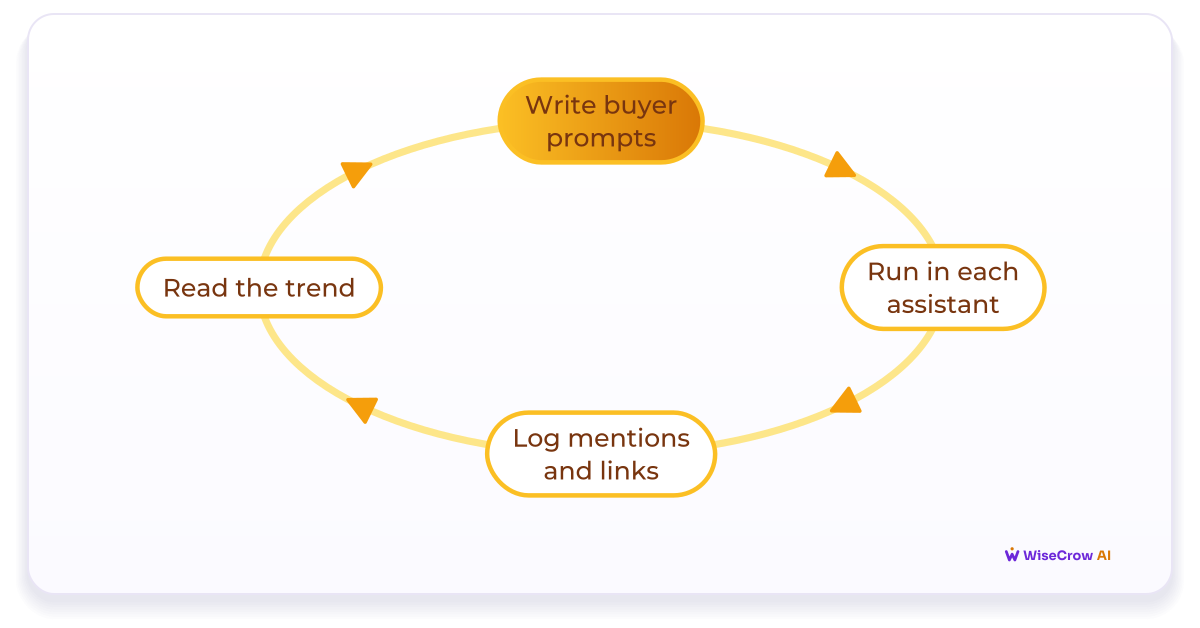
Set a baseline before you fix anything. Then write 10 to 20 prompts your buyers would ask, run them in each assistant once a month and log if your brand is mentioned or linked. Answers vary between runs, so read the log as a trend line over several months. Paid trackers automate the prompt runs, and my comparison of the best AI SEO tools covers which ones are worth the money at each budget.
Your Audit Sheet for the Next Page
Copy these lines into a doc and work through them for each page you audit. A page that passes all ten is ready for AI search. One that fails the first two isn’t ready for any search.
- Indexed, right canonical, no snippet limits you didn’t choose.
- Every AI crawler allowed or blocked by a written decision.
- The answer sits in the first two or three sentences.
- Name, offer and key facts match on every profile.
- Markup is valid and matches the visible page.
- Named author, bio and at least one piece of own proof.
- Visible date matches the last real update.
- Three to five body-text links from related pages.
- Several specific, sourced facts competitors don’t have.
- Baseline logged in Search Console, Bing and a prompt sheet.
How to Choose Which Pages to Audit First
You don’t need to audit the whole site to see results. Pick pages in this order:
- Pages with impressions but few clicks for question-style queries. They already rank, so content fixes show up fastest.
- Your About page and main service or product pages. AI tools lean on them when someone asks who you are.
- Comparison and pricing pages, since buyers ask assistants those questions late in their decision.
- Pillar guides with many inlinks, because fixes there spread through internal links.
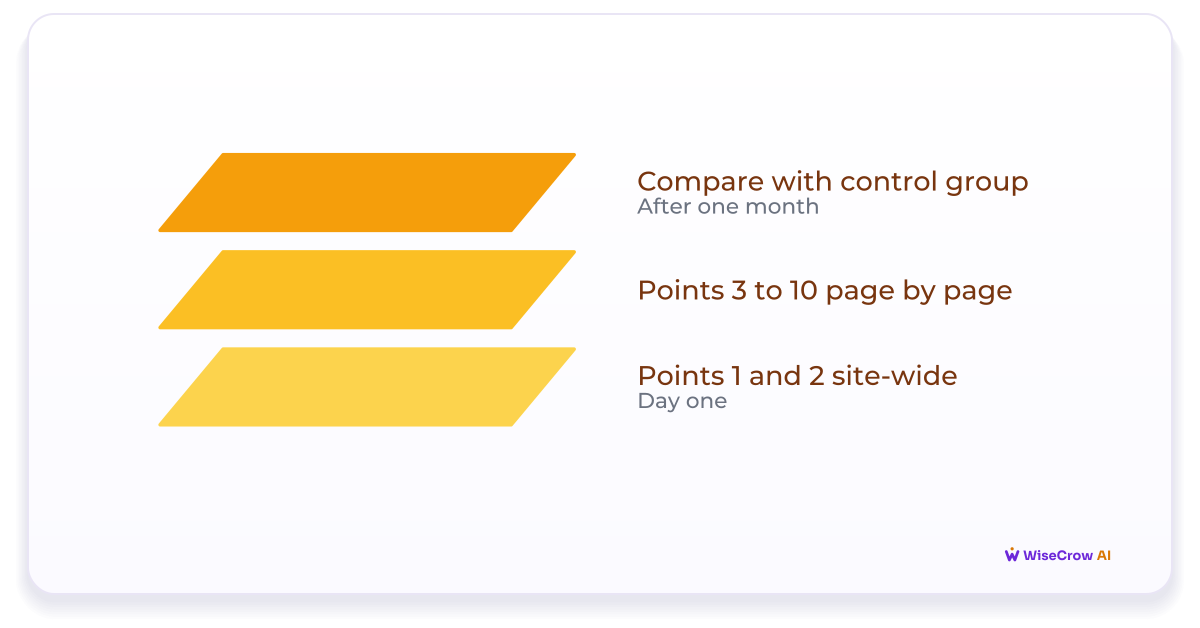
Run points 1 and 2 site-wide on day one, because one robots.txt line or template setting can affect every page. Then go page by page through points 3 to 10. One trade-off to weigh: rewriting the top of a page for a clear answer can change how it ranks for classic queries, so change one group of pages first and compare them with a similar group you leave alone for a month.
WiseCrow works across 15+ AI platforms and LLMs and 7 industries, and a dedicated account manager keeps each audit moving. You can have the audit done for you or work through it with a consultant next to your team.
Questions About the AI SEO Checklist
What Is an AI SEO Checklist?
It’s a list of checks that tells you if a page can be found, understood and cited by AI search features such as Google’s AI Overviews and AI Mode, ChatGPT search, Perplexity and Copilot, as well as classic search results. Most points are classic SEO basics, such as indexing, clear answers and internal links. A few are new, like deciding which AI crawlers may visit and tracking AI citations.
Do I Need Special Schema or an Llms.txt File to Appear in AI Overviews?
No. Google’s own guidance on AI features says there are no extra requirements and no special optimizations needed, and it names new AI text files and special schema as unnecessary. A page has to be indexed and eligible to show with a snippet. Structured data still helps where it matches the visible content, the same as in classic search.
Should I Block GPTBot and Google-Extended?
It’s a business decision. Blocking GPTBot tells OpenAI not to use your content for model training, and OpenAI says each bot setting is independent, so ChatGPT search access through OAI-SearchBot can stay open. Google says Google-Extended doesn’t affect inclusion in Google Search, though it does cover Gemini grounding. Decide per bot, write the reason down and check the vendor docs, since names and scopes change.
How Do I See AI Overviews Traffic in Google Search Console?
Google counts traffic from AI features as part of your overall search traffic in the Performance report, under the Web search type. It doesn’t split AI Overviews or AI Mode out as a separate filter there. In my client work, I compare clicks and impressions for the pages I expect to be cited before and after changes, and I pair that with manual prompt checks.
How Long Does It Take to Audit One Page with This Checklist?
The quick tests in the audit table take about five minutes each, so a single page takes under an hour once you know the tools. Fixing what you find takes longer. Crawler and indexing fixes can be quick, while rewriting an intro, gathering first-hand proof or getting an author bio approved can take days.
Which Pages Should I Audit First?
Start with the pages that already earn search impressions for questions people also ask AI tools, such as how-to, comparison and pricing pages. Then cover your service or product pages and your About page, since those shape how AI tools describe your brand. Leave thin or outdated pages for later, or decide to merge or remove them.
Does AI SEO Replace Classic SEO?
No. Every AI search system on this list draws on a web index, and most of the checks are classic SEO done carefully. What changes is the emphasis. A clear answer near the top, facts worth citing and consistent brand details matter more when a model picks a few sources to quote, and you need new ways to measure citations next to clicks.
Sources
- Google Search Central, AI features and your website: developers.google.com
- Google Search Central, Google’s common crawlers (Google-Extended): developers.google.com
- OpenAI, Overview of OpenAI crawlers: developers.openai.com
- Perplexity, Perplexity crawlers: docs.perplexity.ai
- Bing Webmaster Blog, Introducing AI Performance in Bing Webmaster Tools Public Preview (February 10, 2026): blogs.bing.com
- Google Search Central, Creating helpful, reliable, people-first content: developers.google.com
- Google Search Central, Influencing your byline dates in Google Search: developers.google.com
Disclaimer: This article is for general information only. Search engines and AI companies change their crawlers, controls and reports often, so check the current documentation linked in the sources before you change robots.txt or other site settings.
Did you find this helpful?
Thank you for your feedback.
Marlena leads the WiseCrow editorial team and works with our consultants to turn real client projects into practical guides on AI strategy, automation and governance. Before joining WiseCrow, she spent 12 years in B2B operations and SaaS content. She has since edited more than 400 articles on AI and automation and reviewed workflows from over 60 client projects. She is based in Austin, Texas.