Summary
- Google judges content by its quality and value. Mass-published AI pages that add little fall under its scaled content abuse policy.
- First-hand experience, checked facts and a named editor are what separate your AI-assisted pages from everyone else’s.
- AI content creates technical debt fast: near-duplicate posts, orphaned pages and robots.txt rules nobody can explain.
- Rankings alone miss AI answers, so track clicks, citations in AI tools and leads from organic search together.
AI made content cheap. It didn’t make good content cheap, and most of the damage I see comes from teams confusing the two. When I start AI SEO consulting work with a new client, the audit usually turns up the same pattern: a burst of AI-written pages, a dip in average quality, then a slow slide in clicks that nobody connects to the burst because it happened months later.
Below are the 11 AI SEO mistakes I run into most, grouped into content, technical and measurement errors. For each one I describe how it shows up in your data or on the page, so you can spot it on your own site. The table gives you the short version, with what each mistake costs and the better move. Everything Google-related links to its own documentation, and I’ve kept away from ranking promises, since nobody outside Google can make them honestly.
AI SEO Mistakes at a Glance
Read down the first column and mark every row you recognize. Two or more marks in the same group tell you where to start.
| Mistake | What it costs you | Better move |
|---|---|---|
| 1. Unedited AI pages at scale | Spam policy risk | Publish what editors can check |
| 2. A page per query variation | Thin, look-alike pages | One strong page per intent |
| 3. No first-hand experience | Generic, easy to replace | Add tests, cases, opinions |
| 4. Skipping the fact check | Lost reader trust | Verify every claim and link |
| 5. Keyword-stuffed AI rewrites | Awkward copy, spam risk | Write for the question |
| 6. No editor or brand voice | Pages that sound alike | Named editor, style guide |
| 7. Near-duplicate AI posts | Pages split signals | Merge and redirect |
| 8. Broken internal linking | Orphaned new pages | Link checks on publish |
| 9. Blocking AI crawlers blindly | Missing from AI answers | Decide bot by bot |
| 10. AI Overview gimmicks | Wasted effort | Clear, citable answers |
| 11. Tracking rankings only | Blind to AI answers | Clicks, citations, leads |
Content Mistakes That Erode Trust: 1 to 6
Content errors do the most harm because they repeat on every page you publish. They’re also the easiest to see once you know what to look for.
Publishing Unedited AI Drafts at Scale
Google’s position on AI content is clearer than many people think. Its 2023 guidance says its systems focus on content quality, however it’s produced. Its spam policies then name the abuse: scaled content abuse, where many pages are generated mainly to manipulate rankings and not to help people. The first example on that list is using generative AI tools to generate many pages without adding value for users.
You can usually see the problem in your publishing log before you see it in traffic. A software client went from 6 posts a month to 70 after buying an AI writing tool, with one part-time editor. Nine months later, about two-thirds of those posts had fewer than 10 impressions a month. AI earns its keep on briefs, research and refreshes, and my list of practical AI SEO use cases covers where. Cap your output at what your editors can read properly.
Creating a Page for Every Query Variation
AI makes it tempting to build one page for “CRM for dentists,” another for “dental CRM software” and a third for “best CRM for dental offices.” Searchers want the same thing from all three. Google’s helpful content guidance asks if you’re using extensive automation to produce content on many topics, and the spam policy lists pages built around search keywords that make little sense to a reader.
Spot it with a simple test: open any three of these pages side by side and swap their H1s. If nobody would notice, you have one page’s worth of value spread across three URLs. City pages are the classic case. A home services company I audited had 140 location pages where only the town name changed. I suggested keeping the 22 towns with a real office or crew and real local detail, and merged the rest into regional pages.
Leaving Out First-Hand Experience
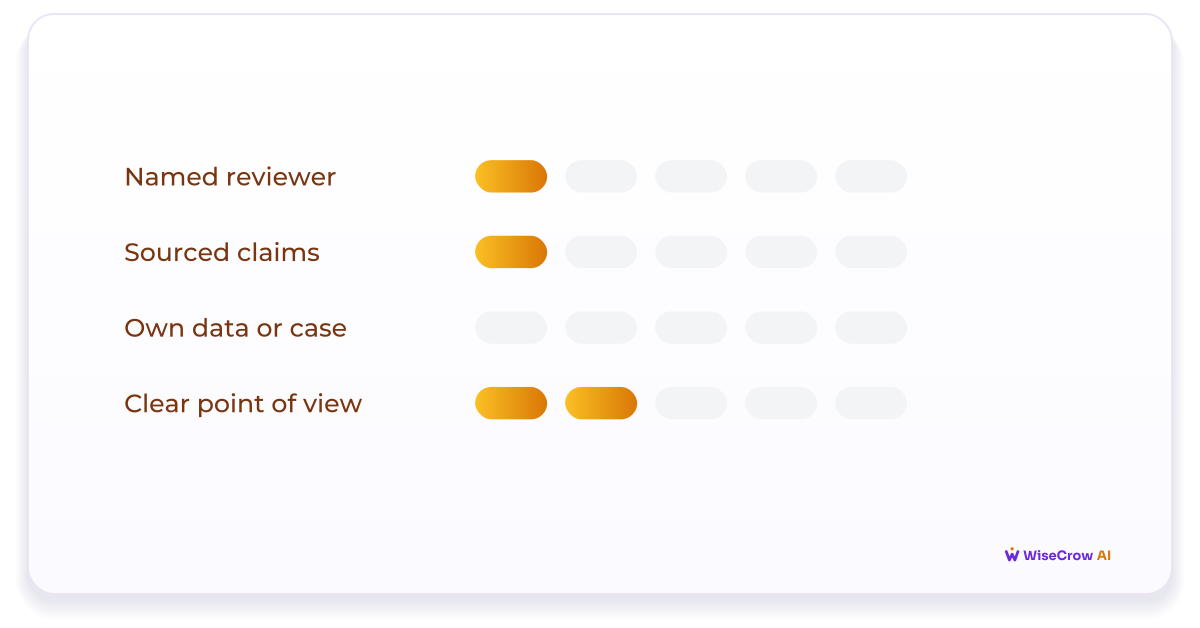
An AI model can summarize what’s already on the web. It can’t tell you what happened when your team actually used the product, ran the test or fixed the problem for a customer. Google’s people-first content guidance asks if your content clearly shows first-hand expertise, and it says trust matters most among the E-E-A-T aspects. It also notes that E-E-A-T isn’t a ranking factor by itself, so treat it as a description of what good pages contain.
The giveaway is a page with no specifics. No photos you took, no numbers from your own work, no opinion anyone could disagree with. Try this on your last five posts: highlight every sentence that only your company could have written. A B2B client’s review of accounting tools had none, so the team added screenshots from their own trial accounts and a section on the export bug that cost them a week. Those were the paragraphs readers quoted back in sales calls.
Skipping the Fact Check
Language models produce confident sentences, and some of them are wrong. Statistics with no traceable source, product features that were retired last year, laws described as passed when they’re still drafts. On a health, finance or legal topic, one of those errors can do real harm to a reader, and it does lasting harm to your credibility.
Look for numbers without links and links that go to a homepage when they should point to a study. Then click a sample. On one client blog, I checked 40 statistics across 12 AI-assisted posts, and 9 either had no findable source or didn’t match the source cited. The fix was a rule: every figure needs a working link to the original before the post leaves draft, and the editor clicks each one.
Letting AI Rewrites Stuff Keywords
Ask an AI model to “optimize this page for project management software,” and it often repeats the phrase in every heading and most paragraphs. Content scoring tools can push the same way when writers chase a score. Google’s spam policies still define keyword stuffing as filling a page with keywords or numbers to manipulate rankings, and readers notice it in the first paragraph.
Read the page out loud. If a sentence sounds like nobody would ever say it, the keyword is doing the talking. Watch for lists of cities or product names tacked onto the end of a page, too. A useful habit from my client work: rewrite briefs so they state the reader’s question and drop keyword counts, then let the editor remove any repetition the model sneaks back in.
Running Content Without an Editor or Brand Voice
When nobody owns the final read, AI pages drift toward the same flat voice: “in today’s fast-paced world,” three-point lists everywhere, a summary paragraph that repeats the intro. Your pages start to sound like your competitors’ pages, because they come from the same models and similar prompts. Google’s guidance asks if it’s self-evident who wrote a page, and it calls fabricated author profiles a form of deception.
Spot it by reading three of your posts back to back with the logo hidden. Could they belong to any company in your market? Then check the bylines. If one name sits on 200 posts a year, or the author bio describes someone who doesn’t exist, fix that first. Give every page a real author or editor, and write a one-page style guide with your words, banned phrases and point of view.
Technical Mistakes That Pile Up Quietly: 7 to 9
Content mistakes are visible on the page. These three hide in your site structure and robots.txt, and they tend to surface only when someone runs a crawl.
Cannibalizing Your Own Pages With Near-Duplicates
AI writers have no memory of what you published last spring. Give one a new keyword close to an old one, and it produces a fresh post that covers most of the same ground. After a year of that, you have four posts on “how to write a sales email,” each with a handful of backlinks and none strong enough to hold a good position.
In Search Console, filter the Performance report by one query and open the Pages tab. If several of your URLs take turns showing up for the same search, they’re competing. Merge them into the best one, redirect the rest and point internal links at the survivor. Where duplicates have to exist, Google’s documentation explains how a canonical URL tells it which version you prefer.
Breaking or Skipping Internal Links
Bulk publishing breaks linking in two ways. New pages go live with no links pointing to them, and AI drafts invent links to URLs that never existed. Google’s link best practices say every page you care about should have a link from at least one other page on your site, and that good anchor text is descriptive and reasonably concise.
Run a crawl and compare it against your sitemap. Pages in the sitemap that the crawler never reached are orphans. Then sort by 404s found in body content, which catches the hallucinated links. On an ecommerce blog I reviewed, 31 of the most recent 120 posts had no internal links in at all. A crawler from my ranked AI SEO tools will find these in minutes. Make a link check part of publishing, and add two or three links from older related pages whenever a new one goes live.
Blocking AI Crawlers Without a Reason
Some teams block every AI bot after reading a headline. Others copy a robots.txt template and never look at it again. The bots do different jobs. OpenAI documents that sites opted out of OAI-SearchBot won’t be shown in ChatGPT search answers, while blocking GPTBot signals your content shouldn’t be used to train its models. Google says its Google-Extended token doesn’t affect inclusion in Google Search and isn’t a ranking signal.
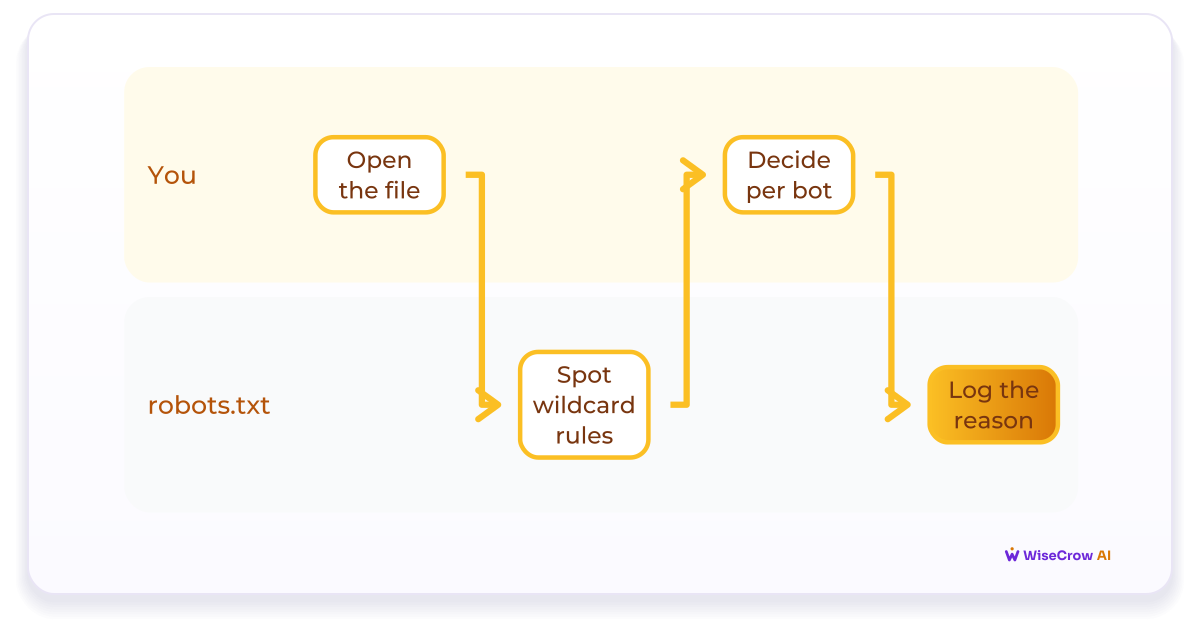
Open your robots.txt and ask who added each rule and why. If the answer is “nobody knows,” you have this mistake. A publisher client had blocked all AI user agents with a wildcard rule from an old plugin, which also kept it out of the AI search answers its sales team wanted to appear in. Decide per bot, write the reason in a comment in the file and review it twice a year, since new crawlers keep appearing.
Measurement Mistakes That Hide the Real Picture: 10 and 11
The last two mistakes don’t break anything on your site. They lead you to the wrong conclusions about what’s working, which is often worse.
Chasing AI Overviews With Gimmicks
Every few months a new trick promises to get you into AI answers: special text files, hidden FAQ blocks, prompts tucked into page code. For Google, the documentation is plain. Its page on AI features and your website says there are no additional requirements to appear in AI Overviews or AI Mode, and you don’t need new machine-readable files, AI text files or markup. A page has to be indexed and eligible to show with a snippet.
Your project list gives it away. If developer hours went into a file format with no documented support, while your top commercial pages still lack clear answers, the priorities are upside down. One SaaS client spent a sprint on AI-specific markup and left its pricing page with no plain statement of what each plan included. A short, direct answer near the top of each key page, backed by specifics, is the dull move that holds up.
Measuring Only Rankings
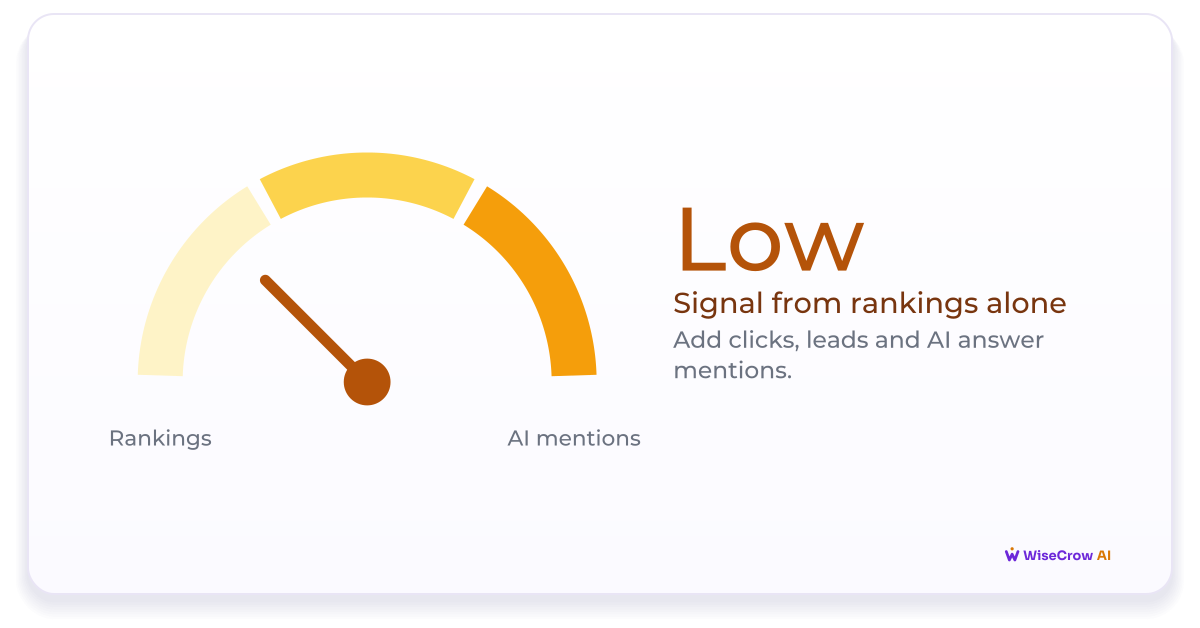
A position-three ranking means less when an AI summary sits above it. Pew Research found that Google users who saw an AI summary clicked a traditional result in 8% of visits, against 15% of visits without one, based on March 2025 browsing data. My notes on zero-click search and AI Overviews go further into how that shift is playing out.
The warning sign is a report full of green ranking arrows next to flat or falling clicks and leads. Google counts AI Overviews and AI Mode traffic inside the Web search type in Search Console, so it won’t show up as its own line. Track clicks, impressions and organic leads together, and add a fixed set of prompts that you run in ChatGPT, Perplexity and Google each month to see if your brand gets mentioned or cited.
How to Choose Which AI SEO Mistakes to Fix First
You probably recognized more than one row in the table. Don’t try to fix all of them at once. Here’s the order I use, sorted by how much damage each group does while it waits:
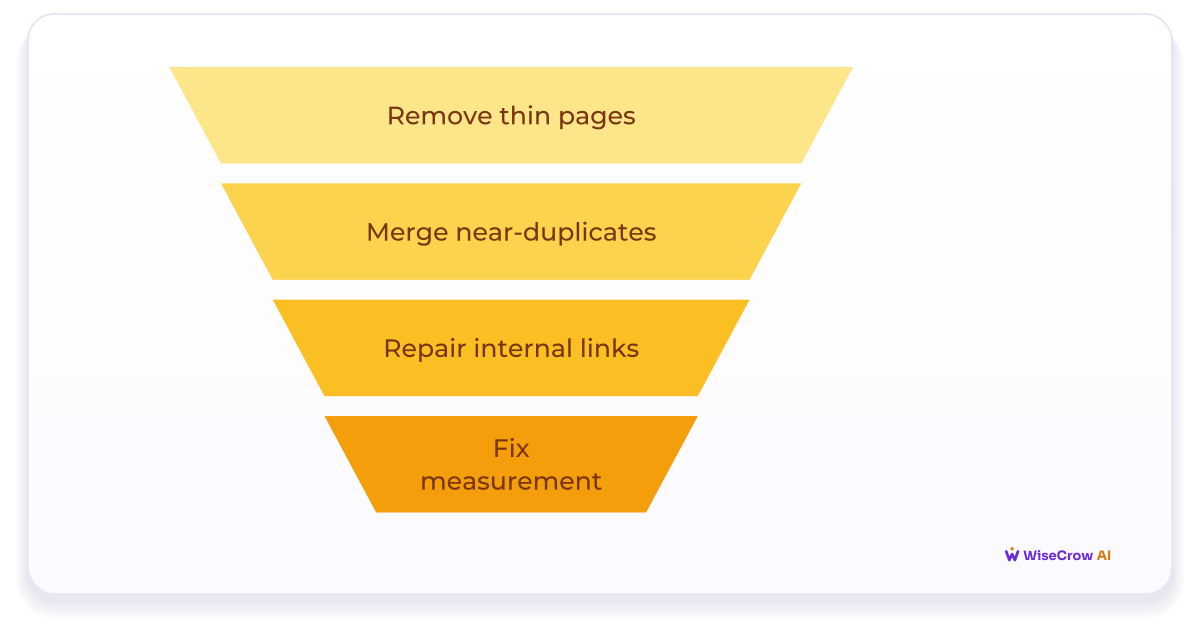
- Stop the bleeding: pause bulk publishing and put an editor on every new page (mistakes 1 and 6).
- Check robots.txt and broken links, since they block crawlers and readers today (mistakes 8 and 9).
- Merge thin variation pages and near-duplicates into fewer, stronger pages (mistakes 2 and 7).
- Upgrade your top commercial pages with experience, checked facts and natural wording (mistakes 3 to 5).
- Fix your reporting so you can see what the cleanup changes (mistakes 10 and 11).
Step 3 is where clients hesitate. Removing pages feels like throwing away work you paid for. In my experience, the pages worth keeping are easy to defend, and the rest weren’t earning clicks anyway. Keep a spreadsheet of every merge and redirect so you can track the results and reverse any call that turns out wrong.
Once the cleanup is done, prevention costs much less than repair. A short pre-publish routine catches most of these errors at the draft stage, and my AI SEO checklist for LLM search turns the routine into ten points your editors can tick off.
Questions About AI SEO Mistakes
Does Google Penalize AI-Generated Content?
Not for being AI-generated. Google’s guidance says its systems focus on the quality of content, however it was produced. The line it draws is purpose and value: using automation, AI included, to generate many pages mainly to manipulate rankings falls under its scaled content abuse policy. A carefully edited page written with AI help is judged like any other page. Hundreds of unedited drafts published to catch keywords are the risk.
What Is the Most Common AI SEO Mistake?
In my client work, it’s publishing faster than anyone can edit. Teams get access to an AI writer, the backlog of keyword ideas suddenly looks doable and output jumps from a few posts a month to dozens. Quality checks don’t scale with it. Most of the other mistakes on this list, from thin variation pages to unchecked facts and cannibalization, grow out of that one decision.
How Can I Tell If My Site Has a Scaled Content Problem?
Pull every page published since you started using AI and sort by clicks in Search Console over the last few months. Look for a long tail of pages with almost no impressions, pages that share most of their wording and pages nobody on your team could defend if a customer asked who wrote them and why. If a large share of new pages fall into those groups, slow down publishing and start merging or removing.
Should I Block GPTBot and Other AI Crawlers?
Decide bot by bot. Some crawlers collect content for model training and others fetch pages for AI search answers. OpenAI, for example, says sites that opt out of OAI-SearchBot won’t be shown in ChatGPT search answers, while blocking GPTBot signals that your content shouldn’t be used for training. Google says its Google-Extended token doesn’t affect inclusion or ranking in Google Search. Write down your reason for each rule in robots.txt.
Do I Need an Llms.txt File or Special Markup for AI Overviews?
Not for Google. Its documentation on AI features says there are no additional requirements and no special AI text files or markup needed to appear in AI Overviews or AI Mode. A page has to be indexed and eligible to show with a snippet. Other AI search tools publish their own guidance, so check each one before you spend developer time on new files.
How Do I Fix Keyword Cannibalization Caused by AI Content?
List the pages that compete for the same searches, pick the strongest one by clicks, links and quality, then fold the useful parts of the others into it. Redirect the old URLs to the page you kept and update internal links so they point there directly. Where two pages must both exist, such as product variants, a canonical tag tells Google which URL you prefer.
How Long Does It Take to Recover from AI SEO Mistakes?
It depends on the mistake and how many pages it touched. Technical fixes like broken links or a wrong robots.txt rule can show up in crawl data within days or weeks. Recovering from a site full of thin AI pages takes longer, because search engines need to recrawl and reassess the site after you remove or improve them. Nobody can promise a date, so track crawl health and impressions month by month.
Sources
- Google Search Central, Spam policies for Google web search: developers.google.com
- Google Search Central, Creating helpful, reliable, people-first content: developers.google.com
- Google Search Central Blog, Google Search’s guidance about AI-generated content (February 2023): developers.google.com
- Google Search Central, AI features and your website: developers.google.com
- Google Search Central, Google’s common crawlers (Google-Extended): developers.google.com
- Google Search Central, SEO link best practices: developers.google.com
- Google Search Central, How to specify a canonical URL: developers.google.com
- OpenAI, Overview of OpenAI crawlers: developers.openai.com
- Pew Research Center, Google users are less likely to click on links when an AI summary appears in the results (July 2025): pewresearch.org
General information only: this is not legal, financial or tax advice. Examples and numbers reflect typical projects; check the specifics with your advisers before deciding.
Did you find this helpful?
Thank you for your feedback.
Marlena leads the WiseCrow editorial team and works with our consultants to turn real client projects into practical guides on AI strategy, automation and governance. Before joining WiseCrow, she spent 12 years in B2B operations and SaaS content. She has since edited more than 400 articles on AI and automation and reviewed workflows from over 60 client projects. She is based in Austin, Texas.