Summary
- Roll AI out in waves, starting with one team that has a repeated task and a result you can count.
- Give every team a named champion, a one-page usage policy and training built on its own tasks.
- Measure reach, depth and outcomes per team, since logins alone hide who actually gets value.
- Set a date to retire each old workflow, or people drift back to it within weeks.
Buying AI licenses for the whole company is the easy part. Getting a sales rep, a payroll specialist and a support agent to change how they work on a Tuesday afternoon is the hard part. When I run AI transformation consulting projects, the companies that get lasting use almost never launch to everyone at once. They go team by team, and each team gets what it needs before the next one starts.
Below are the 10 AI adoption best practices I come back to on every rollout. You’ll find a do and avoid table first, then a suggested rollout order with what each wave needs, then each practice with an example from real projects.
AI Adoption Best Practices at a Glance
Use the table as a checklist before each new team goes live. The left column links to the full practice further down.
| Practice | Do this | Avoid this |
|---|---|---|
| 1. Team sequencing | Start with one team that has a clear, repeated task | Company-wide licenses on day one |
| 2. Champions | One named champion per team, with time set aside | Volunteers squeezing it in after hours |
| 3. Usage policy | A one-page policy with real examples | A 20-page document nobody opens |
| 4. Role-based training | Short sessions built on each team’s own tasks | One generic webinar for everyone |
| 5. Support channel | One chat channel plus weekly office hours | Questions scattered across email threads |
| 6. Manager modeling | Managers use AI in their own work, visibly | Leaders who mandate it and never touch it |
| 7. Measuring adoption | Track depth of use and outcomes per team | Counting logins and calling it success |
| 8. Incentives | Reward shared prompts and rebuilt workflows | Usage quotas that invite busywork |
| 9. Feedback loops | A fixed monthly review with each team | One survey at launch and silence after |
| 10. Retiring old workflows | Set a date to switch off the old process | Running old and new side by side forever |
A Suggested Team-by-Team Rollout Order
Every company is different, so treat the order below as my default and adjust it. The logic is simple. Start where the work repeats and the result is easy to see. Move to teams that need integrations once your support can keep up. Leave sensitive, regulated work for last, when your governance has been tested on lower-risk teams.
| Wave | Teams | What they need first | Start when |
|---|---|---|---|
| 1. Pilot | One team with a repeated, measurable task | Champion, approved tool, a baseline | Policy signed off |
| 2. Early wave | Teams with lots of writing or research | Prompt library, office hours | Pilot shows a clear win |
| 3. Broad wave | Teams that work inside core systems | Integrations, data access rules | Support can handle the volume |
| 4. Sensitive work | Legal, compliance, regulated roles | Review steps, audit logs | Governance review done |
The “Start when” column matters more than the dates. I’ve seen a company push its second wave live on schedule while the pilot team still couldn’t say what had improved. Three teams then asked the same questions in the same chat channel, and the champions burned out within a month. If you want dates on top of the gates, my 12-month AI transformation roadmap spreads these waves across a full year.
Before a Team Goes Live: Practices 1 to 4
The first four practices happen before anyone in the new team opens the tool. Skip them, and you’ll spend the first month fixing confusion you could have prevented in a week.
Sequence Teams by Readiness and Payoff
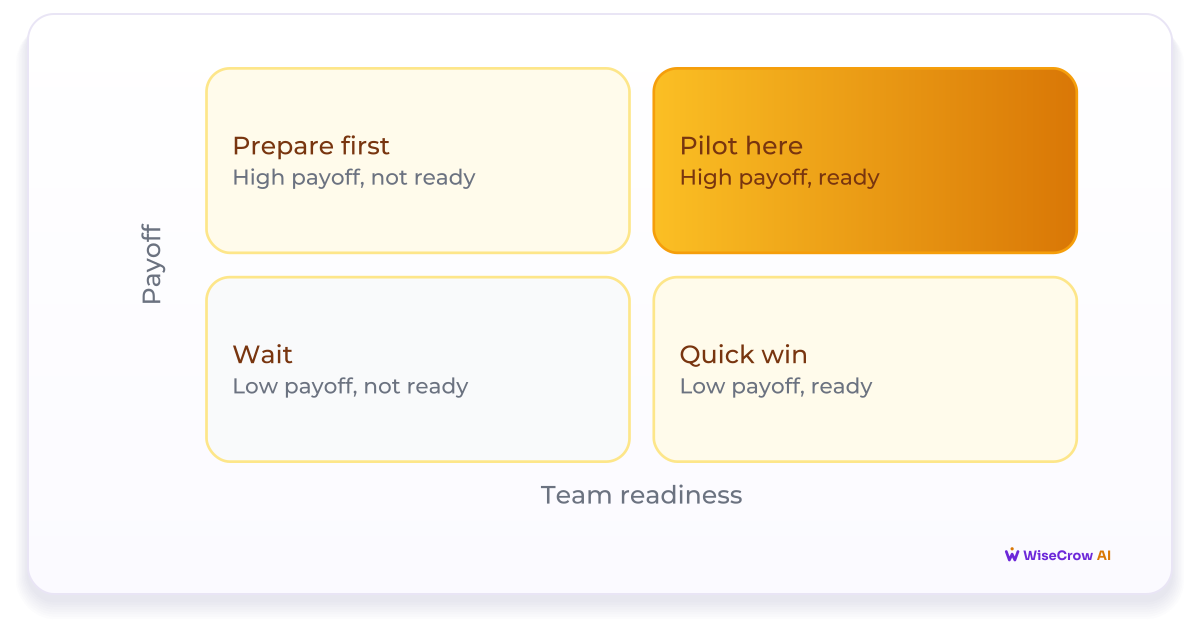
Score each team on two things: how often it repeats a task AI can help with, and how ready it is to change. Readiness means a manager who wants it, data the tool can reach and a team that isn’t in the middle of a reorg or a busy season. The team that scores high on both goes first. A team with a big payoff and low readiness goes later, after you’ve fixed what holds it back.
At a mid-sized insurer, leadership wanted claims to go first because the savings looked biggest. Claims sat on an old system with no clean way to feed documents into the tool. So I suggested the marketing operations team as the pilot. It drafted dozens of policy emails a week and had a keen manager. Claims followed four months later, once IT had sorted the document access. If you want a structure for scoring teams on people, process and technology, my AI transformation framework lays out the criteria.
Name a Champion in Every Team
A champion is the person teammates ask first. Pick someone respected for their actual work, who likes to experiment and who can explain things without jargon. The most senior person or the loudest AI fan is often the wrong pick. Then give the role real time. In my client work, around two to four hours a week works for the first two months, and it has to come out of the champion’s normal workload, agreed with their manager.
Champions do three jobs: they collect the team’s best prompts, they answer the small questions before they become tickets and they report what’s not working. Bring all champions together every two weeks. The finance champion who solved a spreadsheet problem in May will save the HR champion a week in July.
Publish a Usage Policy People Can Read in Five Minutes
People already use AI, approved or not. In Microsoft and LinkedIn’s 2024 Work Trend Index, 78% of AI users said they bring their own AI tools to work. A long policy won’t stop that. A short, clear one gives people a safe, approved option and tells them what to keep out of it. My template fits on one page: approved tools, data that never goes in, work that needs a human check before it leaves the building and a named contact for gray areas.
Add examples for each team, because abstract rules don’t help someone mid-task. For sales: “You can paste a prospect’s public website text. You can’t paste their contract.” For HR: “Draft a job ad with AI. Never paste a candidate’s CV or performance notes.” Pick the approved tools before you write the policy. If you’re still comparing options, my review of enterprise AI platforms covers the security and admin controls that matter here. Have legal and security review the final text and check the current rules in each market you serve.
Train Each Role on Its Own Tasks
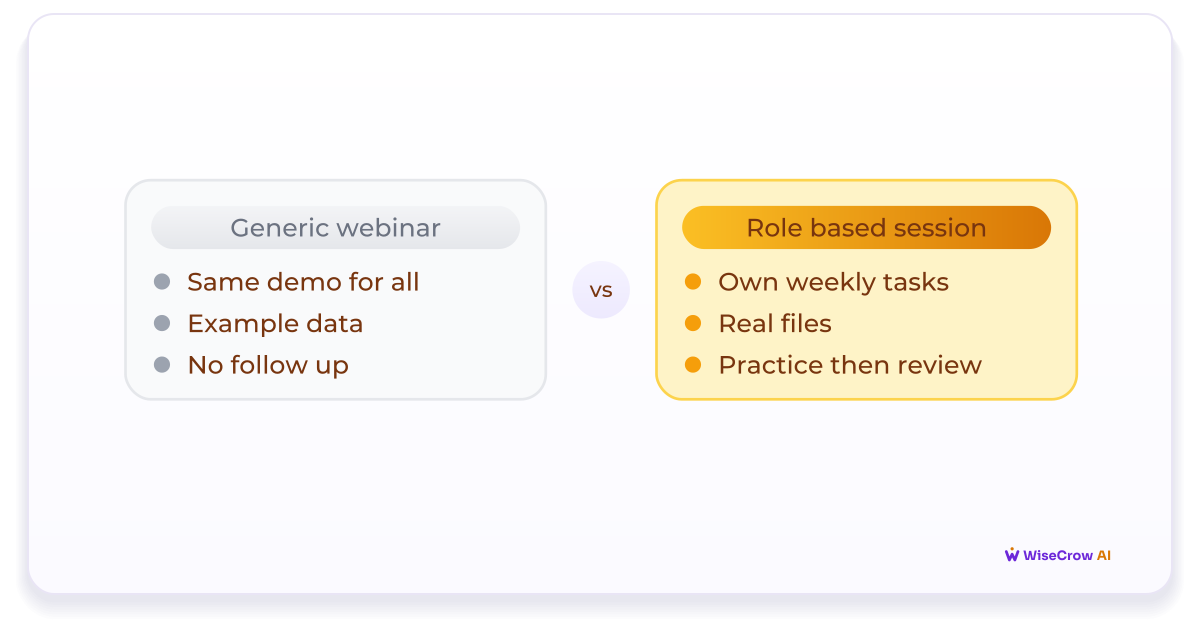
Training is where most rollouts fall short. In the same Work Trend Index, only 39% of AI users had received AI training from their company. BCG’s AI at Work 2025 survey found only one-third of employees say they’ve been properly trained, and regular use was sharply higher among people with at least five hours of training. Five hours spread over a few weeks, built on real tasks, beats one long kickoff.
Build each session around three to five tasks that role does every week. A recruiter practices screening questions and outreach drafts. An accountant practices variance commentary and invoice queries. Everyone works on their own material in the session, so they leave with a result they can use that afternoon. Record the sessions, but don’t rely on recordings alone. Live practice with a champion in the room is what moves people from curious to regular.
During and After Rollout: Practices 5 to 10
Once a team is live, the work shifts from preparing to supporting, measuring and letting go of the old habits. These six practices keep usage from fading after the launch buzz wears off, which in my experience happens around week three.
Open One Support Channel With Fast Answers
Create one place for questions, such as a chat channel per wave, and promise a reply within one working day. Add a weekly 30-minute office hour where anyone can share a screen and get help. Most questions in the first month are small: a prompt that gives odd results, a file the tool won’t read, a doubt about the policy. Small questions left unanswered turn into quiet drop-off.
Pin the ten most common answers at the top of the channel and update them every two weeks. One retail client’s support channel got the same question about uploading spreadsheets 14 times in the first fortnight. A pinned two-line answer stopped it. Track which questions keep coming back, since they show you what the training missed.
Get Managers Using AI Where Their Team Can See It
Teams copy what their manager does, and a launch email can’t compete with that. BCG’s survey found positive feelings about generative AI rose from 15% to 55% among employees with strong leadership support, and only about a quarter of frontline employees said they get that support. Ask every manager in a wave to use AI for one visible task before the team starts, like the weekly update or meeting notes, and to mention it.
Give managers a short session of their own a week before their team’s training. Cover the questions they’ll hear, including “Is this replacing my job?” Managers who can answer that honestly calm a team faster than any FAQ page. Fear about jobs is one of the people problems I cover in my guide to AI transformation challenges, and it shows up in nearly every wave.
Measure Adoption in Three Layers
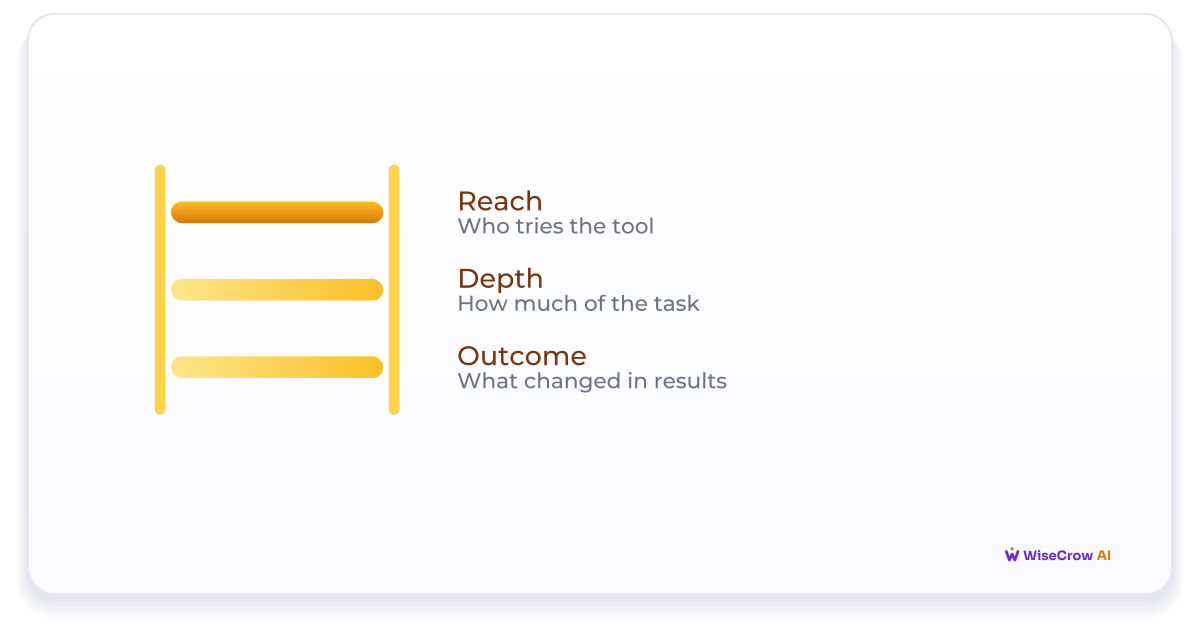
Most admin dashboards show logins. Logins tell you who opened the tool. I report three layers per team, every month:
- Reach: the share of the team that used the tool in a given week
- Depth: the share using it for real work several times a week
- Outcome: a change in the work itself, such as turnaround time, errors or handoffs
Set the outcome measure with the team before launch and take a baseline. Without one, you’ll end up asking people how they feel about it, which says little about results. At one logistics client, reach hit 90% in a month while depth stayed under a third. The gap pointed straight at one task the training had skipped.
Reward Shared Workflows Over Raw Usage
Usage quotas backfire. Tell people they must use the tool ten times a week, and some will paste the same email into it ten times. Reward the behavior that helps the whole team: sharing a prompt that saves time, writing up a rebuilt process or teaching a colleague. Recognition in a team meeting or a short note from a director works better than you’d expect.
Tie AI use to goals only where it fits the role, and keep it about outcomes. “Cut first-draft time for client reports” is a fair goal. “Use AI daily” isn’t. Also remove the hidden penalty: if people save three hours and get three hours of extra work with no say in it, they learn to hide the time they saved.
Run Feedback Loops on a Fixed Schedule
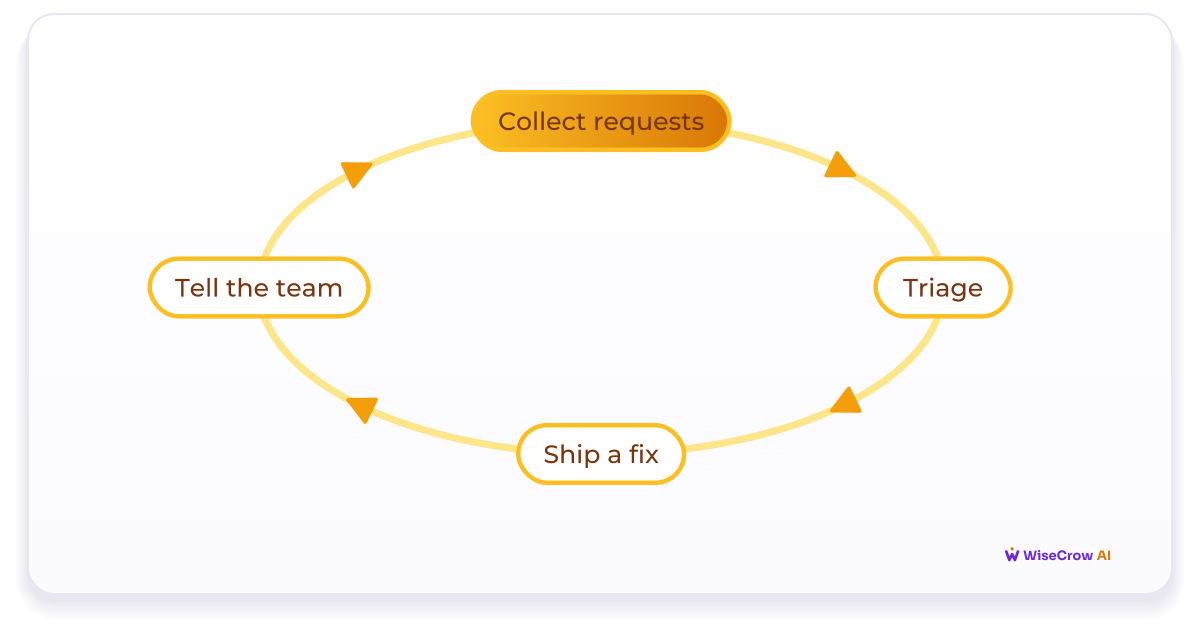
Hold a 45-minute review with each live team once a month for the first quarter. Bring the three-layer numbers and the top questions from the support channel. Ask what they’ve stopped using and why. Leave with no more than three fixes, each with an owner and a date, and report back on them at the next review.
Close the loop in public. When a team asked for a template library and got it two weeks later, its depth of use went up within a month, and the next wave heard about it before they started. People keep giving feedback when they see it change something. When nothing changes, the reviews go quiet by month two.
Set a Date to Retire the Old Workflow
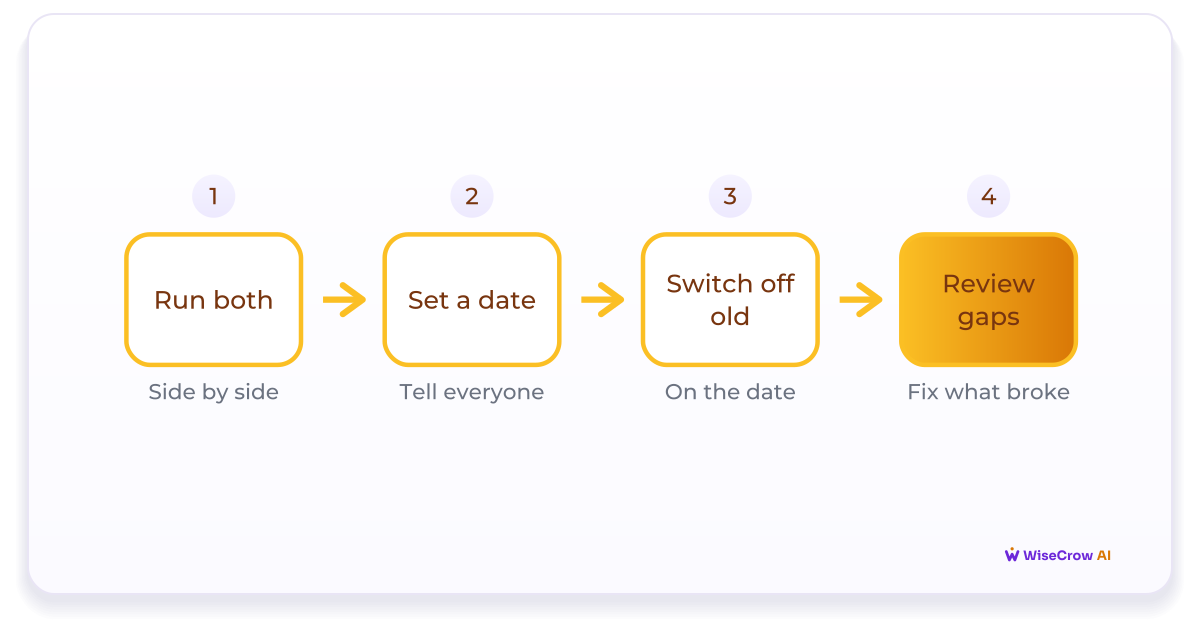
As long as the old process exists, people under pressure will use it. Once a team has proven the new way, agree on a date to switch the old one off: the old template gets archived, the manual report stops, the approval step that AI replaced goes away. Announce the date at least a month ahead and keep a fallback for real exceptions.
A professional services client ran AI-drafted proposals next to the old Word template for five months. Both versions kept getting updated, and nobody trusted either one. Two weeks after the old template was archived, everyone was on the new process. Retiring old workflows is the step most leaders feel nervous about, and it’s the one that turns a pilot into how the team works.
Estimate the Hours One Team Could Free Up
Take the first team on your list and one task it repeats every week. Put in how long it takes and how often it happens. The result gives you a rough outcome target for practice 7 and a number to share when you ask managers to back the rollout.
How Much Time Could You Save?
Move the sliders to match one repetitive task in your business.
How to Choose Which Practices to Start With
You won’t set up all ten before the first team goes live, and you don’t need to. Match your starting point to where you are now:
- No rollout yet: pick the pilot team, its champion and the policy first (practices 1 to 3).
- Licenses bought, usage low: run role-based training and get managers involved (practices 4 and 6).
- Lots of logins, little change in the work: measure depth and outcomes, then fix the gaps (practices 7 and 9).
- Teams using both old and new processes: set retirement dates (practice 10).
- People using unapproved tools: publish the policy and an approved option fast (practice 3).
One trade-off I’d push back on: many companies delay the usage policy until legal has a perfect version. A good one-page policy now is safer than a perfect one in six months, because people use AI in the meantime anyway. BCG found more than half of employees say they’ll find other tools when the approved ones fall short. If you’re the executive leading the change, my AI transformation leadership playbook covers the decisions that sit above team-level adoption.
Questions About AI Adoption Best Practices
What Are the Most Important AI Adoption Best Practices?
If I could only keep three, I’d keep a clear usage policy, training built around each role’s real tasks and a date to retire the old workflow. The policy makes people feel safe to try. The training makes the tool useful on day one. The retirement date makes the new way stick. The other seven practices speed things up, but those three decide if usage survives the first quarter.
Which Team Should Adopt AI First?
Pick a team with a task that repeats every week, a manager who’s keen and a result you can count, such as tickets answered or reports drafted. In my client work, support, operations and marketing teams are often good first picks. Avoid starting with legal or other sensitive work, since a slow, cautious first team sets a slow pace for everyone after.
How Long Does a Team-by-Team AI Rollout Take?
It depends on company size and how much integration each team needs. A single pilot team usually needs a few weeks to a couple of months to show a clear result. Adding a new wave of teams every one to three months is a realistic pace for a mid-sized company. Rushing the later waves before support is ready tends to cost more time than it saves.
How Do You Measure AI Adoption in a Company?
Look at three layers. Reach is how many people use the tool each week. Depth is how many use it for real tasks several times a week. Outcome is what changed in the work, such as faster turnaround or fewer handoffs. Report all three per team. Logins alone only tell you who opened the tool.
What Should an AI Usage Policy Include?
Keep it to one page if you can. List the approved tools, the data that must never go into them, the work that needs a human check before it goes out and who to ask when something’s unclear. Add three or four real examples for each team. Have your legal and security people review it, and check current rules in every market you operate in.
Should You Give Employees Incentives to Use AI?
Light ones work well. Recognize people who share a prompt that saves their team time, or who rebuild a process around AI. I’d skip usage quotas and leaderboards of raw activity. They reward people for opening the tool, and some will do just that without changing how they work.
What Do You Do When One Team Refuses to Adopt AI?
Ask why, in a short conversation with the manager and two or three team members. The reasons are usually concrete: the tool doesn’t fit their system, they fear mistakes or nobody showed them a use that matters to them. Fix the specific blocker, pair them with a champion from a team that’s further along and give them a later start date. Forcing it rarely works.
Sources
- Microsoft and LinkedIn 2024 Work Trend Index on AI at work (May 2024): news.microsoft.com
- BCG, AI at Work 2025: Momentum Builds, but Gaps Remain: bcg.com
General information only: this is not legal, financial or tax advice. Examples and numbers reflect typical projects; check the specifics with your advisers before deciding.
Did you find this helpful?
Thank you for your feedback.
Marlena leads the WiseCrow editorial team and works with our consultants to turn real client projects into practical guides on AI strategy, automation and governance. Before joining WiseCrow, she spent 12 years in B2B operations and SaaS content. She has since edited more than 400 articles on AI and automation and reviewed workflows from over 60 client projects. She is based in Austin, Texas.