Summary
- Most AI transformation problems come from people and process, with technology a smaller share.
- Unclear ownership is the challenge to fix first, because every other fix needs an owner.
- Pilots reach production when go-live criteria and running costs are agreed before they start.
- Measure a baseline before each launch, or you won’t be able to prove any value later.
Buying AI tools is the easy part. Getting a whole company to work differently with them is where most programs slow down, and the reasons repeat from one organization to the next. If you want outside help through that shift, AI transformation consulting covers it from first assessment to rollout.
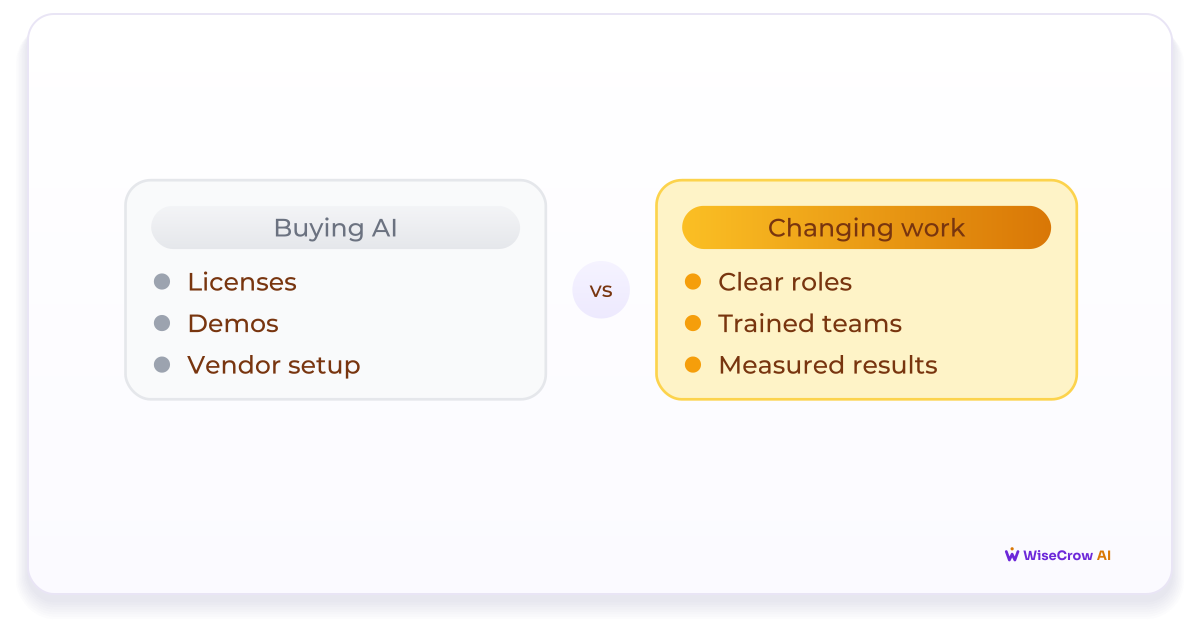
Below are the eight AI transformation challenges I run into most, from culture to skills to old systems. For each one you get what it looks like, why it happens, the steps that fix it and the tools that help.
Why AI Transformation Gets Stuck
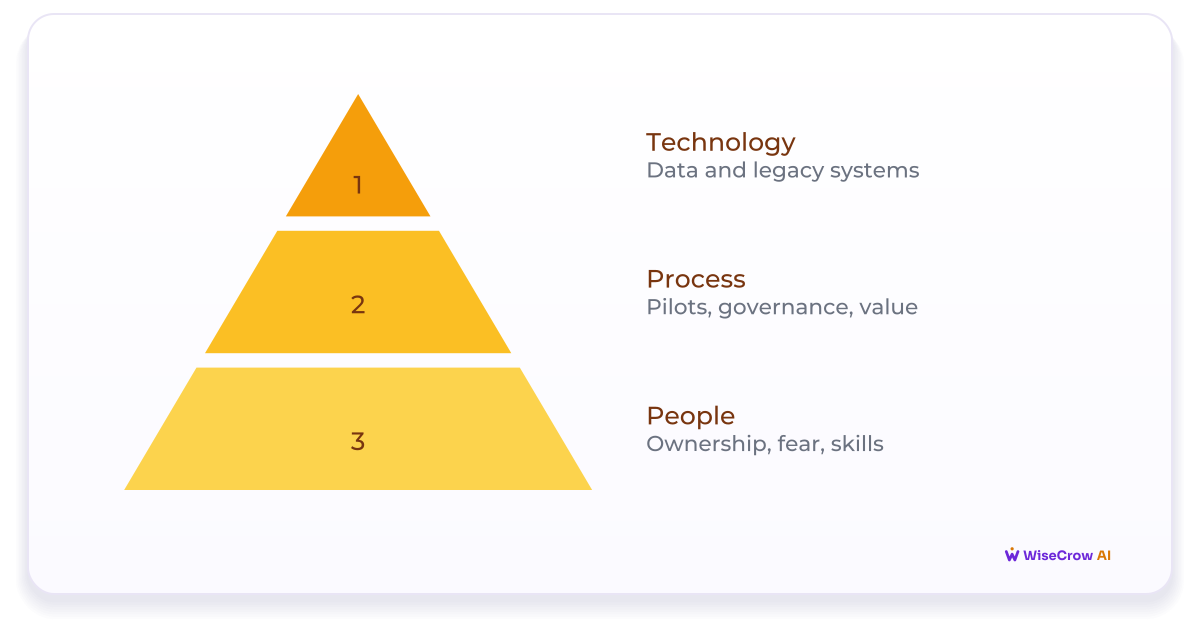
The gap between buying AI and getting value from it is wide. BCG surveyed 1,000 senior executives and found that 74% of companies have yet to show tangible value from AI. The same study traced about 70% of the challenges to people and process issues, around 20% to technology and only about 10% to the algorithms.
Project-level numbers look similar. RAND cites estimates that more than 80% of AI projects fail, about twice the rate of IT projects without AI. I group the eight challenges below the way BCG’s split suggests: people, process, then technology. My people, process and tech model explains how the three layers depend on each other.
Use the table as a quick check. If you recognize the early warning sign, jump to that challenge.
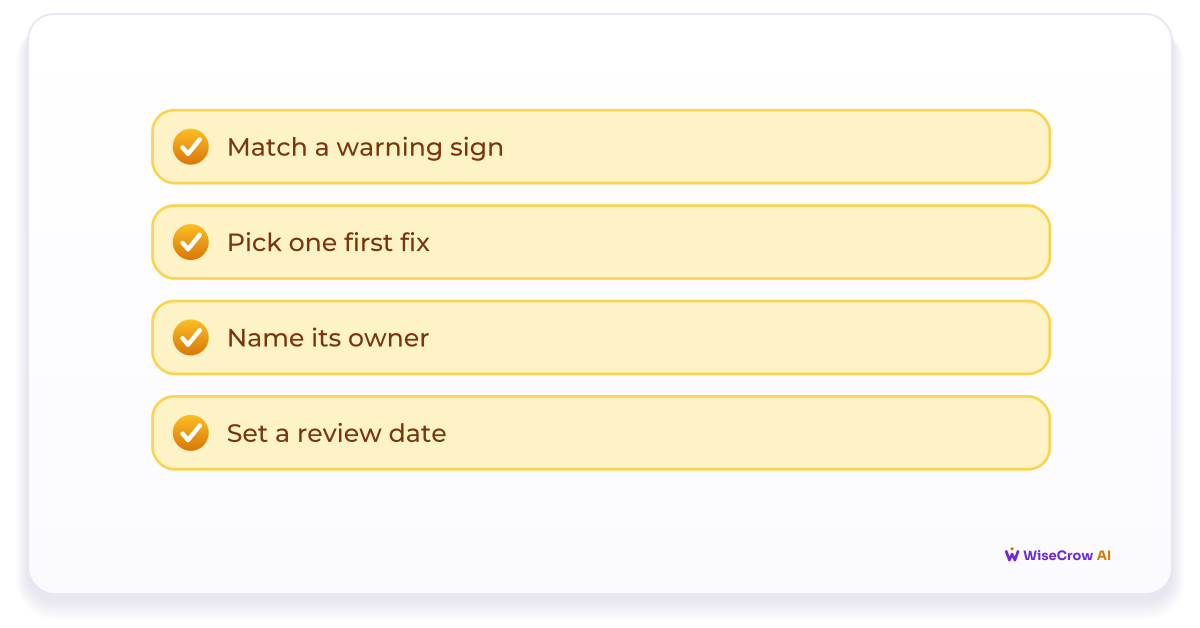
| Challenge | Red flag to watch | First fix |
|---|---|---|
| 1. Unclear Ownership | Nobody can say who approves a new use case | Name one executive sponsor and one central team |
| 2. Fear of Job Loss | Low usage after launch and silence in training | Say plainly what changes in each role |
| 3. Skills Gaps | A few enthusiasts act as the help desk | Role-based practice on real work |
| 4. Pilot Purgatory | Many proofs of concept, nothing in production | Set go-live criteria before a pilot starts |
| 5. Shadow AI and Weak Governance | AI tools showing up on expense reports | Short policy plus an approved tool list |
| 6. Measuring Value | Reports only count logins and prompts | Baseline every use case before launch |
| 7. Data Quality and Access | Strong demos, odd answers in real use | Fix the data behind your first two use cases |
| 8. Legacy Systems and Integration | Staff copy AI output into old systems by hand | Price integration first, then pick use cases |
People Challenges: Ownership, Fear and Skills
Every AI transformation I’ve worked on hit a people problem before a technical one. The three below cause quiet resistance more than open conflict, so they’re easy to miss. They’re also the cheapest to fix if you catch them in the first few months.
Unclear Ownership
IT thinks the business owns AI. The business thinks IT owns it. A steering committee meets once a month to review slides, while pilots start in five departments with five budgets. When a model gives a bad answer, three teams forward the email and none of them fixes it.
AI touches every function, so it ends up belonging to nobody. Microsoft’s 2024 Work Trend Index found that 60% of leaders say their company lacks a vision and plan for AI. In my client work, the fix is a split: one named executive owns the outcomes, and a small central team owns the method. My AI transformation leadership playbook walks through how to set that up.
How to Give AI a Clear Owner
- Name one executive sponsor who answers for the business results of AI.
- Set up a small central team that owns standards, approved tools and vendor choices.
- Give each business unit a named product owner for its own use cases.
- Write down who approves new use cases, who funds them and who can stop them.
- Review the full portfolio every quarter with the sponsor in the room.
What Helps You Settle Ownership
A plain RACI chart and one shared use case register, even a spreadsheet, settle most ownership arguments within a few weeks. Teams that track more than a few dozen ideas often move the register into a portfolio tool such as Jira or Monday.com later.
Fear of Job Loss
Staff go quiet in the AI training session. Usage stays low after launch, and rumors fill the gap. The people who know exactly where a process breaks keep that knowledge to themselves, and a few set out to prove the tool wrong, which isn’t hard with any new model.
The fear is real and common. Pew Research found that 52% of U.S. workers feel worried about how AI may be used at work in the future. It grows when leaders talk about efficiency in board decks and say nothing to the people doing the work. I once watched a rollout stall for two months because a cost-saving slide reached the operations team before anyone had spoken to them.
Ways to Bring the Fear into the Open
- Tell people early, in plain words, what AI will and won’t change in their roles.
- Commit to how saved time gets used, and only promise what you can keep.
- Involve frontline staff in choosing and testing the first use cases.
- Share early results with the team before you share them with the board.
- Open a channel for questions, including anonymous ones, and answer every one.
- Thank the people who find flaws in the AI as loudly as the ones who praise it.
Resources That Build Trust
Short, honest team meetings with real Q&A do more here than any change management software. A pulse survey in Microsoft Forms, Google Forms or Culture Amp every few weeks shows you trust dropping before usage does.
Skills Gaps
Licenses get bought, a one-hour webinar gets recorded and usage peaks in week two. A handful of enthusiasts become the unofficial help desk. Managers can’t judge AI output in their own field, so some approve everything and others block everything.
Skills gaps open when training is treated as a one-off event. The same Microsoft survey found that only 39% of AI users had received AI training from their company. People learn AI by using it on their own tasks with someone nearby to ask, and role-based practice has beaten generic prompt courses every time I’ve compared the two. My guide to rolling out AI team by team shows how to time training with each department’s launch.
Closing the Skills Gap Role by Role
- Map the skills each role needs, from basic prompting to checking AI output.
- Run short hands-on sessions with the team’s own documents and tasks.
- Pick one AI champion per team and give them real hours for the role.
- Train managers to review AI output in their area of expertise.
- Hold weekly office hours where people bring live problems.
- Refresh the training whenever your tools change, and at least twice a year.
Learning Resources Worth Your Time
Free or low-cost courses from Microsoft, Google and OpenAI cover the basics well enough for most staff. Your own prompt library, filled with examples that worked inside your company, ends up as the most useful training material you have.
Process Challenges: Pilots, Governance and Value
Process challenges show up once a handful of pilots exist. The tools usually work fine. The way your company picks, approves, funds and measures AI work hasn’t caught up, and the gap widens with every new idea.
Pilot Purgatory
You have 15 proofs of concept, a folder of demo videos and nothing running in production. Each pilot used a clean data extract, a friendly team and a vendor engineer on call. None of those exist on go-live day.
Pilots stall because nobody agreed on what would make them scale before they began. Gartner predicted that at least 30% of generative AI projects would be abandoned after proof of concept by the end of 2025, citing poor data quality, weak risk controls, rising costs and unclear value. The pilots I’ve seen survive set their production criteria on day one, including who pays the running costs. A 12-month AI transformation roadmap puts those decision points on the calendar.
Getting a Pilot into Production
- Agree on success criteria and a go or no-go date before the pilot starts.
- Test with real production data, messy records included.
- Bring in the team that will run it after launch from the first week.
- Budget for running costs, support and monitoring next to the build cost.
- Stop pilots that miss their criteria and tell people why.
Tools That Keep Pilots Honest
A one-page pilot charter with success metrics, an owner and a decision date is the most useful document you can write here. Monitoring platforms such as MLflow or LangSmith earn their place later, once models run in production and need tracking.
Shadow AI and Weak Governance
Staff paste customer emails into free chatbots. Someone in marketing signs up for three AI tools on a company card, and legal finds out from an invoice. Meanwhile, the official AI policy is a 20-page PDF nobody has opened.
Shadow AI grows when official tools arrive slowly and the rules are vague. Microsoft’s survey found that 78% of AI users bring their own AI tools to work. Banning everything rarely helps. In my client work, a ban pushes usage onto personal phones, where you see even less. A short policy, an approved tool list and a fast way to request new tools work far better.
How to Bring Shadow AI into the Light
- Run a no-blame survey asking which AI tools people already use and for what.
- Publish a one-page policy on which data may and may never go into AI tools.
- Approve a small set of business-grade tools with proper data terms.
- Set up a request process for new tools with a promised turnaround time.
- Add risk reviews for high-impact uses, such as hiring, credit or health decisions.
- Log AI use in sensitive processes, so you can audit decisions later.
Governance Resources to Start From
The NIST AI Risk Management Framework gives you a free, practical structure for risk reviews. Most teams pair it with the admin, logging and data controls that come with the enterprise plans of the tools they approve.
Measuring Value
The AI program reports logins, prompts sent and the number of pilots. Then the CFO asks what it all saved, and nobody has a figure. Next year, AI is the first budget line to get cut.
Value goes missing because teams skip the baseline. If you never measured how long a task took before, you can’t prove what changed after. Saved time also has to land somewhere you can see, like faster turnaround, more cases per person or fewer errors. Hours that quietly vanish into a busy week won’t convince a finance team.
Building a Value Case That Holds Up
- Record the baseline for each use case before launch: time, cost, errors and volume.
- Pick one or two business metrics per use case that your finance team accepts.
- Track adoption apart from impact, since high usage can still mean low value.
- Put licenses, running costs and human review time on the cost side.
- Report results every quarter in money and hours, misses included.
Where to Track the Numbers
A shared dashboard in Power BI, Looker Studio or a well-kept spreadsheet is enough if your baseline data is solid. The usage reports inside Microsoft 365 Copilot or ChatGPT Enterprise show adoption, though you still need business data to show impact.
Technology Challenges: Data and Legacy Systems
Technology comes last here on purpose. It matters, but in my experience it seldom sinks a program by itself. When it does, the trouble usually sits in your data and in the older systems the AI has to talk to.
Data Quality and Access
The model shines in the demo and gives strange answers in real use. Customer records sit duplicated across two CRMs, half the product data lives in spreadsheets and the data team has a three-month queue for access requests.
AI exposes data problems people quietly worked around for years. RAND’s study of failed AI projects names missing data and weak data infrastructure among its five root causes. My advice is blunt: don’t wait for a company-wide data cleanup before you start. Fix the data behind your first two use cases, prove the value and let that result fund the next round.
Fixing Data Before It Sinks the Work
- List the data each priority use case needs and where it lives today.
- Score each source for completeness, accuracy and freshness.
- Clean the worst gaps for your first two use cases and park the rest.
- Give every key data set a named owner.
- Set access rules that let approved AI tools read data without a new ticket each time.
Data Tools That Make a Difference
Catalog and quality tools like Atlan, Collibra or Great Expectations show you what data you have and how far you can trust it. For document-heavy work, a tidy SharePoint or Google Drive with clear permissions often matters more than a new platform.
Legacy Systems and Integration
The AI assistant drafts the answer in seconds, and then someone copies it into a 20-year-old system by hand. Every new use case needs its own connector. The core platform has no API, and each integration takes a quarter.
Older ERP, policy and claims systems were built long before anyone pictured a model reading from them or writing back. Integration often costs more than the AI, and teams tend to find that out late. I tell clients to price the integration first, pick use cases that fit the systems they have and modernize in steps. If you’re still choosing a platform, my comparison of enterprise AI platforms looks at security and scale side by side.
Working Around Legacy Systems
- Map how each target system can share data: API, database export, file drop or screen only.
- Start with use cases that read from old systems before ones that write back.
- Use one integration layer, so each new AI tool doesn’t need its own connector.
- Keep a person approving anything the AI writes into a system of record.
- Add AI requirements to the modernization plans for your core platforms.
Integration Options to Weigh Up
Integration platforms like MuleSoft, Boomi, Zapier or Make connect AI tools to older systems without custom code for each link. RPA can bridge screens that have no API, but I treat it as a stopgap because it breaks when the screen changes.
How to Choose Which Challenge to Tackle First
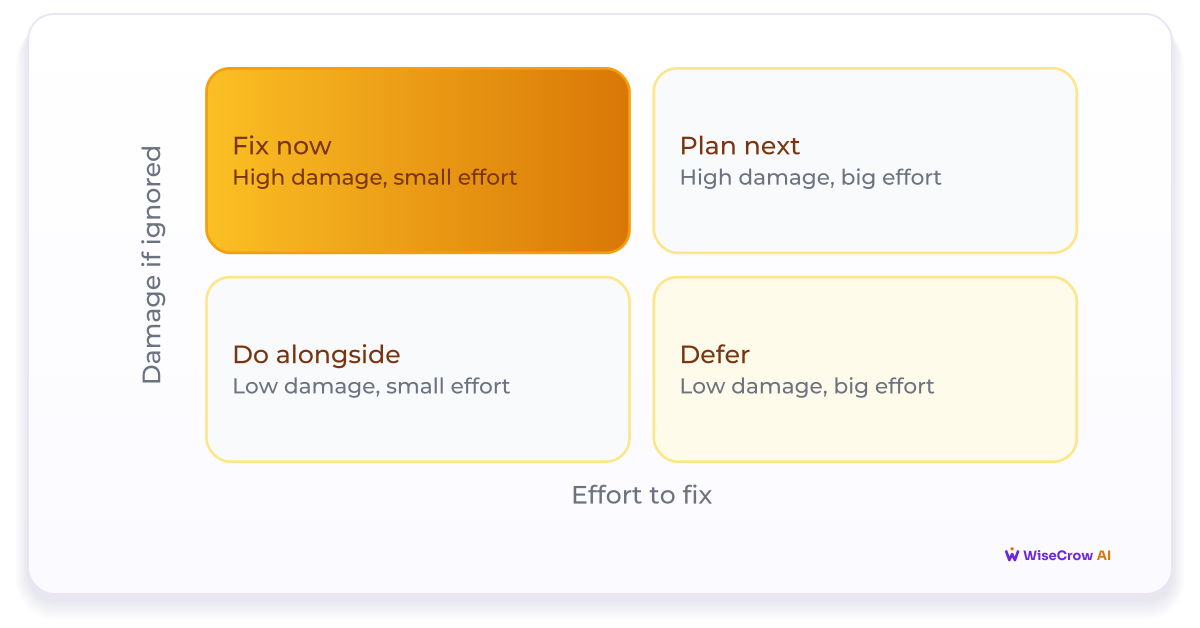
Few companies face just one of these. Most I work with recognize four or five, and trying to fix them all at once is its own kind of stall. Here’s the order I use to decide.
- Ownership comes first. If nobody can approve, fund or stop a use case, every other fix lacks a sponsor. Sort it out even if it feels political.
- Next, find the blocker shared by the most use cases. List your top five use cases and note what holds each one back. The challenge that shows up three or four times goes next.
- Then fix what’s cheap and fast. A one-page AI policy or a baseline measurement takes weeks. A legacy system replacement takes years, so work around it for now.
- Leave the big platform projects until you have proof. A data platform or core system upgrade is easier to fund once two or three use cases show real results.
Be honest about your own role, too. Leaders often pick the technology challenges because they feel safer to talk about. In my experience, the uncomfortable conversation about who owns AI, or about what happens to roles, moves a program further than another tool purchase.
Questions About AI Transformation Challenges
What Is the Biggest Challenge in AI Transformation?
In my client work, unclear ownership causes the most damage, because every other challenge needs someone with the authority to fix it. BCG’s research points the same way: most of the problems companies report come from people and processes, with technology and algorithms behind them.
Why Do So Many AI Pilots Never Reach Production?
Most pilots are built to impress, and production needs something else. They run on clean sample data with a dedicated team, and nobody plans for real data, support, monitoring or running costs. Set success criteria and a go-live owner before the pilot starts, and far more of them make it.
How Long Does an AI Transformation Take?
Expect the first use cases to go live within months and a company-wide shift to take a few years. Programs move faster when ownership, data access and an approved tool list are sorted out early. Plan in quarters and review your priorities each time.
How Do You Get Employees to Accept AI?
Be honest early about what changes in each role, involve frontline staff in choosing use cases and share results with them first. Hands-on training on their own tasks matters more than any launch campaign. People accept tools that make their day easier and that they helped shape.
What Is Shadow AI, and Is It a Problem?
Shadow AI is any AI tool staff use without approval, such as a free chatbot or a personal account. It becomes a problem when sensitive data goes into tools with weak data terms. A short policy, approved alternatives and a quick request process reduce it far more than a ban does.
Do We Need Perfect Data Before We Start with AI?
No. You need good enough data for the specific use case you’re building. Clean the sources behind your first one or two use cases, prove the value and expand from there. A company-wide data project as step one usually delays results by a year or more.
Should AI Transformation Be Led by IT or by the Business?
Both, with clear roles. A business executive should own the outcomes and the priorities, while a central technical team owns standards, security and tools. When either side runs it alone, you tend to get either impressive tech nobody uses or fast experiments nobody can support.
Sources
- BCG: AI Adoption in 2024, 74% of Companies Struggle to Achieve and Scale Value (2024)
- RAND: The Root Causes of Failure for Artificial Intelligence Projects and How They Can Succeed (2024)
- Gartner: 30% of Generative AI Projects Will Be Abandoned After Proof of Concept by End of 2025 (2024)
- Microsoft and LinkedIn: 2024 Work Trend Index on the State of AI at Work (2024)
- Pew Research Center: U.S. Workers Are More Worried Than Hopeful About Future AI Use in the Workplace (2025)
General information only: this is not legal, financial or tax advice. Examples and numbers reflect typical projects; check the specifics with your advisers before deciding.
Did you find this helpful?
Thank you for your feedback.
Marlena leads the WiseCrow editorial team and works with our consultants to turn real client projects into practical guides on AI strategy, automation and governance. Before joining WiseCrow, she spent 12 years in B2B operations and SaaS content. She has since edited more than 400 articles on AI and automation and reviewed workflows from over 60 client projects. She is based in Austin, Texas.