Summary
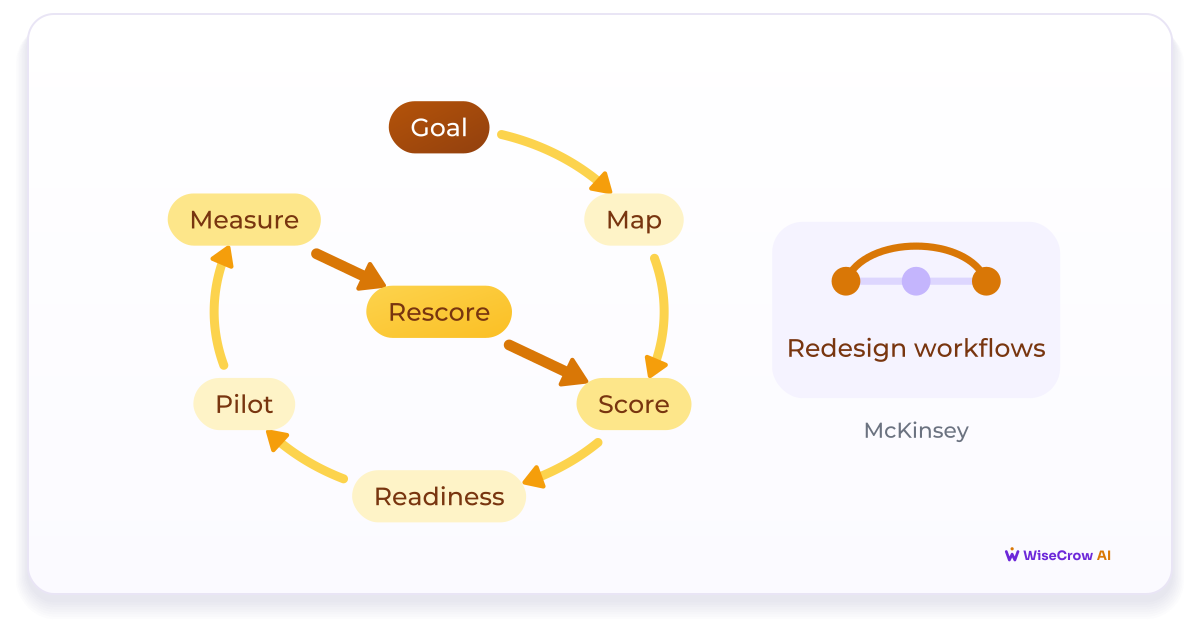
- Tie every automation to one business goal, so you can judge each project against it.
- Score processes with one formula: hours saved plus error cost, divided by build effort.
- Check data and system readiness before you commit, because it often changes the ranking.
- Start with one narrow pilot, measure it against a baseline, then pick the next wave.
The stalled AI automation efforts I review usually started with whatever sounded exciting, while the processes that would have paid off kept waiting. A clear strategy fixes that, and it is where every AI automation consulting engagement I trust begins.
Below you get the whole strategy on one table, the scoring formula I use to decide what comes first and six short phases you can run with a spreadsheet.
The Strategy at a Glance
| Phase | What you do | What you get |
|---|---|---|
| 1. Set One Business Goal | Pick the one result automation should move this year. | A measurable target with an owner |
| 2. Map the Processes Behind It | List the processes that drive the goal and collect basic numbers. | A candidate list with volume, minutes and error cost |
| 3. Score Them With the Formula | Apply the priority formula to every candidate. | A ranked list of what to automate first |
| 4. Check Data and System Readiness | Test the top candidates for data access, quality and integrations. | A shortlist you can actually build |
| 5. Run One Pilot With Guardrails | Automate the top candidate in one team, with clear limits. | A live pilot with an owner, thresholds and logs |
| 6. Measure and Pick the Next Wave | Compare results with the baseline and rescore the list. | Proof of value and a ranked next wave |
The Formula: What to Automate First
Give every candidate process a priority score. It weighs the value you can win against the effort it takes:
Priority score = (Time value + Error cost avoided) ÷ Build effort
- Time value: runs per year × minutes per run ÷ 60 × share AI can handle × hourly staff cost.
- Error cost avoided: errors per year the automation can prevent × average cost per error.
- Build effort: 1 for a simple task in one system, up to 5 for a complex project across several systems.
Build effort is where scores drift most, so I rate it with fixed anchors. A 1 is a feature you switch on in a system you already use. A 2 connects two systems that both have modern APIs. A 3 needs document AI or a set of custom rules, and a 4 involves an old system without an API or a vendor upgrade first. A 5 spans several departments, each with its own approvals. If two people rate the same process two points apart, talk it through before you trust the score.
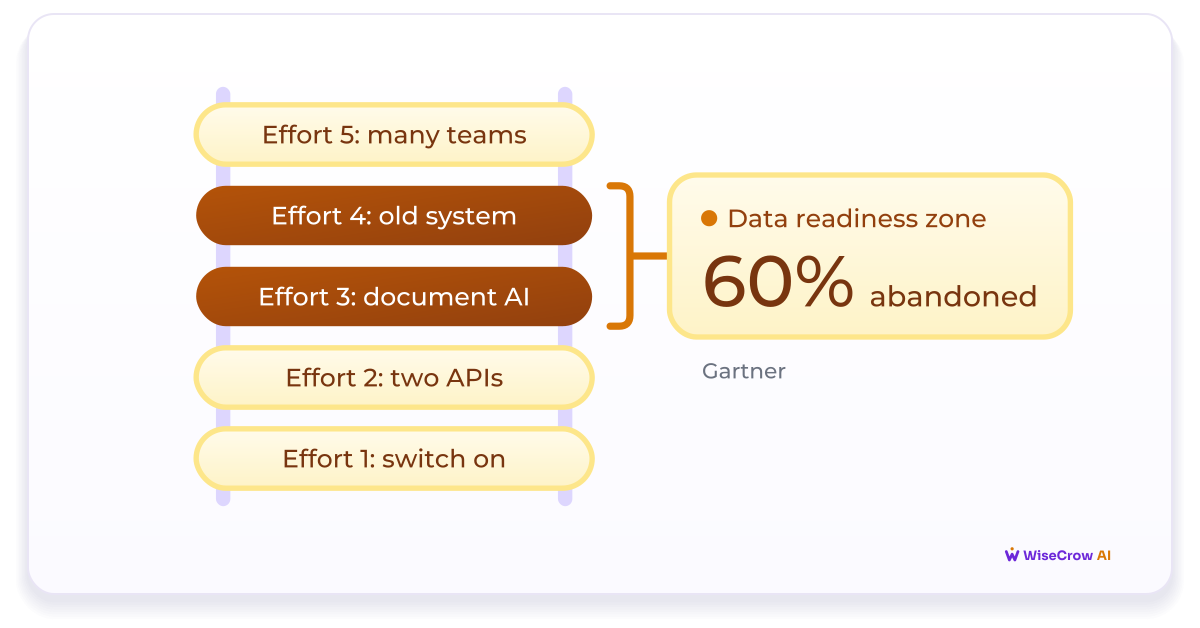
Error cost is the number most teams skip, and it often decides the ranking. Count only the errors the automation can realistically prevent, such as duplicate payments or wrong account codes, and price each one with the rework it causes. If nobody knows the error rate, take a sample of 50 recent cases and check them by hand. It takes an afternoon and beats any guess.
Here is how three typical finance processes compare. The figures are an illustrative example, so replace them with your own numbers:
| Process | Time value | Error cost | Effort | Score |
|---|---|---|---|---|
| Invoice entry | $33,600 | $30,000 | 2 | 31,800 |
| Expense report review | $9,600 | $5,000 | 2 | 7,300 |
| Monthly variance commentary | $2,160 | $0 | 3 | 720 |
Invoice entry: 12,000 invoices a year × 6 minutes, 70% automated at $40 per hour, plus 120 duplicate payments of $250 avoided.
If you need ideas for what to put on your list, start with my ranked AI automation use cases for finance, HR and operations.
6 Phases of an AI Automation Strategy
Phase 1: Set One Business Goal
Start with what you want to change in the business, not with a tool. Choose one goal for the next twelve months, such as a faster month-end close, quicker customer responses or growth without adding headcount.
One goal makes every later decision easier, because you can ask whether a project moves that number.
If your leadership team can’t agree on one goal, run the scoring for the two strongest candidates and let the numbers settle it. I’ve seen that end a three-meeting debate in twenty minutes.
Phase 2: Map the Processes Behind It
For each process, note how often it runs, how long it takes, who does it and which systems it touches. Honest estimates from the people doing the work are enough. Ask them to time ten real runs, because averages from memory tend to forget the slow cases. If you need ideas for the list, my AI automation examples by department are a good prompt.
Talking to them also uncovers the copy-paste steps and workarounds that never appear in official process documents.
Phase 3: Score Them With the Formula
Fill in the formula above for each process and sort the list by score. Score in a small group, ideally the process owner, someone from finance and someone from IT, because each of them knows a different part of the numbers. It replaces the loudest opinion in the room with numbers everyone can check.
Adjust where you know something the numbers don’t show, such as a system that is about to be replaced.
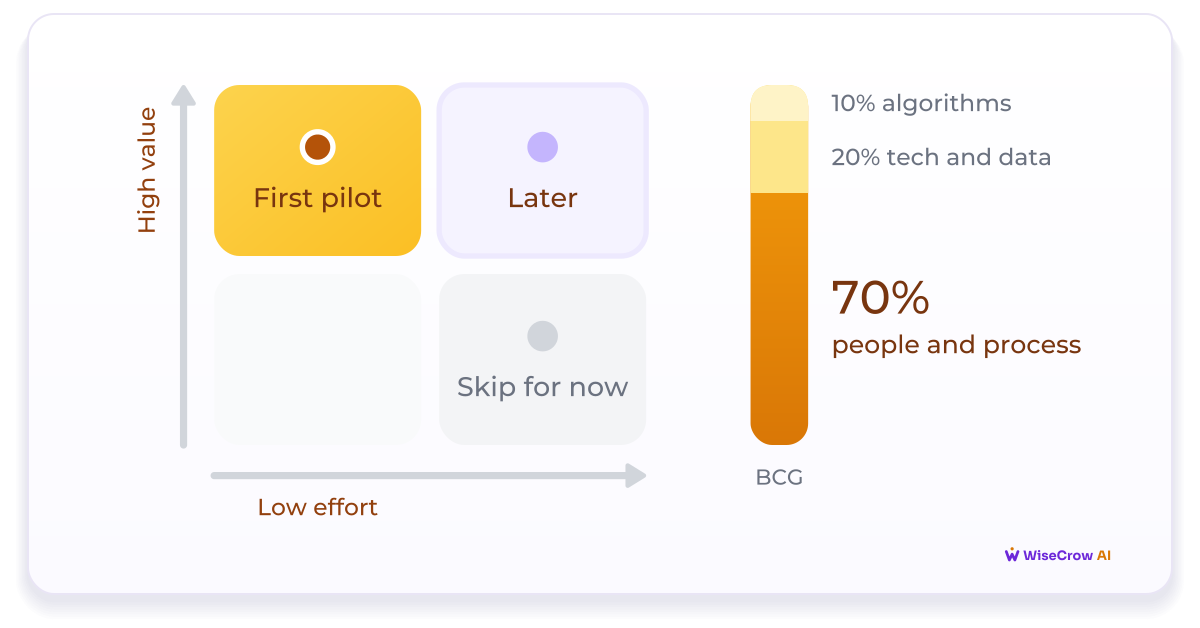
Phase 4: Check Data and System Readiness
A high score means little if the data is missing or the system can’t connect. Ask your IT team whether each top candidate has accessible data, usable quality and an API or built-in integration.
Expect this step to reshuffle the top of your list. That’s healthy.
Phase 5: Run One Pilot With Guardrails
Keep the pilot narrow: one team, one entity or one document type. Record today’s baseline, name a business owner and decide what the automation may do alone and what needs a person.
Start with the platforms you already pay for, because many now include AI features you can switch on. If yours don’t cover the workflow, my ranking of AI automation tools sets the main options side by side.
Let the pilot run on real work for long enough to include one month-end or another busy period. A pilot that only sees quiet weeks will look better than it is.
Phase 6: Measure and Pick the Next Wave
After a few weeks, compare hours saved, error rate and processing time with your baseline, then decide to expand, adjust or stop.
Update the scores on your list with what you learned. Each round makes your estimates better. Once two or three automations work, the AI automation roadmap shows how to scale them across teams.
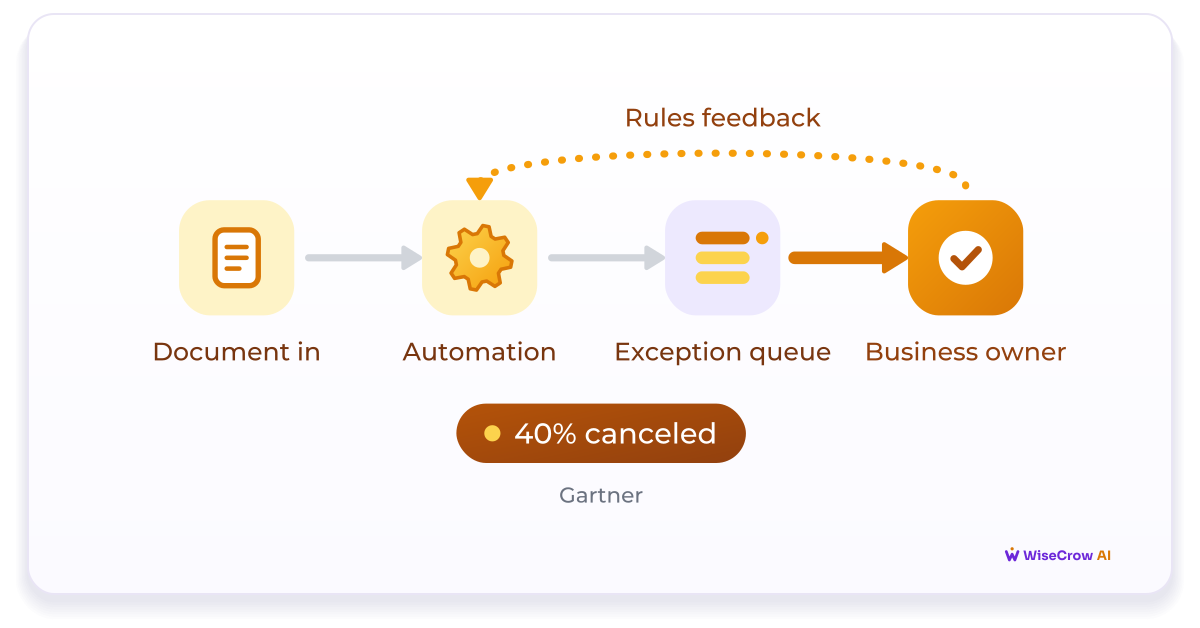
When a pilot misses its target, look at the exception queue first. In most cases I see, the misses cluster around one document type or one supplier, and fixing that single source closes most of the gap.
Where Strategies Go Wrong in Practice
The formula is the easy part. In my client work, strategies stall in the same four places, and most of them have little to do with AI.
The Pilot Nobody Owns
A pilot built by IT for a finance team, with nobody in finance named as owner, is the failure I see most. It works in the demo. Then the exception queue fills up, because reviewing it is nobody’s job. Name the business owner before the build starts and put exception review into their week.
The Baseline Nobody Recorded
Teams get excited, go live and only then try to measure the old process. By then nobody remembers how long it took, and the return turns into an argument. Two weeks of honest timing before launch is enough, even if it’s a tally sheet next to the keyboard.
The Score That Ignored Integration
A process can score high and still depend on a system with no usable API. I once watched a top-ranked candidate lose three months because its data lived in an old on-premise tool that needed a vendor upgrade first. If the readiness check finds a blocker like that, move the process down the list and revisit it later.
The Tool Bought Before the Score
Sometimes the platform is already signed before anyone scores a process, usually after a convincing demo. The strategy then turns into a hunt for problems the tool can solve. If that is your situation, score your processes anyway and be honest about which ones the tool fits. You may still find two or three good candidates, and you’ll know which projects need something else.
The Second Wave That Never Came
After a good pilot, budget often drifts back to regular projects and the momentum fades. Put your next two candidates and a rough budget into the same leadership update where you report the pilot results. Approval is easiest while the numbers are fresh.
Calculate the Time Value of a Process
Use the calculator to fill in the time value part of the formula for your top candidate. If the yearly value comes out below what the tool and the build would cost you in a year, the process probably isn’t your first project, unless its error cost is high.
How Much Time Could You Save?
Move the sliders to match one repetitive task in your business.
How to Choose Between Your Top Candidates
When the scores are close, these questions decide which process becomes your pilot:
- Which process has an owner who actively wants the change?
- Which one can you measure with numbers you already have?
- Which one can go live in a single team before a wider rollout?
- Which one supports the business goal leadership cares about most?
If two candidates still tie after these questions, pick the one whose owner will sit with the pilot team for an hour a week. An engaged owner shortens every phase that follows.
If agents or new regulation could change the order of your list, my overview of AI automation trends covers both.
Questions About AI Automation Strategy
What Is an AI Automation Strategy?
It is a plan that links AI automation to your business goals and decides which processes to automate, in which order and with which guardrails. A good strategy fits on a few pages, names an owner for each project and is updated after every project, so it reflects what you have learned since the start.
What Should I Automate First?
Automate the process with the highest priority score: frequent, time-consuming work where mistakes are costly and the build effort is low. For many businesses, that is document-heavy finance work such as invoice processing.
How Does the Priority Formula Work?
Multiply how often a task runs by the minutes it takes and the share AI can handle, value those hours, add the cost of errors you avoid, then divide by the build effort. The higher the score, the earlier the process belongs in your plan.
How Long Does It Take to Build an AI Automation Strategy?
For a mid-sized business, mapping and scoring the main processes usually takes a few weeks of part-time work. The first pilot can start as soon as the top candidate passes the readiness check.
Who Should Own the AI Automation Strategy?
A member of the leadership team should own the goal and the budget. Each automated process then needs its own business owner, plus a technical owner who looks after the build and maintenance.
What Is the Difference Between an AI Strategy and an AI Automation Strategy?
An AI strategy covers every way your company uses AI, including products, analytics and customer experience. An AI automation strategy focuses on removing repetitive work from your internal processes.
Do I Need a Consultant to Build an AI Automation Strategy?
You can build one yourself with the phases in this guide. A consultant helps when you want an outside view, faster process mapping or experience of which projects tend to stall, and a good one gives you a fixed scope and price upfront.
General information only: this is not legal, financial or tax advice. Examples and numbers reflect typical projects; check the specifics with your advisers before deciding.
Did you find this helpful?
Thank you for your feedback.
Marlena leads the WiseCrow editorial team and works with our consultants to turn real client projects into practical guides on AI strategy, automation and governance. Before joining WiseCrow, she spent 12 years in B2B operations and SaaS content. She has since edited more than 400 articles on AI and automation and reviewed workflows from over 60 client projects. She is based in Austin, Texas.