Summary
- Tell people what your bot can do in the very first message, and ask one question per turn.
- Confirm anything that moves money or changes an account before the bot acts.
- Keep the route to a human visible and send the full conversation along with the customer.
- Test with real transcripts and track resolution, since containment alone hides customers who gave up.
Most conversational AI projects I review struggle in the same places: a greeting that promises too much, a bot that asks three things at once and a dead end with no way out. The model behind the bot is usually fine. Good conversational AI consulting spends as much time on the dialogue as on the technology, and the same habits hold for a small website chatbot and a voice assistant on your phone line.
Below are the 10 conversational AI best practices I use on every build. The table gives you the do and the avoid for each one, and the sections after it show sample lines you can copy and adapt. If you’re still picking a channel, my chatbots vs voice bots guide covers that first.
Conversational AI Best Practices at a Glance
Paste this into your design doc or keep it next to your script reviews. Each row pairs the habit worth building with the mistake I see most often in live bots.
| Practice | Do this | Avoid this |
|---|---|---|
| 1. Greeting and scope | Name the bot, say it’s AI, list 2 or 3 tasks | A bare “How can I help you today?” |
| 2. Clarifying questions | One question per turn, with likely answers | Three questions in one message |
| 3. Confirmations | Repeat key details before any change | Silent changes to payments or bookings |
| 4. Error recovery | Rephrase, narrow to options, then hand over | “Sorry, I didn’t get that” on repeat |
| 5. Tone | A one-page voice guide with sample lines | Jokes and cheer under a complaint |
| 6. Human handover | A visible route plus the full transcript | Hiding the agent option behind loops |
| 7. Context and memory | Reuse what the customer already said | Asking for the order number twice |
| 8. Accessibility | Plain words, screen reader and keyboard support | Button-only paths and short timeouts |
| 9. Testing | Replay real, anonymized transcripts | Testing with your own tidy scripts |
| 10. Measuring | Track resolution, handover reasons, CSAT | Celebrating containment rate alone |
10 Dialogue Design Practices in Detail
The order follows a conversation from start to finish, then moves to testing and measuring. Practices 1, 6 and 9 do the most damage when they’re missing, so start there if time is short.
Open With a Clear Greeting and Scope
Your first message sets expectations for the whole conversation. A wide-open “How can I help you today?” invites questions your bot can’t answer, and every early miss costs trust you won’t get back. Say who the customer is talking to, say it’s an automated assistant and name the two or three jobs it does well. Some states and countries require bots to disclose that they’re automated, so check the current rules for each market you serve.
Here’s a before and after from a dental clinic project. Before: “Hi! How can I help you today?” After: “Hi, I’m the virtual assistant for the clinic. I can book or move appointments, answer insurance questions and share opening hours. What do you need?” In my client work, a scoped greeting like the second one cuts out-of-scope first messages within days, and the customers who do ask something else already expect a handover.
Ask One Clarifying Question at a Time
When a request is vague, ask. Ask one thing per turn, though, and offer the likely answers as buttons or short options. Put three questions in one bubble and you’ll get one answer, usually to the last question. Before you write any lines, map the details each request needs; my conversational AI framework shows how intents, slots and flows fit together.
A good clarifying turn looks like this:
- Customer: “I need to change my booking.”
- Bot: “Sure. Is it your flight on May 14 or your hotel in Denver?”
The bot already knows both bookings, so it offers them as choices. If the model is confident about what the customer means, skip the question and confirm your guess. Every unneeded question adds a turn, and each turn is a chance for the customer to leave.
Confirm Before the Bot Acts
Anything that moves money, cancels a service or changes personal data needs an explicit yes. Repeat the key details in one short line and wait for the answer. Before: “Done! Your subscription has been cancelled.” After: “You want to cancel the Pro plan on the account ending 4471, effective June 30. Should I go ahead?”
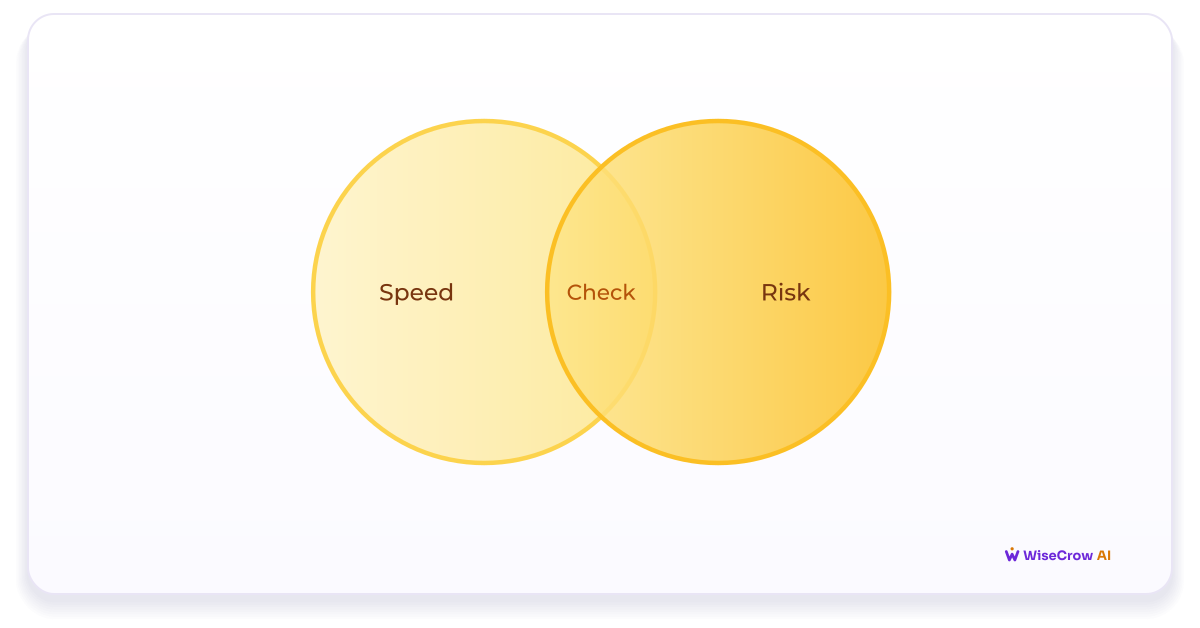
Scale the confirmation to the risk. Low-risk steps get a light, implicit check that keeps the conversation moving: “Got it, Denver. Which date works for you?” High-risk steps get the full read-back and a clear yes or no. Bots that confirm everything feel slow and robotic, and bots that confirm nothing create the refund tickets your team cleans up later.
Plan Error Recovery for Every Miss
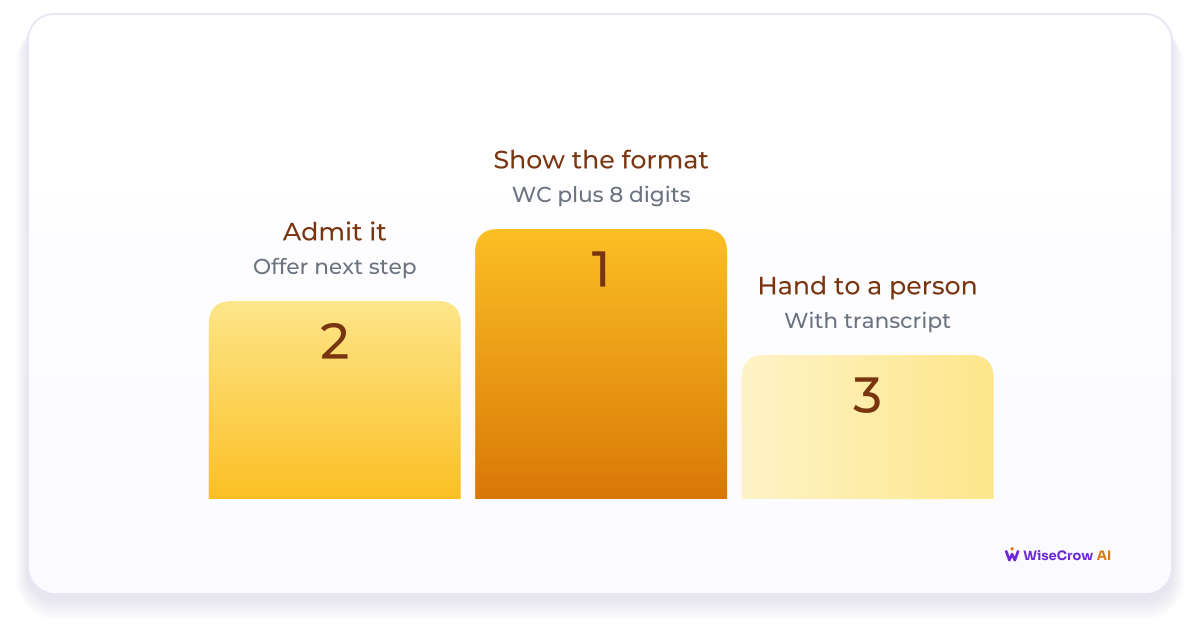
Your bot will misunderstand people. Plan what happens on the first, second and third miss. My default: on the first miss, the bot rephrases and offers two or three options. On the second, it narrows to buttons. On the third, it offers a person. “Sorry, I didn’t understand” on repeat is the fastest way I know to lose a customer.
Handle the customer’s mistakes kindly too. When someone types an invalid order number, say what the right format looks like: “Order numbers start with WC and have 8 digits, like WC12345678.” For bots built on a language model, add a fallback for questions your knowledge base can’t answer. The bot should say it doesn’t know and offer the next step. A confident wrong answer does more harm than an honest “I can’t help with that one.”
Give Your Bot a Consistent Tone
Write a one-page voice guide: three personality traits, words the bot uses, words it never uses and sample lines for the greeting, an error, an apology and a handover. Generative models drift without one. Put the guide in the system prompt and check a sample of replies against it every week.
Tone should still shift with the situation. A cheerful line works for “Your order has shipped” and feels awful under a billing complaint. Compare two replies to “I’ve been charged twice.” Bad: “Oops! Let’s get that sorted, no worries!” Better: “I’m sorry about the double charge. I can see both payments from May 3, and I’ve flagged the second one for a refund.” The second reply names the problem, shows the bot looked and says what happens next.
Make Handover to a Human Easy
People worry about getting stuck with a bot. In a Gartner survey of 5,728 customers, 64% said they’d prefer companies didn’t use AI for customer service, and the top concern, at 60%, was that it would get harder to reach a person. Show the human route early, keep it visible and honor a request for an agent the first time someone asks.
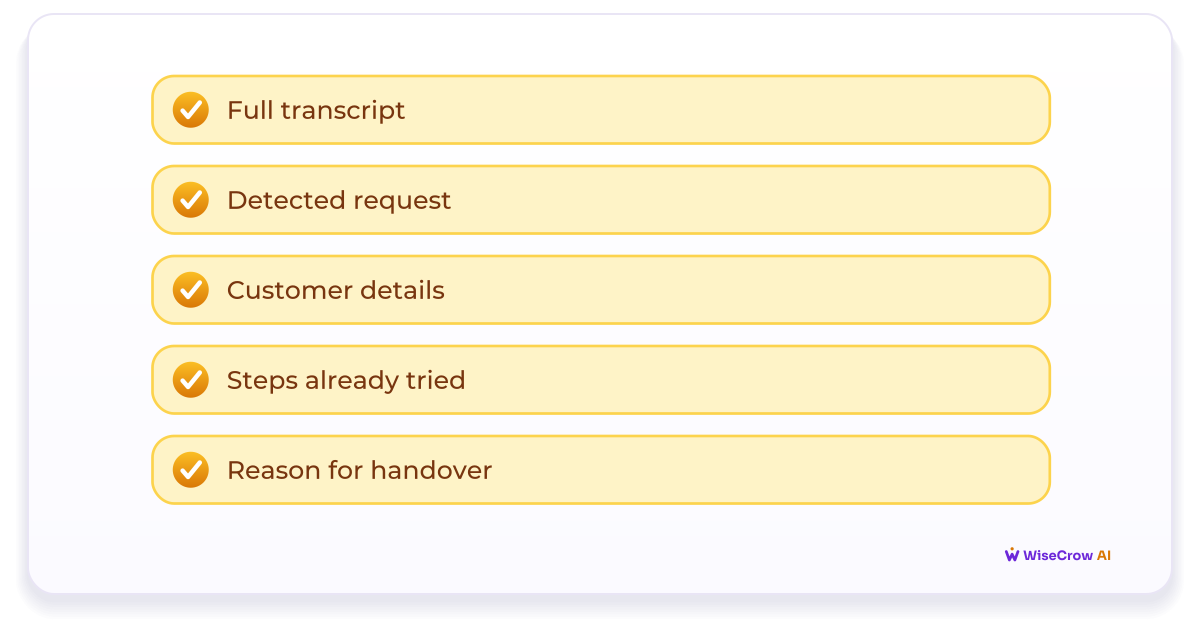
A good handover passes the full transcript, the detected request and any details already collected, so the agent starts with context. Set expectations when nobody’s online: “The team is offline until 8 a.m. ET. I’ve created a ticket, and you’ll get a reply by email.” Handover quality differs a lot between tools, so test it hands-on when you compare conversational AI platforms.
Keep Context Across Turns
Customers hate repeating themselves. Reuse what they’ve said earlier in the conversation and, when they’re logged in, what you already know from their account. A bot that asks for an order number two messages after the customer pasted it feels broken, even if every other answer is right.
Memory needs limits, though. Store what the task needs, tell people what you remember between sessions and let them clear it. A returning customer might see: “Welcome back. Last time you asked about the refund for order WC10442817. It was paid on May 9. Can I help with anything else on that order?” Reset the stored details when the topic changes, or old answers leak into a new request and the bot books the wrong date.
Design Every Flow for Accessibility
Use plain words and short messages. Make sure the chat widget works with a screen reader and a keyboard, announces new messages and lets people type any answer a button offers. Drop session timeouts that cut off slow typists. For web chat, the WCAG 2.2 guidelines from the W3C are the reference I check widgets against.
Voice bots need their own care. Speak at a calm pace, let callers interrupt, repeat options on request and keep a keypad path for people who can’t or don’t want to speak. If you serve customers in more than one language, detect the language from the first message and answer in it the whole way through. Switching languages halfway confuses people more than a slower reply would.
Test With Real Transcripts
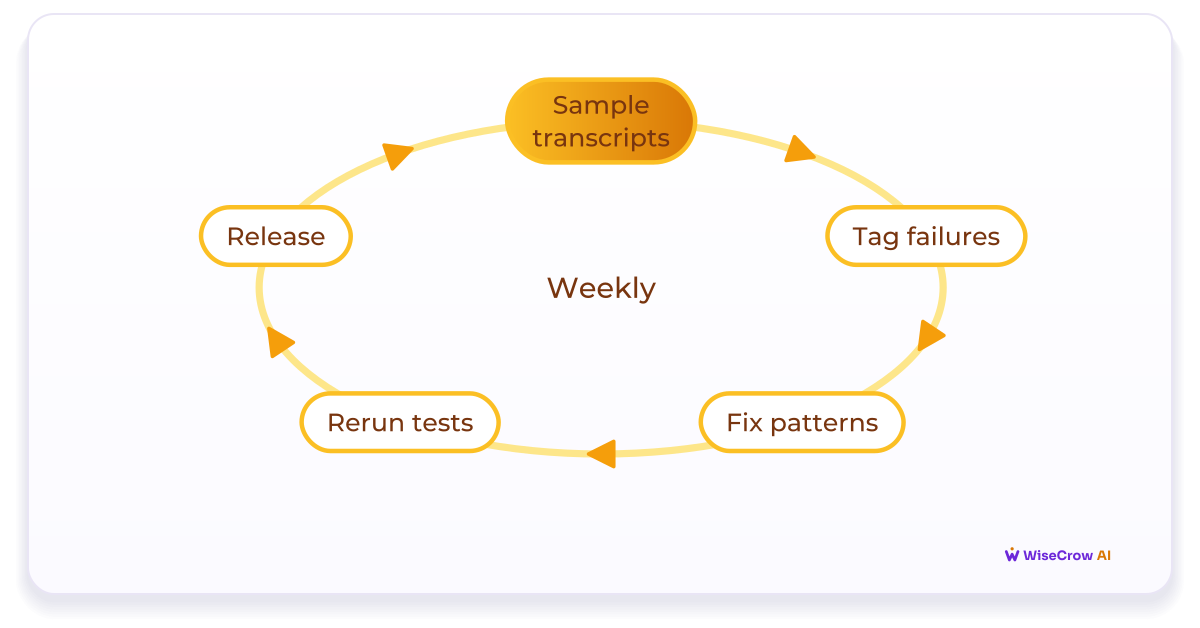
Test scripts written by your own team are too tidy. Real customers make typos, ask two things in one message, paste screenshots, switch topics and get angry. Pull a few hundred real messages from chat logs, support emails or call notes, remove personal data and replay them through the bot before anyone outside your company sees it.
Tag every wrong answer, dead end and off-tone reply, fix the patterns and keep the failures as a regression set. Rerun that set after every prompt, model or content change, because a fix in one flow often breaks another. I plan the test phase into every conversational AI implementation and follow it with a soft launch to a small share of traffic. Skipping it saves a week and costs a month of cleanup.
Track Resolution as Your Main Metric
Containment rate counts conversations that never reached a person. A customer who gives up and calls your phone line counts as contained. Track these as well:
- Resolution rate, confirmed by the customer or by no repeat contact within a few days
- Fallback rate per intent, so you see which topics the bot can’t handle
- Handover reasons, tagged by the agent who picks up the chat
- Customer satisfaction right after the conversation
Read a sample of transcripts every week next to the numbers, because metrics tell you where to look and transcripts tell you why. Resolution data is also what you need to put a credible figure on the return on conversational AI. In my client work, the first month of honest measuring usually shows a lower success rate than the vendor dashboard did, and that lower number is the one worth improving.
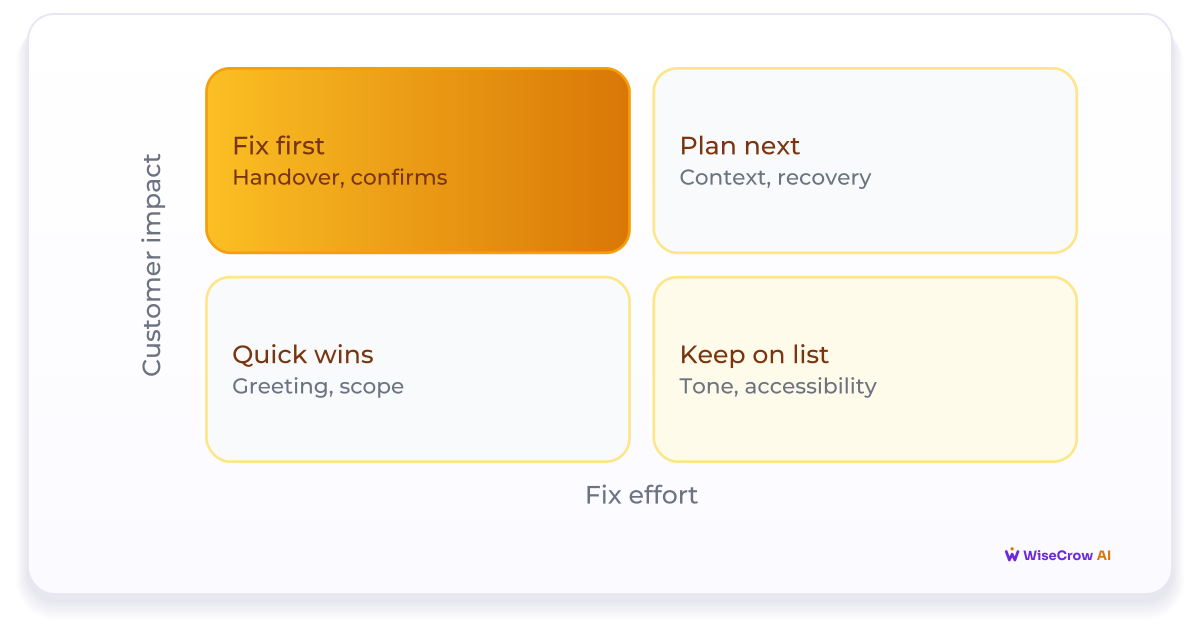
How to Choose Which Practices to Fix First
You won’t fix all ten in one sprint, and you don’t need to. If your bot is live, read 50 recent transcripts and tag where each one went wrong. The pattern usually points to one or two practices:
- Customers ask for a person and can’t get one: fix the handover first (practice 6).
- Lots of “I didn’t understand” replies: tighten the greeting and error recovery (practices 1 and 4).
- Complaints about changes nobody approved: add confirmations (practice 3).
- Customers repeat their details: work on context (practice 7).
- Not live yet: set up transcript testing and measuring before launch (practices 9 and 10).
One trade-off I push back on: teams often move tone and accessibility to “phase two.” Tone can wait a few weeks. Accessibility shouldn’t, because retrofitting a chat widget and its flows costs far more than building them right the first time.
Questions About Conversational AI Best Practices
What Are the Most Important Conversational AI Best Practices?
If I had to pick three, I’d pick a clear greeting that sets the scope, an easy route to a human and testing with real transcripts. Those three prevent most of the failures I see in live bots. The other practices make a good bot better, but they won’t save one that traps people or promises things it can’t do.
How Long Should Chatbot Messages Be?
Keep most messages to one to three short sentences, and put one question at the end. On mobile, anything longer than a few lines pushes the question off screen. When you need to share more, such as steps or policy details, split it into two messages or link to the full article.
Should a Chatbot Say It’s an AI?
Yes. I always have the bot say it’s automated in the first message. People are more forgiving of a bot that’s honest about being a bot, and some states and countries have disclosure rules for automated chat. Check the current rules for every market you serve before launch.
When Should a Bot Hand Over to a Human?
Hand over when the customer asks for a person, after two or three failed attempts, when the topic is sensitive (complaints, health, legal or account security) or when the bot would need to make an exception to policy. Pass the full transcript along, so nobody has to repeat their story.
How Do I Test a Conversational AI Before Launch?
Pull a few hundred real customer messages from chat logs, emails or call notes, remove personal data and replay them through the bot. Tag every wrong answer, dead end and bad tone, fix the patterns and keep the failures as a regression set you rerun after every change. Then launch to a small share of traffic first.
What Metrics Show a Chatbot Is Working?
Track resolution rate, fallback rate, handover reasons, repeat contacts within a few days and customer satisfaction after the chat. Containment rate is fine as a secondary number, but on its own it counts customers who gave up as successes. Read a sample of transcripts every week alongside the numbers.
Do These Practices Apply to Voice Bots Too?
They do, with a few extra rules. Voice has no scrollback, so keep prompts shorter, list no more than three options at once, let callers interrupt and repeat options on request. Confirmations matter even more on the phone, because speech recognition mishears names, numbers and dates.
Sources
- Gartner survey on customer attitudes to AI in customer service (July 2024): gartner.com
- Web Content Accessibility Guidelines (WCAG) 2.2: w3.org
General information only: this is not legal, financial or tax advice. Examples and numbers reflect typical projects; check the specifics with your advisers before deciding.
Did you find this helpful?
Thank you for your feedback.
Marlena leads the WiseCrow editorial team and works with our consultants to turn real client projects into practical guides on AI strategy, automation and governance. Before joining WiseCrow, she spent 12 years in B2B operations and SaaS content. She has since edited more than 400 articles on AI and automation and reviewed workflows from over 60 client projects. She is based in Austin, Texas.