Summary
- Microsoft Copilot Studio and Google Conversational Agents cover the widest range of chat and voice projects.
- Kore.ai and Yellow.ai are built for large contact centers that need voice, many languages and live-agent handoff.
- Fin is the quickest way to automate support answers if you already run a helpdesk.
- Botpress and Voiceflow suit teams that want to design custom assistants with more control over the build.
The Best Conversational AI Platforms at a Glance
| Platform | Type | Best for |
|---|---|---|
| 1. Microsoft Copilot Studio | Low-code agent builder | Customer and staff assistants on Microsoft 365 |
| 2. Google Conversational Agents | Cloud chat and voice agent service | Voice bots and multilingual chat at scale |
| 3. Kore.ai | Enterprise conversational AI suite | Large service teams across many channels |
| 4. Yellow.ai | Contact center AI agents | Multilingual voice and chat automation |
| 5. Fin by Intercom | AI customer service agent | Fast support automation on an existing helpdesk |
| 6. Amazon Lex | AWS chat and voice bot service | Developers on AWS and Amazon Connect |
| 7. Rasa | Self-hostable agent platform | Regulated firms that need strict data control |
| 8. Botpress | AI agent builder | Custom bots on a small or mid-sized budget |
| 9. Voiceflow | Collaborative agent design platform | Product teams and agencies that design and test bots |
The 9 Best Conversational AI Platforms, Ranked
I ranked these platforms by how much of a real chat and voice program each one can carry on its own, from full suites with voice, channels and governance down to builders that need more pieces around them. The platform is half the job. In the conversational AI consulting projects I see, bots fail far more often from weak conversation design and missing integrations than from a poor vendor pick.
Microsoft Copilot Studio
The Broadest Fit for Teams That Want One Builder for Customer and Employee Assistants
Copilot Studio lets you build chat agents that answer from your files and sites, call business systems and run in Teams, Microsoft 365 or on your website.
I put Copilot Studio first because it covers both sides of the house. The same tool builds an HR helper inside Teams and a customer-facing agent on your website. You can start from a plain-language description, add topics for the questions that need a fixed path and let generative answers handle the rest from SharePoint, uploaded files or public pages.
The part I lean on most in client work is the connector library. An agent can look up an order in Dynamics, open a ticket in ServiceNow or trigger a Power Automate flow, all inside the security rules your admins already manage. For heavy phone traffic, I still prefer the voice specialists further down this list. Budgeting is the weak spot. Credits get used at different rates for different actions, so run a pilot and watch the meter before you commit to a rollout.
What Microsoft Copilot Studio Does Well
- One tool for internal and customer-facing agents
- Huge connector library for actions in other systems
- Admins manage it with the controls they already know
What Microsoft Copilot Studio Could Do Better
- Credit use is hard to predict before a pilot
- Voice and non-Microsoft channels take extra work
Microsoft Copilot Studio Pricing
Microsoft sells Copilot Studio in credit packs at $200 per month for 25,000 Copilot Credits. You can also pay as you go through a linked Azure subscription, or prepay for a discount. Users with the Microsoft 365 Copilot add-on at $30 per user per month, paid yearly, can build internal agents at no extra cost, but publishing to external channels needs a standalone Copilot Studio license.
Microsoft Copilot Studio Reviews
- G2: score of 4.4 out of 5 (from +150 customer reviews)
- Capterra: score of 4.4 out of 5 (from 7 customer reviews)
Google Conversational Agents
The Strongest Cloud Service for Voice Bots and Multilingual Chat at Scale
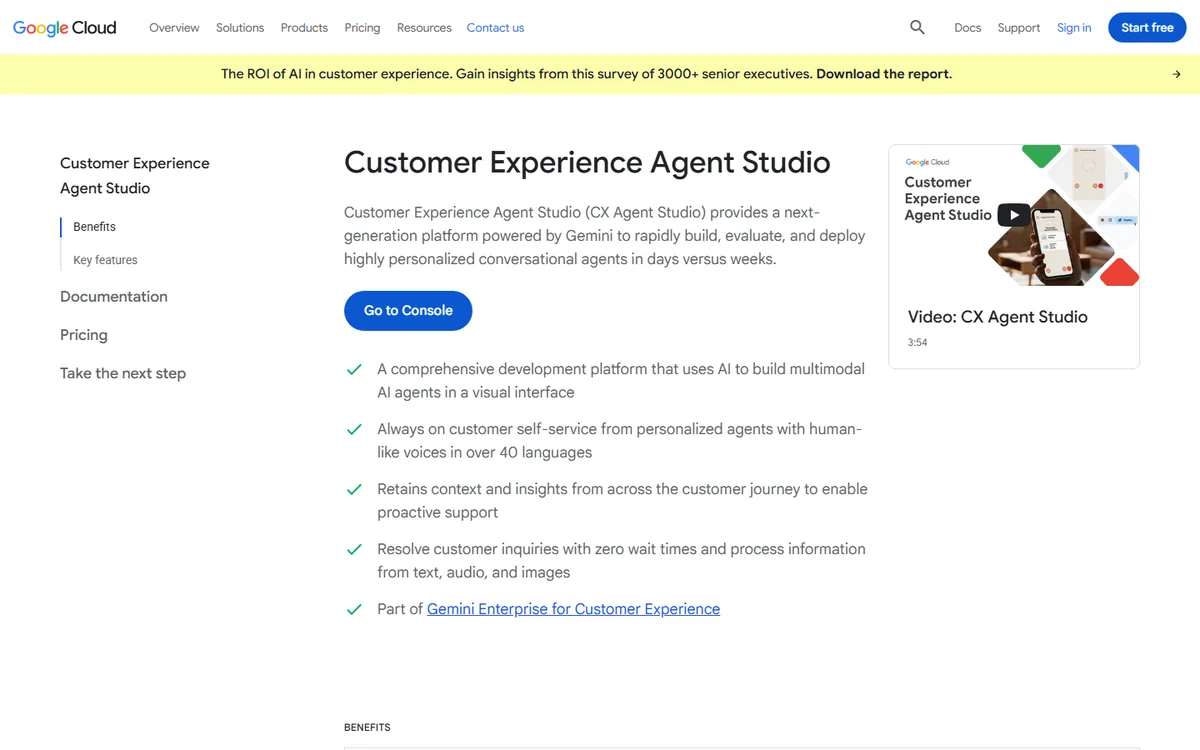
Google Conversational Agents, the product formerly known as Dialogflow CX, combines visual flows with generative playbooks for chat and phone assistants.
If your project is mostly about the phone line, Google is where I usually start. Its speech recognition copes well with accents, noisy lines and callers who talk over the bot, and it supports a long list of languages. You build in a visual console where flows hold the strict steps, such as verifying a caller or taking a payment, and playbooks let a Gemini model handle open questions in plain language.
Mixing those two modes is the real strength. You keep tight control over the paths that must be exact and still give callers a natural conversation everywhere else. I explain how I split intents, flows and channels in my conversational AI framework, and the console maps onto that split well. The downside is the learning curve. Reviewers on G2 often mention it, and in my experience you want a developer on hand for webhooks, testing and version control.
What Google Conversational Agents Does Well
- Speech handling is excellent on real phone calls
- Flows and generative playbooks work side by side
- Pay-per-use pricing with no seat fees
What Google Conversational Agents Could Do Better
- Steep learning curve for non-technical builders
- Usage costs climb fast on long voice calls
Google Conversational Agents Pricing
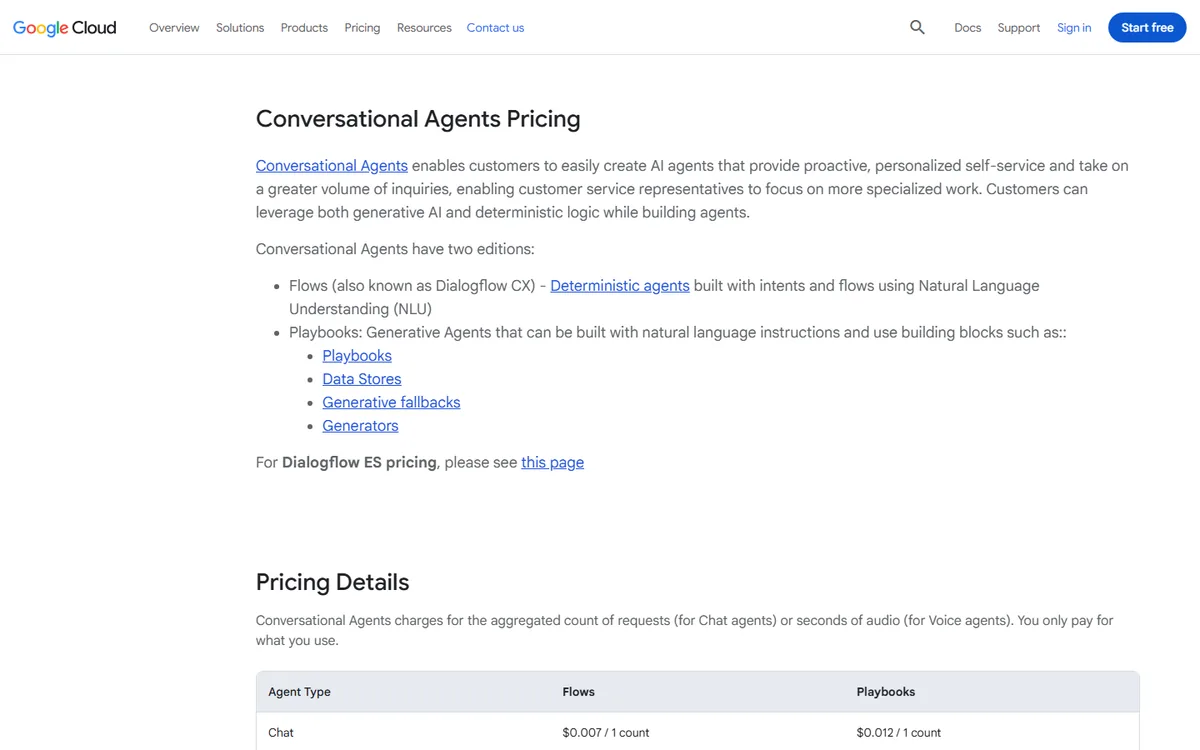
Google charges by usage. Flows cost $0.007 per text request and $0.001 per second of audio. Generative playbooks cost $0.012 per text request and $0.002 per second of audio. New Google Cloud customers get trial credit, and there are no per-seat fees.
Google Conversational Agents Reviews
- G2: 4.4 out of 5 star rating for Google Cloud Dialogflow (from +130 customer reviews)
- Capterra: 4.4 out of 5 star rating for Dialogflow (from 28 customer reviews)
Kore.ai
A Complete Enterprise Suite for Service Teams That Run Chat and Voice in Many Channels
Kore.ai bundles AI agents, a contact center layer, search over your knowledge and agent assist tools for large customer service and IT help desk teams.
Kore.ai is the platform I suggest when a company wants one vendor for most of its conversational work. You get a builder for chat and voice agents, ready-made templates for banking, healthcare, retail and HR, search across your knowledge bases and tools that coach live agents during calls. It connects to dozens of channels, from web chat and WhatsApp to IVR.
On G2 it holds one of the higher scores in the category from a large pool of reviews, and users often praise how quickly they can configure bots. The common complaints match what I’ve seen in projects: the platform is big, the documentation lags behind new features and you need trained people to run it. Kore.ai fits companies with real volume and a team to own the bot. For a single FAQ widget it is far more than you need.
What Kore.ai Does Well
- Covers chat, voice, search and agent assist in one suite
- Industry templates shorten the first build
- Strong channel coverage, including phone
What Kore.ai Could Do Better
- Documentation trails behind new releases
- No public price list, so budgeting starts with sales
Kore.ai Pricing
Kore.ai doesn’t publish prices on its website. You request a quote from sales, and the price depends on the products you choose, your channels and your conversation volume.
Kore.ai Reviews
- G2: score of 4.6 out of 5 (from +470 customer reviews)
- Capterra: score of 4.4 out of 5 (from 17 customer reviews)
Yellow.ai
Built for Contact Centers That Need Voice Agents in Many Languages
Yellow.ai’s Nexus platform builds AI agents for phone, chat and email that resolve customer requests, plug into your helpdesk or contact center and hand off to live agents.
Yellow.ai is the pick I reach for when a contact center serves customers in a lot of languages. Its voice product, Nexus VOX, answers and acts on calls in more than 500 languages, according to the company, and the same agents run across chat, messaging apps and email. Around 150 prebuilt integrations cover the systems I see most in support teams, including Salesforce, Zendesk, Genesys and NICE, so the agent can sit next to the contact center you already run.
It also lets you switch between more than 15 language models, which keeps you from betting the whole program on one model vendor. My complaints are practical ones. The console gets busy once a project has dozens of flows, and the dashboards take some setup before they show the numbers a support lead cares about. Complex voice projects still need experienced builders, and the conversational AI implementation work around it takes longer than the demo suggests.
What Yellow.ai Does Well
- Voice and chat agents with very wide language coverage
- Prebuilt links to Genesys, NICE, Salesforce and Zendesk
- Free plan to test a real agent before talking to sales
What Yellow.ai Could Do Better
- The console gets crowded once you add many flows
- Enterprise pricing is only available through sales
Yellow.ai Pricing
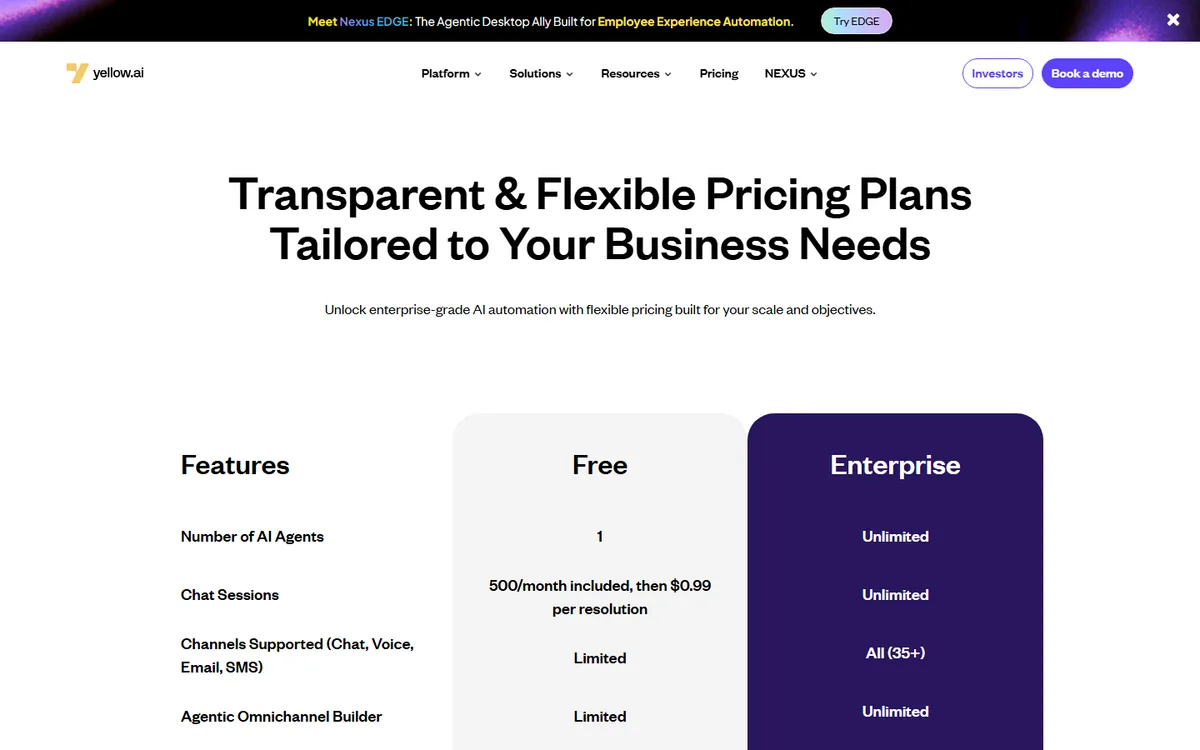
Yellow.ai lists two plans. The Free plan includes one AI agent and 500 chat sessions per month, then $0.99 per resolution, with limited channels and voice features. Enterprise is priced through sales and adds unlimited agents and sessions, all 35+ channels, 150+ integrations and SOC 2, GDPR and ISO compliance controls.
Yellow.ai Reviews
- G2: score of 4.4 out of 5 (from +100 customer reviews)
- Capterra: score of 4.5 out of 5 (from 37 customer reviews)
Fin by Intercom
The Fastest Route to Automated Support Answers If You Already Run a Helpdesk
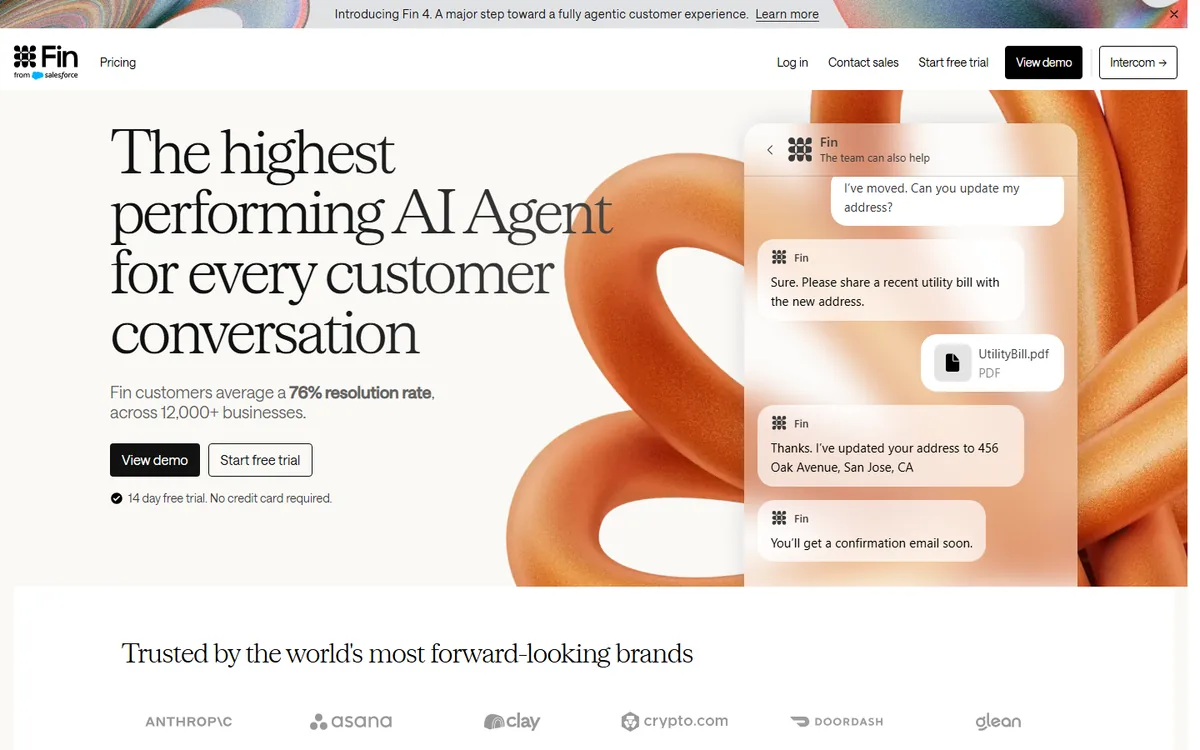
Fin is an AI customer service agent that answers from your help content, follows your procedures and works inside Intercom or on top of other helpdesks.
Fin takes a different approach from the builders above. You don’t design dialogs. You point it at your help center, past conversations and policies, write a few procedures for tasks like refunds, and it starts answering customers in chat, email and other channels. It can run inside Intercom or sit on top of Salesforce, HubSpot and other helpdesks.
For support teams I like how fast it shows results and how clear the pricing logic is, since you pay for outcomes. The flip side is that Fin is only as good as your help content. If your articles are outdated, it repeats outdated answers with confidence, so I always start with a content cleanup, one of the habits in my conversational AI best practices. Fin is also built for support. If you want an internal HR assistant or a complex voice flow, look elsewhere on this list.
What Fin by Intercom Does Well
- Live in days with the help content you already have
- Works on top of other helpdesks, too
- Outcome-based pricing ties cost to results
What Fin by Intercom Could Do Better
- Weak help content leads to weak answers
- Focused on support, with little use outside it
Fin by Intercom Pricing
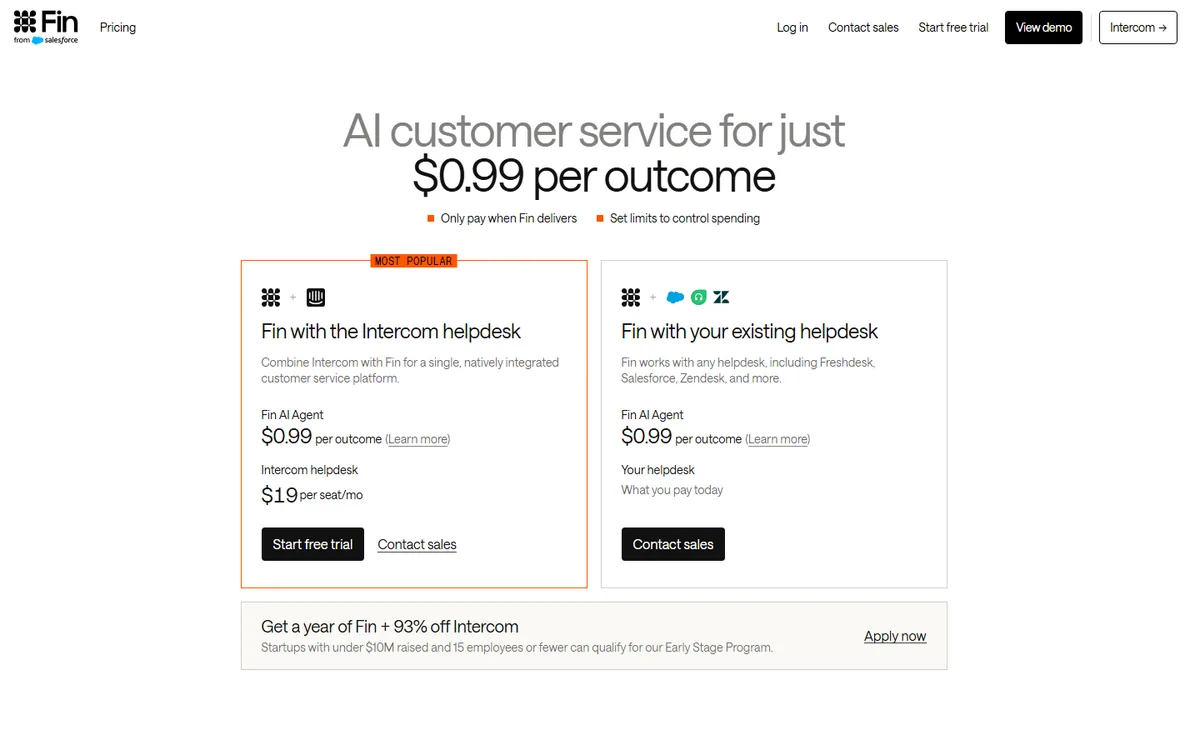
Fin costs $0.99 per outcome, such as a resolved conversation. With your current helpdesk there’s a 50-outcome monthly minimum. With Intercom, you add $19 per helpdesk seat per month. Fin offers a 14-day free trial, and Fin Voice has custom pricing through sales.
Fin by Intercom Reviews
- G2: score of 4.5 out of 5 (from +3,800 customer reviews)
- Capterra: 4.5 out of 5 star rating for Intercom (from +1,100 customer reviews)
Amazon Lex
A Low-Cost Building Block for Developers Who Already Run on AWS
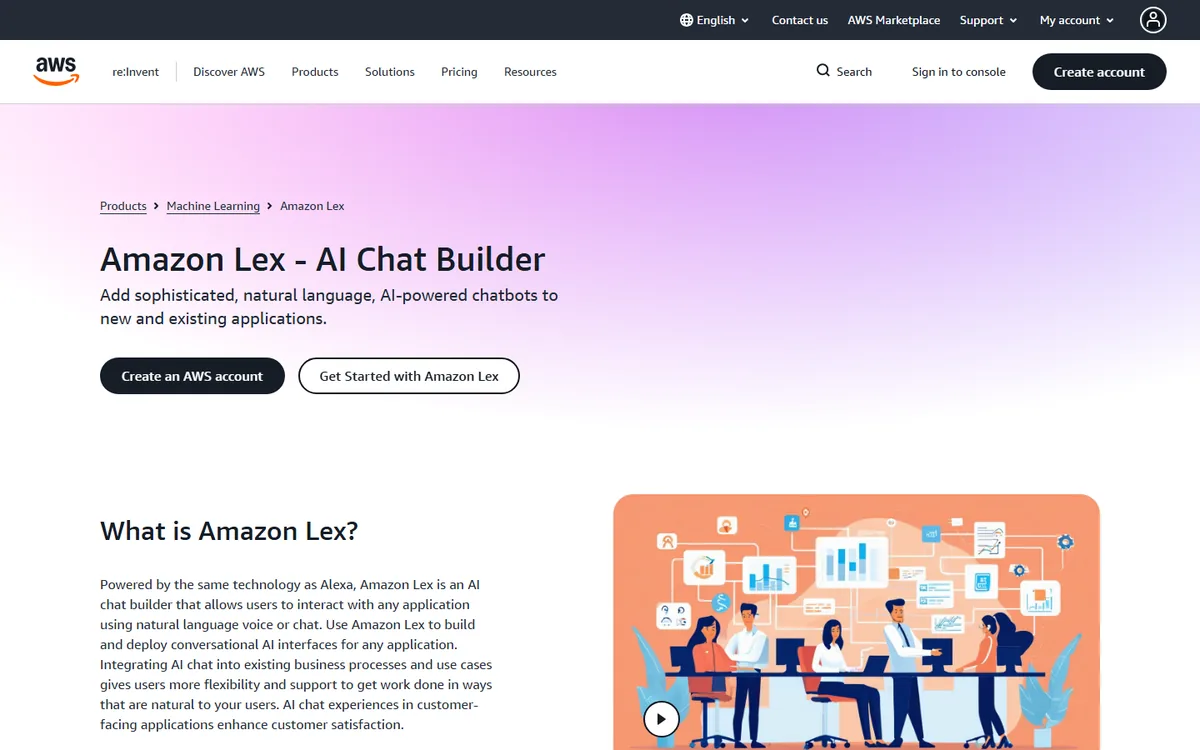
Amazon Lex is the AWS service for chat and voice bots, with speech recognition, intent handling and a tight link to the Amazon Connect contact center.
Lex is a developer’s tool. You define intents and slots, write the business logic in Lambda functions and connect the bot to Amazon Connect for phone calls or to your own app for chat. Generative features let you describe a bot in plain language to get a first draft and answer questions from your documents through Amazon Bedrock.
I recommend Lex when your data and your contact center already live on AWS. Per-request pricing is low, and security reviews go faster when nothing leaves your existing cloud account. Expect to build more yourself, though. The console is basic next to the suites higher on this list, analytics need extra AWS services and reviewers on G2 mention a learning curve if you’re new to AWS. If you’re still deciding between a chat bot and a phone bot, my guide to chatbots and voice bots helps you settle that first.
What Amazon Lex Does Well
- Very low cost per request
- Works out of the box with Amazon Connect
- Data stays inside your own AWS account
What Amazon Lex Could Do Better
- Needs developers for most of the logic
- Basic analytics without extra AWS services
Amazon Lex Pricing
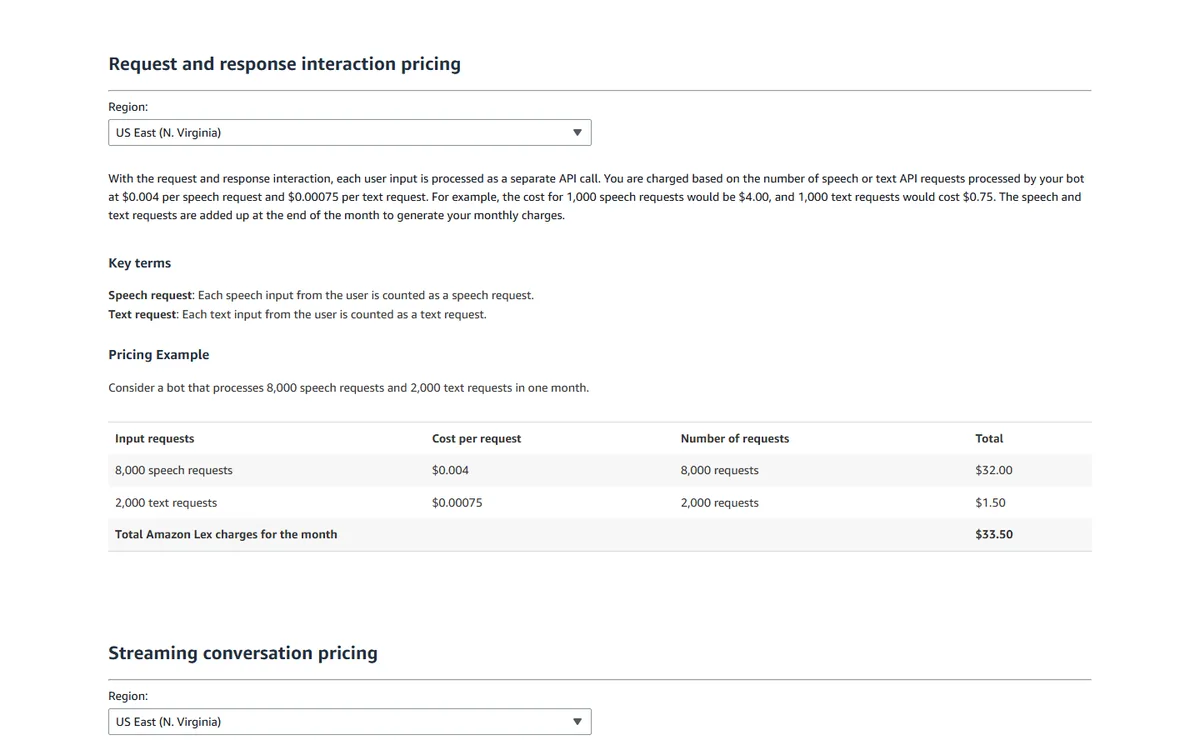
Amazon Lex has no plans or seats. A text request costs $0.00075 and a speech request costs $0.004. New AWS customers can apply AWS Free Tier credits to Lex, and generative features are billed separately through Amazon Bedrock.
Amazon Lex Reviews
- G2: score of 4.2 out of 5 (from 38 customer reviews)
Rasa
A Safe Choice for Regulated Companies That Need Control Over Where Data Runs
Rasa is a conversational AI platform for chat and voice agents that you can run on your own servers or private cloud, with structured flows keeping the language model in check.
Rasa is the platform I bring up when a bank, insurer or hospital tells me the assistant can’t send customer data to someone else’s cloud. You can deploy it self-managed, on premises or in a private cloud, or let Rasa run it as a managed service. You also choose the language model, so the security review covers the setup you picked instead of a vendor’s default. Its CALM approach lets the model handle the conversation while fixed flows and business logic control the steps that must be exact, which is the same split I recommend for payments and identity checks.
That control comes with work. Rasa started as an open-source framework for developers, and it still feels that way next to the suites above, even with the Studio workspace that lets business users review and edit flows. Plan on engineers for deployment, integrations and model hosting. Public reviews are thin, with a small pool on both G2 and Capterra, and one G2 reviewer calls it a first-class engine rather than a full platform. I agree. Rasa fits best when compliance is the deciding factor and you have a technical team to own it.
What Rasa Does Well
- Runs on your own servers or private cloud
- Free Developer Edition for testing in production
- Fixed flows keep the language model on track
What Rasa Could Do Better
- Needs developers for deployment and integrations
- Few public reviews to compare against rivals
Rasa Pricing
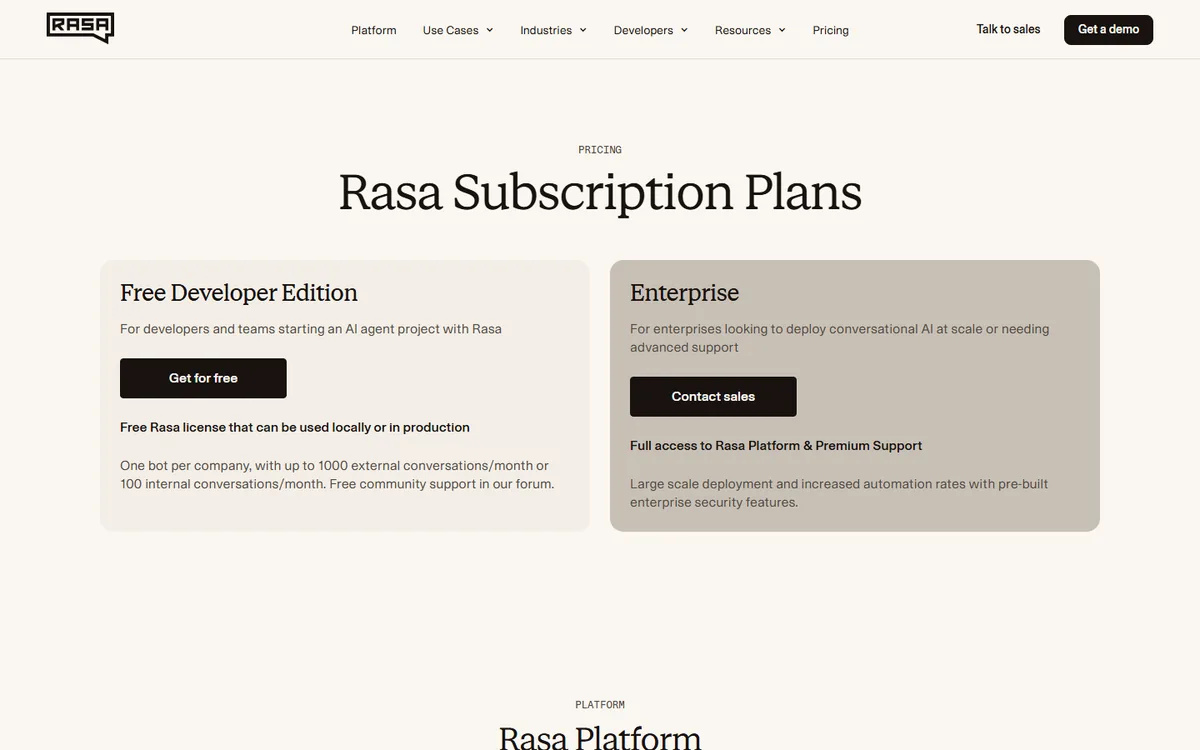
Rasa doesn’t list dollar prices. The free Developer Edition can run locally or in production for one bot per company, with up to 1,000 external or 100 internal conversations per month and community support. Enterprise adds full platform access and premium support, with self-managed or managed deployment, and is priced through sales.
Rasa Reviews
- G2: score of 4.0 out of 5 (from 11 customer reviews)
- Capterra: 4.7 out of 5 star rating for Rasa Platform (from 6 customer reviews)
Botpress
The Best Value for Custom AI Agents When You Don’t Have an Enterprise Budget
Botpress is a visual builder for LLM-powered agents with a free plan, a large integration hub and room for custom code when you need it.
Botpress is where I send teams that want a custom assistant but can’t justify an enterprise contract. You build on a visual canvas, give the agent knowledge from files and websites and connect it to channels like web chat, WhatsApp, Messenger and Slack. When the no-code blocks run out, you can drop into code at any step.
It’s more flexible than a support-only tool like Fin, and much cheaper to start with than the suites above. You pay for AI usage on top of the plan, so long or chatty conversations cost more. G2 reviewers praise the ease of use but also flag a learning curve once flows get complex, which matches my experience. Botpress is chat-first. For serious phone automation, the voice specialists higher on this list are the safer bet.
What Botpress Does Well
- Free plan for testing an idea with real users
- Code is available when visual blocks fall short
- Many ready-made channel integrations
What Botpress Could Do Better
- AI usage costs sit on top of the plan price
- Voice support trails the contact center platforms
Botpress Pricing
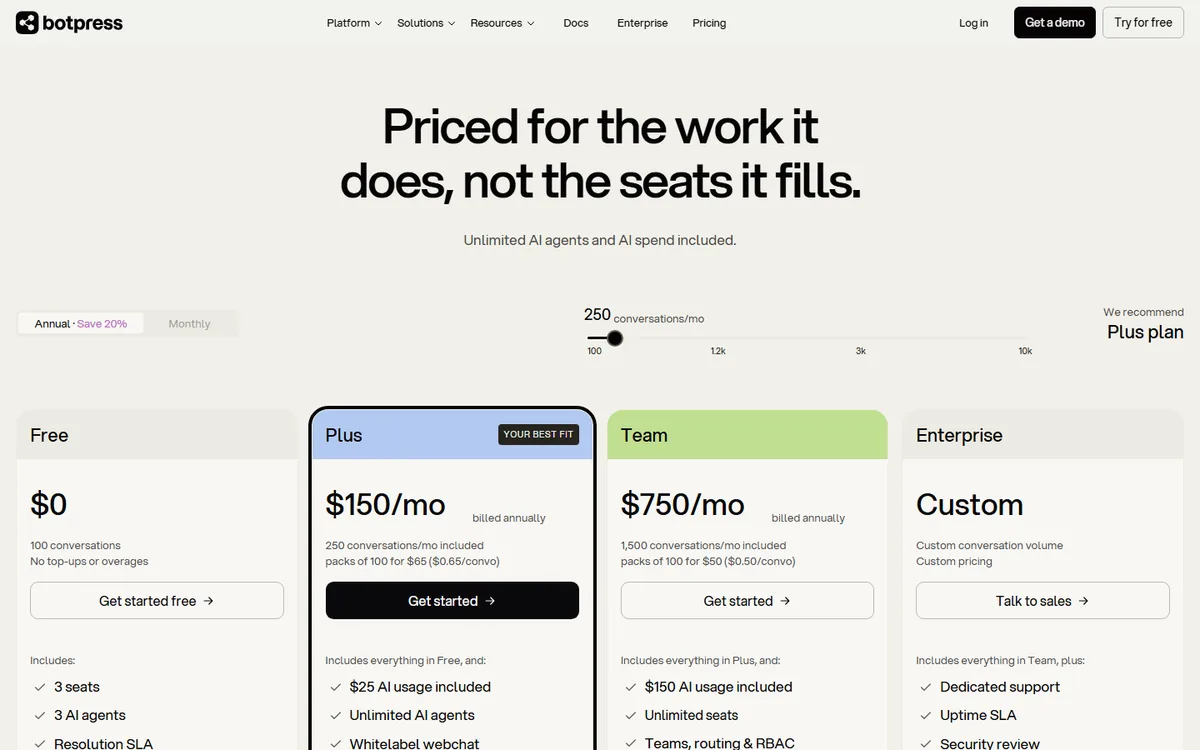
Botpress has a free plan with 100 conversations per month and up to three agents. Plus costs $150 per month billed yearly, with 250 conversations and $25 of AI spend. Team costs $750 per month billed yearly, with 1,500 conversations and $150 of AI spend. Enterprise is priced on request, and extra conversations come in packs of 100.
Botpress Reviews
- G2: score of 4.5 out of 5 (from +490 customer reviews)
- Capterra: score of 4.5 out of 5 (from 37 customer reviews)
Voiceflow
A Design-First Workspace for Teams That Prototype, Test and Ship Agents Together
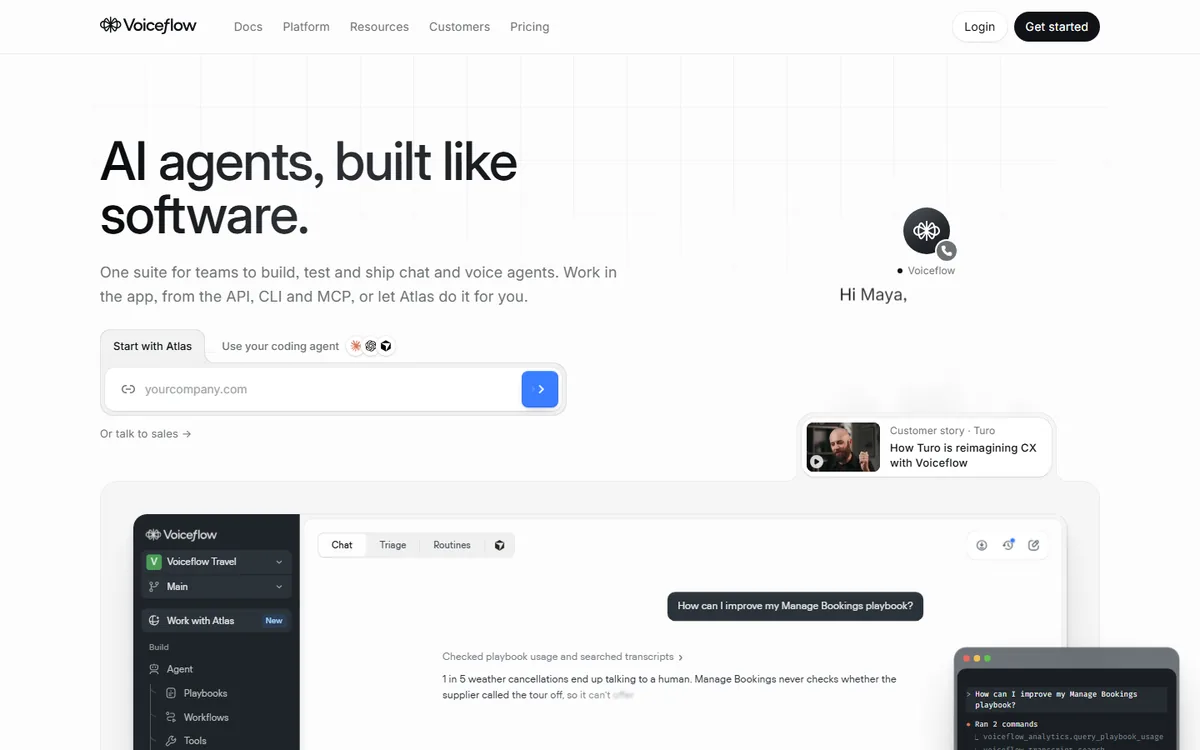
Voiceflow is a shared canvas where designers, developers and support leads build, test and deploy chat and voice agents, with access to the major model providers.
Voiceflow started as a design tool for voice apps, and collaboration is still its strength. Designers map the conversation, support leads write the content and developers wire up APIs on the same canvas. You can test an agent with real users before it goes live and see transcripts that show where people get stuck.
I like Voiceflow for teams that treat their assistant like a product, with regular releases and a backlog of improvements. Agencies use it heavily, since one workspace can manage several client builds. It ranks last here because the business offer is now sales-led and some reviewers on G2 report confusion about credit billing. It also leaves more of the contact center plumbing to you, so voice projects need a telephony partner.
What Voiceflow Does Well
- Designers and developers work on one canvas
- Built-in testing with transcripts before launch
- Choice of major model providers
What Voiceflow Could Do Better
- No public prices for business plans
- Credit-based billing confuses some users
Voiceflow Pricing
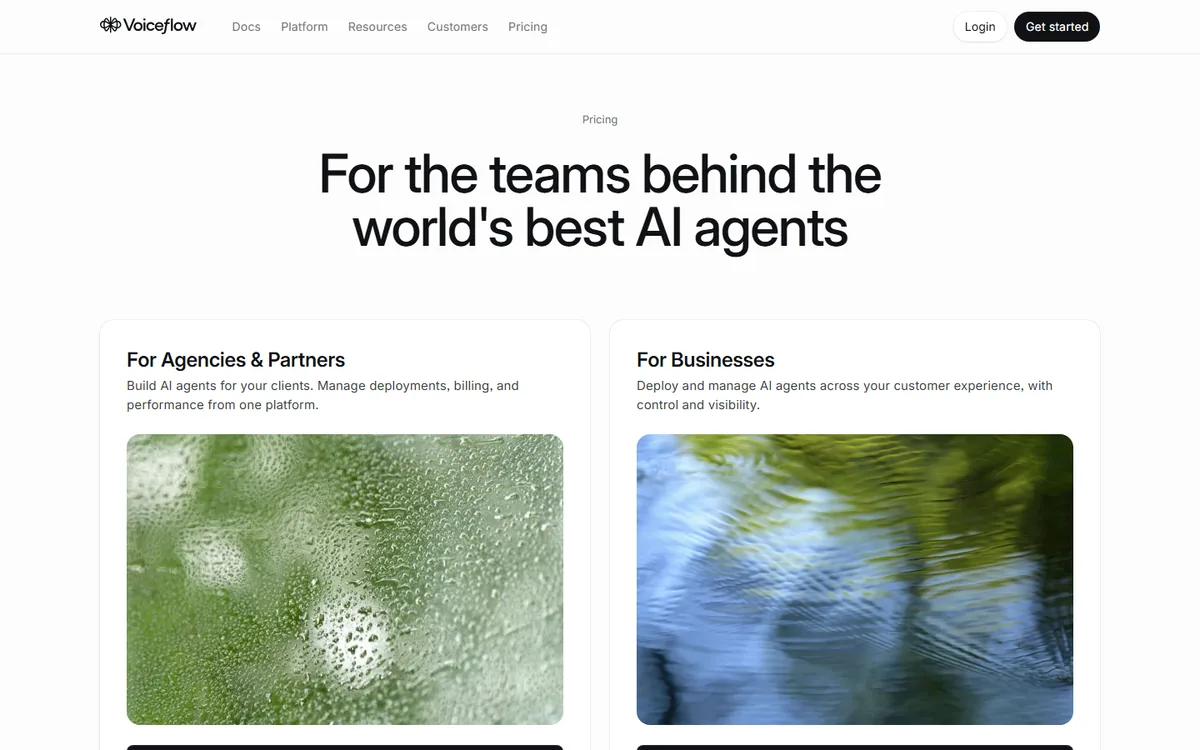
Voiceflow’s pricing page lists two offers and no dollar figures. Agencies and partners get a free trial without a credit card, then usage-based billing with optional auto top-ups. Businesses request pricing from sales, with self-serve or fully managed implementation support.
Voiceflow Reviews
- G2: score of 4.6 out of 5 (from +100 customer reviews)
See What a Conversational AI Platform Could Return
License fees are only one side of the math. Enter the hours your team spends answering repeat questions and the monthly cost of the platform you’re weighing, and you’ll see a rough yearly return. For a deeper look at support savings, my breakdown of conversational AI ROI walks through the full cost model.
Will It Pay for Itself?
Move the sliders to match the work you want to automate and the plan you are considering.
How to Choose the Right Conversational AI Platform
I’ve watched teams spend weeks comparing features and then pick a platform that doesn’t fit their phone system. Start with these four questions:
- Which channels matter most: web chat, messaging apps, the phone line or internal tools like Teams?
- Which systems must the assistant read from or write to, such as your CRM, order system or HR platform?
- How strict are your data and compliance rules, and where does the data need to live?
- Who will build and maintain the assistant after launch: support staff, IT or developers?
If you run on Microsoft 365, test Copilot Studio first. For high-volume phone traffic, compare Google Conversational Agents, Yellow.ai and Kore.ai, and add Amazon Lex if you use Amazon Connect. If you want to automate support answers fast, Fin is the shortest path. Regulated firms that need to self-host should put Rasa on the list. If you want a custom assistant on a modest budget, choose Botpress, and if several people design the bot together, look at Voiceflow. Whatever you pick, run a pilot on your ten most common requests with real transcripts before you sign a long contract.
Questions About Conversational AI Platforms
What Is a Conversational AI Platform?
It’s software for building assistants that talk with people in chat or by voice. You design what the assistant knows and can do, connect it to your systems and publish it to channels like your website, WhatsApp, Teams or the phone line. Most platforms now mix scripted flows with large language models, plus a handoff to a human agent when the bot gets stuck.
Which Conversational AI Platform Is Best for a Small Business?
I’d start with Botpress or Fin. Botpress has a free plan and lets you build a custom assistant without a big budget. Fin is the faster route if your support already runs through a helpdesk, because you pay per outcome and it learns from the help articles you already have.
Which Platform Is Best for Voice Bots in a Contact Center?
For phone automation I shortlist Google Conversational Agents, Yellow.ai and Kore.ai. All three handle speech, interruptions and transfers to live agents well. Amazon Lex is the pick if your contact center already runs on Amazon Connect, since the two work together out of the box.
How Much Does a Conversational AI Platform Cost?
It ranges widely. Cloud services like Amazon Lex and Google charge fractions of a cent per request, Botpress has paid plans from $150 a month billed yearly, and enterprise platforms like Kore.ai and Rasa quote custom prices. Budget for the build, integrations and ongoing tuning too. In my client work those often cost more than the license in year one.
Do I Still Need Intents and Flows Now That LLMs Exist?
For most business bots, yes, at least for the steps that move money or data. I let the language model handle open questions and small talk, and I keep payments, identity checks and bookings in fixed flows. That mix keeps the bot friendly without letting it improvise on things that must be exact.
Can I Build One Assistant for Both Customers and Employees?
You can, but I rarely recommend it. Customers and staff need different knowledge, different permissions and different tone. Most platforms on this list let you run several agents on one account, so you can share integrations and still keep internal data away from public channels.
How Long Does It Take to Launch a Conversational AI Assistant?
A simple FAQ bot on a tool like Fin or Botpress can go live in days. A voice bot that verifies callers, reads from your CRM and hands off to agents usually takes a few months, because integrations, testing with real calls and approval from security take time. Start with one channel and a handful of high-volume requests, then grow from there.
Note: Prices, plans and ratings change frequently. They were checked when this article was last updated, so confirm them on each vendor’s site and on G2 or Capterra before you buy. This is not legal or financial advice.
Did you find this helpful?
Thank you for your feedback.
Marlena leads the WiseCrow editorial team and works with our consultants to turn real client projects into practical guides on AI strategy, automation and governance. Before joining WiseCrow, she spent 12 years in B2B operations and SaaS content. She has since edited more than 400 articles on AI and automation and reviewed workflows from over 60 client projects. She is based in Austin, Texas.