Summary
- Start discovery with real transcripts, and save the messages you read as the seed of your test set.
- Gate the launch with written go/no-go criteria, including zero critical failures and a tested kill switch.
- Soft-launch to a small share of traffic and raise it only after the numbers hold for a full week.
- Plan the first 60 days as part of the project, with a fixed release rhythm and a review against your baseline.
The launch week of a support assistant tells you very little. The week after does. I’ve watched assistants that demoed beautifully fall over on day three, because nobody had tested what happens when the order system times out or a customer pastes in two questions at once. Every conversational AI consulting project I run spends more time on testing and launch gates than the client expects, and that time is what keeps day three quiet.
Below is the plan I use for support and sales assistants, from the first transcript to the day-60 review. You’ll get the nine phases on one table, a test plan and the go/no-go criteria I hold every launch to.
Nine Phases From Build to Go-Live
| Phase | What happens | Done when |
|---|---|---|
| 1. Discovery From Real Transcripts | Read and tag a few hundred real conversations | Release-one scope and a first test set |
| 2. Knowledge Base Prep | Clean, split and assign owners to every source | Retrieval check passes on real questions |
| 3. Flow and Prompt Design | Write the system prompt and the fixed flows | Versioned prompt and signed-off flows |
| 4. Integrations | Connect CRM, ticketing and order systems | Every action works in a sandbox |
| 5. Handover Setup | Build queues, routing and the agent summary | Agents receive full context in tests |
| 6. Testing | Golden set, red teaming, load and agent trials | Go/no-go review passed |
| 7. Soft Launch | Serve a small share of real traffic | Metrics hold for a full week |
| 8. Go-Live | Open to all traffic with a watch team | Stable first week, no critical failures |
| 9. The First 60 Days | Fix failures on a steady release rhythm | Day-60 review against the baseline |
Phases 2 to 5 can overlap once discovery is done. Integrations often take longest, so start the access requests in week one, even if the build comes later. Phases 6 to 9 run strictly in order. Skipping ahead there is how assistants end up in the news.
Phase 1: Discovery From Real Transcripts
Ticket categories lie. They’re picked by agents in a hurry, and “General inquiry” hides half your volume. So I start by reading. Export three months of chats, emails and call notes, remove personal data and read a random sample of 300 to 500 conversations.
For each one, tag three things: what the customer wanted, what it took to solve it and how they phrased it. The second tag matters most. A request that needs only information is easy. One that needs a lookup needs an integration. One that needs a judgment call stays with people for now. For a sales assistant, read pre-sales chats and the notes on lost deals too, because they show which questions come before a purchase and which ones kill it.
Keep the Messages You Read
Every message you tag goes into a spreadsheet with its expected outcome. By the end of discovery, you have the seed of your golden test set without extra work. If you still need to decide how intents, flows and channels fit together, my conversational AI framework covers that structure. Here, the job is to lock the scope of release one: usually the handful of contact reasons that make up most of your volume and need no judgment.
Phase 2: Knowledge Base Prep
Your assistant will repeat whatever your content says, with full confidence. List every source it may answer from: help articles, policy pages, product data, agent macros. Then go through them with one question in mind. Is there exactly one current answer to each question?
Most knowledge bases fail that test. In one retail project, I found three versions of the returns policy across the help center, an old PDF and a macro agents still used. The assistant picked whichever matched the wording best. Merge duplicates, delete what’s outdated and write the missing answers, often by turning your best agent macros into proper articles.
Split, Label and Assign
Long articles that cover five topics retrieve badly. Split them so each section answers one question, and add labels the assistant can filter on, such as region, plan or product line. Give every source a named owner and a review date. Then run a retrieval check: ask 50 questions from your transcripts and see if the right passage comes back. If it doesn’t, fix the content before you touch the prompt.
Phase 3: Flow and Prompt Design
Treat the system prompt like code. Keep it in one versioned file with a changelog, and give it clear sections: who the assistant is, what it handles, what it refuses, how it hands over, how it sounds. Each tool or action the assistant can call needs its own short description, because the model decides when to use it from that text alone.
Transactional requests get fixed flows. A return, a booking change or a lead qualification runs through defined steps, with the model filling in details from messy messages. For a sales assistant, write the qualification questions with your sales lead, decide which answers make a lead hot and agree what the assistant may say about pricing. Usually that’s list prices and nothing that sounds like a deal.
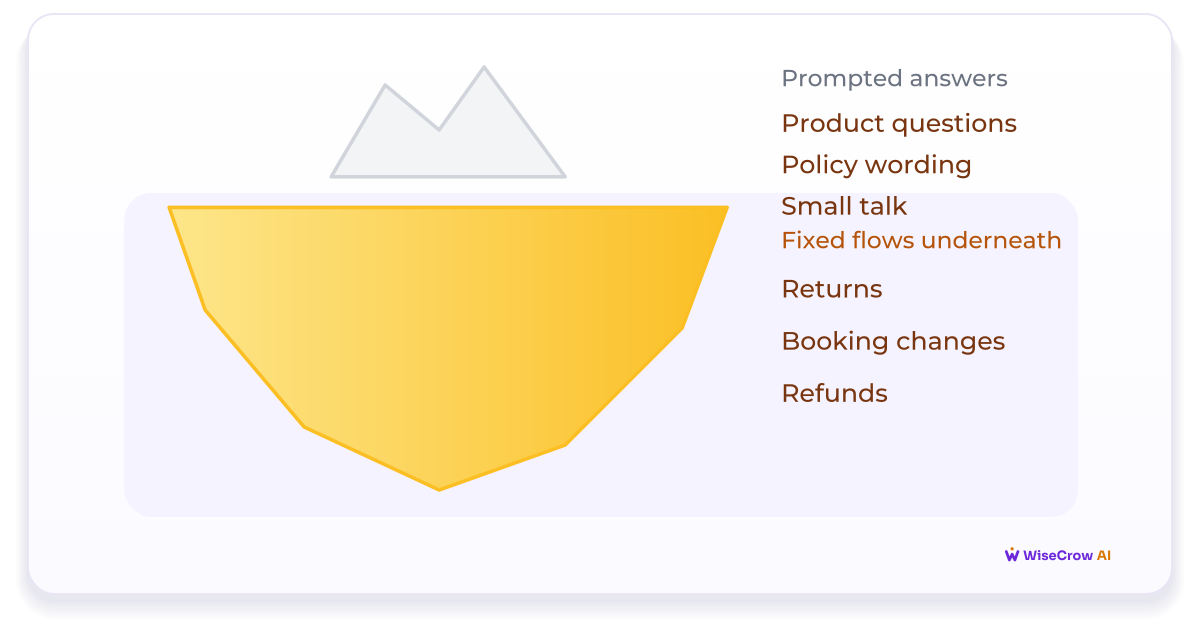
The wording itself deserves care too. My list of conversational AI best practices covers greetings, confirmations and error recovery, so I won’t repeat them here. The implementation point is simpler: every prompt or flow change after this phase goes through the test set first.
Phase 4: Integrations
The integrations decide how much your assistant can resolve. Three systems come up in almost every support and sales build:
- CRM: look up the contact, log the conversation, create or update a lead, book a meeting with the right rep.
- Ticketing: create a ticket with the transcript attached, check ticket status, add a note to an open case.
- Order systems: order status, delivery tracking, return labels, address changes before dispatch.
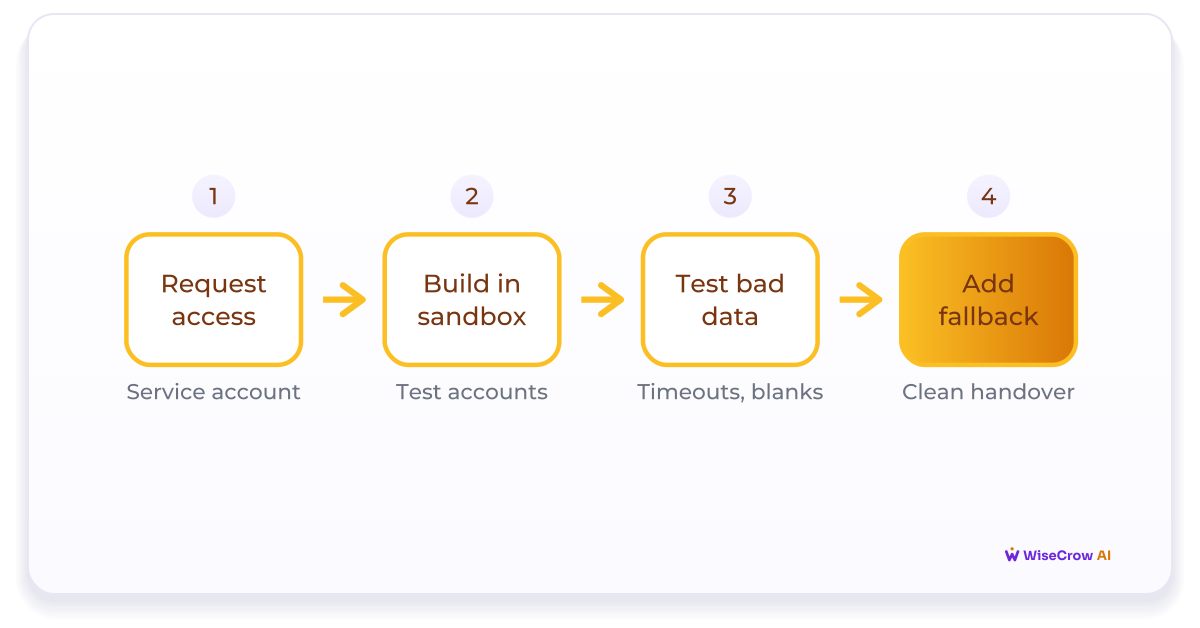
Build every action against a sandbox with test accounts first. For each one, define three outcomes: success, a clear error such as an unknown order number and a timeout. The timeout is the one teams forget. If the order system takes eight seconds to respond, the assistant needs something honest to say, and a ticket it can create so nobody is left waiting.
Ask for API access early. In my client work, getting a service account approved by IT has taken longer than building the integration more often than not. Integration depth is also where vendors differ most, which is why I weigh it heavily when I compare conversational AI platforms for a client.
Phase 5: Handover Setup
Handover is a build task with its own configuration. Set up the queues in your help desk, the routing rules by topic and language and the business hours. Then define the summary agents receive: the request the assistant detected, the details it collected, what it already tried and the customer’s last message.
For a sales assistant, handover often means a calendar. A hot lead should be able to book a call with the right rep inside the chat, with the qualification answers already in the CRM record.
Brief your agents before testing starts. Show them what a handed-over chat looks like and give them a one-click way to flag a bad bot answer. Those flags become one of your best tuning inputs after launch.
Phase 6: Testing
Testing is where I push back hardest on timelines. Each test type below catches a different kind of failure, and none of them replaces another:
| Test | What you run | Pass mark |
|---|---|---|
| Golden test set | 300 to 500 real, anonymized messages with expected outcomes | A score you set upfront, rerun on every change |
| Red teaming | Agents and staff try to break rules, scope and tone | Zero answers that promise money or break policy |
| Integration tests | Every action with valid, invalid and timed-out data | Correct result or a clean fallback each time |
| Handover tests | Each trigger, in and out of business hours | Right queue, full transcript, no repeated questions |
| Load test | Twice your busiest hour of chats at once | Reply times stay steady, no dropped sessions |
| Agent trial | Your support team uses the assistant for two days | Flagged issues fixed or consciously accepted |
The Golden Test Set
Take the messages from discovery, add the oddities you’ve seen since and write the expected outcome for each: an answer, an action or a handover. Score every run the same way, ideally with two people grading a sample so the bar doesn’t drift. Set the pass mark before the first run. Teams that pick the bar after seeing the score always pick one they just cleared.
Red Teaming
Give your support agents an afternoon to break the assistant. They’ll ask for discounts, threaten to cancel, swear, switch languages and try to make it ignore its instructions. Prompt injection tops the OWASP Top 10 for LLM applications as LLM01, so include attempts hidden in pasted text, such as an order note that tells the assistant to approve a refund.
The stakes are real. In 2024, a British Columbia tribunal ordered Air Canada to pay damages after its chatbot told a customer he could claim a bereavement fare after travel, which the airline’s policy didn’t allow. The airline argued it couldn’t be held liable for the chatbot’s information, and the tribunal disagreed, as Global News reported. Assume whatever your assistant says will be read as your company speaking.
Load and Agent Trials
Load test at twice your busiest hour, since a sale or an outage brings traffic you didn’t plan for. Then let your own team use the assistant for two days as if they were customers. They find the awkward phrasing that no test set catches.
The Go/No-Go Review Before Real Customers
Before any customer sees the assistant, hold a short review with the assistant owner, the support lead, IT and whoever signs off on legal. Go through each criterion and record the answer. A single no-go means you fix and review again.
| Criterion | Go | No-go |
|---|---|---|
| Golden set score | At or above the agreed bar on two runs | Below the bar, or swings between runs |
| Critical failures | None in red teaming or the golden set | Any wrong refund, price or policy promise |
| Integrations | All actions pass, fallbacks tested | An action fails silently |
| Handover | Works in and out of hours, with context | Customer has to repeat details |
| Knowledge sign-off | Each source owner has approved their content | Any source without an owner |
| Disclosure and privacy | AI notice and data rules live | Legal review still open |
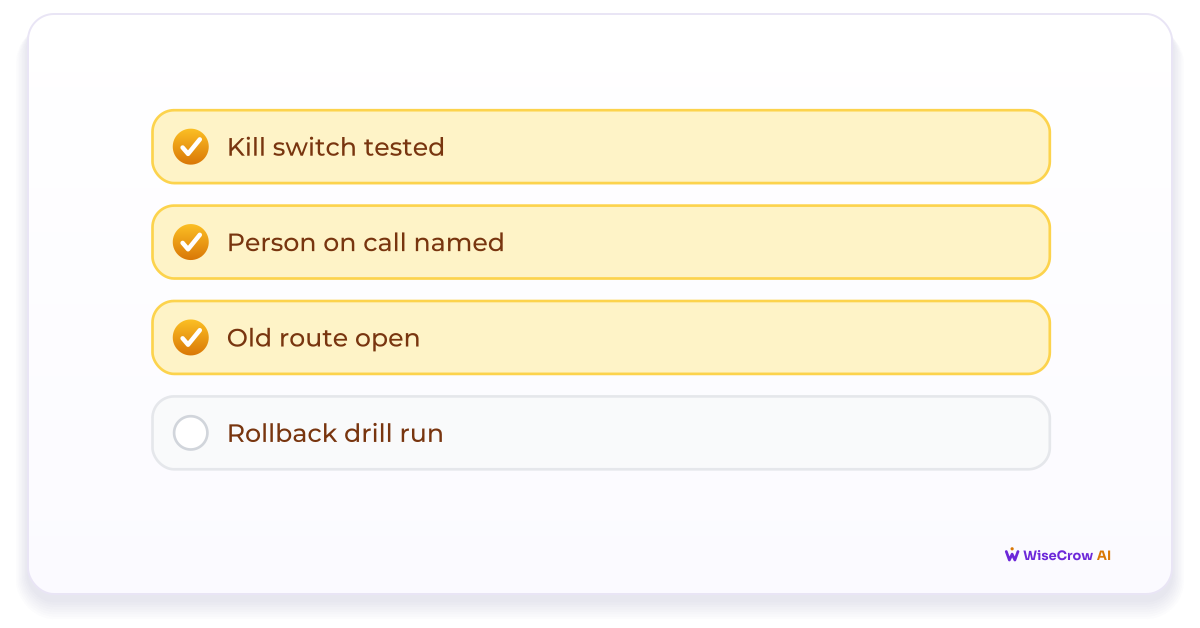
| Rollback | Kill switch tested, named person on call | Nobody can switch it off in minutes |
The rollback line gets skipped most often. Somebody has to be able to switch the assistant off, or route all chats straight to agents, within minutes, and they should have practiced it once. I’ve only needed it twice in live projects. Both times, the five minutes it saved mattered more than any other line on the list.
Phase 7: Soft Launch
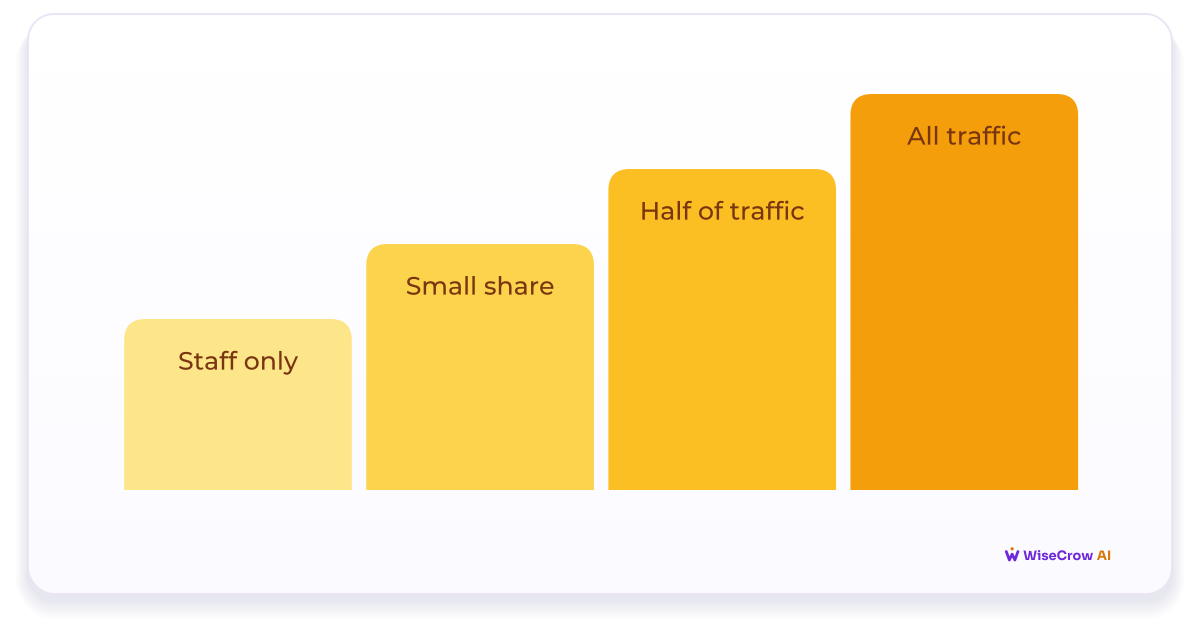
Open the assistant to a small slice of real traffic first. I usually start at 5 to 10 percent of conversations. Where the platform can’t split traffic, use one entry point, such as the help center only, or logged-in customers only. Low-volume businesses may need a bigger share, because 40 conversations a week tell you little.
During the soft launch, someone reads every handed-over and low-rated conversation daily. Fixes go out quickly, but each one still passes the golden set first. Raise the share in steps, for example to 25 and then 50 percent, once resolution, handover rate and satisfaction hold steady for a full week at the current level.
Keep the old route open the whole time. Customers outside the test group should notice nothing.
Phase 8: Go-Live
Full go-live should feel almost boring if the soft launch did its job. Move to 100 percent of traffic early in the week, never before a holiday or a big promotion. Put a small watch team on the first few days: the assistant owner, a support lead and someone who can fix integrations.
Freeze non-urgent changes for the first 48 hours. Teams love to “quickly improve” the greeting on launch day, and then nobody knows which change caused the dip in the numbers. Tell your support team the exact switch time, and give them a channel to report odd conversations as they see them.
Phase 9: The First 60 Days
Most assistants I’ve worked on improved more in their first two months than during the whole build. Real customers show you the gaps. Your job is to fix them in the right order.
Days 1 to 14: Daily Reviews
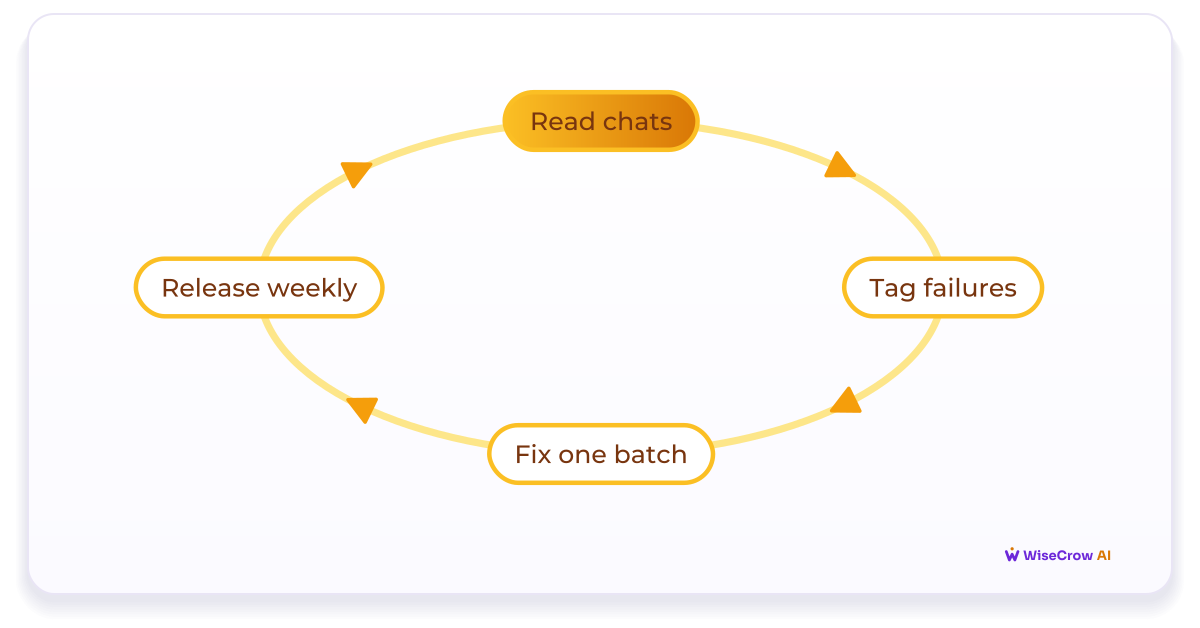
Read handed-over and low-rated conversations every day and tag each failure: missing knowledge, wrong retrieval, broken flow, integration error or out of scope. Fix knowledge gaps the same day, because they’re the cheapest fix and usually the biggest group early on.
Days 15 to 30: A Weekly Release
Move to one release a week. Bundle the fixes, run the golden set, add every new failure pattern to the set and ship. The set should be noticeably bigger by day 30 than it was at launch.
Days 31 to 60: Measure and Widen
Once the failure rate flattens, add one new contact reason or one new action, and run it through the same test and soft-launch steps on a smaller scale. At day 60, compare resolution, handover rate, satisfaction and repeat contacts with the baseline you recorded before discovery. For a sales assistant, add qualified leads and booked meetings. Those numbers feed straight into the math in my breakdown of conversational AI ROI.
How to Choose Your Launch Path
The nine phases stay the same. The order of what you build first changes with your situation:
- If most of your volume is simple questions, launch an answer-only assistant first and add integrations in the 60-day window.
- If customers mostly want order or account updates, build those integrations before launch, since answers alone won’t resolve much.
- If you’re adding a sales assistant, start with qualification and meeting booking, and keep pricing talk to published list prices.
- If phone is your biggest channel, launch on chat first and carry the tested knowledge and flows over to voice later.
- If your help content is patchy, give phase 2 extra weeks and move the launch date. A clean knowledge base saves more time later than any other phase.
Voice raises the bar on almost every test in the table above, from speech recognition to latency. My chatbots vs voice bots guide explains the differences if you’re still weighing the two.
Last, decide who runs the build. If you have a developer, a support lead with time to spare and someone to own the knowledge base, you can run this plan in-house. If any of those three is missing, outside help usually pays for itself in the testing and launch phases, where mistakes are expensive.
Questions About Conversational AI Implementation
How Long Does a Conversational AI Implementation Take?
For a support or sales assistant with a focused scope and two or three integrations, plan for a few months from discovery to full go-live, plus the 60-day tuning window. In my experience, integration access, knowledge clean-up and sign-offs from legal and IT set the pace more than the build does.
What Is a Golden Test Set?
It is a fixed collection of real customer messages, anonymized, each paired with the outcome you expect: the right answer, the right action or a handover. You run the whole set before launch and again after every change to prompts, flows, knowledge or the model, so you catch regressions before customers do.
What Is Red Teaming for a Chatbot?
Red teaming means people deliberately try to make the assistant misbehave. They push it out of scope, ask for discounts it can’t give, try to make it ignore its instructions and test how it handles abuse. Your own support agents make good red teamers, because they know how real customers push.
What Share of Traffic Should a Soft Launch Get?
I usually start with about 5 to 10 percent of conversations, or one entry point such as the help center, and raise it in steps once the numbers hold for a full week. Smaller businesses with low volume may need a bigger share to collect enough conversations to judge.
What Should I Measure in the First 60 Days After Go-Live?
Track resolution, handover rate and reasons, fallback rate, customer satisfaction after the chat and repeat contacts within a few days. For a sales assistant, add qualified leads and booked meetings. Compare each number with the baseline you recorded before launch, and read a sample of transcripts every week.
Do I Need a Developer to Implement Conversational AI?
For a simple assistant that only answers from your help center, many platforms need little or no code. Once it has to look up orders, create tickets or update your CRM, you need someone who can build and test integrations, handle authentication and set up logging.
What Is the Biggest Reason Conversational AI Launches Fail?
In my client work, it’s weak preparation of the knowledge base, followed closely by handovers that lose the conversation history. Both are visible in testing if you test with real transcripts. Teams that skip that step usually find the problems in front of customers.
Sources
- OWASP GenAI Security Project, LLM01:2025 Prompt Injection: genai.owasp.org
- Global News, B.C. tribunal ruling on Air Canada’s chatbot (February 2024): globalnews.ca
Disclaimer: This article is for general information only and isn’t legal advice. Disclosure, privacy and consumer protection rules for AI assistants differ by country and state and change often, so check the current requirements with your legal adviser before launch.
Did you find this helpful?
Thank you for your feedback.
Marlena leads the WiseCrow editorial team and works with our consultants to turn real client projects into practical guides on AI strategy, automation and governance. Before joining WiseCrow, she spent 12 years in B2B operations and SaaS content. She has since edited more than 400 articles on AI and automation and reviewed workflows from over 60 client projects. She is based in Austin, Texas.