Summary
- Build conversational AI in eight layers, from goals and scope to governance, each with a named owner.
- Use fixed intents for requests that touch money or accounts, and LLM understanding for the long tail.
- Design flows per channel, because web chat, WhatsApp and voice differ in pace, format and rules.
- Plan handover and analytics before launch, since most early fixes come from reading failed conversations.
Most of the chatbots I’m asked to rescue went live the same way. Someone picked a platform, built a few flows and launched, and nobody had decided what the assistant was for, what it may do or who fixes it when it fails. A framework puts those decisions in order, and it’s the first thing I set up in any conversational AI consulting project.
Below you get all eight layers on one table, then a short section for each one with the choices that matter. The layers hold for a website chatbot, a WhatsApp assistant and a voice bot alike. Only the details change.
The Eight Layers at a Glance
| Layer | Key decision | Output and owner |
|---|---|---|
| 1. Goals and Scope | Which requests the assistant handles and which it never touches | Scope list with success metricsSupport or CX lead |
| 2. Intents and Knowledge | Intents, LLM understanding or a mix, and which sources it may answer from | Intent set and approved knowledge baseConversation designer, content owners |
| 3. Conversation Flows | How each request moves from first message to a resolved outcome | Flow maps with repair pathsConversation designer |
| 4. Channels | Where the assistant lives and how it adapts per channel | Channel plan and format rulesCX lead, channel owners |
| 5. Integrations and Actions | Which systems it can read from and write to | Action list with permissionsTechnical owner |
| 6. Human Handover | When a person takes over and what context they get | Handover triggers and routingSupport team lead |
| 7. Analytics and Improvement | What you measure and how often you fix what fails | Dashboard and release cycleAssistant owner |
| 8. Governance and Safety | Who approves changes and which guardrails apply | Policies, tests and sign-offsRisk, legal, IT security |
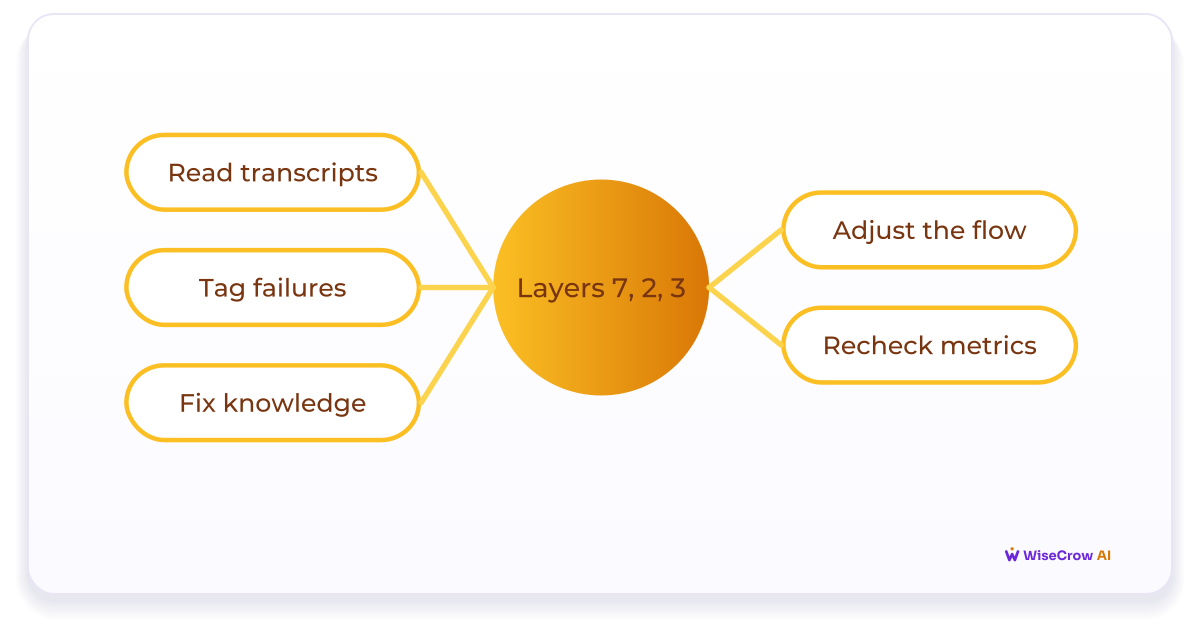
Read the table top to bottom for a first build. Once the assistant is live, you’ll spend most of your time in layers 2, 3 and 7, because that’s where the logs point.
Layer 1: Goals and Scope
Start with the job. Pull the top contact reasons from your ticket tool, inbox or call logs, with rough volumes for each. Then pick the ones that are frequent, repetitive and low-risk: order status, opening hours, appointment changes, password resets. For a first release, five to fifteen contact reasons is plenty.
The Out-of-Scope List
Write down what the assistant must decline and pass to a person. Complaints, legal threats, medical or financial advice, cancellations where you want to make a retention offer. In my client work, a clear out-of-scope list has prevented more embarrassing answers than any amount of prompt tuning.
Success Metrics You Set Upfront
Agree on three or four numbers before anyone builds: resolution rate, handover rate, customer satisfaction and cost per conversation are a good set. Record today’s baseline for each. Without it, every result after launch turns into an opinion.
Layer 2: Intents and Knowledge
The understanding layer decides how the assistant works out what someone wants, and where its answers come from. It’s the layer where teams argue most, usually about intents versus large language models.
Classic Intents Compared With LLM-Based Understanding
An intent is a labeled request, such as “check order status”, trained on a list of example phrases. The system matches each new message to the closest intent and pulls out details like an order number, which are called entities. Intents are predictable and easy to test. They also break when people phrase things in ways nobody wrote down, and a set of several hundred intents gets hard to keep apart.
LLM-based understanding hands the message and the conversation so far to a language model. It copes with typos, mixed questions and topics you never planned for. For answers, it usually searches your approved content first and writes a reply from what it finds, a method called retrieval-augmented generation. The catch is that a model can sound sure and still be wrong, and you can’t test it phrase by phrase.
| Aspect | Intent-based | LLM-based |
|---|---|---|
| How it understands | Matches the message to labeled intents trained on example phrases | Reads the message and context with a language model |
| Setup work | Example phrases and entities per intent | Prompts, approved knowledge and guardrails |
| Strong at | Predictable, testable transactions | Odd phrasing, mixed questions, long-tail topics |
| Main risk | Breaks on phrasing it never saw | Confident answers that are wrong |
| Testing | Fixed test phrases per intent | Sets of real conversations, rerun after every change |
The Hybrid Most Teams End Up With
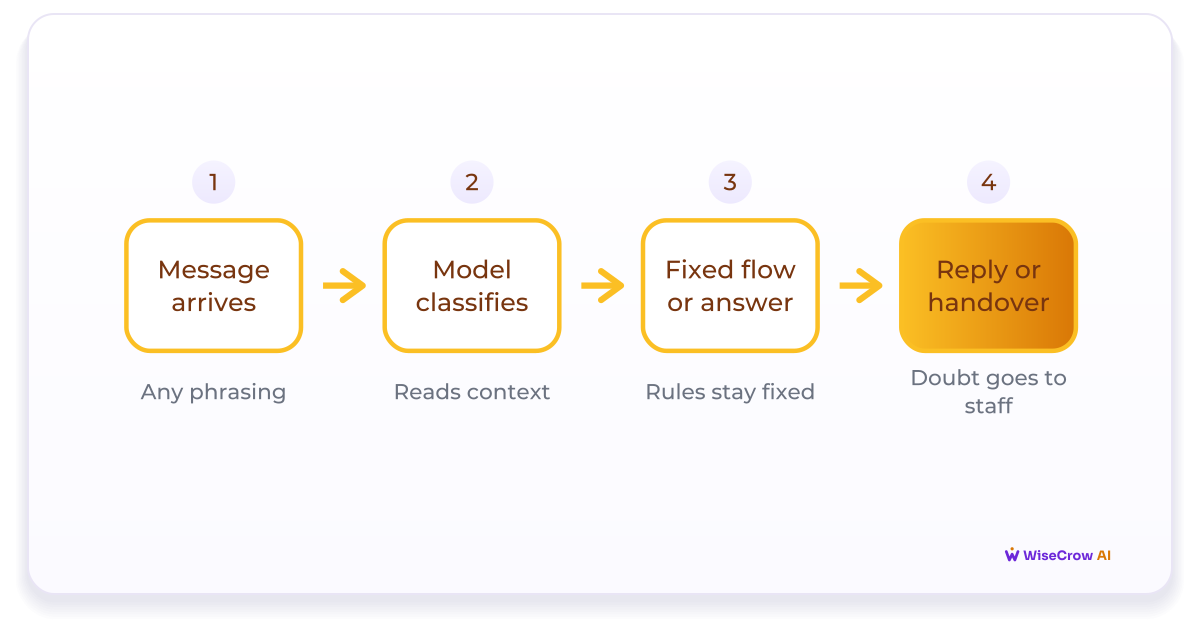
The setup I recommend most often uses both. The model reads every message and decides if it belongs to a small set of transactional intents, like a refund, a booking or an address change. Those run through fixed, tested flows. Everything else gets an answer grounded in your knowledge base. My line is simple: anything that touches money, an account or health data goes through a fixed flow.
Knowledge Sources and Their Owners
An assistant is only as good as the content behind it. List every source it may use, such as help articles, policies and product data, and give each one an owner and a review date. A stale returns policy in the help center becomes a wrong answer in a thousand chats. Plan a content audit before launch. It’s dull work, and it fixes more answers than any model upgrade.
Layer 3: Conversation Flows
A flow is the path from someone’s first message to a resolved outcome. Good flows feel short to the user, even when there’s a lot of logic behind them.
Map the Happy Path, Then the Detours
For each request in scope, sketch the ideal path first: greet, identify the request, collect the details, confirm, act, confirm the result, close. Then map the detours. The user doesn’t have the order number, gives a wrong date, changes topic halfway or the order system is down. In my experience, the detours take about three times as long to design as the happy path, and they decide how the assistant feels in real use.
Slots, Confirmation and Repair
Collect details one at a time, and confirm before any action: “I’ll move your appointment to Tuesday at 3 pm. Shall I go ahead?” When the assistant doesn’t understand, rephrase the question once, then offer buttons or a person. Two failed attempts is my limit. A third “Sorry, I didn’t get that” is where people start typing in capitals.
Let the Model Talk, Keep the Logic Fixed
With LLMs, it’s tempting to let the model decide everything, including business rules. I keep eligibility checks, limits and approvals in the flow or in code, and let the model handle wording and pulling details out of messy messages. You get natural replies and rules you can audit. My list of conversational AI best practices covers the dialogue wording side in more depth.
Layer 4: Channels
The same brain can speak on several channels, but each one changes the conversation. Plan the channel early, because it shapes your flows, your wording and even your scope.
| Factor | Web chat | Voice | |
|---|---|---|---|
| Pace | Near real time, user may leave the tab | Asynchronous, replies hours apart | Real time, silence feels broken |
| Format | Text, buttons, links, forms | Short text, buttons, lists, media | Speech only, short sentences |
| Rules to know | Your own site and privacy policy | 24-hour window and approved templates | Call recording and consent rules |
| Identity | Logged-in session if available | Phone number, plus a check for account data | Caller ID plus a code or security question |
| Best for | Pre-sales questions, account help | Order updates, bookings, follow-ups | Simple, high-volume call reasons |
Web Chat
Web chat gives you the most room. You can show buttons, links, cards and short forms, and if the visitor is logged in, you already know who they are. The weak spot is attention: people open the chat, ask one thing and close the tab. Answer first, then ask follow-up questions.
WhatsApp conversations are slower and more personal. People reply hours later, from their phone, in short bursts. The platform also has rules your flows must respect. A user’s message opens a 24-hour customer service window, and outside it you may only send approved template messages, as Twilio’s WhatsApp documentation explains. So a flow that waits two days for a missing document needs a template ready to restart it.
Voice
Voice is the hardest channel to get right. Callers can’t scroll back, so answers must be short, with one question per turn. Speech recognition mishears names, numbers and accents, so confirm key details out loud and offer keypad input for things like account numbers. Pauses matter too: a two-second silence on a call feels like a dropped line. My guide to chatbots and voice bots compares the two in more detail.
Layer 5: Integrations and Actions
An assistant that only answers questions saves some time. One that can look up an order, rebook an appointment or update an address saves far more, and it’s where most of the build effort goes.
Read Before You Write
Start with read-only actions, such as order status or account balance. Add write actions, like changes and cancellations, once the logs show the assistant identifies requests reliably. Give it its own service account with only the permissions it needs, and set limits per action, for example a maximum refund amount it can trigger without a person.
Identity Checks Inside the Conversation
Before the assistant shows account data, it needs to know who it’s talking to. On web chat, a logged-in session usually covers it. On WhatsApp, the phone number helps, but phones get shared and lost, so add a check for sensitive data. On voice, caller ID plus a one-time code or security question is the common pattern. Integration depth is also the biggest difference between vendors in my ranking of conversational AI platforms.
Layer 6: Human Handover
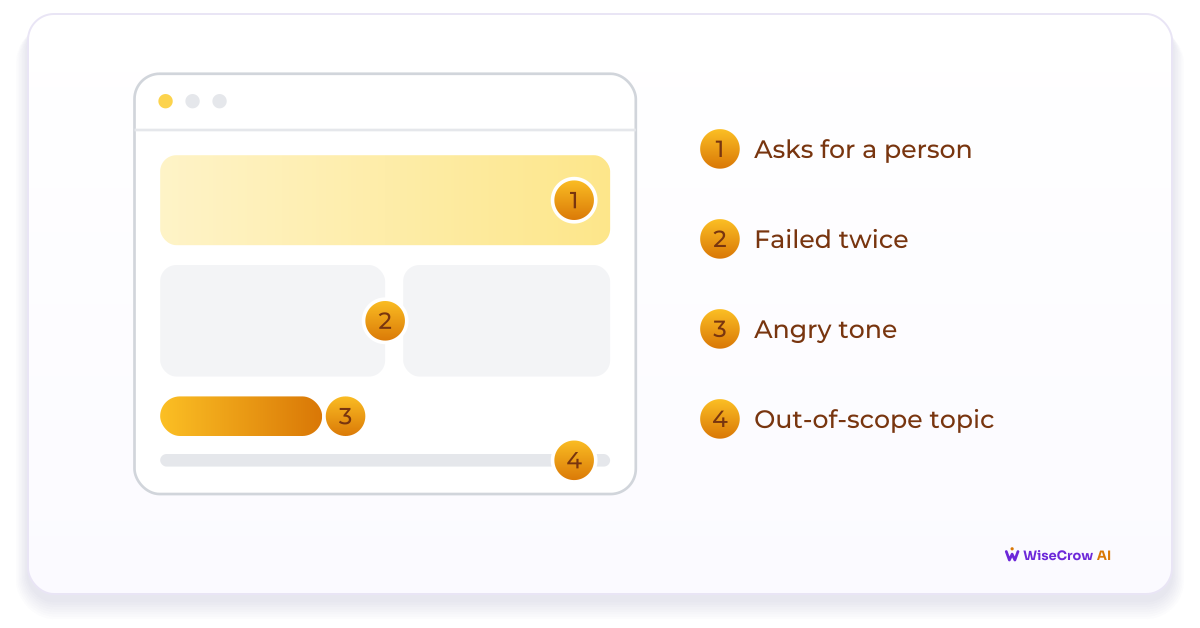
Handover is part of the design from day one. Set clear triggers: the user asks for a person, the assistant fails twice, the tone turns angry, the topic is on the out-of-scope list or the case involves a vulnerable customer. Make asking for a person easy at any point. Hiding that option frustrates people and drags your satisfaction scores down.
Pass the Context Along
When an agent takes over, they should see the transcript, the request the assistant detected, any details it collected and a two-line summary. If the customer has to repeat their order number, the handover failed, even if the routing worked.
When Nobody Is Available
Out of hours, the assistant should say so plainly, create a ticket with the context and give a realistic reply time. Don’t pretend a person is about to join.
Automation will take on more of the easy work. Gartner predicts that agentic AI will resolve 80% of common customer service issues without human help by 2029. If that holds, the conversations that still reach your team will be the hardest and most emotional ones, which makes a good handover worth more each year.
Layer 7: Analytics and Improvement
Launch is the start of the work. Track resolution, handover rate, fallback rate (how often the assistant didn’t understand), customer satisfaction and cost per conversation, and compare each with your baseline.
Read the Transcripts Every Week
Dashboards show where things go wrong. Transcripts show why. I ask teams to read about 50 failed or handed-over conversations each week and tag each one: misunderstood request, missing knowledge, broken integration or dead-end flow. After a month, the tags tell you exactly what to fix first. In most projects I’ve run, missing or outdated knowledge tops the list early on, ahead of any model problem.
Turn Findings Into a Release Cycle
Ship small fixes on a steady rhythm, every two weeks works for most teams. Keep a test set of real conversations and rerun it before each release, so a fix for one topic doesn’t break another. To put a money value on what improves, my breakdown of conversational AI ROI walks through the math.
Layer 8: Governance and Safety
Governance covers who may change the assistant, how changes are tested, what data it keeps and what it tells users about itself. Regulated industries like finance and healthcare need it from the first workshop, and everyone else needs it before launch.
Disclosure and Data
Tell people they’re talking to an AI. Article 50 of the EU AI Act requires providers to design AI systems that interact with people so those people are informed, unless it’s obvious from the context, as the text of Article 50 sets out. Check the current application dates and how it applies to you with your legal adviser. Also decide how long transcripts are kept, mask card numbers and health details in the logs, and agree who may read them.
Guardrails for LLM Answers
Limit answers to approved sources, block off-topic requests and test the assistant against attempts to make it ignore its instructions, often called prompt injection. Run those tests before launch and again after every larger change. A short red-team session with your own support agents finds more weak spots than you’d expect, because they know what customers really type.
Change Control
Every change to prompts, flows or knowledge should have a named approver and pass the test set first. It sounds heavy for a chatbot. Then a well-meant prompt edit changes the refund wording on a Friday afternoon, and everyone wishes it had been reviewed.
Estimate the Agent Time at Stake
Use the calculator to size the opportunity before you build. Set the minutes to the average handle time of the contact reasons in your scope, the weekly volume to how often they come in, and the share to what you expect the assistant to resolve on its own. Be conservative with that share in a first release.
How Much Time Could You Save?
Move the sliders to match one repetitive task in your business.
Choosing Your Starting Point in the Framework
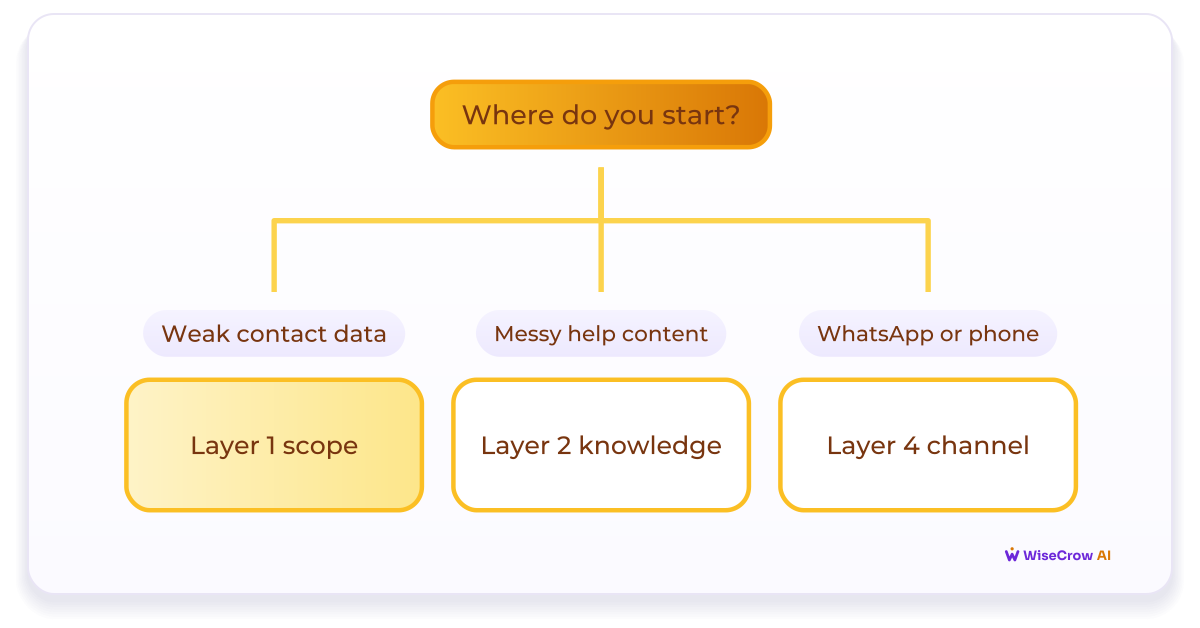
You don’t have to work through all eight layers in strict order. Your situation decides where the first effort goes:
- If you lack reliable contact data, spend two weeks on layer 1 and count what really comes in.
- If your help content is outdated or scattered, fix the knowledge in layer 2 before any build.
- If most volume arrives on WhatsApp or the phone, design layer 4 for that channel first and add web chat later.
- If requests need account data, budget for layer 5 integrations and identity checks from day one.
- If you work in finance or healthcare, draft layer 8 governance alongside the scope.
When the layers are clear, the next question is sequencing the build, testing and go-live. My walkthrough of conversational AI implementation turns the framework into that plan.
Questions About Conversational AI Frameworks
What Is a Conversational AI Framework?
It is a structured set of decisions you make before and after you build a chatbot or voice bot. It covers scope, how the assistant understands requests, conversation flows, channels, integrations, handover to people, analytics and governance, and it names an owner for each part.
What Is the Difference Between Intents and LLM-Based Understanding?
Intent-based systems match a message to a fixed list of labeled requests trained on example phrases. LLM-based systems use a large language model to read the message and context, so they cope with phrasing nobody planned for. Intents are easier to test, while LLMs cover more ground with less setup.
Should I Use Intents or an LLM for My Chatbot?
Most teams do best with a mix. Use an LLM to understand the message and answer open questions from approved knowledge, and route anything that changes an account, an order or a payment into a fixed, tested flow.
How Many Intents Does a Conversational AI Assistant Need at Launch?
Fewer than most teams expect. Start with the contact reasons that make up most of your volume, often somewhere between five and fifteen, and add more once the logs show what people actually ask.
Can One Assistant Run on Web Chat, WhatsApp and Voice?
Yes, the understanding, knowledge and integrations can be shared. The flows and wording need a version per channel, because a voice caller can’t see buttons and a WhatsApp user may reply hours later.
How Do I Measure If My Conversational AI Works?
Track resolution, handover rate, fallback rate, customer satisfaction and cost per conversation against a baseline from before launch. Read a sample of transcripts every week too, because numbers alone hide the conversations where people simply gave up.
Do I Need to Tell Customers They’re Talking to AI?
In many cases, yes. The EU AI Act includes a duty to inform people when they interact with an AI system unless it’s obvious, and other rules may apply where you operate. Check the current requirements with your legal adviser, and disclose it anyway as good practice.
Sources
- Gartner prediction on agentic AI in customer service (March 2025), as reported by CX Today: cxtoday.com
- Twilio, WhatsApp key concepts and the customer service window: twilio.com
- EU AI Act, Article 50 transparency obligations: artificialintelligenceact.eu
Disclaimer: This article is for general information only and isn’t legal advice. Platform rules, such as WhatsApp messaging policies, and regulations like the EU AI Act change often, so check the current status with the original sources and your advisers before you act.
Did you find this helpful?
Thank you for your feedback.
Marlena leads the WiseCrow editorial team and works with our consultants to turn real client projects into practical guides on AI strategy, automation and governance. Before joining WiseCrow, she spent 12 years in B2B operations and SaaS content. She has since edited more than 400 articles on AI and automation and reviewed workflows from over 60 client projects. She is based in Austin, Texas.